Enterprise teams collaborate visually every day. Brainstorming sessions. Process mapping. Architecture reviews. Product roadmaps drawn out across an infinite canvas with a dozen people editing simultaneously.
For most organizations, a cloud-based whiteboard handles this just fine. But a growing number of enterprises — particularly in finance, healthcare, government, and defense — have hit a hard wall. Their security policies, compliance obligations, or data governance frameworks simply do not permit sensitive collaboration data to live on a vendor’s shared cloud infrastructure.
The answer they keep arriving at: an on-premise collaborative whiteboard.
This guide explains what that means in practice, why it matters more than ever in 2026, what features to demand from any solution you evaluate, and how Boardmix delivers enterprise-grade on-premise visual collaboration without forcing your teams to sacrifice a single capability.
What Is an On-Premise Collaborative Whiteboard?
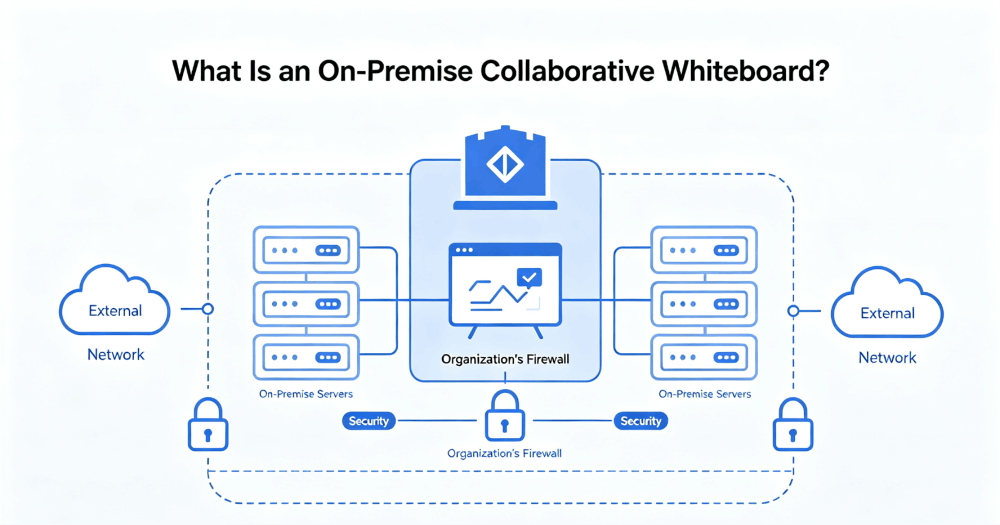
An on-premise collaborative whiteboard is a real-time visual collaboration platform deployed and operated entirely on infrastructure your organization owns or exclusively controls — not on a vendor’s public cloud.
That infrastructure might be physical servers in your own data center. It might be a virtual private cloud environment running inside your own AWS, Azure, or Google Cloud account. What it is not: a shared SaaS environment where your data co-mingles with hundreds of other organizations’ boards, files, and session histories.
The distinction sounds technical. The implications are anything but.
When your whiteboard runs on-premise, your IT team governs who can access it, how authentication works, what encryption standards apply, where data is stored, and exactly what gets logged. You are not dependent on a vendor’s compliance documentation. You own the infrastructure. You own the controls.
According to Mordor Intelligence, the collaborative whiteboard software market is projected to grow from $3.81 billion in 2026 to $9.59 billion by 2031 — with on-premises deployment among the fastest-growing segments, driven by regulated industries and tightening data sovereignty requirements worldwide.
Why Enterprises Are Moving Toward On-Premise Visual Collaboration
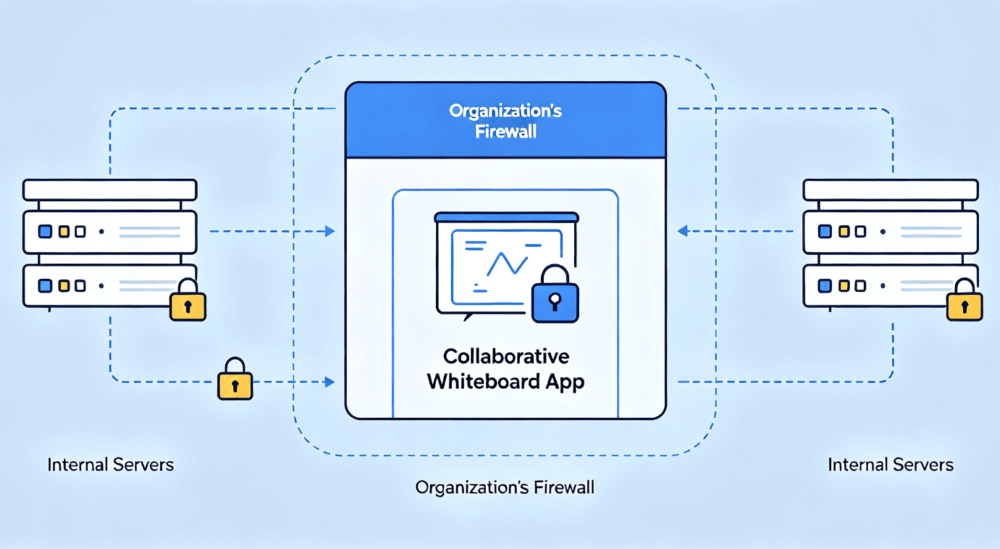
The shift is not about distrust of cloud technology in general. Most enterprises run critical workloads in the cloud. The issue is more specific: collaboration tools generate sensitive data that many organizations are not permitted — or not willing — to store outside their security perimeter.
Here is what typically drives the decision toward on-premise deployment:
Regulatory compliance. GDPR, HIPAA, SOC 2, ISO 27001, and sector-specific regulations increasingly require organizations to demonstrate control over where sensitive data lives and who can access it. A vendor’s compliance certifications are not the same as your organization controlling the infrastructure directly.
Data localization mandates. Governments across the EU, Southeast Asia, and other regions have enacted laws requiring certain categories of data to remain within national borders. A SaaS whiteboard tool with data centers in two or three global regions cannot satisfy a strict data localization requirement — a private deployment within your own infrastructure can.
Internal security policy. Many enterprises — particularly in financial services, defense, and critical infrastructure — maintain blanket policies prohibiting the transmission of certain data types to any external service, regardless of the vendor’s security posture. On-premise deployment is the only architecture that satisfies these policies.
IP protection. Product roadmaps, engineering schematics, M&A strategy, unreleased designs. The most sensitive collaboration often happens around intellectual property that could be catastrophically damaging if exposed. Keeping that collaboration inside a controlled network perimeter is simply risk management.
Gartner’s research on digital workplace infrastructure consistently identifies data governance and sovereignty as top-tier procurement criteria for enterprise software — a reality that has reshaped how IT teams evaluate collaboration tools.
Key Features to Demand in an Enterprise Whiteboard On-Premises Solution
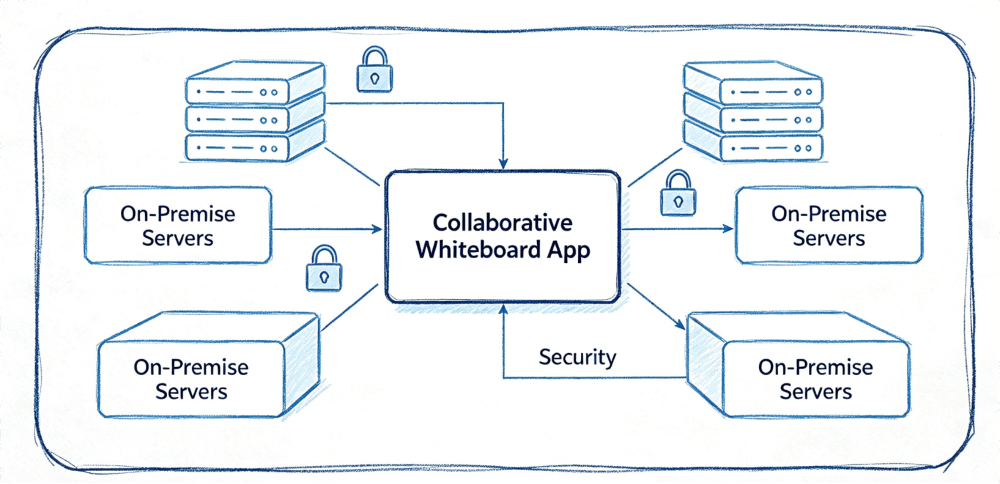
Not every tool that advertises on-premise deployment is ready for enterprise-scale use. Many vendors offer a containerized version of their product as a technical checkbox — without the security architecture, management tooling, or feature completeness that enterprise deployment actually requires.
When evaluating an enterprise whiteboard on-premises solution, these are the criteria that separate production-ready platforms from proof-of-concept experiments:
Full feature parity across deployment models. Your on-premise deployment should deliver a comprehensive capability set — including real-time multi-user collaboration, flowcharts, mind maps, sticky notes, and presentations. While Boardmix maintains strong feature consistency between deployment models, certain features may vary, and some capabilities — like enhanced enterprise authentication and custom SSO integrations — are designed specifically for private deployment environments.
Enterprise identity integration. Native support for SSO via SAML 2.0, LDAP, and Active Directory is non-negotiable. Your users should authenticate through your existing identity provider. No separate credential management, no shadow IT.
Role-based access control. Granular permission management — workspace-level, board-level, and content-level — must be built into the platform architecture. Admins need the ability to define who can view, edit, export, and share, with those controls enforced at the infrastructure level.
Audit logging and compliance reporting. Every user action — board access, content export, permission change, login event — should be captured in tamper-evident logs accessible to your security team. This is table stakes for any regulated industry deployment.
Containerized deployment support. Docker and Kubernetes compatibility is essential for integrating a whiteboard platform into modern enterprise infrastructure. Version management, rollback capability, and health monitoring need to be part of the deployment package.
SDK integration capability. The most mature enterprises do not want another standalone application. They want visual collaboration embedded directly into existing platforms — their internal OA system, their project management tool, their engineering portal. A platform that offers an enterprise-grade SDK alongside its on-premise deployment opens up entirely different architecture possibilities.
How Boardmix Delivers On-Premise Collaborative Whiteboard for Enterprise
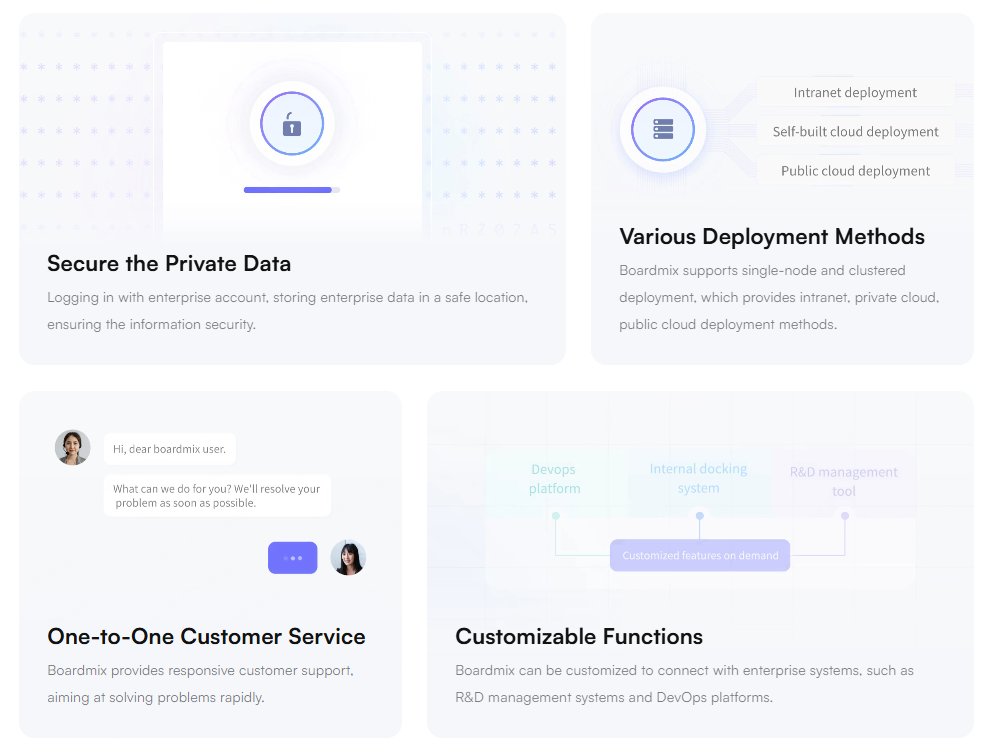
Boardmix is an enterprise visual collaboration platform purpose-built to support private deployment. Unlike tools designed primarily as consumer SaaS products that later added on-premise options as an enterprise tier add-on, Boardmix treats deployment flexibility as a foundational architectural requirement.
On-Premises Deployment
Boardmix’s on-premises deployment installs the complete application stack directly on your organization’s servers or data center hardware. Backend services, database, file storage, real-time collaboration engine — all of it runs inside your network.
No data leaves your perimeter. No external API calls to Boardmix’s cloud. No dependency on vendor uptime or availability. Your IT team manages access, upgrades, and security configuration using the same processes and tooling already in place for other enterprise systems.
The deployment package includes Docker and Kubernetes support, comprehensive setup documentation, and dedicated onboarding from Boardmix’s enterprise deployment engineers. Version updates are managed on your schedule, not the vendor’s.
Private Cloud Deployment
For organizations that want the operational efficiency of cloud infrastructure without the exposure of a public SaaS environment, Boardmix supports private cloud whiteboard deployment within your organization’s own cloud tenancy.
This model runs on your AWS account, your Azure subscription, your GCP environment — under your IAM policies, your network configurations, your encryption keys. Boardmix’s infrastructure never touches your data. You retain full sovereignty while benefiting from cloud-native scalability.
Whiteboard SDK Integration
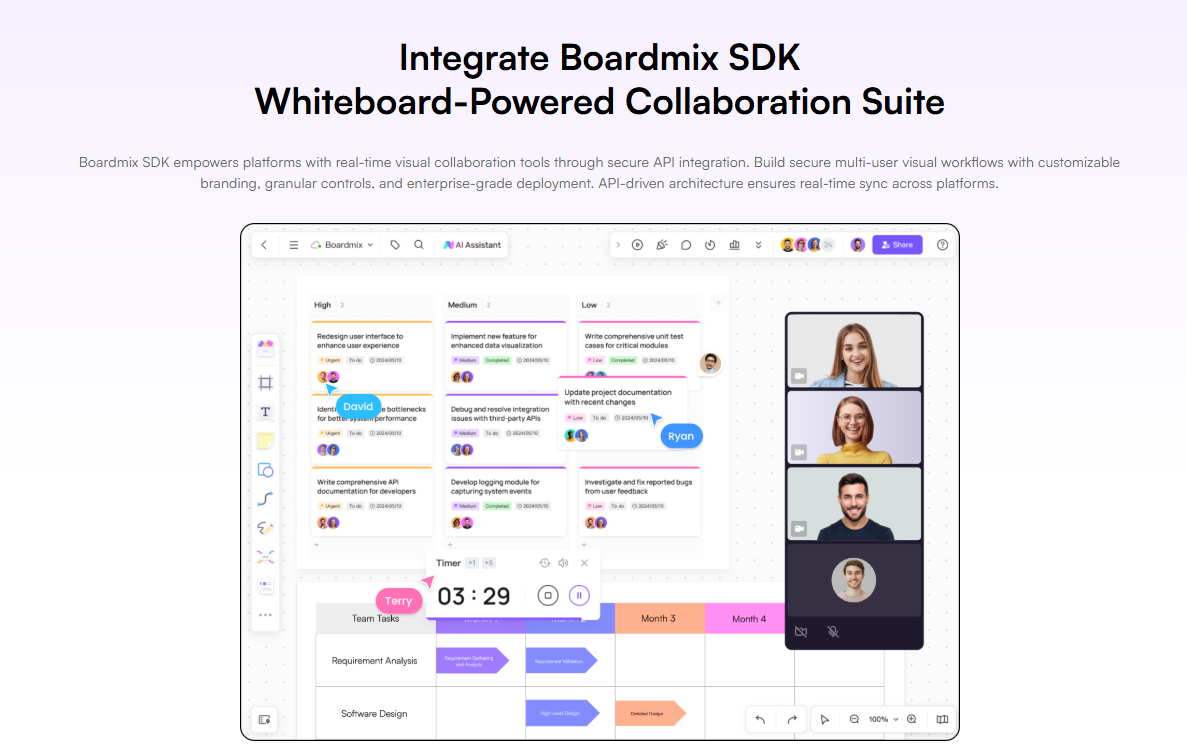
Boardmix’s enterprise SDK takes the on-premise model a step further. Rather than deploying Boardmix as a standalone whiteboard application, your development team can embed the complete Boardmix canvas — real-time collaboration, diagramming tools, AI features, permission controls — directly inside existing enterprise platforms.
The Boardmix SDK supports on-premises and private cloud environments natively. The security model of your embedded whiteboard is identical to your standalone deployment. There is no hidden SaaS dependency, no data leaking outside your perimeter through the integration layer.
Teams can embed visual collaboration into:
- Internal OA systems and intranet portals
- Project management and engineering platforms
- Document management and knowledge base systems
- Customer-facing SaaS products requiring co-creation features
- Training platforms and digital learning environments
On-Premise Whiteboard Deployment Models: A Comparison
| Deployment Model | Data Location | Internet Required | Best Fit |
|---|---|---|---|
| Public SaaS | Vendor cloud | Yes | SMBs, cloud-native teams |
| Private Cloud | Your cloud account | Optional | Scalable enterprise teams |
| On-Premises (Data Center) | Your servers | Not required | Regulated industries, max control |
| SDK Embedded (On-Premise) | Your infrastructure | Configurable | Platform-embedded collaboration |
Industry Use Cases for On-Premise Visual Collaboration
Financial services. Trading strategy visualization, M&A process mapping, risk workshop facilitation — these are exactly the kinds of high-sensitivity workflows that compliance teams refuse to place on shared cloud infrastructure. On-premise deployment keeps the whiteboard environment inside the security perimeter, satisfying both internal policy and regulatory audit requirements.
Healthcare and life sciences. Clinical pathway design, research collaboration, and hospital operations planning all carry data sensitivity that makes shared-cloud deployment problematic. A privately deployed whiteboard enables multi-disciplinary clinical teams to collaborate visually without creating HIPAA exposure.
Government and public sector. Agencies working with classified information, citizen data, or national security-adjacent workflows need tools that operate entirely within government-controlled networks. Boardmix’s on-premises deployment supports fully air-gapped environments with zero public internet dependency.
Technology and engineering. Large engineering organizations protecting unreleased product IP, system architecture diagrams, and proprietary technical processes benefit from on-premise deployment that keeps whiteboard sessions inside the corporate network — accessible to internal teams, invisible to the outside world.
Deployment Best Practices for Enterprise Whiteboard On-Premises
Standing up a private whiteboard deployment successfully requires more than installing software. These practices separate high-adoption deployments from ones that never get past the pilot phase:
- Integrate with your identity provider on day one. Friction in authentication kills adoption. SSO configuration should be completed before any users access the system.
- Define permission tiers before launch. Decide workspace, team, and board-level access structures before rollout. Retrofitting permissions after adoption is significantly more disruptive than building the model first.
- Plan for version management. Agree on a cadence for applying updates and assign ownership to the process. On-premise deployments that fall behind on versions accumulate security risk.
- Establish audit log retention policies. Determine how long logs must be retained and where they are stored, aligned with your compliance framework requirements.
- Run a structured pilot before full rollout. Deploy to a single team or department first. Validate performance, integration, and user experience before expanding organization-wide.
Take Control of Your Collaboration Infrastructure
The era of accepting data sovereignty trade-offs in exchange for modern collaboration tools is over. An on-premise collaborative whiteboard gives your enterprise exactly what the cloud cannot: a full-featured, real-time visual collaboration environment that operates entirely within your own infrastructure, under your own security policies, with zero external data exposure.
Boardmix delivers that environment — with the deployment flexibility, security architecture, feature depth, and enterprise support that regulated industries actually require.
Ready to bring visual collaboration inside your perimeter? Contact the Boardmix enterprise team to schedule a technical consultation and request a private deployment trial tailored to your infrastructure requirements.