Affordable AI-Powered Collaboration Starts Here! Go Pro for Less🎉
Lifetime plans start at just $99/seat, upgrade today and save big for your team.
Shop Now
activity banner
logo logo
Product
Solutions
Bring teams together

Run workshops, plan projects, and work with colleagues on a shared whiteboard.

Explore collaborative work

BOARDMIX · MIND MAPPING

Mind Map Maker for Work and Study

Create a mind map from a blank canvas, a template, or an AI draft. Organize ideas into branches, add useful detail, and share the result with your team.

Boardmix mind map with colored branches and layout options

The video could not load. Try again or open the video.

How to make a mind map online

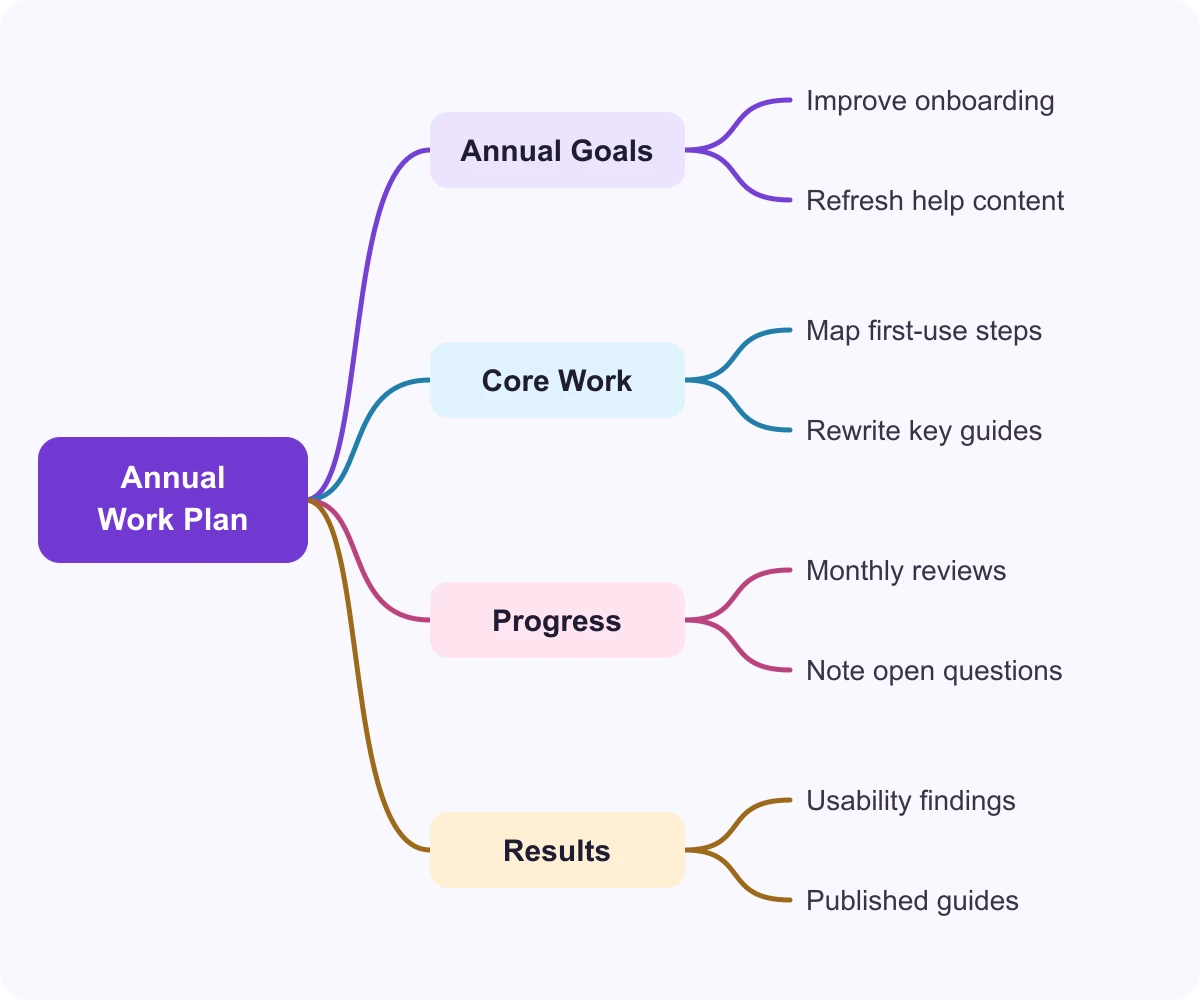
Set Annual Work Plan as the central topic of a mind map

1. Choose a central topic

Start with a project, question, or idea. Give your central topic a short title, such as “Annual Work Plan.”
Add branches for goals, work, progress, and expected results

2. Add topics and branches

Group the main ideas into branches. For an annual work plan, use goals, core work, progress, and results. Add specific activities as smaller branches.
Choose branch colors from the Boardmix color palette

3. Make the structure easy to read

Choose a layout and branch colors, shorten long labels, and remove repeated ideas. Your team should be able to follow each branch from the main topic to the details.
Annual work plan example linking goals, core work, progress, and results to practical activities

Turn a central idea into a useful plan

A branch becomes useful when it leads to something specific. In this example, “Core Work” breaks down into mapping first-use steps and rewriting key guides. “Progress” records monthly reviews and open questions, while “Results” captures usability findings and published guides.

Build the outline in Boardmix, then replace these example activities with your own. Add detail where it helps your team understand the work.

Build and review a mind map together

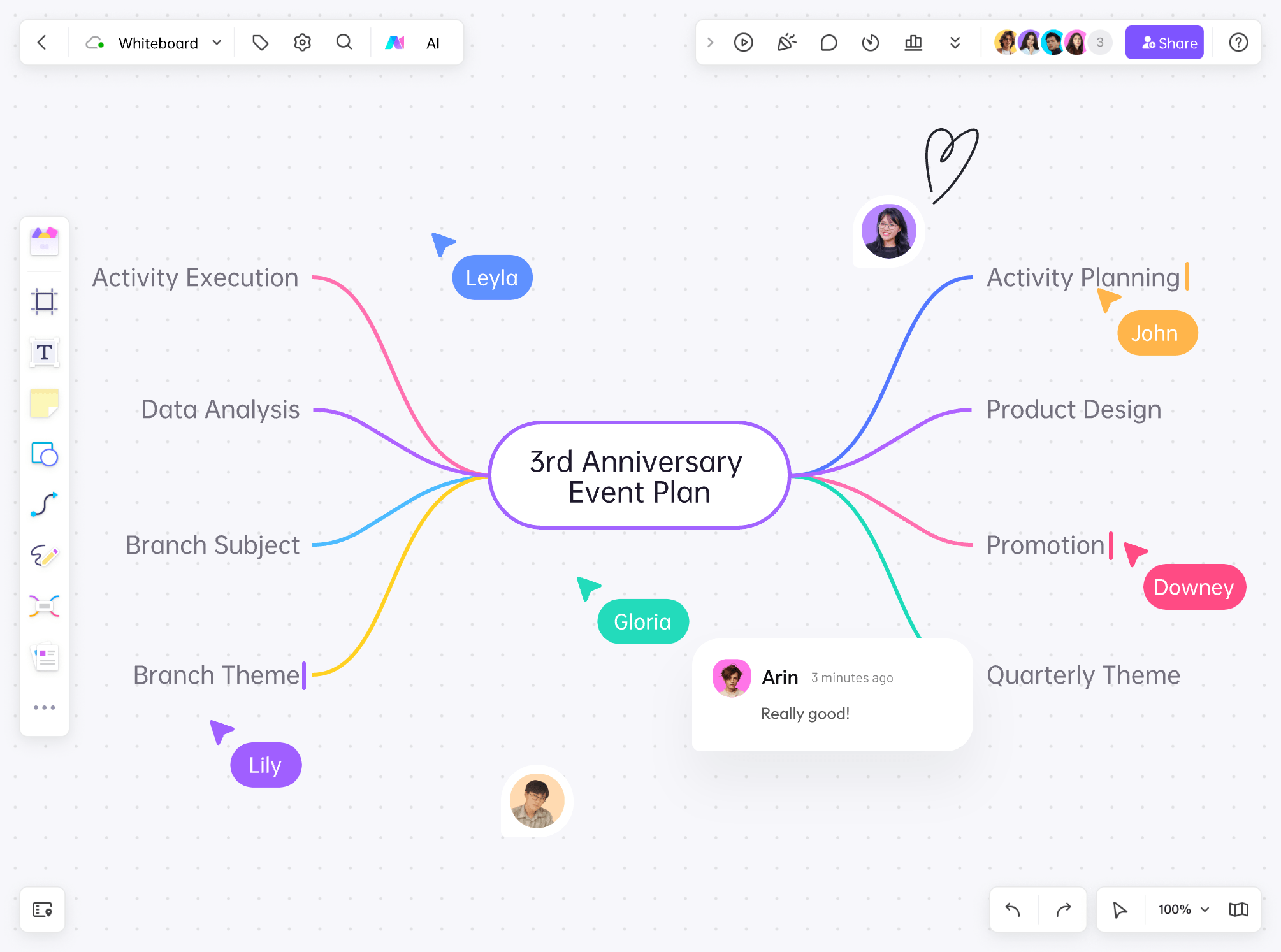
Invite teammates to add ideas on the same board. Use comments to question a branch or add missing context, then group related suggestions and agree on the next steps. Live cursors help you see where others are working.
Collaborators discussing branches of an anniversary event planning mind map in Boardmix

Start with an AI-generated mind map

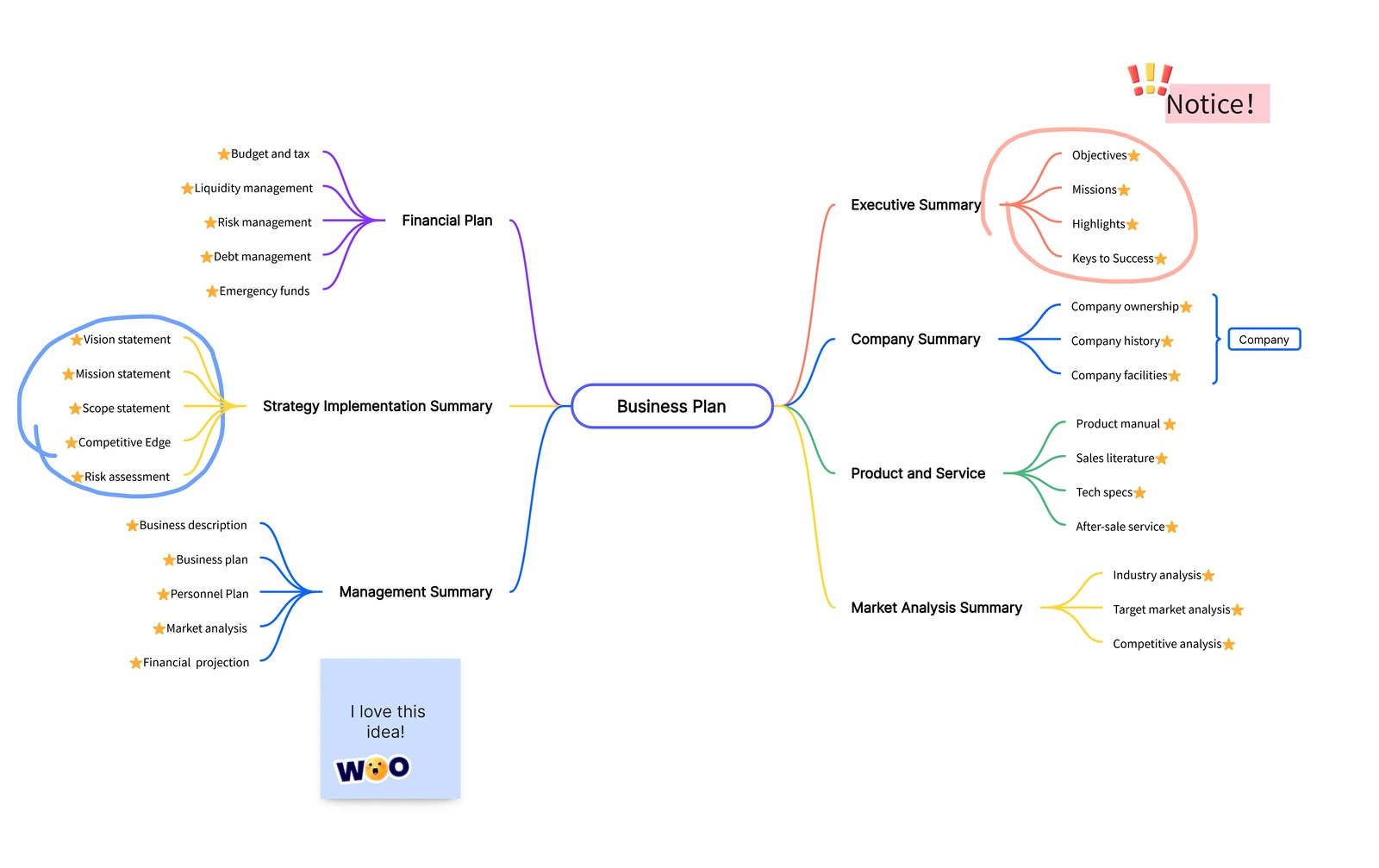
Use the AI mind map generator to turn a prompt into an initial outline. Try “Key points of writing a business plan,” then expand the branches with details about your product, customers, and market.

The example shows part of a business-plan structure. Use the draft to spot missing topics, then edit and organize the map around your own business.
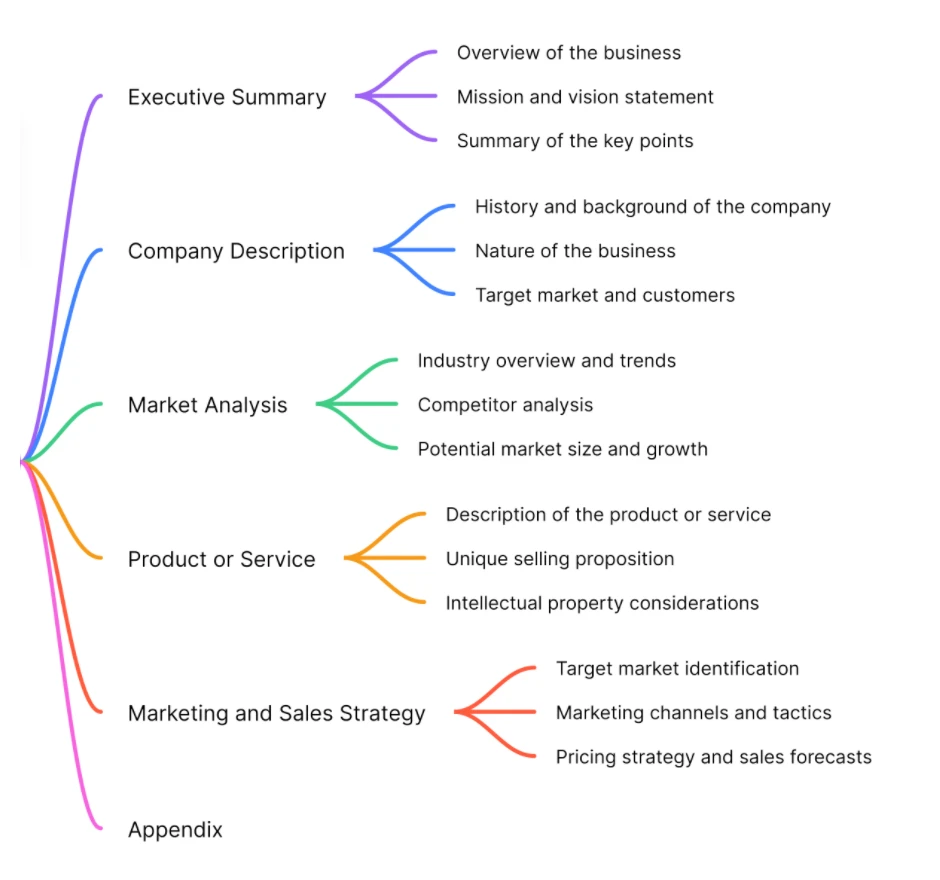
Detail from a Boardmix AI business-plan example, showing summary, company, market, product, sales, and appendix branches

Tools to edit, explain, and share your mind map

Keep refining the map as your ideas develop. Adjust its structure, discuss the details, and choose how to share the result.
Infinite canvas for mind mapping and idea expansion

Room for related ideas

Place reference images, documents, and links beside the relevant branches, so the reasoning stays with the map.

Real-time collaborative chat for team discussions

Live collaboration

Work on the same board and discuss ideas with comments and chat.

Mind map layout and theme options

Layouts and themes

Adjust the map’s layout and colors to make its branches easier to follow.

Diverse format import and export options for mind maps

Export and sharing

Share the live board for continued collaboration, or export a copy for a report or presentation. Export quality depends on your plan.

Presentation view for walking an audience through a mind map

Present your ideas

Walk through the map with your audience instead of showing every detail at once.

Version history management for collaborative mind maps

Version history

Return to saved versions when you need to review earlier work. History limits depend on your plan.

Mind map maker FAQ

Is Boardmix a free mind map maker?
Yes. The Free plan includes 1 team workspace, 3 editable boards, and up to 100 objects per board, with standard-definition export. Start a mind map on the free plan and upgrade if you need higher limits. See Boardmix pricing for plan details.
Yes. Choose a template for the task, replace its central topic, and rename the branches. Keep the parts that fit your project and remove the rest. You can also start with a blank map when you already have a structure in mind.
Yes. Invite teammates to the board to work together in real time. Use comments to discuss a specific idea, add missing context, or ask a question without changing the branch itself.
Share the Boardmix board when people need to keep working on the map. For a report or presentation, use the board’s export options to save a copy. The Free plan includes standard-definition export; higher-quality export is available on paid plans.
No. You can build and edit the branches yourself or start from a template. AI is an optional way to draft an outline from a prompt. You can then revise its labels, add your own ideas, and keep working on the same canvas.
Use a mind map to explore a topic and organize related ideas into branches—for example, a study outline or project brainstorm. Use a flowchart maker when the order of steps, decisions, and different outcomes is what you need to explain.

Make your next idea easier to see

Create a mind map