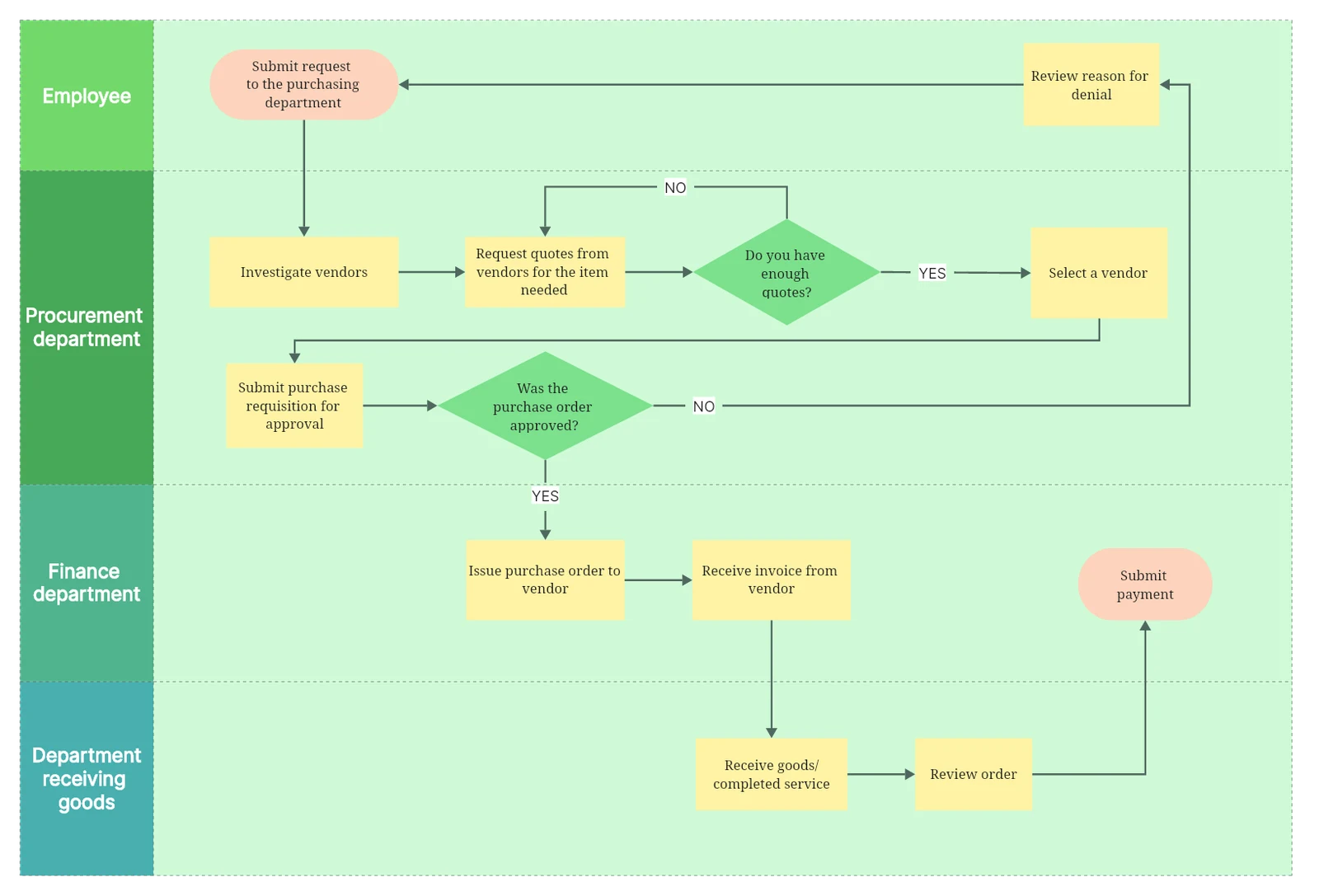
Purchase approvals and rework
Follow a request through purchasing, approval, receiving, and payment, including the return path when it needs revision.
Community template by Leon Chen
Explore template


Online Collaborative Whiteboard

Boardmix Developer Platform

AI tools for diagrams, writing, and ideas

UI/UX Tool, Figma Alternative

AI PPT Maker, Gamma Alternative
Run workshops, plan projects, and work with colleagues on a shared whiteboard.
Explore collaborative workBOARDMIX · FLOWCHARTS
Turn processes into clear flowcharts. Add steps and decisions, connect each path, and review the result with your team in Boardmix.
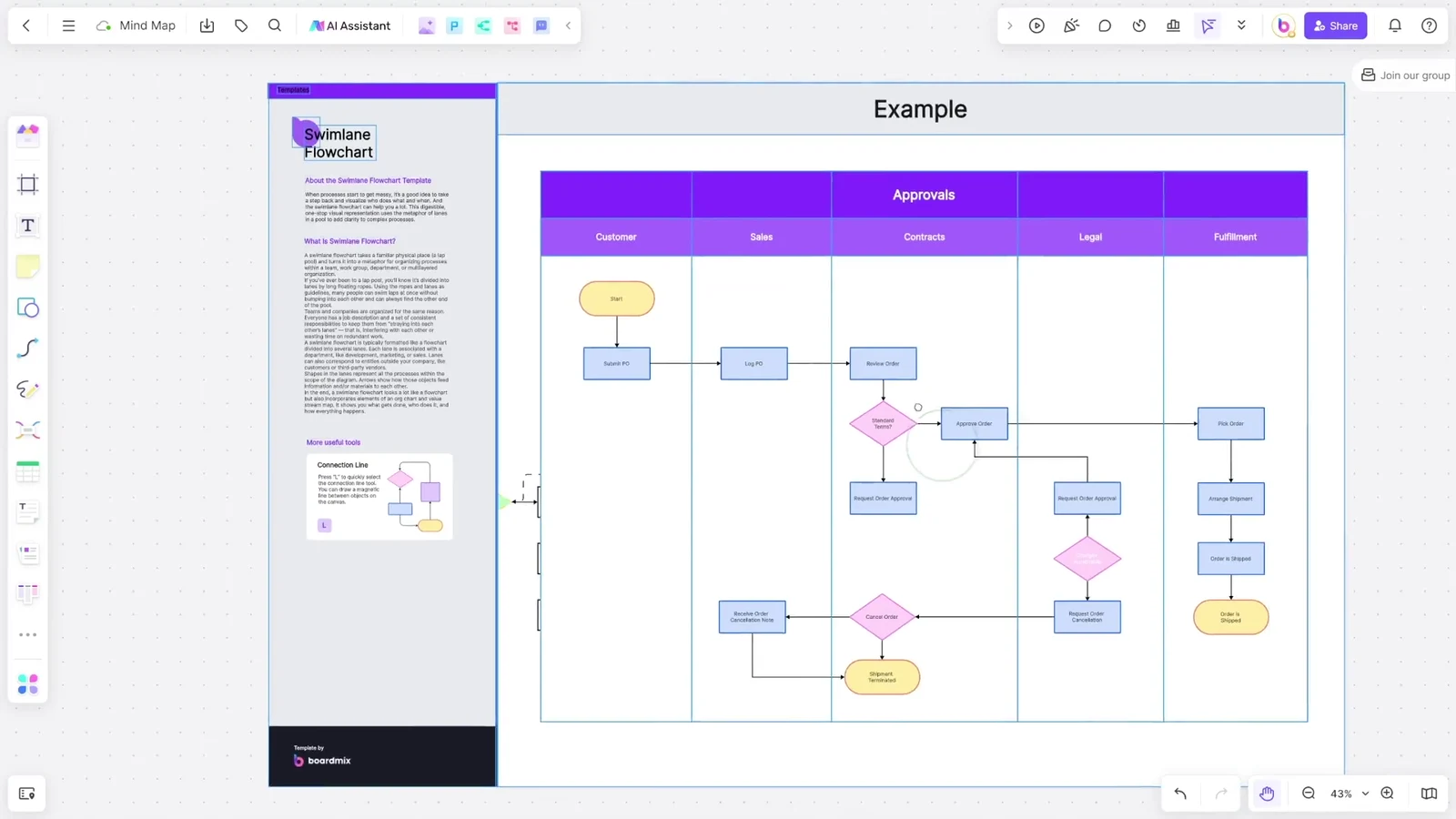
The video could not load. Open the video
Explore three community templates and an onboarding example. Each preview opens its own source, so you can inspect the full process before using it.
Follow a request through purchasing, approval, receiving, and payment, including the return path when it needs revision.
Community template by Leon Chen
Explore template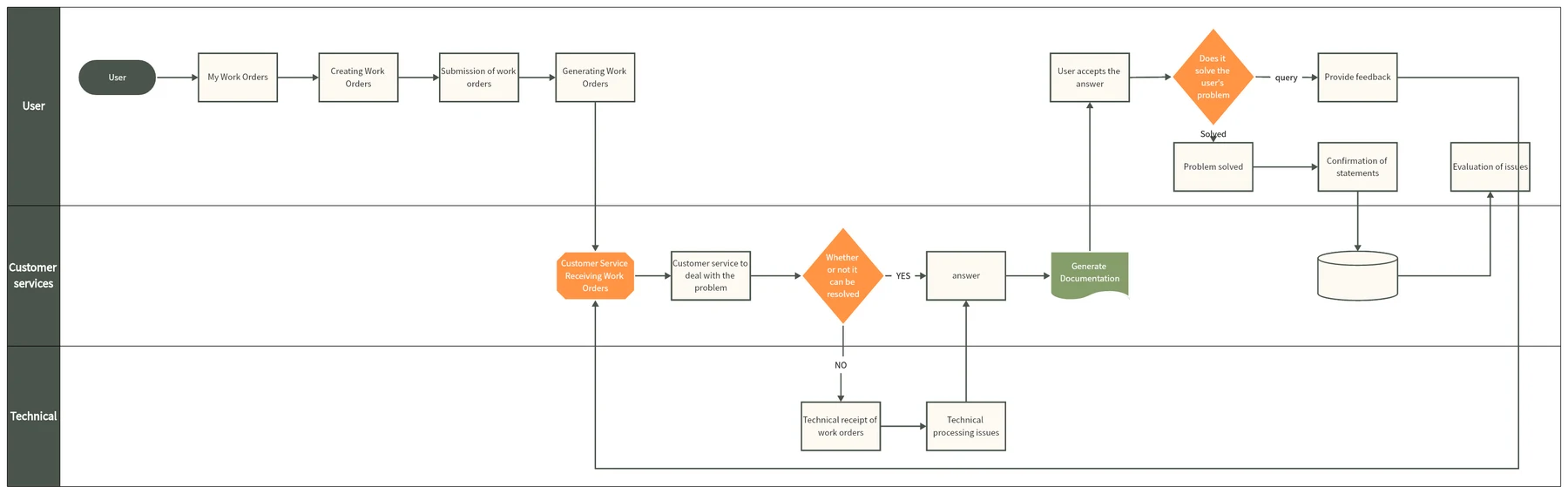
Show when a service request needs technical help and how the answer returns to the customer.
Template by Boardmix
Explore template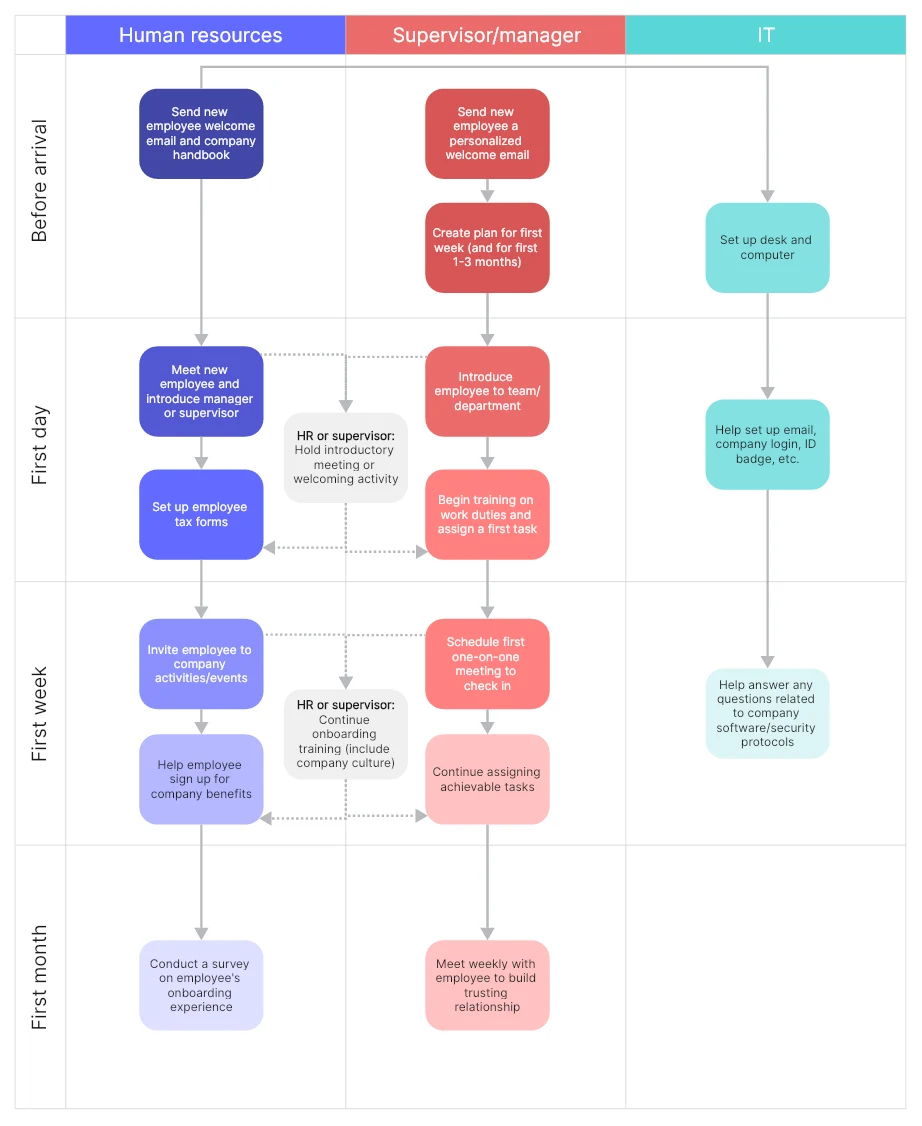
See how HR, a manager, and IT divide responsibilities before arrival and through the first month.
From the Boardmix flowchart examples guide
View example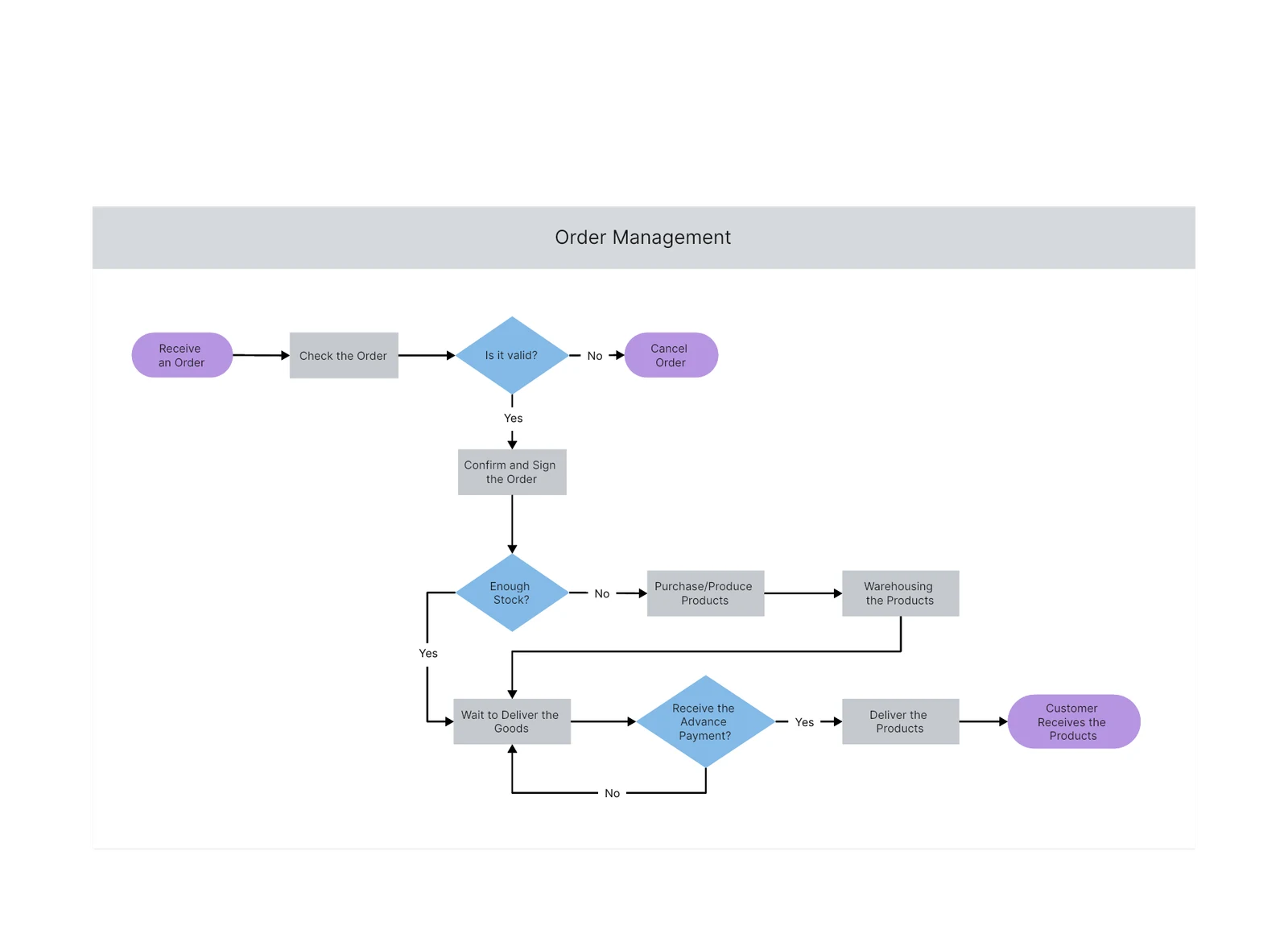
Map order validation, stock availability, and advance payment before a shipment moves forward.
Template by Boardmix
Explore templateUse a leave request as a simple example. Build the main path first, then add decisions and the route for missing information.
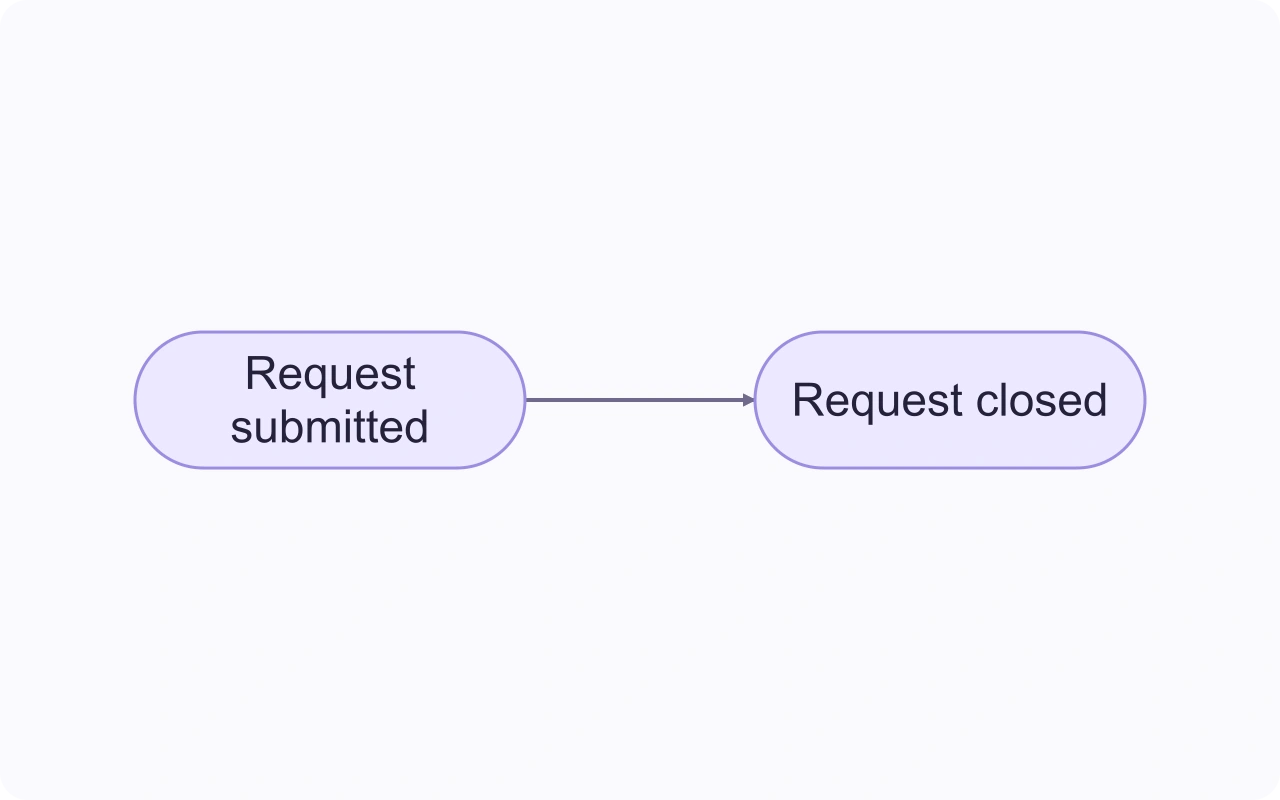
Open a blank board and add start and end shapes. Here, the process begins when a request is submitted and ends when the requester receives an outcome.
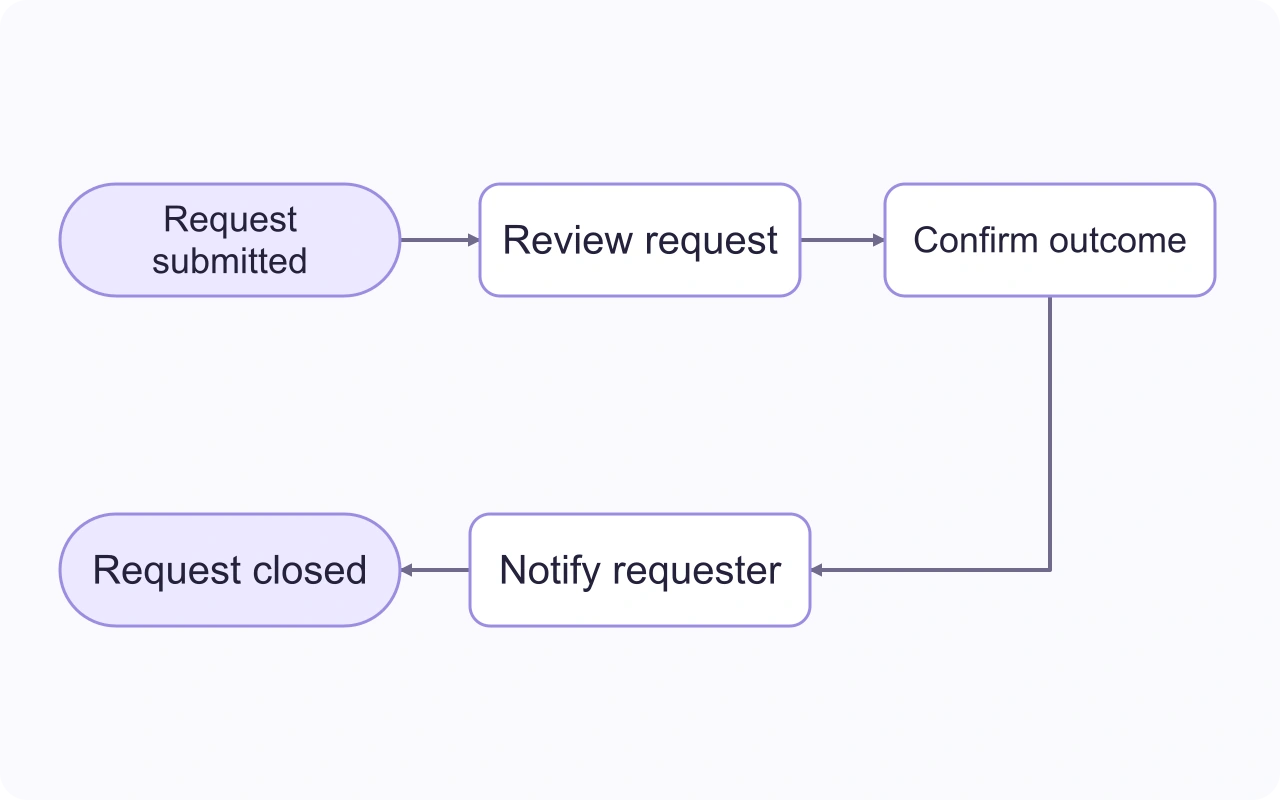
Place a rectangle for each action: review the request, confirm the outcome, and notify the requester. Connect them in the order the work happens.
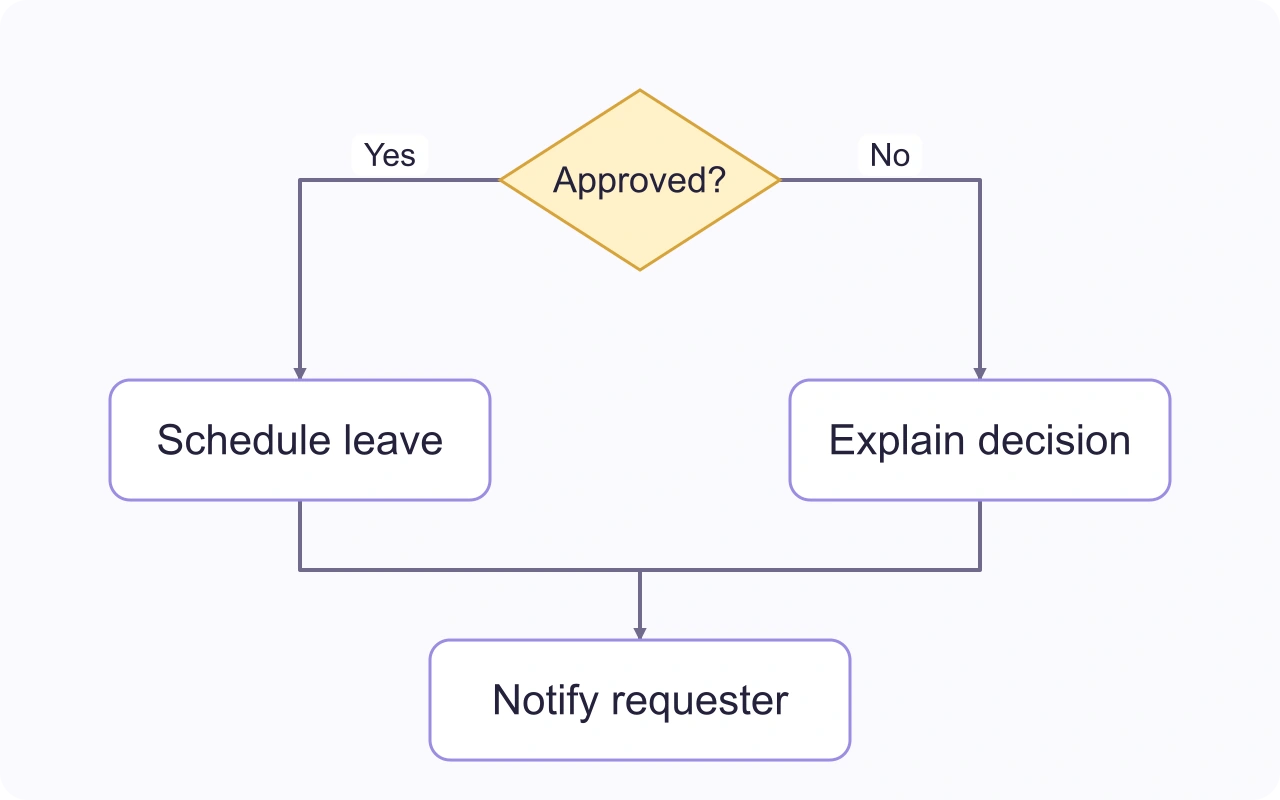
Replace a vague outcome with an Approved? decision. Label its outgoing connectors Yes and No, then show what happens on each path.
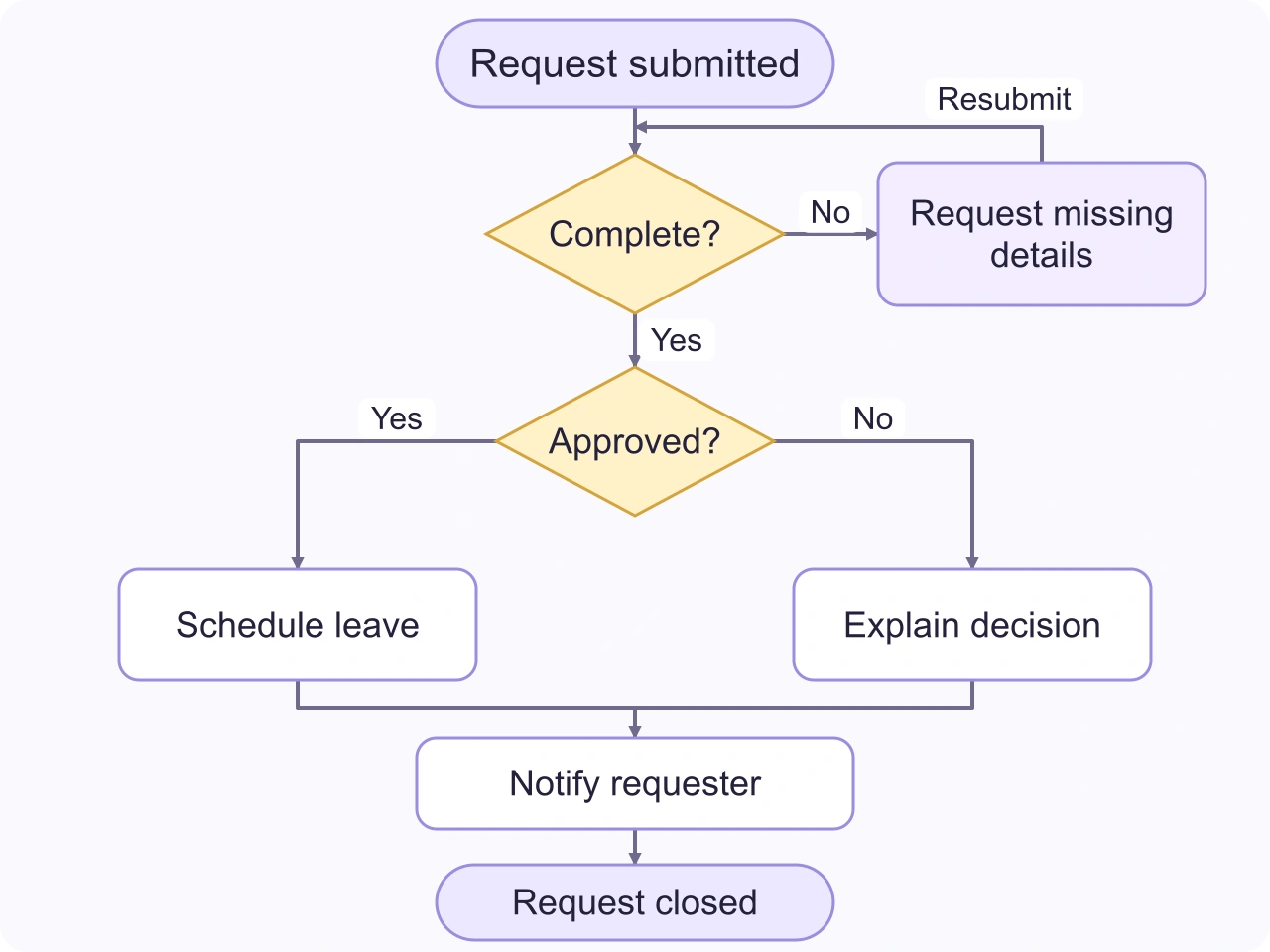
Add a Complete? check before approval. Return an incomplete request to the requester for revision. Follow every route to an end, then invite a teammate to review the flowchart.
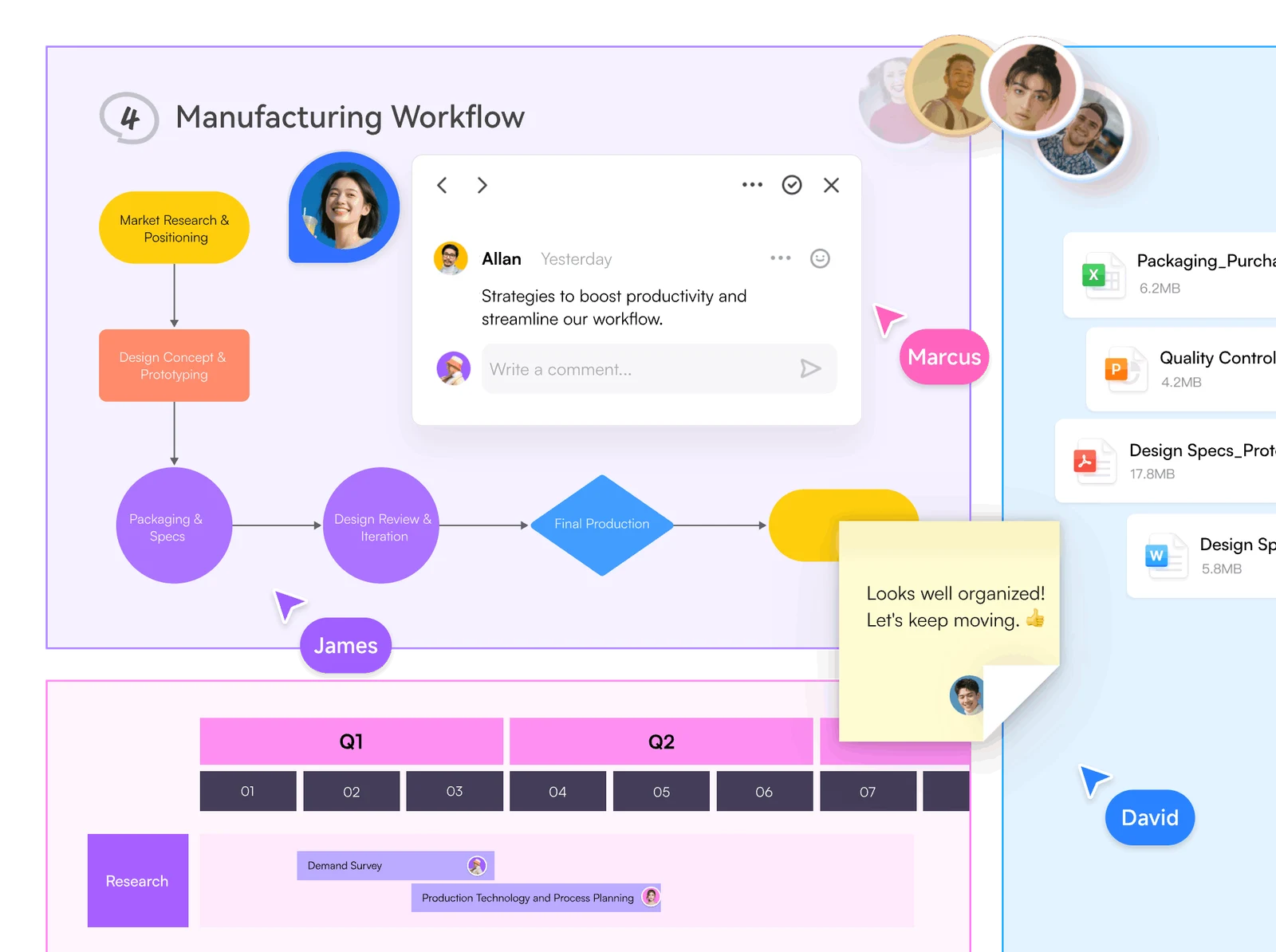
Keep discussion beside the steps it concerns. Invite colleagues to the same board, leave comments, and update the flow together. Keep supporting documents nearby so handoffs have the context they need.
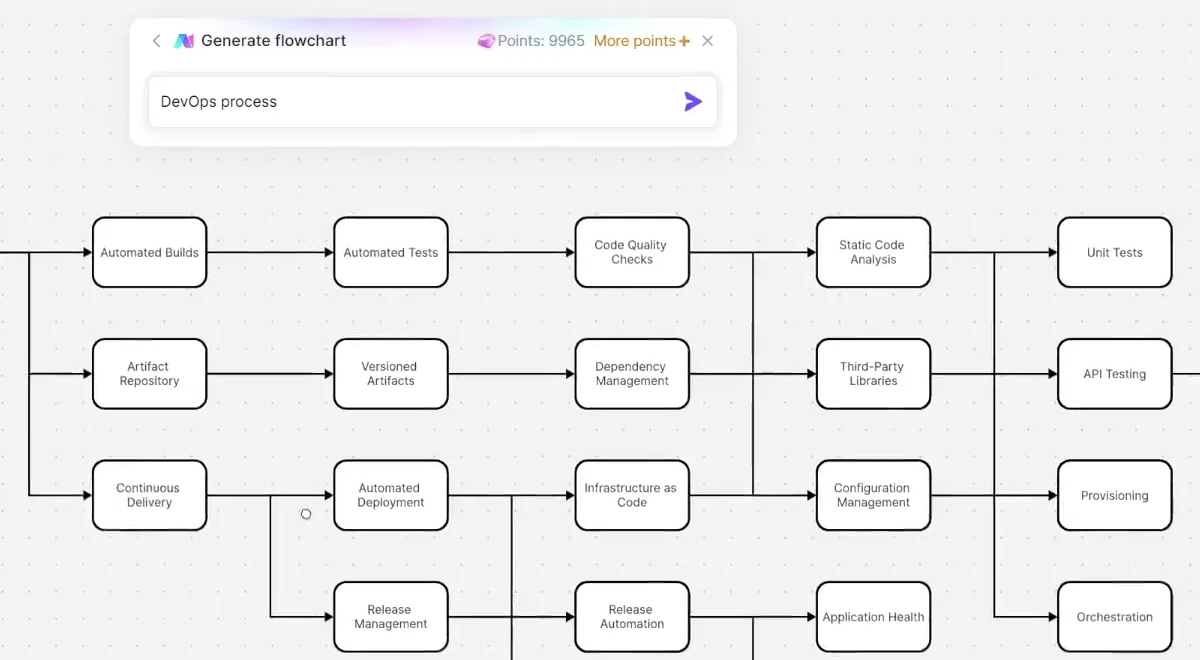
Describe a process to Boardmix AI to create an initial flowchart. Then edit the steps, labels, and connections. Add exceptions that matter to your work and remove steps that do not belong.
Create a leave-request flowchart. Check that the request is complete, route it for approval, and show approved, declined, and returned-for-revision paths.
A flowchart shows actions and decisions in sequence. These four elements cover the basic structure; use labels and connectors to make each route unambiguous.
Mark where a process begins or finishes.
Name one action or task in a rectangle.
Ask a question and label the possible routes.
Use an arrow to show which step comes next.
Yes. The Free plan includes 1 team workspace, 3 editable boards, and up to 100 objects per board, with standard-definition export. Paid plans offer additional capacity and features. Compare Boardmix plans
Yes. Open a template that fits your process, inspect its structure, and use the available template action to start your own version. Replace the sample steps and decisions with your own. A static example can also help you plan a new chart.
Yes. Invite people to the board and assign the access they need. Work together in real time and use comments to discuss a step or decision without losing its context.
Share the board with the appropriate access permissions, or export a PDF or image for a document or presentation. Export quality and other options depend on your plan.
A flowchart maker lets you build and edit shapes and connections yourself. An AI generator drafts a structure from your description. Boardmix lets you continue editing that draft; AI access and credits depend on your plan.
Turn the steps, decisions, and handoffs into a flowchart your team can work with.
Create a flowchart