Affordable AI-Powered Collaboration Starts Here! Go Pro for Less🎉
Lifetime plans start at just $99/seat, upgrade today and save big for your team.
Shop Now
activity banner
logo logo
Product
Solutions
Bring teams together

Run workshops, plan projects, and work with colleagues on a shared whiteboard.

Explore collaborative work

BOARDMIX · AI PERSONAS

AI User Persona Generator

Create an editable user persona from product context or research notes. Refine goals and pain points with your team on one shared Boardmix canvas.

See a persona example

Include the task, current workflow and relevant observations. Keep personal or confidential details out of your prompt.

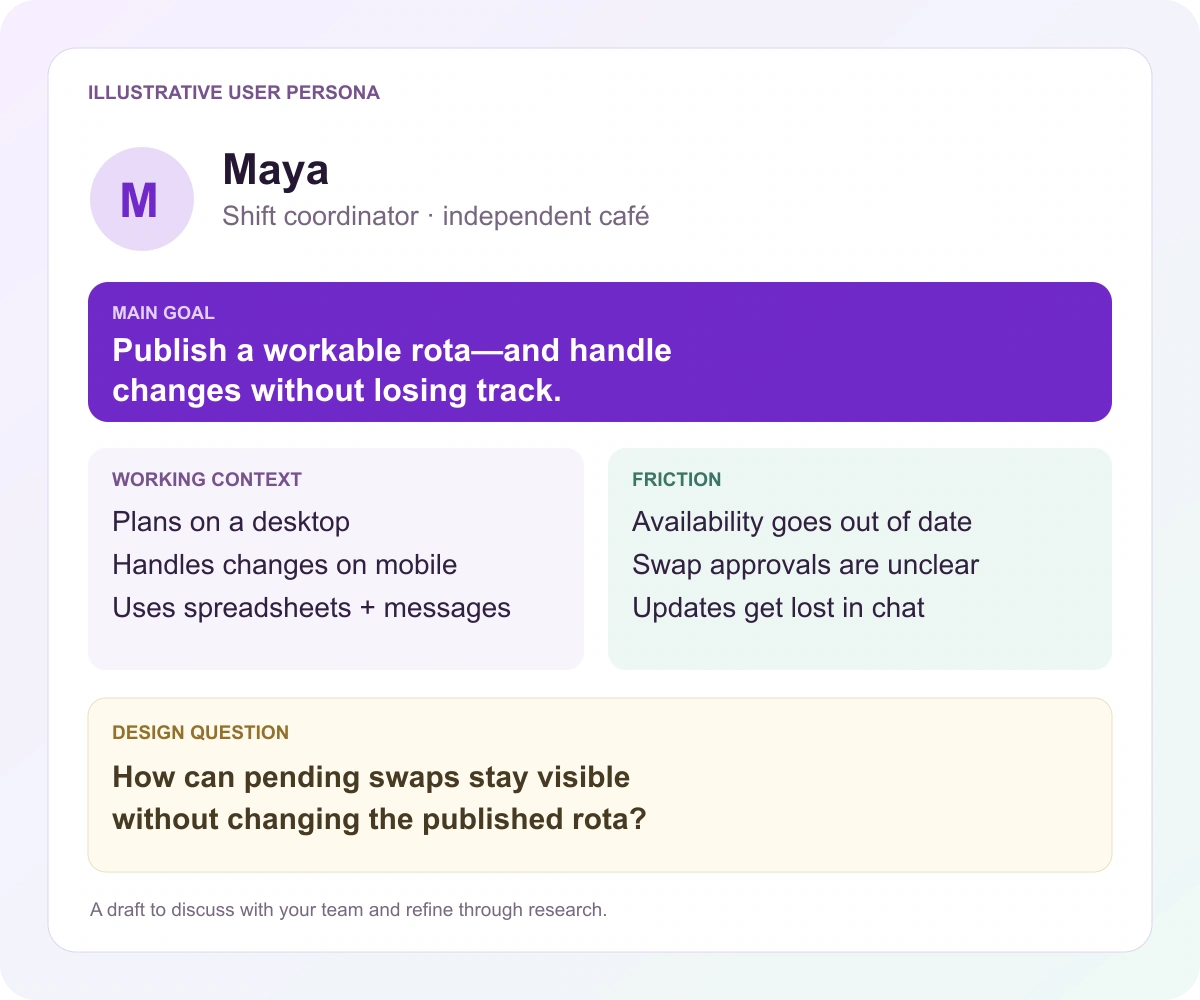
Illustrative Maya persona preview: a café shift coordinator's goal, working context, scheduling frustrations and design question
A specific task gives your persona a purpose.

From a broad audience to a useful profile

A persona should help you make a decision

A useful user persona explains the task, the working context and what gets in the way. Boardmix AI helps you organize that information into a profile your team can refine and use when making product decisions.

An illustrative proto-persona

Maya

Shift coordinator at an independent café

This fictional example shows how a specific work situation can guide design. A proto-persona captures hypotheses to investigate; research gives you a basis for refining them.

Main goal

Publish a workable schedule and find cover when someone cannot attend, without losing track of who has agreed to which shift.

Working context

Maya prepares the schedule on a desktop between other responsibilities. During service, changes arrive on a phone and need a quick response.

Current behavior

The schedule lives in a shared spreadsheet. Availability and swap requests arrive through messages. Maya checks the sheet, contacts replacements and updates the schedule after confirmation.

Frustrations and constraints

Availability can be out of date. An offer to cover a shift may not be a confirmed replacement. During a busy service, searching several message threads is difficult.

Design implications to test

Show when availability was updated. Distinguish a requested swap from an accepted replacement. Make the affected shift and next action clear on a phone.

Question for research

When someone agrees to cover a shift, who must approve the change—and how does everyone know it is final?

Too broad

“A busy manager who wants to save time.”

Specific enough to design for

A café shift coordinator who needs to confirm last-minute cover on a phone, while the schedule and replies are split between a spreadsheet and messages.

The second version gives the team a task, a device, a workaround and a source of uncertainty. Those details can shape a prototype.

From prompt to shared canvas

How to create a user persona with Boardmix AI

Start with one role and a meaningful task. Use the first draft to organize your thinking, then bring your team's context into the profile.

  1. Give the AI a focused starting point

    Describe the product, one user role, their main task and the situation in which it happens. Add relevant, anonymized observations from your research. A focused role is easier to design for than “everyone who uses our app.”

  2. Generate and refine the persona

    Use the input above to open Boardmix's persona-generation flow. Edit generic statements and remove details that do not affect the product. Turn unsupported goals or frustrations into assumptions or research questions.

  3. Connect the profile to a design decision

    Add notes and links, invite teammates to review the constraints, and place relevant product ideas alongside the persona. To explore the steps of a task, develop the next view with an AI user journey map.

Three useful starting points

Choose a persona prompt for your project

Start from observations, an early hypothesis or two different roles. Select a prompt to put it in the input above, then adapt it before generating.

Illustrative sample notes

Organize research notes

Create a user persona for a café shift-planning product from these sample notes: the coordinator prepares schedules on a desktop; availability arrives in messages; last-minute cover is arranged on a phone; an offer to cover is sometimes mistaken for confirmation. Organize goals, behaviors, constraints and design implications. List unanswered questions separately. Do not add interview quotes or demographics.
An idea to investigate

Explore a product hypothesis

Create a proto-persona for someone organizing meals for a shared household. The product idea is a shared meal planner. Focus on coordinating preferences, shopping and changes to plans. Show the current workaround, a main goal and possible frustrations. Label uncertain needs as hypotheses and suggest questions for user research.

Different roles, different needs

Separate buyer and user

Create separate buyer and user profiles for a café scheduling tool. The café owner chooses and pays for software; a shift coordinator plans schedules and handles cover. Compare their tasks, concerns and decision criteria. Keep unknowns explicit and do not invent budgets or purchase statistics.

One product can serve different roles

Don't confuse the buyer with the daily user

For the same scheduling tool, the buyer and daily users have different decisions to make. Build the profile around the task each person performs.

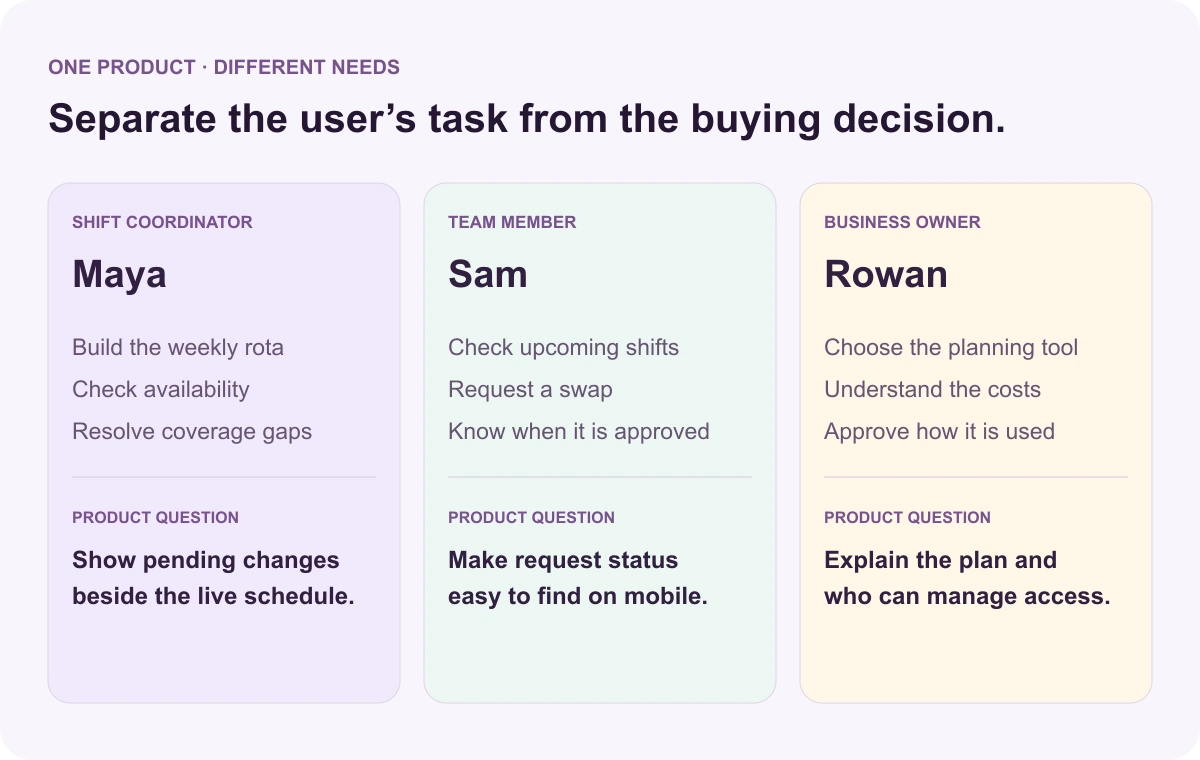
Three roles around a café scheduling tool: the owner chooses it, the coordinator plans cover, and team members respond to shift changes

The coordinator plans cover

Maya needs a reliable schedule and a clear view of pending replacements.

The team member responds

Sam needs to find the right shift and know whether a requested change is confirmed.

The owner chooses the tool

Rowan needs to assess whether the tool, its costs and access settings suit the business.

More than a static profile

Make personas a shared working tool

Keep the profile, its context and the product ideas it informs together on an editable Boardmix canvas.

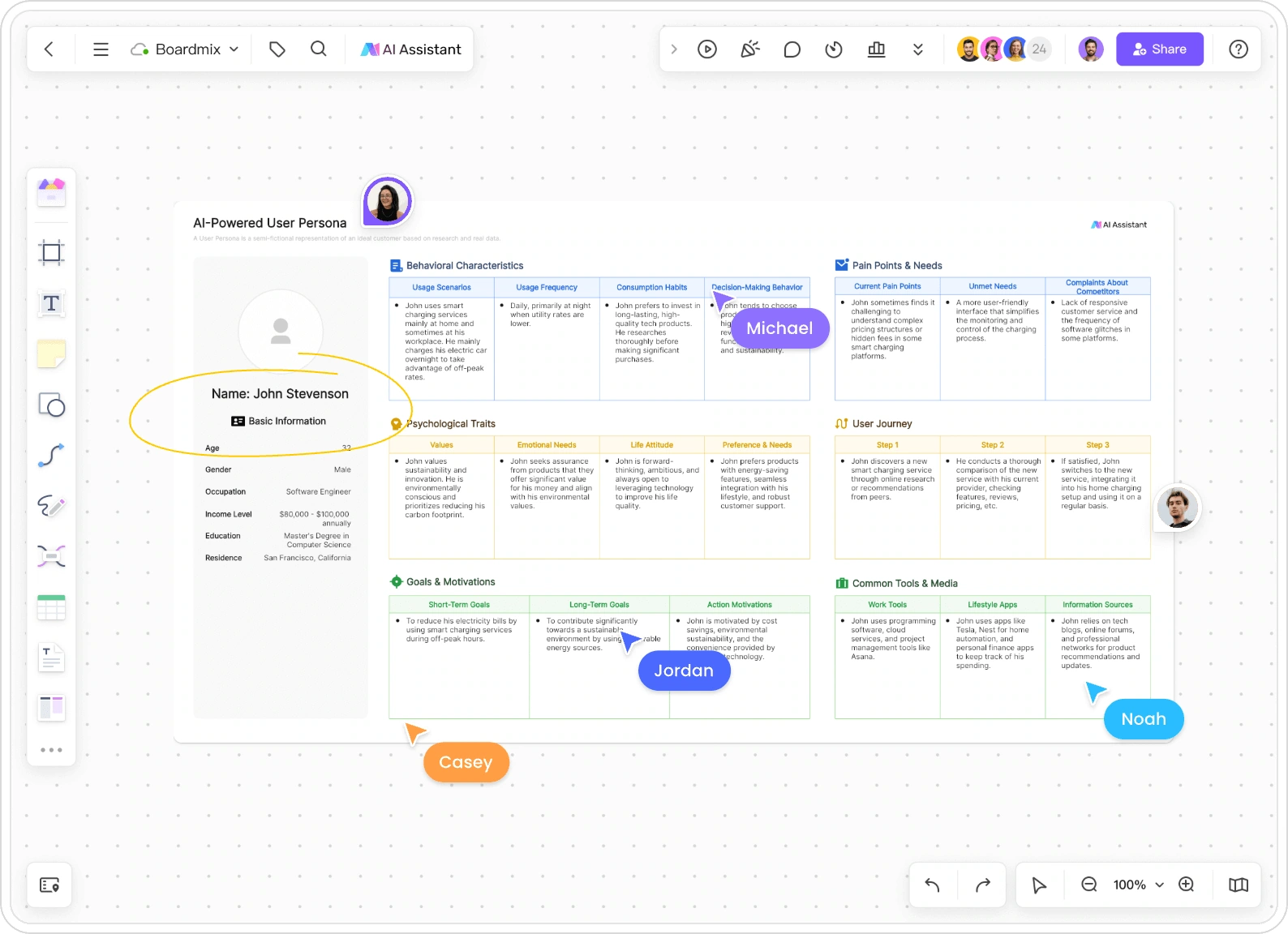
A user persona arranged on a Boardmix canvas with collaborative cursors and editable profile sections
Organize persona details in the same visual workspace your team uses to discuss them.

Keep the reasons beside the profile

Place relevant notes and links next to a persona so teammates can see why a need matters. Separate observations from proposed solutions: “show swap status” is a design idea; “confirmation is unclear” describes the problem.

Bring different perspectives together

Co-edit with researchers, designers and product colleagues. Use comments to discuss a disputed assumption rather than silently rewriting it. Someone who knows support requests may notice a constraint that a workshop missed.

Use the persona in a specific scenario

Review a proposed screen against one task: can Maya tell whether tomorrow's replacement is confirmed? Update the persona as research changes your understanding, instead of treating the first AI draft as permanent.

AI user persona generator FAQs

Can AI create a research-based persona?

AI can help organize research information you provide. A short product description alone cannot establish what real users think or do. Treat unsupported output as hypotheses, then refine it through user research. Nielsen Norman Group explains the distinction between synthetic profiles and real-user research.

What should I include in my persona prompt?

Include the product, a specific role, the task, the context of use and relevant observations. Current tools, workarounds and constraints are often more useful than an invented age, income or biography. Remove identifying information from research notes before sharing them.

What is the difference between a user persona and a buyer persona?

A user persona focuses on using the product: tasks, behaviors, context and difficulties. A buyer persona focuses on choosing or purchasing it. When the purchaser and daily user differ, separate profiles help the team avoid confusing buying criteria with usability needs.

Can I edit the AI-generated persona?

Yes. Refine the draft in Boardmix, replace generic details and add notes or links that explain your decisions. Keep unresolved questions visible so the team knows which parts still need research.

Can my team work on the same persona?

Yes. Boardmix combines an editable canvas with collaboration and comments. Share the board with the appropriate access settings so colleagues can review or work on the profile together.

Is Boardmix's AI user persona generator free?

Boardmix offers a free plan. AI availability and allowances depend on your account and plan; check the current pricing and your workspace before generating.

Give your team a useful starting point

Build a persona your team can work with

Start with a clear task. Create your draft with AI, then make it useful through the details, context and discussion you bring to the canvas.

Generate my persona