A job to get done
Describe what the person is trying to accomplish, in what situation and with which constraints. Keep the task concrete enough to guide a product choice.


Online Collaborative Whiteboard

Boardmix Developer Platform

AI tools for diagrams, writing, and ideas

UI/UX Tool, Figma Alternative

AI PPT Maker, Gamma Alternative
Run workshops, plan projects, and work with colleagues on a shared whiteboard.
Explore collaborative workBoardmix · Research and design
Turn research notes into a clear picture of who you are designing for. Bring goals, behaviors, pain points and supporting evidence together, then refine the profile with your team.
Open your workspace, then start a board or choose a template.
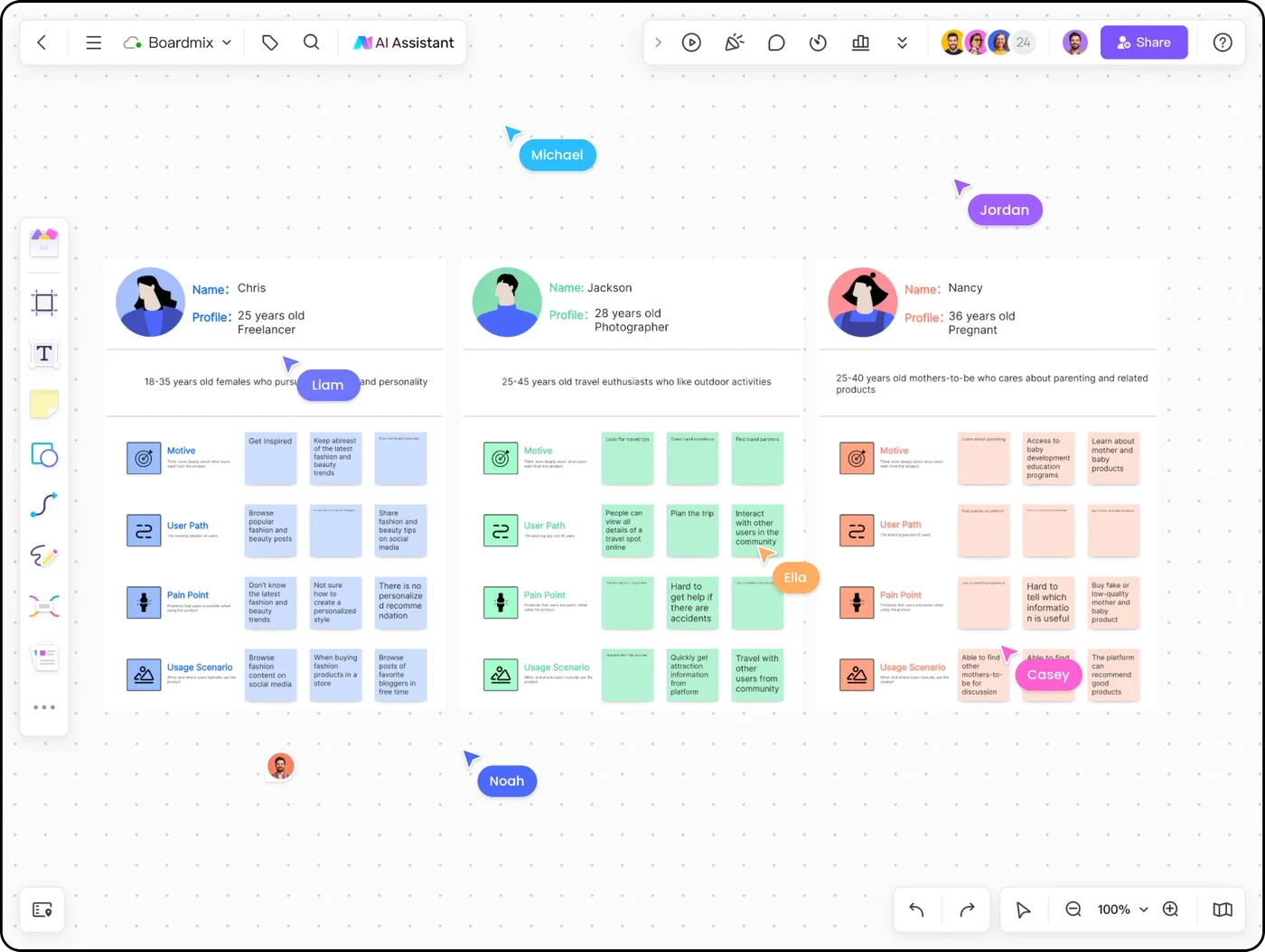
A useful user persona describes a recurring pattern of needs and behavior. Its value comes from the research it represents—not a stock photo, an invented biography or a long list of demographic details.
Describe what the person is trying to accomplish, in what situation and with which constraints. Keep the task concrete enough to guide a product choice.
Show the current workflow, workarounds and obstacles. Explain why a pain point matters instead of adding a generic “frustrations” list.
Link notes to the patterns they support. Label open questions and assumptions so a compelling profile does not become a substitute for research.
This fictional example shows how research material becomes a useful profile. The sample interview notes are illustrative, not findings from a Boardmix customer study.
“I copy last month’s order, then check the cupboard to see what we still have.”
Illustrative note P01 · recurring supplies purchase
“When finance is away, I cannot tell whether the order is waiting or approved.”
Illustrative note P02 · approval handoff
“We only buy equipment when we open another office.”
Illustrative note P03 · a different, occasional purchasing task
P01 and P02 suggest a repeat-order and approval workflow. P03 belongs to a different purchasing pattern; do not force every participant into one persona.
Illustrative persona · recurring supplies orders
Reorders office supplies while coordinating stock checks and a finance approval.
Have an approved order ready before the office runs short.
Starts from the previous order, adjusts quantities and follows up on approval status.
Old quantities may be wrong; the approval handoff is difficult to see.
An editable reorder list with visible quantities and a clear approval state.
How buyers check stock, handle urgent orders or work from a phone.
P01 supports the reorder pattern; P02 supports the approval problem. Validate the proposed interface through further research.
| Source note | Pattern in the persona | Design implication | Next question |
|---|---|---|---|
| P01: copies an old order and checks stock | Repeat purchasing with quantity adjustments | Make previous items easy to review and edit | Which quantities change, and why? |
| P02: cannot see the approval state | Uncertainty at a cross-team handoff | Show who has the order and what happens next | Which approval states do buyers understand? |
| P03: occasional office equipment purchase | A different purchase frequency and context | Keep this segment separate for now | Does the occasional buyer need a different flow? |
Use the persona in a real choice. For a reorder screen, Jordan’s profile favors editable quantities and visible approval status over a prominent discovery feed. That is a design hypothesis to test, not a proven business outcome.
Keep the profile and the source material close enough that your team can trace a claim back to its context.
Open your workspace and start a board, or preview a persona template below and use the community page’s “Use this template” action.
Add anonymized observations, interview extracts and relevant context. Keep source IDs so notes remain traceable without exposing personal information.
Group similar goals, behaviors and difficulties. Write a focused profile, preserve conflicting evidence, and label assumptions that still need research.
Ask designers, researchers and product partners what the persona changes. Refine the profile as new evidence arrives, using comments to record questions.
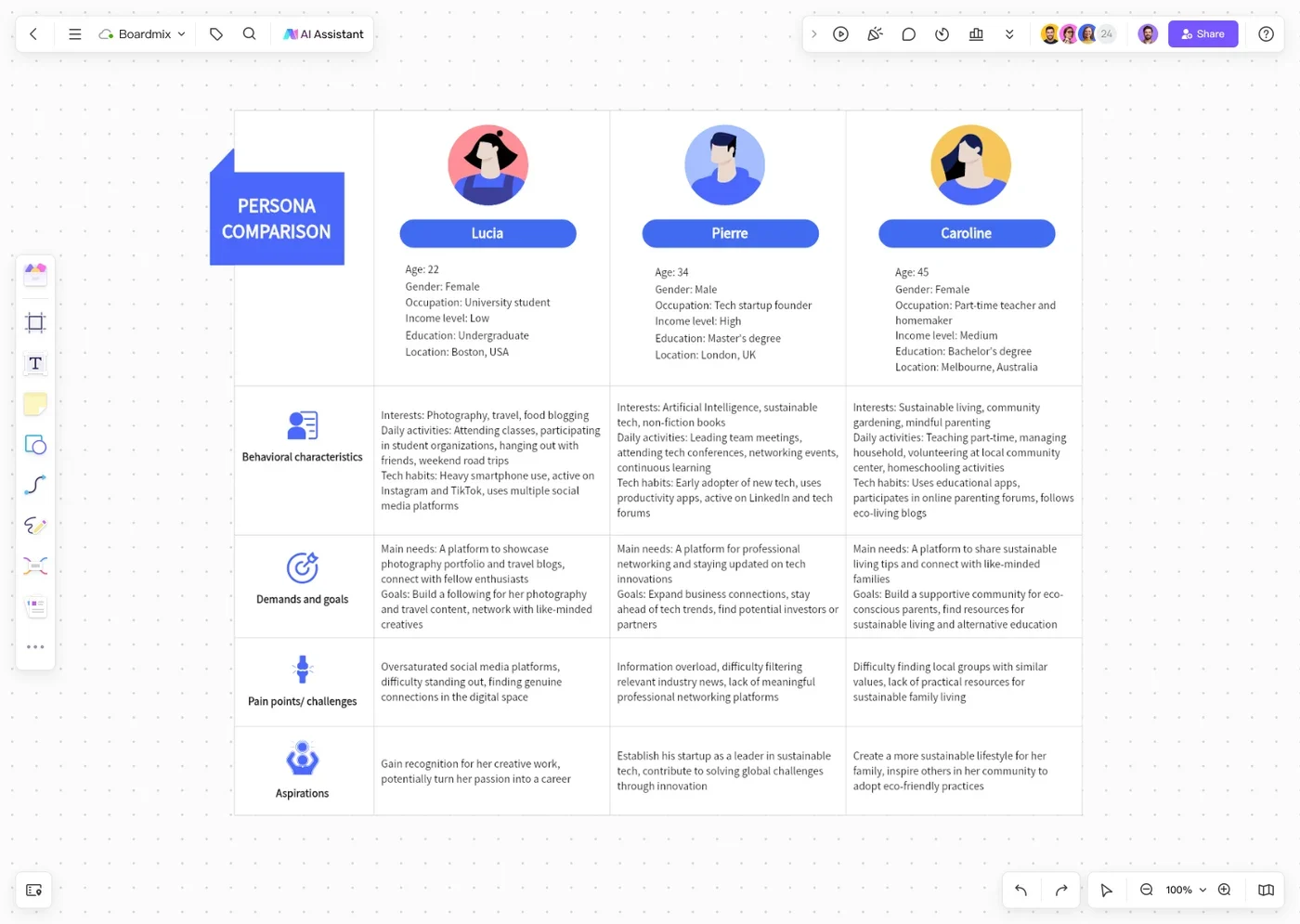
More than a profile card
Continue with collaborative research analysis or a customer journey map when the question moves beyond the profile.
Choose the layout that fits the task, then replace sample content with your own research. A template organizes evidence; it does not establish that the sample persona represents your audience.
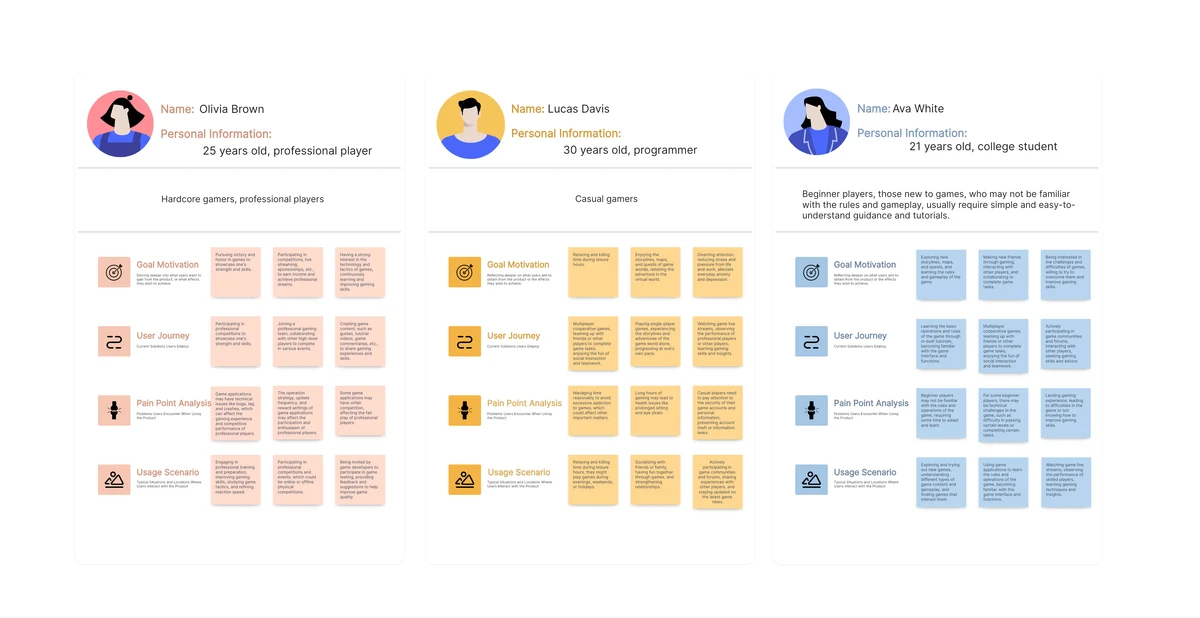
Compare the goals, behaviors and difficulties of multiple shoppers. Replace sample profiles with patterns from your own research.
Preview community template →
Start with a single-profile canvas that groups user needs, behavior, pain points and context. Keep only fields that help your design decisions.
Preview community template →Choose the right starting point
Use this user persona maker when you already have notes to organize and a profile to refine. If you need an initial structure, the AI user persona generator can help you start a draft.
An AI-generated goal, quote or demographic detail is not interview evidence. Keep generated assumptions separate from observed patterns, then replace or remove them as you learn more.
Include the user’s task, context, goals, relevant behavior, pain points and the research that supports the pattern. Add demographic details only when they affect the decision. Include uncertainties rather than filling every field with invented information.
A user persona focuses on using a product to accomplish a task. A buyer persona focuses on evaluating and purchasing it. The buyer and user may be different people, so keep their goals and decision criteria distinct when necessary.
Create a separate persona when the research reveals a meaningfully different goal, behavior or constraint that changes the design. Do not make a persona for every interviewee, and do not split one pattern only by age or job title.
Yes. Share a Boardmix board with suitable access so teammates can edit the profile, add context and discuss it through comments. Review workspace and plan limits for your team.
Bring the profile, research notes and design questions into one visual workspace.