What is shared?
The intersection contains items in both sets. Put a person, feature or observation here only when it meets both definitions.




Online Collaborative Whiteboard

Boardmix Developer Platform

100+ AI Agents Integrated

UI/UX Tool, Figma Alternative

AI PPT Maker, Gamma Alternative
Boardmix · Visual comparison
Make similarities and differences easy to discuss. Build a two- or three-set Venn diagram, label the overlaps, and keep your comparison on a shared online whiteboard.
Open your workspace, then start a board or choose a template.
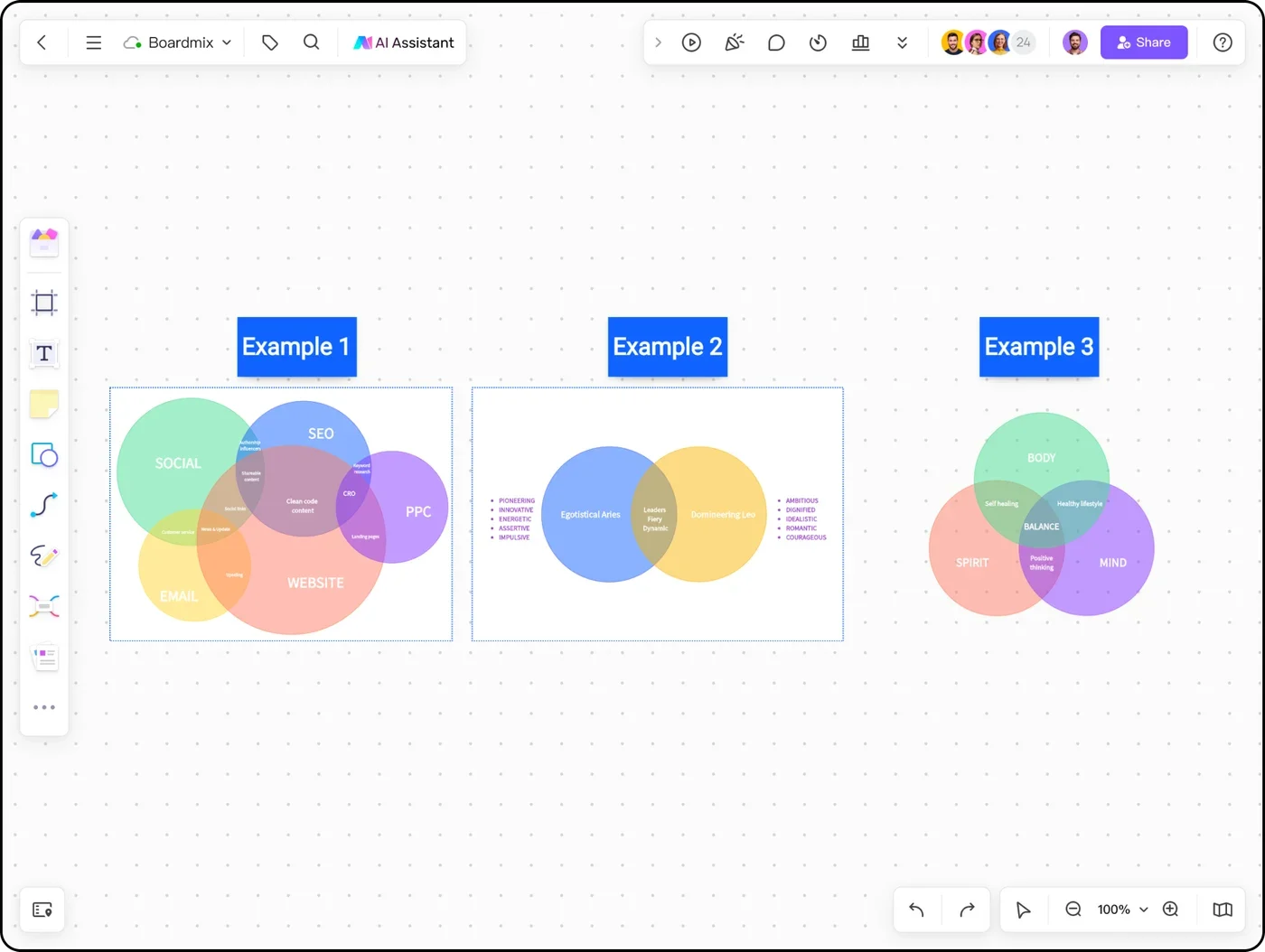
A Venn diagram groups items by set membership. An overlap means an item belongs to every set covering that region; the outer areas show what is different.
The intersection contains items in both sets. Put a person, feature or observation here only when it meets both definitions.
The union contains everything in either set. Count an item in the overlap once, rather than adding it again for each circle.
The part of A outside B contains items unique to A within this comparison. Keep items that fit neither set outside both circles.
Suppose you are planning a research-and-design workshop. This fictional eight-person team makes it easy to check that every name is in the right place.
Sam and Noor have both research and design skills, so they belong in the overlap. Mia and Imani are research-only in this two-set view; Leo and Chen are design-only.
Ava and Ellis belong to neither of these sets. Keeping them outside the circles makes the scope of the comparison visible.
Now add data skills. Noor belongs to all three sets. Imani moves into research + data, Chen into design + data, and Ava into data only.
Sam remains in the research + design overlap but outside data. Ellis remains outside all three. Three circles create seven internal membership regions, plus the space outside.
Use the diagram to make a choice. Noor could connect all three disciplines; a specialist such as Mia, Leo or Ava could add depth. The diagram describes skill coverage, not proficiency or availability.
| Only research | Only design | Only data | Research + design only | Research + data only | Design + data only | All three | Outside |
|---|---|---|---|---|---|---|---|
| Mia | Leo | Ava | Sam | Imani | Chen | Noor | Ellis |
Decide what membership means before drawing the circles. That one step prevents most confusing overlaps.
Write a short rule for each group. “Has research experience” is clearer than a vague label such as “good fit.”
Start a blank Boardmix board or preview a community template below. Use overlapping shapes and text labels to build the layout.
Begin with the central intersection, then fill the pairwise overlaps and unique regions. Keep nonmembers outside the circles.
Invite collaborators to question placements and add context beside the diagram. Revise the group definitions when an item is ambiguous.
The whiteboard gives you room for source notes, definitions and discussion. The Venn diagram remains the summary, while the supporting material explains why each item belongs.
Use an explicit rule such as “available in both products.” Add the source and date next to the comparison, because capabilities can change.
Ask learners to place examples, explain an overlap and identify an item that belongs outside. Keep the explanation beside the shape.
Compare responsibilities or skills, then add comments where ownership is unclear. Follow the comparison with a decision about who does what.
These are actual community boards, with previews of their existing sample content. Use the two-circle layout for a simple comparison or the four-set layout for a broader business discussion.
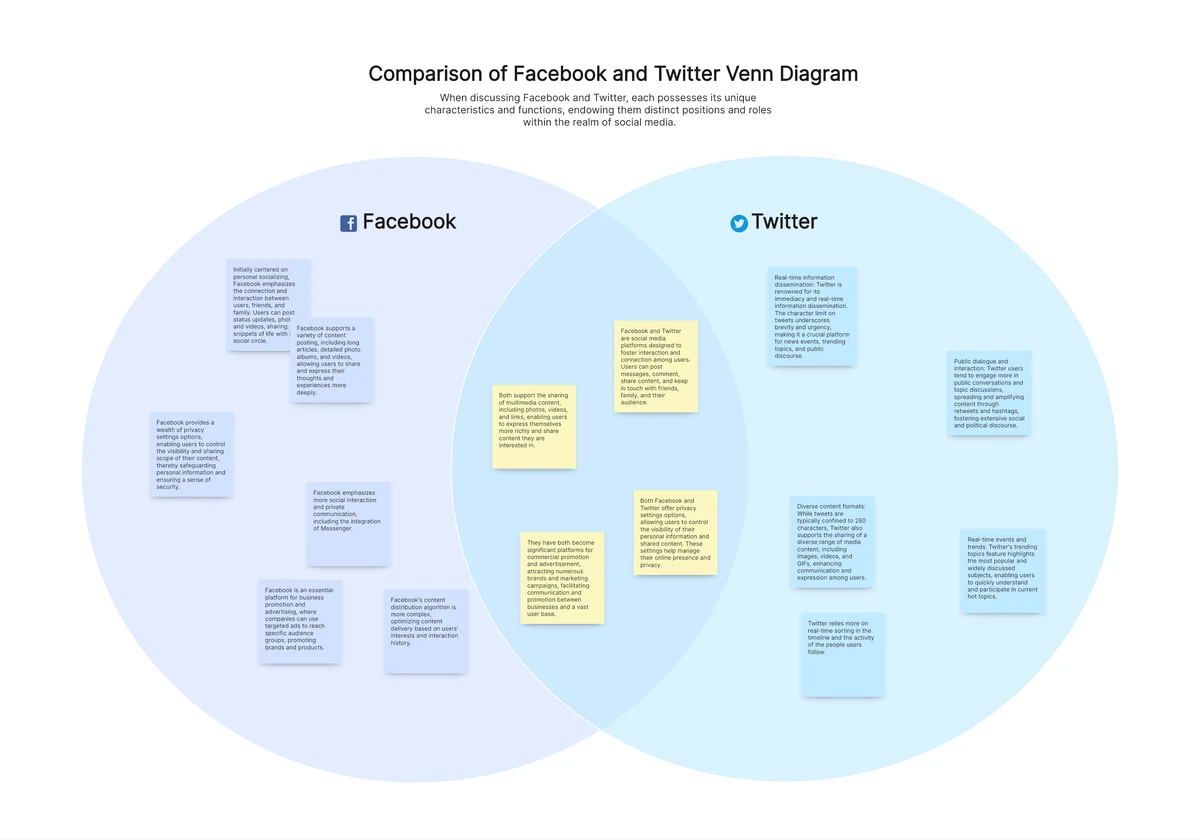
A two-circle layout with sample social-platform topics. Replace the sample names and claims to compare your own products, concepts or groups.
Preview community template →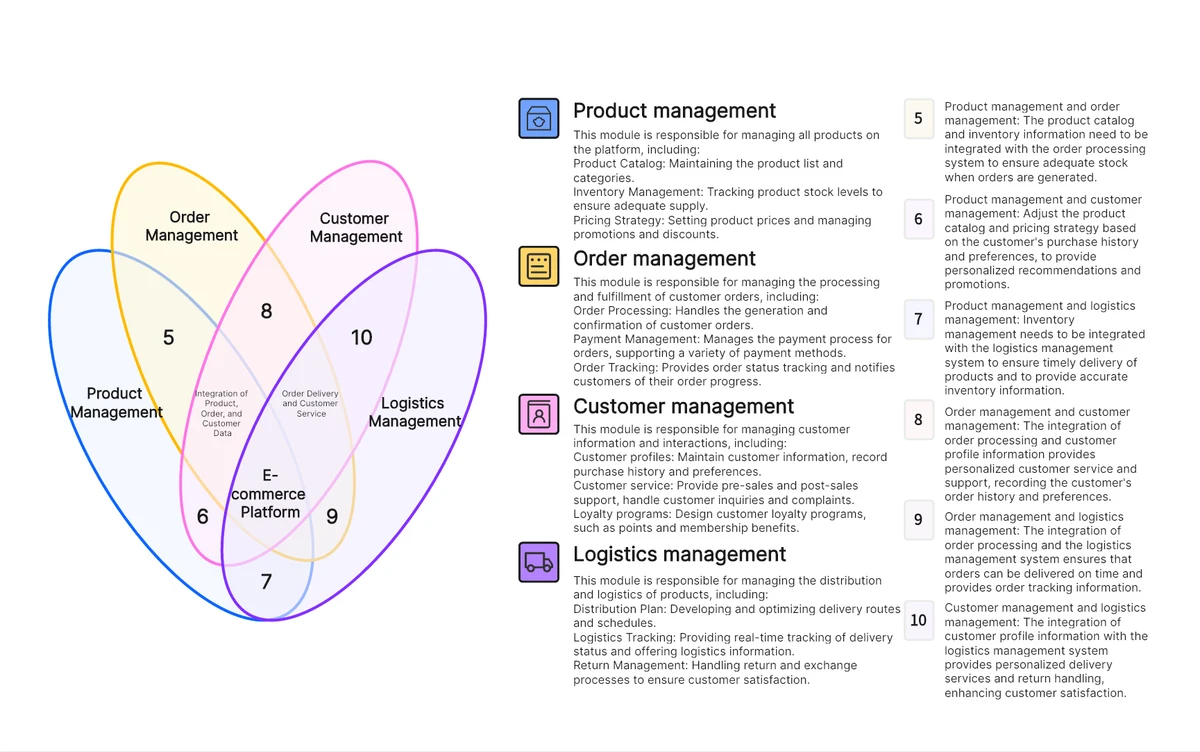
Explore overlapping responsibilities across products, orders, customers and logistics. Use this larger diagram when two or three sets are insufficient.
Preview community template →Need an exact three-set membership diagram? Follow the worked example above and label all seven internal regions on your own board.
Use two circles for two membership rules and three circles for three. Three sets create seven internal regions, so labels need more room. If the comparison is mostly rows of attributes rather than membership, a comparison table may be easier to read.
Count the items that satisfy every rule for that region. For two sets, the union is the size of A plus the size of B minus the shared items. Calculate the counts from your source data, then add the labels to your visual diagram.
You can arrange additional shapes on the canvas, but a complete Venn diagram must show every possible intersection. Ordinary overlapping circles become difficult to use for larger comparisons. Consider a matrix or table when the regions become hard to label.
Share the Boardmix board with the access your group needs, then collaborate on labels and supporting notes. The current plans explain workspace and usage limits.
Create a comparison with clear groups, readable labels and room for the reasoning behind them.