01Structure
UML class diagram
Describe classes, attributes, operations, and their relationships before implementation.
Ask: Which objects make up the checkout service?


Online Collaborative Whiteboard

Boardmix Developer Platform

AI tools for diagrams, writing, and ideas

UI/UX Tool, Figma Alternative

AI PPT Maker, Gamma Alternative
Run workshops, plan projects, and work with colleagues on a shared whiteboard.
Explore collaborative workBOARDMIX · UML DIAGRAMS
Use Boardmix as an online UML diagram tool to map software structure and behavior in one shared workspace. Create UML class, use case, sequence, and activity diagrams, then review the model with your team.
Start with a free account and build on a shared canvas.
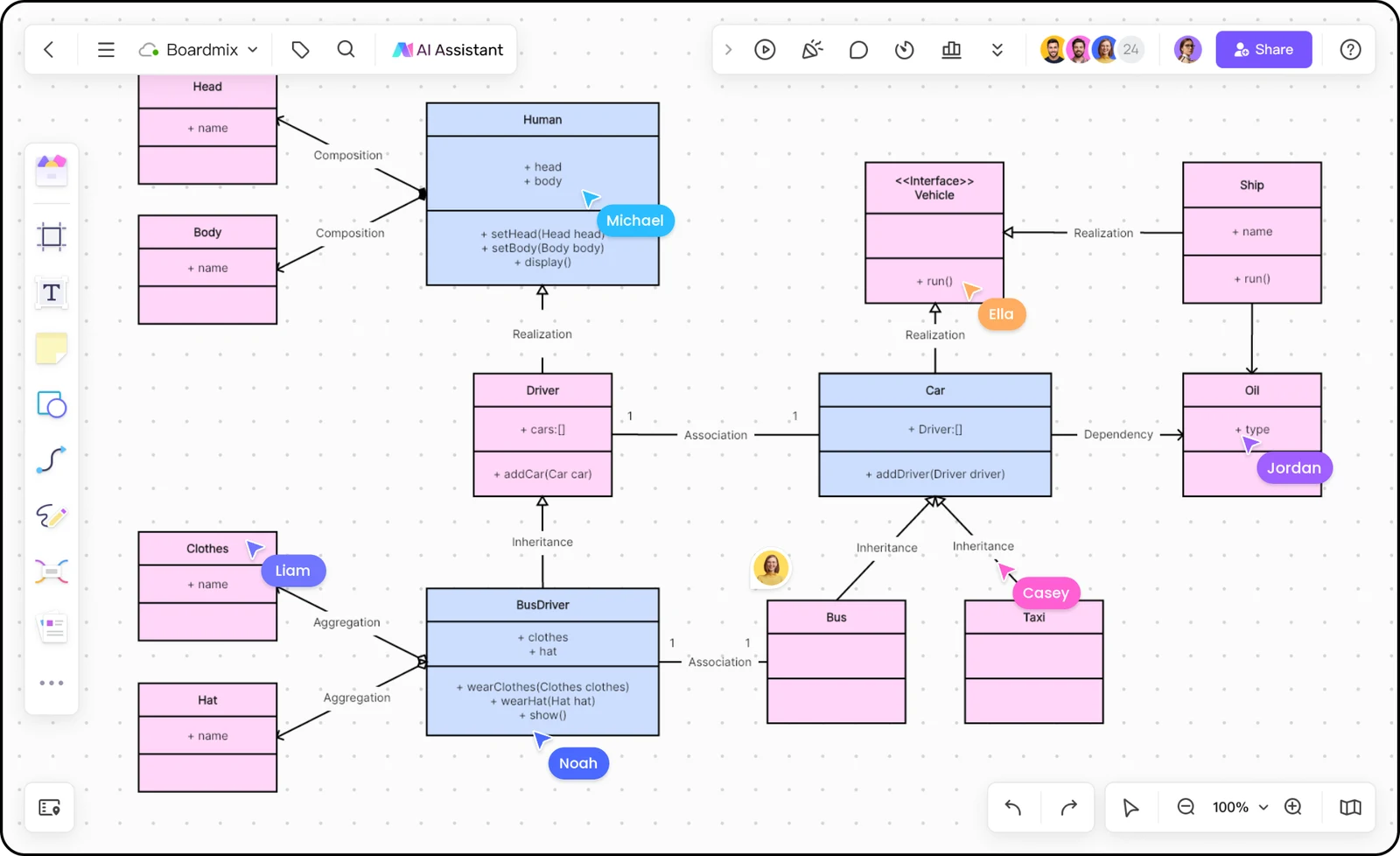
This checkout model shows how classes expose responsibilities and connect through associations. It is an illustrative design example, not a generated software implementation.
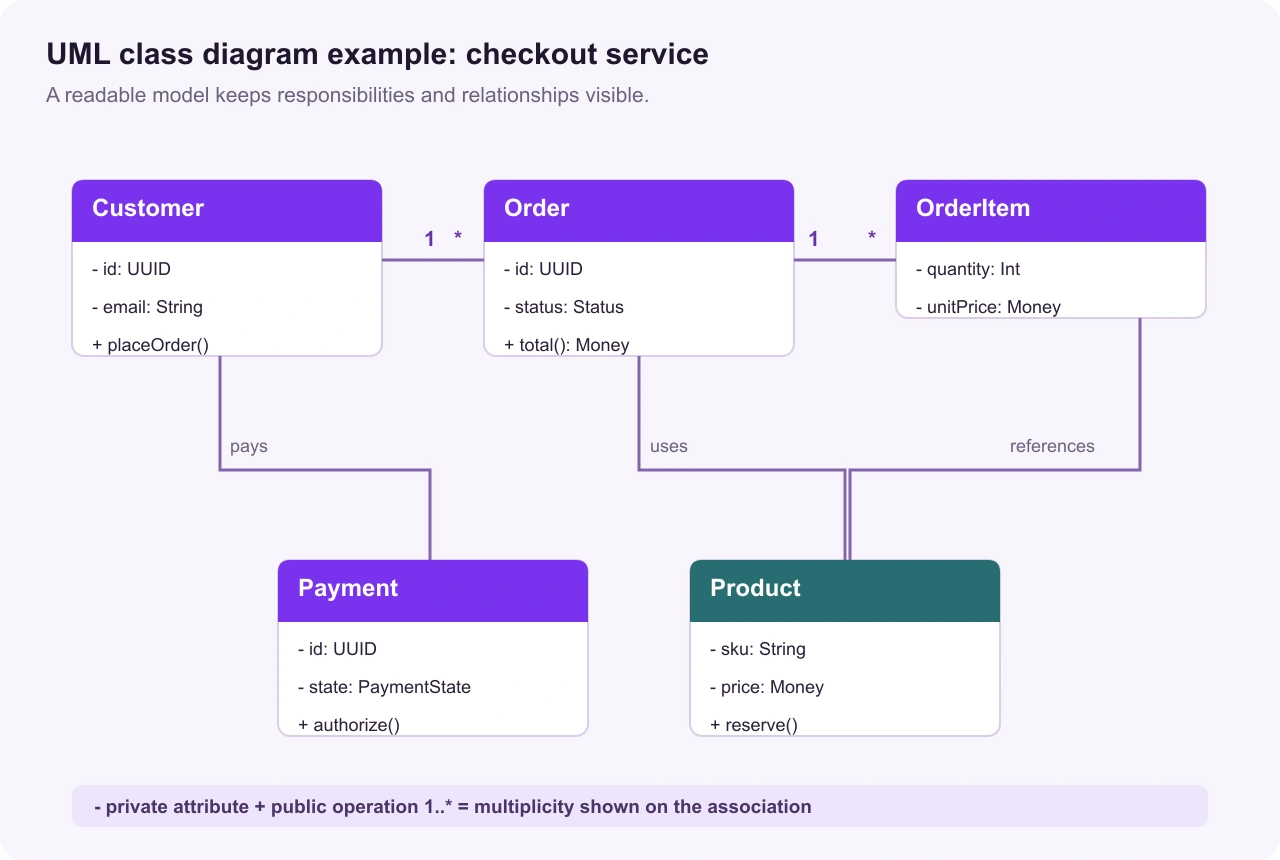
Keep data and operations with the class that owns them. For example, Order exposes its status and total while Payment handles authorization.
Associations show how objects collaborate. Multiplicity such as 1..* explains how many instances may participate at each end.
A UML diagram communicates the design before implementation. Keep names and relationships understandable to both technical and non-technical reviewers.
The example uses standard class-diagram conventions for illustration. Teams may choose a different notation or level of detail when documenting their own system.
UML diagram types
Start with the view your team needs. These four UML diagram types make structure, user goals, message order, and workflow decisions easier to discuss.
Describe classes, attributes, operations, and their relationships before implementation.
Ask: Which objects make up the checkout service?
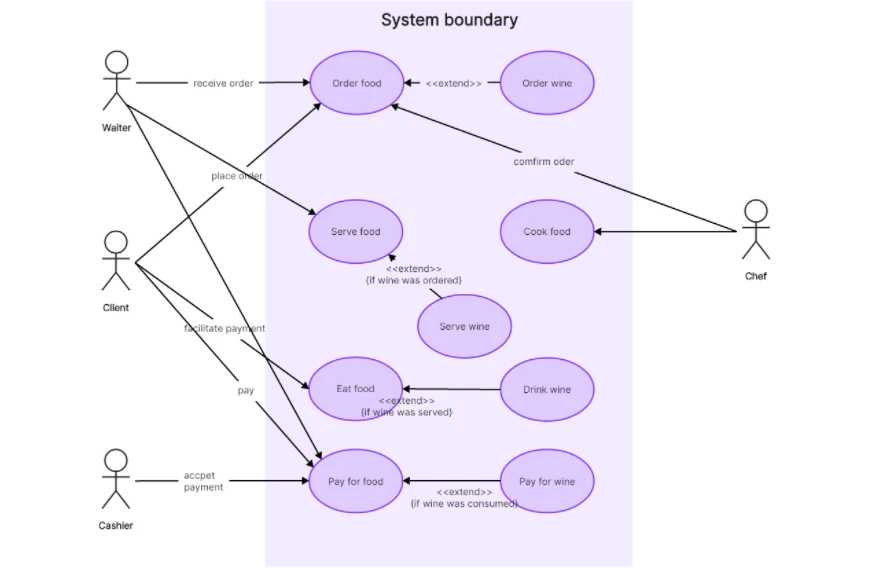
Show actors and the goals or services they interact with inside a system boundary.
Ask: Who can place, cancel, or pay for an order?
Trace messages between participants so a scenario’s timing is clear.
Ask: What happens between a buyer and payment service?
Describe actions, decisions, and parallel work across a process.
Ask: Which path does checkout follow after a failed payment?
Explore class and use case template overviews, or follow a sequence or activity diagram guide. Then build the view that answers your design question in Boardmix.
Define classes and their relationships before writing or refactoring code.
Explore the class diagram template →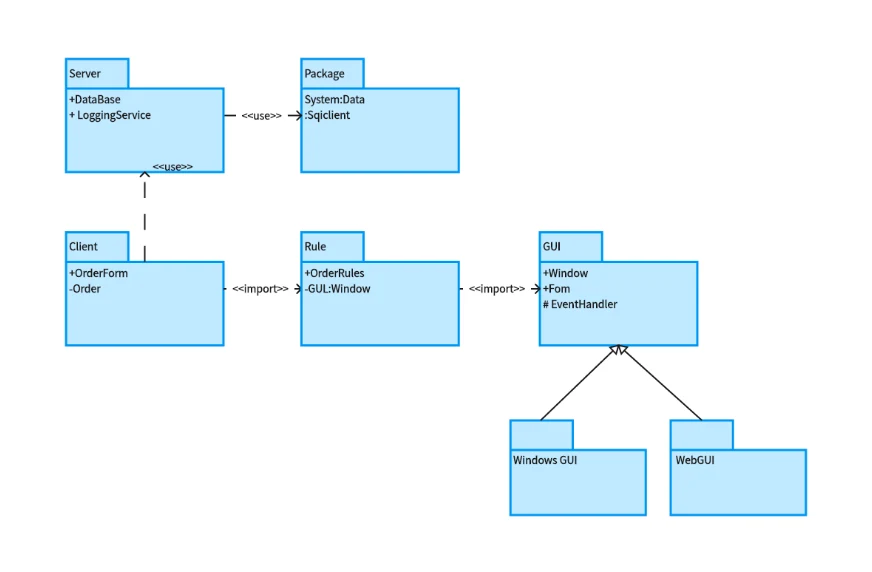
Clarify who uses the system and which goals each actor needs to complete.
Explore the use case template →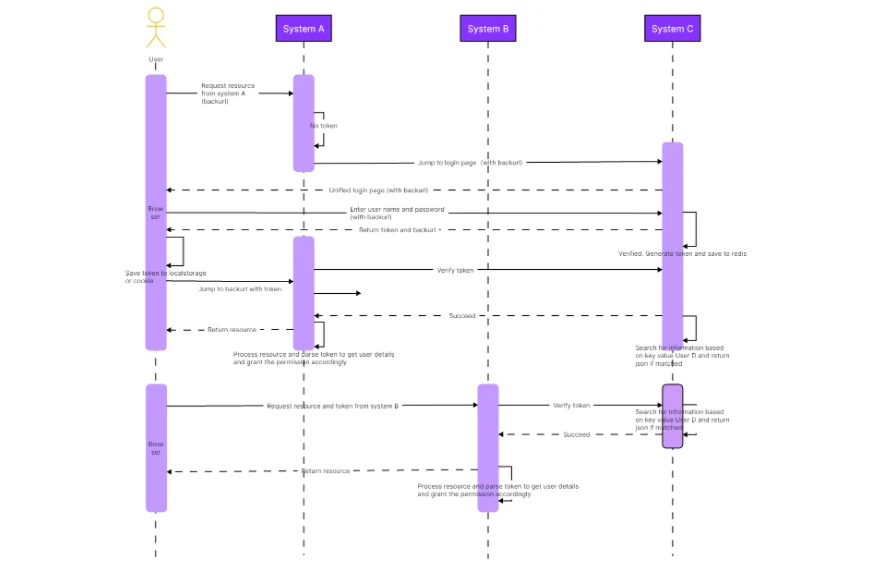
Lay out requests, responses, and callbacks so the timing of a scenario is easy to review.
Explore sequence diagram guidance →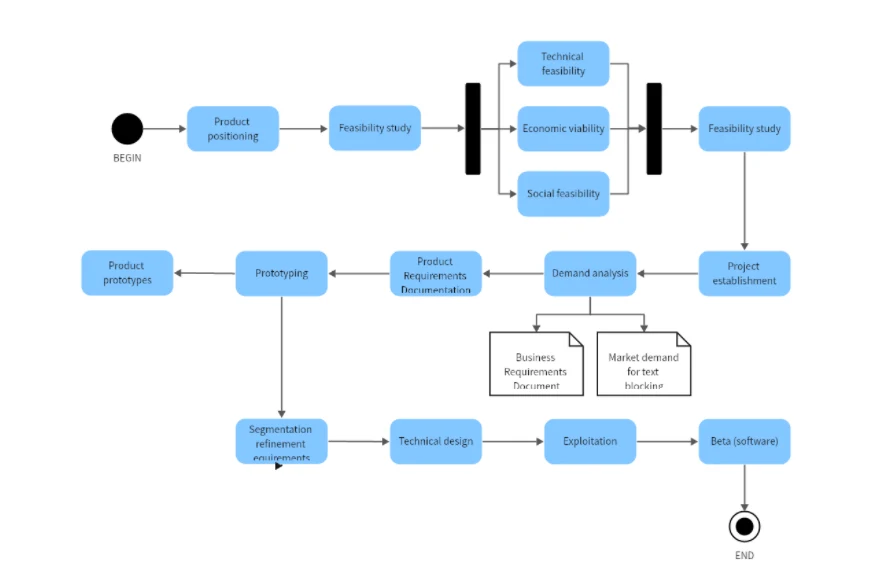
Explain workflow branches and handoffs without turning a process review into a wall of text.
Read activity diagram guidance →Move from a design question to a reviewable model in four practical steps.
Write the scenario or system boundary first. Decide whether you are explaining structure, actors, messages, or workflow so the diagram has one clear job.
Add classes, actors, lifelines, actions, or other UML shapes that answer the question. Give each element a precise name and remove decorative detail.
Draw associations, dependencies, messages, or control flows. Add multiplicity, direction, and short labels where they change how the relationship should be read.
Walk through one concrete example with developers, product managers, or other stakeholders. Resolve ambiguous relationships before the model becomes implementation work.
Keep the diagram and the conversation on the same canvas. Boardmix helps teams explain a system’s structure and behavior before implementation.
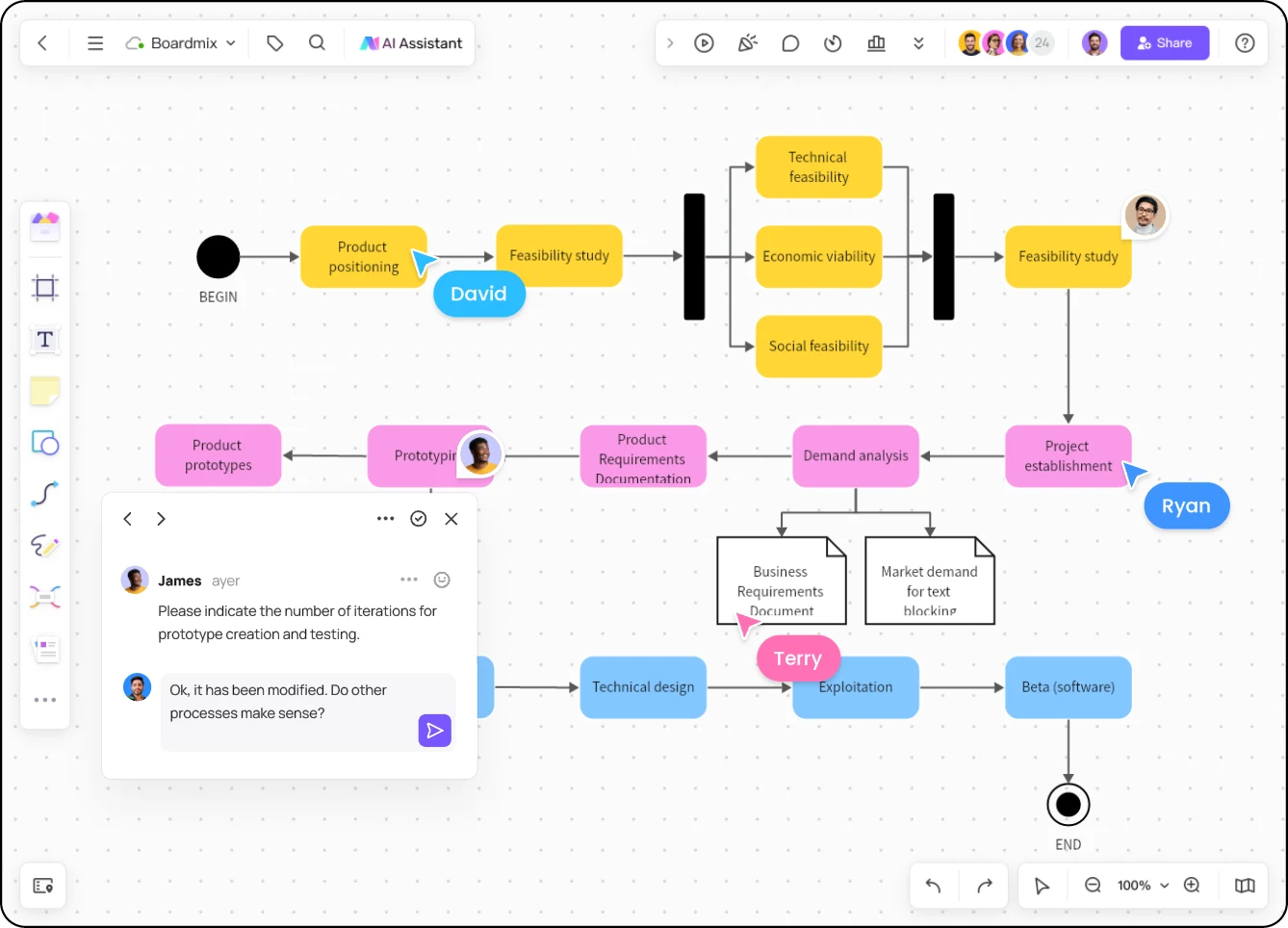
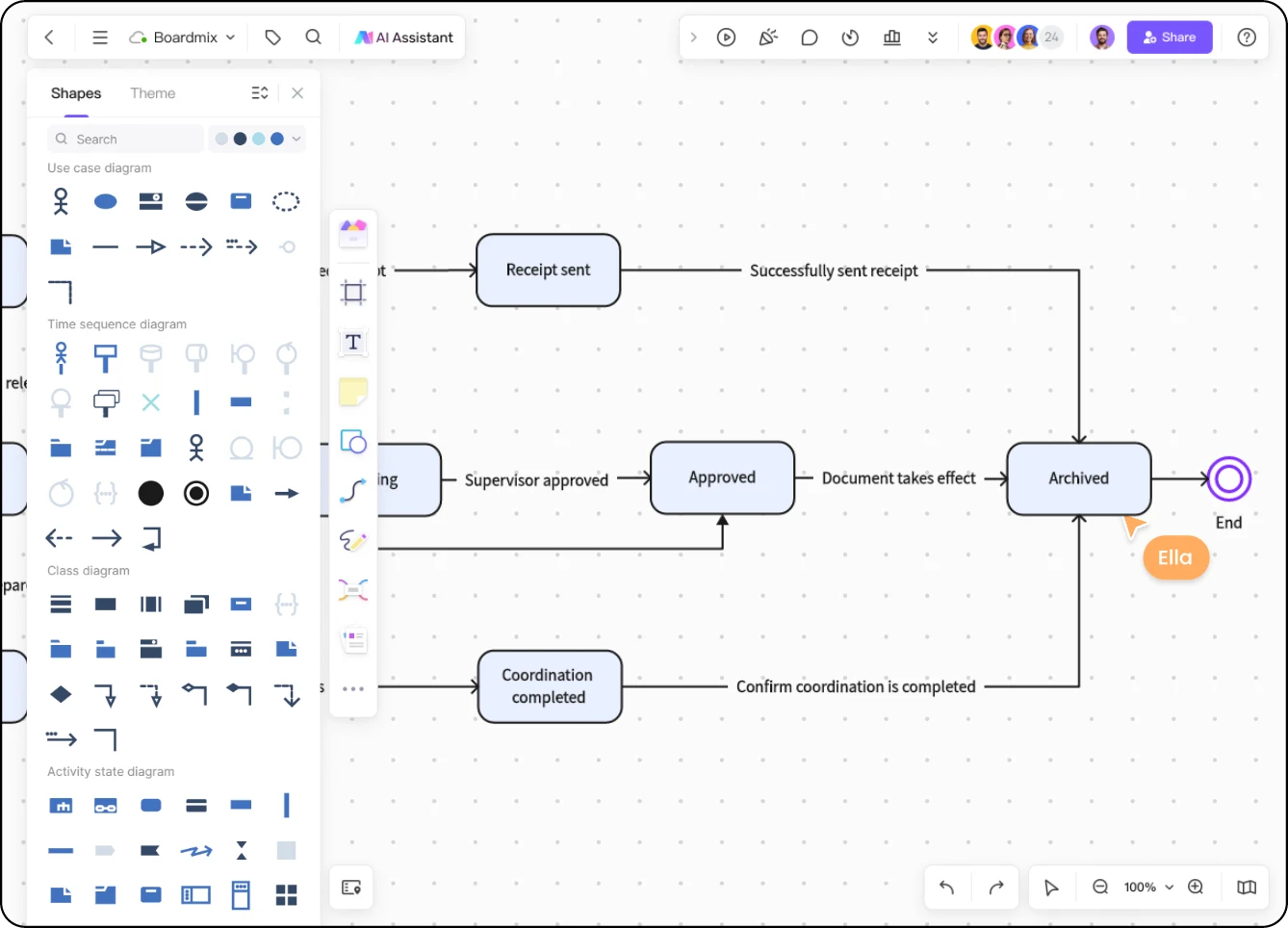
Shape libraries make it easier to keep classes, actors, lifelines, actions, and relationships recognizable across a large model.
A UML diagram is a visual model of a software system. Depending on the type, it can describe structure such as classes and relationships, or behavior such as interactions, activities, and states.
Choose the diagram that matches your question. Use a class diagram for structure, a use case diagram for user goals, a sequence diagram for message order, and an activity diagram for workflow decisions.
You can start a UML diagram in Boardmix with a free account. Current plan limits and export options are listed on the Boardmix pricing page.
You can choose a template in Boardmix's template library or start on a blank board. The links above include class and use case template overviews, plus drawing guides for sequence and activity diagrams. Adapt the structure and labels to your own design.
Boardmix is a visual workspace for drawing and discussing UML models. Use your implementation tools to generate or validate code; a diagram itself does not compile code or validate a live system.
UML models software structure and behavior, including classes and interactions. An ER diagram focuses on data entities, attributes, and relationships for a data model. Use the ER diagram maker when your primary question is how records relate.
Bring classes, actors, messages, and decisions onto one shared board so your team can improve the model together.
Create a UML diagram