Make the sequence clear
Give each task a start and finish. Mark the handoffs that matter so the team knows what must be ready before the next stage begins.


Online Collaborative Whiteboard

Boardmix Developer Platform

AI tools for diagrams, writing, and ideas

UI/UX Tool, Figma Alternative

AI PPT Maker, Gamma Alternative
Run workshops, plan projects, and work with colleagues on a shared whiteboard.
Explore collaborative workBOARDMIX · PROJECT PLANNING
Turn a list of tasks into a timeline your team can follow. Plan dates, see where work overlaps, and discuss the next handoff together on one shared whiteboard.
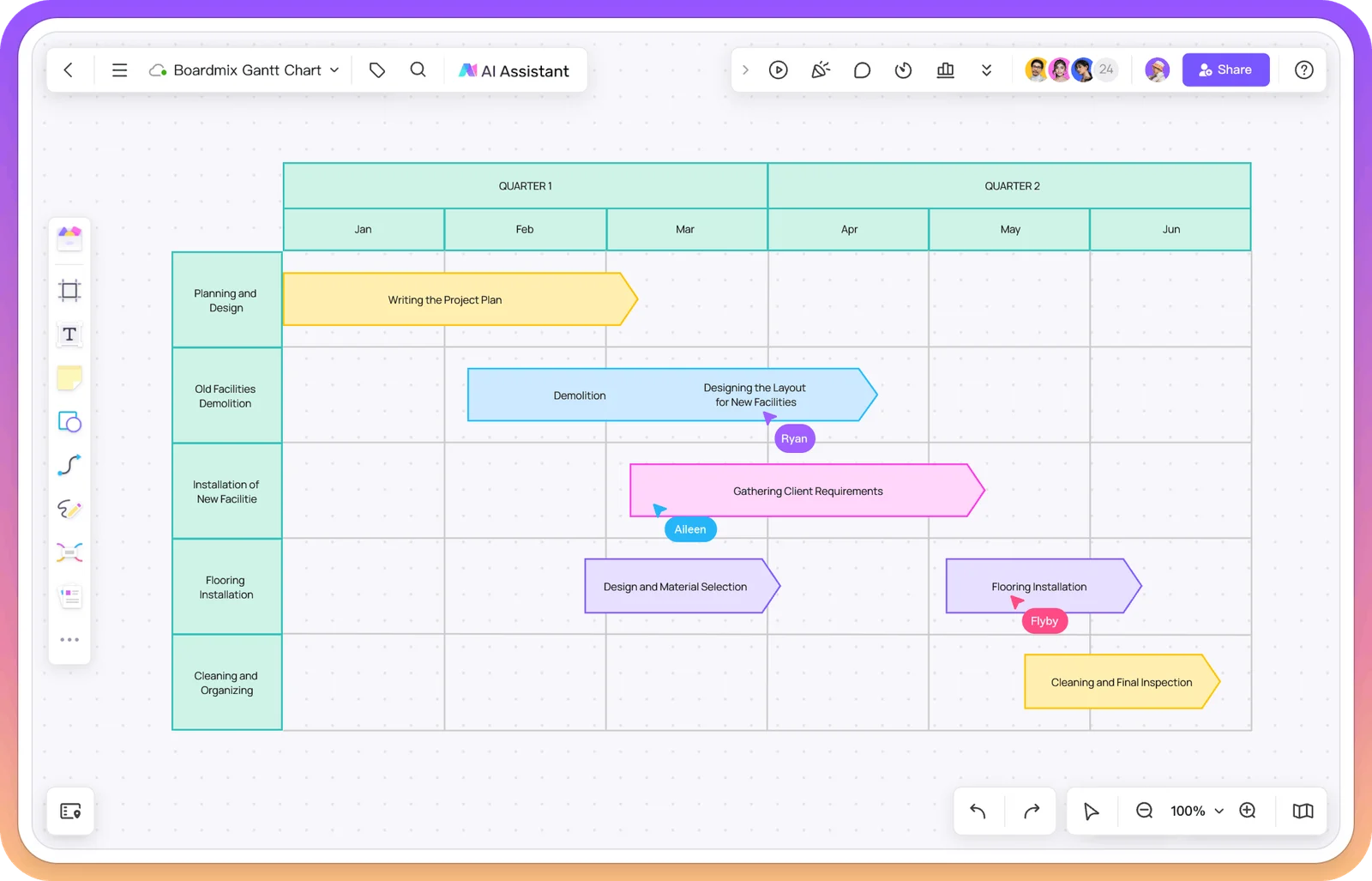
A PLAN PEOPLE CAN READ
A Gantt chart places tasks against a timeline. The length of each bar shows its duration; overlapping bars reveal work that can happen at the same time. In Boardmix, the plan lives beside the notes, decisions, and reference material behind it.
Give each task a start and finish. Mark the handoffs that matter so the team knows what must be ready before the next stage begins.
Place approvals and delivery dates beside the work that leads to them. A milestone marks a decision or result, not another long task.
Walk through the schedule with your team, add comments where questions arise, and keep agreed changes on the same board.
FROM TASK LIST TO TIMELINE
Follow one project from scope to release. Each week contains five working days. The task bars show the sequence; the table explains who owns the work and what must be ready at each handoff.
The main sequence is scope → research → design → build → QA → launch. Content runs in parallel once the page scope is agreed. The diamond marks launch as a milestone.
| Task / owner | Start → finish | Ready to begin when… | Handoff |
|---|---|---|---|
| Scope · Maya | W1 D1 → W1 D2 | Stakeholders agree on the launch purpose. | Approved pages and acceptance criteria. |
| Research · Eli | W1 D3 → W2 D2 | The scope is agreed. | Priority user tasks and content gaps. |
| Design · Jo | W2 D3 → W3 D2 | Research findings are available. | Reviewed layouts and interaction notes. |
| Build · Sam | W3 D3 → W4 D5 | The design handoff is ready. | A release candidate for testing. |
| Content · Inez | W2 D1 → W4 D5 | The page scope is stable. | Approved copy and assets, ready for QA. |
| QA · Rae | W5 D1 → W5 D3 | Build and content are ready. | Test results and unresolved issues. |
| Launch · Maya | W5 D5 · milestone | Release criteria are met and issues are resolved. | The website is released. |
Content starts while research is still running because the page scope is already agreed. The content owner incorporates research findings before the final handoff.
Review the build start, QA window, and launch date with their owners. Move the affected bars and record the decision; drawing a dependency does not itself reschedule the work.
BUILD YOUR FIRST PLAN
Start with the outcome and split it into tasks that someone can own. Write the deliverable for each row before assigning dates.
Choose days, weeks, or months to suit the project. Add task bars, start and finish dates, and the milestones the team needs to see.
Invite teammates to check timing and handoffs. When a date changes, review the affected work and update the plan together.
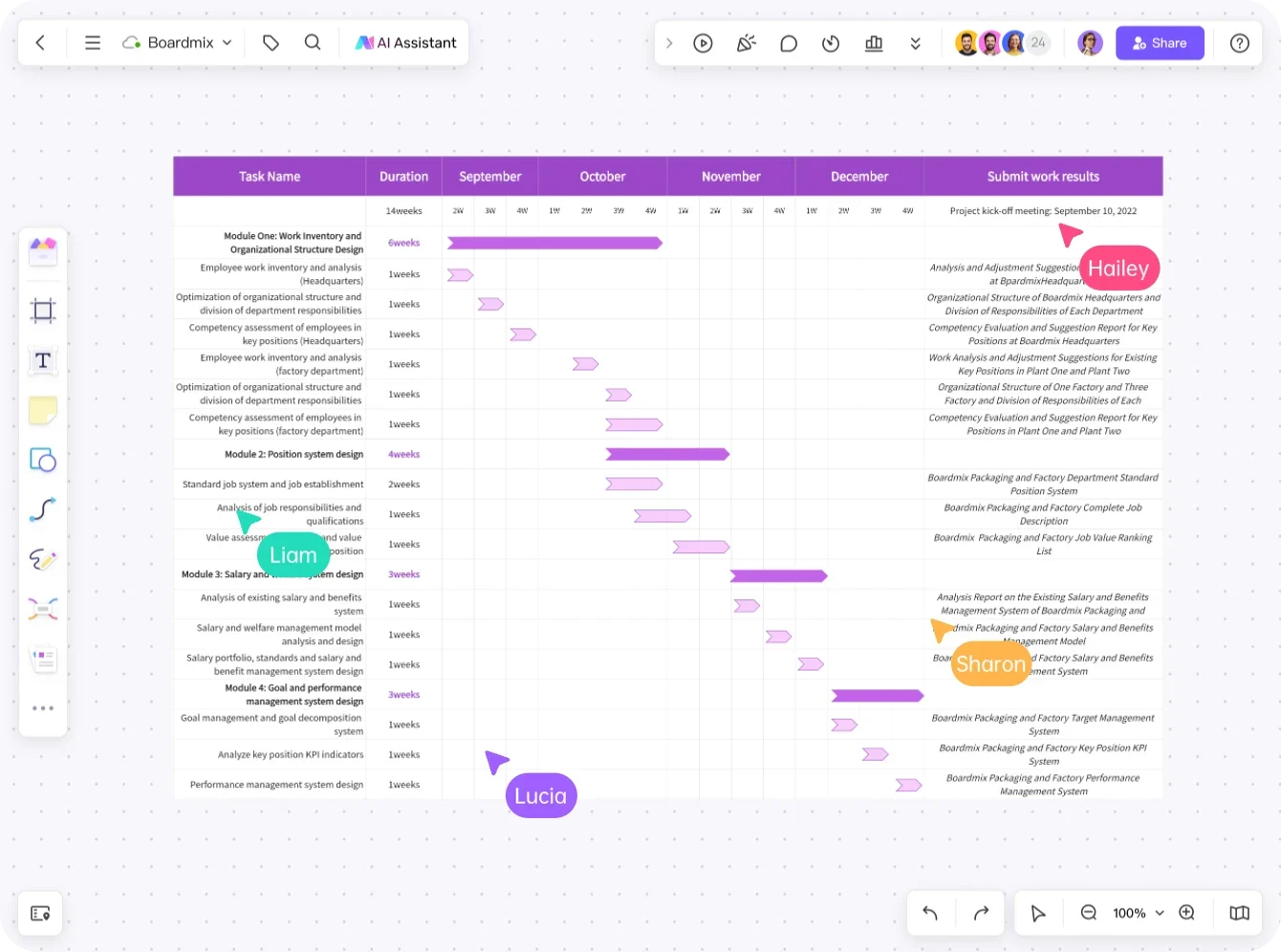

MORE THAN A TIMELINE
A schedule rarely tells the whole story. Keep the brief, supporting files, open questions, and decisions next to your Gantt chart, so people can understand why the plan looks the way it does.
CHOOSE THE RIGHT STARTING POINT
Preview a community board, then adapt its sample schedule to your own dates, responsibilities, and review points.
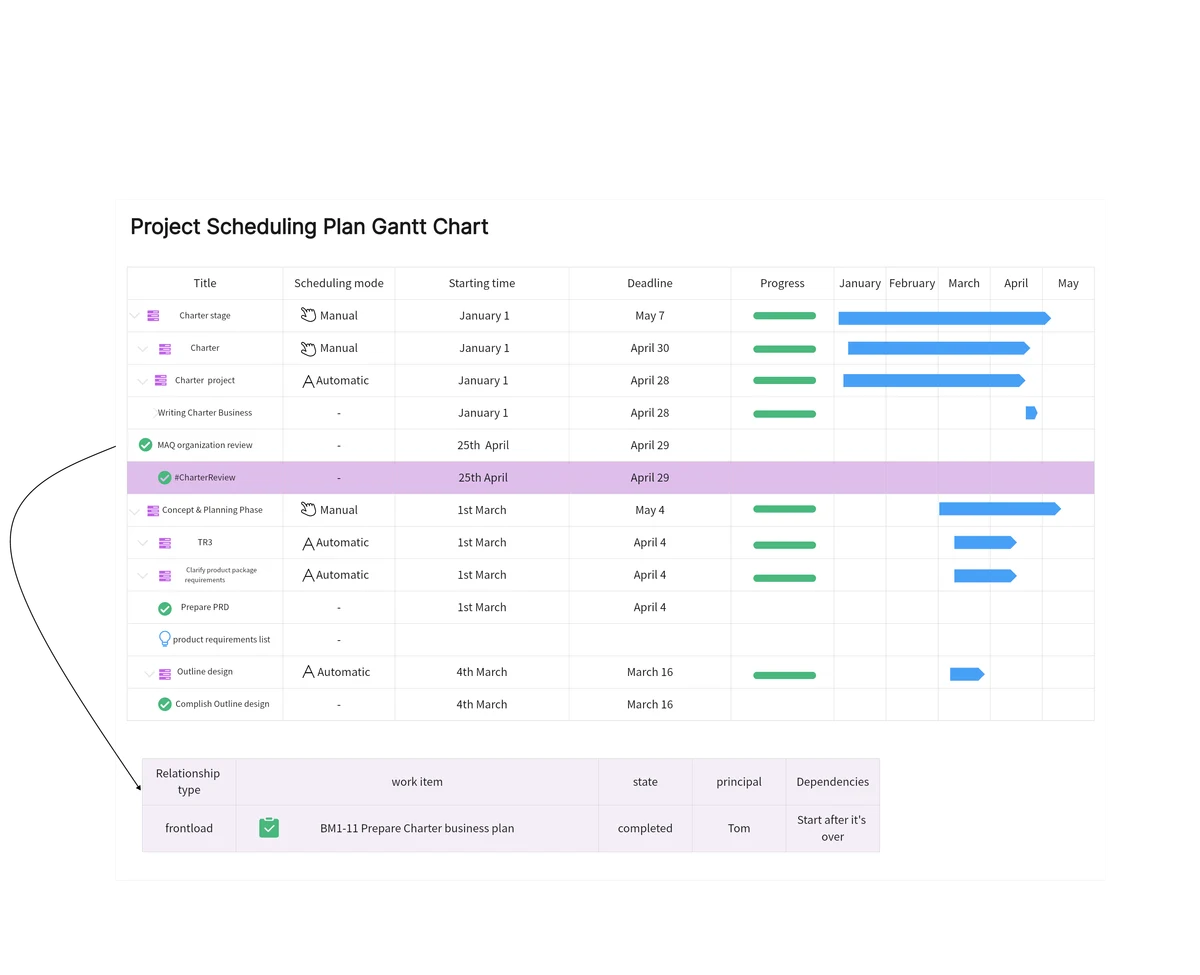
Start with task rows and a date-based timeline, then add your own milestones.
Preview community template →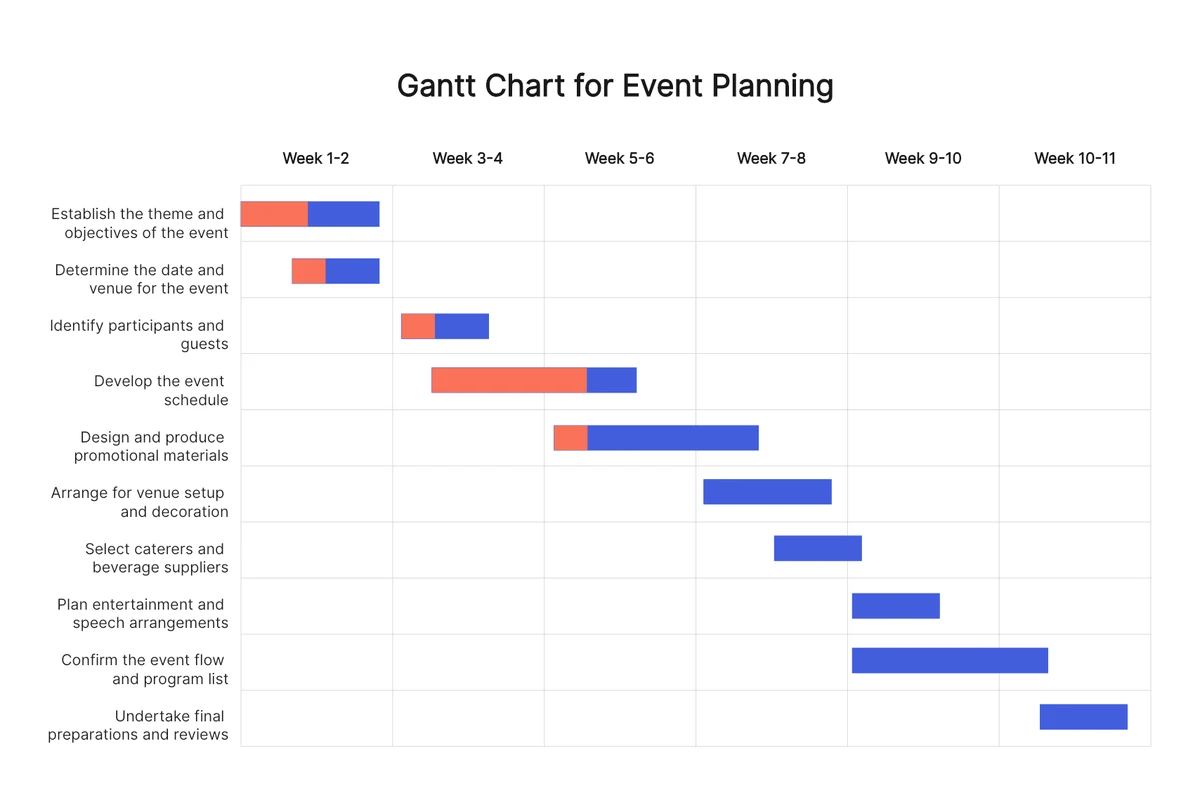
Work back from the event date to coordinate invitations, promotion, logistics, and preparation.
Preview community template →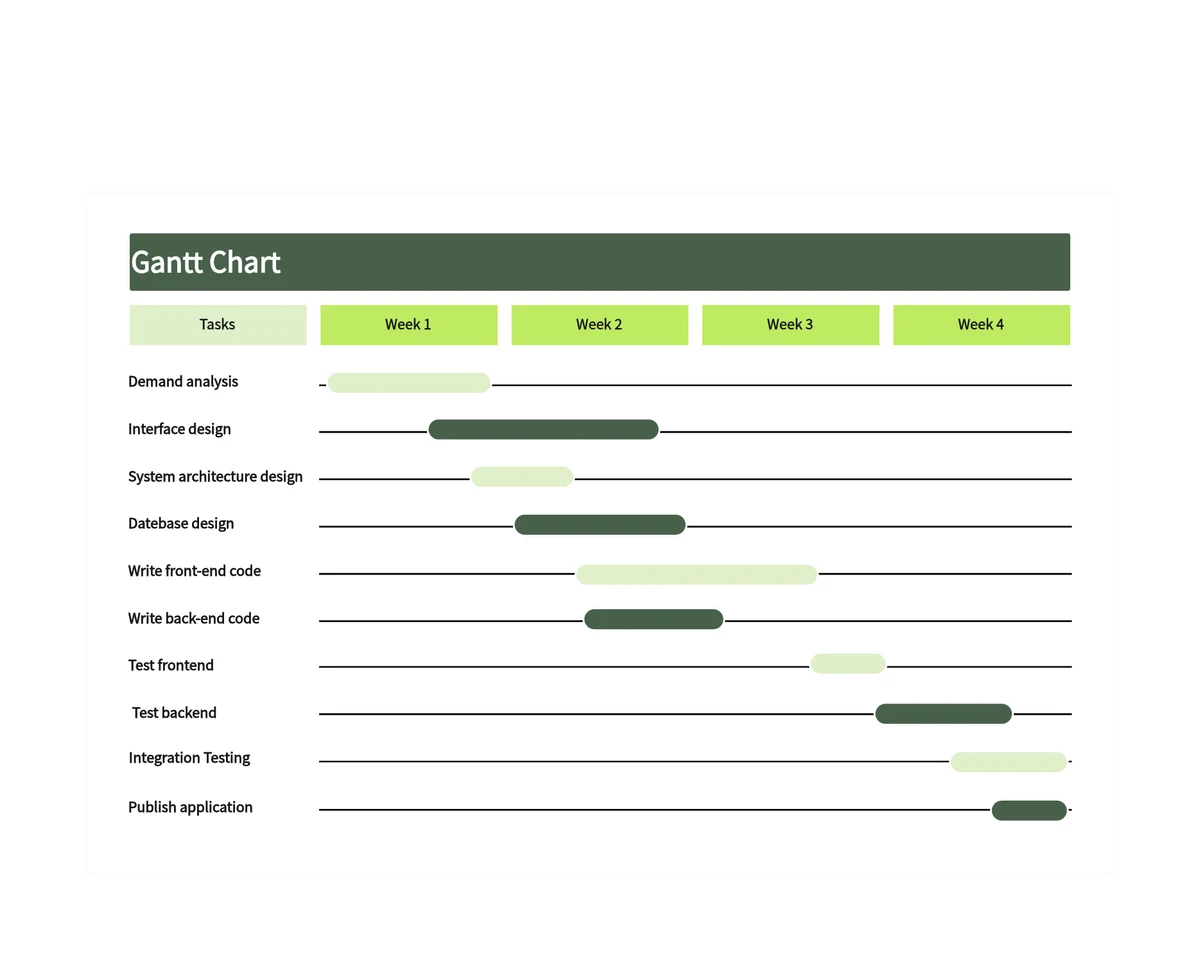
Use the development phases as a starting point, then define handoffs, review dates, and release criteria.
Preview community template →CHOOSE THE RIGHT STARTING POINT
Use a Gantt chart for task timing and overlaps, a schedule for dates and responsibilities, or a timeline for the big picture. You can keep them together on the same canvas.
Organize the work, dates, and responsibilities before you refine the timeline.
Explore schedule templates →Show key phases and milestones when the audience needs an overview.
Explore timeline templates →Bring the schedule together with ideas, diagrams, and feedback.
Explore visual collaboration →A Gantt chart shows when project tasks start and finish. Use it to discuss durations, overlapping work, milestones, and the order in which work needs to happen. It is especially useful when several people need to agree on one schedule.
A timeline usually highlights major events or phases. A Gantt chart gives each task its own row and bar, making duration and overlap easier to compare. Choose the amount of detail your audience needs.
Yes. Boardmix is a collaborative online whiteboard. Invite teammates to the board, work on the plan together, and use comments to discuss changes in context.
Boardmix includes AI-assisted Gantt chart creation. Give it the project goal, work to include, and timeframe, then review the draft with your team. Confirm the tasks and dates before treating the result as your project plan.
Boardmix offers a free plan. Create an account to try the workspace, and check the pricing page for current plan limits and paid features.
Build a Gantt chart that puts your tasks, timing, and team on the same page.
Start planning in Boardmix