01
Shape the sprint together
Discuss the Product Goal, order backlog items, and choose a Sprint Goal. Bring stories, capacity, and dependencies into the planning conversation.
Take away: a goal, selected work, and a delivery plan.


Online Collaborative Whiteboard

Boardmix Developer Platform

AI tools for diagrams, writing, and ideas

UI/UX Tool, Figma Alternative

AI PPT Maker, Gamma Alternative
Run workshops, plan projects, and work with colleagues on a shared whiteboard.
Explore collaborative workBOARDMIX · SCRUM
Bring your Sprint Goal, backlog, and team conversations onto one visual board. Plan the work together, surface blockers, and turn retrospectives into your next improvement.
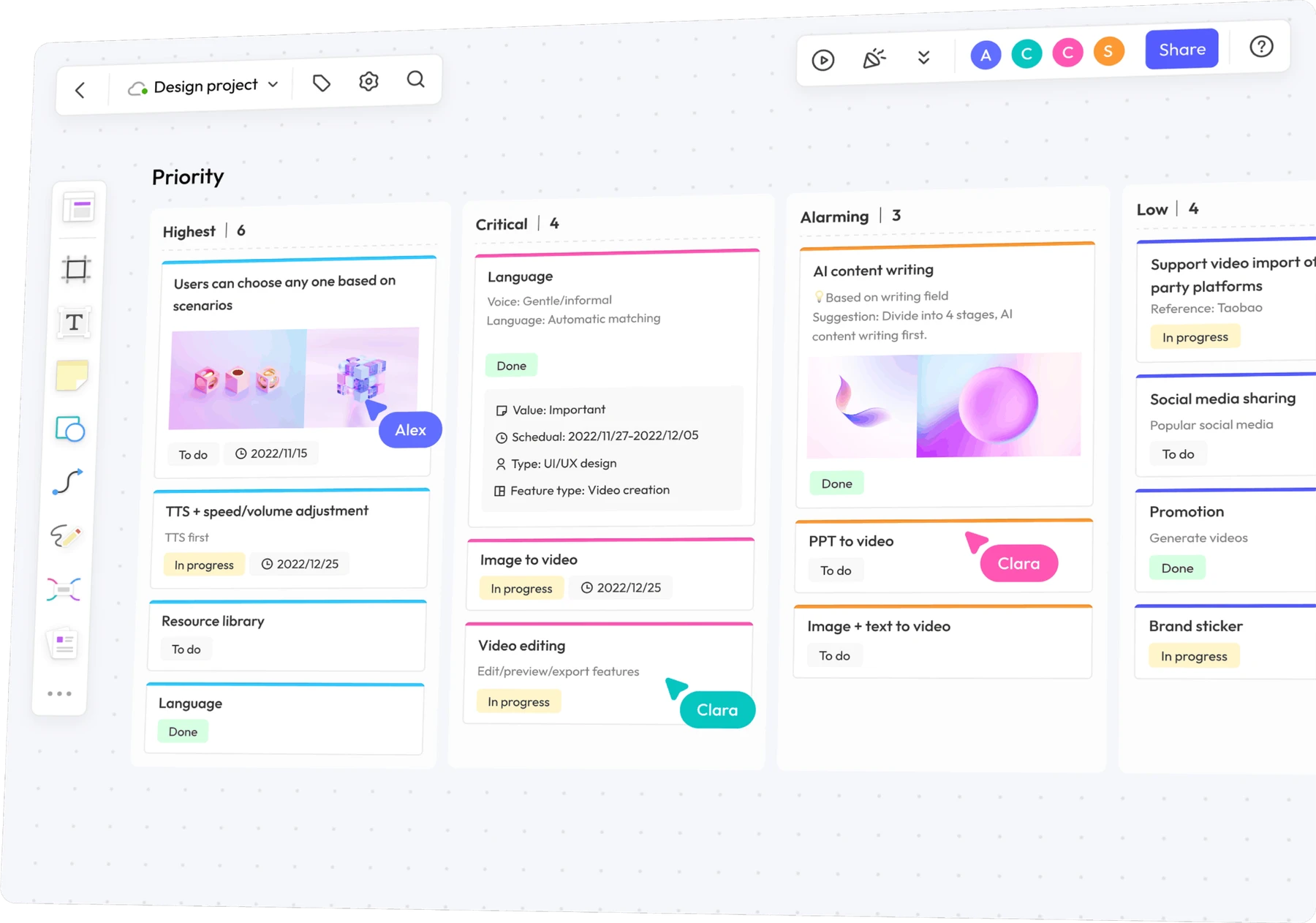
ONE GOAL, A SHARED PLAN
A list of tasks shows what is open. A visual Scrum workspace also shows why it matters, what is blocking it, and what the team should change next.
Discuss the Product Goal, order backlog items, and choose a Sprint Goal. Bring stories, capacity, and dependencies into the planning conversation.
Take away: a goal, selected work, and a delivery plan.
Use the Daily Scrum to inspect progress toward the goal. Keep blockers and the next action visible so Developers can coordinate their work.
Take away: a plan the team can act on today.
Inspect results with stakeholders in the Sprint Review. In the retrospective, choose a practical improvement to quality or team effectiveness.
Take away: product feedback and a specific improvement.
FROM A GOAL TO VISIBLE WORK
Keep the Sprint Goal above the work. Show selected backlog items, the delivery plan, and the impediments the team needs to resolve. Here is a checkout example you can adapt.
Sprint Goal · Reduce repeated steps for returning customers while keeping address selection clear.
Show saved addresses with a clear selected state.
Check: the chosen address appears in the order summary.
Connect the selection to the checkout summary and its tests.
Blocker: API response for a deleted address needs a decision.
The default address displays for a returning customer.
Evidence: the slice meets the team's Definition of Done.
Use your team's own workflow columns. Item-specific acceptance checks add detail; they do not replace the shared Definition of Done. The Sprint Review is a feedback event, not a separate gate for releasing work.
START WITH THE RIGHT STRUCTURE
Organize the backlog, map a user journey, or prepare the next team event. Each starting point supports a different conversation.
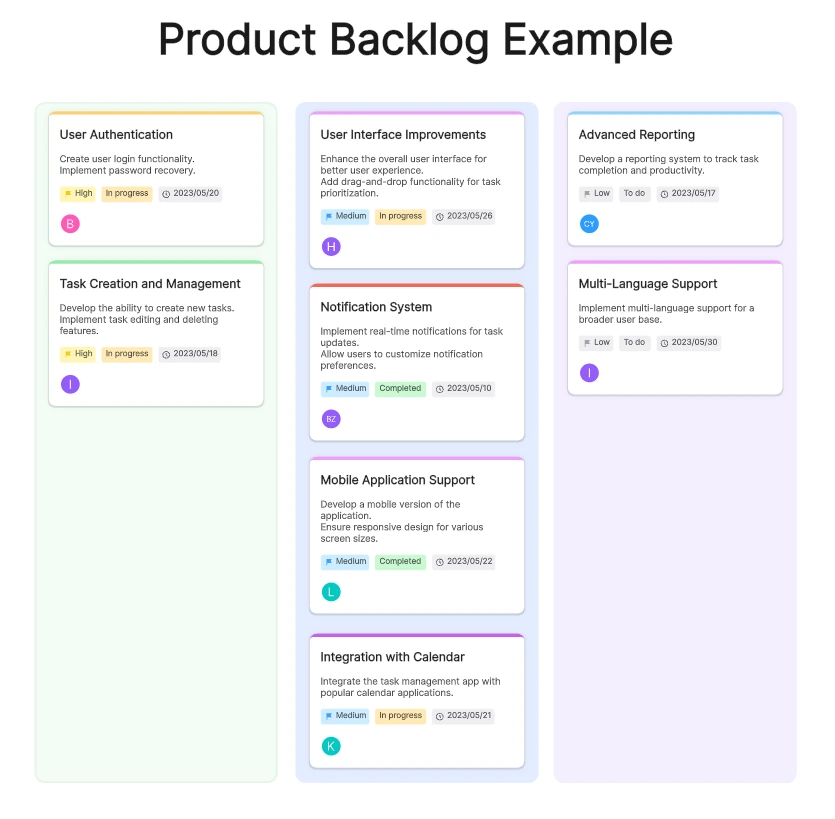
Make priorities and candidate work visible before the team selects items for a sprint.
View backlog template →Bring the goal, available capacity, selected stories, and risks into one planning conversation.
View planning guide →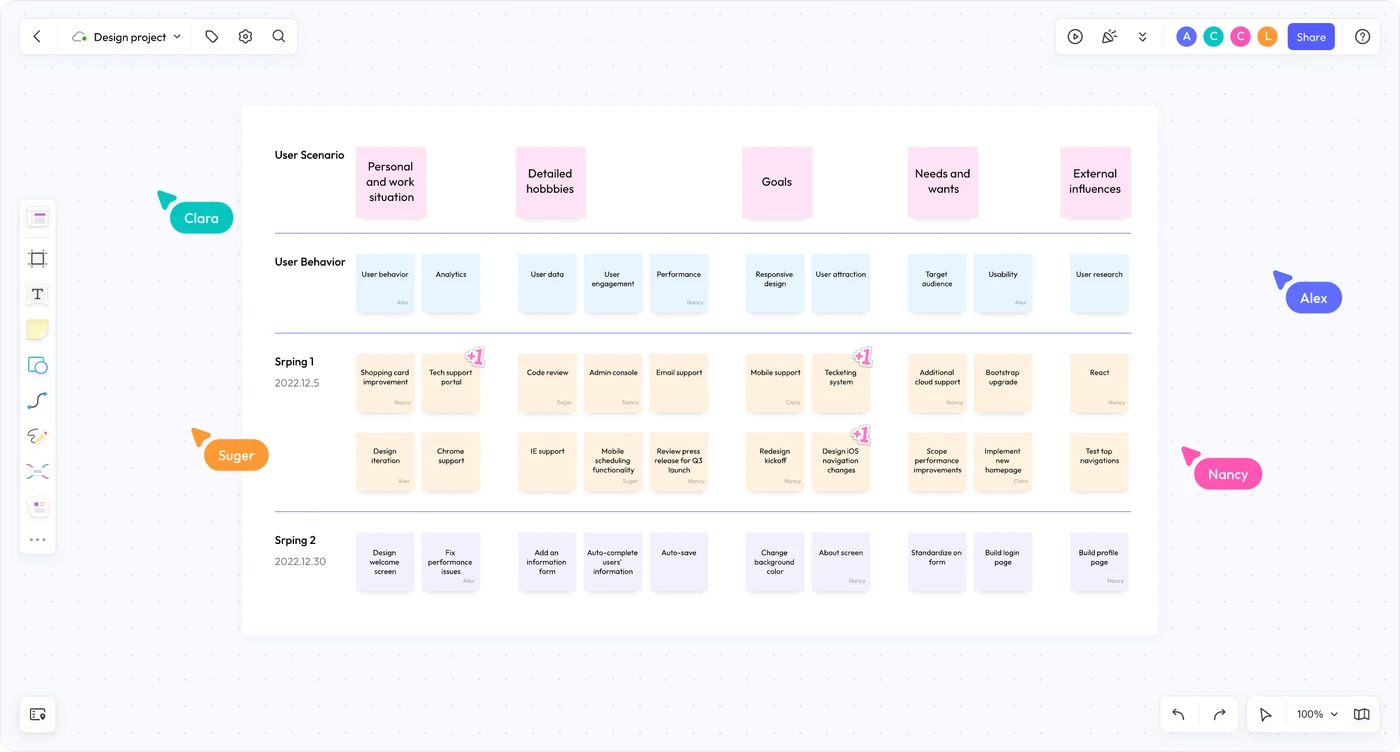
Connect user activities to smaller stories and potential releases before choosing a sprint slice.
View story map template →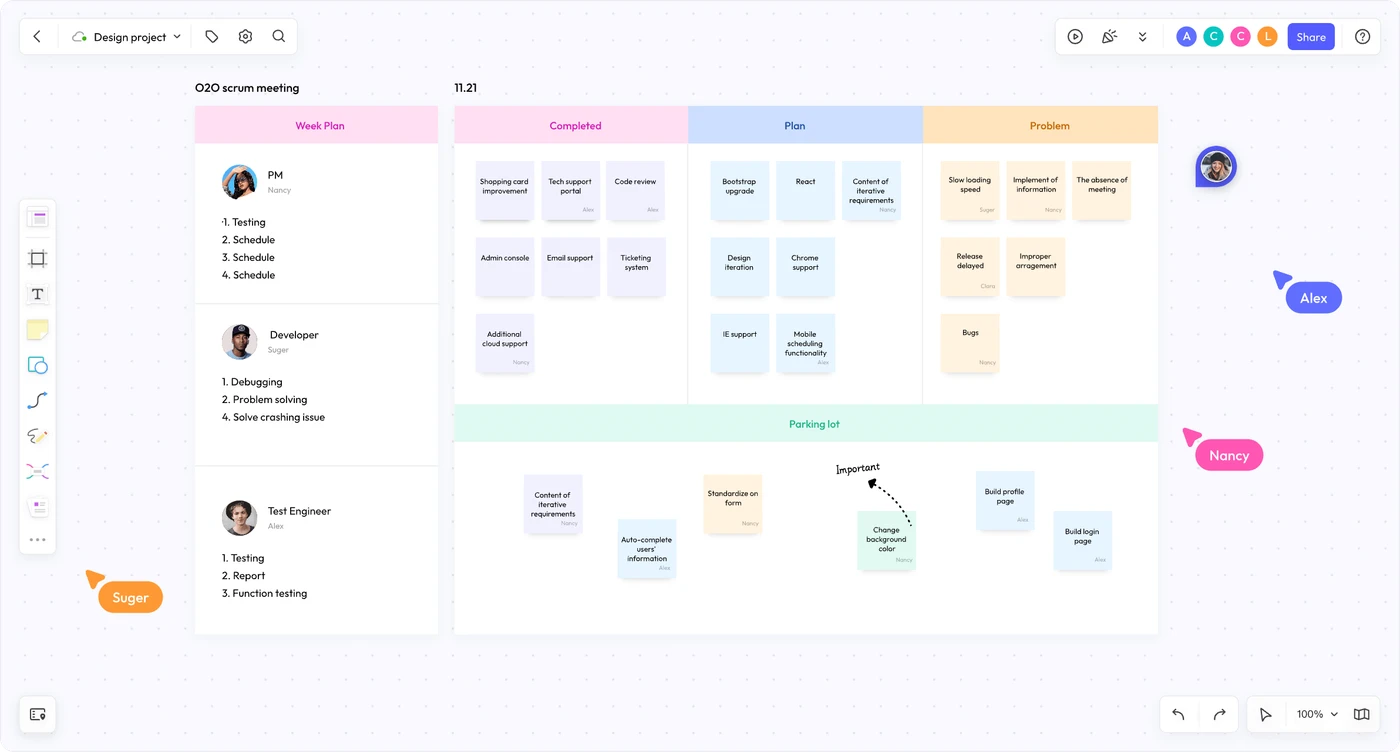
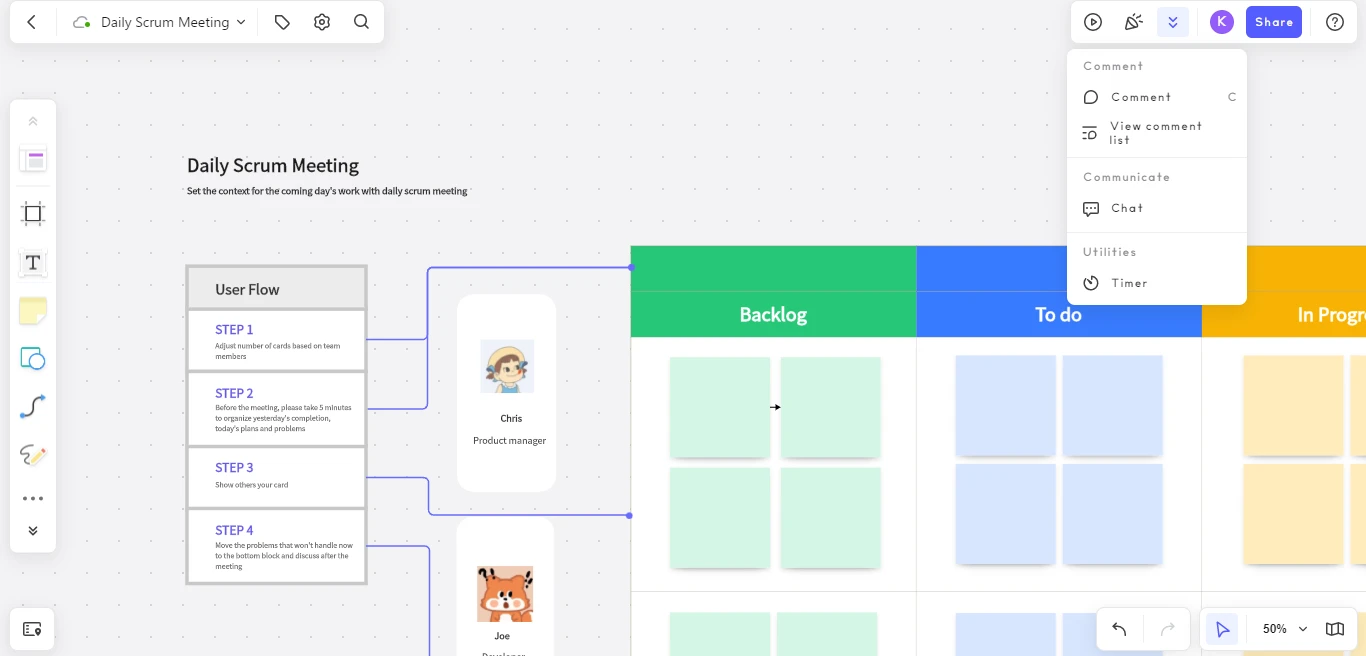
Inspect progress, surface impediments, and coordinate the next steps toward the Sprint Goal.
View Daily Scrum template →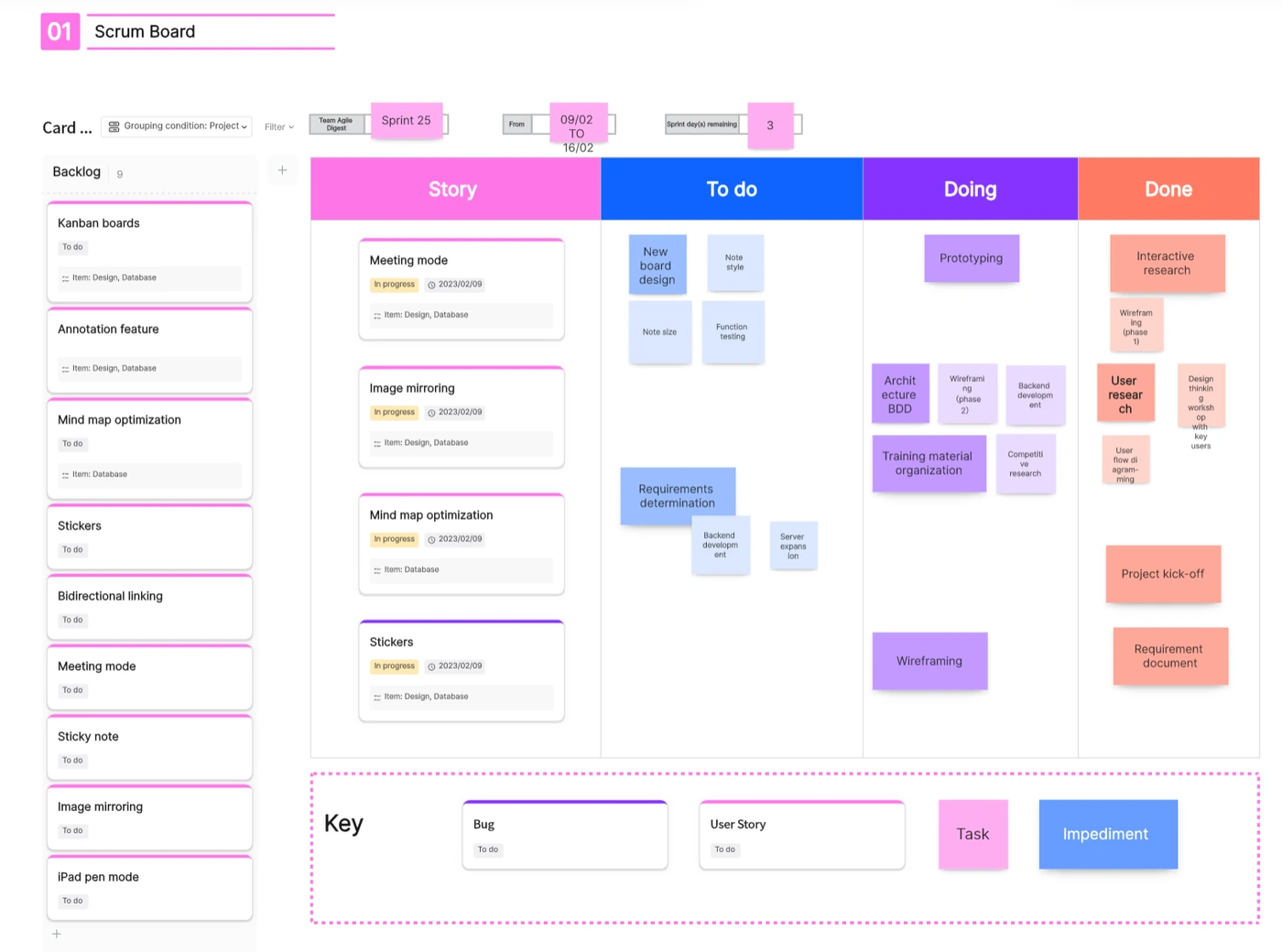
Arrange stories and tasks by status so the team can see work in progress and what is done.
View Scrum board template →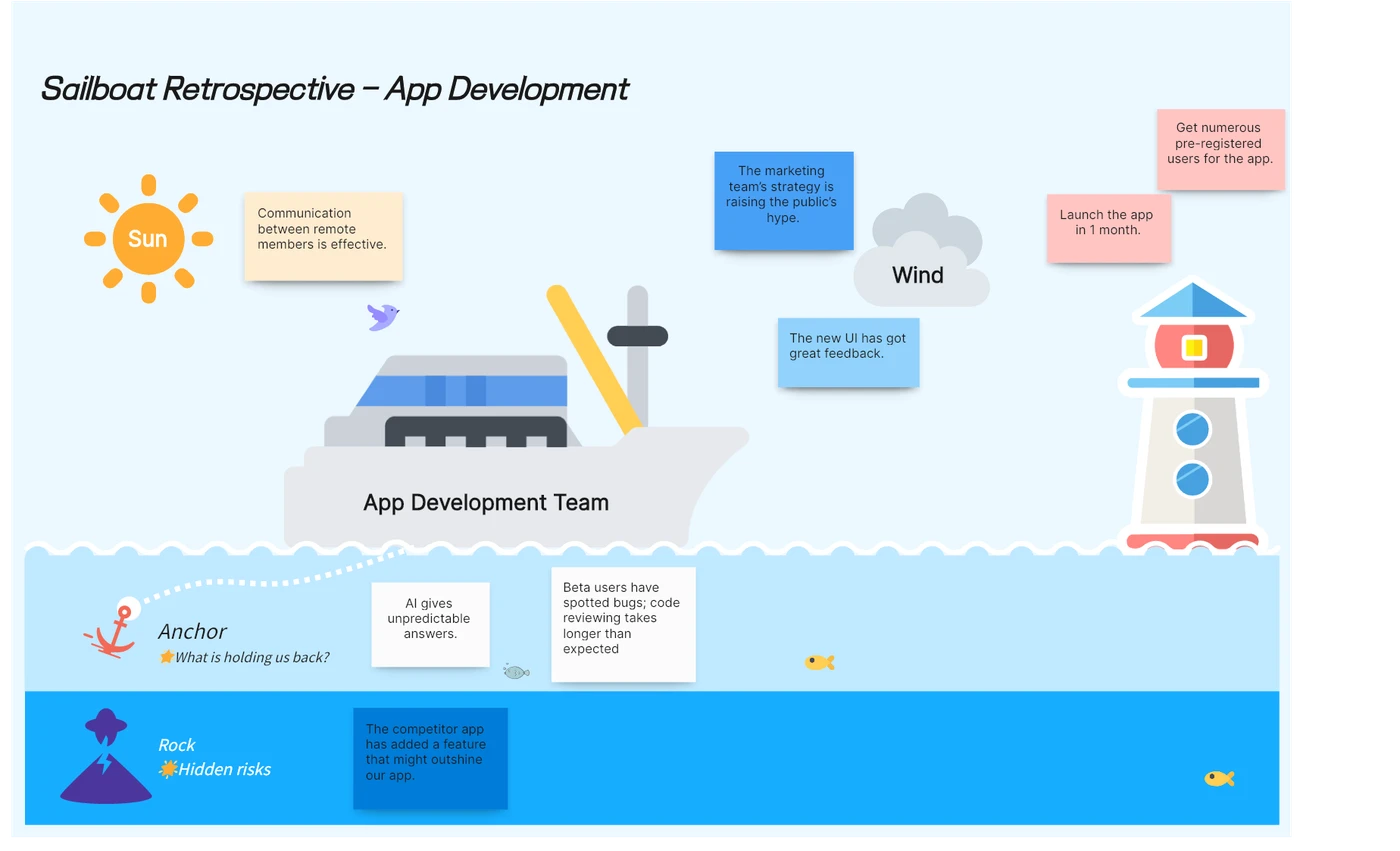
Explore what helps or holds the team back, then choose an improvement to put into practice.
View retrospective template →Need another format? Browse all Agile workflow templates.
COLLABORATION WITH CONTEXT
Build a shared workspace for Product Owners, Scrum Masters, and Developers. Add notes, diagrams, and links beside backlog items so decisions remain understandable after the conversation.
Keep issue IDs or links beside the visual plan if your team also uses an issue tracker. Agree where task status is maintained so the two records stay consistent.
SET UP YOUR NEXT SPRINT
Start with a board or a relevant template. Add the Product Goal, backlog context, and links the team needs before planning.
Agree a Sprint Goal, select work, and outline how to deliver it. Put dependencies and your Definition of Done within reach.
Update the plan together, collect review feedback, and keep the chosen retrospective action visible in the next sprint.
Discuss your organization's deployment and access requirements with the Boardmix team.
SCRUM TOOL FAQ
An online Scrum tool gives a team a shared place to make its goal, backlog, delivery plan, and progress visible. Boardmix provides a collaborative canvas with notes, cards, diagrams, templates, and facilitation tools for those conversations.
A Scrum board usually visualizes work selected for a Sprint Goal within a sprint. A Kanban board visualizes workflow and can support continuous delivery. Both can use status columns, but using columns alone does not determine the team's framework.
Boardmix is useful for visual planning, collaboration, and team events. If your team needs development workflows or reporting maintained in an issue tracker, use the board alongside it and link to the relevant issues. Choose one place to maintain task status; do not assume an automatic synchronization.
Invite teammates to the board, add planning material and questions, and work together on stories, dependencies, and blockers. Comments keep discussion near the work, while frames, presentation mode, a timer, and voting can help structure team sessions.
Include the Sprint Goal, the Product Backlog items selected for the sprint, and an actionable plan for delivering them. Add workflow columns, dependencies, and impediments where useful, and keep the team's Definition of Done accessible.
Developers adapt their Sprint Backlog as they learn more during the sprint. The Product Owner is accountable for effective Product Backlog management. The Scrum Master helps the team understand and use Scrum effectively; the board should support a self-managing team rather than become a manager's task-assignment sheet.
For Scrum's accountabilities, artifacts, and events, see the official Scrum Guide.
MAKE THE NEXT SPRINT CLEARER
Bring the work, the questions, and the next improvement together in Boardmix.
Create a Scrum board