01Customer Segments
Office managers at small companies with shared office days. Employees use the meals; the company pays.


Online Collaborative Whiteboard

Boardmix Developer Platform

AI tools for diagrams, writing, and ideas

UI/UX Tool, Figma Alternative

AI PPT Maker, Gamma Alternative
Run workshops, plan projects, and work with colleagues on a shared whiteboard.
Explore collaborative workBOARDMIX · AI BUSINESS PLANNING
Turn your business idea into a structured first draft. Describe who you serve and what you offer, then develop the nine building blocks together on Boardmix’s collaborative online whiteboard.
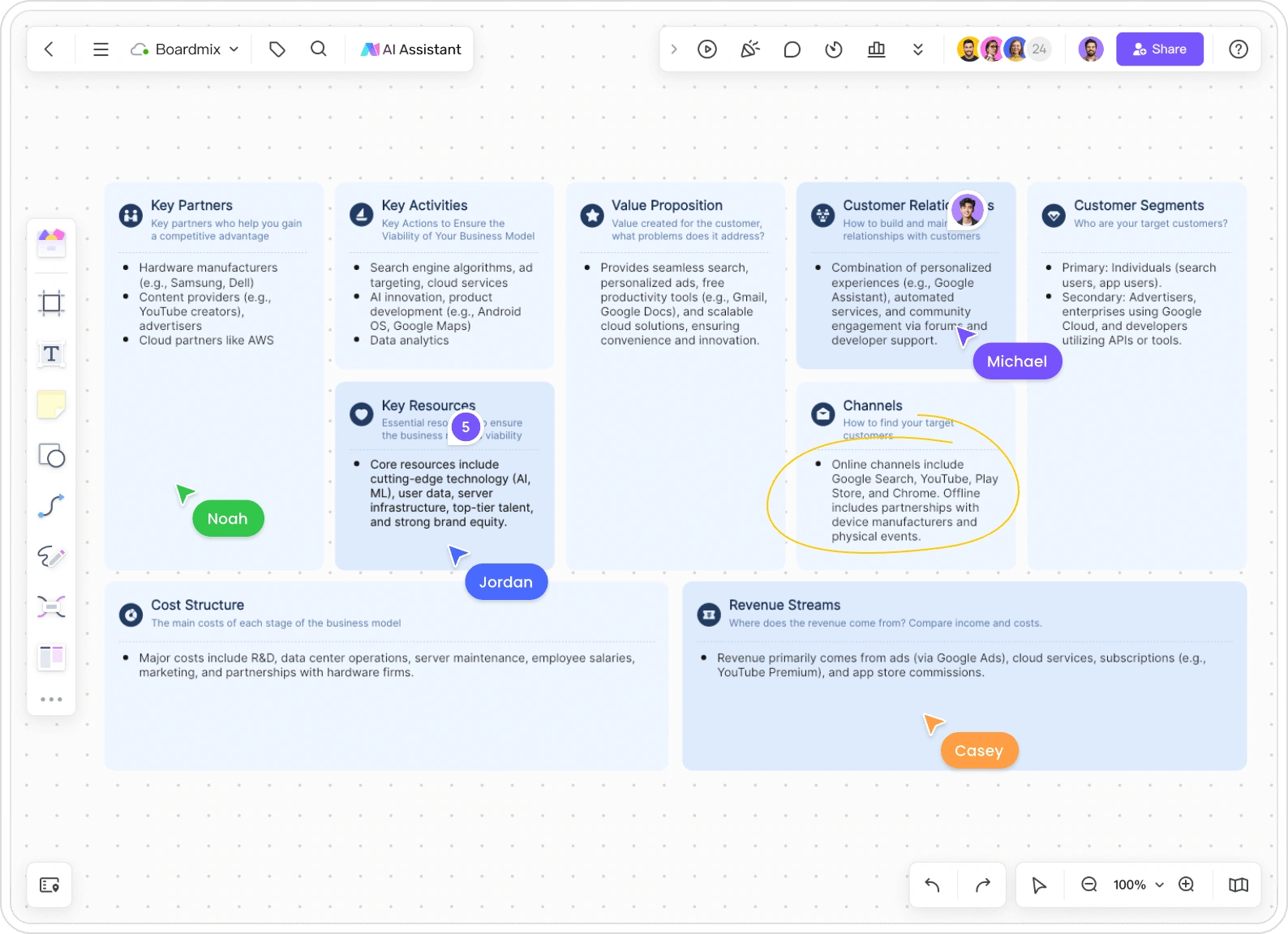
ONE IDEA · NINE CONNECTED BLOCKS
“Food delivery” could mean many different businesses. Start with a buyer, an offer, and a way to earn revenue. This illustrative example explores a company-paid lunch subscription for small office teams.
Prefer to arrange the blocks yourself? Start with the business model canvas maker and develop your model from a template.
A focused prompt gives the draft a useful boundary.
Create a business model canvas for an office lunch subscription serving small teams. Office managers buy a weekly meal plan; employees choose from a rotating menu before an order cutoff. Local kitchen partners prepare the food, and delivery is grouped by office. Cover all nine Business Model Canvas blocks. Include dietary preferences, changing attendance, and delivery costs. Mark uncertain assumptions instead of inventing sales or market-size figures.
WORKED EXAMPLE
Company buys · Employees choose · Kitchens prepare
Office managers at small companies with shared office days. Employees use the meals; the company pays.
One coordinated lunch order instead of separate purchases. Meal choices for employees, less organizing for office managers.
Direct outreach, workplace tastings, an online ordering page, and referrals between nearby offices.
A named office coordinator, cutoff reminders, menu feedback, and help with missing or unsuitable meals.
Weekly company-paid subscriptions based on meals confirmed before the cutoff. Extra orders when kitchen capacity allows.
Ordering workflow, menu and allergen information, kitchen relationships, delivery schedules, and a service team.
Plan menus, collect orders, coordinate preparation and delivery, check accuracy, and resolve problems.
Local commercial kitchens, delivery partners, and workplace contacts who receive and distribute meals.
Meals, packaging, delivery, support, ordering software, payment fees, and incorrect or unsold orders.
Framework: Strategyzer’s Business Model Canvas. This hypothetical planning example illustrates the nine blocks; it is not a financial forecast.
Flexible attendance affects kitchen orders, delivery planning, and costs—not just customer relationships. The order cutoff is part of the offer. Discuss that trade-off with offices before promising last-minute changes, and add actual kitchen quotes and delivery estimates as you learn more.
DESCRIBE · GENERATE · DEVELOP
Begin with one offer and one customer group. The clearer the input, the more useful the starting point for your team.
Use the input above to name the buyer, the problem, your offer, and the revenue model. Add important constraints, such as a local service area. If the buyer and user differ, make that clear.
Continue to Boardmix’s AI workspace to create your draft. Read across the nine blocks: a subscription offer should connect to recurring revenue, ongoing relationships, and the work needed to deliver it.
Edit generic suggestions into specific notes. Share the board, discuss uncertain parts, and keep research beside the canvas. Update the model as your team learns what customers and partners actually need.
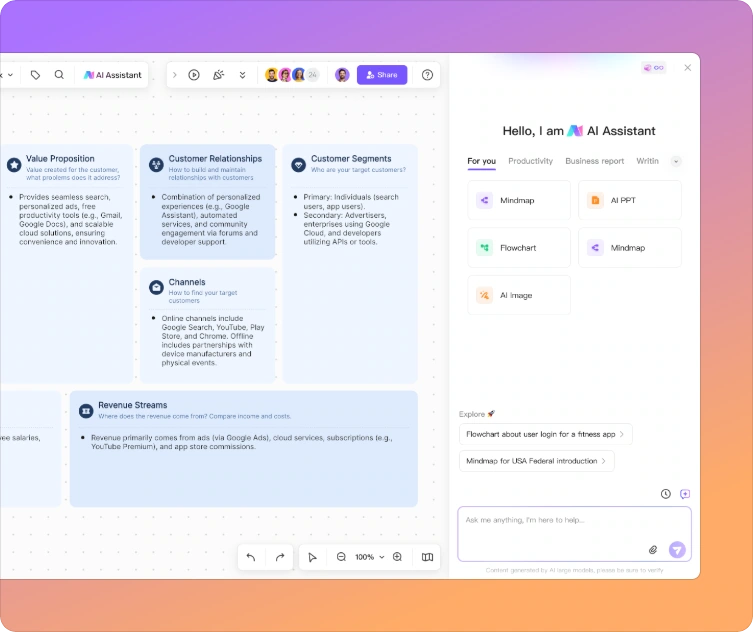
A WORKING MODEL, SHARED
AI can help fill the first page. Your team brings the knowledge that makes the business model specific.
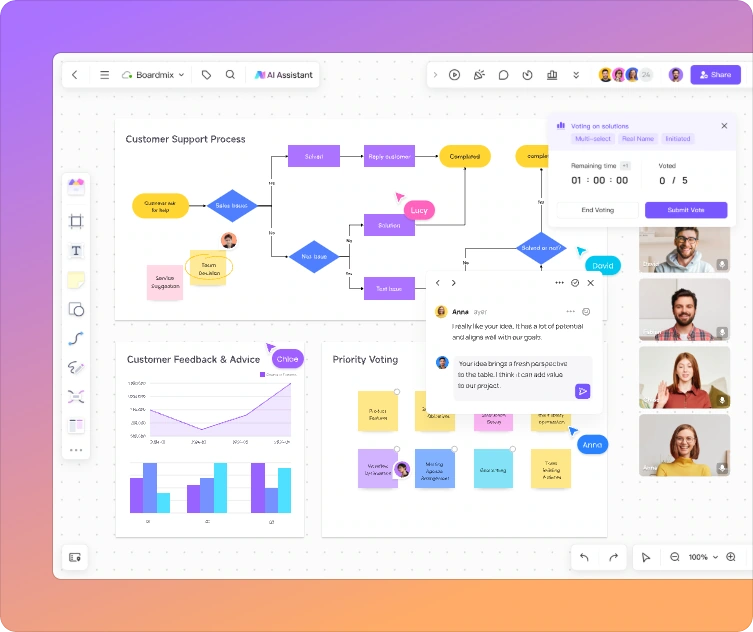
Sales can explain who buys. Operations can challenge the delivery assumptions. Finance can refine the cost structure. Edit together and comment on the relevant note, so disagreements stay connected to the model.
Place interview notes, supplier quotes, images, and links beside the relevant blocks. Your value proposition can stay concise while the reasoning remains available to everyone reviewing it.
Explore a company-paid lunch plan and an employee-paid alternative in separate canvas areas. A different buyer also changes acquisition, payment collection, and support. Compare the connections before choosing a direction.
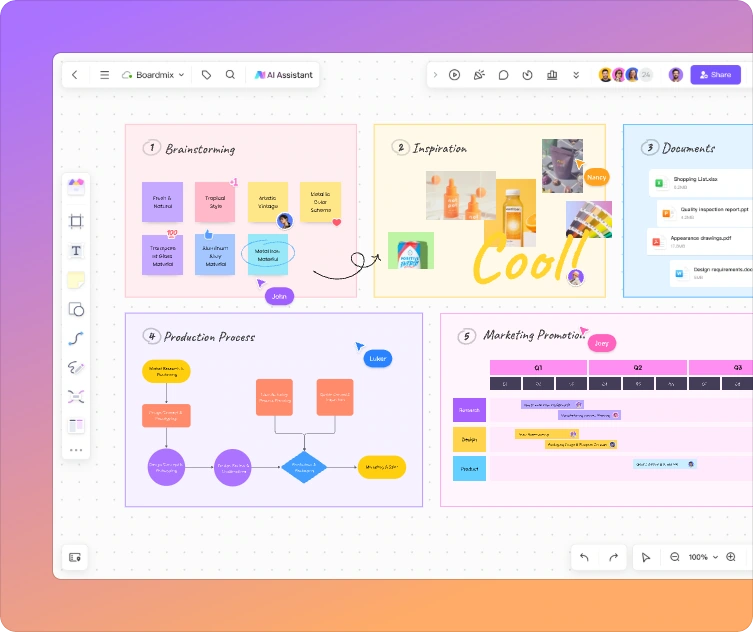
Keep a customer journey, fulfillment flow, or workshop notes nearby. Boardmix gives the team room to develop the work around the canvas, rather than compressing every detail into nine boxes.
PROMPTS WITH A PURPOSE
Choose a prompt, then adapt the customer, offer, and constraints before generating.
NEW SERVICE
Draft a business model canvas for a neighborhood tool-rental service for occasional DIY users. Start with a small collection and local pickup. Explore membership versus per-rental revenue, maintenance responsibilities, and the resources needed to keep tools available.
TWO-SIDED MARKETPLACE
Create a business model canvas for an online tutoring marketplace. Separate students and parents from tutors, and explain the value offered to each side. Use a commission model and identify the activities needed to attract tutors, match learners, and support bookings.
EXISTING BUSINESS
Draft a business model canvas for a local coffee roaster adding a monthly home-delivery subscription. Keep its existing roasting operation. Explore how subscriptions change customer relationships, delivery channels, recurring revenue, packaging, and fulfillment work.
OTHER MODELS TO EXPLORE
Compare how these community examples organize a business. They are illustrative contributions, not company-issued plans or endorsements.
Explore the resources, partnerships, and customer needs behind an environmental business.
Open the environmental company canvas →Consider the roles of learners, learning content, and the channels that deliver the experience.
Open the education platform canvas →Use a food-business starting point alongside your own customer and supply assumptions.
Open the health food company canvas →Explore how access to physical assets affects activities, resources, and costs.
Open the bike-sharing canvas →BEFORE YOU GENERATE
It uses a description of your idea to help draft a business model canvas. The nine blocks organize customers, value, channels, relationships, revenue, resources, activities, partnerships, and costs into a connected model you can refine.
Start with the customer, their problem, your offer, and the way the business earns money. Add important constraints or known facts. A focused service description is more useful than a broad industry name.
Boardmix offers a free account, while AI access and usage depend on the plan and available credits. See the current plans and AI allowances before starting.
Yes. Refine the content on your Boardmix canvas and invite teammates with suitable permissions. Real-time editing and comments help the team develop one shared model instead of reconciling separate copies.
No. It helps organize a possible model; it does not establish demand or profitability. Use customer conversations, supplier quotes, and practical tests to decide which assumptions hold.
A canvas shows the business model’s overall logic. A business plan usually adds market analysis, financial projections, milestones, and implementation detail. Use the canvas to clarify the idea before developing those documents.
FROM IDEA TO A SHARED MODEL
Generate the first draft, connect the nine blocks, and develop the model with your team.