Most enterprises don’t start looking for a self-hosted visual collaboration platform because they want more infrastructure to manage. They start looking because something broke — a compliance audit flagged a SaaS vendor, a security review rejected a tool procurement, or legal stepped in and drew a hard line around data leaving the network perimeter.
By the time an IT team is searching for “self-hosted visual collaboration platform,” the decision to move off shared cloud has already been made. The question is which platform is worth building your collaboration infrastructure around.
This guide answers that question directly — covering what self-hosted visual collaboration actually means, why the demand for it is accelerating, what your evaluation should demand, and why Boardmix has become the platform of choice for enterprises that need both capability and control.
What Is a Self-Hosted Visual Collaboration Platform?
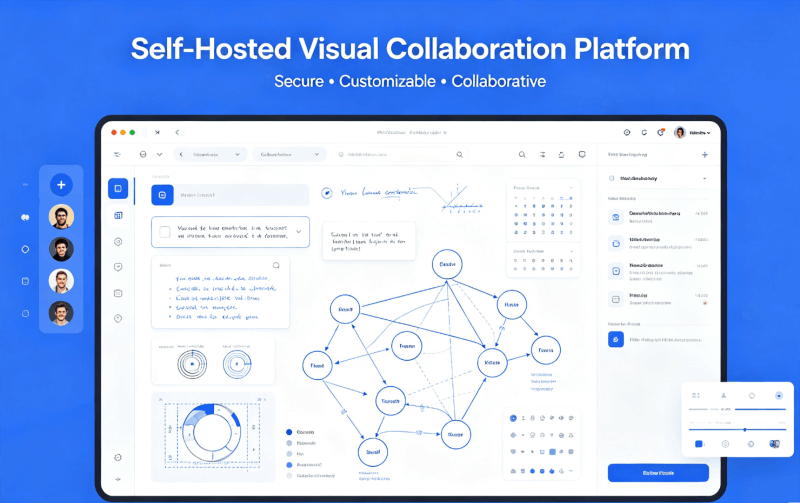
A self-hosted visual collaboration platform is a whiteboard and visual teamwork tool deployed and operated entirely on infrastructure your organization owns or exclusively controls — rather than a vendor’s shared public cloud.
Self-hosting means different things depending on your infrastructure posture:
- On-premises deployment: the full application stack runs on physical servers inside your own data center, with zero external network dependency
- Private cloud deployment: the platform runs inside your organization’s dedicated cloud tenancy (AWS, Azure, GCP), isolated from the vendor’s own infrastructure
- SDK-embedded deployment: visual collaboration capabilities are integrated directly into your existing internal platforms, with data flowing entirely within your own environment
What all three have in common: your organization controls where the data lives, who can access it, and how it is governed. The vendor’s infrastructure never touches your collaboration content.
According to Mordor Intelligence, the collaborative whiteboard software market is projected to grow from $3.81 billion in 2026 to $9.59 billion by 2031 — with the on-premises segment among the fastest-growing categories, driven by regulated industries where cloud-only tools routinely fail procurement reviews.
Why the Demand for Self-Hosted Collaboration Tools Is Accelerating
Three forces are converging simultaneously, and together they have made self-hosted deployment a growth segment rather than a niche preference.
Regulatory pressure is tightening across every major jurisdiction. GDPR enforcement in the EU, HIPAA obligations in US healthcare, data localization mandates across Southeast Asia and the Middle East — the regulatory landscape has fundamentally shifted what “compliant collaboration” means. A SaaS vendor’s certifications document the vendor’s security posture. They do not give your organization direct control over where data resides or who can access it at the infrastructure level. For an increasing number of compliance frameworks, that distinction is decisive.
Enterprise security policy has hardened. Post-2020, a wave of high-profile data breaches accelerated a shift in how large organizations classify risk. Many now operate under blanket policies that prohibit routing specific categories of data through any external service — regardless of vendor reputation, regardless of contractual guarantees. Collaboration data generated by sensitive teams falls squarely within those classifications at most financial institutions, defense contractors, and government agencies.
The SaaS pricing model is straining at enterprise scale. Per-seat pricing structures work well for small and medium teams. At 500, 1,000, or 5,000 seats, the math shifts dramatically. Self-hosted deployment with a fixed licensing structure frequently delivers significant total cost of ownership advantages for large enterprises — without any feature reduction.
Gartner’s digital workplace research has consistently placed data governance among the top three criteria in enterprise software procurement decisions. That ranking is not softening.
Key Capabilities to Evaluate in a Self-Hosted Visual Collaboration Platform
The self-hosted whiteboard market includes everything from enterprise-grade platforms to stripped-down Docker containers that carry the label without the substance. Here is the evaluation framework that separates tools ready for enterprise deployment from those that are not.
Full feature parity across deployment models. Private deployment should not mean reduced functionality. Your self-hosted environment should deliver a comprehensive capability set: real-time multi-user canvas, flowcharts, mind maps, sticky notes, presentations, templates, and diagramming. While Boardmix maintains strong feature consistency, certain advanced features may vary between deployment models, and some enterprise-specific capabilities are designed exclusively for private deployment.
Enterprise identity integration without workarounds. SSO via SAML 2.0, LDAP, and Active Directory must be native — not optional add-ons. Users should authenticate through your existing identity provider from day one. Shadow credential management defeats the purpose of a controlled deployment environment.
Granular permission architecture. Role-based access control needs to operate at every level: workspace, team, board, and content. Admins need to define and enforce who can view, edit, export, and share — with those controls embedded in the infrastructure, not just the UI.
Audit logging built for compliance. Every user action — login events, board access, content modifications, exports, permission changes — should be captured in tamper-evident logs your security team can query directly. This is not optional for regulated industries. It is the paper trail that satisfies auditors.
Containerized deployment architecture. Docker and Kubernetes compatibility is standard in modern enterprise infrastructure. The platform needs to deploy natively in containerized environments, with documented support for version management, rollback, and health monitoring.
SDK integration for embedded visual collaboration. The most architecturally mature option is not a standalone whiteboard at all — it is visual collaboration capabilities embedded directly into platforms your teams already use. A self-hosted visual collaboration platform worth evaluating at enterprise scale should offer an SDK that runs within your on-premises or private cloud environment, with no hidden SaaS layer inside the integration.
Boardmix: A Comprehensive Self-Hosted Visual Collaboration Solution
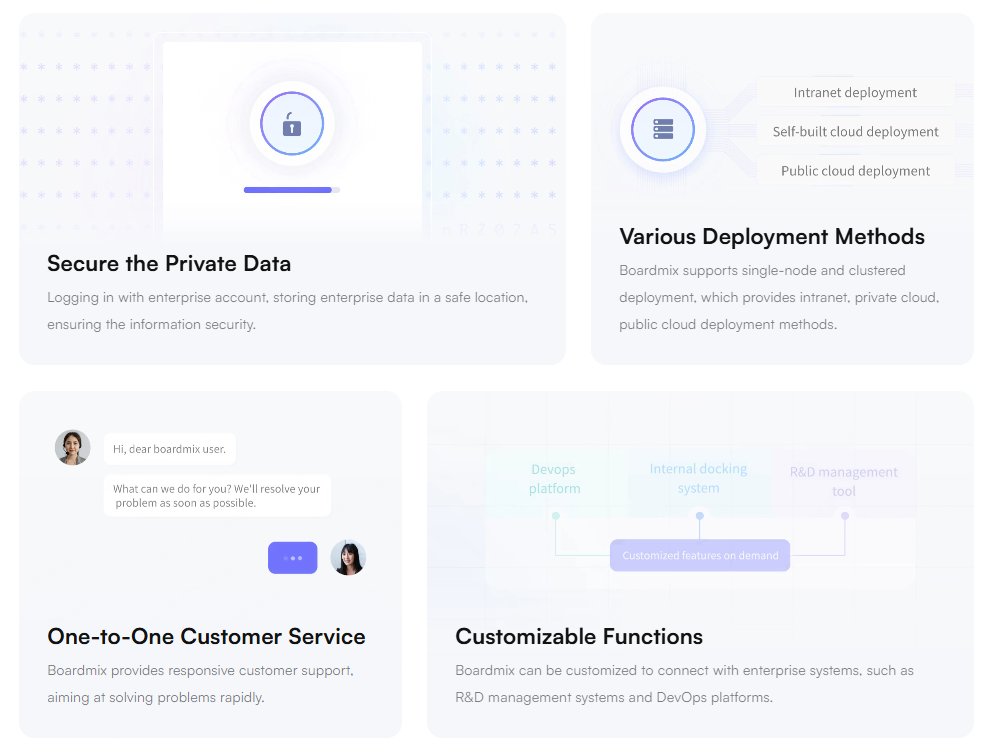
Boardmix is an enterprise visual collaboration platform built around private deployment as a foundational requirement. Not as an enterprise upsell. Not as a late-addition compliance feature. As the architectural starting point.
That distinction matters. Tools designed primarily as SaaS products that later added on-premises options tend to treat the deployment model as a technical exercise, delivering a containerized version of the cloud product with limited infrastructure support and an afterthought of documentation. Boardmix inverts that priority structure for enterprise customers.
On-Premises Deployment
Boardmix’s on-premises deployment installs the complete application stack directly on your organization’s servers or data center hardware. Backend services, database, file storage, and the real-time collaboration engine all run inside your network perimeter.
No data crosses your boundary. No external API calls to Boardmix’s cloud services. No dependency on vendor uptime or infrastructure decisions. Your IT team manages access controls, encryption standards, version updates, and audit log configuration through your existing processes.
The deployment package includes full Docker and Kubernetes support, comprehensive setup documentation, and dedicated onboarding from Boardmix’s enterprise deployment engineers. Updates ship on your schedule. You are not subject to vendor-mandated release timelines.
This architecture is built for financial institutions, healthcare systems, defense contractors, and government agencies — organizations where external data routing is prohibited or requires approval processes that cloud-only vendors cannot navigate.
Private Cloud Deployment
For organizations that want cloud-native scalability without shared-infrastructure exposure, Boardmix deploys within your own cloud tenancy, like AWS, Azure, Google Cloud, or other major providers.
Your account. Your IAM configurations. Your VPC. Your encryption keys. Boardmix’s infrastructure never processes your data. You retain complete data sovereignty while operating with the flexibility and scalability of cloud-native architecture.
Whiteboard SDK Integration
The Boardmix SDK gives enterprise development teams a third option that goes well beyond standalone deployment. Rather than running Boardmix as a separate application, your developers embed the complete collaboration canvas — real-time multi-user editing, AI tools, flowcharts, mind maps, diagramming, permission controls — directly inside platforms your teams already work in.
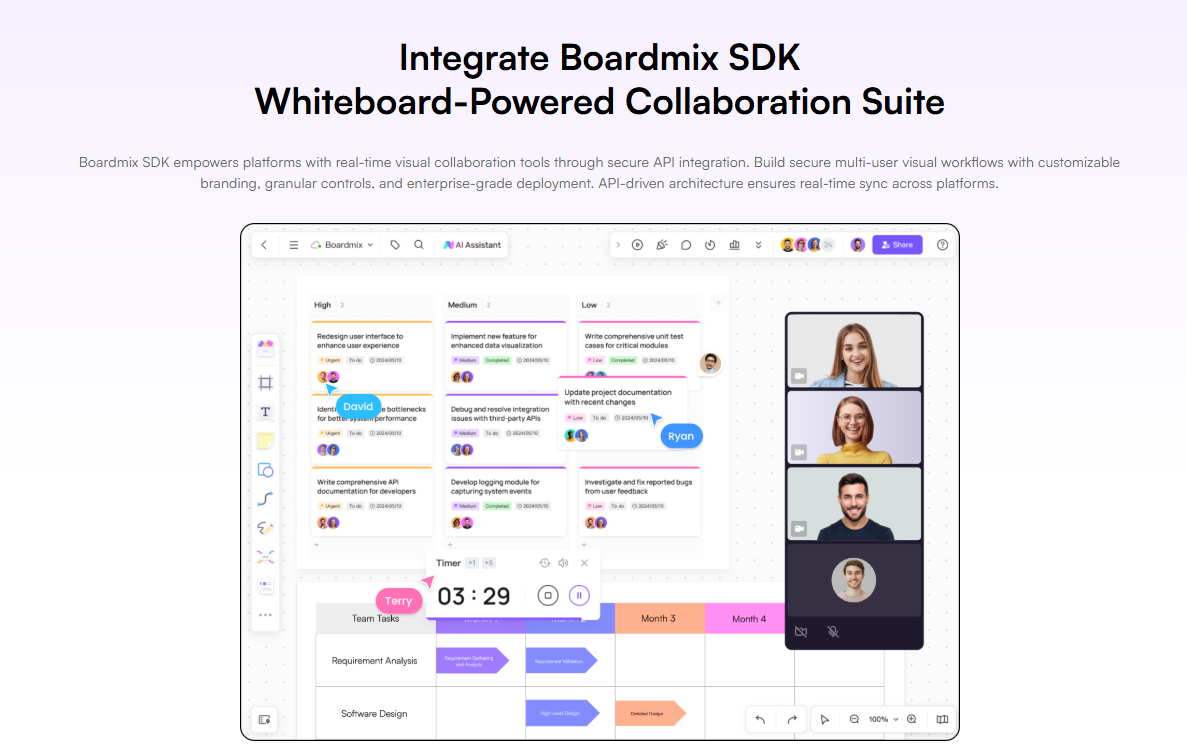
Boardmix SDK integrations support:
- Internal OA systems and intranet portals: whiteboard-powered collaboration rooms inside existing tools
- Product and project management platforms: live design reviews and roadmap sessions without context-switching
- Document and knowledge management systems: visual annotation and co-creation alongside structured content
- Engineering and development portals: architecture reviews and technical diagramming embedded in the tools engineers already use
- Customer-facing SaaS products: visual collaboration features within your own platform, under your own brand
Critically, the SDK runs natively within on-premises data centers and private cloud environments. There is no hidden SaaS dependency in the integration layer. The security model of your embedded whiteboard is identical to your standalone private deployment.
Security and Compliance Advantages of Self-Hosted Deployment
Choosing a self-hosted visual collaboration platform delivers security and compliance advantages that SaaS tools structurally cannot match.
Data residency you can prove. When your whiteboard runs on your servers, data residency is not a vendor promise or a contractual clause — it is a verifiable infrastructure fact. Your compliance team can demonstrate, not merely assert, where data lives.
Encryption you control. Self-hosted deployment means your organization manages encryption at rest and in transit. You choose the standards. You hold the keys. No shared key management infrastructure with a vendor’s other enterprise customers.
Audit logs under your governance. Your security operations team has direct access to the logs. Retention periods, storage location, access controls on the logs themselves — all governed by your policies, not the vendor’s platform defaults.
Network isolation when it matters most. For the most sensitive workloads, Boardmix on-premises deployment supports fully air-gapped operation with zero public internet dependency. The whiteboard environment is as isolated as your most critical internal systems.
Industries Where Self-Hosted Visual Collaboration Is Already Standard
Financial services. Trading desks, M&A advisory teams, risk management functions — all operate under information security policies that prohibit external routing of strategic data. On-premises whiteboard deployment satisfies those policies while enabling the real-time visual collaboration that complex financial workflows demand.
Healthcare and life sciences. Clinical operations planning, pharmaceutical research coordination, and hospital administration carry data sensitivity that makes shared-cloud whiteboard tools non-starters under HIPAA. Self-hosted deployment keeps every session inside the covered entity’s controlled environment.
Government and public sector. Agencies handling citizen data, national security workflows, or classified information need collaboration tools that run entirely within government-controlled networks. Boardmix’s on-premises deployment supports air-gapped environments with no external dependencies.
Technology and engineering at scale. Large engineering organizations with proprietary architecture designs, unreleased product roadmaps, and sensitive IP benefit from self-hosted deployment that keeps whiteboard sessions invisible outside the corporate perimeter. The SDK option lets these teams embed visual collaboration directly into internal engineering platforms.
Deploying Boardmix in Your Enterprise: How It Works
The path from evaluation to production deployment follows a structured process that Boardmix’s enterprise team has refined across hundreds of enterprise implementations.
Step 1. Deployment model selection. Choose between on-premises, private cloud, or SDK integration. Each option has distinct infrastructure requirements and rollout timelines. Boardmix’s enterprise team helps you scope the right architecture for your environment and compliance obligations.
Step 2. Technical scoping session. Boardmix’s deployment engineers conduct a detailed assessment of your infrastructure, SSO configuration, network topology, and integration requirements. The deployment plan is built around your environment — not a generic template.
Step 3. Private trial deployment. A trial environment is provisioned within your infrastructure before any production commitment. Your teams validate performance, feature completeness, and integration behavior on real workflows.
Step 4. Security and compliance review. Boardmix provides architecture diagrams, data flow documentation, and security certifications to support your internal procurement and security review processes.
Step 5. Production launch. Boardmix’s enterprise deployment team supports the full go-live, including user onboarding, administrator training, and post-deployment stability monitoring.
Own Your Collaboration Infrastructure
The question enterprises arrive at when searching for a self-hosted visual collaboration platform is not really about deployment architecture. It is about control — over data, over compliance posture, over the tools their teams depend on.
Boardmix delivers that control without compromise. Comprehensive feature coverage across deployment models, with certain features optimized for private environments and exclusive capabilities such as enterprise authentication modules. Enterprise-grade security architecture built in from the ground up. Deployment flexibility that covers on-premises, private cloud, and SDK-embedded integration. Dedicated enterprise support at every stage.
Cloud-only tools made sense when the regulatory environment was permissive and the risks were theoretical. Neither of those conditions holds today.
Ready to deploy visual collaboration entirely within your own infrastructure? Contact the Boardmix enterprise team to schedule a technical consultation and request a customized private deployment trial.