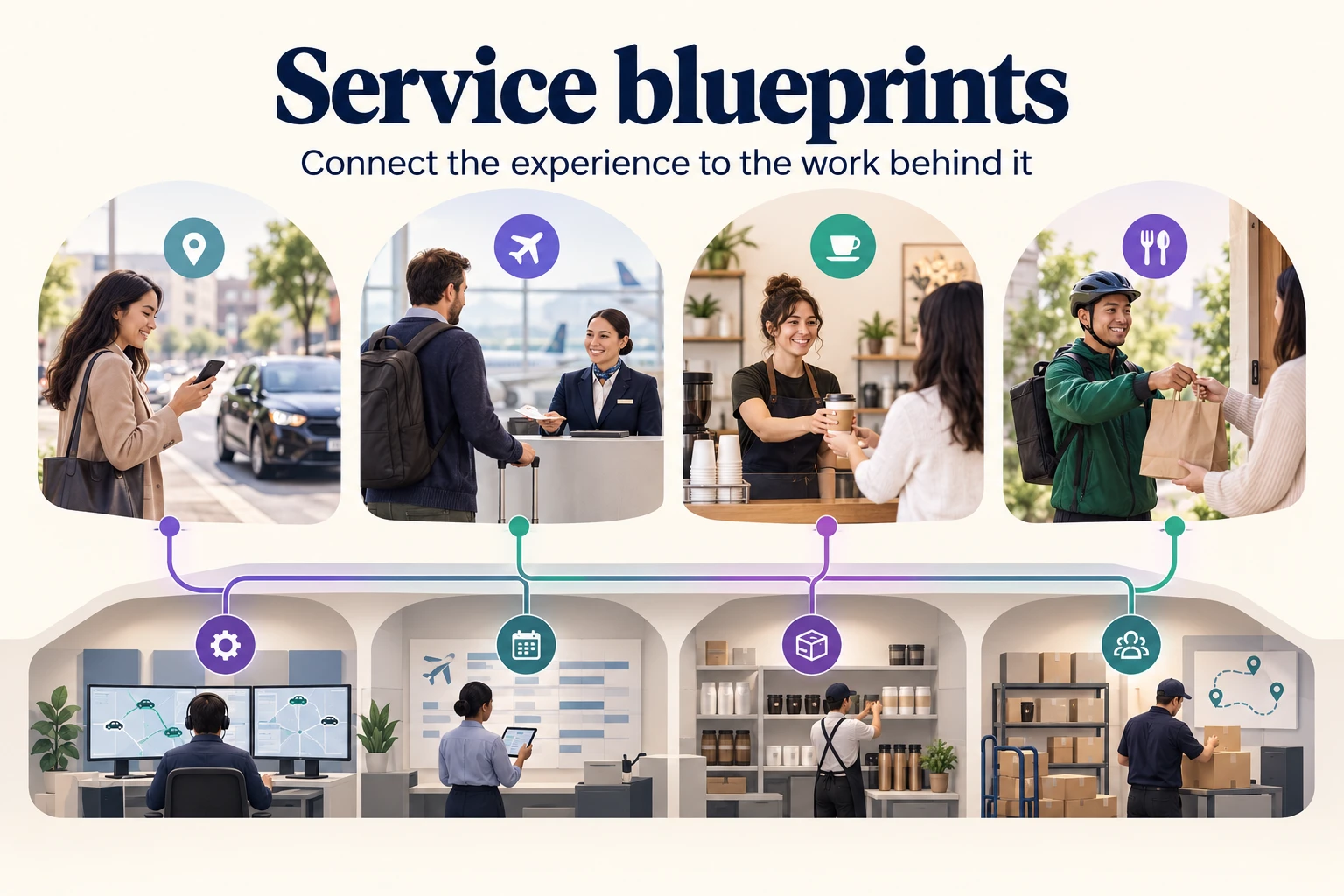
A service blueprint makes an often invisible service process easier to understand. It connects what a customer does with the visible interactions, backstage work, and support processes that make the experience possible. For a service team, it is a way to investigate a problem that crosses departments rather than treating each touchpoint in isolation.
This guide explains the components and dividing lines, then uses four familiar services—ride-hailing, air travel, a coffee shop, and food delivery—to show how the structure changes. You can use the same approach to organize your own service on a Boardmix canvas.
What is a service blueprint?
A service blueprint is a visual map of the people, evidence, and processes involved in delivering a particular customer journey. Its customer-facing side shows what someone does and encounters. Its operational side shows the work that enables those moments, including work the customer never sees. Nielsen Norman Group's definition describes this relationship between customer touchpoints and service operations.
Read across a blueprint to follow the service over time; read down to understand the dependencies behind one moment. Unlike a customer journey map, it includes the internal work needed to deliver the experience, not just the customer's actions and perceptions.
Components of a service blueprint
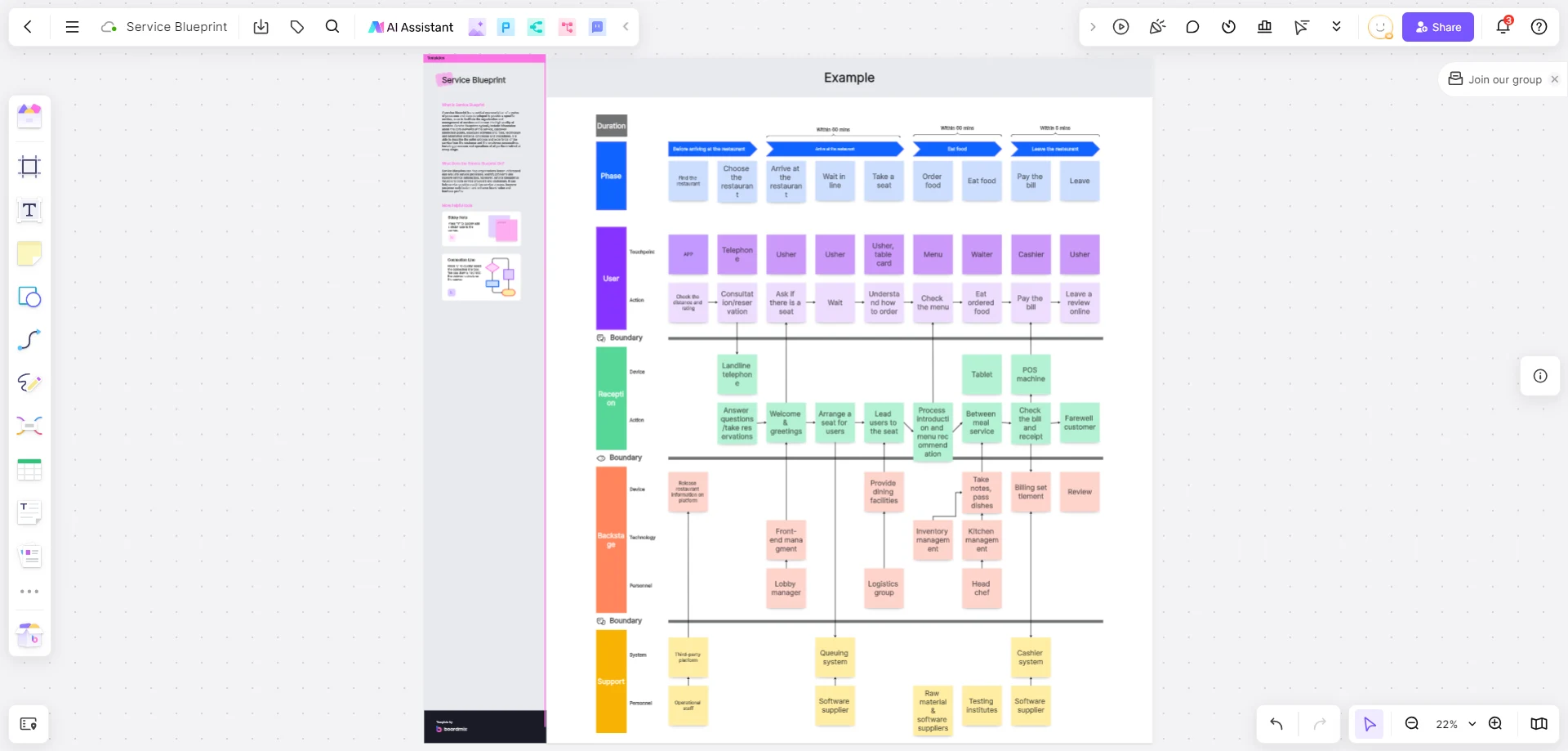
Begin with one customer scenario and arrange the work in layers. A restaurant's dine-in service and its takeaway service may need separate blueprints because the customer's steps and the supporting work differ.
| Layer | What it shows | Example |
|---|---|---|
| Physical or digital evidence | What the customer encounters during the service | Booking page, confirmation, menu, receipt |
| Customer actions | What the customer does to complete the task | Reserve a table, order, pay |
| Frontstage actions | Service interactions the customer can see | A host confirms the booking; a server takes the order |
| Backstage actions | Service-delivery work outside the customer's view | Staff prepare the table or check ingredient availability |
| Support processes | Internal services that enable delivery | Inventory, scheduling, payment processing |
Three lines clarify the relationships between those layers:
- Line of interaction: separates customer actions from the service provider's actions.
- Line of visibility: separates what the customer can see from backstage work.
- Line of internal interaction: separates service-delivery activities from supporting processes. It is not a boundary between the business and its partners.
Place an activity according to its role in the specific experience. A courier handing over an order is visible to the customer; the courier's routing system is not. Labeling the entire partner organization “backstage” would hide that distinction.
Four service blueprint examples
These examples illustrate common service scenarios and show how to read a blueprint in different settings.
1. Ride-hailing: connect the pickup promise to driver assignment
A ride-hailing blueprint follows the customer from requesting a ride through pickup, travel, payment, and leaving the vehicle. The app screen and receipt are evidence; entering a destination and meeting the driver are customer actions. Driver communication is frontstage work, while matching a request to an available driver happens backstage.
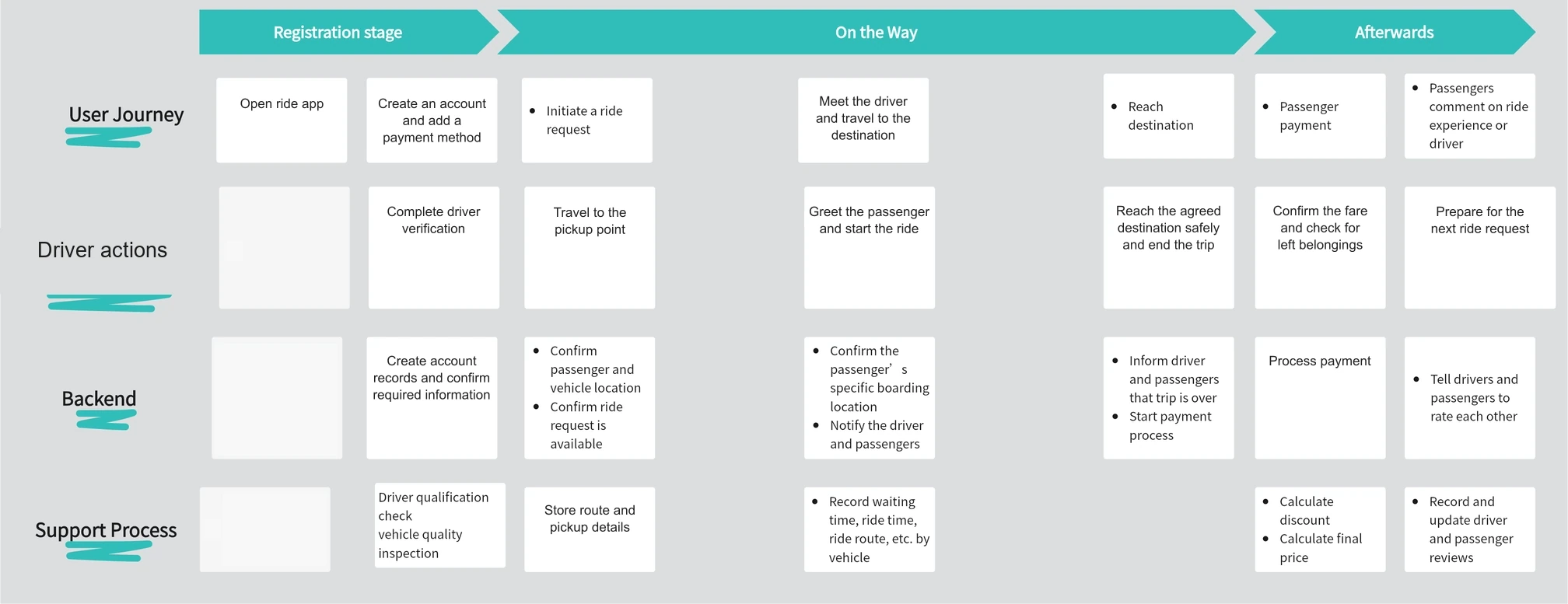
At pickup, trace the relationship between the displayed location, the driver's instructions, and the customer's waiting point. A delay might come from ambiguous pickup information rather than a lack of drivers. Keep those possibilities separate so the blueprint supports a useful investigation.
2. Air travel: show the work behind a visible checkpoint
An airline blueprint can organize the experience before, during, and after a flight. Within that broad journey, choose the stage you need to understand: check-in, for example, connects the passenger's documents and baggage to the agent's checks and the systems that record acceptance.
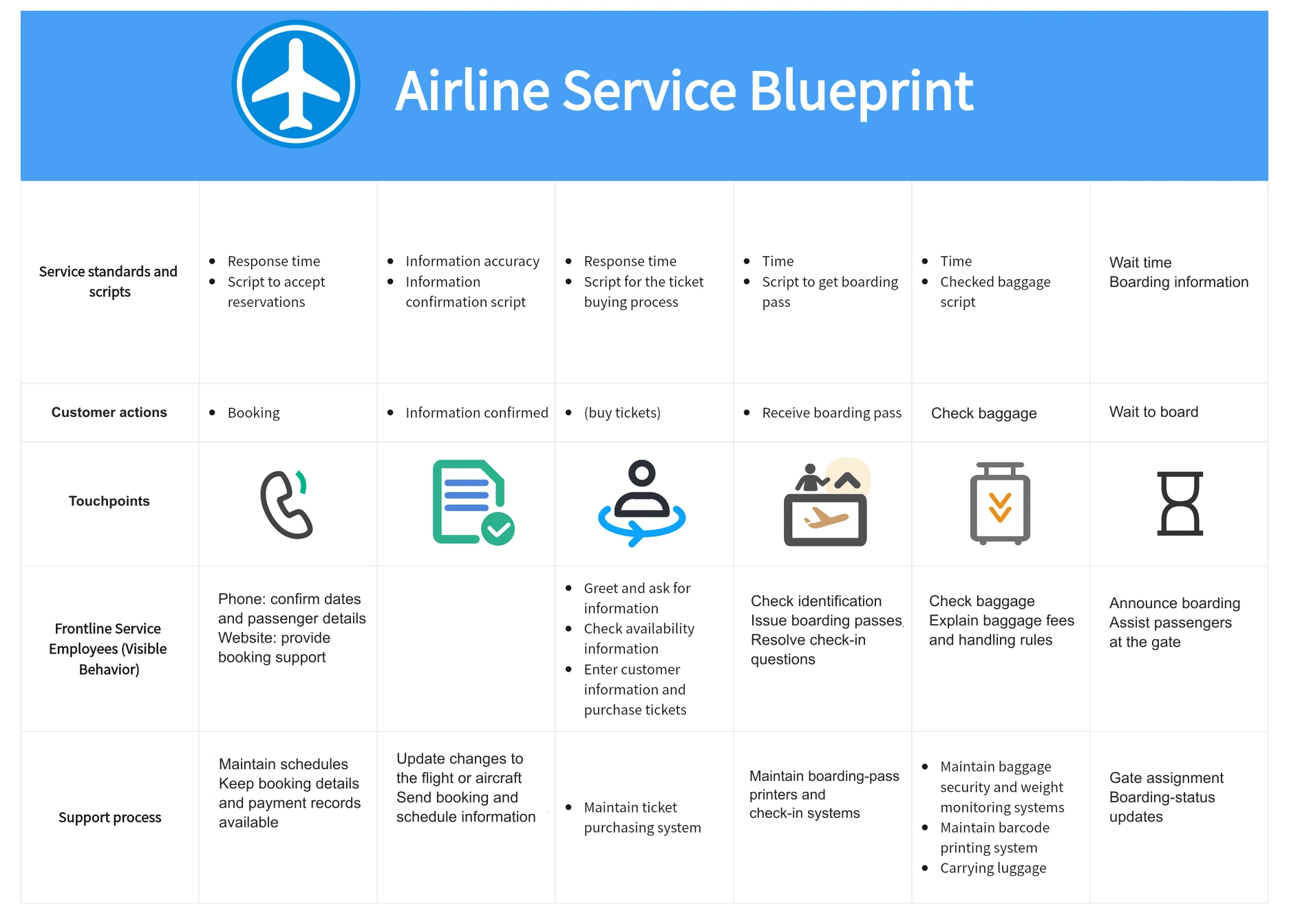
For a queue problem, mark when the traveler reaches the counter, which checks occur there, and which inputs staff need. If a missing document causes a return visit, show that exception. Do not assume the entire check-in process is one indivisible task.
3. A coffee shop: connect ordering with preparation and collection
A coffee-shop blueprint links ordering, payment, drink preparation, and collection. Whether someone orders at a counter or through an app changes the evidence and customer actions, but the handoff still needs a reliable way to connect each drink to its order.
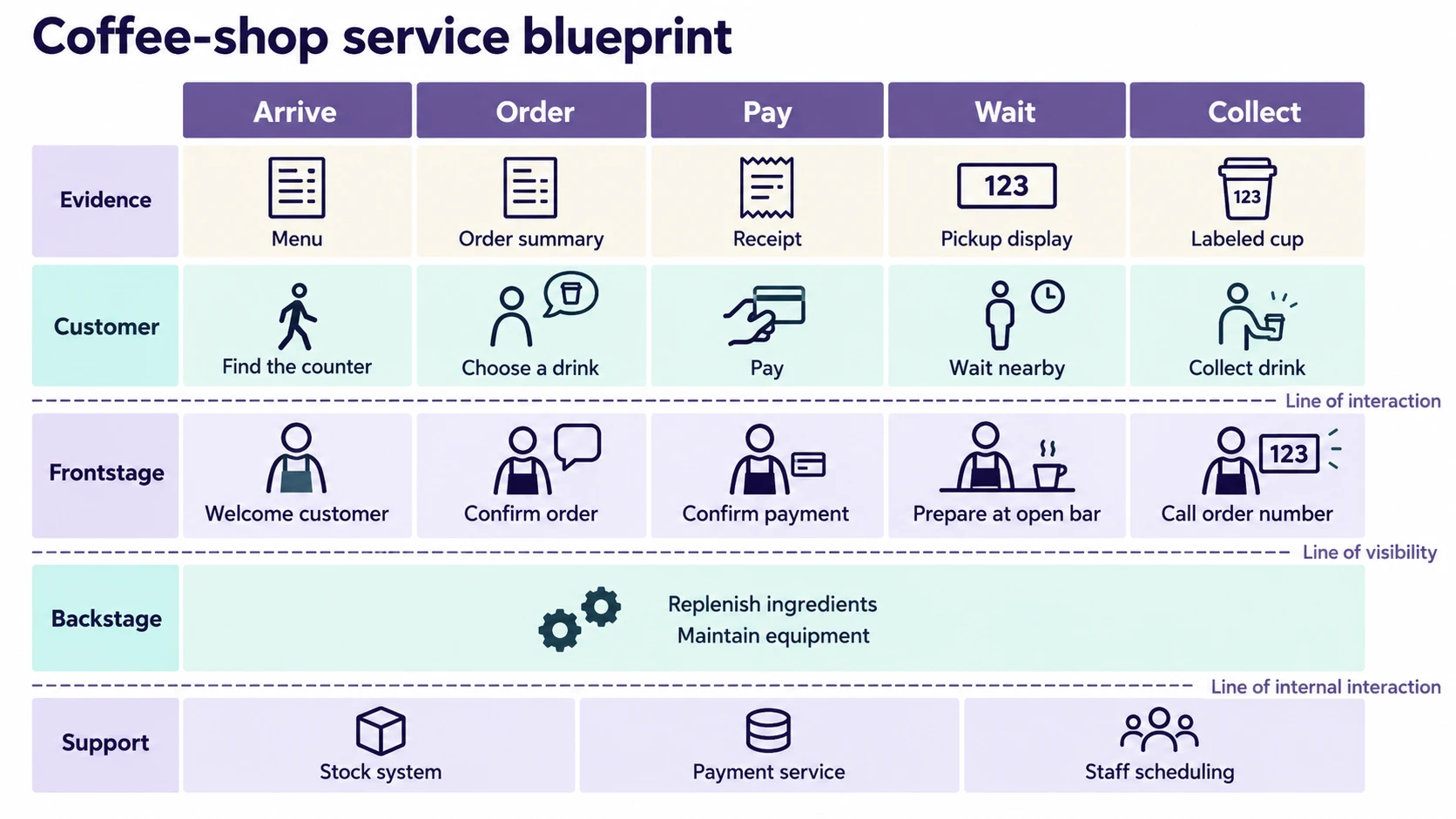
If two customers with similar names collect the wrong drinks, examine the order identifier, label, and collection interaction together. A clearer label or handoff may address the problem more directly than changing the ordering screen.
4. Food delivery: make the restaurant-to-courier handoff visible
A food-delivery blueprint covers placing the order, restaurant acceptance, preparation, courier collection, delivery, and completion. The delivery estimate seen by the customer depends on several separate activities, including preparation and courier assignment.
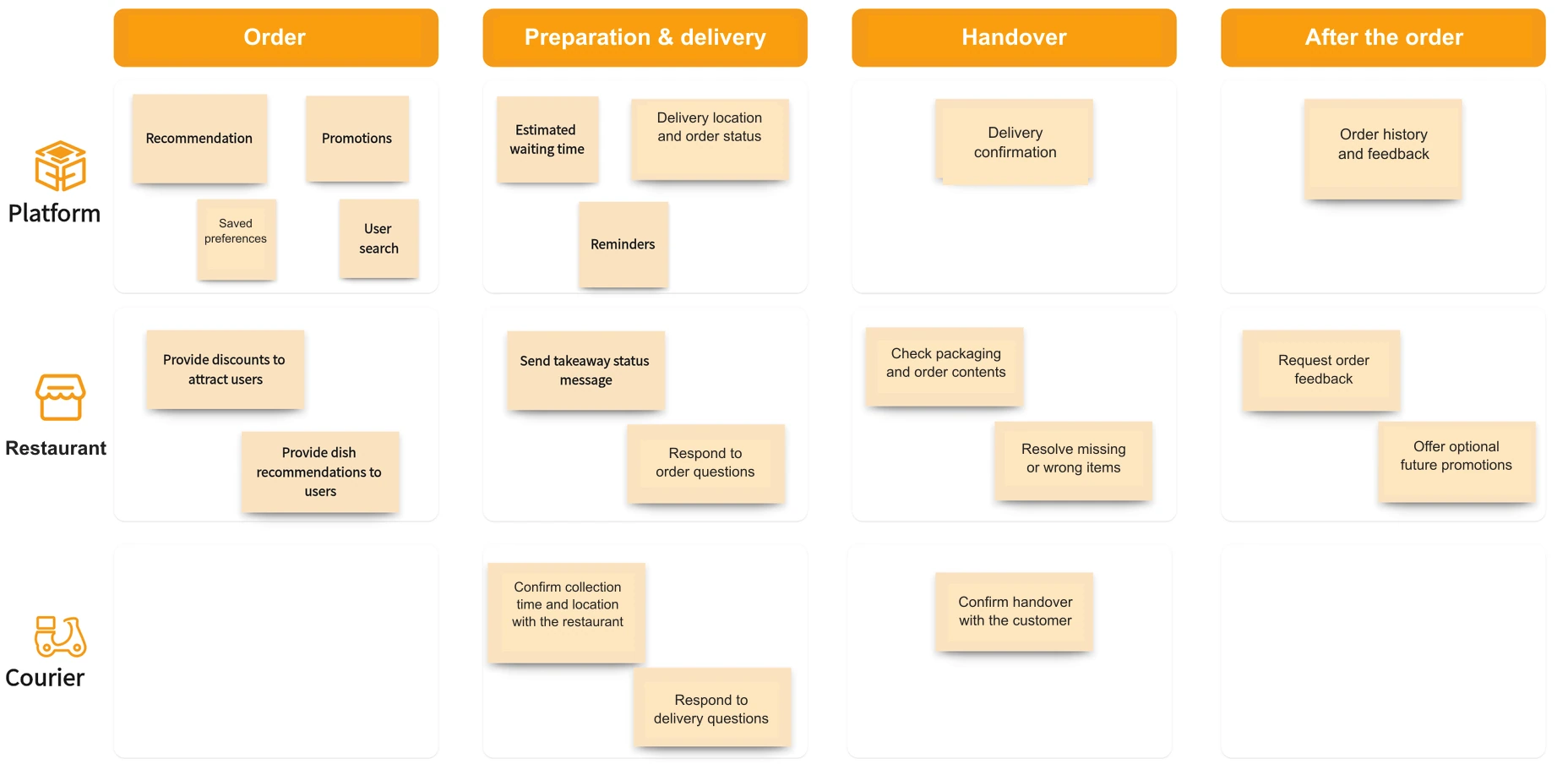
Draw an unavailable-item or rejected-order route where it matters. Identify who contacts the customer and what happens to payment. A normal-path diagram that ends at “order received” can miss the moment when the service actually breaks down.
Read across the journey, then down through a dependency
For a smaller illustration, consider an appliance repair. A customer books a visit, staff prepare, a technician attends, and the customer pays. A confirmation is a promise supported by scheduling; a successful visit depends on having the right parts.
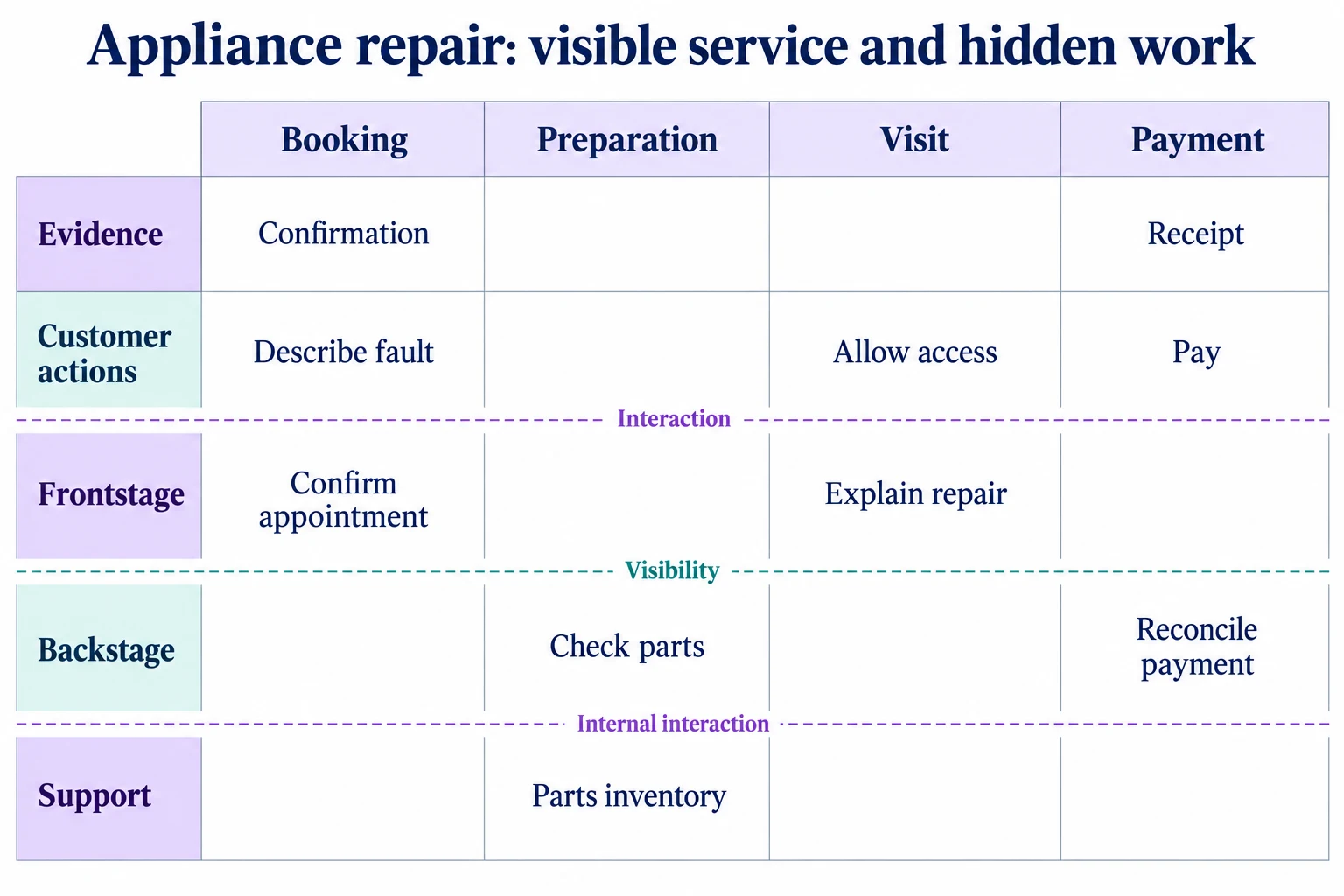
If the technician cannot access a photo supplied during booking, connect that missing transfer to the preparation task. Keep “photo missing from the work order” separate from a proposed solution such as “attach the photo automatically.” The first describes current work; the second is a change to evaluate.
Build a service blueprint in Boardmix
Open a blank Boardmix canvas or start with the service blueprint template. Draw one band for each layer and a column for each major customer moment. Use short action labels such as “assign technician,” then connect related work vertically as well as chronologically.
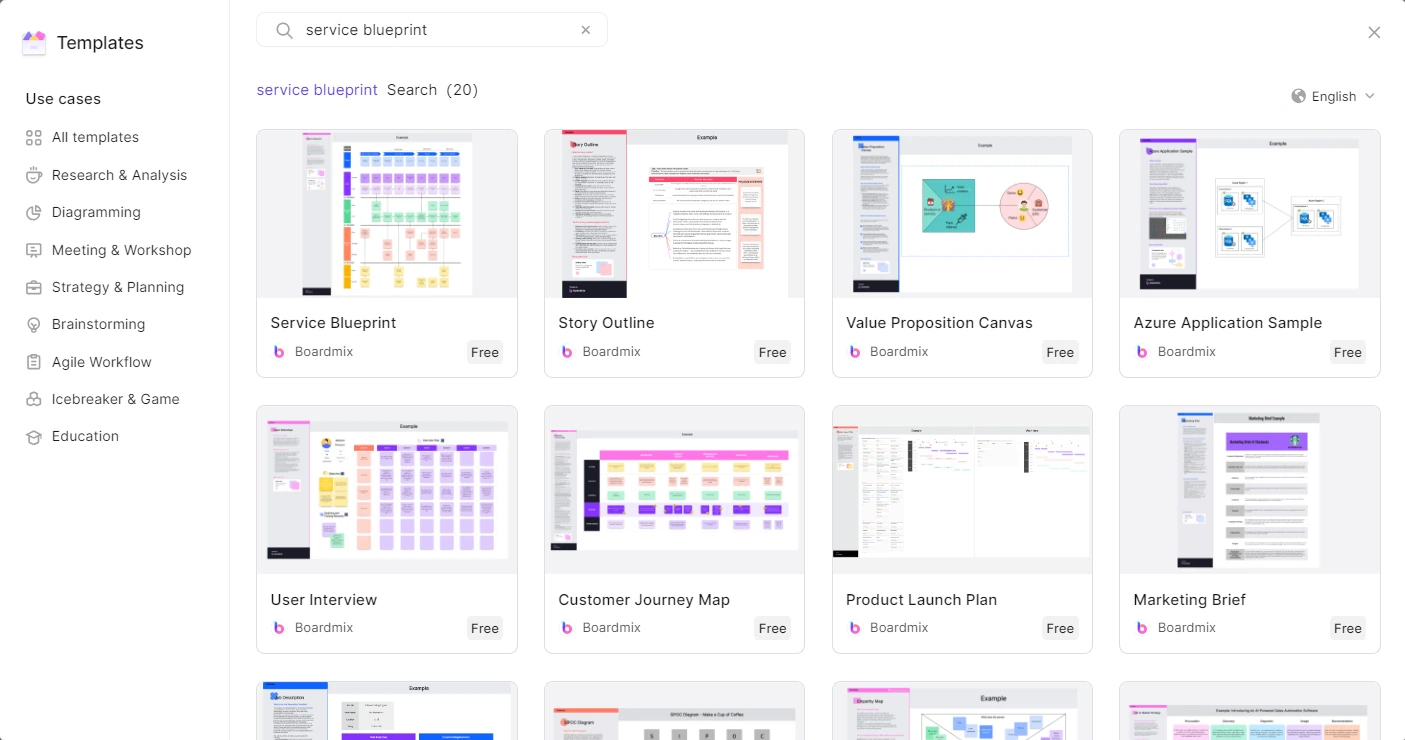
Bring the people who perform the work into the discussion. Walk through one completed service and ask where they received an input, waited, or handled an exception. Keep unresolved questions beside the relevant step rather than filling gaps with assumptions.
Boardmix gives the team a shared visual workspace for organizing the layers, adding notes, and discussing connections. Keep detailed procedures in separate documents when they make the blueprint too crowded. Create your service blueprint in Boardmix and begin with the customer moment your team most needs to understand.