


A pilot project is a controlled, limited-scope test of a new product, process, or policy in a real or representative setting. It gives decision-makers evidence about feasibility, cost, risk, adoption, and operational impact before a full rollout. This guide explains when a pilot is appropriate, how to plan and run one, which success criteria to agree in advance, and how to decide whether to scale, revise, or stop.
What Is a Pilot Project?
A pilot project is a temporary implementation designed to answer a specific decision question. It uses a smaller scope, test group, location, or workload than the eventual rollout, while preserving enough of the real operating conditions to produce useful evidence. A pilot is not simply a demo or an unfinished version of the final project. It should have an owner, a defined start and end, a baseline, agreed measures, and a decision meeting.
The purpose is learning under controlled exposure. A team can test whether the proposed change works in practice, how much support it needs, what users struggle with, and which risks appear only in day-to-day operations. The result is evidence for a go, revise, extend, or stop decision rather than a promise that the full project will succeed.
Depending on the context, the evidence may cover feasibility, duration, cost, adverse events, and statistical variability in outcomes. These measures should be chosen because they answer the decision question, not because every pilot needs the same research design.
Pilot project vs. proof of concept, prototype, and beta
- Proof of concept (POC): tests whether a technical or business idea is possible, often in a controlled environment. A POC may use simulated data and does not need to represent the whole operating workflow.
- Prototype: explores an experience, design, or interaction before the underlying solution is complete. A prototype is usually built to learn about the design, not to measure production performance.
- Pilot project: runs a bounded version of the intended process with real users, real constraints, or realistic data so the team can make a rollout decision.
- Beta release: makes a product available to a limited audience to collect feedback before a broader release. A beta can be one part of a product pilot, but the terms are not interchangeable in every context.
Use the term that matches the evidence you need. Calling a prototype a pilot can create unrealistic expectations about reliability, while calling a live operational test a POC can hide the work needed for support, privacy, training, and change management.
When Should You Run a Pilot Project?
A pilot is most useful when the proposed change is important enough to justify learning, but still possible to contain. Start with one decision question, such as “Can this workflow reduce manual reconciliation without increasing errors?” or “Will this service meet the needs of a representative customer group within the available budget?” A question that cannot be answered with observable evidence is a sign that the scope needs more work.
A practical pilot-fit check
- Uncertainty: the team has meaningful unknowns about feasibility, adoption, cost, quality, or operational risk.
- Containment: the test can be limited to a defined group, workflow, region, or time period without putting critical operations at risk.
- Learning value: the results will change a real decision, not merely confirm a preference that has already been made.
- Measurement: a baseline and a small set of measurable outcomes can be collected consistently.
- Ownership: one person can make day-to-day decisions and bring unresolved issues to the right sponsor.
Do not use a pilot to postpone a decision indefinitely, to avoid normal discovery work, or to test several unrelated changes at once. If the scope is too broad to finish and review on a known date, split it into separate pilots with separate questions and gates.
Benefits and Limits of Pilot Projects
A well-designed pilot reduces the cost of being wrong, but it does not remove uncertainty. The value comes from making uncertainty visible early enough to act on it.
- Lower exposure: problems can be found before the change reaches the entire organization or customer base.
- Better estimates: observed effort, support load, cycle time, and cost improve the full-rollout plan.
- User learning: participants reveal confusing steps, missing requirements, and workarounds that a design review may miss.
- Stakeholder evidence: a small body of shared data is more useful for a funding or governance decision than enthusiasm alone.
- Safer iteration: the team can adjust the process, training, or product before committing to scale.
There are also limits. A small or unusually enthusiastic test group may not represent the wider population. A temporary support team may make the pilot look easier than normal operations. Seasonal demand, parallel initiatives, privacy restrictions, or a short observation window can distort the results. Record these limitations in the final recommendation and avoid treating a successful pilot as proof that every context will behave the same way.
How to Build a Pilot Project Plan
A useful pilot plan can fit on one or two pages. It should make the test boundary and the decision rule obvious to someone who was not in the planning meeting.
- State the problem and decision question. Describe the current problem in one sentence and name the decision the pilot will inform. Avoid goals such as “improve efficiency” without a process, baseline, or measurable outcome.
- Define the scope and exclusions. Name the workflow, users, locations, data, systems, and features included. List what will not be tested so scope creep has a visible boundary.
- Choose a representative test group. Include the people who actually perform the work and document why the group is representative. A small group is useful only when its context is understood.
- Capture a baseline. Record the current value of each key metric and the method used to collect it. Without a baseline, a later number cannot show whether the change helped.
- Set success, learning, and stop criteria. Define the threshold that supports scaling, the result that requires iteration, and the condition that should stop the pilot for safety, cost, or lack of value.
- Assign roles and escalation paths. Name the owner, sponsor, operators, support contact, data steward, and decision-maker. State how quickly risks and incidents must be escalated.
- Set the timeline and review dates. Include preparation, onboarding, live test, analysis, and the final decision meeting. A fixed end date prevents a pilot from becoming an unreviewed workaround.
- Plan data, privacy, and support. Decide what data is collected, who can access it, how it is retained, how users are trained, and how the existing process will be restored if necessary.
The plan should also state the expected investment. Include people, tooling, training, support, migration, and the time needed to analyze results. A low subscription cost does not make a pilot low-cost if reconciliation and support are left unassigned.
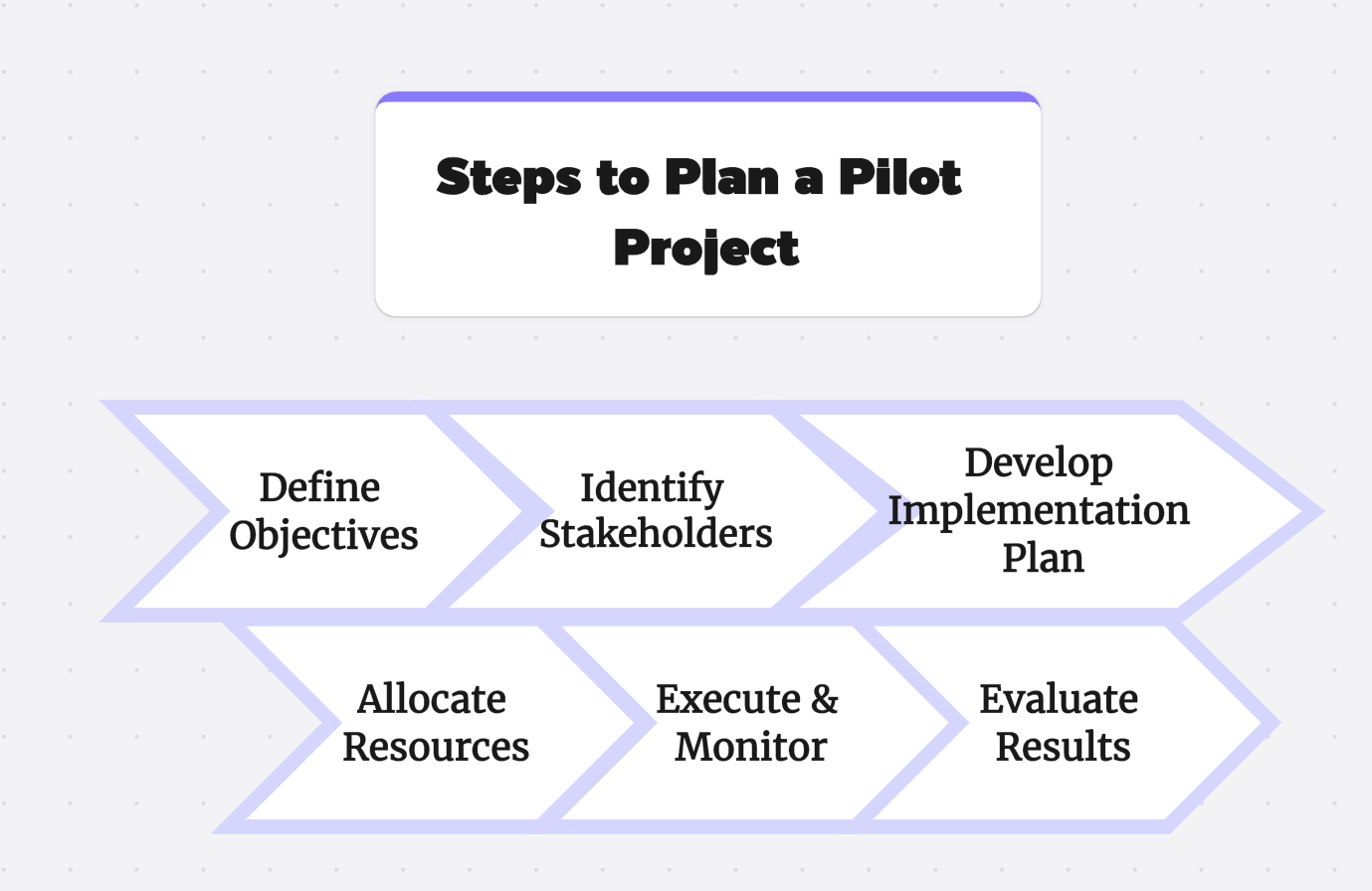
How to Run a Pilot Project: Eight Steps
Once the plan is approved, use the same sequence for preparation, execution, and review. The exact duration depends on the workflow and the time needed to observe normal and exceptional cases; the important constraint is a pre-agreed end date.
- Prepare the test environment. Configure only what the agreed scope requires. Freeze the baseline and confirm that logging, access, backup, and rollback procedures work before inviting participants.
- Onboard participants. Explain the problem being tested, the expected behavior, the feedback route, the support boundary, and the date of the decision. Training should resemble the eventual rollout enough to expose onboarding effort.
- Launch with a controlled handoff. Decide whether the old and new process run in parallel, and assign one owner to reconcile differences. Tell the wider team how the pilot affects day-to-day work.
- Monitor the agreed signals. Track a few outcome metrics, operational metrics, and safety or quality checks. Avoid adding a new metric every time a question arises; log new questions for the review.
- Collect structured feedback. Combine system data with short surveys, interviews, observations, and support tickets. Ask what blocked the task, what workaround was used, and what would be required for adoption.
- Review risks and exceptions. Keep a dated risk log with an owner, impact, mitigation, and status. Escalate incidents through the path defined in the plan rather than waiting for the final report.
- Analyze against the baseline. Compare like with like, explain missing data, and separate observed effects from assumptions. Check whether the test group, workload, and operating conditions limit the conclusion.
- Hold the decision gate. Present the evidence and make one of three decisions: scale with a rollout plan, revise and run a narrowly defined follow-up, or stop and document the learning. If the evidence is inconclusive, identify the specific missing evidence and a short extension rather than leaving the pilot open-ended.
Pilot Project Success Criteria and Decision Gates
Success criteria should be agreed before the pilot starts. They should state the metric, baseline, target or boundary, measurement method, owner, and review date. A single “worked” score is rarely enough because speed, quality, adoption, cost, and risk can move in different directions.
- Outcome metric: the result the change is intended to improve, such as cycle time, completion rate, error rate, conversion, or customer satisfaction.
- Adoption metric: whether the intended users can and will use the process without exceptional support.
- Quality and safety guardrail: a limit that must not be breached, such as a defect rate, incident count, privacy event, or service-level threshold.
- Effort and cost metric: the people-hours, support volume, infrastructure cost, or budget required to operate the pilot.
- Learning metric: an answer to a material unknown, such as whether a key integration works or whether a user group can complete the workflow.
Use decision gates rather than a vague final discussion. A scale gate means the outcome meets the target, guardrails hold, and the organization can fund and support rollout. A revise gate means the evidence is promising but a named gap needs a bounded follow-up. A stop gate means the target is missed, a guardrail is breached, or the expected value does not justify the cost. Record the decision, evidence, dissenting concerns, and next owner.
Common Pilot Risks and How to Control Them
- Scope creep: keep one decision question, maintain an exclusions list, and route new requests to a later phase.
- Selection bias: document how participants were chosen and include ordinary users, not only champions or managers.
- Weak baseline: capture the current process before launch using the same definitions and time window as the pilot.
- Novelty effects: distinguish short-term enthusiasm from sustained adoption and observe enough normal work to expose friction.
- Parallel-process drift: if old and new records coexist, reconcile them on a stated cadence and assign an owner.
- Data and privacy exposure: minimize sensitive data, define access, and involve the relevant data or security owner before launch.
- Support overload: set support hours, a triage route, and a fallback process so the pilot does not damage business-as-usual work.
- Resistance to change: explain the reason for the test, give participants a safe feedback route, and avoid measuring only enthusiastic early adopters.
- Decision avoidance: book the review meeting at kickoff and require a written scale, revise, or stop recommendation.
Pilot Project Example: Testing a New Approval Workflow
Suppose an operations team wants to replace email approvals with a shared workflow. The pilot question could be: “Can one department complete routine approvals faster without increasing missed controls?” The team can test one approval type with a representative group, keep the existing process available as a fallback, and record the current median completion time, rework rate, and control exceptions.
The plan might set a fixed four-week test window as an example, with preparation before the clock starts. Success could require a measurable reduction in median cycle time, no increase in control exceptions, and adoption by the intended operators after onboarding. A stop condition could be a privacy incident, an unresolved reconciliation gap, or a support burden that interrupts core operations. At the decision gate, the team can scale to a second department, revise the approval rules, or stop with a documented explanation.
The numbers in this example are planning placeholders, not a universal pilot duration or target. Select thresholds from the baseline, risk tolerance, and economics of the actual workflow.
Plan and Manage a Pilot Project with Boardmix
Boardmix is an online whiteboard that can provide a shared visual workspace for the pilot plan. A team can map the current process, place the decision question and success criteria beside the workflow, group risks by owner, and review feedback in one canvas. The online whiteboard workspace is relevant when collaborators need to inspect and update the same visual plan, but it does not replace a system of record for regulated data or formal approvals.
A neutral Boardmix workflow is:
- Create a frame for the problem, baseline, scope, and exclusions.
- Map the current and proposed process with explicit decision points and exception paths.
- Add frames for metrics, risks, owners, feedback, and the final decision gate.
- Invite the test group to review the map and record unresolved assumptions.
- Link each action to an owner and review date, then archive the decision evidence at the end.
Verify the current workspace permissions, export options, and history limits before putting confidential pilot material on a shared board. Use the canvas to make relationships and decisions visible, while keeping authoritative records in the system your organization requires.

Pilot Project FAQs
What is the main purpose of a pilot project?
Its purpose is to produce evidence for a bounded decision before a full rollout. A pilot tests feasibility, outcomes, adoption, cost, and risk under realistic conditions while keeping exposure limited.
How long should a pilot project last?
Long enough to observe the normal workflow and relevant exceptions, but short enough to preserve focus and a decision date. Set the duration from the measurement cycle and risk, then book the review before launch. A fixed four-week example may suit a simple workflow, while seasonal or safety-sensitive work may need a different window.
How many people should participate?
Use the smallest group that represents the real users and produces enough evidence for the decision. There is no universal number. Document the population, selection logic, and limitations instead of copying a generic sample size.
What is the difference between a pilot and a POC?
A POC asks whether an idea or technical approach is possible, often in a controlled environment. A pilot tests a bounded version of the real workflow with users, constraints, and operational measures so the organization can decide what to do next.
What should I do when pilot results are mixed?
Separate outcome metrics, guardrails, adoption, cost, and qualitative feedback. If one named gap is fixable, run a short follow-up with a revised criterion. If a guardrail fails or the value is not worth the cost, stop and document the learning rather than scaling on hope.
How do I scale a successful pilot?
Translate the pilot learning into rollout prerequisites: training, ownership, support, data controls, budget, and a sequence for expanding the audience. Recheck the key metric at each stage because a result that holds for a small group may change at a larger scale.
Conclusion
A pilot project is a decision tool, not a miniature rollout without an end date. Define one question, set the boundary, capture a baseline, agree success and stop criteria, monitor both outcomes and risks, and hold a scheduled decision gate. When a shared visual map will help people understand the work, Boardmix can support the planning and review conversation while the team keeps formal records in the appropriate systems.
Last verified: September 22, 2026. Project methods and product capabilities can change; confirm the current workflow, permissions, and governance requirements before starting a pilot.


