Using the BCG matrix is a common practice for businesses to evaluate the performance of their products and services in the market, and to devise strategies to increase the revenue that they can get from these products and services. A highly efficient portfolio management tool, the BCG matrix was popularized in 1970 by Boston Consulting Group founder Bruce Henderson. Today, we will use Toyota products to illustrate how a BCG matrix is organized.
Background of Toyota
Toyota has been one of the world’s leading car manufacturers for over eight decades now. Kiichiro Toyoda established an automotive division at Toyoda Automatic Loom Works in 1933; Toyota Motor Co., Ltd. was established as a separate company in 1937. The company quickly enjoyed local success but it wasn’t until the late 1950s that they gained international recognition, following the release of the Land Cruiser. The company has an extensive product portfolio that includes trucks and minivans, on top of the passenger cars.
Toyota BCG Matrix Analysis
From the passenger cars that they started with, Toyota has since expanded to luxury vehicles, hybrid cars, SUVs, and a range of vehicle components that are being sold internationally. They even offer financing services to dealers and affiliates. In this BCG matrix for Toyota, we will see how these products and services are performing so far.
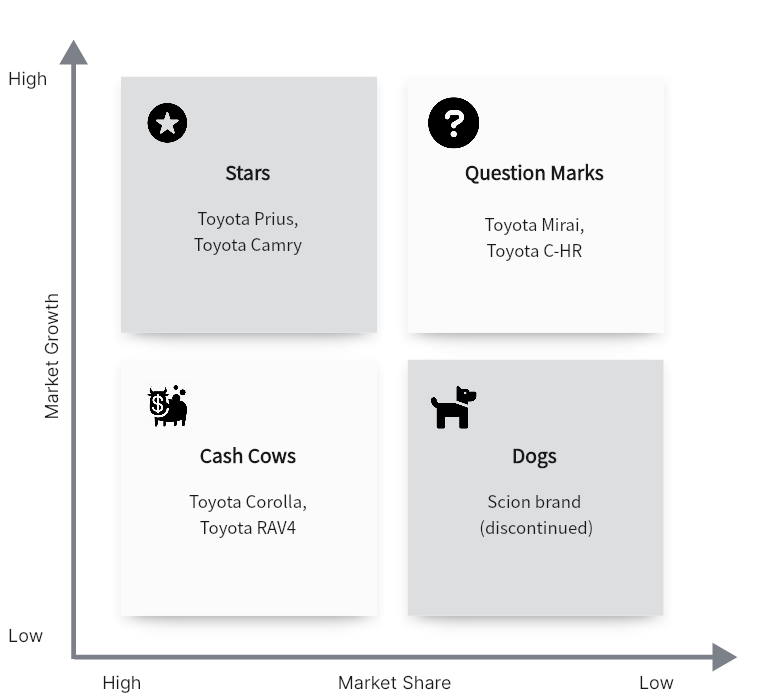
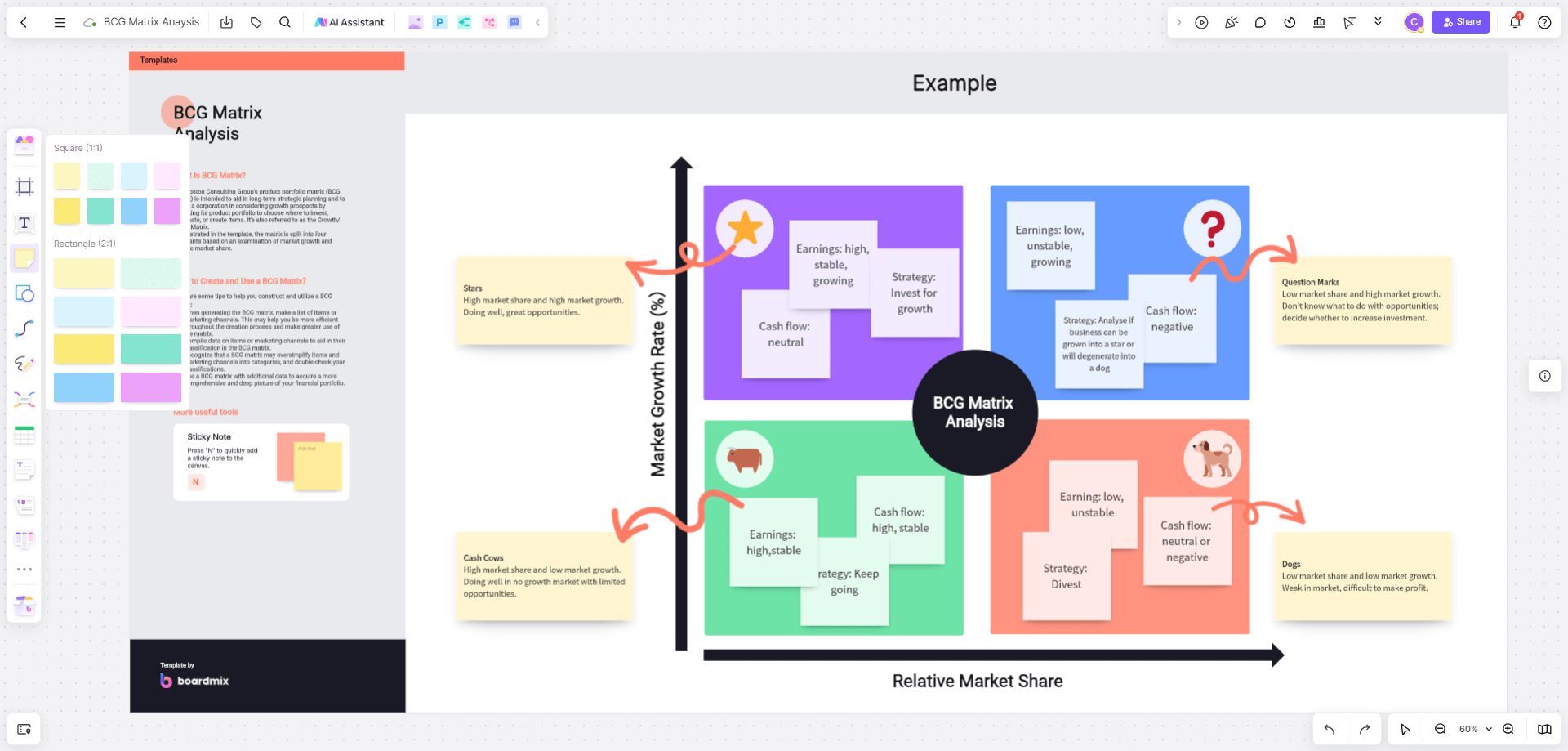
Toyota BCG Matrix Analysis Created in Boardmix
The vehicle industry is a rapidly changing one, so we can expect a lot of changes in the BCG matrix of Toyota in different periods. The placements below are illustrative and depend on the selected vehicle segment, geography and year.
Stars
Stars have high relative market share in a high-growth market. In the BCG matrix for Toyota, the diagram uses Prius and Camry as star examples. They serve different vehicle segments, so each placement needs its own market definition and data.
Question Mark
Question marks have low relative market share in high-growth markets. The diagram uses Mirai and C-HR as examples. Mirai is a hydrogen fuel-cell electric vehicle. A question-mark placement for either model depends on its relative share and the growth of its particular vehicle market.
Cash Cows
Toyota’s sedans remain the most stable revenue generators for the company. The diagram places Corolla in this category as an example; its sales can still be affected by industry changes. The RAV4 can also be considered a cash cow as it has brought in consistently impressive revenue to this day.
Dogs
Dogs have low relative share in low-growth markets. The diagram uses the discontinued Scion brand as a historical example. Age or discontinued production alone does not establish a dog classification.
Mastering BCG Matrix Creation on Boardmix
The Boston Consulting Group (BCG) Matrix is a vital tool for strategic management, allowing you to visualize a company's product portfolio and identify growth opportunities. Here's how you can create a BCG Matrix on Boardmix:
1. Log In and Create a New Board
First, log into your Boardmix account. Once logged in, click on ‘New Board'. This gives you a fresh canvas to work on.

2. Draw the BCG Matrix Grid or Use a Template
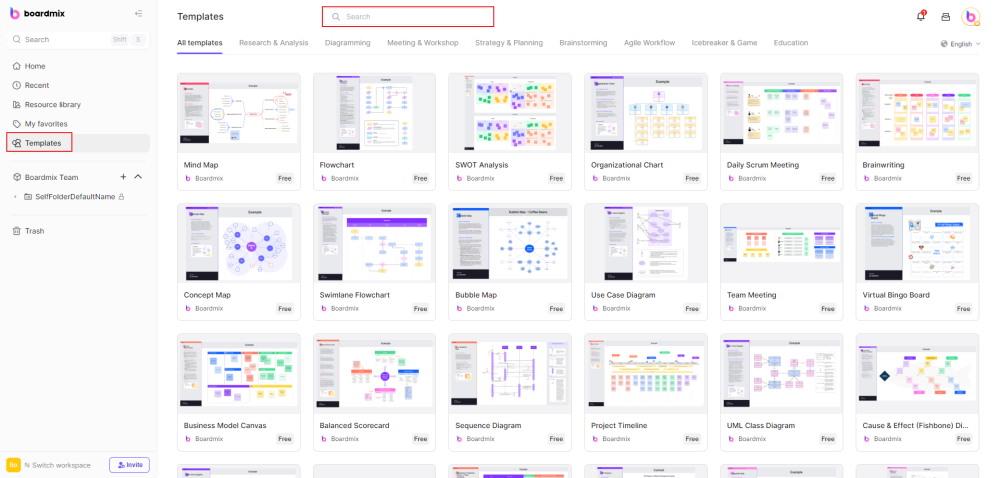
The BCG Matrix consists of a 2x2 grid. Use the ‘shape' tool in the toolbar to create this grid. You will need two perpendicular lines intersecting in the middle to form four quadrants. You can also search for the BCG Matrix template in the template library and use it for free.
3. Label the Axes
Next, label your axes. The y-axis usually represents the market growth rate, while the x-axis represents the relative market share. You can add these labels using the 'text' tool from the toolbar.

4. Add Quadrant Labels
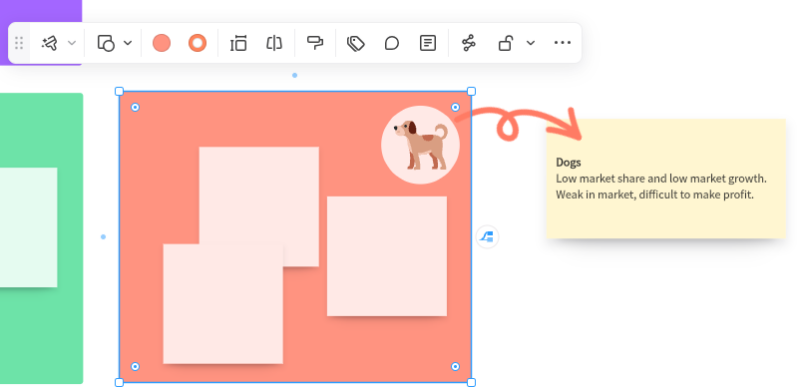
Each quadrant in the BCG Matrix represents a different product category: Cash Cows (high market share, low market growth), Dogs (low for both), Stars (high for both), and Question Marks (low market share, high market growth). Use the text tool again to add these labels.
5. Plot Products
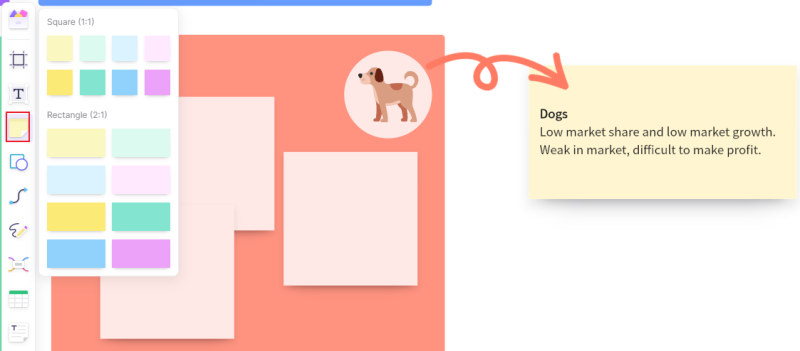
Start plotting your products or business units in the appropriate quadrants based on their market share and growth rate. You can use different shapes or colors for each product to make them distinguishable.
6. Customize Your Diagram
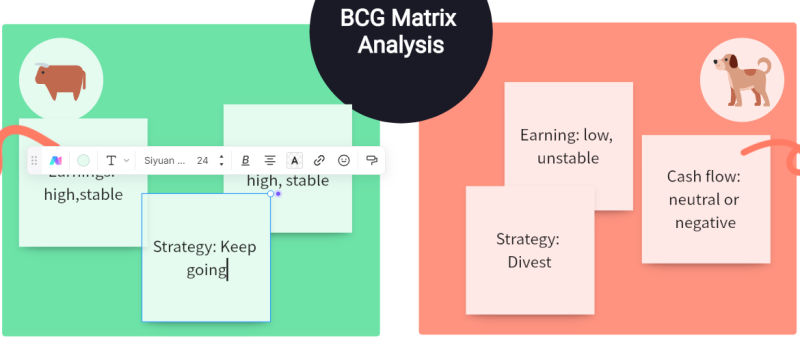
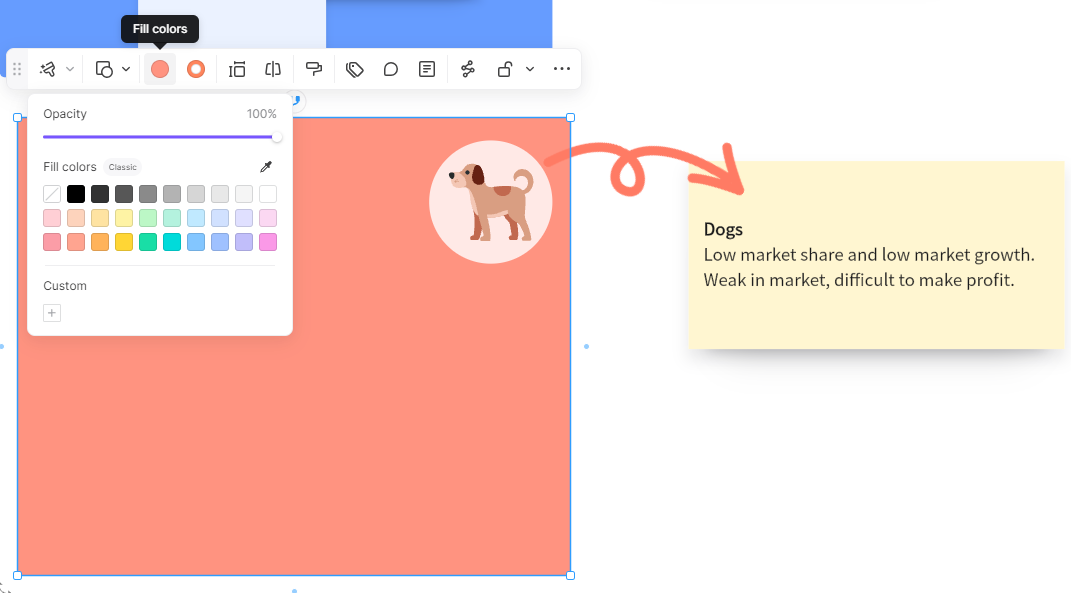
Boardmix offers various customization options. Feel free to change colors, add patterns, or adjust sizes as needed to create a visually engaging BCG Matrix
 .
7. Add Notes or Annotations
If needed, add any notes or annotations for clarification using the text tool. This can be especially helpful when sharing your BCG Matrix with others who might not be familiar with all the products or units plotted.
8. Save and Share Your BCG Matrix
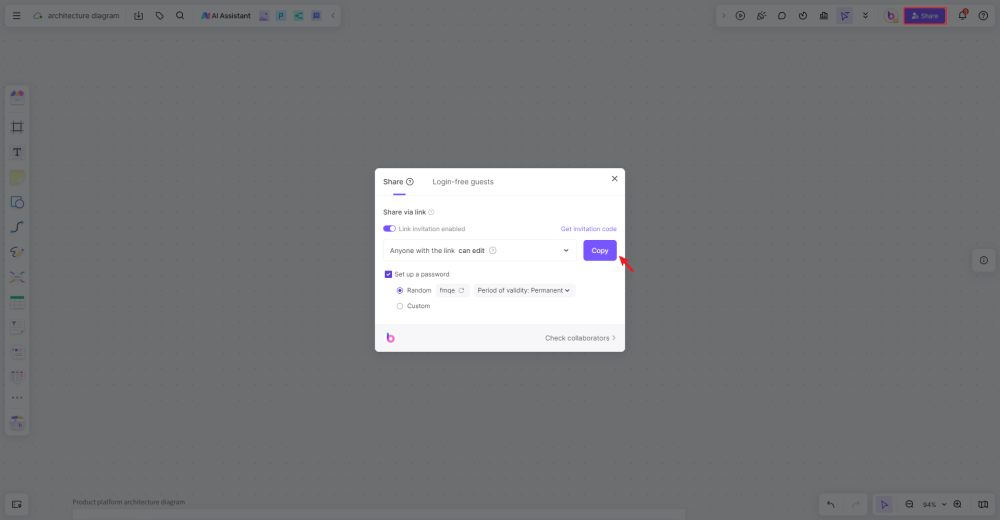
Once you're happy with your BCG Matrix, save it on Boardmix's secure cloud storage for future reference. You can also share your diagram with colleagues or stakeholders via email or direct link.
Creating a BCG Matrix on Boardmix can significantly enhance your strategic planning process by providing a clear visualization of your product portfolio's current state and highlighting potential areas of growth or investment.
Key Takeaways
Vehicle products can change quadrants as markets develop, but a question mark does not inevitably become a dog. Hybrid, battery-electric and hydrogen fuel-cell vehicles also face different market conditions. These movements can be clearly seen in the BCG matrix of Toyota, where Corolla and RAV4 are used as cash-cow examples and Mirai and C-HR as question-mark examples.
With the quickly changing market, creating a BCG matrix for Toyota can be challenging but you can make it easier by using a flexible and easy-to-use BCG matrix template, like the one available at Boardmix. Check out their available tools and find a large selection of practical business templates you can use.
References
https://embapro.com/frontpage/bcgcoanalysis/17761-toyota-motor
https://scholar.harvard.edu/files/tnkomo/files/analysis_of_toyota.pdf
https://prezi.com/j-ti5mei93ge/bcg-of-toyota/
https://britannica.com/topic/Toyota-Motor-Corporation