





Mind maps are powerful tools for organizing thoughts and information, widely used for study notes, project planning, meeting minutes, and more. A good mind mapping tool doesn't just improve your information organization—it enhances team collaboration and brings clarity to complex ideas. With so many options available, choosing the right one can be challenging. This guide analyzes 8 excellent free mind mapping tools to help you make the best choice for your needs.
Boardmix
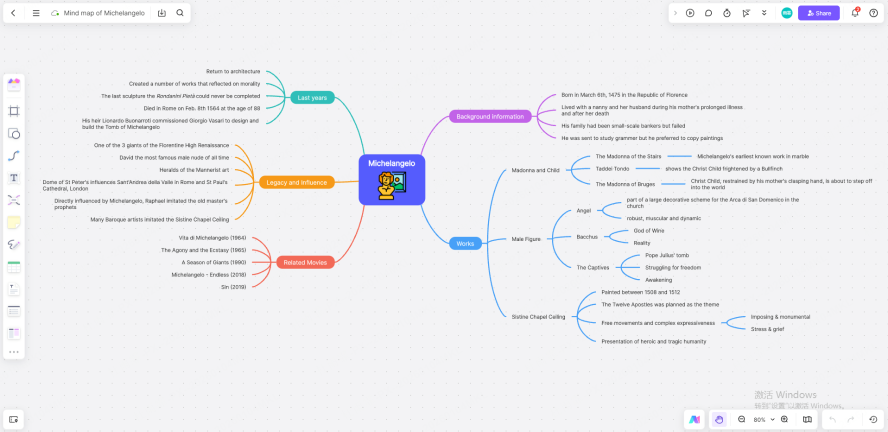
Boardmix is a free, collaboration-focused online mind mapping tool that redefines how teams and individuals organize ideas in the digital workspace. Its core strength lies in real-time cloud editing and multi-user collaboration, making mind map creation, modification, and sharing more efficient than traditional desktop software that locks files to a single device. Unlike many free tools that restrict collaboration features to paid tiers, Boardmix offers full real-time co-editing for free, allowing teams to work together seamlessly regardless of their physical location.
What sets Boardmix apart is its integration of mind mapping into a comprehensive visual collaboration whiteboard, rather than limiting users to a single mind map format. This means you can create a mind map to outline a project, then add flowcharts, sticky notes, or even embedded multimedia to the same canvas—eliminating the need to switch between multiple tools for different visual tasks. For remote teams, this all-in-one approach streamlines workflows and ensures that all project-related visuals are centralized in one accessible location.
Key Features:
- Cross-Platform Access: Available on web browsers, Windows, Mac, iOS, and Android devices, Boardmix ensures your work automatically syncs across every platform you use. Whether you start a mind map on your desktop at work, refine it on your tablet during a commute, or review it on your phone at home, your progress is always up to date, so you can create or review content anytime, anywhere without worrying about version conflicts or lost data.
- AI-Powered Creation: Generate fully structured mind maps instantly by entering just a few core keywords—no need to build the framework from scratch. The AI not only creates the basic hierarchy but also offers conversational refinement: you can ask the AI to expand on specific branches, reorganize the logic for better flow, or even suggest relevant subtopics based on your industry or use case. This lowers the creative barrier for new users and saves time for experienced mind mappers who need to draft ideas quickly.
- Extensive Template Library: Access thousands of industry-specific templates tailored to common use cases like project management timelines, book note summaries, exam study guides, and business strategy planning. Each template is pre-built with a logical structure, so you can apply it with one click and start customizing it to your needs—no more staring at a blank canvas trying to figure out where to begin.
- Flexible Export Options: Export your mind maps to PDF, high-resolution images (PNG/JPG), Word documents, and other common formats, ensuring compatibility with the tools your team already uses. You can also generate a shareable link with customizable permissions (view-only, comment, or edit) for seamless cross-platform collaboration, eliminating the hassle of sending large files via email or cloud storage.
Free Plan Includes:
Create up to 3 whiteboard files with full access to basic editing tools, AI generation features, and the entire template library—this is more than enough for individual users, students, or small teams working on 2-3 concurrent projects. The free tier also includes real-time collaboration for up to 5 users per whiteboard, making it ideal for small group brainstorming sessions or student project teams.
Ideal For:
Teams needing seamless cross-device collaboration, content creators building visual outlines for videos or articles, students organizing study notes, and enterprise users with large-scale collaboration needs. The Enterprise edition of Boardmix offers enhanced data permission management, advanced security features like SSO integration, and unlimited whiteboard files—tailored for corporate environments where data governance and team scalability are priorities.
Coggle

Coggle is a lightweight, web-based mind mapping tool designed to simplify the creation and collaboration process for users who prioritize speed and ease of use over advanced features. It excels at real-time collaboration, allowing multiple users to edit, leave comments, and communicate directly on the same mind map simultaneously—making it perfect for quick brainstorming sessions, simple project planning, or basic knowledge organization tasks.
Unlike more feature-rich tools like Boardmix, Coggle focuses solely on mind mapping, with a minimalistic interface that reduces distractions and lets users focus on their ideas. Its clean design makes it intuitive for first-time mind map users, with no steep learning curve or complex settings to configure before getting started.
Key Features:
- Lightweight Collaboration: Multiple users can join a Coggle mind map session online with just a shareable link, making it easy to sync ideas in real time without requiring accounts for all collaborators. Comments can be attached to specific nodes, so team members can ask questions or provide feedback directly on the relevant part of the mind map.
- Automatic Structure: Coggle generates clean, organized mind map structures automatically as you add nodes, ensuring that branches are evenly spaced and the overall layout remains readable—even as the map grows in complexity. This eliminates the need to manually adjust node positions to keep the map tidy.
- Multiple Export Formats: Export mind maps to PDF, PNG, or plain text formats for easy sharing or archiving.
Free Plan Includes:
Basic creation and editing tools, plus limited collaboration features that are suitable for everyday personal use or small team tasks. However, the free version caps the number of mind maps you can create and restricts access to advanced features like version history or custom color schemes.
Ideal For:
Students organizing class notes or study guides, or professionals handling simple planning tasks like meeting agendas or to-do lists. It is less suitable for complex projects or large teams that need advanced collaboration or integration features.
Coggle
Developed by the team behind the original mind mapping concept, Ayoa aims to bridge the gap between traditional mind mapping and task management, offering a hybrid tool that combines idea organization with actionable task tracking. It goes beyond basic mind mapping by letting you create tasks, assign owners, set deadlines, and track progress directly within a visual framework—turning abstract ideas into concrete action plans.
Ayoa’s approach is unique in that it treats mind map nodes as more than just text: each node can be converted into a task with status updates, due dates, and assignees, making it a good fit for teams that want to move from brainstorming to execution without switching tools.
Key Features:
- Basic Collaboration: Simple real-time collaboration features allow team members to view and edit mind maps together.
- AI-Assisted Ideation: Basic AI features generate initial ideas or expand on existing branches from keywords, helping users overcome creative blocks.
- Simple Task Management: Attach basic tasks, deadlines, and user assignments to mind map nodes, with a simple dashboard to track task completion status alongside the mind map.
Free Plan Includes:
Create up to 3 mind maps with access to a select range of basic templates and core features. Export options are limited to image formats, and advanced templates, cloud storage, and team management tools are restricted to paid plans.
Ideal For:
Individuals or small teams needing basic functionality for simple note-taking and brainstorming sessions that require light task tracking. It may be insufficient for users who need advanced AI features, extensive collaboration tools, or integration with third-party project management software.
MindMeister
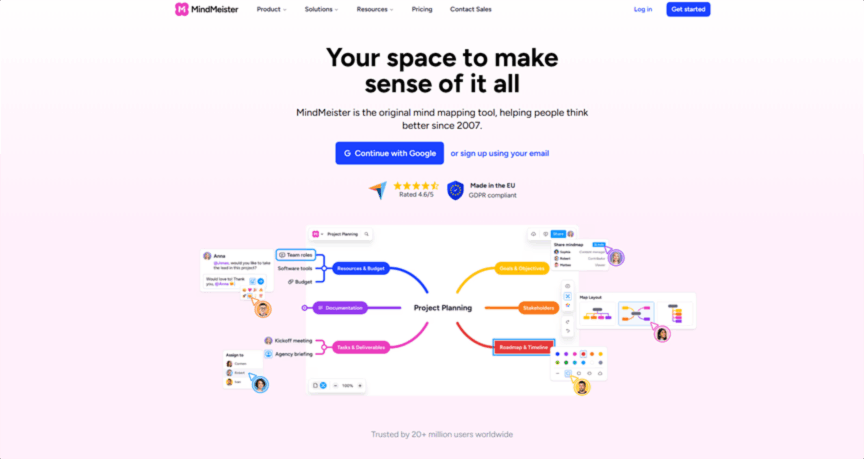
MindMeister focuses on real-time collaboration and cross-platform support, positioning itself as a tool for teams that need to brainstorm and organize knowledge efficiently across devices. Its most unique feature is the ability to convert mind map nodes directly into MeisterTask tasks—closing the loop from idea generation to task execution within the same software ecosystem.
While MindMeister offers solid collaboration features, its free plan is more restrictive, making it better suited for individual users or very small teams with minimal needs.
Key Features:
- Basic Collaboration: Multiple users can edit the same mind map in real time, with simple comment features to facilitate discussion.
- Presentation Mode: Convert mind maps into slideshow presentations with minimal formatting, allowing users to present their ideas directly from the tool without exporting to separate presentation software.
- Basic Template Library: Some pre-set templates helps users get started quickly with common mind map use cases.
Free Plan Includes:
Create up to 3 mind maps with basic collaboration and presentation features. The free tier limits the number of maps, restricts the number of collaborators per map, and caps cloud storage space, making it impractical for ongoing team projects.
Ideal For:
Individuals or small teams for simple brainstorming sessions, meeting notes, or basic project planning tasks that don’t require advanced features. It is limited for users needing extensive mind maps, advanced collaboration tools, or integration with non-MeisterTask project management platforms.
GitMind
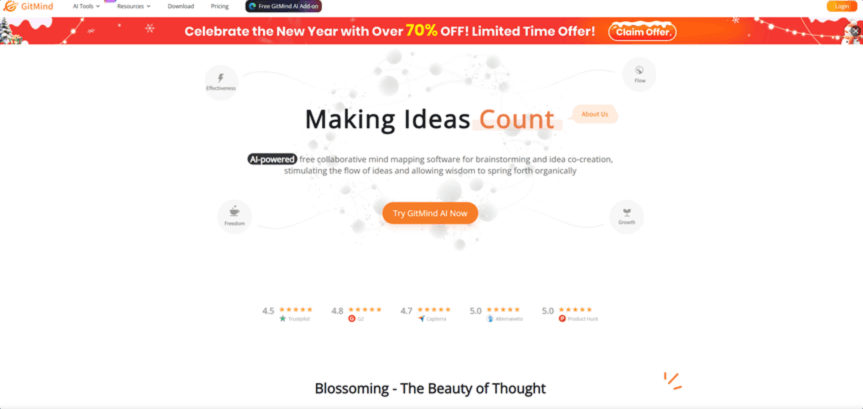
GitMind is a free, lightweight visual tool designed specifically for creating basic mind maps and simple flowcharts, targeting entry-level users who need a no-frills solution for organizing ideas, designing basic information architecture, or mapping simple processes.
With a clean, ad-free interface, GitMind is easy to learn but lacks the depth of features, making it a niche choice for users with minimal requirements.
Key Features:
- Basic Cross-Platform Sync: View and edit mind maps on web browsers and select mobile devices.
- Basic AI Features: Limited AI assistance for generating initial map structures or drafting text for nodes, with no advanced refinement or conversational AI capabilities.
- Basic Sharing & Collaboration: Simple file sharing via links and basic collaborative editing.
Free Plan Includes:
A fully free plan with basic functionality for creating and editing mind maps, though some advanced features like high-resolution exports or custom templates may have usage limits or be unavailable entirely.
Ideal For:
Individual users for basic knowledge organization or simple flowchart creation—particularly suitable for entry-level users with minimal feature requirements who prioritize ease of use over advanced functionality. It is not recommended for teams or users needing collaboration tools or AI-powered creation features.
Lucidchart
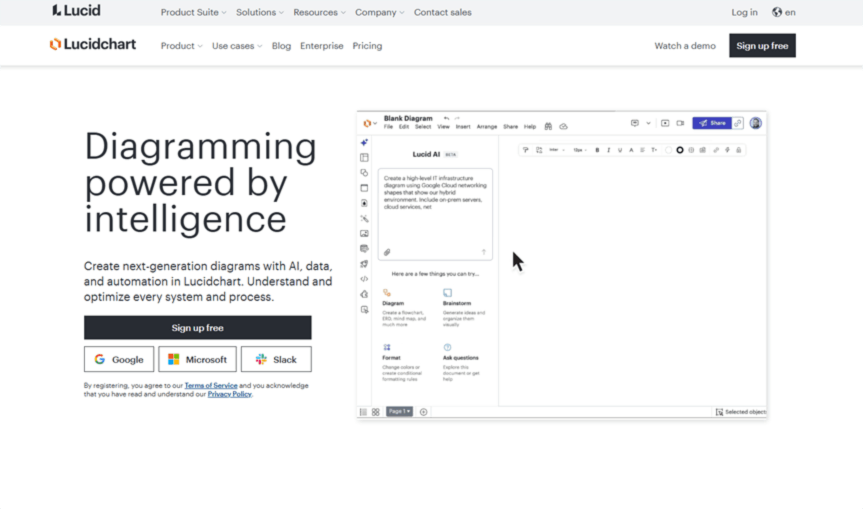
Lucidchart excels at creating networked relationship maps that go beyond traditional tree-style mind maps, using free-form connections to express complex logic across branches. While it is primarily known as a flowchart tool, its mind mapping capabilities make it a versatile choice for users who need to visualize both hierarchical ideas and interconnected processes.
Built-in approval workflows, detailed permission settings, and integration with tools like Jira address enterprise needs that typical mind mapping tools cannot, though its free plan is highly restrictive.
Key Features:
- Basic Collaboration: Real-time editing features allow team members to collaborate on mind maps and flowcharts together, with simple comment tools to facilitate feedback.
- Template Library: A variety of general templates for flowcharts and mind maps simplify chart creation, though the templates are less industry-specific.
- Lightweight Integration: Basic integration with Google Workspace and similar productivity tools.
Free Plan Includes:
Access to basic shape libraries and templates, the ability to create up to 3 documents, and basic collaboration features. Export formats are limited to low-resolution images, and advanced automation or enterprise features are unavailable in the free tier.
Ideal For:
Students, individual planners, or small teams creating simple flowcharts, class notes, or basic project prototypes. It may lack the advanced mind mapping features, AI tools, or enterprise workflow management capabilities needed for complex projects or large organizations.
Whimsical
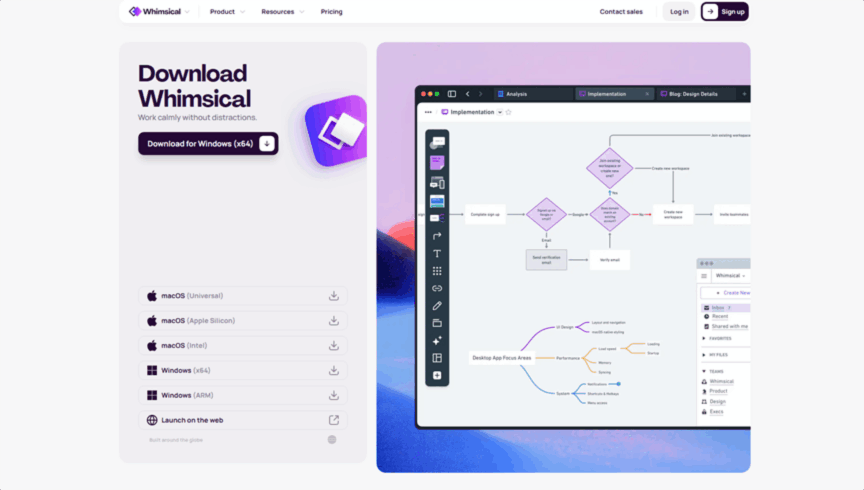
Whimsical stands out with its unique card-style mind mapping approach: dragging and dropping cards automatically creates branches, allowing for more flexible layouts than traditional tree-based mind maps. Its greatest value is integrating mind maps with flowcharts and wireframes on the same canvas, with instant view switching—making it ideal for product and operations teams that need to turn abstract ideas into multi-dimensional visual plans.
While Whimsical’s interface is highly intuitive, its free plan limits the number of files you can create, making it less suitable for ongoing team projects.
Key Features:
- 10-Second Map Creation: Drag pre-made cards to auto-connect branches and build mind maps in seconds—no manual drawing or node setup required, drastically speeding up the creation process.
- Map-to-Flowchart Conversion: Switch between mind map and flowchart view modes instantly with one click, allowing users to visualize ideas in multiple formats without recreating content.
- Enhanced Real-Time Collaboration: Cursor tracking and precise @mention comments reduce meeting overhead by letting team members see exactly where others are working and direct feedback to specific users or nodes.
Free Plan Includes:
Create up to 3 files with unlimited pages per file, giving users flexibility within each project but limiting the number of concurrent projects. Version history, enterprise security features, and advanced templates require a paid subscription.
Ideal For:
Product or operations teams for agile brainstorming sessions or prototype design that requires switching between mind maps and flowcharts. Larger teams with frequent cross-view collaboration needs should consider upgrading to a paid plan for more file storage and advanced features.
Stormboard
Stormboard reimagines mind mapping by using virtual sticky notes as the building blocks of maps, addressing common pain points in team brainstorming sessions where ideas are often fragmented and hard to organize. It simulates physical sticky-note brainstorming sessions in a digital environment, turning scattered ideas into structured mind maps quickly and intuitively.
Real-time categorization and voting features make Stormboard better suited for collaborative creative workflows than traditional mind mapping tools, though its free plan is limited to small teams.
Key Features:
- Sticky Notes to Mind Map: Individual virtual sticky notes auto-convert into mind map nodes while keeping all original content linked, making it easy to organize brainstorming ideas into a logical hierarchy.
- Branch Integration: Group related sticky notes into mind map sub-branches with a single click, simplifying the process of building a structured hierarchy from unorganized ideas.
- Node Voting: Team members can vote on key branches to prioritize ideas, helping teams reach consensus quickly without lengthy discussions.
- Basic Templates: Pre-built frameworks for common use cases like meeting notes, project retrospectives, or brainstorming sessions, though the template library is small.
Free Plan Includes:
Create up to 5 mind map whiteboards with a maximum of 3 collaborators per board. Advanced templates, high-resolution data export, and granular permission management require a paid subscription.
Ideal For:
Teachers facilitating classroom brainstorming activities or small teams (fewer than 5 people) creating simple mind maps from collaborative sticky-note sessions. It may lack the advanced features needed for complex map management, AI generation, or enterprise-scale collaboration.
Conclusion
With a crowded landscape of free mind mapping tools, selecting the right one requires aligning features with your use case: for basic personal use, GitMind or Coggle may suffice; for task tracking alongside mind mapping, Ayoa or MindMeister are viable options; for flexible visual planning, Whimsical or Lucidchart work well; and for collaborative sticky-note brainstorming, Stormboard is a strong choice.
However, Boardmix comes highly recommended for most users—whether you're leveraging AI generation to draft mind maps quickly, using industry-specific templates to jumpstart projects, or building custom maps from scratch, it delivers a comprehensive set of features that balance ease of use with advanced functionality. Unlike other tools that restrict key features to paid tiers, Boardmix’s free plan offers real-time collaboration, cross-platform sync, and AI generation—making it accessible to individuals, students, and small teams alike. Combined with its integration of other visual tools like flowcharts and whiteboards, Boardmix helps you create clear, polished mind maps that drive better organization, collaboration, and decision-making for any project or task. Try Boardmix today!





