





AI Image Generation: A Beginner's Guide
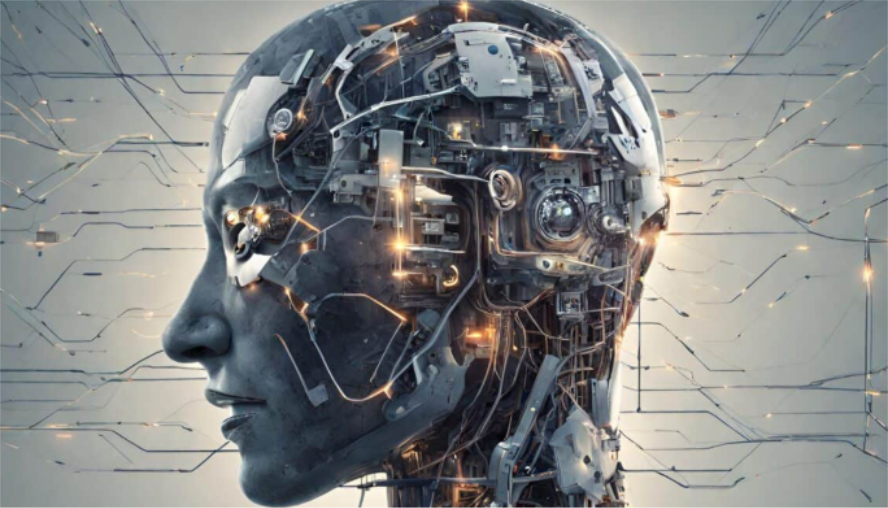
AI image generation has become a powerful tool for quickly creating covers, posters, and course illustrations. But many ask: Is online AI image generation really easy to use? Can you produce high-quality images without a design background? This guide compiles the most practical AI art tutorials and online generation techniques. We’ll walk you through the process from text input to final product. You can create professional-level images in just minutes, easily tackling various design scenarios.
Choose an Online AI Image Generation Tool
To start quickly, we recommend using an online AI image generator that requires no download and works directly in your web browser. This saves installation time and is ideal for one-off projects or beginners. Most online tools support text input in multiple languages and allow users to generate images through simple “text prompt + one-click generation,” making them perfect for those with zero design experience. Recommended AI image generating software.
We recommend using Boardmix Whiteboard for AI image generation. It’s not only easy to use and understands contextual prompts, but it also offers a free trial, and the generated images are licensed for commercial use. Try Boardmix for free!
Input Your Prompts or Theme Description
The core of AI image generation lies in your prompt. More clarity leads to results that better match your vision. Beginners can directly apply the following frameworks:
- Basic Framework: Subject + Scene + Style
- Example: A cup of hot coffee on a wooden desk by a window, in a soothing watercolor style.
- Advanced Framework: Subject + Details + Style + Quality
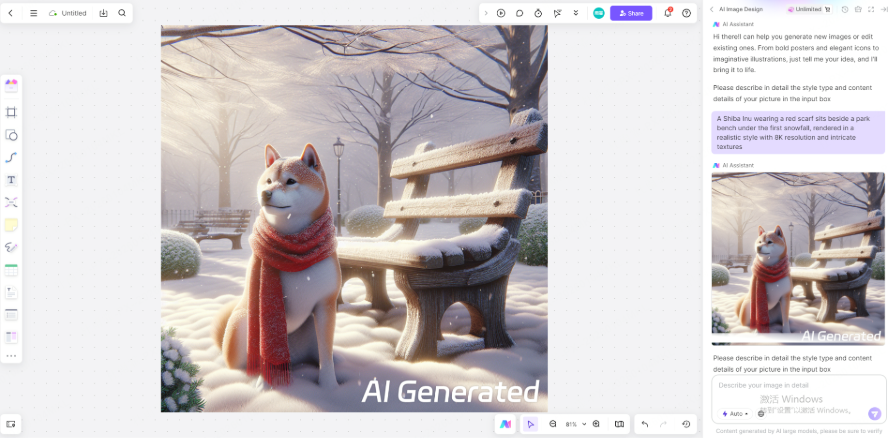
- Example: A Shiba Inu wearing a red scarf beside a park bench in the first snow, photorealistic style, 8K resolution, detailed texture.
- Refinement Framework: Subject + Requirements + Avoid [X]
- Example: A minimalist laptop on a white desk, avoid clutter and vibrant colors.
An advantage of using Boardmix AI Art is that you can have the AI optimize your prompts, making them more detailed for more accurate generation results.
Select Style and Size Parameters
Beyond the prompt, adjusting generation parameters is crucial for perfecting your image. While terms may vary across platforms, here are the universal settings you need to know:
- Style / Model: This is the core artistic direction. Boardmix offers a variety of pre-trained models, such as Realistic, Illustration, Anime, and Cyberpunk, to match your desired aesthetic.
- Resolution / Dimensions: Higher resolution yields more detail, ideal for posters or prints, but requires more processing time. A smart workflow is to generate a low-resolution preview first, then produce the final image at a high resolution for maximum efficiency.
- Randomness / Seed: A lower value makes the output more consistent and predictable, while a higher value introduces more creativity and variation.
- Iteration Steps: More steps generally lead to more refined details and coherence, at the cost of longer generation time. Beginners should start with the default value and experiment from there.
With Boardmix, you get access to 10+ style models and the flexibility to choose from five aspect ratios: 1:1, 16:9, 9:16, 4:3, and 3:4, ensuring your image is perfectly framed for any platform.
Generate and Refine Your Image with One Click
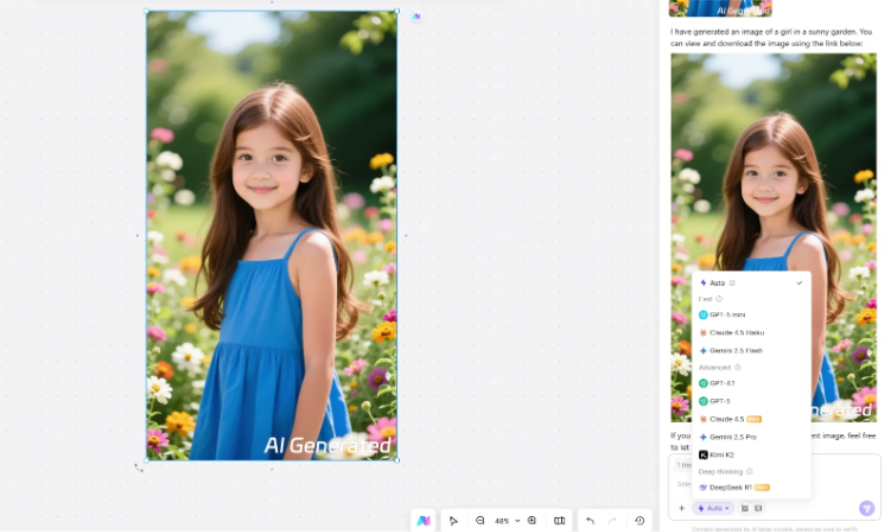
Once your prompt and parameters are set, click generate, and you'll get results in seconds.
After entering your prompt, simply click the "Generate" button. The AI will start drawing, typically producing a first draft within seconds. It's normal if the first result isn't perfect. You can refine the prompt based on the output, adding descriptions like "soft Japanese lighting," "more cheerful character expression," or "cleaner background." The AI will then regenerate a version closer to your expectations.
Most online AI image generators support multiple iterations and batch generation. You can quickly compare different styles or even use a "one keyword + multiple style templates" approach to automatically produce multiple candidate images, far more efficient than manual design.
Conclusion
That's the complete AI image generation tutorial. Choose the right tool to save time, write good prompts to control the direction, and adjust parameters for quick results. Even as a design novice, you can easily use AI drawing to meet image needs for work and life. Online tools like Boardmix simplify complex operations, making AI image generation a highly efficient skill accessible to everyone.





