





Creating AI Fishbone Diagrams has become an essential tool for professionals and students to analyze problems efficiently. Compared to traditional manual methods, AI-powered fishbone diagrams automatically map out cause-and-effect relationships and generate well-structured, logical charts with a single click, significantly boosting productivity. Whether you're conducting product quality analysis, a project retrospective, writing a thesis, or developing solutions, an AI Fishbone Diagram helps you clarify your thinking and get to the root cause.
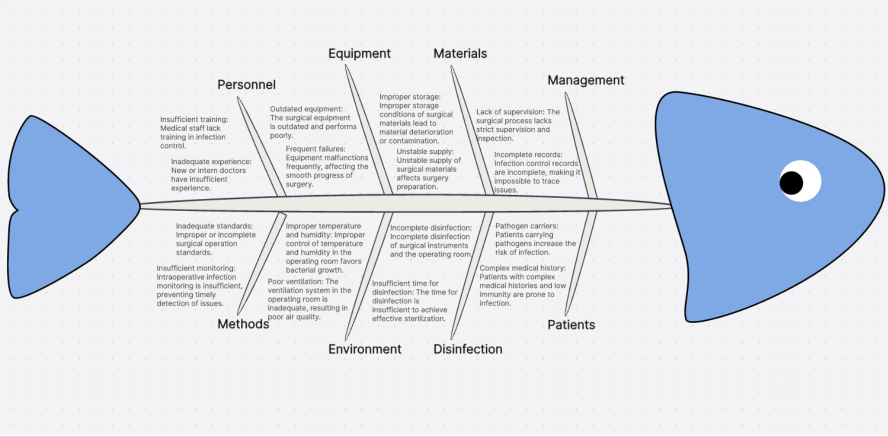
What is an AI Fishbone Diagram?
A Fishbone Diagram (or Cause and Effect Diagram) visually breaks down the root causes of a problem. Its core logic deconstructs complex issues into a hierarchical structure: the "fish head" (core problem) → the "main bones" (primary causes) → the "smaller bones" (contributing factors).
AI Fishbone Diagrams are widely used for problem analysis, project retrospectives, process optimization, and quality management. By intelligently identifying and visualizing root causes, they help users organize thoughts and pinpoint key issues efficiently. They are common in business management, product development, education, and training.
Top AI Fishbone Diagram Generator: Boardmix
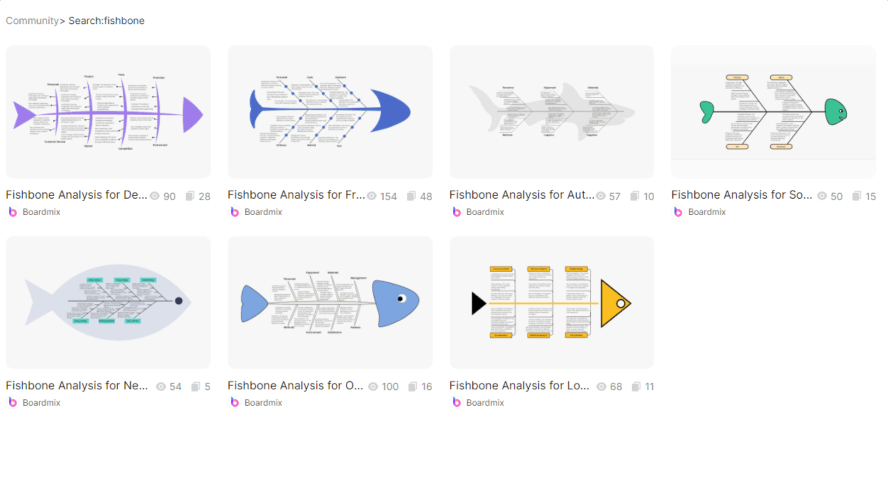
Many diagramming tools separate intelligent generation from team collaboration. How can you balance efficiency with deep analysis? The Boardmix online whiteboard redefines fishbone diagram creation with its dual-engine approach: AI framework generation + real-time co-editing. Here’s why it's one of the best fishbone diagram makers:
- Powerful AI Features: Its built-in AI assistant automatically generates a fishbone diagram framework from your problem description. It supports standard categories like Manpower, Machinery, Materials, Methods, Measurement, and Environment (the 6 Ms). Just enter an AI prompt to generate a diagram instantly.
- Low Learning Curve: Easily adjust branches via drag-and-drop and modify colors—no complex drawing skills needed. Beyond AI generation, you can also use pre-made fishbone diagram templates for scenarios like market analysis or product iteration.
- High-Efficiency Collaboration: Supports real-time editing for hundreds of users. Team members can give instant feedback using comments and sticky notes, eliminating the pain points of "file sharing → version chaos." Export your finished diagram as an image or other formats for cross-platform use.
Whether you prioritize smart, fast AI generation or need deep, multi-user analysis, Boardmix is an ideal online whiteboard for creating fishbone diagrams, thanks to its powerful features and user-friendly interface.
How to Create an AI Fishbone Diagram: A Simple 3-Step Tutorial
With Boardmix's AI, creating a fishbone diagram is quick and easy. Follow these three simple steps. First, visit the Boardmix website and click "Sign Up/Log In" in the top right corner. Once logged in, you can start using the AI fishbone diagram maker for free and begin your efficient problem analysis.
Step 1: Input Your Core Problem & Let AI Generate the Framework
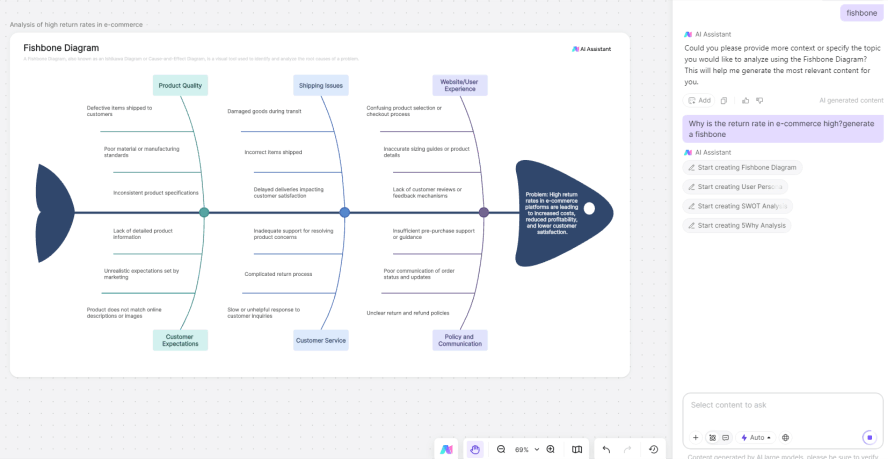
Create a new Boardmix whiteboard. Click the "AI Assistant" button (usually in the bottom right). Type your problem description (e.g., "Why is the e-commerce return rate high?"). The AI will automatically generate the main branches. For industry-specific problems, the AI prioritizes relevant factors (e.g., product quality, shipping, customer service), saving you time on manual categorization.
Step 2: Detail Your Branches & Refine the Structure
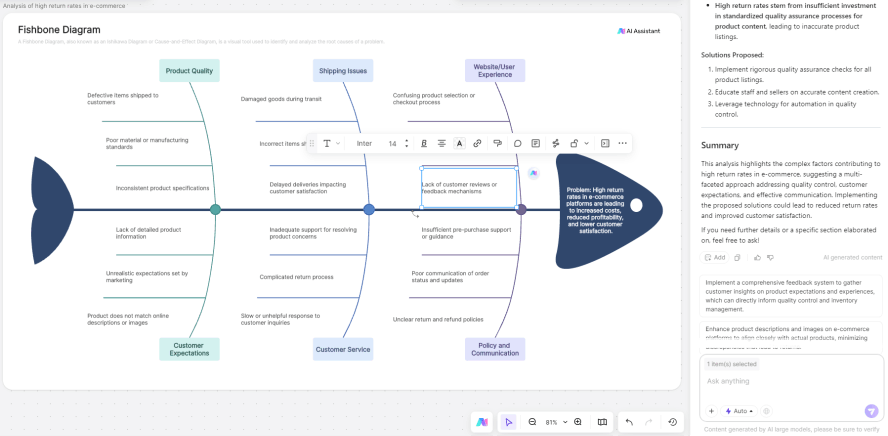
Deep dive into each branch. For example, use the "5 Whys" technique to explore why "Customer Service" leads to high returns: slow response → insufficient support staff → complicated service process. You can use the AI Assistant to further break down points and adjust the structure.
Step 3: Share & Collaborate for Multi-Scenario Application
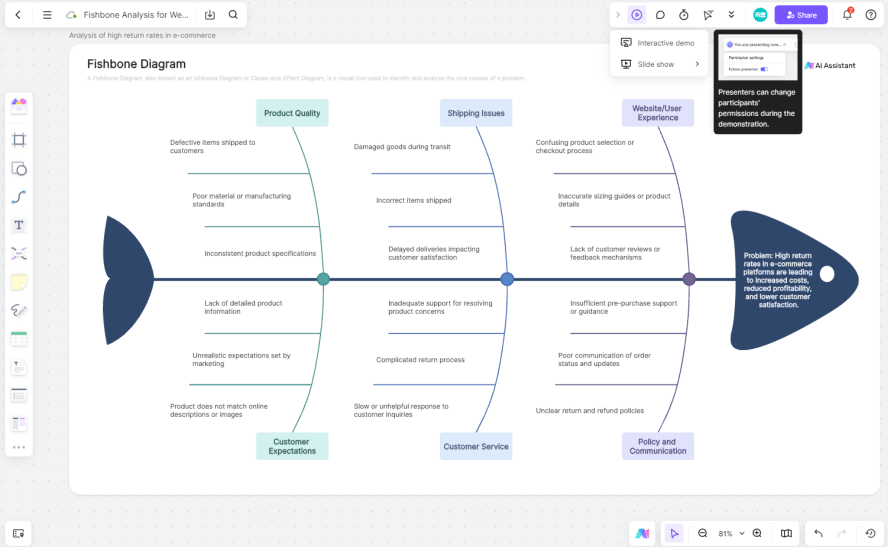
Once your diagram is complete, click "Export" in the top left or "Share" in the top right. For Team Brainstorming: Share the link for real-time collaboration. For Presentations: Use Boardmix's interactive presentation mode to guide collaborators through your analysis layer by layer, which is more intuitive than static charts. For External Meetings: Embed the board link into platforms like Zoom or Microsoft Teams to bring external members into the discussion seamlessly.
Pro Tips for Beginners Using AI Fishbone Diagram Generators
New users often encounter issues like "inaccurate content" or "messy structure." Avoid these pitfalls:
- Define a Clear Problem: Provide a specific, focused problem description. Avoid overly broad prompts.
- Use Standard Categories: Stick to common analysis dimensions like the 6 Ms (Man, Machine, Material, Method, Measurement, Environment) for logical structure.
- Review and Edit: Always check and adjust the AI's output. AI is an aid, not a replacement for your logical judgment.
- Choose Flexible Tools: Select a tool that allows easy custom editing and exporting for future modifications and sharing.
Conclusion
Creating AI Fishbone Diagrams is no longer a manual chore of drawing and filling in text. With Boardmix's AI-powered online whiteboard, even beginners can quickly master the method and the core logic of problem decomposition, avoiding the inefficiencies of traditional drawing. From stating the problem to generating a actionable analysis chart, no professional background is needed—just simple clicks and drags.
Ready to analyze smarter? Sign up for free on Boardmix and create your first AI Fishbone Diagram today!





