





AI-generated Business Model Canvases are becoming the primary engine for business innovation. Traditional methods often involve inefficient struggles like entrepreneurs burning the midnight oil or product managers wrestling with messy logic. AI effectively solves key pain points such as "time-consuming creation" and "inaccurate models." This guide will walk you through practical techniques and real-world applications for generating a Business Model Canvas with AI. Stay ahead in the race to seize business opportunities and let AI-powered canvases drive your innovation.
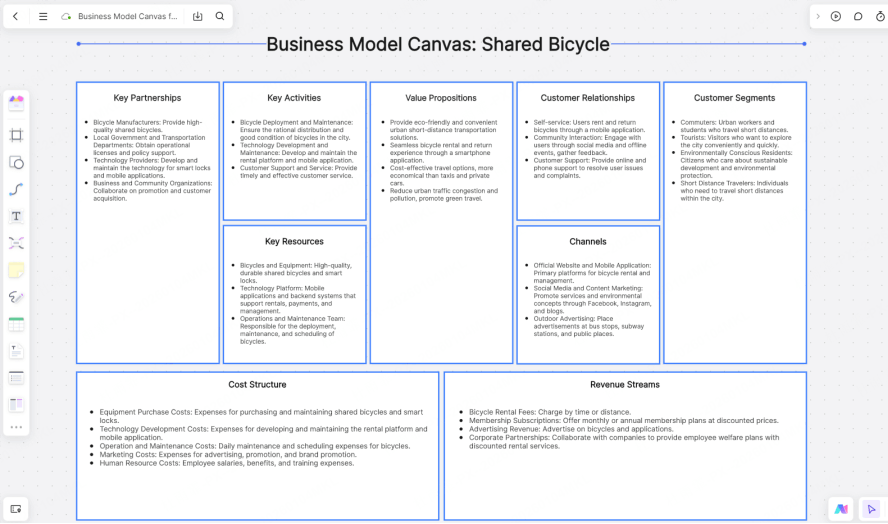
Traditional vs. AI-Powered Business Model Canvas: A Comparison
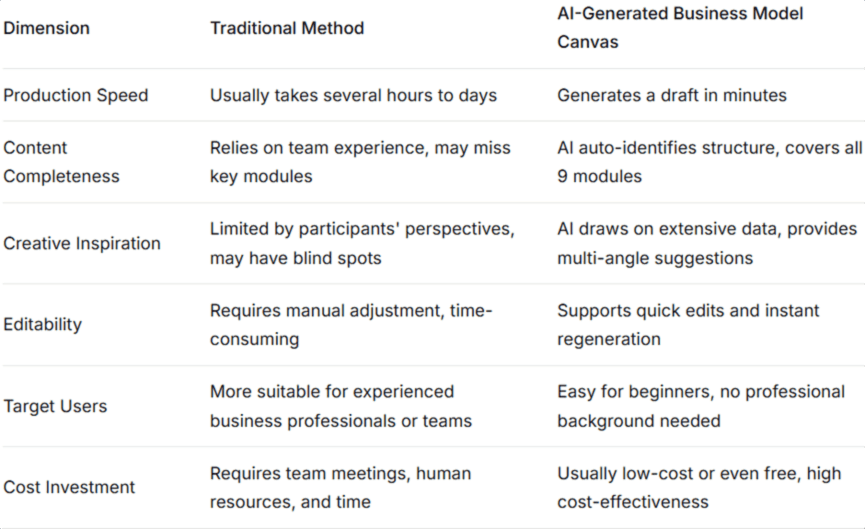
Traditionally, creating a comprehensive Business Model Canvas required team brainstorming, data compilation, and iterative refinement. While systematic, this approach had significant drawbacks. Now, with AI, the entire process is faster and smarter, ideal for startups or users under tight deadlines.
Let's compare the two approaches across key dimensions:
Top AI Tools for Your Business Model Canvas
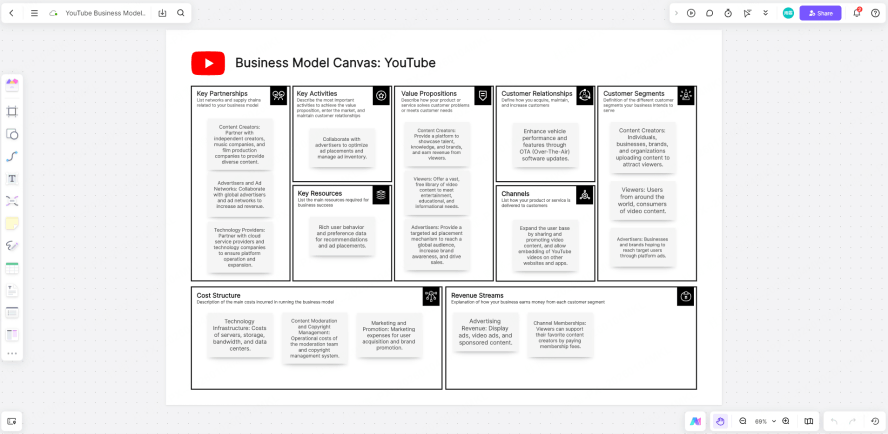
The right tool is crucial for efficiency and results. Boardmix stands out with its unique AI capabilities and user-friendly design, making it a top choice for smart generation and flexible collaboration. It's perfect for teams and individuals focused on efficient innovation. Here are three core advantages tailored for beginners:
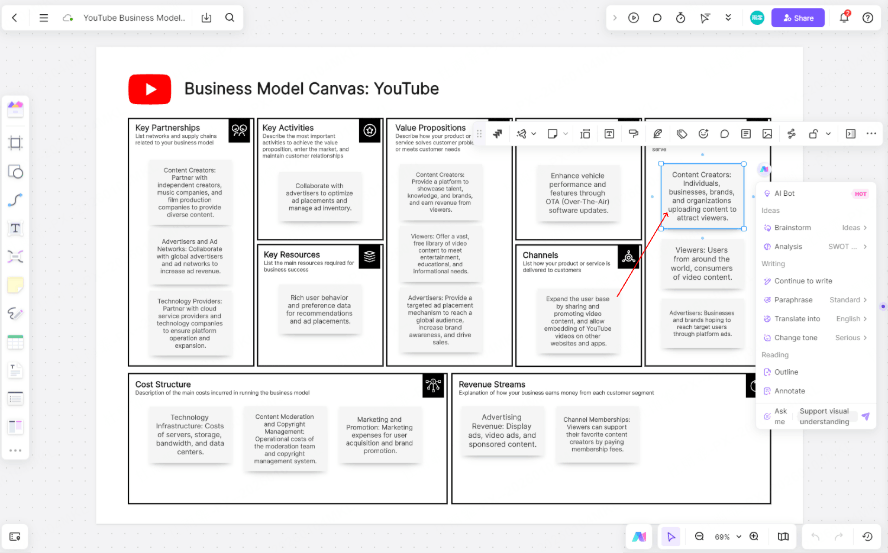
- Precise AI Output: Input core ideas like "Online coding bootcamp for career switchers + self-paced video modules." Boardmix's AI quickly analyzes the needs and generates targeted suggestions for modules like Key Activities, Channels, and Customer Relationships, streamlining the build process.
- Full Customization Freedom: Easily drag modules, edit text, and add shapes or annotations. Keep the AI-generated structure while flexibly optimizing it to match your actual business needs, turning a generic template into your team's custom plan.
- Built for Team Collaboration: With real-time sync across web, mobile, and desktop apps, your team can instantly access the AI-generated draft. This eliminates cumbersome file transfers and version control, making it ideal for remote collaboration.
How to Generate a Business Model Canvas with AI: A Step-by-Step Guide
Using AI to generate a Business Model Canvas is a powerful tool for business planning. Follow this standardized 3-step process—using a "neighborhood coffee shop" as our example—to go from AI draft to polished strategy.
Prerequisite: Log into your Boardmix account and create a new whiteboard.
Step 1: Input Your Prompt & Generate a Draft in 1 Minute
Click the "AI Assistant" icon, navigate to "Analysis Modules," and select "Business Model Canvas." In the dialog box, describe your Product + User + Value (e.g., "Neighborhood specialty coffee shop; office workers and residents within a 1-mile radius; 10-minute guaranteed pickup + custom latte art"). The AI will instantly output a first draft, suggesting elements like Channels (e.g., "Delivery apps, pre-order via website for pickup").
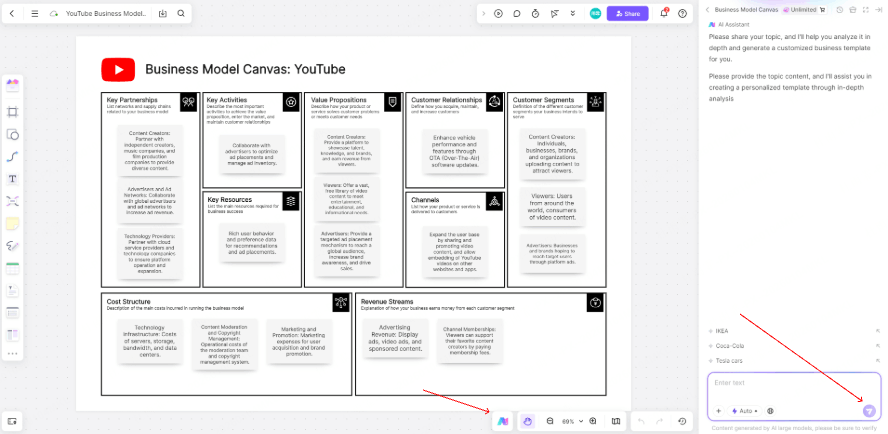
Step 2: Review & Refine the Logic
Scrutinize the match between the Value Propositions and Customer Segments. If the alignment seems weak, use the AI Assistant's "Ask a follow-up" feature. Prompt it with details like, "Refine the value proposition for young professionals seeking a premium, fast morning coffee experience."
Step 3: Manual Polish for a Ready-to-Use Canvas
Add Execution Details: Under Channels, add specific action items like "Partnership with local co-working spaces for member discounts." Visual Emphasis: Use color highlights, icons, or borders to make core Value Propositions stand out. This transforms the AI-generated template into a practical, focused, and decision-ready plan.
With Boardmix, your completed canvas is just the start: Export & Share: One-click export to annotated image or PDF files. Share a live link with view or edit permissions. Collaborate: Invite team members to comment directly on the canvas for streamlined feedback and real-time collaboration.
Key Use Cases for AI-Generated Business Model Canvases
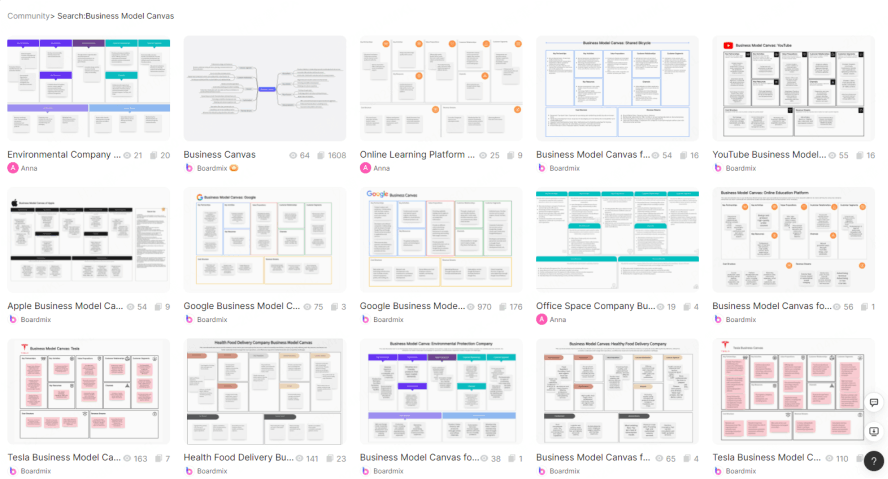
Beyond saving time, AI-generated canvases are versatile tools for various scenarios, helping clarify logic and accelerate execution.
- Startup & Business Model Validation: For founders, AI quickly turns a simple idea into a structured canvas, saving planning time, clarifying logic, and aiding in pitch deck creation.
- Product Launches & Market Exploration: Product teams can use AI to rapidly analyze target customers, value propositions, and channels, building a solid strategic foundation early on.
- Investor Pitches & Executive Reports: Quickly create a clear, logical canvas to compellingly present project highlights and strengthen your case during fundraising or internal reviews.
- Corporate Training & Innovation Workshops: Facilitate internal strategy sessions or training by using AI to help participants efficiently brainstorm and refine business models.
- Business School & Student Projects: Educators can use AI generation in classrooms to help students grasp business model structures intuitively, boosting engagement and case study analysis.
Conclusion
The core value of AI-generated Business Model Canvases lies in using technology to help beginners cross the barrier from "0 to 1," allowing business planning to focus on strategic thinking rather than manual labor. Whether you're validating a startup idea or boosting your professional toolkit, mastering this skill will give you a decisive edge.
Ready to transform your business planning? Experience the power of AI with Boardmix.





