





Leveraging AI to generate a Porter's Five Forces model has become an efficient method for business strategic analysis. Whether you're a beginner or a manager seeking to optimize your analysis, mastering AI-powered Porter's Five Forces creation can significantly support data-driven decision-making. This guide will detail the core elements, recommended software, actionable steps, and provide a practical template to help you effortlessly build a professional Porter's Five Forces analysis model.
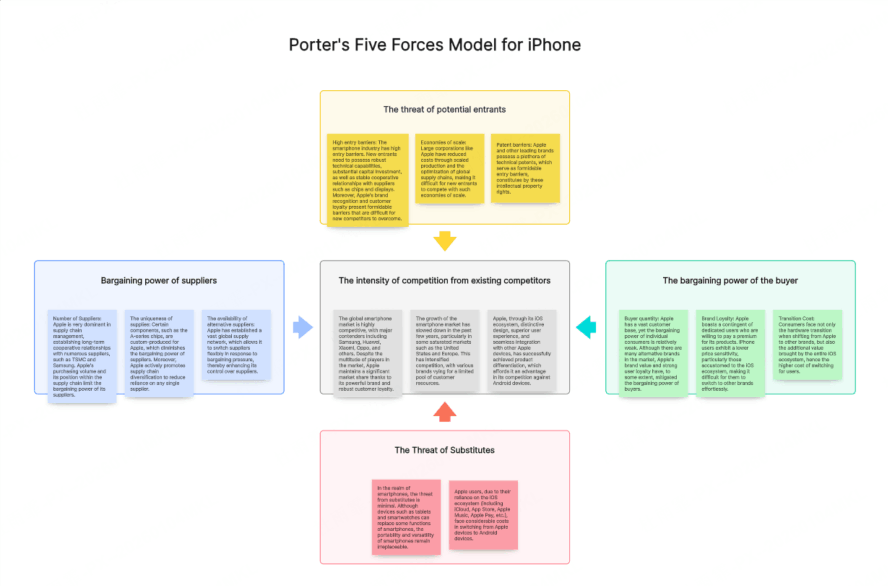
Understanding the Core Elements of Porter's Five Forces
A Porter's Five Forces model analyzes five key competitive pressures: Supplier Power, Buyer Power, Threat of New Entrants, Threat of Substitutes, and Competitive Rivalry. Clearly understanding each element is crucial for providing accurate inputs to an AI tool and ensuring the effectiveness of the generated model.
- Supplier Power: Analyze supplier concentration, degree of product differentiation, and switching costs to assess their influence on your costs and profit margins.
- Buyer Power: Consider the number of buyers, purchase volume, and their switching costs to understand their ability to influence your product's price.
- Threat of New Entrants: Evaluate industry entry barriers such as economies of scale, brand loyalty, capital requirements, and government policies.
- Threat of Substitutes: Identify potential substitute products or services, analyzing their price-performance ratio and your customers' propensity to switch.
- Competitive Rivalry: Examine the number of competitors, their market share, industry growth rate, and the intensity of competitive strategies (e.g., price wars, advertising battles).
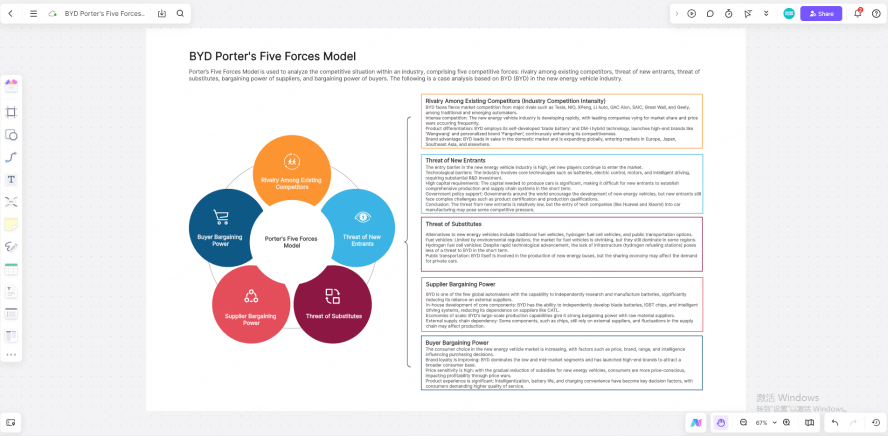
Top Software for AI-Powered Porter's Five Forces Analysis
Several software tools are excellent for creating a Porter's Five Forces model with AI. They offer different features to suit various needs. We've tested Boardmix, Miro, and Lucidchart based on real usage scenarios, evaluating their AI functionality, collaboration experience, and value for money to help you choose.
(1) Boardmix Whiteboard

Boardmix is a strong choice as an online whiteboard with integrated AI. Its AI Assistant can generate a logically structured analysis framework instantly and offers multiple industry-specific templates, significantly lowering the entry barrier. Its real-time collaboration features allow teams to co-edit on an infinite canvas, integrating multi-dimensional data for efficient teamwork from model creation to strategic discussion. Boardmix is cost-effective, provides customer support and video tutorials, enabling beginners to get started in about 30 minutes.
(2) Miro

Miro is a popular collaborative online whiteboard. Its AI supports multi-language generation of Porter's Five Forces models and provides basic templates. The AI output is suitable for initial framework setup but often requires secondary data supplementation. Its cross-platform compatibility and polished visual design are well-suited for global teams. However, its Team plan is relatively expensive, and its overseas servers can sometimes impact loading speeds for users in certain regions.
(3) Lucidchart
Lucidchart's AI strength lies in structured analysis. It can auto-generate the hierarchical structure of a Porter's Five Forces model to establish a foundational framework. The resulting diagrams are neat and formal, ideal for professional reports. However, it lacks robust real-time collaboration features like simultaneous annotation, forcing team communication to rely mainly on comment threads.
Step-by-Step: Generating a Porter's Five Forces Model with AI
With AI, building a traditional Porter's Five Forces model is upgraded from manual compilation to an intelligent, efficient workflow. Following Boardmix's workflow, here’s how to build your framework in three clear steps:
Before starting, go to the Boardmix website, sign up/log in to your account, and create a new whiteboard file. Then, locate and click the "AI Assistant" button, select "Analysis Report," and choose "Porter's Five Forces Model."
Step 1: Input Your Generation Prompt
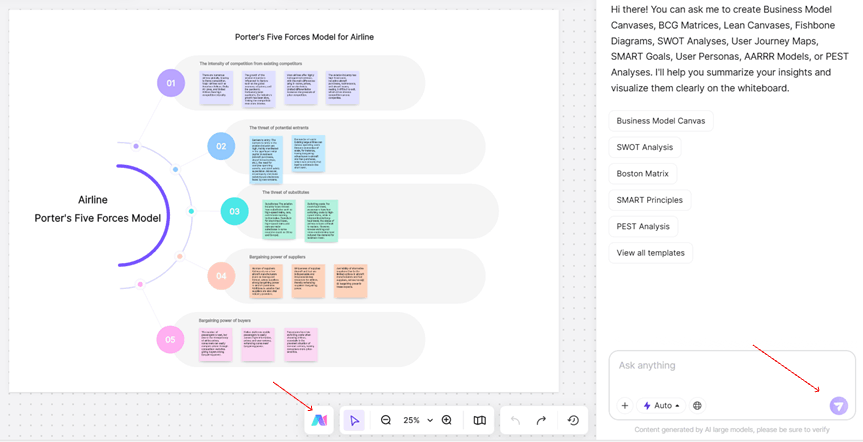
In the AI dialog box, input a combined instruction of "Industry Name + Analysis Goal." For example: "Porter's Five Forces analysis for the North American Electric Vehicle industry in 2025." For more precise results, add timeframes or geographic limits: e.g., "Analysis of Supplier Power in the European lithium-ion battery sector from 2023-2025."
Step 2: Expand and Refine with AI
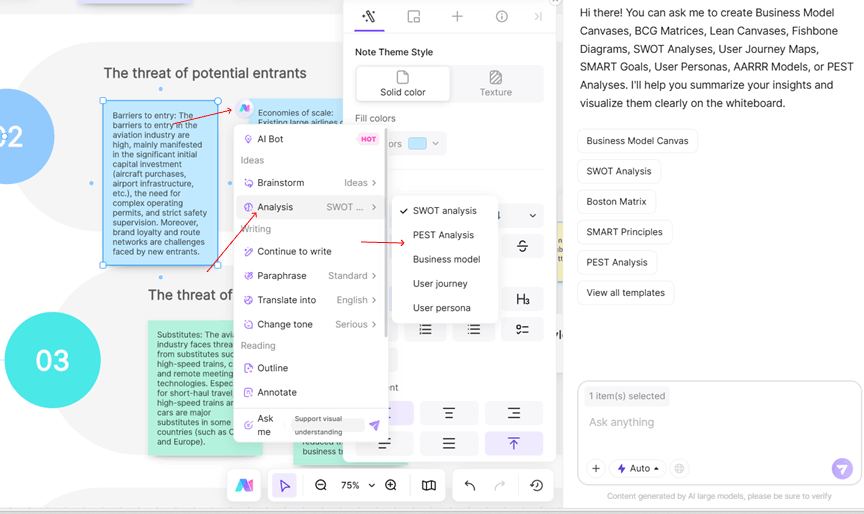
Select any part of the generated content. Click the AI Assistant icon again. You can choose to "Expand on this point," "Rephrase text," or ask follow-up questions to deepen the analysis for any specific "Force."
Step 3: Collaborate and Export
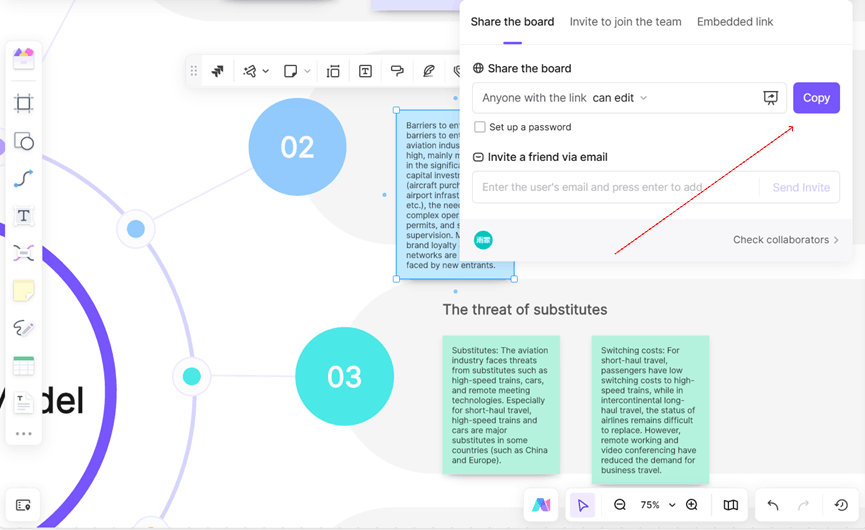
Click the 'Share' button in the top-right corner to generate a link and invite team members. Collaborate in real-time: use comments to add regional market nuances, color-coded sticky notes for insights, or use the drawing tool to circle potential logic gaps. Mention teammates (@name) for direct feedback. Finally, use Boardmix to export your AI-generated model directly into a presentation deck or a mind map for different stakeholder needs.
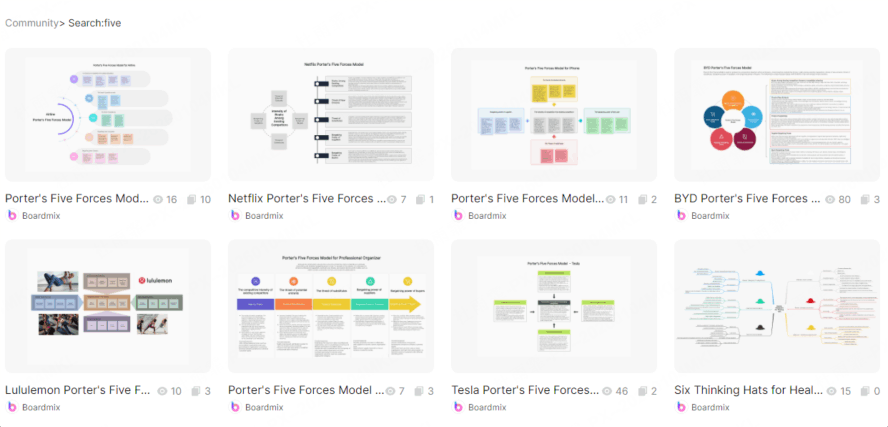
Free Porter's Five Forces Model Templates
To help you get started quickly, we are sharing practical, ready-to-use templates. Our curated Porter's Five Forces templates cover various industries like automotive manufacturing, consumer electronics, and food & beverage. You can quickly find a suitable template for your sector, providing a solid foundation for strategic planning.
Ready to Transform Your Strategic Analysis?
You now understand the core elements and steps to create a Porter's Five Forces model with AI. For practical application, we recommend trying Boardmix Whiteboard. Its built-in AI generator is tailored for competitive analysis, supports seamless real-time collaboration with annotations, and offers one-click template generation for visual models—dramatically boosting your team's productivity.
Start your free trial at Boardmix today and build your first AI-powered analysis in minutes!





