





AI-generated sequence diagram makes visualizing complex workflows dramatically more efficient. By leveraging natural language processing and logical rule matching, it intelligently transforms requirement descriptions into visual sequence diagrams. This guide will walk you through the core features, step-by-step process, and real-world applications of AI sequence diagram generation, empowering you to create detailed diagrams faster than ever.
Whether you're new to system design or an experienced professional looking to streamline your modeling workflow, you'll find practical insights here. Learn how to harness AI to supercharge your diagramming and build a solid visual foundation for even the most complex system designs.
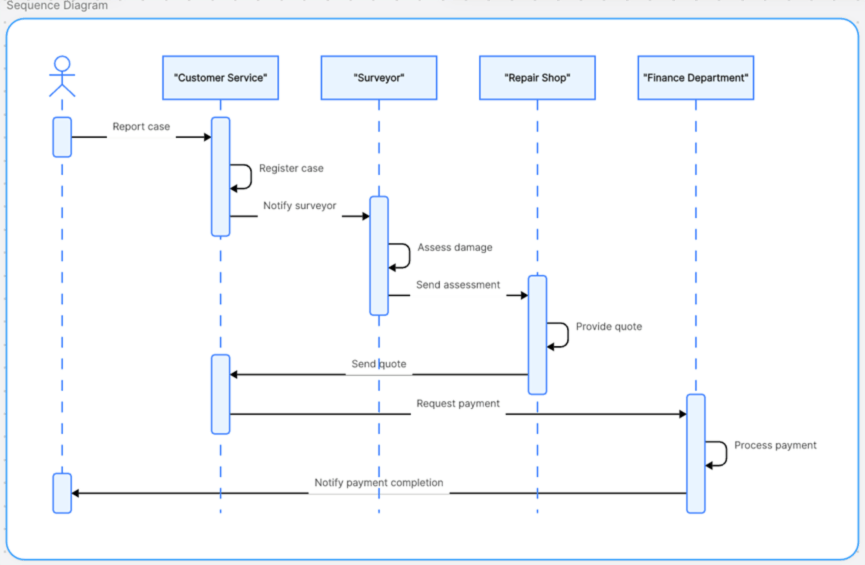
Why Use an AI Sequence Diagram Generator?
Manually creating sequence diagrams is often time-consuming, bogged down by tedious framework setup and meticulous detail adjustment. For non-technical individuals, the professional barrier can be particularly high. Boardmix's AI-powered sequence diagram generator changes the game. It combines intelligent AI framework generation with flexible manual editing, making the entire process more efficient and precise. Here are what makes it a top choice:
- AI-Powered Template Generation: Simply describe your process in natural language. The AI automatically parses actors and timelines, delivering a UML-compliant diagram draft in seconds.
- Industry-Ready Template Library: Jumpstart your work with built-in templates for various industry scenarios. Use them with one click, complete with auto-filled common nodes.
- Flexible Manual Editing: Retain full control. Easily drag and drop nodes, adjust lifeline lengths, and modify message symbols to meet precise diagramming needs.
How to Create a Sequence Diagram with AI in 3 Steps?
AI sequence diagram generation simplifies complex processes for technical documentation and system design. The visual output makes understanding modules and interaction logic effortless. Follow these three simple steps using Boardmix to generate professional sequence diagrams quickly.
Before you start: Create a new whiteboard, then click the "AI Assistant" in the top right, navigate to "Productivity Tools," and select "Sequence Diagram."
Step 1: Input Your Requirements
Let's use a "Home Insurance Claim Process" as an example. In the AI dialog box, input your prompt: "Generate a sequence diagram for a home insurance claim. Include the policyholder, insurance company agent, claims adjuster, contractor, and finance department. The main flow is: policyholder reports claim → agent registers claim → adjuster assesses damage → contractor provides repair quote → finance department issues payment." The AI will first identify the roles and their relationships to build a basic framework, then populate it with standard UML symbols. A preliminary sequence diagram is created instantly.
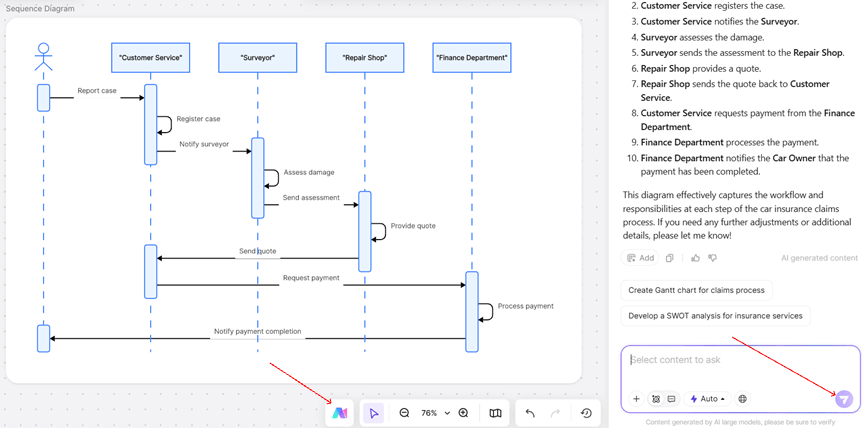
Step 2: Refine and Customize
Manually adjust the diagram for perfect business logic alignment and visual clarity. Enhance readability by adjusting node colors and connection line curves, adding time duration annotations for specific steps, and fine-tuning the order of actors and correcting symbols to match your exact workflow.
Step 3: Collaborate and Export
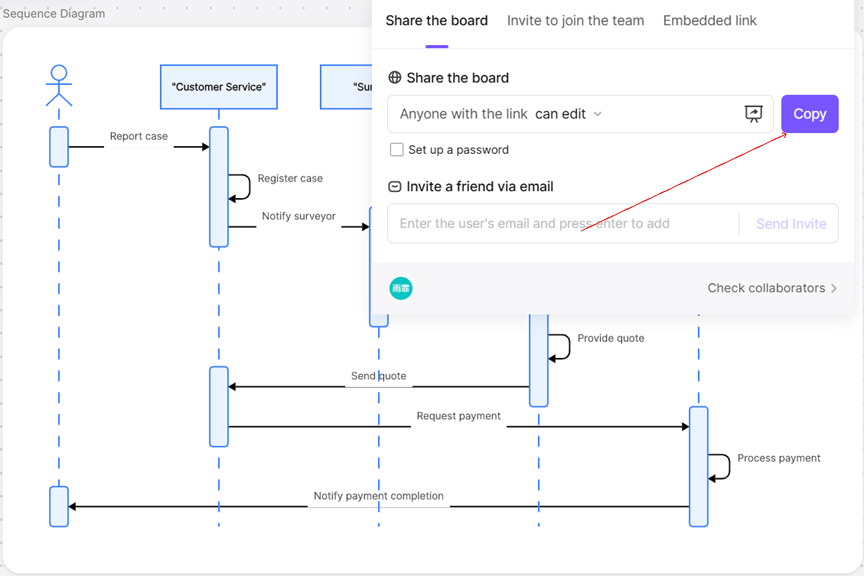
Boardmix supports seamless teamwork and multiple export formats. Collaborate in Real-Time: Share the file link to invite team members. They can comment, suggest edits, and review the diagram simultaneously, significantly boosting team communication and efficiency. Export for Any Need: Download your final diagram in high-resolution PNG, PDF, or other common formats for presentations, documentation, or reports.
Real-World Applications for AI-Generated Sequence Diagrams
For Technical Development: A Booster for Interface Documentation & System Design
This AI feature helps developers quickly map out complex system interactions, reducing manual effort and potential errors. Example: A backend engineer can prompt the AI to generate a "microservices order system API call sequence diagram," then manually add details like the "load balancer." This approach is far faster than traditional drawing methods.
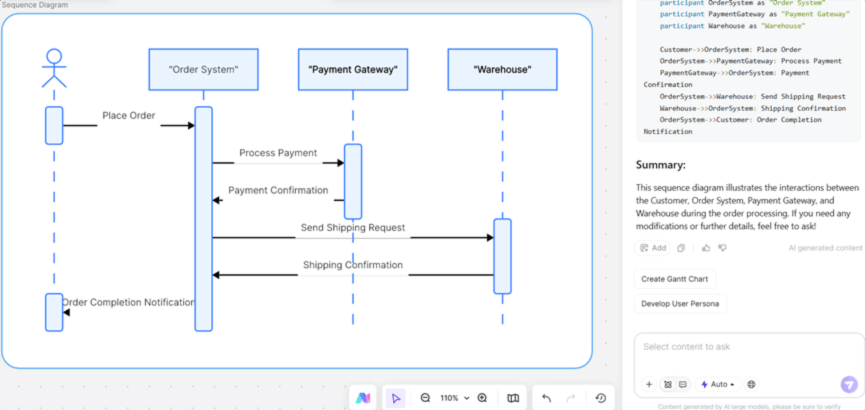
(2) For Product Managers: A Visual Communication Tool for Requirement Reviews
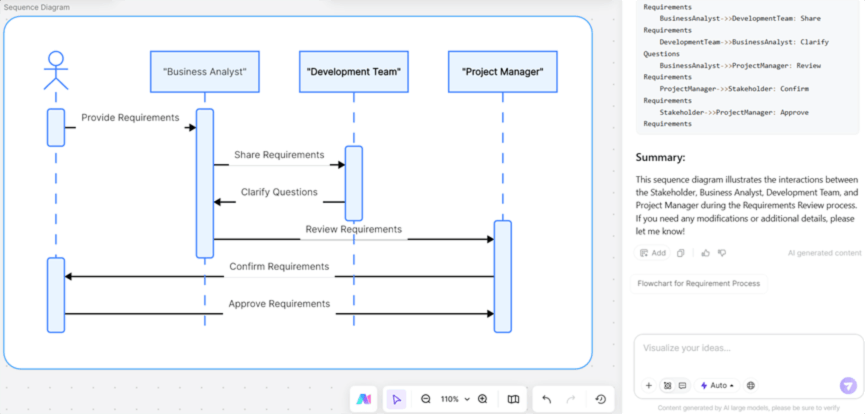
Product managers can transform intricate business logic into clear visual charts, drastically improving the efficiency of presenting solutions. Example: During a sprint planning session, a PM uses AI to generate a "Client-Server-Database" sequence diagram. Paired with Boardmix's real-time collaboration, the development team grasps the complex data flow in minutes, ensuring aligned understanding and reducing back-and-forth.
(3) For Business Management: A Visual Tool for Cross-Departmental Process Optimization
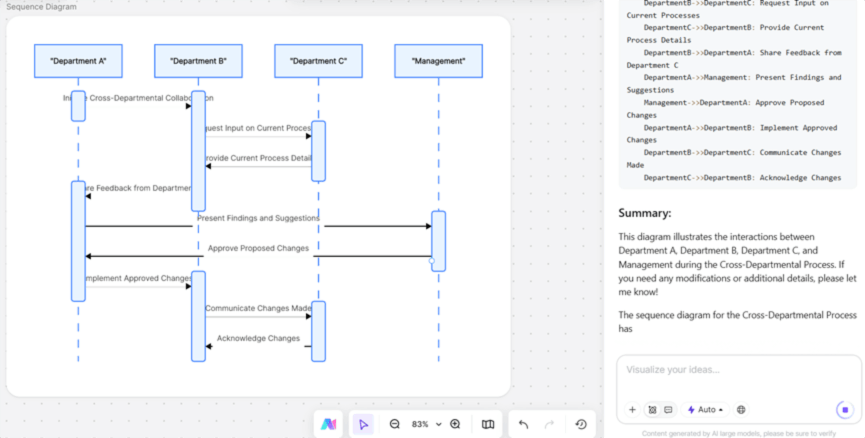
Map and optimize internal workflows across teams with clarity. Example: For a company's IT procurement process, generate a base sequence diagram for the "Requester → Department Head → Finance → Vendor" approval chain. Then, manually add specialized branches like an "Expedited Approval Path," clearly defining responsibilities and timeframes for each step.
Conclusion
From technical development to business management, the AI sequence diagram generator in Boardmix strikes the ideal balance between speed and precision: AI builds the skeleton, you refine the details. It adapts to diverse scenarios, empowering technicians, product managers, and operations staff alike to enhance collaboration and slash communication costs.
Ready to visualize your workflows with AI? Try Boardmix for free today and experience how effortless sequence diagram creation can be.





