





AI image generation has become widely accessible. Whether in design, marketing, office work, or content creation, people have grown accustomed to quickly generating images through AI tools. It has significantly lowered the barrier to creativity and made visual content production more efficient. However, with so many AI image-generating tools available, many may feel unsure where to start. This article will review six popular AI image generation tools, providing a comprehensive comparison of their strengths and weaknesses to help you find the most worthwhile one to try.
Boardmix
The All-in-One Collaborative Whiteboard
Boardmix isn’t just a smart collaboration platform—it’s also a powerful AI image generator deeply integrated into its core whiteboard functionality. Designed to bridge the gap between idea generation and visual creation, it allows teams to seamlessly switch between brainstorming discussions and visual asset production within a single workspace. Simply type a clear prompt (supports both Chinese and English) into the AI generator widget, and it delivers high-quality, usable images in seconds—perfect for poster design, creative sketches, brand icons, presentation visuals, workshop materials, and even social media graphics. It comes loaded with over a dozen artistic styles, from vibrant anime and elegant ancient Chinese paintings to futuristic cyberpunk, cute chibi, minimalist flat illustrations, and Pixar-like 3D-inspired visuals, covering most common commercial and creative needs. You can also customize image ratios (1:1, 4:3, 16:9, 9:16, etc.) to fit any project, whether it’s a square social post, a presentation slide, or a vertical short video thumbnail.
Key Features:
AI image generation built into a collaborative whiteboard, designed for efficient visual creativity. Supports real-time co-editing of whiteboards and AI-generated assets; offers one-click export of images in PNG, JPG, or SVG formats; integrates with common office tools (WeChat Work, DingTalk, PowerPoint, Word) for seamless file transfer; and provides preset templates for common scenarios (brainstorming sessions, marketing poster drafts, teaching aids design) to accelerate creation.
Pros:
- Real-time team collaboration: Multiple users can edit the whiteboard and comment on AI-generated images simultaneously, ideal for remote or hybrid teams needing synchronous creative discussions.
- Generated images can be used directly in docs or presentations: No need for additional download-upload steps—images can be inserted into mainstream office software with one click, or exported in high-resolution formats for professional use.
- Tailored for local workflows: support login via accounts, and complies with local data security regulations, avoiding cross-border data transmission issues.
Cons:
More focused on practical applications; artistic style and detail may not match specialized tools. For example, in ultra-high-precision artistic creation (such as fine art prints or high-end commercial illustration), its output lacks the nuanced texture and creative depth of professional art-focused tools like Midjourney. The number of niche artistic styles (e.g., rare traditional art forms or avant-garde experimental styles) is also relatively limited.
Best For:
Designers, marketers, educators, and teams who need to produce visual materials quickly—especially useful for brainstorming and project presentations. Specifically, it’s a top choice for marketing teams drafting campaign visuals collaboratively, educators creating interactive teaching aids, product managers visualizing user flow charts with supporting graphics, and workshop facilitators building real-time visual summaries of discussions.
Midjourney
The Artist’s Favorite
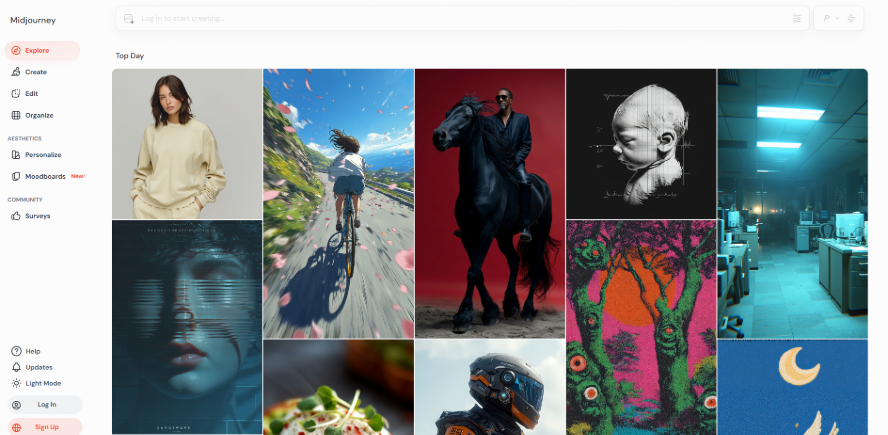
If there’s one AI tool beloved by creative professionals, it’s Midjourney. Renowned for its ability to produce gallery-worthy artistic outputs, it excels at translating abstract creative concepts into highly stylized visuals with stunning details, precise lighting, and rich texture. Whether you’re crafting intricate anime characters with expressive facial features and dynamic poses, designing immersive concept art for films, games, or architecture, or creating artistic illustrations with unique color palettes and brushwork, Midjourney’s outputs consistently stand out for their artistic sophistication.
Key Features:
Artistically rich, often surprising and inspiring results. Supports advanced prompt parameters (e.g., adjusting image resolution, style intensity, color saturation, and composition) for precise creative control; offers image-to-image generation (uploading a reference image to guide the style or composition); and provides iterative refinement tools (remaster, vary, zoom) to polish outputs until they meet the user’s creative vision.
Exceptional detail, ideal for portfolio-ready work: Its outputs are often of professional artistic quality, suitable for inclusion in creative portfolios, commercial art projects, or high-end brand campaigns. Many illustrators and concept artists use Midjourney to create base drafts that are then refined into final deliverables, significantly accelerating their workflow.
Pros:
- Vibrant community with plenty of high-quality examples and discussions: Midjourney’s official Discord server and external community platforms (e.g., Midlibrary, ArtStation) are filled with millions of creative works and prompt sharing, making it easy for users to find inspiration, learn advanced prompt techniques, and connect with other creative professionals.
- Exceptional detail, ideal for portfolio-ready work: Its outputs are often of professional artistic quality, suitable for inclusion in creative portfolios, commercial art projects, or high-end brand campaigns. Many illustrators and concept artists use Midjourney to create base drafts that are then refined into final deliverables, significantly accelerating their workflow.
Cons:
Steeper learning curve: To unlock its full potential, users need to master complex prompt structures (including style keywords, technical parameters, and composition guidance). Unlike beginner-friendly tools, achieving desired results often requires multiple rounds of prompt adjustments and iterations.
Best For:
Illustrators, concept artists, and users with high aesthetic standards. This includes professional artists looking to enhance their creative workflow, game and film designers creating world-building concept art, fashion designers visualizing clothing collections, and art enthusiasts seeking to create museum-worthy artistic pieces. It’s also ideal for businesses needing high-end artistic visuals for brand storytelling, advertising campaigns, or product packaging.
Stable Diffusion
The Open-Source Powerhouse
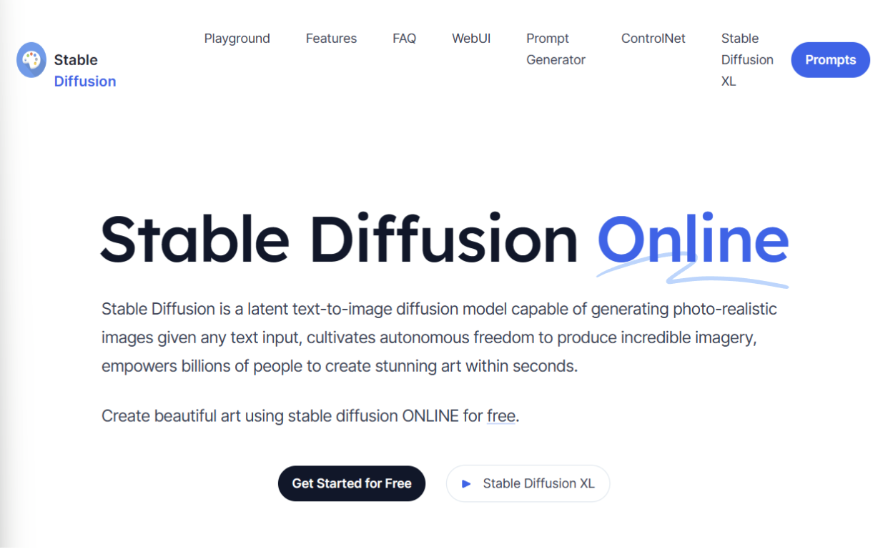
If you love total control over every aspect of the image generation process, Stable Diffusion is your go-to tool. As an open-source AI image generation project, it offers unmatched freedom and flexibility that closed-source tools simply can’t match. Users can choose to run it locally on their own computers (avoiding cloud-based limitations and data privacy concerns), fine-tune the model with LoRA (Low-Rank Adaptation) to incorporate specific styles, characters, or brand elements, extend its functionality with thousands of community-developed plugins (e.g., control net for precise pose/shape control, inpainting for targeted edits, outpainting for expanding image borders), or even train their own custom models from scratch to create a completely unique visual style tailored to their needs.
Key Features:
Fully open-source, locally deployable for enhanced privacy and security. Supports extensive model customization (LoRA fine-tuning, custom model training); integrates with advanced control tools (ControlNet, DepthMap) for precise creative control; and has a massive community-driven ecosystem of models, plugins, and tutorials.
Pros:
- Vast library of models and plugins: The community has developed tens of thousands of pre-trained models covering every style imaginable (anime, realism, oil painting, pixel art, etc.), as well as plugins that add functionality like batch generation, style transfer, and post-processing.
- Highly customizable and extendable: Unlike closed-source tools that limit users to preset features, Stable Diffusion allows users to modify almost every aspect of the generation process—from the base model architecture to the output resolution, color space, and texture details. This makes it possible to create entirely unique visual styles that can’t be replicated with other tools.
Cons:
Requires technical setup and solid hardware. Deploying Stable Diffusion locally requires users to have basic technical knowledge of computer systems (e.g., installing Python, configuring environment variables, and managing GPU drivers). Additionally, generating high-resolution images quickly requires a powerful graphics card (preferably with 8GB+ VRAM), which can be a significant investment for casual users. Cloud-based deployments are available but often require additional configuration and may incur costs.
Best For:
Tech enthusiasts, AI tinkerers, and designers needing personalized, tailored outputs. This includes developers looking to integrate AI image generation into custom applications, designers working on niche projects that require unique styles (e.g., brand-specific visual identities, niche game art), researchers exploring AI creative technologies, and power users who want complete control over the generation process. It’s also ideal for businesses with specific data privacy requirements (e.g., handling sensitive brand assets) that need to keep image generation in-house.
DALL·E
ChatGPT’s Creative Partner
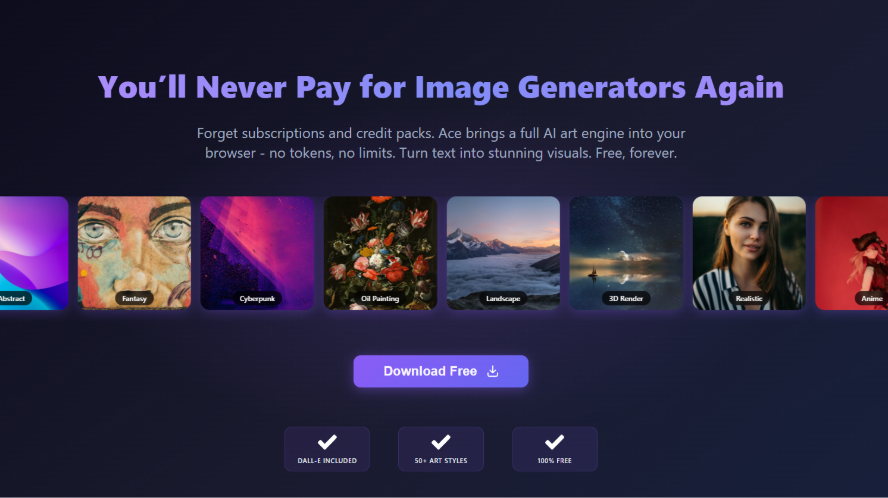
Developed by OpenAI, DALL·E was one of the first AI image generators to go mainstream, revolutionizing the way people think about text-to-image conversion. Now seamlessly integrated with ChatGPT, it offers a frictionless creative experience that turns simple text prompts into coherent, usable images almost instantly—perfect for lightweight, everyday creative tasks. The integration with ChatGPT is a game-changer: users can have natural conversations with ChatGPT to refine their creative ideas, and the AI will automatically generate optimized prompts for DALL·E, eliminating the need to craft complex prompts manually. Whether you’re creating a quick illustration for a blog post, a simple icon for a presentation, a visual aid for a report, or a fun image to share with friends, DALL·E makes the process fast and intuitive.
Key Features:
Smooth, natural text-to-image conversion; simple and efficient. Seamless integration with ChatGPT for prompt refinement and idea iteration; supports inpainting (editing specific parts of an image) and outpainting (expanding the image beyond its original borders); and offers a user-friendly web interface that requires no technical setup.
Pros:
Low barrier to entry, no complex commands to learn: DALL·E’s interface is simple and intuitive—users just type a plain-language prompt (in multiple languages, including Chinese) and click generate. The ChatGPT integration further lowers the barrier by helping users refine their ideas and generate effective prompts without prior experience.
Great for pairing with written content: As part of the OpenAI ecosystem, DALL·E is perfectly suited for creating visuals that complement written content—such as blog posts, essays, reports, or social media captions. Users can generate images directly within the ChatGPT interface while drafting text, ensuring visual and written content align seamlessly.
Cons:
Less refined in detail and artistry compared to Midjourney: While DALL·E’s outputs are coherent and usable, they lack the artistic depth, texture, and detail that make Midjourney’s works stand out. It’s not ideal for high-end artistic projects or portfolio-ready work.
Some features require a paid plan: While DALL·E offers a limited number of free generations for new users, most advanced features (e.g., high-resolution image generation, bulk generation, inpainting) require a paid subscription or the purchase of credit packs. This can become costly for users with high-volume needs.
Best For:
Casual users, professionals needing quick illustrations or blog graphics. This includes content creators (bloggers, social media managers) needing fast visuals for their posts, students creating visual aids for assignments, business professionals drafting presentations or reports, and anyone looking to turn simple ideas into images without learning complex tools. It’s also ideal for users who already use ChatGPT and want a seamless way to add visuals to their text-based workflows.
Canva AI
Design and Generate in One Place
Canva has long been a favorite for marketing and office design, thanks to its user-friendly interface and extensive library of templates. Now, with built-in AI image generation, it takes the hassle out of finding or creating visuals by allowing users to generate custom images right inside their design templates and apply them instantly to social posts, posters, slides, flyers, business cards, and other design assets. The AI generator is deeply integrated into Canva’s existing workflow—users can simply click on the “Generate” button within any design element (e.g., a background, a placeholder image) and type a prompt to create a custom image that matches the style and color scheme of their design. This eliminates the need to switch between multiple tools (AI generator, design software, image editors) and ensures that generated images fit perfectly into the overall design.
Key Features:
Integrated AI generation within a design platform for a seamless workflow. Supports style matching (generates images that align with the current design’s color palette, font style, and overall aesthetic); one-click application of generated images to Canva’s 100,000+ templates; and built-in editing tools (cropping, filtering, resizing) to refine images without leaving the platform.
Pros:
- No need to switch between tools: Everything from image generation to design finalization happens within Canva, saving users time and reducing workflow friction. Users don’t have to download images from an AI tool, upload them to Canva, and then adjust them to fit the template—all steps are streamlined.
- Generated images can be placed directly into designs: The AI generator is context-aware, meaning it generates images that are optimized for the specific design element (e.g., a square image for an Instagram post, a wide banner for a website header). This ensures that images fit perfectly without additional resizing or cropping.
Cons:
Limited style variety: Canva AI’s generated styles are primarily focused on commercial and office design (e.g., minimalist, corporate, playful) and lack the artistic diversity of tools like Midjourney or Stable Diffusion. It’s not suitable for niche or avant-garde artistic styles.
Image quality may not satisfy professional artistic needs: While the images are usable for everyday marketing and office materials, they lack the fine detail and texture required for high-end artistic projects or professional illustration work. The AI also struggles with complex compositions or highly specific creative requirements.
Best For:
Social media managers, marketers, and professionals who need to create visual content fast. This includes marketing teams drafting social media campaigns, small business owners creating flyers or business cards, HR professionals designing employee onboarding materials, and educators creating classroom posters. It’s also ideal for anyone who already uses Canva and wants to enhance their design workflow with custom AI-generated visuals without learning new tools.
Fotor AI
Beginner-Friendly & Chinese-Optimized
Fotor AI is widely popular among Chinese users for its simplicity, speed, and deep localization. Designed specifically for the Chinese market, it eliminates the common pain points faced by local users when using foreign AI tools—such as language barriers, VPN requirements, and payment difficulties. It supports natural Chinese prompts (accurately understanding local colloquialisms, professional terms, and cultural references) and requires almost no learning curve: users simply open the Fotor app or web platform, select the AI image generation function, type a prompt, choose a style, and generate an image in seconds. It’s a solid entry-level option for anyone looking to dip their toes into AI image generation without being overwhelmed by complex features or technical requirements.
Key Features:
Easy to use, with a decent range of styles to choose from. Deeply optimized for English users; offers one-click image enhancement (sharpening, color correction, noise reduction) for generated images; and integrates with Fotor’s existing photo editing tools for further refinement.
Pros:
Great for quick drafts and everyday visuals: Fotor AI generates images quickly and efficiently, making it ideal for creating quick drafts of social media posts, chat stickers, personal avatars, or casual illustrations. It also offers preset style templates (e.g., “cute cartoon,” “professional business,” “travel photography”) that users can select without typing detailed prompts.
Cons:
Lacks finer detail and may not meet advanced creative demands. Fotor AI’s outputs are designed for casual and everyday use, so they lack the artistic detail, texture, and creative depth required for professional projects. The range of styles, while decent for entry-level use, is limited compared to more advanced tools—especially when it comes to niche or high-end artistic styles. Additionally, some advanced features (e.g., high-resolution generation, custom aspect ratios) are locked behind paid plans.
Best For:
Beginners and casual users testing the waters with AI image generation. This includes students creating fun visuals for social media, casual users making personal avatars or stickers, and anyone who wants a simple, hassle-free AI image generation experience without language or technical barriers.
How to Choose the Right Tool for You
Selecting an AI image generator ultimately comes down to your specific needs, technical ability, and creative goals. To help you make the right choice, here’s a more detailed breakdown of how to match your needs to the right tool:
● Are you focused on artistic expression and need gallery-worthy, detailed outputs? → Try Midjourney. It’s the best choice for professional artists, concept designers, and anyone with high aesthetic standards who is willing to invest time in learning advanced prompts.
● Do you value control and customization, and have the technical skills to handle setup and model tuning? → Stable Diffusion is your pick. It’s ideal for tech enthusiasts, power users, and designers needing unique, tailored styles that can’t be achieved with off-the-shelf tools.
● Need speed and simplicity for daily tasks like creating blog graphics, presentation aids, or casual visuals? → DALL·E, Canva AI, or Fotor AI will serve you well. DALL·E is great if you already use ChatGPT; Canva AI is perfect for integrating with design workflows.
● Looking for a balance of efficiency, collaboration, and practicality for team projects? → Boardmix is your best bet. It’s designed for teams that need to combine brainstorming, visual creation, and workflow management in a single platform, making it ideal for marketing teams, educators, and project managers.
Boardmix doesn’t just generate images—it connects them seamlessly with mind maps, flowcharts, and whiteboards to bring your ideas to life. Whether you’re prepping a presentation, running a workshop, teaching a class, or managing a team project, Boardmix can save you time and make AI-generated visuals a natural part of your workflow.
Ready to create smarter? Click the button below and give Boardmix a try today!





