





Spending hours dragging text boxes and hunting for icons when you should be refining your message? You’re not alone. I’ve been there, and the promise of AI is to end that tedium, turning you from a part-time designer back into a full-time storyteller.
But with a dozen apps promising instant slides, which one actually fits the way you work? Is it the one that beautifies old PowerPoints, the one perfect for sales teams, or the one that lives inside your Google Slides?
To find out, I stopped just looking at features and started testing workflows. I fed each tool real-world tasks: turning a messy 10-page Word report into a deck, refreshing a dated client presentation, and collaborating with a teammate. I judged them on the only things that matter: how fast they give you a great first draft, how easy it is to make it perfect, and how well they fit into your real job.
Best AI Presentation Makers in 2026 at a glance
Choosing the right tool can be overwhelming. To help you quickly compare your top options, here's a glance at the standout features and ideal use cases for the best AI presentation makers.
After weeks of testing, these are the 11 AI presentation makers that genuinely deliver on the hype.
| Best for... | Tool | Core Strengths | Starting Price |
| Converting Documents & Old Slides | Presenti.ai | Multi-format import, AI Beautify, team workspaces | Free plan available |
| Visual Harmony & Advanced Control | Gamma | Cohesive AI design, advanced settings, interactive embeds | From $8/month |
| All-in-One Visual Content Suite | Visme | Presentations, infographics, reports in one, strong data viz | From $12/month |
| Data-Driven & Smart Slides | Beautiful.ai | Dynamic smart templates, auto-adjusting design, brand controls | From $12/month |
| Real-Time Team Collaboration | Pitch | Best-in-class co-editing, integrated workflows, presentation analytics | From $22/month (2 seats) |
| Non-Linear, Cinematic Presentations | Prezi | Zooming canvas, visual storytelling, AI structuring | From $7/month |
| Free, High-Quality Templates | Slidesgo | Massive free template library, fast AI drafting, PowerPoint/Google Slides ready | Core features free |
| Seamless Google Workspace Integration | Plus AI | Native Google Slides sidebar, context-aware AI from Docs/Sheets | From $10/month |
| Whiteboard to Presentation Workflow | Boardmix AI | AI presentation maker within a collaborative whiteboard, interactive live tools | Free plan available |
| Enterprise Brand Governance | Presentations.ai | Automated Brand Sync, business document intelligence, enterprise security | Free trial available |
Key Takeaway: The best tool is the one that fits your most frequent starting point (document, blank page, template) and your team's core way of working (solo, real-time collaboration, brand management). Use this table to narrow your choices, then take advantage of free trials to see which tool feels right for your actual workflow.
How We Tested and Evaluated These AI Presentation Makers?
Our goal was to move beyond marketing claims. We simulated actual work scenarios for three core user types: the Content Transformer, the Storyteller, and the Team Collaborator.
- For the Content Transformer: We started with dense source material—a lengthy market research PDF, a product requirements document, and a chaotic old PowerPoint—to test which tools could best understand, extract, and structure existing information.
- For the Storyteller: We began with just a title or a rough idea to evaluate which AI could best act as a creative partner, building compelling narratives and visually cohesive decks from scratch.
- For the Team Collaborator: We focused on real-time co-editing, brand management features, and ease of sharing to see which platforms made teamwork seamless.
We scored each tool on five key criteria: Input Intelligence (how well it handles different starting points), Output Quality (logic, design, and readiness), Customization & Control (ease of editing and branding), Collaboration & Integration, and Overall Value.
Presenti.ai
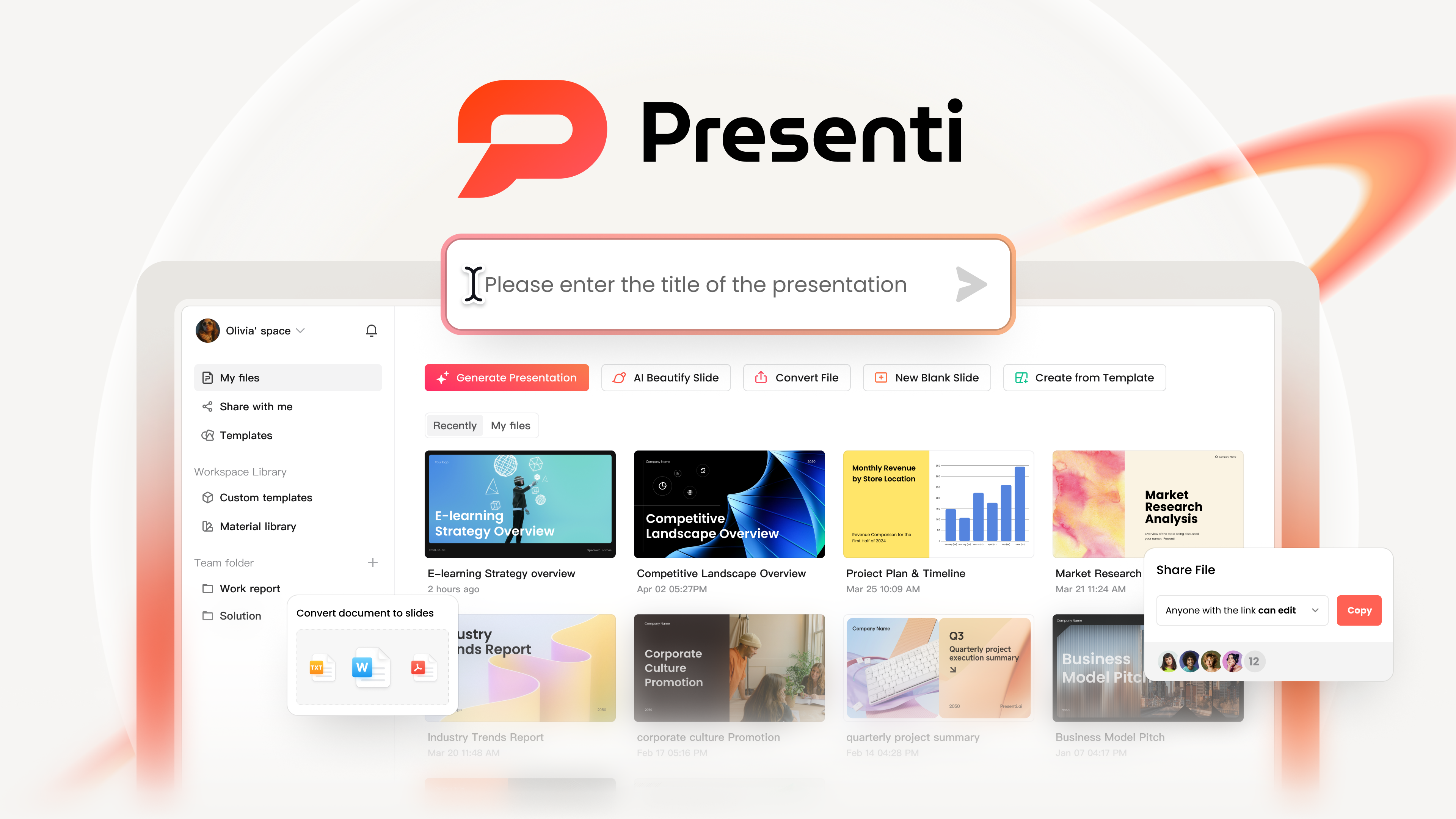
Why We Picked It: Presenti.ai is our top pick as the ultimate Content Transformer. If your workflow always starts with existing documents—a research PDF, a conference abstract, or a messy old deck—this tool feels built for you. It excels at intelligently parsing complex files and instantly giving you a structured, editable presentation.
Key Features:
- Multi-Format Intelligence: Go from Word, PDF, TXT, Markdown, Xmind, audio files, or even a webpage link to a structured slide deck in minutes.
- AI Beautify: Its standout feature. Upload any outdated PowerPoint, and it will reorganize content, apply modern styling, and suggest better layouts.
- Team-Centric Workspace: Built for collaboration with brand template libraries, shared asset management, and real-time co-editing.
Best For: Teams and individuals who need to regularly convert reports, documents, and existing presentations into polished decks with strict brand consistency.
Boardmix AI for Presentation
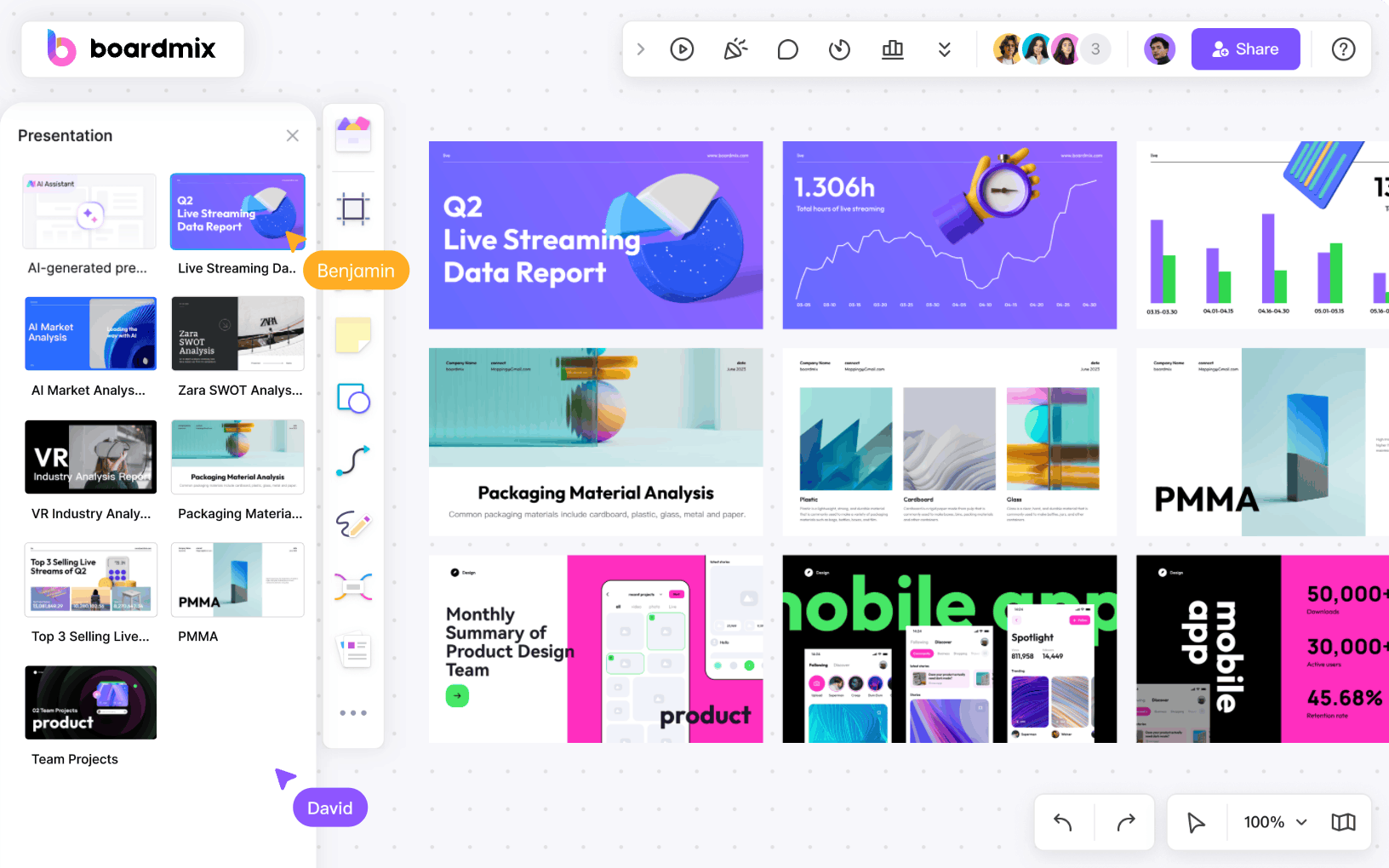
Why We Picked It: Boardmix AI stands out not as a standalone slide maker, but as a dynamic presentation studio within a collaborative whiteboard. It’s perfect for teams that brainstorm, plan, and present in the same visual space.
Key Features:
- Whiteboard-Native Creation: Generate presentations directly on an infinite canvas alongside mind maps, flowcharts, and sticky notes.
- Interactive Live Presentation: Unique tools like a “presenter’s perspective” mode, live voting, integrated video conferencing (Zoom, Teams), and a timer for workshops.
- Flexible Starting Points: Generate from a topic, an outline, pasted text, or imported files (.txt, .md, .xmind).
Best For: Teams that run workshops, training sessions, or client meetings where ideation, collaboration, and presentation happen in one fluid, interactive workflow.
Gamma
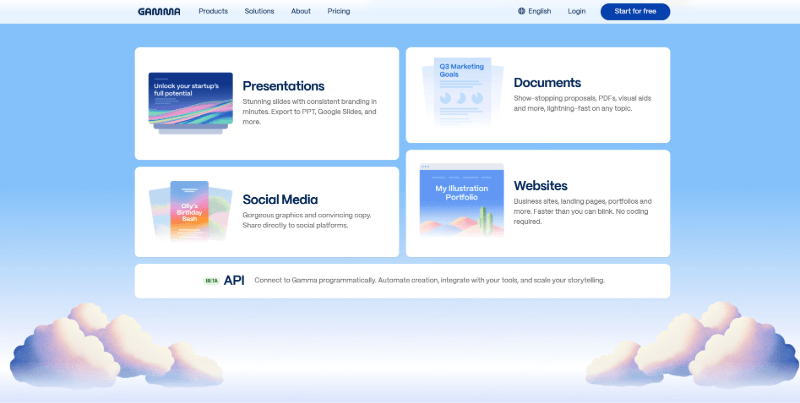
Why We Picked It: Gamma is the champion of effortless visual harmony. It generates presentations that look like a professional designer crafted every slide to belong together, making it ideal for creating client-ready materials quickly.
Key Features:
- Cohesive AI Design: From the first slide, colors, fonts, and image styles are perfectly unified.
- Advanced Creation Controls: Fine-tune the AI’s output with settings for audience, tone, and content length before generating.
- Interactive Embeds: Easily embed live apps, websites, and charts to create engaging, modern decks.
Best For: Consultants, marketers, and anyone who needs to produce visually stunning, on-brand presentations without a design background.
Beautiful.ai
Why We Picked It
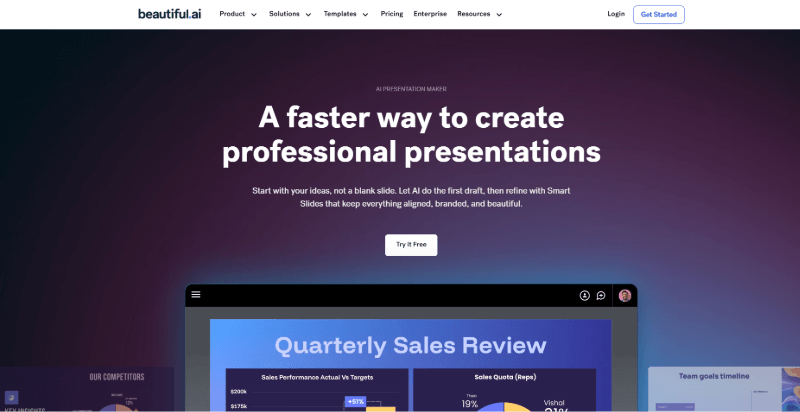
We chose Beautiful.ai for its mastery of what we call "design automation." It's not just a collection of templates; it's like having a built-in designer that automatically transforms your bullet points and data into structurally sound, visually professional slides that adhere to design principles. Its core magic lies in dynamic design: when you add or remove a data point, a bullet, or a chart, the layout, spacing, and typography intelligently and instantly readjust to keep everything perfectly balanced. This allows you to focus entirely on your story while leaving the tedious work of formatting to the AI.
Key Features
- Dynamic Smart Templates: This is its foundational feature. Each template has a built-in design engine that automatically adapts layout, color, and spacing as you edit, ensuring professional polish without manual adjustments.
- AI Content Generation (DesignerBot): Beyond starting with a template, you can simply describe your project to the "DesignerBot" AI assistant (e.g., "a funding pitch deck for a startup selling eco-friendly products"). It generates a full draft of 10-20 slides in seconds, providing an excellent creative springboard.
- Enterprise-Grade Brand Controls: For teams, Beautiful.ai offers deep brand governance. Admins can lock in company logos, brand colors, and fonts, and create standardized themes and template libraries, ensuring every slide produced by the team is on-brand.
- Team Collaboration & Asset Library: It provides a searchable central slide library where teams can share, reuse, and tag high-quality slides. Real-time co-editing features make collaborative feedback and iteration seamless.
Best For
Teams and individuals who prioritize design automation, visual professionalism, and strict brand consistency. It's ideal for marketing, consulting, sales, and training departments creating reports, proposals, and client presentations that require frequent data updates but must maintain a polished look.
Pitch
Why We Picked It
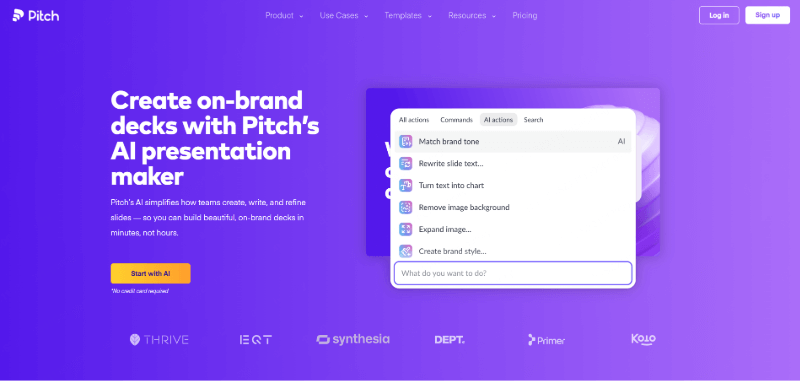
We recommend Pitch for its laser focus on solving the core needs of modern team collaboration for presentations. While other tools excel at "creation," Pitch sets a new standard for "collaboration." It's designed from the ground up as a platform for team co-building, combining fluid real-time collaboration, a clean modern interface, and practical AI assistance. Here, creating a presentation feels less like solitary work or a frustrating email chain and more like sketching a blueprint together with your team in a shared digital workshop.
Key Features
- Best-in-Class Real-Time Team Collaboration: This is Pitch's standout feature. It offers a Google Docs-like experience where multiple team members can edit a presentation simultaneously, with each person's cursor and actions visible in real-time. Built-in commenting, task assignment, and version history allow the entire workflow—from brainstorming to final approval—to happen smoothly in one place.
- AI-Powered Quick Start & Suggestions: You can provide a detailed prompt, and Pitch's AI will generate a well-structured presentation draft in seconds. While editing, the AI also offers contextual suggestions for slide layouts and content ideas to help overcome creative blocks.
- Seamless Integration with Your Tools: Pitch fits well into existing workflows. It easily embeds live charts, images, GIFs, and videos from various data sources and cloud storage, making your presentations richer and more dynamic.
- Presentation Analytics: Pitch provides basic presentation analytics, allowing you to see how much time viewers spent on each slide. This offers valuable feedback on content engagement for future optimization.
Best For
Project teams, startups, and remote teams that rely heavily on collaboration. Whether it's a startup co-working on an investor pitch or a marketing department planning a product launch, Pitch provides a seamless, efficient, and transparent environment for everyone to contribute to the final story.
I have revised both sections into a professional, localized English style as requested. Let me know when you are ready to proceed with the next two product sections.
Prezi
Why We Picked It
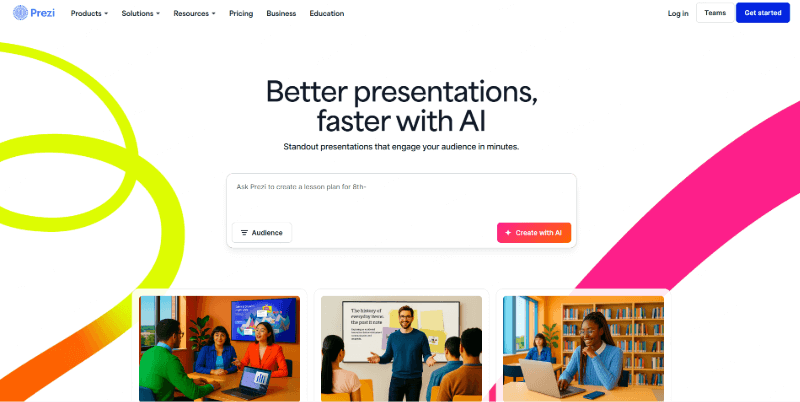
We selected Prezi because it fundamentally reimagines the presentation format. In a world of linear slide decks, Prezi offers a dynamic, cinematic alternative. It replaces the "slide-by-slide" march with a conversational, zoomable canvas that allows you to navigate ideas spatially. This creates a memorable, story-driven experience that captivates audiences by showing the big picture and diving into details fluidly. It's not about replacing traditional slides for every use case, but about mastering the art of visual storytelling when narrative impact is paramount.
Key Features
- The Zooming Canvas: This is Prezi's signature feature. You present by navigating a single, large canvas, zooming in to focus on details and pulling back to reveal context and relationships between ideas. This creates a compelling, non-linear narrative flow.
- AI-Powered Creation (Prezi AI): You can start with a document, a prompt, or even a PDF. Prezi AI analyzes your content and automatically structures it onto its dynamic canvas, suggesting visual themes and creating a storyboard for you. It does the heavy lifting of transforming static content into a Prezi.
- Visual Storytelling Templates: Prezi offers unique templates designed for narratives, like interactive timelines, comparison maps, and journey frameworks, which are far more engaging than bullet-point lists for certain topics.
- Video Creation & Async Sharing: Beyond live presenting, you can easily record a video of your Prezi with your voiceover, turning it into a polished, reusable asset perfect for training, onboarding, or sharing with audiences who couldn't attend live.
Best For
Presenters who prioritize engagement, storytelling, and visual impact over dense data delivery. It's ideal for keynote speeches, sales pitches that tell a customer journey, educational lectures, product launches, and any scenario where you want to guide your audience through a concept like a tour guide rather than a lecturer.
Plus AI
Why We Picked It
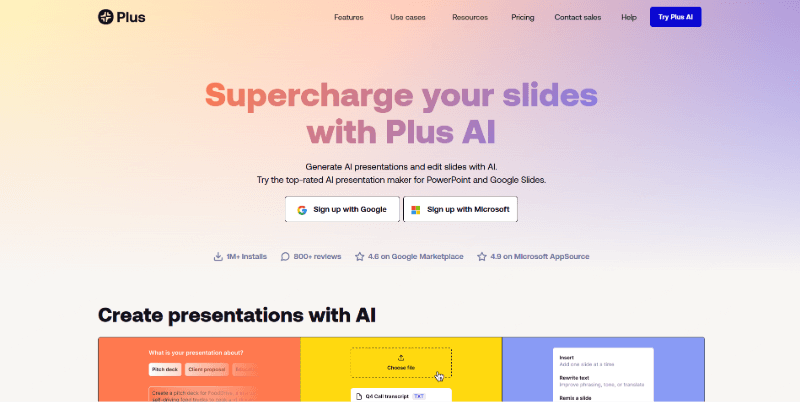
We selected Plus AI for its exceptional focus on eliminating workflow friction for a massive user base. It’s the quintessential “upgrade” for anyone whose professional life is deeply embedded in Google Slides. Instead of asking users to learn a new platform, Plus AI operates as an intelligent co-pilot directly within the familiar Google Slides interface. This approach means zero disruption to existing habits, file storage, or team sharing protocols, while adding a powerful layer of AI automation exactly where you need it most.
Key Features
- Native Google Slides Integration: This is its core advantage. Plus AI works entirely as a sidebar inside Google Slides. You generate, edit, and refine content without ever leaving the tab, and everything saves directly to your Google Drive.
- Context-Aware AI from Your Docs: Plus AI can read an open Google Doc or analyze data in a connected Google Sheet to inform its content generation. This creates presentations that are deeply informed by your existing work, not just generic templates.
- Slide-Level AI Commands: Beyond generating a full deck, you can use AI commands on individual slides to rewrite text, adjust tone, summarize lengthy content, translate, or brainstorm new ideas—offering precise control over the editing process.
- Streamlined for Google Workspace Teams: It seamlessly integrates with your organization’s Google accounts and sharing permissions. For teams standardized on Google Workspace, it’s the most logical and secure way to add AI capabilities.
Best For
Businesses, educators, and teams that live and breathe Google Workspace. If your collaboration, storage, and meeting workflows are built on Google tools (Docs, Sheets, Drive, Meet), Plus AI is the most natural and efficient AI presentation add-on you can choose. It’s perfect for creating quick internal updates, transforming meeting notes into summaries, or drafting client proposals without ever breaking your established ecosystem.
Slidesgo
Why We Picked It
We included Slidesgo for its singular, powerful proposition: high-quality design as a free starting point. In an ecosystem where many tools lock premium templates behind paywalls, Slidesgo stands out with an extensive, genuinely free library of professionally designed templates. Its AI feature is designed for speed and simplicity, acting as the fastest bridge between a blank page and a visually credible first draft. For users whose primary need is a beautiful canvas to start from, Slidesgo delivers exceptional value.
Key Features
- Massive Free Template Library: Offers thousands of professionally designed, fully editable templates across countless themes, industries, and occasions (with a particularly strong collection for education).
- Fast AI-Powered Drafting: Input your topic, choose a template style, and Slidesgo AI will generate a relevant title and structured content outline to populate the slides, giving you a solid foundation in under a minute.
- Full PowerPoint & Google Slides Compatibility: Every template is provided in fully compatible PPTX and Google Slides formats. You generate, download, and then continue editing in the desktop or web app of your choice.
- Focus on Visual Inspiration: The platform is structured to help users browse and find design inspiration easily, making it ideal for overcoming “blank page” syndrome.
Best For
Students, educators, freelancers, and small businesses operating on a tight budget who need to produce visually appealing presentations without investing in a subscription. It’s the ideal tool for creating classroom materials, academic presentations, simple business proposals, or any project where finding the right visual template is 80% of the battle.
Visme
Why We Picked It
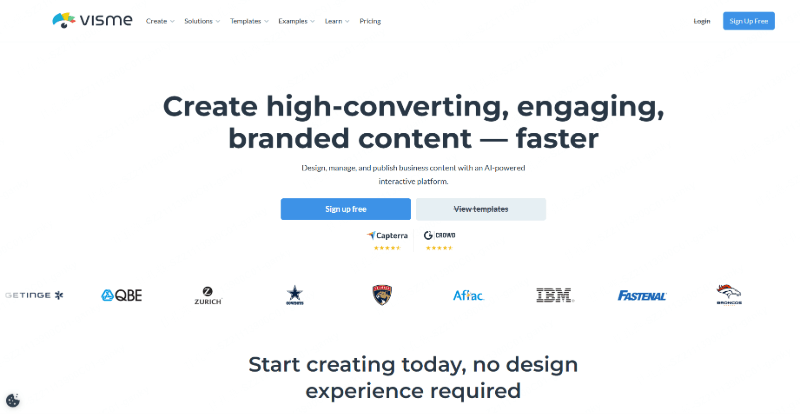
We chose Visme for its incredible versatility as a unified visual content suite. It understands that a modern professional's needs go beyond presentations; you might need an infographic one day, a social media graphic the next, and a detailed report later. Visme excels at being that single, powerful tool for all these tasks. Its presentation maker is robust and AI-enhanced, but its true strength is how easily content can be repurposed and styled consistently across dozens of formats within the same platform.
Key Features
- All-in-One Visual Workspace: Create presentations, infographics, reports, social media graphics, short videos, and more in one integrated platform. This eliminates the need to switch between multiple specialized tools.
- Advanced Data Visualization & Assets: Visme boasts a superior chart engine and a vast library of customizable icons, illustrations, and data widgets. You can create animated charts and interactive elements to make data more digestible and engaging.
- AI Design Tools (Visme AI): Generate full presentations, create images, rewrite text, or design graphics from a text prompt. The AI also offers a "Magic Switch" feature to instantly convert a presentation into a document or an infographic, dramatically speeding up content repurposing.
- Comprehensive Brand Management: Apply your brand kit (colors, fonts, logo) universally across all projects. Visme's brand wizard can even scan your website to automatically extract and apply your brand palette.
Best For
Marketing teams, content creators, educators, and SMEs who need a single, cost-effective platform to produce a wide range of professional visual content. It's perfect for anyone who regularly needs to transform core information into multiple formats (presentation → one-page summary → social posts) while maintaining ironclad brand consistency.
Presentations.ai
Why We Picked It
We chose Presentations.ai as the premier solution for brand governance and intelligent business storytelling at scale. While many tools help individuals create slides, Presentations.ai is engineered for organizations where brand consistency, data security, and transforming complex business documents into compelling narratives are non-negotiable. It positions itself not just as a creation tool, but as an enterprise-grade platform that manages the entire lifecycle of professional presentations, from ideation to analytics.
Key Features
- Automated Brand Sync & Governance: Its flagship “Brand Sync” feature is a game-changer. Administrators can input a company website URL, and the AI automatically extracts logos, color palettes, and fonts to create a locked, company-wide theme. This ensures every presentation, regardless of the creator, starts and stays perfectly on-brand.
- Advanced Document Intelligence for Business: It excels at parsing and structuring dense business documents like financial reports, product requirement documents (PRDs), and lengthy strategy PDFs. The AI doesn't just extract text; it understands context and hierarchy to build a logical, executive-ready narrative flow.
- Enterprise-Grade Workflow & Security: Built with the enterprise in mind, it offers features like SOC 2 compliance, detailed user audit logs, team workspaces, and approval workflows. It supports high-fidelity PowerPoint (.pptx) export that preserves complex formatting for final-stage edits.
- Multi-Source Content Capture: Start presentations from a wide array of inputs including text prompts, detailed outlines, PDFs, Word documents, and even webpage links or YouTube videos (via its Chrome extension), making it a central hub for gathering and structuring information.
Best For
Medium to large enterprises, consulting firms, financial institutions, and any team where strict brand control and transforming complex information into clear narratives are critical. It is the ideal platform for creating board reports, investment pitch decks, client proposals, and standardized sales materials where accuracy, compliance, and a polished professional image are paramount.
How to Choose the Best Presentation AI Tool?
Selecting the right AI presentation maker isn't about finding a single champion; it's about matching a tool's core strengths to your most frequent challenges and workflow patterns. The most powerful tool is the one that fits seamlessly into how you and your team already work.
To guide your decision, focus on these three key dimensions: your primary Content Starting Point, your core Team Process, and your practical Budget & Constraints.
1. Prioritize Your Most Common Content Starting Point
Your journey to a finished deck always begins somewhere. The most efficient tool is the one that excels at handling your typical starting material.
- If you constantly work from existing documents, reports, or messy old decks: Your priority is a powerful content intelligence engine. Presenti.ai is unparalleled here, as it specializes in parsing complex PDFs, Word files, and legacy PowerPoints to extract and structure key information into a presentation-ready draft almost instantly.
- If you start from a blank page or a simple idea and need a stunning draft fast: Your need is for intelligent creation and design automation. Gamma excels at generating visually cohesive, beautifully designed decks from a simple prompt. For data-centric presentations, Beautiful.ai's smart templates that auto-format content are a better fit.
- If your content lives in other apps or formats: Consider tools built for integration. Plus AI is the native choice if all your work is in Google Docs and Sheets. Presentations.ai is strong at pulling in content from diverse business sources (websites, videos) with a focus on brand compliance.
2. Evaluate Your Team's Collaboration Style and Needs
Is this a tool for individual brilliance, or for team cohesion? The collaboration model can make or break adoption.
- For seamless, real-time co-creation akin to Google Docs: Pitch offers the gold-standard experience, with live multi-user editing, comments, and task assignments built into its core. It transforms presentation building into a transparent, collaborative workshop.
- For maintaining strict, centralized brand control across departments: Tools like Beautiful.ai, Presentations.ai, and Gamma offer powerful admin features to lock down logos, colors, fonts, and approved templates, ensuring every output is on-brand.
- For brainstorming and presenting in a dynamic, interactive space: If your process involves free-form ideation that evolves into a presentation, Boardmix AI provides a unique whiteboard-to-deck workflow perfect for workshops and strategic sessions.
3. Weigh Practical Constraints: Budget, Skill, and Use Case
Finally, ground your choice in practical reality.
- For zero-cost access to professional design: Slidesgo’s extensive library of free, high-quality templates is an unbeatable starting point for students, educators, and bootstrapped projects.
- For specific, high-stakes presentation types: Match the tool to the mission. Prezi is purpose-built for non-linear, narrative-driven talks that need to captivate an audience. Presentations.ai is tailored for enterprise-grade reports, board decks, and client proposals where brand and security are critical.
- For ease of use and minimal learning curve: Consider how deep you need to go. Plus AI and Slidesgo minimize friction by working inside familiar environments (Google Slides) or focusing on simplicity. Tools like Visme offer a shallower learning curve for a wider range of visual content beyond just presentations.
The Final Step: Test Drive Your Shortlist.
The best investment is 15 minutes with a free trial. Pick the one or two tools that align closest with your recurring pain points and test them with a real project this week. The right AI partner doesn’t just make slides—it transforms a time-consuming chore into a swift, strategic advantage.





