





Image Source: Boardmix.com
Lucidchart is a popular flowchart, system diagram, and process map platform. It's used daily by companies and schools to explain and document complex tasks.
Lucid Software was the 12th most-used enterprise application in Okta's 2024 Businesses at Work report, showing the widespread usage of these diagrams. As more teams use visual tools to plan and communicate, the diagramming software industry is rising rapidly, from 1.0 billion US dollars in 2024 to 1.12 billion in 2025.
Growth is excellent, but it highlights a common problem. Teams reach Lucidchart's free plan limit as they create more diagrams. It may limit the number of documents they may save or disable export and collaboration features.
People start looking for a Lucidchart alternative that offers more freedom without a high price tag. Some want a free, powerful, and easy-to-use Lucidchart alternative.
The goal of this article is simple. We'll look at the best free Lucidchart alternative. We'll focus on tools with great diagramming, real-time collaboration, and AI assistance.
Why Users Look for a Lucidchart Alternative?
Lucidchart is a well-developed tool, but the free version has several limitations, which can be annoying over time. The most significant problem is the limit of the number of documents and objects you want to create.
A team that starts to develop one process map, one system diagram, and one org chart already starts to feel crowded. When you want to add more diagrams, you are soon limited and have to remove some of the older work or upgrade.
The free version restricts the export options and collaboration. Editing can be done by only a few teammates at the same time, and advanced PDF and SVG output formats can be locked. Lucidchart can hardly be considered a long-term workspace for a small business, a school, and side projects.
Enterprise teams have a different issue. They are usually required to have the flexibility of pricing, diagramming, templates, AI support, and open collaboration.
Meanwhile, an increasing number of users want online diagrams, real-time co-edits, and importing and export in various formats. Remote working teams require tools that can operate with flowcharts, mind maps, and architecture diagrams without any complications. All these factors are making people seek a more open Lucidchart alternative which fits into their way of working better.
Best Free Lucidchart Alternatives in 2025
There are some good online Lucidchart alternatives that facilitate teamwork. You can choose the best one based on your needs because they all have their own style and strengths.
Boardmix
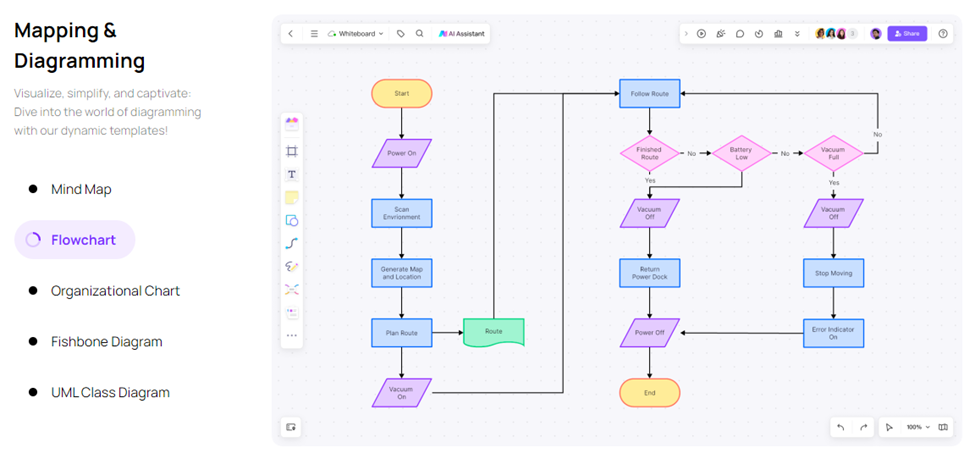
Boardmix is the first tool to think about because it has diagramming, whiteboarding, and AI all in one platform. A large graphics library lets you make flowcharts, UML diagrams, network diagrams, and system architecture plans.
A lot of people can work on the same board at the same time, and the canvas feels light and responsive. You can quickly summarise a complex board or turn plain text into an organized diagram with the help of AI.
Draw.io (diagrams.net)
The free drawing tool Draw.io has been around for a long time. It has an easy-to-use drag-and-drop interface, a good library of shapes, and quick export options for PNG, JPEG, and SVG files. Diagrams can be kept on your computer, in Google Drive, or in OneDrive. It's easy to use and is not overloaded with features, so it's a good choice for everyday diagrams.
Miro
Miro is best known as a digital whiteboard, but it can also be used to make diagrams. It comes with templates for mind maps, flowcharts, and customer journey maps, and it works with a lot of different tools, such as Jira, Slack, and Google Workspace.
With the free plan, you can only edit a certain number of boards. However, you can use sticky notes, shapes, and connectors together on those boards to make flexible diagrams that you can use with other workshop content.
FigJam
FigJam is created by Figma and is mostly used by product and design teams. Stamps, sticky notes, and hand-drawn shapes make it playful. While getting comments from your team, you can create flows, wireframes, and simple diagrams.
It's not as good for making very formal technical diagrams, but it's great for brainstorming and making user journey maps when you want a light atmosphere in the workshop.
Why Boardmix Is the Best Lucidchart Alternative Online?
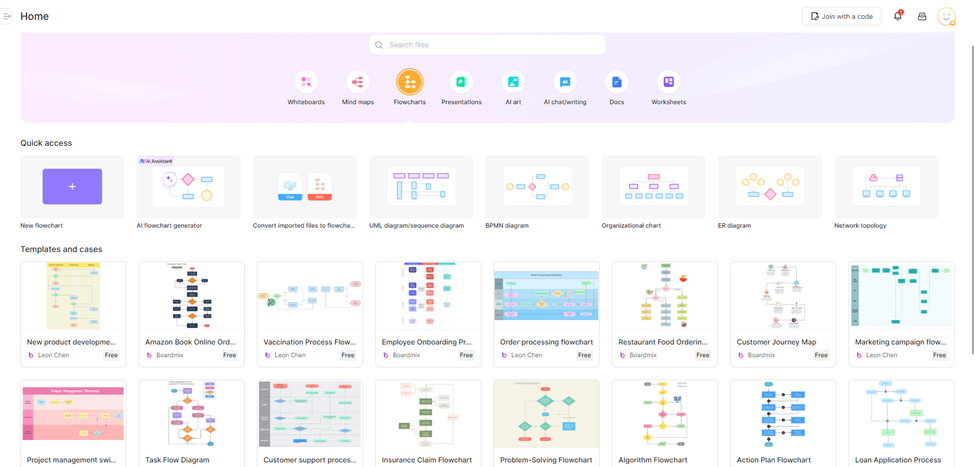
Image Source: Boardmix.com
Boardmix is the best lucidchart alternative online as it includes many features that users usually have to pay for. First, it lets you see different types of charts in one place.
You don't have to switch tools to make thought maps, architecture diagrams, UML diagrams, network and infrastructure maps, or flowcharts. This helps the product and technical teams a lot because they need different visuals for different parts of a project.
Boardmix also comes with a huge collection of free templates. It saves a lot of time because you can start with templates that are already made for process maps, project plans, user journey maps, and technical diagrams. It's also easy to import and export.
You can add images or files and then save your work as a PNG, PDF, SVG, or other file type that can be shared or printed. AI gives you even more power by letting you make charts from text, reorganise messy diagrams, or improve the text inside shapes.
Boardmix real-time collaboration is lighter and smoother than many older tools. The cursor moves smoothly, comments are easy to follow, and boards load fast even when they have a lot of content. Teams, students, and freelancers can join from almost any device since it all runs in the browser. This mix of flexibility, templates, AI assistance, and performance is what makes Boardmix such a strong Lucidchart alternative.
Lucidchart vs Boardmix: A Quick Comparison
The table below gives a simple side-by-side view so you can see how Lucidchart and Boardmix differ in key areas.
| Feature | Lucidchart (Free Plan) | Boardmix (Free Plan) |
| Graphics library size | Strong, but some shapes locked to paid | Large, with many flowchart and UML shapes |
| Free version features | Limited documents and advanced exports | Unlimited boards with generous core features |
| Multi-user collaboration | Real-time, but some limits by plan | Real-time with smooth performance |
| AI features | Available mainly on paid plans | Built-in AI for diagrams and content |
| Number of templates | Good selection, best on paid tiers | Rich library of free templates |
| Large file support | Handles large files, better on paid plans | Designed for big boards with many elements |
This quick view shows that Boardmix offers more freedom on its free plan, especially when you care about board limits, templates, and AI tools.
How to Move from Lucidchart to Boardmix?
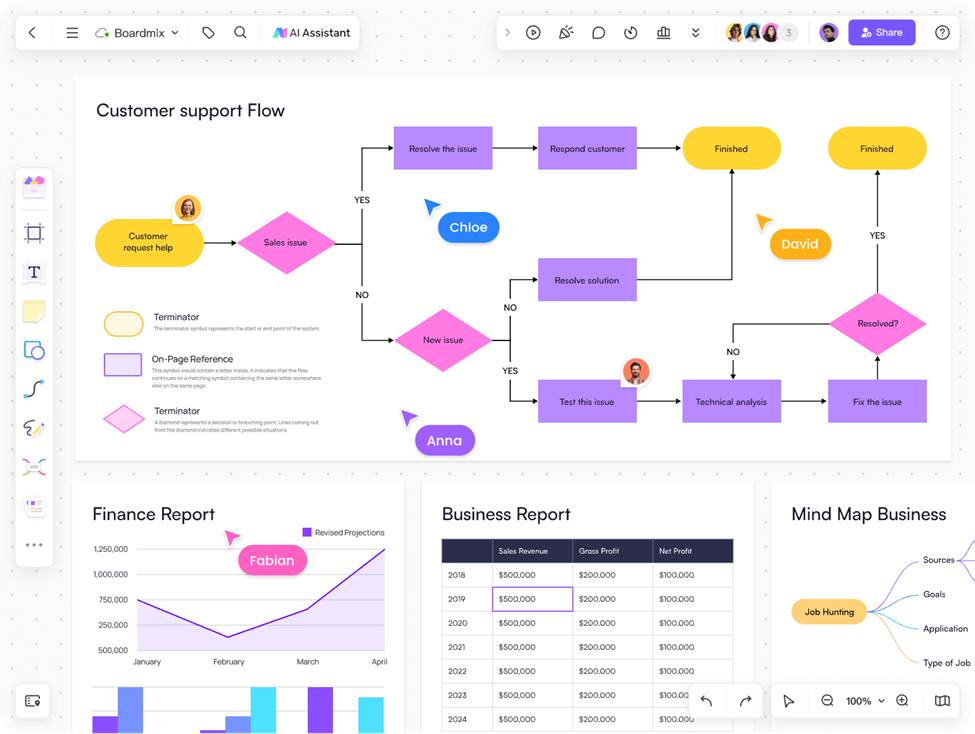
Image Source: Boardmix.com
It is easy to switch between Lucidchart and Boardmix, and you can do it in several steps even without being very technical.
1. Sign Up for A Free Boardmix Account
Go to the Boardmix site and create an account using your email or single-sign-on feature. After logging in, you will be presented with a clean workspace in which there is a list of boards.
2. Create A New Whiteboard
Click and create a new board and provide it with a clear name. You can begin with a blank canvas or with a template which is near to the diagram you wish to create.
3. Pick Shapes and Templates from Graphics Library
Open the graphics panel to view flowchart symbols, UML shapes, network icons and others. Drags shapes on the canvas and connects them with arrows. You can also request the AI assistant to create a draft diagram in case you already have a process in text form.
4. Import Existing Diagrams Where Possible
In case you have the Lucidchart diagrams that were exported as images or PDFs, then you can import them to the background references in Boardmix. Then you are free to construct the structure with native shapes on top and this can sometimes be quicker than beginning with nothing.
5. Invite Your Team to Collaborate
Use the share button to invite team members through email or link. They have the opportunity to participate in real time, drag and drop, make comments and assist in fine-tuning of the new diagrams. With time, your team will be able to hand over more and more work to Boardmix until it becomes the primary collaboration space.
Conclusion
Many businesses will keep using Lucidchart because it has a good reputation for making diagrams that are easy to understand and useful. Its free plan restricts document count and feature access, which might slow down new teams or those watching their software budgets.
The most flexible and lightweight Lucidchart alternative online right now is Boardmix, which feels just as powerful but offers you more space, more templates, and more AI assistance without extra cost. In one place, you can make flowcharts, UML diagrams, architecture diagrams, and mind maps.
Everyone on your team can work together in real time, from anywhere. The best way to experience a modern, free Lucidchart alternative for most people, students, and small teams is to try Boardmix.





