





Image Source: Boardmix.com
A lot of people use Microsoft Whiteboard since it comes with Microsoft Teams and Microsoft 365. It's easy to use, opens quickly, and works well for basic tasks. But a lot of users think it doesn't have enough features for effective collaboration. People need tools that can do more than just draw shapes and notes as the number of people who work from home grows and online teamwork becomes more demanding.
The market for collaborative whiteboard software is projected to be worth USD 3.17 billion in 2025 and USD 8.16 billion by 2030, driven by remote and hybrid work. Teams need more advanced templates, better diagrams, easier ways to collaborate, and stronger tools to help them with their projects.
These limitations are making a lot of people look for a Microsoft whiteboard alternative that gives them more flexibility and power. This leads to one important question that many people ask every day: What is the best Microsoft Whiteboard alternative?
This article gives a clear answer and talks about the 2026 best option.
Why People Are Looking for a Microsoft Whiteboard Alternative?
Microsoft Whiteboard is fine for basic tasks, but it's not enough for teams working on professional projects. Many people try to use it for planning, designing, teaching online, or product work, but they soon figure out that it's not enough for them.
There are not enough templates to choose from. It doesn't work well with a lot of other tools that are outside of the Microsoft ecosystem. It also doesn't have a lot of a graphic library, which makes it hard to make flowcharts, diagrams, and technical drawings.
People who teach online, work on products remotely, manage projects, and students all need tools that help them think visually. They need advanced shapes, easy-to-understand chart controls, and better support with diagrams. These needs can't be fully covered by Microsoft Whiteboard. Because of this, a lot of people start looking for a Microsoft whiteboard alternative that can help them do more detailed and complex work.
What Makes a Great Microsoft Whiteboard Alternative?
It helps to have an idea what "great" looks like before deciding on a replacement. If you want the best Microsoft whiteboard alternative, don't just look for a blank canvas.
What a good alternative should offer:
- Unlimited Canvas: You should be able to keep all of the phases of a project on a single large board, including research, ideas, wireframes, and flows, without having to worry about running out of space.
- Professional Graphics Library: There should be a professional graphics library with ready-made flowcharts, mind maps, UML diagrams, architecture diagrams, org charts, and more.
- Real-time Collaboration: Multiple users must edit simultaneously without lag, using cursors, comments, mentions, and version history to track changes.
- Flexible File Import/Export: The tool should be able to handle common file types like PNG, JPG, PDF, and other common document types, making it easy to bring in assets and share outputs.
- AI-Powered Assistance: Modern tools should be able to make mind maps, plan flows, summarise sticky notes, or even turn a rough idea into a diagram's first draft.
- Remote-meeting Friendly: Presentation mode, timers, voting, and easy guest access are some of the features that make it easier to use in courses, workshops, or client sessions.
These features make a tool more than just "another whiteboard." It turns into a central workplace to work on projects, teach, plan, and design.
Boardmix — The Best Microsoft Whiteboard Alternative in 2026

Image Source: Boardmix.com
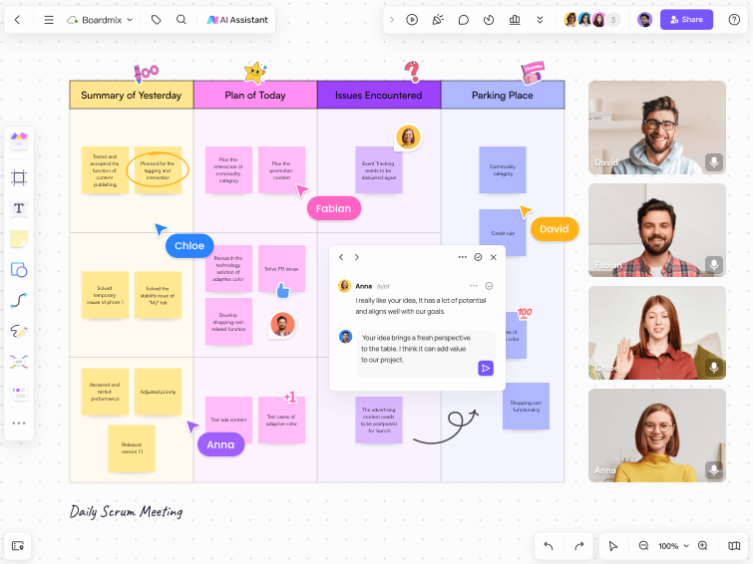
In 2026, Boardmix stands out because it fixes almost all of the problems that Microsoft Whiteboard users experience. It's fast, has all the features you need for real collaboration, and is still easy to learn. A lot of teams now think it's best microsoft whiteboard alternative because it has everything they need in one place.
The unlimited canvas and fast loading speed are two of the first things that people notice. Even if they have a lot of images, notes, and diagrams, boards open fast. There are more than 1,000 professional templates in the library. They can be used for product roadmaps, sprint planning, lesson plans, user journeys and more.
Boardmix also has AI whiteboard features that can make charts, extract key ideas from notes, and help with AI brainstorming sessions. It has a huge library of graphics that includes UML forms, flowcharts, mind maps, architecture diagrams, and a lot of other things that Microsoft Whiteboard doesn't have.
Most of users now use Boardmix instead of Microsoft Whiteboard when they need a serious Microsoft whiteboard alternative that works for everyday professional use. This is because collaboration is easier and the feature set is huge. It works well for classrooms, project teams, and companies that work from home and need a modern, powerful workspace.
Microsoft Whiteboard vs Boardmix: Side-by-Side Comparison
| Feature | Microsoft Whiteboard | Boardmix |
| Canvas size | Large but basic | Truly unlimited, high-performance |
| Templates | Limited set, simple layouts | 1000+ rich professional templates |
| Graphics library | Basic shapes and notes | Full library for UML, flowcharts, mind maps, architecture, and more |
| AI features | Very limited or absent | AI for mind maps, chart generation, summaries, and brainstorming |
| Collaboration | Works inside Teams, fewer controls | Smooth real-time collaboration, comments, cursor tracking, and more tools |
| File support | Simple image and note support | Powerful import/export for docs, images, PDFs, and external tools |
| Use cases | Quick sketching and simple lessons | Project management, product UX, teaching, remote workshops, and more |
This comparison shows that Boardmix has more features for professionals. It replaces and improves structure, templates, and intelligent features.
Who Is Boardmix Best For?
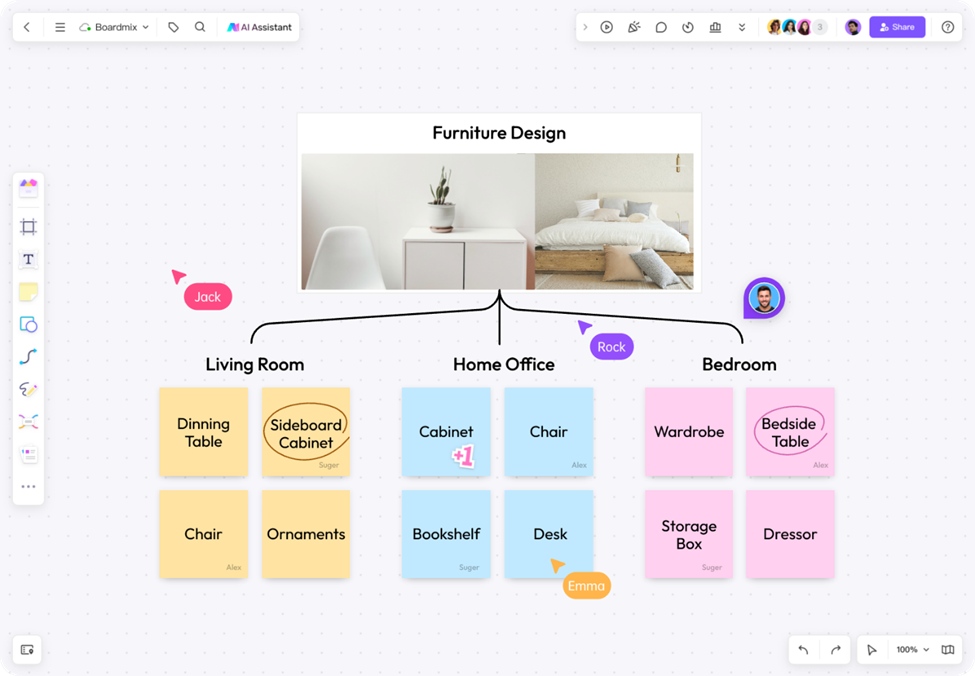
Image Source: Boardmix.com
For most users, Boardmix is more than just a place to draw. Teams that work from home can work together in real time, use structured templates, and use AI tools to help them get from ideas to tasks faster. Product and development teams use it to plan releases, map out user journeys, and make sure everyone is on the same page about complex features.
It's useful for learning, group projects, and interactive class time for both teachers and students. To keep everyone involved, they can make mind maps, debate boards, and visual summaries. The diagrams and boards help project managers keep track of tasks and make sure everyone knows what their job is.
The large library of graphics and smooth performance are great for people who use flowcharts, mind maps, and architectural diagrams. Boardmix is also good for people who want a lighter but more powerful whiteboard tool because it has a clean design that is easy to learn.
FAQ — Answering “Is Boardmix a Microsoft Whiteboard Alternative?”
Is Microsoft Whiteboard not as good as Boardmix?
Yes. That Microsoft Whiteboard doesn't have are more themes, more models, better tools for working together, and AI features.
What is the best Microsoft Whiteboard alternative?
Due to its unlimited canvas, professional templates, and smart AI tools, Boardmix is often seen as the best Microsoft Whiteboard alternative.
Can I use Boardmix instead of Microsoft Whiteboard?
Yes, Boardmix is a simple alternative to Microsoft Whiteboard. It meets all the main goals for working together and has many extra features that Microsoft doesn't have.
Does Boardmix allow people to work together in real time?
Boardmix does allow fast and smooth real-time changing by multiple people.
Does Boardmix offer more templates than Microsoft Whiteboard?
There are more than 1,000 templates in Boardmix for different types of workflows.
Conclusion
Microsoft Whiteboard isn't up to standard with the needs of modern teams, so more people are looking for better tools. People want more templates and diagrams, better ways to work together, and smarter AI to help them. Boardmix has all of these features in a single tool that is both easy to use and powerful.
The best Microsoft Whiteboard alternative in 2026 is Boardmix because of this. It gives teams, students, and teachers more freedom to do what they want. This is the best place to start if you want a tool that is quick, flexible, and full of features.





