





Traditional diagramming tools like Microsoft Visio struggle to meet modern demands for multi-device collaboration, agile development, and stringent data security. Challenges with Visio—such as local-only deployment, single-user editing, high licensing costs, and difficult system integration—are driving enterprises to seek more flexible alternatives.
The rise of online collaborative whiteboards offers a powerful new solution. Through private deployment and SDK integration, businesses can not only ensure data sovereignty but also embed advanced visual collaboration capabilities directly into their existing business systems. This enables real-time co-editing, multi-platform synchronization, and granular permission controls. This tutorial will guide you on how to use SDKs to build a fully controlled, enterprise-grade diagramming system as a viable Visio alternative.
What is Whiteboard Private Deployment?
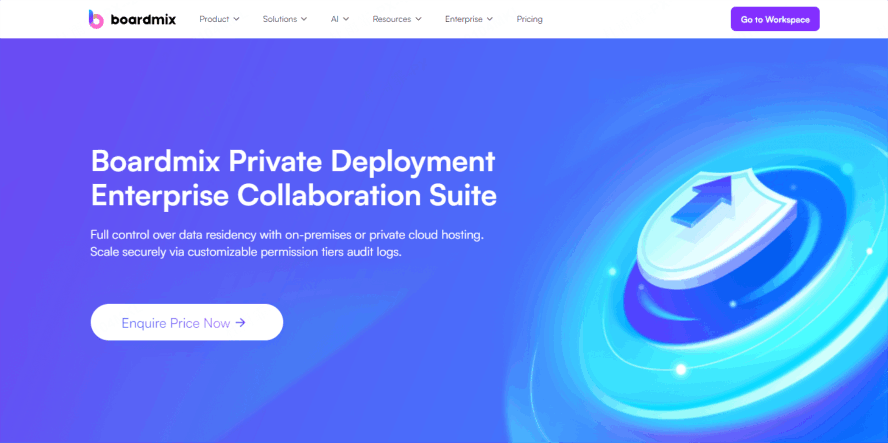
Whiteboard private deployment refers to hosting the online whiteboard system on your company's own local servers or private cloud infrastructure. This model grants full autonomy over data management, allows for custom feature development, and ensures maximum control over the entire system.
Unlike SaaS models, private deployment does not rely on external cloud services. Your enterprise retains complete control over system operation, data storage, and permission management. This approach is particularly critical for organizations with high demands for information security and business continuity, such as financial institutions, government agencies, large manufacturers, and internet platforms.
Core Advantages of Private Whiteboard Deployment
- Enhanced Data Security: Sensitive information never traverses public clouds. All data resides on-premises or in your private cloud, giving you full ownership. This significantly reduces the risk of leaks for financial, strategic, or technical design content.
- Flexible Permission Configuration: Seamlessly integrate with your existing SSO, LDAP, or other IAM systems. Configure user roles, operation permissions, and data access scopes to match complex internal organizational structures.
- Intranet/Offline Support: Functionality remains available in closed network environments with no internet access, ideal for high-security sectors like defense, scientific research, and state-owned enterprises.
- System Integration & Custom Development: Post-deployment, the whiteboard can be customized and integrated into your IT ecosystem (e.g., OA, ERP, Slack, Microsoft Teams), creating a unified digital workplace.
- Compliance & Regulatory Readiness: Meets requirements of regulations like GDPR, CCPA, and industry-specific standards. Offers better support for localized or sovereign IT environments.
SDK Integration: Building an Enterprise Whiteboard Capability Center
Private deployment is more than just installing a tool; it's about building a platform. Through SDK integration, whiteboard functionalities can be embedded into your existing applications, enabling reuse across multiple business scenarios.
(1) What is SDK Integration?
An SDK (Software Development Kit) is a set of pre-built interfaces and components provided by the vendor. Developers can call these SDKs to quickly embed core whiteboard capabilities—like drawing, real-time collaboration, and synchronization—into their own systems.
(2) Typical Integration Use Cases
Embed a whiteboard component into your internal wiki or document platform (e.g., Confluence), enabling seamless switches between structured docs and visual collaboration.
Introduce a whiteboard into project management tools (e.g., Jira) for task flowcharts, brainstorming sessions, or customer journey mapping.
Integrate an interactive whiteboard into e-learning platforms to enhance teaching engagement and student participation.
(3) Key SDK Feature Modules
- Core Diagramming: Shapes, pens, containers, mind maps, text tools.
- Local File I/O: Import and export to PDF, PNG, SVG.
- Version History: Automatic & manual save points with full restoration.
- Asset Libraries: Access to template galleries, sticker packs, and emoji libraries.
The combination of SDK + Private Deployment not only boosts integration efficiency but also maximizes the protection of your corporate data and intellectual property.
Why Choose Boardmix for Private Whiteboard Deployment?
- Data Security & Sovereignty: Boardmix supports enterprise account systems, ensuring complete isolation of core business data to prevent leaks and safeguard information assets.
- Flexible Deployment Options: Whether it's a single-node or clustered deployment, Boardmix provides comprehensive solutions for intranet, self-built cloud, or hybrid cloud environments to suit diverse IT architectures.
- Dedicated Support & SLAs: We prioritize customer needs with dedicated account managers, real-time responsive support, and swift issue resolution to ensure a smooth deployment and user experience.
- Customization & Deep Integration: With strong extensibility, Boardmix can be tailored and integrated with internal systems like DevOps platforms and R&D management tools, creating seamless workflow connections.
Boardmix Private Deployment: Full-Process Overview
Boardmix provides end-to-end deployment support to ensure a successful rollout:
- Step 1: Requirement Analysis - Consult with our experts to define needs and outline a preliminary deployment plan.
- Step 2: Technical Planning - Receive professional consulting to finalize the architecture and deployment strategy.
- Step 3: Seamless Deployment - We handle testing, debugging, and delivery, ensuring a high-quality launch.
- Step 4: Ongoing Success - Benefit from responsive post-deployment support, comprehensive training (online/onsite), and continuous guidance.
Core Boardmix Capabilities
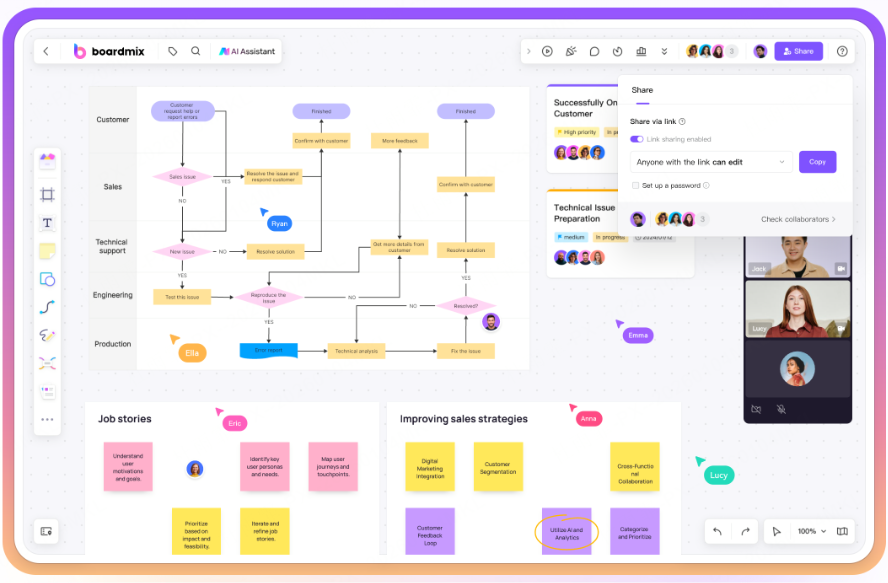
Boardmix is a powerful online collaborative whiteboard featuring robust diagramming, multimedia presentation, AI-powered generation, and real-time collaboration. It supports mind mapping, flowcharts, one-click PPT generation, and infinite canvas collaboration. It's widely used in project management, product design, training, and strategic planning.
Through private deployment, your enterprise can ensure data security and compliance while deeply integrating whiteboard capabilities into internal systems. This delivers a localized, high-performance collaborative experience, effectively replacing and upgrading from Visio.
Private whiteboard deployment is more than a security upgrade; it's a strategic move towards platform-based, modular collaboration tools. By combining modular SDK integration with Visio replacement development, enterprises can build intelligent diagramming and visual collaboration systems that truly fit their unique workflow needs.
In the future of digital competition, maintaining control over collaboration and data will be a key differentiator.





