





Today university students often encounter challenges such as unclear task division, chaotic communication, and version confusion in documents while working on group assignments and course projects. Many teams end up rushing to compile their work just before the deadline, leading to inefficiency and avoidable errors. Whether it's a classroom task, a research initiative, or thesis preparation, the lack of a unified collaboration tool often hampers smooth teamwork.
Why Student Group Projects Often Miss the Mark
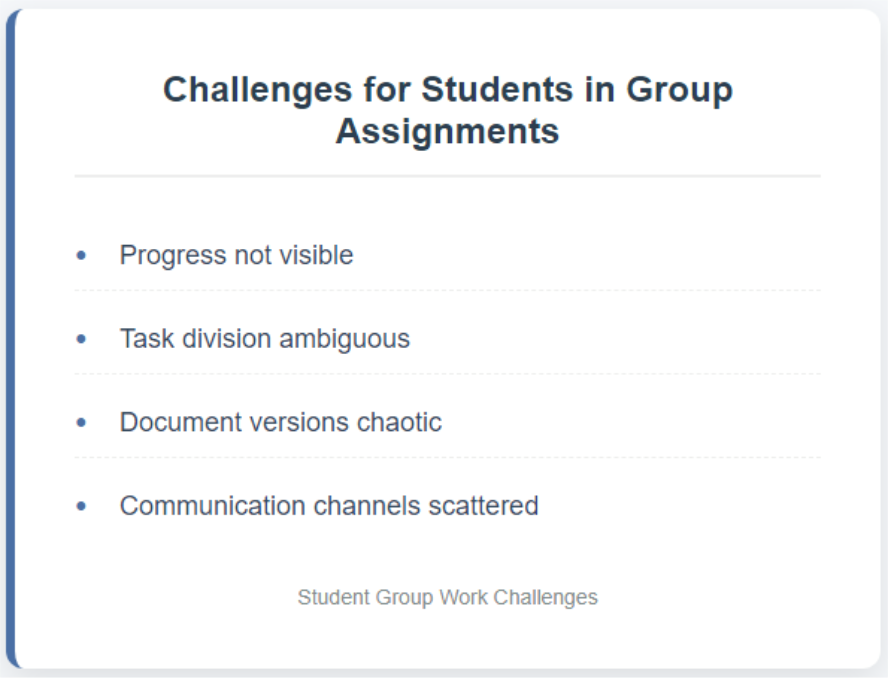
In the realm of student group projects and team-based coursework, inefficiency in collaboration is a challenge nearly every team has faced. Behind these struggles often lie several key pain points:
- Unclear Task Division and Difficulty in Accountability
At the start of a project, the lack of well-defined responsibilities can lead to overlapping work among some members while others remain inactive or "invisible." This not only wastes resources but also fuels team conflicts, dampening motivation to collaborate.
- Fragmented Communication Channels and Severe Information Gaps
Relying on scattered platforms like email for communication often results in disjointed conversations and lost messages. Important decisions and feedback fail to reach everyone in sync, creating information asymmetry. Team members end up working in isolation, drastically reducing collaboration efficiency.
- Chaotic Document Versions and High Integration Costs
When multiple people edit documents simultaneously, conflicts like "you edit, I delete" or "files flying everywhere" are common. Different versions scattered across platforms make final integration time-consuming and labor-intensive, often compromising the completeness and professionalism of the final output.
- Lack of Visible Progress Tracking, Leading to Procrastination
Without visual oversight of task progress, teams struggle to monitor overall momentum. Work piles up until the deadline looms, forcing rushed efforts that sacrifice quality and spike stress levels. At its core, these issues stem from the absence of a unified, transparent, and real-time collaboration hub for student teams.
This is exactly why Boardmix was created—it is more than just a whiteboard. It is a visual collaboration platform that integrates task planning, idea brainstorming, resource consolidation, and progress tracking. With Boardmix, student teams can clearly visualize the entire project workflow, transitioning from working in silos to collaborating in synergy. This truly makes group assignments more efficient, organized, and traceable.
How Boardmix Solves Common Group Project Challenges?
Faced with common issues like low efficiency, poor communication, and version chaos in group assignments, Boardmix—a visual whiteboard platform designed for collaboration—offers student teams a systematic solution that significantly enhances project progress efficiency and outcome quality. Its core strengths are reflected in the following four aspects:
- Visual Whiteboard: One-Stop Integration of the Entire Project Workflow
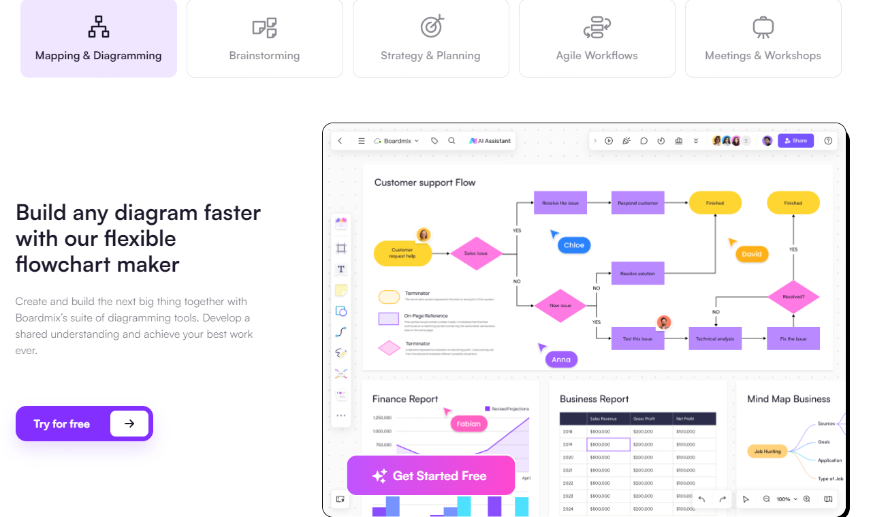
Boardmix provides an infinitely expandable online collaboration canvas, bringing together brainstorming, task allocation, resource compilation, process design, and final presentations in a single space. Whether it’s mind maps, project boards, or data charts, all content is clearly visible, helping team members fully grasp project progress, avoid information gaps and redundant work, and truly achieve “full control at a glance.”
- Real-Time Collaboration: Breaking Time and Space Barriers to Improve Communication Efficiency
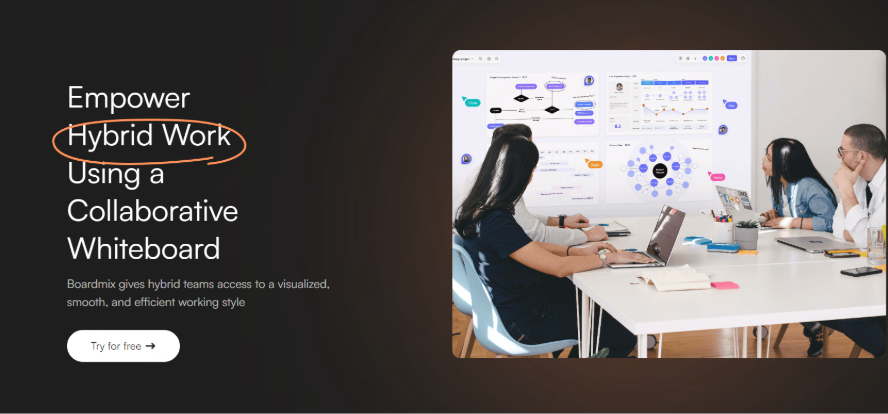
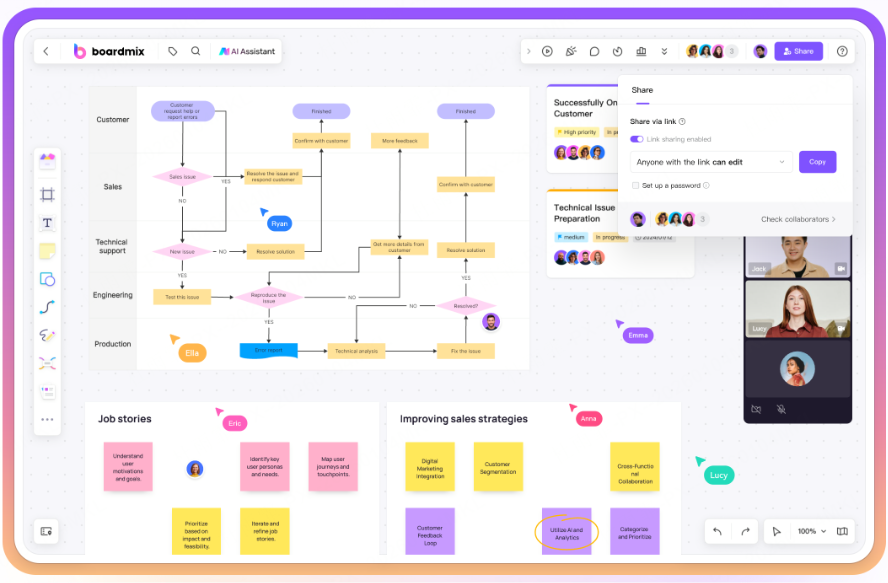
Boardmix supports simultaneous online editing, commenting, and annotation by multiple users, with all changes synchronized in real time—like a “virtual meeting room” for efficient interaction. Whether team members are across campuses or in different time zones, they can participate in discussions anytime and reach consensus quickly, putting an end to delayed messages and communication breakdowns.
- Rich Templates: Quick Setup for Focused Content Creation
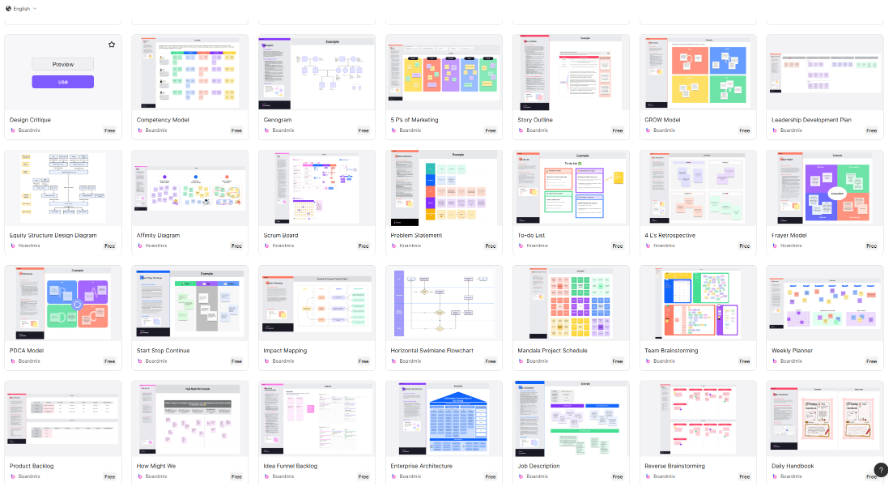
Boardmix comes with a wide range of templates designed specifically for academic scenarios, such as team task boards, Gantt charts, timelines, SWOT analysis diagrams, and thesis structure maps. Students can apply templates with one click, quickly building project frameworks and saving time on tedious preparations, so they can focus on deepening content and creative expression.
- Powerful Integration: Seamless Connection with Common Tools and Efficient Output
Boardmix supports embedding various file formats, including Word, PPT, PDF, Excel, Markdown, and Xmind, and allows direct export as presentations or submission-ready documents. Project materials are systematically organized within the whiteboard, making them easy to reference and reuse, and seamlessly bridging the process from collaboration to presentation.
The Standard 5-Step Workflow for Group Projects in Boardmix
How can students make the best use of Boardmix? To help student teams efficiently advance and successfully complete group assignments and course projects, Boardmix provides a structured and easy-to-follow five-step workflow that covers every key stage—from project initiation to final presentation:
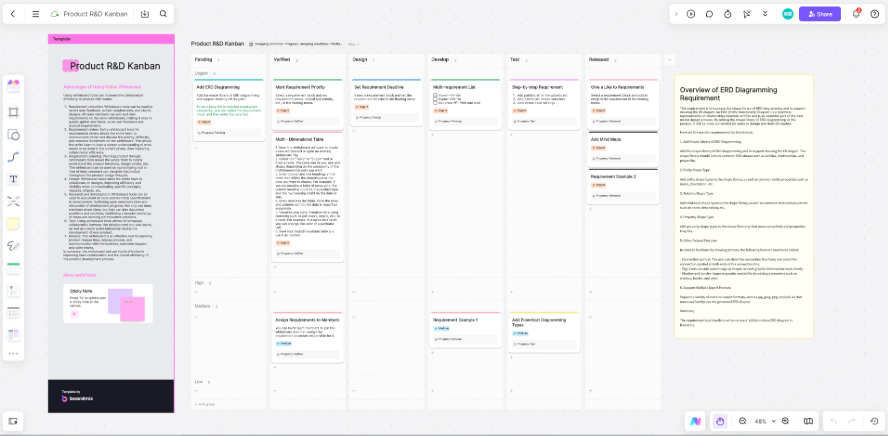
- Step 1: Kickoff Phase – Goal Setting and Task Assignment
At the beginning of the project, use Boardmix’s “Kanban board” template to list all tasks, assign responsibilities, and set deadlines clearly. By creating a shared whiteboard as the main collaboration hub, you can centralize information and avoid the fragmentation and communication gaps that often come with scattered chat tools or separate documents.
- Step 2: Brainstorming – Idea Generation and Solution Selection
With Boardmix’s sticky note feature, encourage every team member to contribute ideas simultaneously. Use voting or grouping methods to shortlist the most promising solutions. Through the visual layout of the whiteboard, each idea is clearly displayed, fostering creative exchange and consensus-building within the team.
- Step 3: Project Planning – Progress Tracking and Time Management
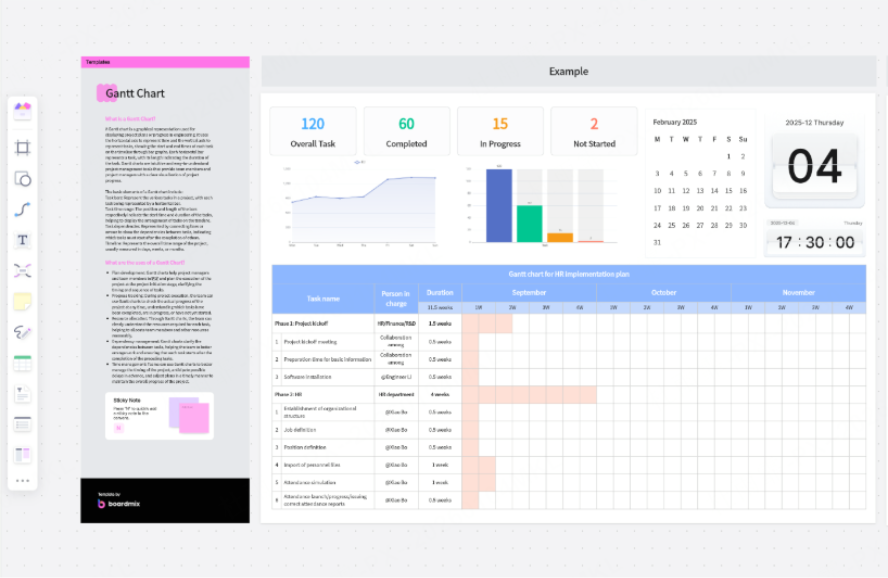
Adopt Boardmix’s “Gantt Chart” or “Timeline” template to outline detailed project milestones. Assign dedicated lanes to each team member to clarify responsibilities and track progress visually. This approach helps eliminate confusion over roles and keeps the whole team aligned with the project’s overall advancement.
- Step 4: Material Organization and Result Consolidation
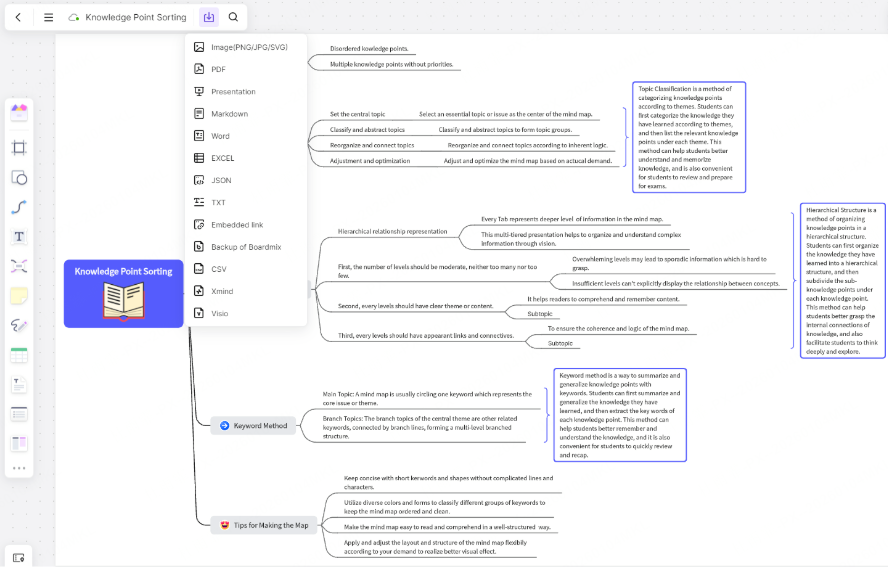
Embed various file types—such as PDFs, images, and spreadsheets—directly into the whiteboard to consolidate scattered materials in one place. Use mind maps or flowcharts to build a logical framework, clarify the structure of reports, and lay a solid foundation for the final submission or presentation.
- Step 5: Final Presentation and Delivery
Present directly from the whiteboard during class discussions instead of relying on traditional slides, or export the content as PDF or PowerPoint files for formal submission or presentation purposes. By following this structured process, student teams can not only complete group assignments more efficiently but also ensure that all materials are well-organized and fully traceable.
Boardmix's Use Cases for Diverse Academic Tasks
Boardmix is not just a powerful tool for group assignments — it is a versatile collaboration platform suited for a wide range of academic and creative scenarios. Through its flexible visual interface, students can organize efficiently and collaborate deeply across different stages of learning. Here are some typical examples of its application:
- Course Project Collaboration: Building an End-to-End Team Workspace
For daily course projects, teams can use Boardmix whiteboards to manage the entire process from task assignment to final presentation. Using the "Team Kanban" to clarify roles and a "Timeline" to plan milestones, all brainstorming, resource integration, and solution iteration can be done in one shared space. Ready-to-use templates help reduce setup time, ensure all members participate in sync, and significantly improve collaboration efficiency and output quality.
- Thesis Writing and Defense Preparation: Creating a Clear Logical Framework
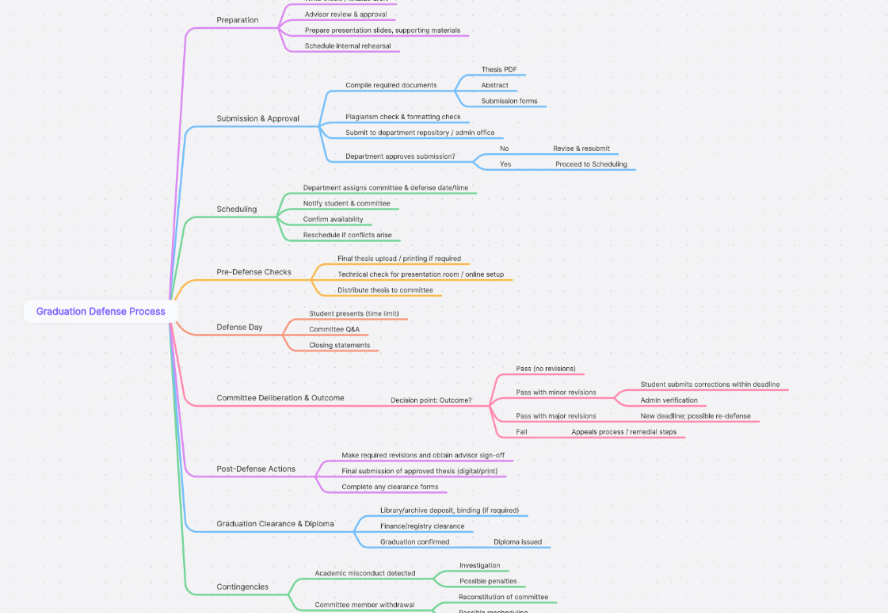
When writing a graduation thesis, students can build a thesis structure map in Boardmix, visually presenting chapter outlines, research methods, data analysis, and literature citations. Before the defense, an interactive presentation whiteboard can be created to visually walk through the research logic, helping reviewers quickly grasp key points. Supervisors and peers can also give real-time feedback via comments, enabling collaborative refinement and making defense preparation more systematic and confident.
- Research Exploration and Literature Review: Organizing Complex Knowledge Networks
Faced with vast literature and intricate research processes, Boardmix provides powerful concept maps and flowcharts to help students outline theoretical frameworks, summarize hypotheses, and design experimental pathways. Using color tags, sticky note categorization, and link navigation, you can easily build connections between sources, achieve structured knowledge retention, and enhance the clarity and depth of research thinking.
- Study Notes and Revision Planning: Visual Knowledge Management
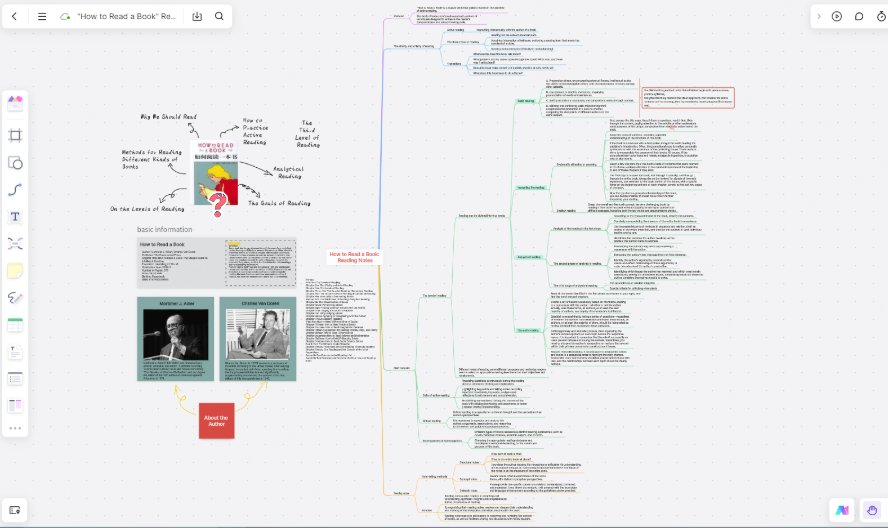
Transform key takeaways, common mistakes, or exam topics into mind maps or knowledge graphs, creating a personalized digital learning library. Combine them with Gantt charts or schedule boards to plan revisions and track progress dynamically. Boardmix’s infinite canvas supports long-term note-taking and cross-subject integration, making revision more structured and memory retention stronger.
- Portfolio Design and Event Planning: Sparking Creativity and Execution
Whether structuring an art and design portfolio or organizing campus events, Boardmix serves as a collaboration hub for multidisciplinary teams. Members can brainstorm ideas, map out processes, assign tasks, and embed resources all on the same canvas. Real-time collaboration greatly improves communication efficiency, ensuring ideas are executed faster and more accurately, resulting in more professional portfolios or event plans.
FAQ: Answers for Students Using Boardmix
Q1: Does Boardmix require payment? Can students use it for free?
A: Boardmix offers an educational discount and a free version. Students can access most features upon registration — enough to complete group assignments and course projects. Paid plans include advanced features like unlimited whiteboards and premium templates, suitable for larger teams or complex projects. Verified students and teachers can also purchase memberships at discounted rates.
Q2: Can team members from different cities or countries collaborate?
A: Absolutely! Boardmix supports real-time collaboration, comments, and video calls without geographical limitations. Whether members are across campuses or countries, everyone can view progress and join discussions simultaneously.
Q3: Can instructors directly view student assignments?
A: Yes. You can invite instructors to access the whiteboard in "view-only" mode, allowing them to review and provide feedback online. This makes guidance easier while keeping the student collaboration process uninterrupted.
Q4: Can content from Boardmix be submitted directly as assignments?
A: Yes. Students can export whiteboards as PDF or PPT files, making it convenient to submit assignments or present in class — saving time on formatting and compiling traditional documents.
Q5: Are there templates for group assignment workflows?
A: Boardmix offers various course project templates, such as team Kanban boards, Gantt charts, and mind maps. With one click, students can apply these templates to quickly launch their group assignment workflow and boost collaboration efficiency.
Boardmix is an all-in-one collaboration tool for student group assignments and course projects — from task division and planning, to brainstorming and material organization, through to the final presentation. The entire process can be completed on a single visual whiteboard, saving time while improving efficiency.
Take Action Now:
Browse student group project templates to quickly start your team project.
Register for a free Boardmix account and invite teammates to collaborate online.
Use templates and real-time features to finish assignments efficiently, organize study notes, or prepare your thesis or research project.
Let Boardmix become your learning and collaboration assistant and turn inefficient group work into an efficient, visual, and manageable end-to-end experience!





