





Using ChatGPT to generate flowcharts has become a popular choice for professionals and students alike. This method is not only efficient but also helps quickly clarify thinking and logical relationships. This guide details how to leverage ChatGPT for flowchart creation, including practical prompts and specific methods, empowering you to easily build the ideal flowchart for your needs.
Understanding ChatGPT's Role
(1) What is ChatGPT?
ChatGPT is a large language model developed by OpenAI, excelling in natural language understanding and text generation. It can produce coherent, logical, and even creative text based on your instructions or questions.
(2) How ChatGPT Helps with Flowcharts (The Principle)
ChatGPT itself has no graphical rendering capability and cannot output flowchart images directly. However, it provides core support in these key ways:
- Describing Structure: It understands your needs and describes flowchart components like nodes, connectors, and logic gates in clear text.
- Generating Specific Code/Markup: It can output code for flowchart markup languages like Mermaid.
- Providing Structured Text: It generates step-by-step, logically clear content that you can manually draw or quickly convert using other tools.
How to Generate Flowcharts Using ChatGPT?
While ChatGPT can't create the visual directly, combining it with the following methods makes it a powerful ally for creating professional diagrams.
Method 1: Generate Mermaid Code
Mermaid is a lightweight, text-based diagram and charting tool. It uses simple code syntax to define flowcharts. The generated code can be instantly visualized in any supporting tool.
Example Prompt: "Generate Mermaid code for a user login process flowchart."
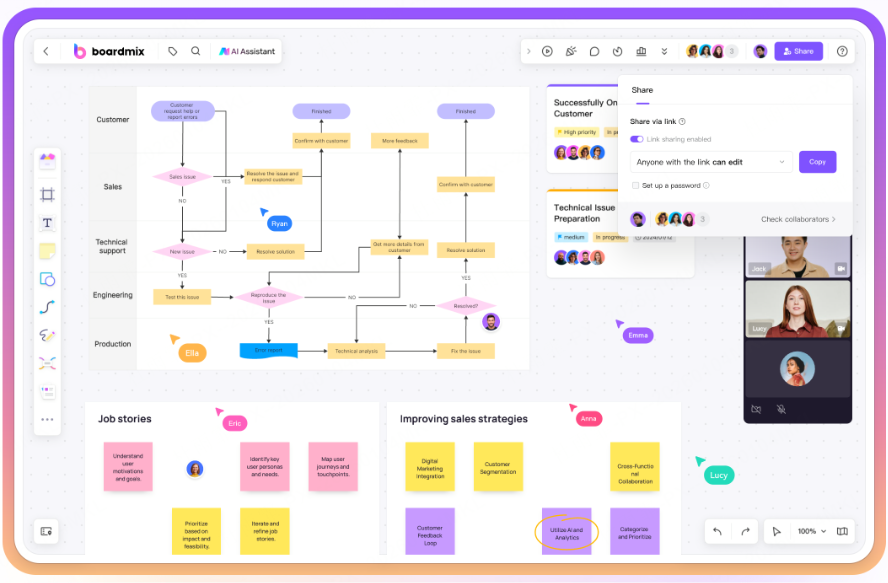
Pro Tip: Copy the generated Mermaid code and import it into an online whiteboard like Boardmix that supports Mermaid. Not only does it create the diagram, but you can also drag-and-drop to edit, apply styling themes, and customize it with ease—perfect for non-coders!
Method 2: Use with an Online Whiteboard/Drawing Tool
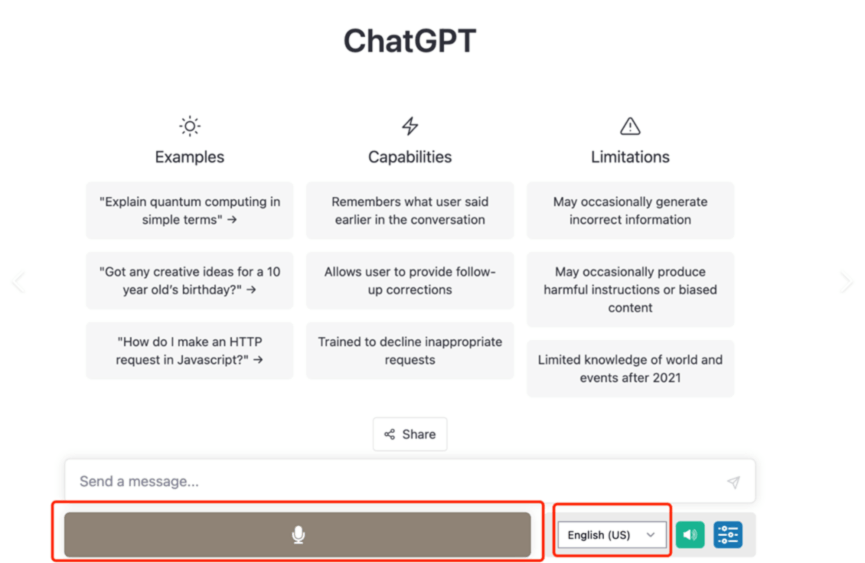
Core Process: Have ChatGPT generate a clear, structured text description of the flowchart → Copy the text → Paste it into a smart online whiteboard tool with quick-diagram features for automatic generation or manual drawing.
Let's use Boardmix as an example. Follow these steps:
- Go to the Boardmix website and sign up/log in.
- Create a new board.
- Open the AI Assistant panel.
- Paste your ChatGPT-generated text or Mermaid code into the dialog box.
- Click to generate the flowchart instantly.
In Boardmix, you can freely edit your flowchart:
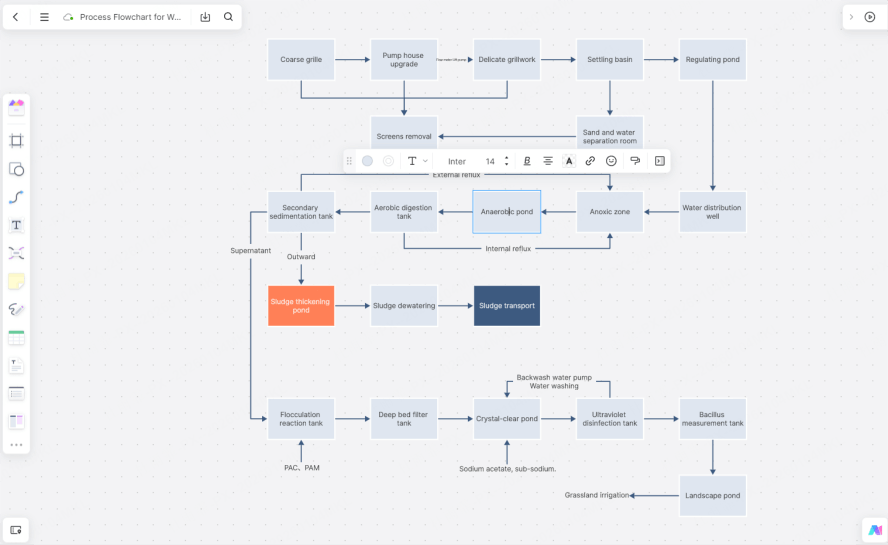
- Change Styles: Adjust node colors, border weight, connector curves, or apply a different theme.
- Add Details: Insert comments, notes, or hyperlinks to related documents on any node.
- Adjust Layout: Drag nodes freely or use the auto-align feature for perfect organization.
Furthermore, you can share the flowchart with your team for real-time collaboration. Everyone can edit simultaneously, add comments/sticky notes, and all changes are tracked with version history. Once finalized, export it in one click to PNG, PDF, or SVG formats for easy use in presentations or docs.
Method 3: Use AI Tools with Built-in Visual Rendering
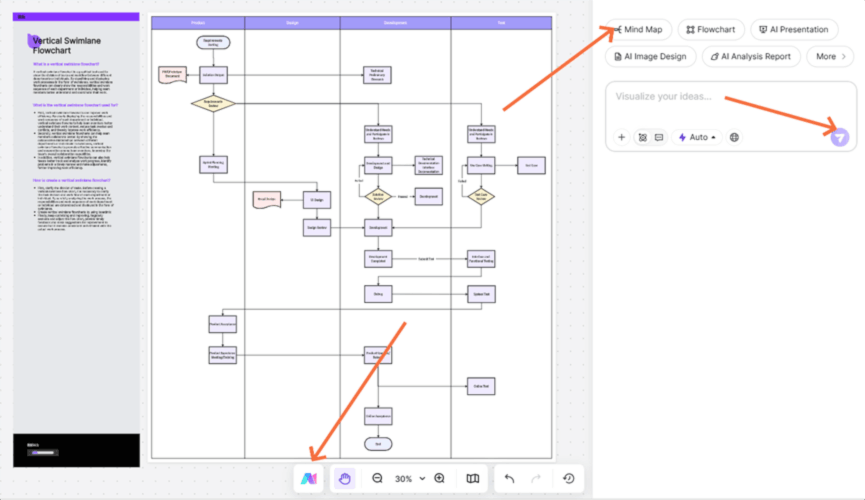
Some AI-powered diagramming tools, like Boardmix's own AI features, allow you to input natural language instructions directly. Their internal AI then generates or assists in creating a visual flowchart, eliminating intermediate steps.
How to Write Effective Prompts for ChatGPT Flowcharts?
To get accurate results, your prompts need to specify the goal, steps, and details. Master these techniques:
General Structure:
"Please help me generate a flowchart about [Specific Process Name]. [Optional: Specific Requirements]."
Example Prompts:
- For Mermaid Code: "Write a Mermaid flowchart code for an 'Online Course Learning Process,' including steps like course selection, learning modules, quizzes, and certificate acquisition."
- For Descriptive Text: "Provide a clear, step-by-step text description of a 'Customer Complaint Resolution Process.' Include the main stages and key actions at each stage, suitable for me to copy into a drawing tool to manually create the flowchart."
- Generic Description: "Describe the 'Bug Fixing Process in Software Development' in a clear, step-by-step manner."
Optimization Tips:
When planning your process description:
Be Specific (State the exact process).
Be Structured (Use steps/phases).
Highlight Key Points (Note decisions, start/end points, core actions).
Specify the Format (State if you need Mermaid code or descriptive text). This helps the AI understand your needs faster.
Common Use Cases for ChatGPT-Generated Flowcharts
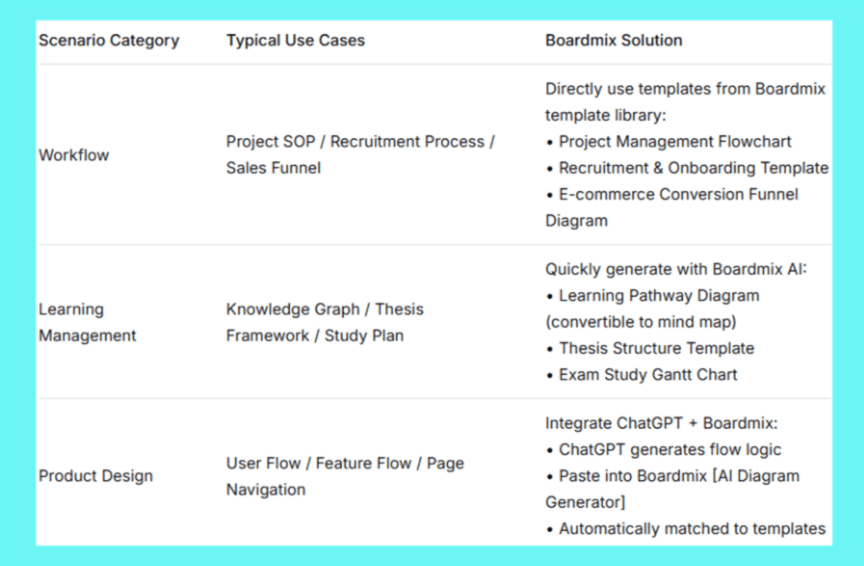
Once you know how to generate flowcharts with ChatGPT, how can it empower your actual work or study? In these three high-frequency scenarios, combining ChatGPT with Boardmix unlocks the true value of visualized processes:
Whether you're streamlining a workflow, building a knowledge map, or designing a product journey, Boardmix's library of professional flowchart templates can instantly adapt the logical framework from AI output.
Work Scenarios: Use pre-made templates for HR onboarding, project management, etc., saving hours of drawing time.
Learning Scenarios: Instantly convert an AI-generated flowchart into a mind map for multi-dimensional knowledge presentation.
Product Design: Have ChatGPT describe a user journey. Boardmix auto-generates a professional diagram with icons and color-coded sections.
Elevate your ChatGPT flowchart from a text description to a presentation-ready visual deliverable.
Summary
You now know the three core methods for creating flowcharts with ChatGPT. Start applying them to your real-world projects today! For maximum efficiency, try the combined approach: Use ChatGPT to draft the framework and Boardmix AI for instant visualization—completing in minutes what might have taken hours.





