





Have you ever encountered a work partner who always expresses negative emotions or stubbornly insists on their personal opinions without considering the bigger picture? The Six Thinking Hats method is designed to address these issues; it doesn't limit itself to a single perspective but encourages diverse thinking to ultimately achieve efficient problem-solving. The application of AI can help you break through the boundaries of creativity, automate the Six Thinking Hats analysis process, and propose solutions you have never thought of before. In this tutorial, you will learn how to use AI to create six thinking hats for free download.
What is Six Thinking Hats?
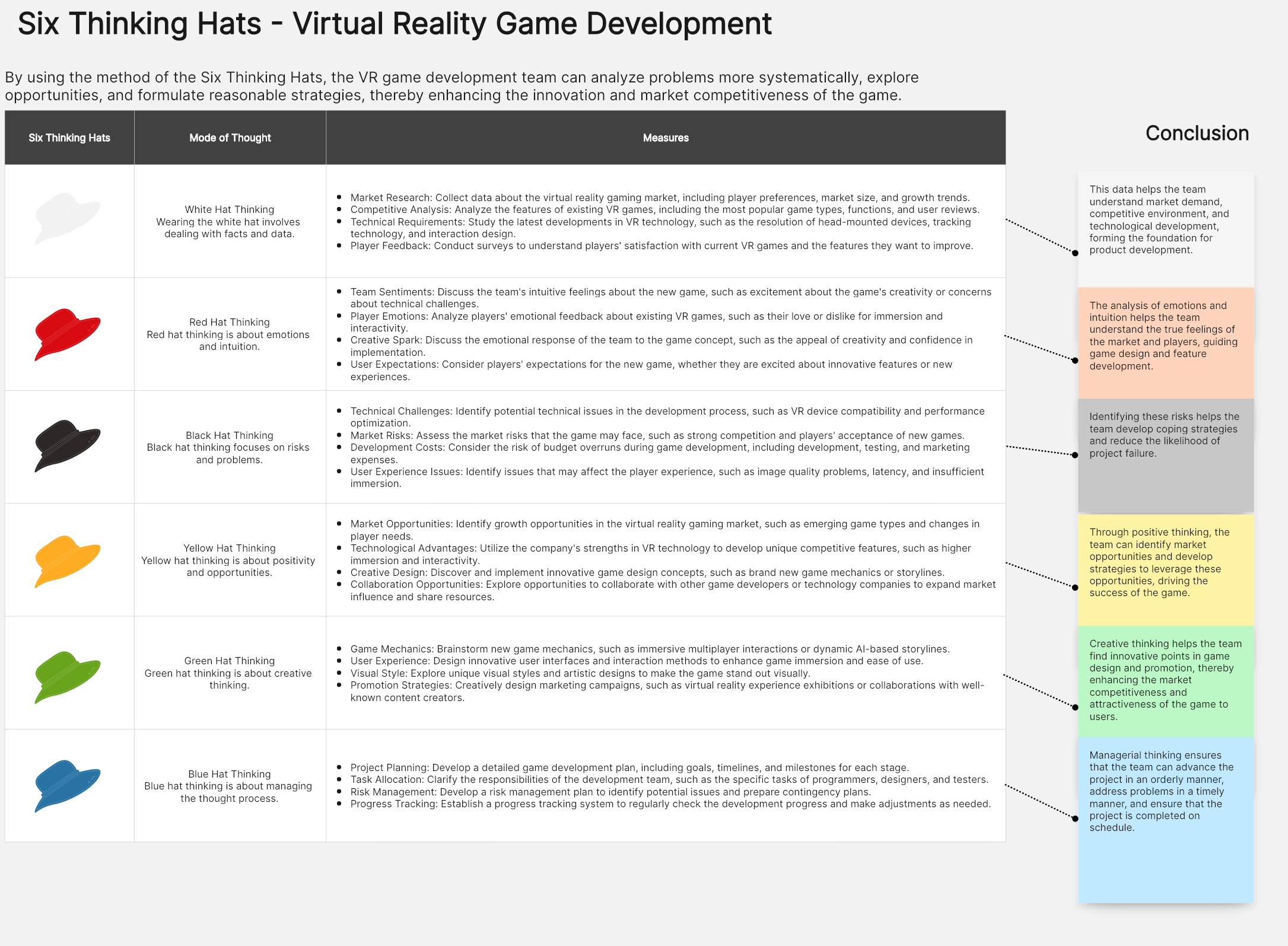
Edward de Bono developed the Six Thinking Hats method, a technique for approaching problems from several angles. Six Thinking Hats gets its name from the fact that it calls for looking at an issue or concept from six different angles and graphically depicting each one with a hat of a different color. This approach promotes innovative and varied thinking, which results in more imaginative solutions.
How Can Six Thinking Hats AI Help You?
✨Blue Hat (Big Picture): Involving AI tools in the entire product development process helps maintain strategic consistency.
✨White Hat (Facts): AI can collect and verify a large amount of factual data in seconds, reducing cognitive biases and human errors.
✨Red Hat (Emotions): AI can analyze emotional elements that people might overlook based on insights, or emotions that people are reluctant to express due to fear of being seen as "unprofessional."
✨Yellow Hat (Benefits): AI will simulate scenarios to generate potential advantages or outcomes.
✨Black Hat (Negativity): Identifying potential risks and weaknesses through AI risk assessment or competitor analysis.
✨Green Hat (Creativity): Utilizing generative AI for brainstorming helps to inspire the team's creativity.
Step Guide: How to Use AI to Create Six Thinking Hats
It can be somewhat laborious and time-consuming if the Six Thinking Hats analysis is solely dependent on brainstorming sessions. Time can be saved and the innovation cycle shortened by learning how to use AI to create Six Thinking Hats. Here is a detailed step-by-step guide.
Step 1: Access the Workspace
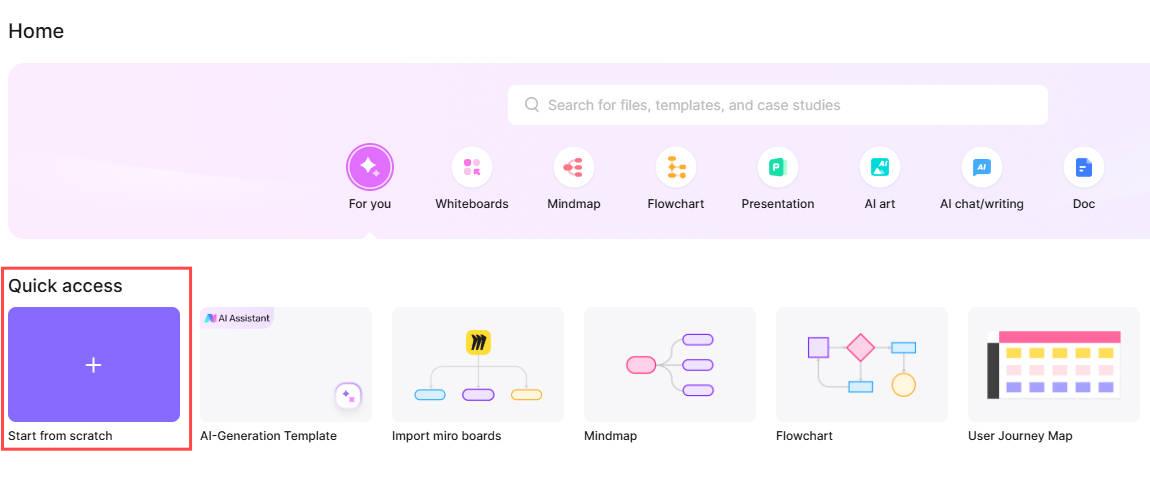
Go to Boardmix, sign in, and open a new whiteboard project. Click "Start from Scratch" in the workplace or choose a "Six Thinking Hats" template to get ideas from the template library.
Step 2: Create Six Thinking Hats with AI
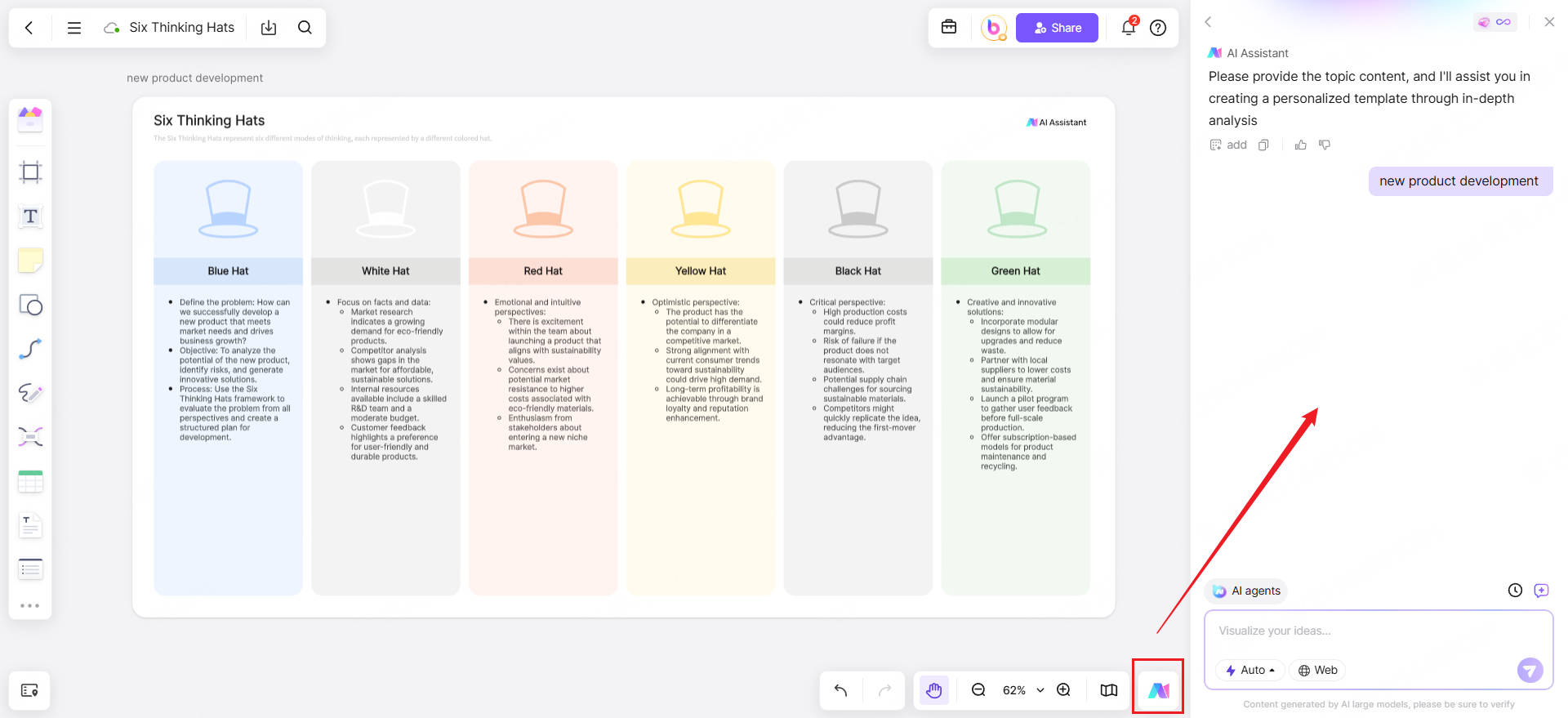
Click the "Boardmix AI assistant" button in the canvas's lower-right corner. Choose the "Six Thinking Hats" option under the Business Report tab. Provide the topic content, such as "talent recruitment strategies" or "new product development", and the Boardmix AI will assist you in creating a personalized template through in-depth analysis. AI has discussed the six dimensions point by point, making it easier for you and your team to continue brainstorming on each point.
Step 3: AI-Powered Brainstorming
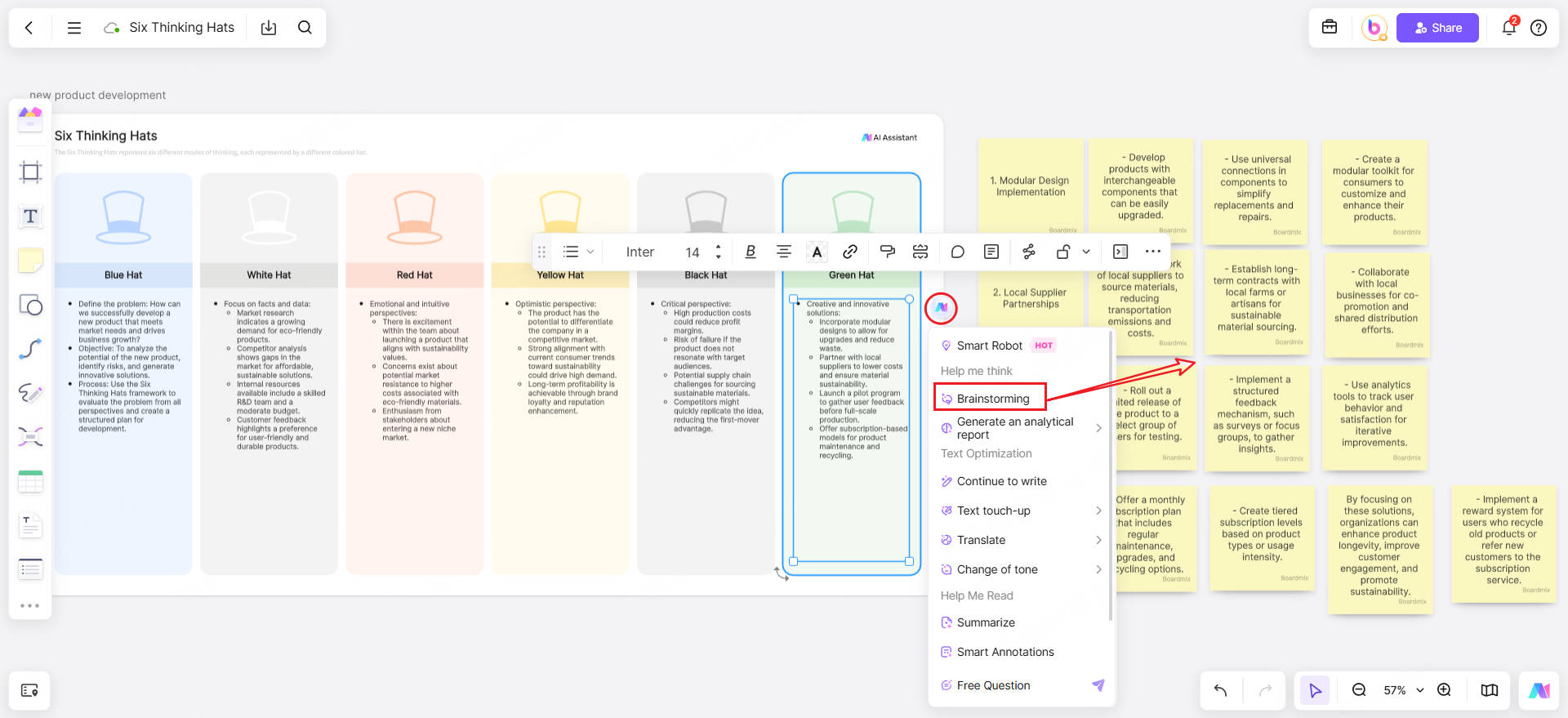
For the green hat, you need to know how to create more opportunities. You may select "brainstorming" from the AI assistant's dropdown menu, and the AI will generate sticky notes to help you organize your thoughts ahead of time, saving you and your team time and generating more efficient results.
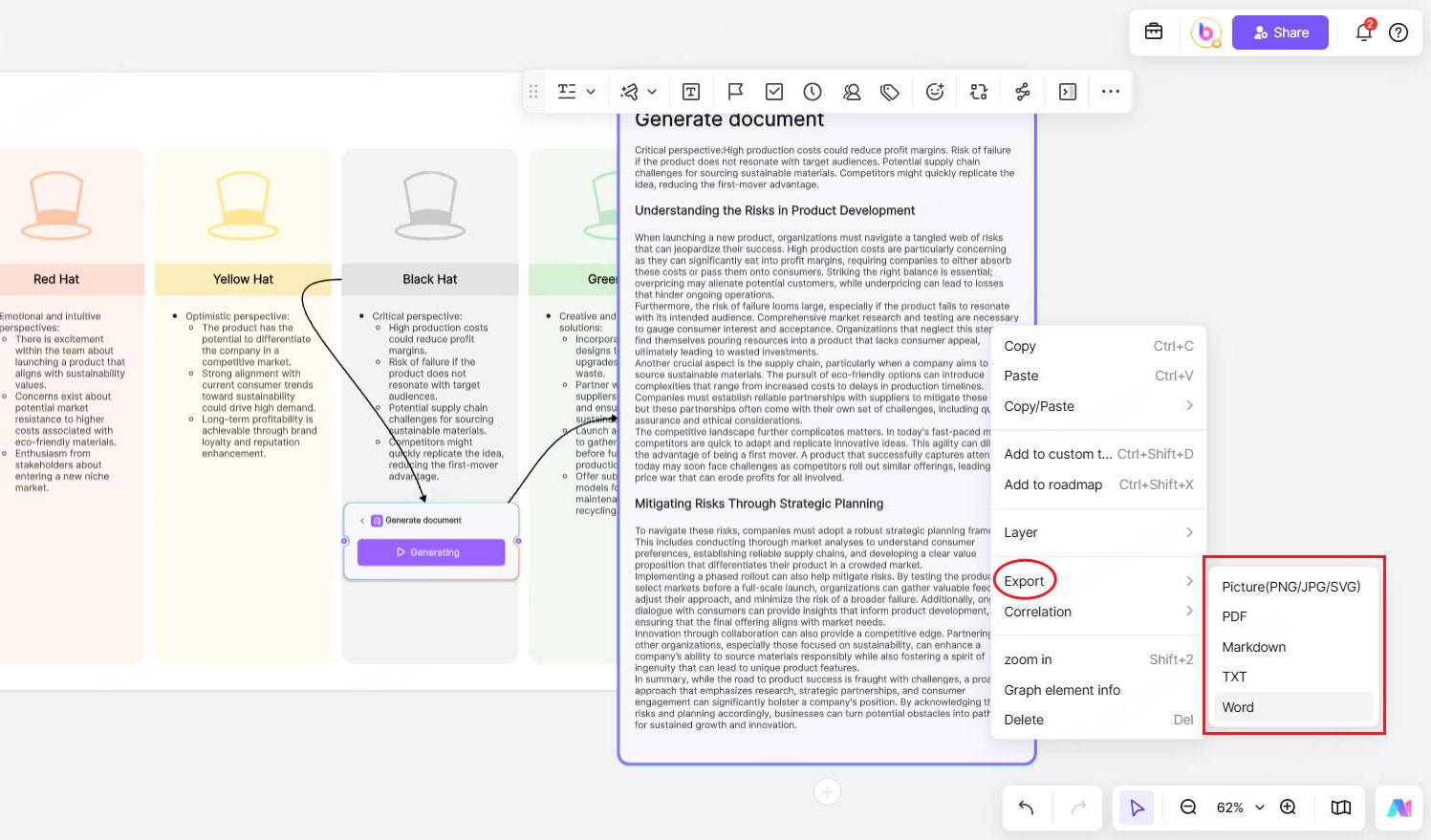
For the black hat, it is very important to develop a risk response plan. You can continue to investigate further critical views and create a structured document by clicking the "Generate document" under the "smart robot" in the AI assistant's dropdown menu, then selecting any export option.
Step 4: Further Deep Thinking
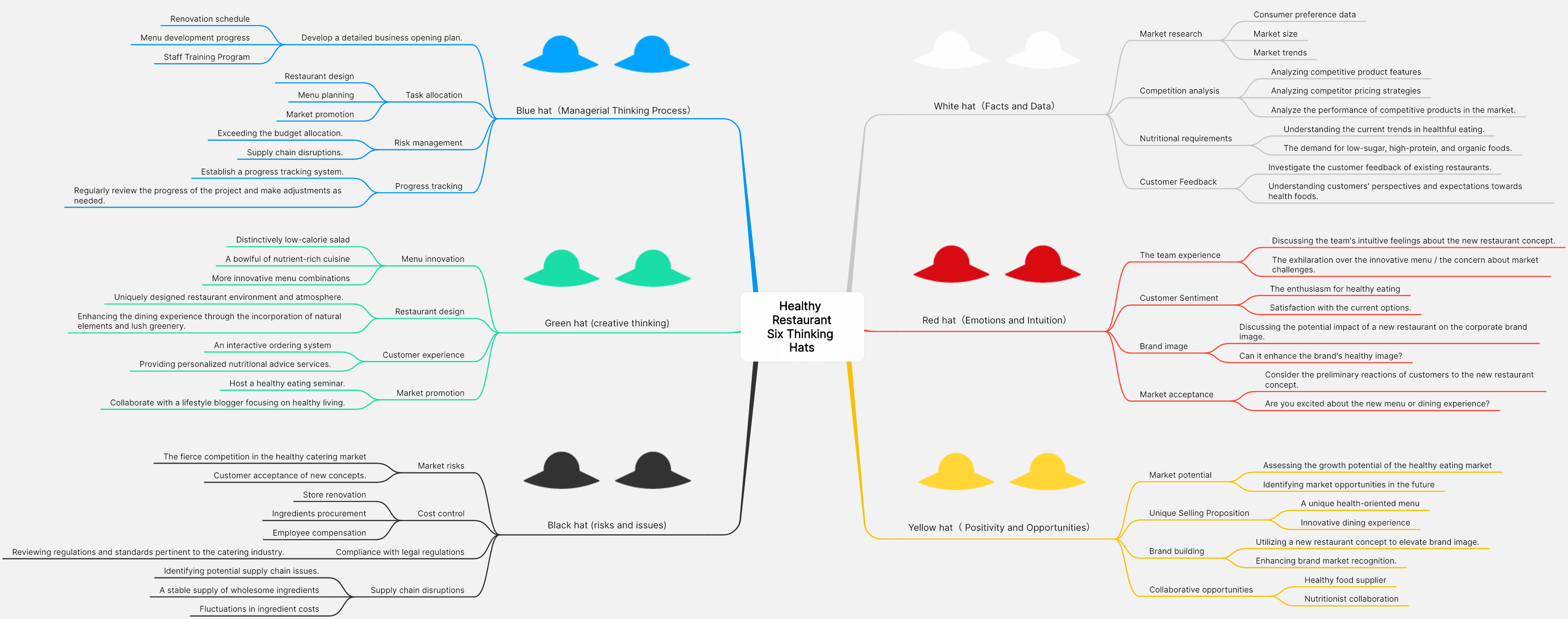
After conducting preliminary research on the Six Thinking Hats AI, you can share this chart with each stakeholder and encourage them to continuously contribute ideas from different perspectives. Then, for a more thorough analysis, you can apply the AI SWOT analysis to the "hats" that everyone is most concerned about. Or you can also convert the analysis results into a mind map.
Step 5: Improve Decision-Making Abilities
AI fishbone diagram analysis can help you make more logical and efficient judgments. Another tool for decision-making and problem-solving is the fishbone diagram. The fishbone diagram and the Six Thinking Hats can be combined to improve decision-making skills. Choose the “Fishbone” option under the Business Report tab.
Step 6: Download for Free
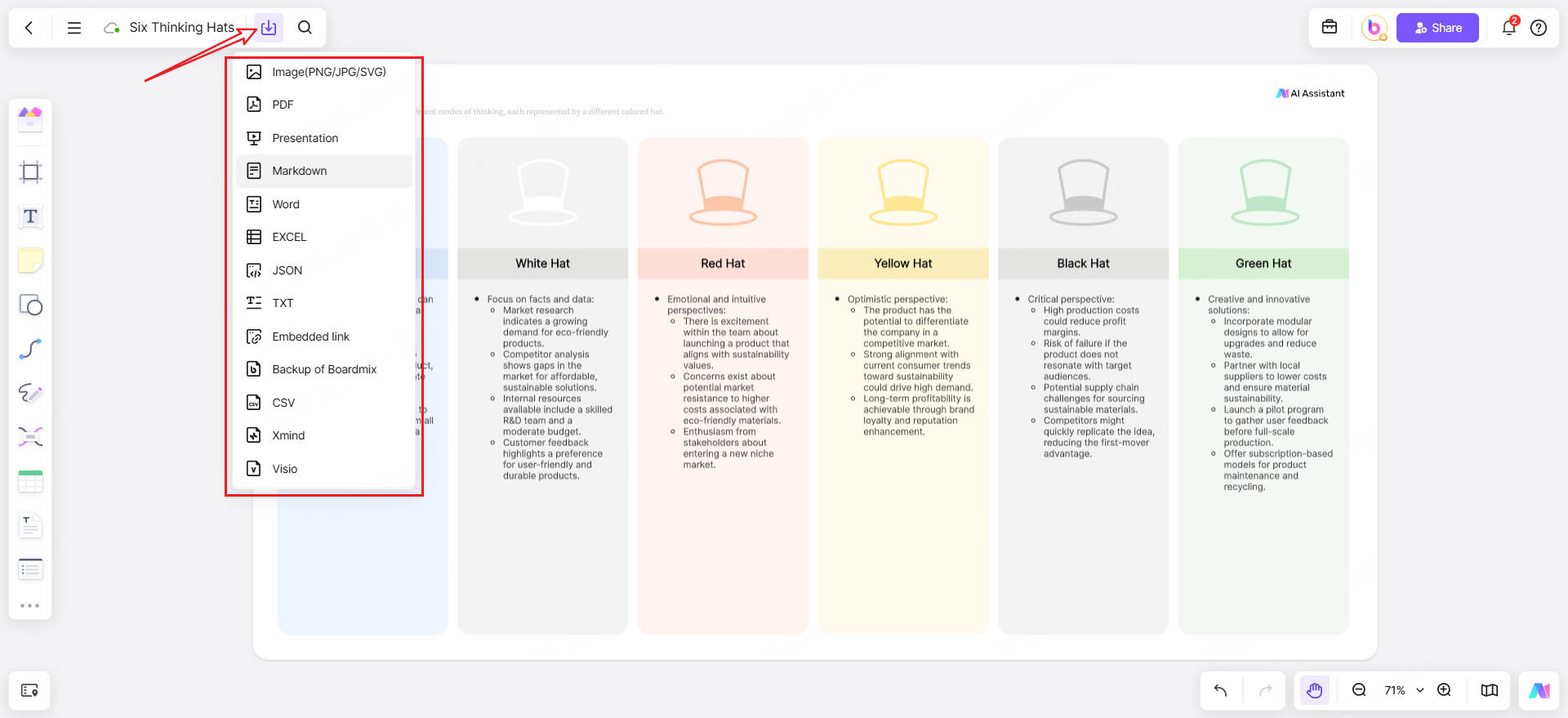
You can download the Six Thinking Hats for free, and Boardmix does not restrict the export formats. You can choose from image (PNG/JPG/SVG), PDF, Word, and Presentation.
Case Study: How to Use Six Thinking Hats in the Classroom
If you are a teacher, you must be troubled by the dull learning atmosphere in the classroom. You want to stimulate students' thinking, but you find it difficult to cater to each student's thought process. You need to organize a group discussion to encourage students to think divergently and cultivate their critical thinking skills. But you don't know how to use the Six Thinking Hats to organize this group discussion, so you want to try using the AI Thinking Hats model to quickly simulate these six thinking dimensions.
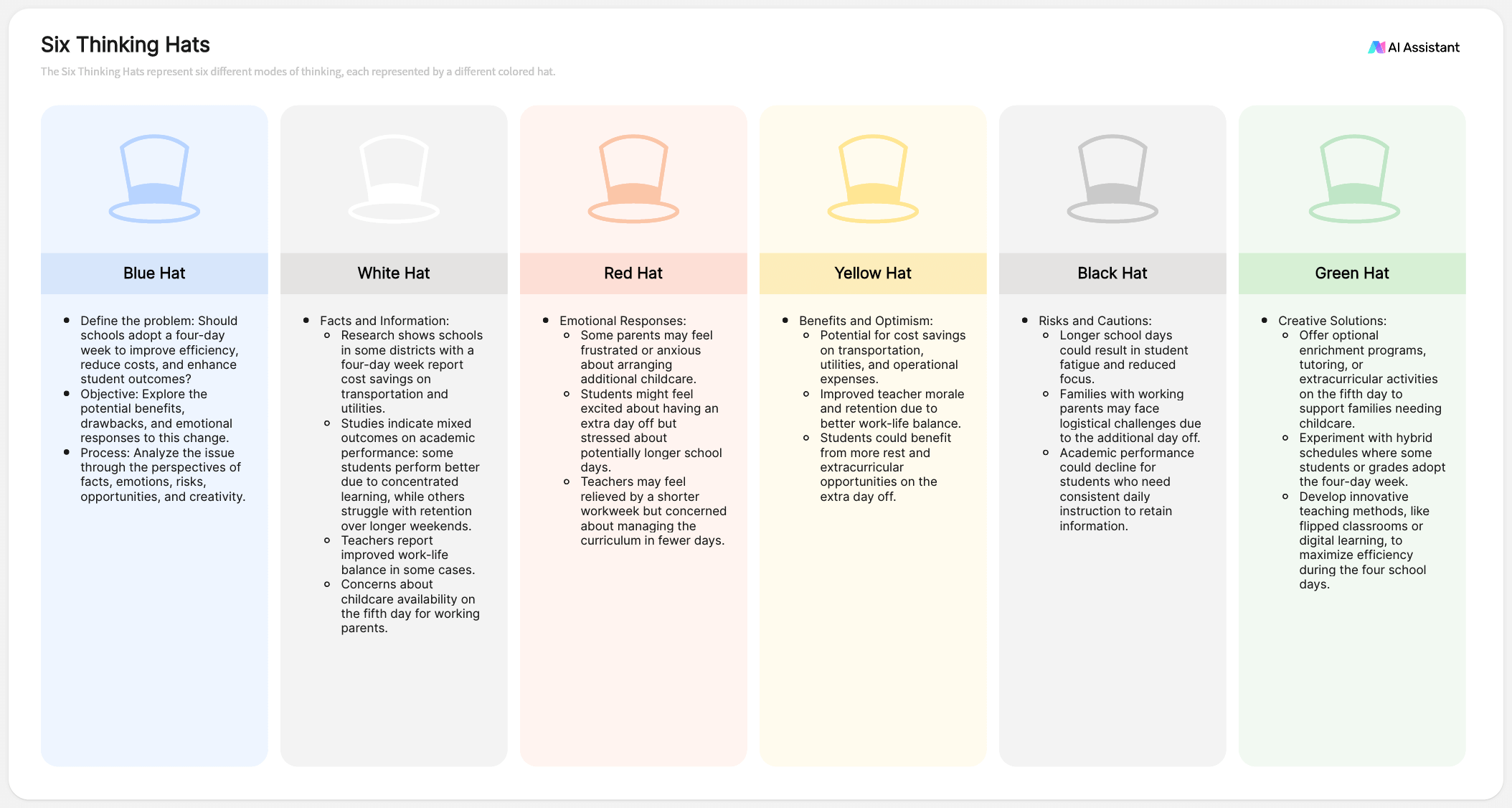
For example, you input a topic into Boardmix AI: Group discussion for "Should schools switch to a four-day school week?"
Using an AI-generated model as an example, demonstrate to the students what each thinking hat represents on this topic. Then, guide the students to share their viewpoints and record them.
Conclusion
I believe that through this guide, you have learned how to use AI to create Six Thinking Hats! Boardmix not only supports the automatic generation and free download of the Six Thinking Hats but also offers other AI-driven tools to help you plan and analyze. To further rationalize and refine your decisions, you can drive multiple tools on your infinite canvas, such as AI mind map, AI SMART goal, AI fishbone diagram, and more. Welcome to try Boardmix, this AI-driven interactive online whiteboard!





