





Knowledge framework maps fundamentally transform scattered information into a structured system, creating a clear logical hierarchy that is far more intuitive than traditional note-taking methods. By visually organizing concepts, they effectively reveal connections, dependencies, and patterns that might otherwise remain hidden. Utilizing whiteboard software elevates this process further by enabling dynamic visualization, real-time editing, and seamless team collaboration, thereby simplifying the entire lifecycle of organizing, refining, and presenting information. This methodology proves invaluable across diverse contexts—from personal learning journeys and professional workflow optimization to complex team-based projects. Building knowledge frameworks with a digital whiteboard not only boosts efficiency but also fosters clearer thinking, enhances memory retention, and produces better-structured, actionable outcomes.
What is a Knowledge Framework Map?
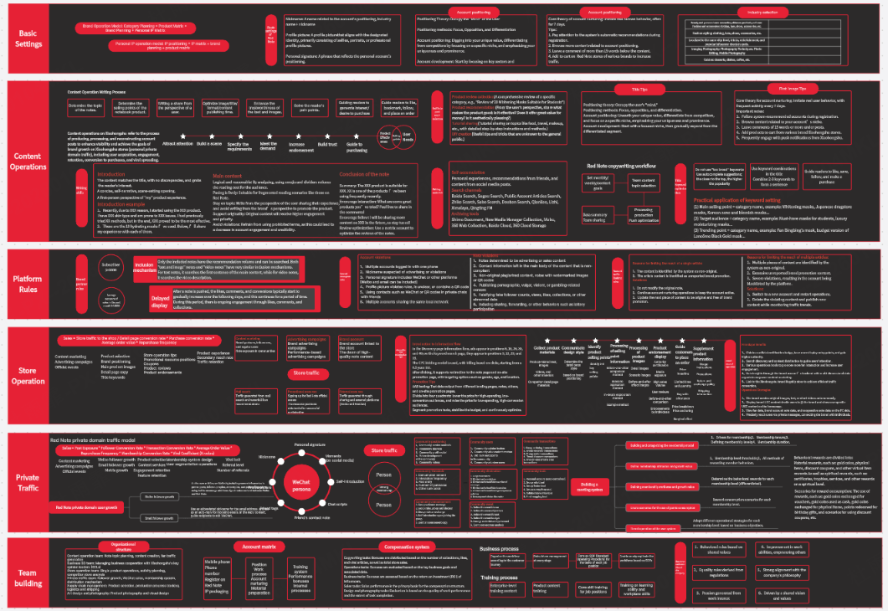
A knowledge framework map is, as the name suggests, a powerful visualization tool designed to structure and organize knowledge points systematically. Its core function is to deconstruct complex information into clearly defined, hierarchical modules, thereby building a coherent, well-organized, and easily navigable knowledge system. This approach moves beyond linear text to represent information spatially, which aligns more closely with how the human brain processes and associates ideas.
Knowledge framework maps are not monolithic; they come in various types, each suited to different kinds of information and thinking processes:
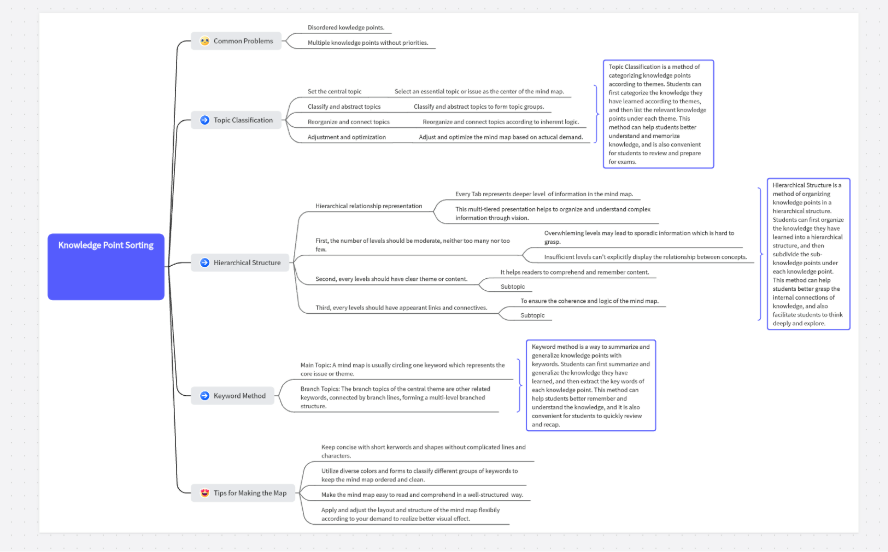
- Mind Map: A radiant, non-linear visual tool that starts from a central theme and branches outward into subtopics and details. It excels at capturing free-flowing ideas, brainstorming sessions, and organizing notes, making the hierarchy and relationships between concepts clear at a glance. Its organic structure is ideal for exploratory thinking and initial idea aggregation.
- Flowchart: This type focuses on illustrating sequences, processes, steps, and causal relationships. It typically uses standardized shapes (like rectangles for steps, diamonds for decisions) connected by arrows to map out workflows, operational procedures, algorithmic logic, or project plans. Flowcharts are indispensable for making complex processes transparent, identifying bottlenecks, and ensuring consistency in execution.
- Hierarchical Chart (Tree Diagram): This diagram demonstrates knowledge structure through explicit top-down, parent-child relationships, clearly showing primary, secondary, and subordinate connections. It is perfectly suited for organizational charts, subject classification systems (like biological taxonomy), systematic skill tree development, or any context where a strict ranking or containment relationship exists.
- Concept Map: More complex than a mind map, a concept map uses nodes (concepts) and connecting lines labeled with linking phrases to show multifaceted logical relationships such as cause-effect, part-whole, or "contributes to." It emphasizes the *quality* of connections between ideas and is frequently used in academic research, curriculum design, scientific literature analysis, and deepening conceptual understanding.
- Matrix Diagram or Tabular Framework: This framework presents information within a two-dimensional grid defined by categories and attributes. It facilitates direct comparison, contrast, and classification of items (e.g., SWOT analysis, decision matrix, RACI chart). It is commonly used for market analysis, strategic planning, feature prioritization, or any scenario requiring systematic evaluation across multiple criteria.
- Timeline: A linear visual that arranges events, milestones, or phases along a chronological axis. It is ideal for presenting historical overviews, project schedules, product roadmaps, or personal development tracking, providing immediate insight into duration, sequence, and simultaneity.
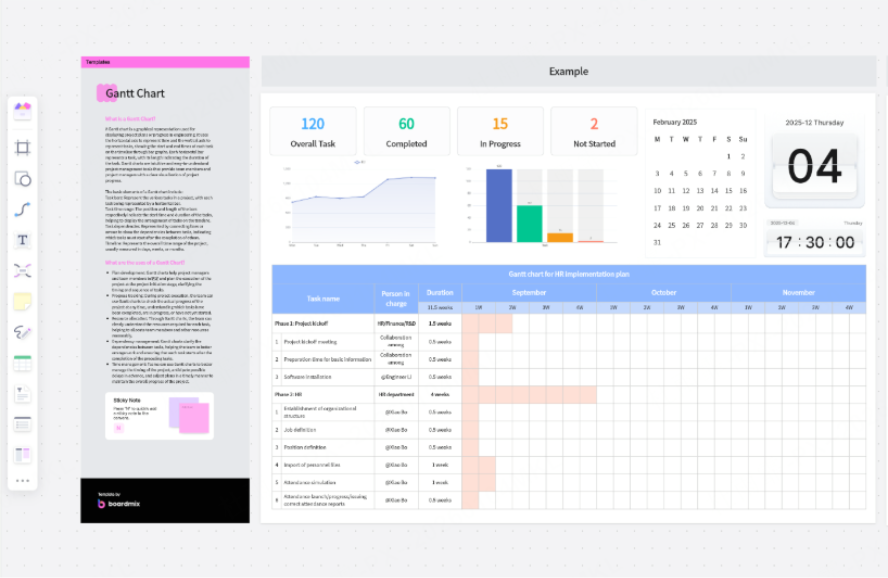
Utilizing whiteboard software, users can effortlessly combine these types or start from templates to efficiently transform abstract, textual content into intuitive, interactive structural diagrams. This visual translation makes knowledge easier to understand, remember, communicate, and reuse. Try Boardmix for free!
Advantages of Building Knowledge Framework Maps with Whiteboard Software
Compared to the constraints of traditional pen-and-paper notes or static document editors, creating knowledge framework maps on a digital whiteboard offers transformative advantages. It enhances not only the efficiency of information organization but also the depth of understanding and the capacity for collaborative knowledge building.
Visual presentation is profoundly more intuitive and engaging.
Whiteboards provide an infinitely expandable digital canvas, liberating users from physical page limits. They support the free integration of diverse media elements—text, shapes, icons, stickers, images, hyperlinks, and even embedded videos or documents. This multimodal capability transforms abstract information into vivid, multi-dimensional visual structures that engage different parts of the brain, greatly improving comprehension, pattern recognition, and long-term memorization.
Structural adjustments are exceptionally flexible and non-destructive.
Knowledge is dynamic, not static. When information evolves or new connections emerge, digital whiteboard features like drag-and-drop, layering, grouping, and smart connecting lines make restructuring, expanding, or pruning the framework effortless. This ensures the knowledge system maintains excellent dynamic adaptability, allowing it to grow and refine organically over time without the need to start over.
Team collaboration is elevated to a new level of efficiency and synergy.
Whether for individual brainstorming or synchronous group co-creation, team members can join the same whiteboard from anywhere to edit, comment, vote, and chat in real-time. This breaks down information silos, democratizes contribution, and fosters rapid idea exchange, consensus-building, and collective ownership of the framework. It turns knowledge mapping from a solitary activity into a collaborative intelligence exercise.
Content management and accessibility are vastly more convenient.
All content is automatically saved and synced to the cloud, providing access and editing capability anytime, anywhere, from any device. Version history allows users to track changes and revert if needed. Furthermore, completed frameworks can be exported with one click into various formats (PNG, PDF, PPT, etc.) for archiving, reporting, presentation, or integration into other workstreams.
Recommended Whiteboard Software for Effective Knowledge Framing
In practice, selecting the right digital tool is crucial for a smooth and powerful knowledge-framing experience. The following whiteboard software tools are highly recommended for their robust feature sets and user-friendly interfaces:
Boardmix: A versatile and powerful tool that offers a wide array of built-in diagram types (mind maps, flowcharts, timelines, etc.) and professionally designed templates. It stands out with AI-powered features that can help generate framework drafts or summarize content. Its real-time multi-user collaboration is seamless, and it allows direct one-click export to presentation slides (PPT) or documents, making it perfect for learners, content creators, and teams needing to rapidly organize and present complex information.
Miro: Known for its extensive and ever-growing template library and integration ecosystem (with apps like Jira, Slack, Google Drive). It offers a highly flexible, infinite canvas ideal for remote team collaboration, complex brainstorming sessions (using frameworks like SCAMPER or Business Model Canvas), and creating large-scale, interconnected knowledge framework maps. Its plugin system allows for significant customization.
Microsoft Whiteboard: Deeply integrated into the Microsoft Office 365/Microsoft 365 ecosystem, it offers a familiar interface for users in that environment. It facilitates quick drawing, sticky note use, and easy sharing with colleagues via Teams. While its native templating might be less extensive than others, its strength lies in its simplicity and seamless fit within the Microsoft productivity suite.
While each tool has its unique strengths and ideal use cases, they all share the core ability to help users intuitively structure information, visualize relationships, and enhance both personal knowledge management and team collaboration efficiency.
A Step-by-Step Guide to Building a Clear and Robust Knowledge Framework Map
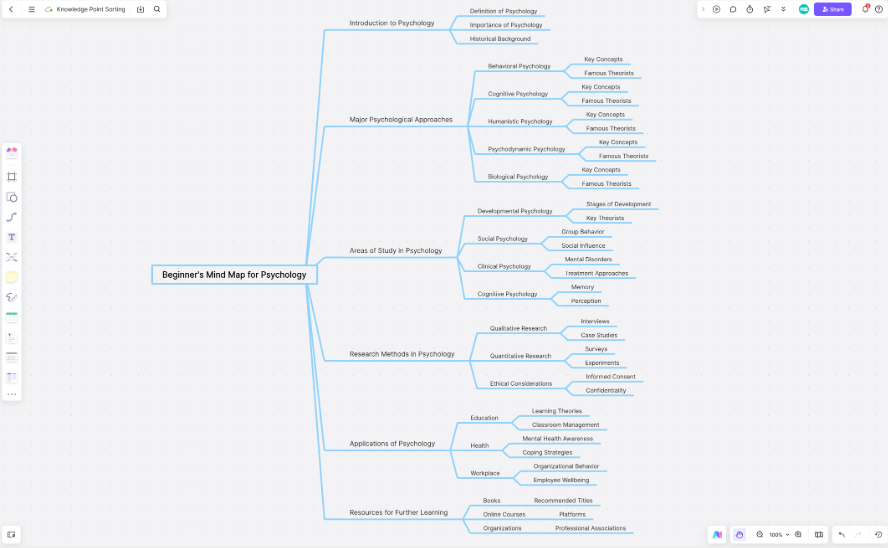
Let's take "Introduction to Psychology" as a practical example and walk through the detailed steps of building a well-structured, clearly hierarchical knowledge framework map using a tool like Boardmix.
Step 1: Define the Core Topic and Establish Primary Categories (The Foundation)
Before drawing a single shape, invest time in clarifying the central theme and the top-level architecture of your map. Ask: "What is the overarching subject?" and "What are the main pillars that support it?" These primary categories form the backbone. For "introduction to Psychology", these might be:
- Biological Foundations (Brain, Nervous System)
- Developmental Psychology (Lifespan changes)
- Cognitive Psychology (Memory, Thinking, Language)
- Personality Theories (Psychoanalytic, Trait, Humanistic)
- Social Psychology (Influence, Group Behavior)
- Clinical Psychology (Disorders, Therapies)
Clear primary categories are like the main chapters of a book—they give structure and direction to all subsequent, more detailed content.
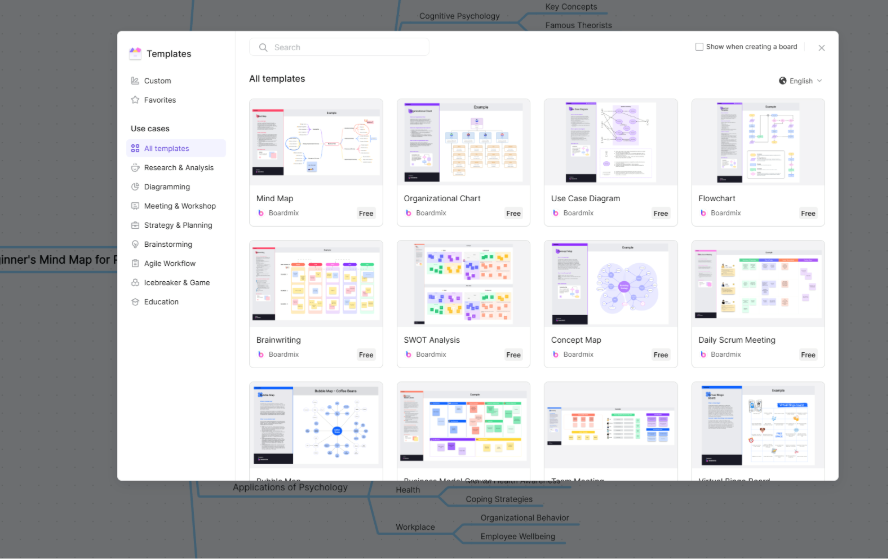
Step 2: Create a New Project and Select an Appropriate Structural Style
Launch your whiteboard software (e.g., Boardmix) and initiate a new project. You typically have two paths:
Template-Based Start: Choose a pre-built mind map or concept map template. This is ideal for beginners or when speed is a priority, as it provides an immediate, validated structure. You simply replace the placeholder text with your primary categories.
Freeform Creation: Start with a blank canvas. This is suited for users with a specific vision or when combining multiple framework types (e.g., a timeline linked to a flowchart). Manually add your central topic node and begin branching out, enjoying complete control over layout and design.
Step 3: Expand Secondary and Tertiary Nodes to Articulate Logical Relationships
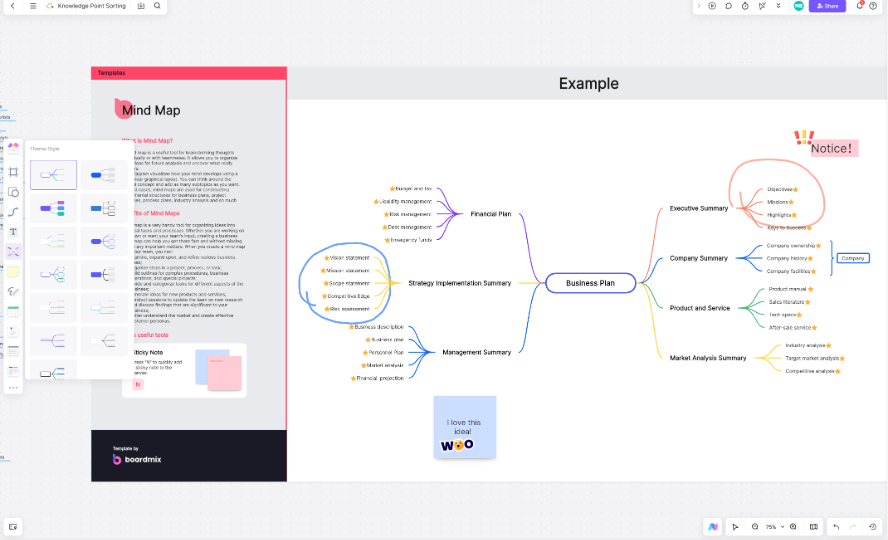
This is the core construction phase. For each primary category, drill down. Under "Cognitive Psychology," you might add secondary nodes like Memory, Attention, Problem-Solving. Then, under Memory, add tertiary nodes like Sensory Memory, Short-Term Memory, Long-Term Memory. Use drag-and-drop to arrange nodes logically. Employ connecting lines with labels (in concept maps) to specify relationships (e.g., "encoding" leads to "storage"). This step builds the detailed skeleton and clarifies the intricate web of connections within your knowledge domain.
Step 4: Enrich with Multimedia and Annotations to Add Depth and Context
A framework is more than a skeleton; it needs flesh and context. Enhance your map by adding layers of detail to key nodes:
Icons & Color Coding: Use visual cues to categorize themes (e.g., blue for theories, green for experiments) or denote status, improving quick navigation and recall.
Sticky Notes or Inline Notes: Attach brief explanations, key definitions, or personal insights directly to nodes without cluttering the main view.
Embedded Links & Attachments: Hyperlink to source materials—online lectures (YouTube, Bilibili), academic papers (PDF), relevant websites, or even other related framework maps. This transforms your map into a dynamic portal to deeper information.
Step 5: Save, Export, Share, and Iterate for Continuous Learning
Your knowledge framework is a living document. Upon completion:
Export for Portability: Save as a high-resolution image (for study guides) or a PDF (for formal reports or printable notes).
Share for Collaboration: Generate a shareable link with customizable permissions (view/edit) to facilitate study group discussions, peer review, or teacher feedback.
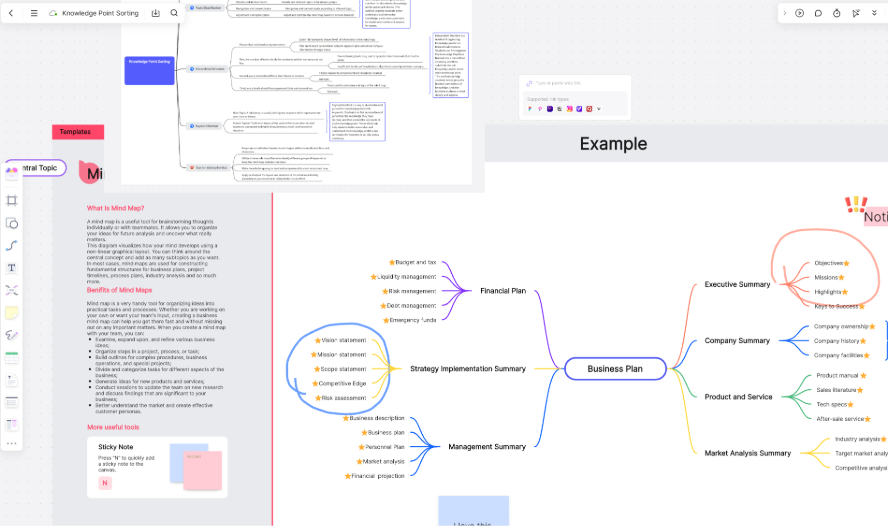
Save the Native Project File: Keep the editable file to allow for future updates. As you learn more, revisit the map to add new nodes, refine connections, or restructure sections. This iterative process is where deep, lasting understanding is solidified.
Conclusion
A clear knowledge framework map is far more than a static review tool; it is an active engine for deep thinking, synthesis, and knowledge creation. Choosing the right digital tool makes this process exponentially more effective. User-friendly, flexible, and collaborative whiteboard software like Boardmix empowers you to easily build and maintain your personal and collective knowledge maps by:
- Imposing meaningful structure and direction onto fragmented information chaos.
- Transforming passive, scattered learning into active, systematic mastery.
- Making the processes of expression, review, debate, and collaboration more efficient, logical, and impactful.
Whether you are delving into a new academic field, organizing content for a critical presentation, or orchestrating a complex team project, start with a whiteboard. Begin the practice of visually organizing, presenting, and clarifying the knowledge in your mind—this is the essential first step in constructing a resilient and expansive cognitive system.





