A Mad Sad Glad retrospective helps team members reflect on how a sprint or project felt: what frustrated them, what disappointed them, and what made them happy or proud. Discussing the events behind those reactions can reveal problems a delivery report misses, as well as useful practices the team wants to keep.
Use the three prompts to open a conversation, then choose a practical improvement together. The guide below covers the format, its benefits, seven steps for running it in Boardmix, and two team examples.
What is a Mad Sad Glad retrospective?
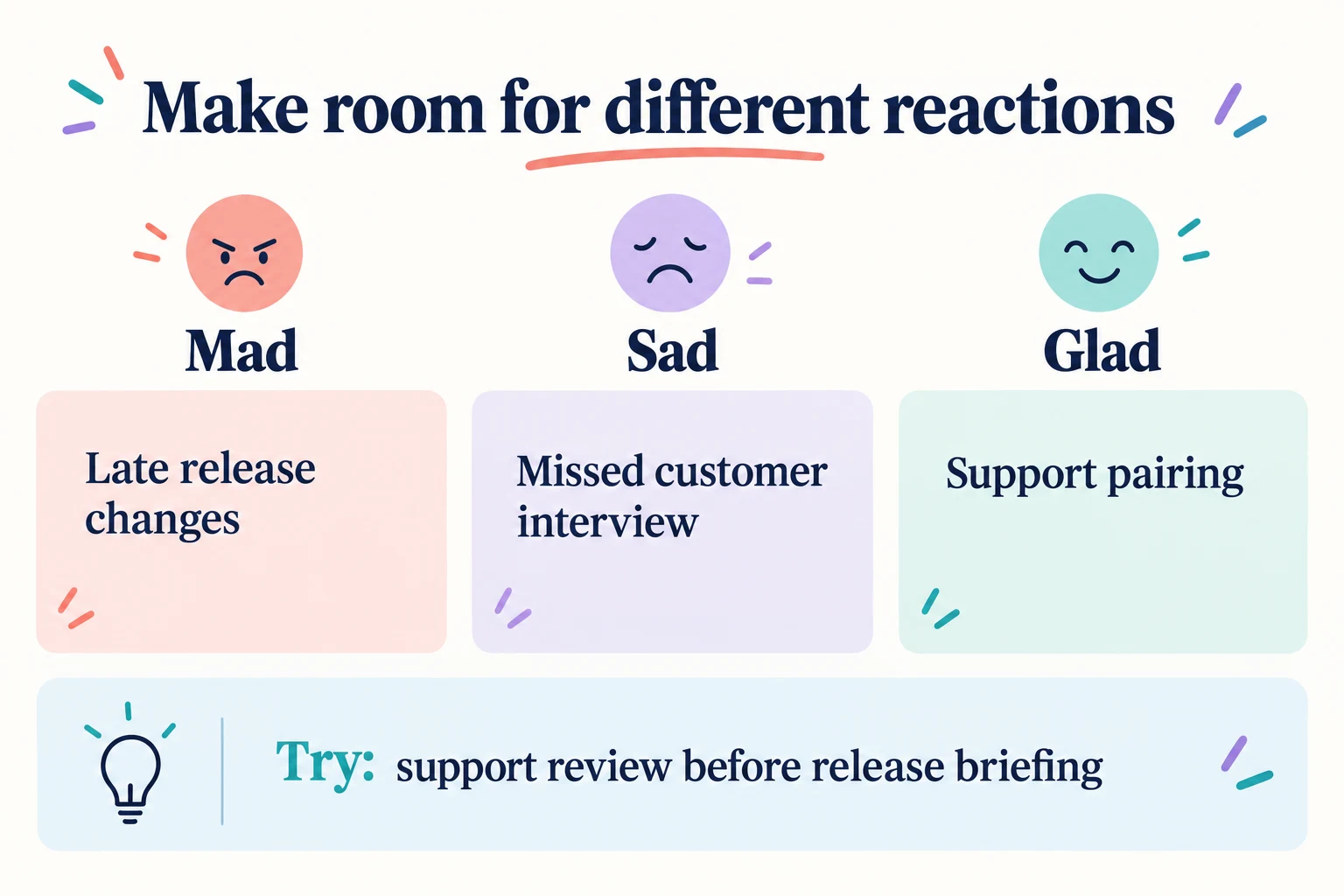
The Mad Sad Glad retrospective is structured around three emotional categories:
- Mad: Events that caused frustration or irritation, such as a last-minute change to an agreed plan.
- Sad: Disappointments or missed opportunities, such as a customer interview the team had to cancel.
- Glad: Experiences people value, such as a colleague helping resolve an unfamiliar problem.
The categories can overlap. A missed demonstration might make one person sad and another mad; let each person choose where to put their note. Equal numbers in the columns are unnecessary.
Atlassian's retrospective guidance includes Glad/Sad/Mad as a way to vary reflection prompts. The format helps people discuss their experiences; it does not replace the wider retrospective conversation about how to improve the team's work.
Benefits of a Mad Sad Glad retrospective
The three prompts give a team several useful ways into a discussion:
- Understand different experiences. The same release may have felt manageable to one role and exhausting to another. Comparing notes helps explain that difference.
- Make difficult conversations more specific. A note about a missed approval gives the group something concrete to explore.
- Find improvements worth trying. Repeated frustrations can point to a handoff, decision, or working agreement that needs attention.
- Build mutual understanding. Listening without immediately defending or correcting a reaction makes room for perspectives the team may otherwise miss.
- Recognize what works. Glad notes show which relationships and practices helped, so improvements do not accidentally remove them.
These benefits depend on how the discussion is facilitated. Three labeled columns alone will not make people comfortable sharing. Explain who can see the board and give participants the option to pass or speak privately.
How to run a Mad Sad Glad retrospective in Boardmix
1. Set up your Boardmix board
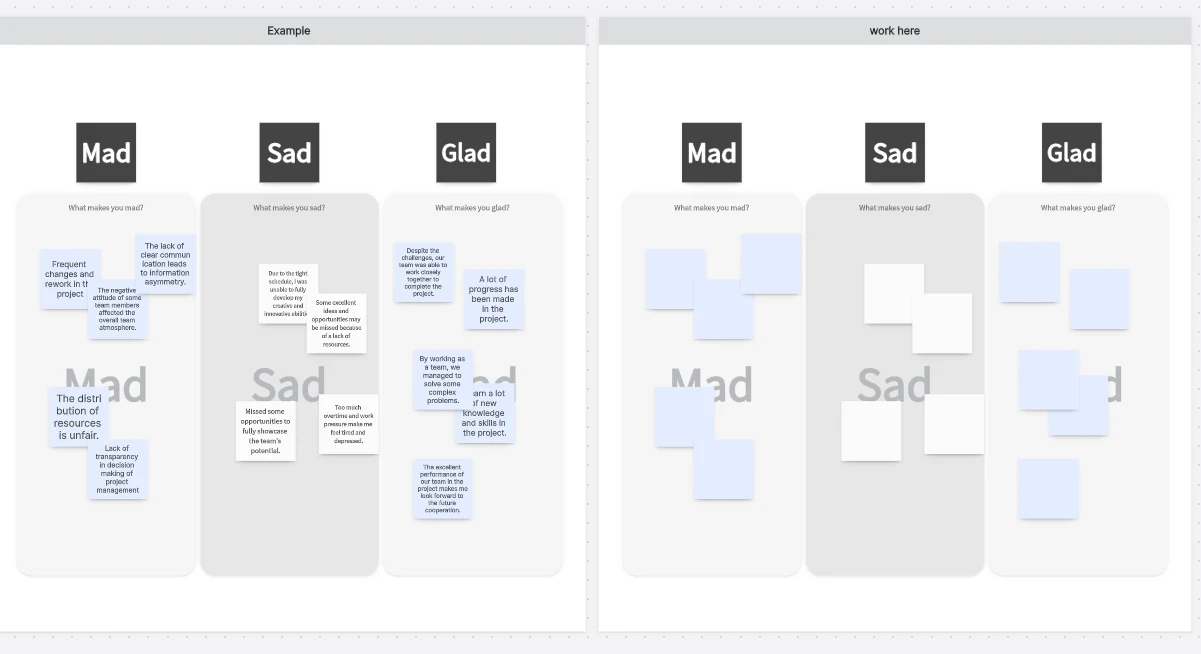
Start with the Mad Sad Glad template or create three labeled areas on a blank canvas. Add the sprint or project name and the period you will discuss. Leave a separate area for decisions so suggested ideas are not confused with agreed actions.
2. Invite the team and check access
Share the board with the people who took part in the work and confirm that participants can contribute. Include relevant perspectives across roles, rather than only the people who presented the finished work. Explain whether the notes will remain available after the meeting.
3. Explain the process
Clarify the three categories and ask everyone to think about specific events. “The release instructions changed after support briefed customers” gives the group more to discuss than “bad communication.” Make clear that the aim is to understand working conditions, not judge which person's feeling is correct.
4. Collect feedback
Give people a few quiet minutes to add one event per sticky note. Independent writing helps participants recall their own experiences before hearing the loudest voice in the room. Nobody needs to fill every column or disclose personal circumstances.
5. Group and discuss the notes
Move related notes together on the Boardmix canvas to identify themes. Invite people to explain notes they are comfortable discussing and ask what happened, when it happened, and how it affected the work. Keep differing views visible rather than merging them into a statement nobody recognizes.
6. Choose an action
Identify a small change that addresses a theme the team can influence. Write what will happen, who will arrange it, and when the team will try it. Record the decision beside the discussion. Create any follow-up task in the team's usual task system and paste its link beside the decision.
7. Close the retrospective
Read back the decision and any question that remains open. Thank participants and check whether the summary reflects the conversation fairly. At the next retrospective, allow time to discuss what happened when the team tried the change.
For a small team, a possible 50-minute agenda is 5 minutes to set the scope, 7 for writing, 10 for clarification, 15 for discussing themes, 10 for choosing an action, and 3 to close. Adjust the time for the topic and group. The sprint retrospective guide covers the broader meeting structure.
Tips for a useful discussion
Create a safe environment. Explain that the goal is learning, not blame. “The approval arrived after the deadline” describes an event; “they never care” assumes a motive. Sensitive personal grievances need an appropriate private channel, not a public voting exercise.
Offer different ways to contribute. Some participants need quiet writing time or a separate conversation. Do not promise anonymous notes unless the board's actual identity and access settings support that promise.
Ask for specific examples. If a complaint recurs, find out what stopped the previous improvement: time, authority, a dependency, or disagreement. Repeating “communicate better” will not resolve an unchanged handoff.
Timebox without cutting off essential context. Give each stage a clear purpose. If a theme is too large for the meeting, agree who should continue that conversation and what question they need to resolve.
Make follow-up visible. Keep the chosen action near its original context and link to any related work. When the group already knows the problem and wants to compare actions, a Start Stop Continue retrospective may be a better fit.
Two Mad Sad Glad examples for Agile teams
These sample team situations show how an emotional reaction can lead to a concrete discussion.
Example 1: Improve sprint planning and external handoffs
A remote team writes “The sprint goal kept changing” under Mad, “We missed the demonstration while waiting for another team” under Sad, and “Pairing helped us resolve an unfamiliar issue” under Glad.
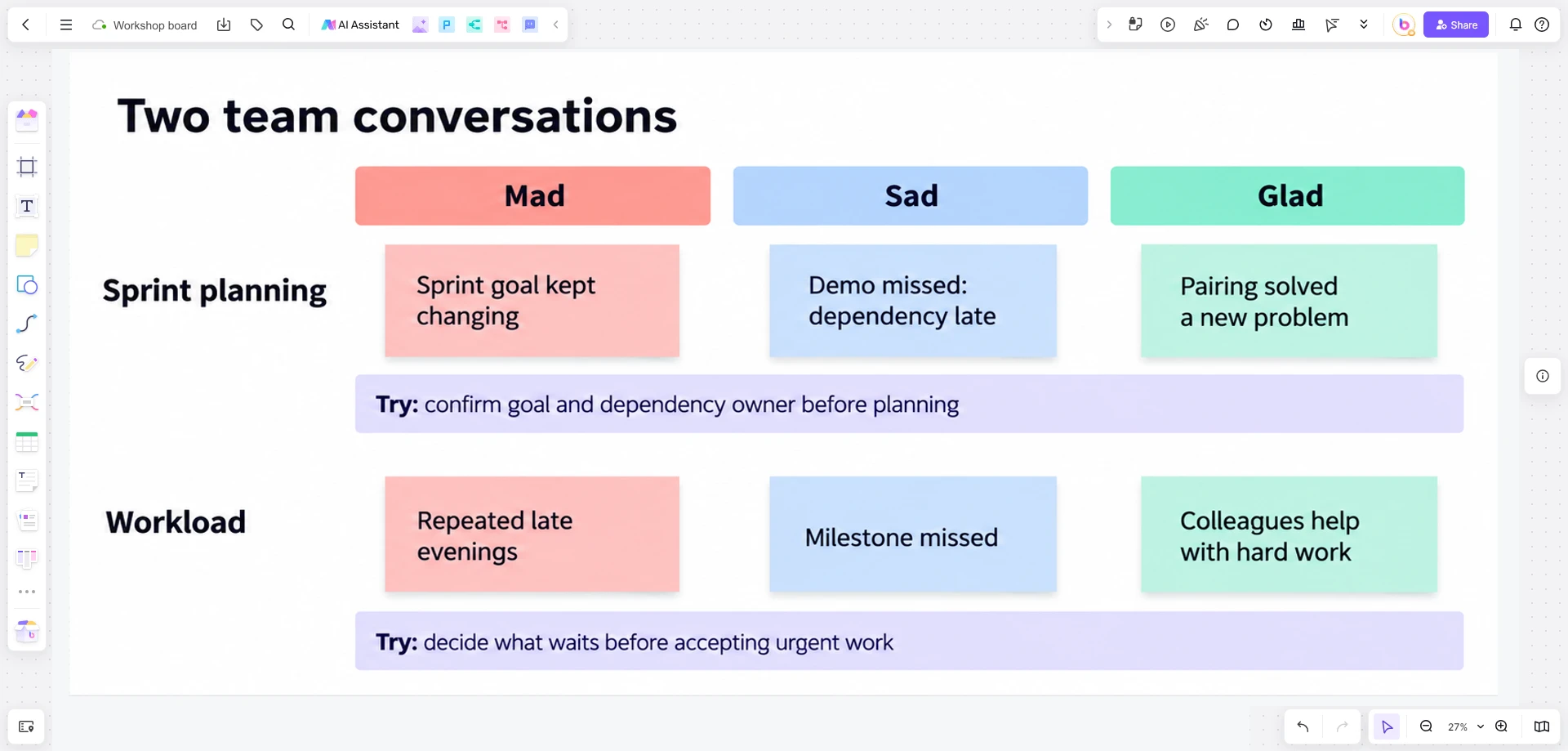
The facilitator asks when the goal changed and what information was missing from the external handoff. The team could agree to state the goal in planning and confirm a dependency's owner and expected delivery before committing to the affected work. The helpful pairing practice is worth keeping.
Keep the original notes beside the planning decision so the next retrospective can revisit the specific handoff and goal changes.
Example 2: Address workload and protect team support
A software team is frustrated by repeated late evenings, disappointed about a missed milestone, and glad that colleagues help when work becomes difficult. The facilitator explores which commitments created the late work and when the risk became visible.
A possible next step is a workload check before accepting another urgent item, including an explicit decision about what will wait. Keep the supportive pairing the team values. A regular check-in helps only if people can change the workload or escalate a constraint; another meeting alone does not create capacity.
Keep the format useful over time
Run retrospectives at a cadence that fits the work, rotate facilitation when appropriate, and use both labels and colors so the board is easy to read. Focus on a few changes the team can try before the next conversation. There is no need to manufacture negative notes when a period went well: ask what made it work and what should be protected.
Create a retrospective board in Boardmix, add the three prompts, and leave room for your team's own examples and decisions.