





Mind mapping is a renowned tool for organizing thoughts in study, work, and life. Yet, few have mastered the art of creating them online. Are you facing these common roadblocks?
Must you always start from a template?
Can you easily export your mind map to PPT, an image, or a shareable link?
The truth is, the process is far simpler than you think. This article will guide you through a straightforward 3-step method to master online mind mapping. Even as a complete beginner, you'll be able to create clearly structured mind maps in no time.
Define Your Topic & Create a Canvas
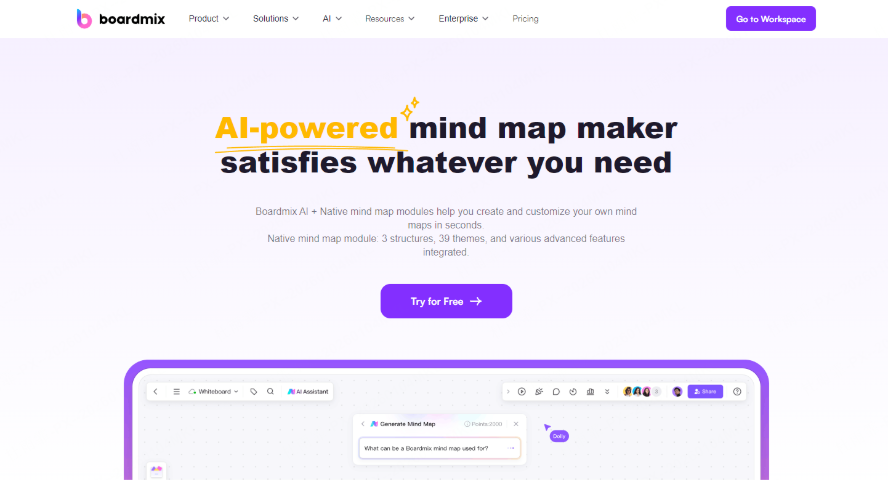
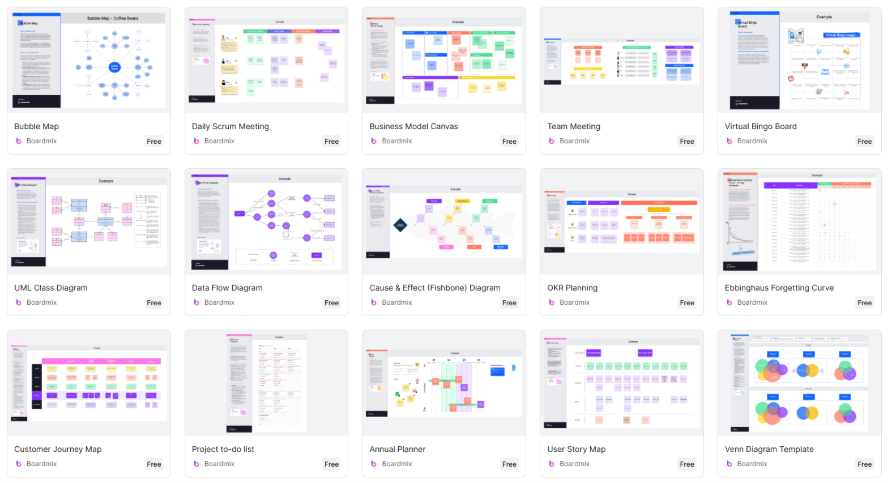
A powerful tool is the foundation of a great mind map. For this, we highly recommend using Boardmix. It's a web-based, user-friendly whiteboard that requires no installation. It comes packed with rich mind map templates and even supports AI-assisted generation, making it the ideal tool for online diagramming and visual expression.
Once you've registered and logged into your Boardmix workspace, create a new blank board. On this canvas, select the mind map tool and enter your central topic—for instance, "Marketing Strategy" or "Exam Study Guide." This topic is the foundation from which all your ideas will branch out.
Pro Tip: Keep your central topic concise—aim for a keyword or a short phrase of 3-5 words, rather than a long sentence. For example, "Marketing Plan" is more direct and scannable than "2025 Q1 Marketing Execution Plan," making it easier to expand upon in the next steps.
Expand Branches & Structure Your Logic
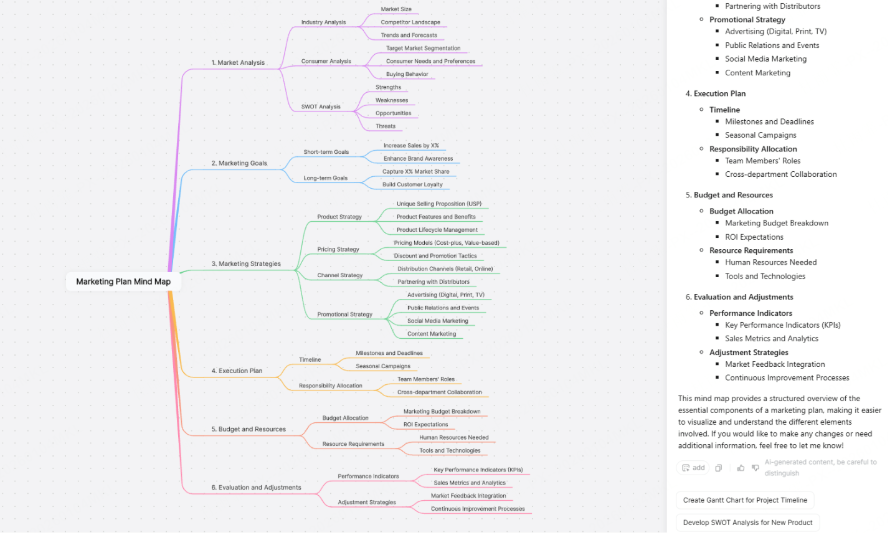
The most critical step in mind mapping is developing the logic outward from your central topic. Think of this like growing branches and leaves from a tree trunk and each layer adds more detail.
Main Branches: Build the Framework
Start by adding the main branches from your central node. These branches act as your primary headings (like chapter titles in an outline), such as "Target Audience," "Channel Selection," "Budget," and "Action Plan." They form the skeleton of your entire map and must be concise and core to your topic.
Sub-branches: Add Layers of Detail
Once your main branches are in place, begin extending sub-branches from them. This process of layering allows you to break down broad concepts into specific, actionable steps. For example:
- From the main branch "Marketing goals," you might create two sub-branches: Short-term Goals and Long-term Goals.
- From the "Short-term Goals" sub-branch, you could further break it down into: Increase Sales by X% and Enhance Brand Awareness.
Leverage AI as Your Co-pilot
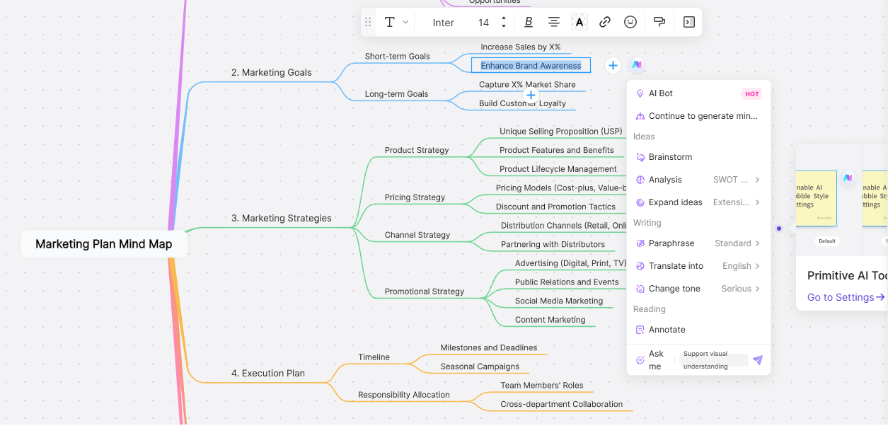
Boardmix features a built-in AI Assistant that acts as your brainstorming partner. When your thinking hits a roadblock on a particular branch, you can directly call upon the AI to:
- Generate relevant sub-nodes automatically, helping you explore new directions and expand your train of thought.
- Propose critical questions or suggest additional ideas, making your mind map more comprehensive and uncovering perspectives you might have missed.
Workflow: Efficiency with Templates & Shortcuts
Boardmix is designed for a seamless and intuitive outlining experience. It comes with various structure templates and keyboard shortcuts that make building your mind map as fluid as writing a list. The logic and hierarchy are automatically maintained for a clean, organized layout. Intuitive Navigation & Editing:
- Press Enter to create a new node at the same level (a sibling).
- Press Tab to create a subordinate node (a child).
- Simply Click and Drag any node to reorganize your structure and adjust its hierarchy in real-time.
Polish, Export & Share
With the logical structure in place, the final step is to enhance the visual clarity and appeal of your mind map, ensuring it's ready for presentation and application. This is what transforms a working draft into a professional deliverable.
Visual Emphasis: Icons & Colors
- Icons: Use symbolic icons to make nodes instantly recognizable. For example, a lightbulb for ideas, a clock for deadlines, or an exclamation mark for risks.
- Color Labels: Apply color coding to indicate priority or status. Use red for urgent items, green for completed tasks, and blue for general information.
Export & Share: Maximum Flexibility
- Export: Seamlessly export your map as a PNG, JPG, or PDF file for inclusion in reports, presentations, or study materials.
- Share & Collaborate: Share your map via a link or direct collaboration invites. Team members can then edit and comment simultaneously, turning the mind map into a dynamic tool for real-time meeting notes and collaborative refinement.
The true power of a mind map lies in its ability to structure your thinking. With Boardmix, creating mind maps online becomes both effortless and highly effective. Whether for personal reflection or team collaboration, it helps you visualize complex ideas and bring clarity to chaos. The next time you're faced with a jumble of thoughts, open Boardmix. In just minutes, you can transform them into a clear, structured map.





