





AI mind map generator is rapidly becoming an essential tool for organizing thoughts and structuring information efficiently. Unlike traditional manual methods, AI tools can generate clear, logical mind maps from simple text or keywords, significantly boosting productivity for work and study. This guide will walk you through how to use an AI mind map tool and provide a practical 3-minute tutorial perfect for beginners.
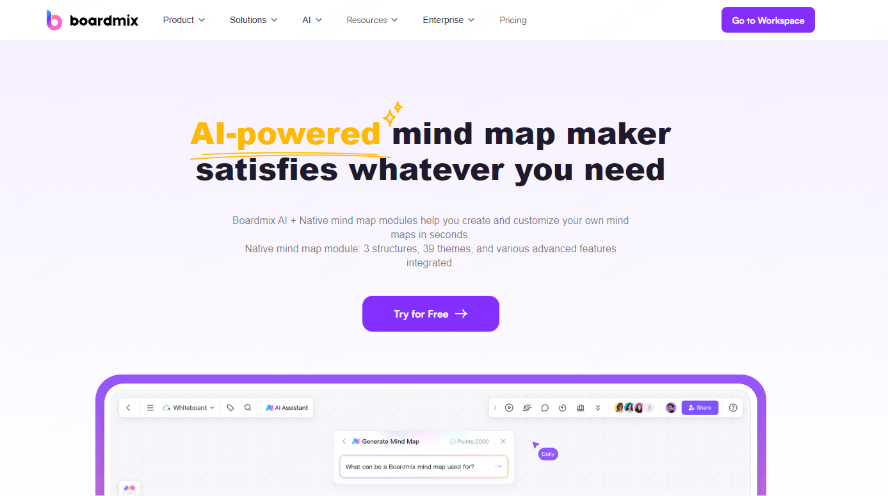
What is AI Mind Mapping & Why Use It?
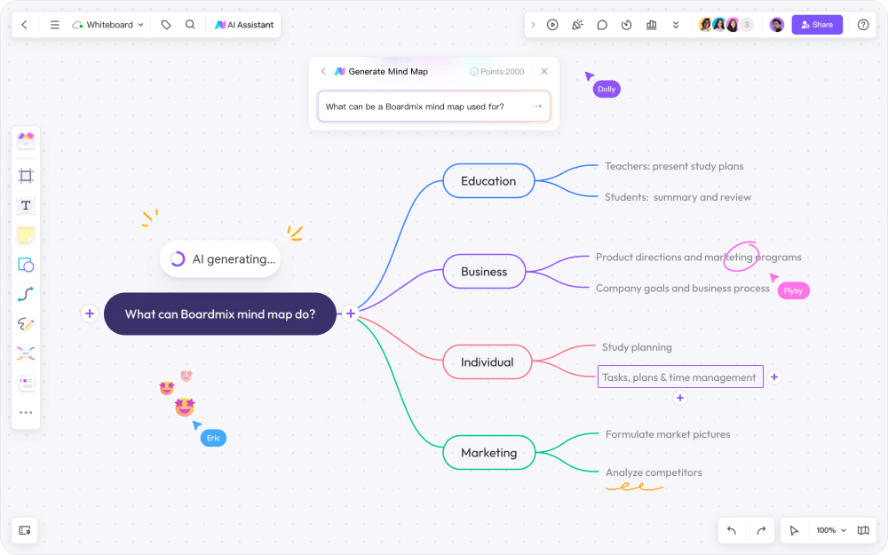
Simply put, AI mind mapping uses artificial intelligence to quickly transform text into a structured, hierarchical visual map. It automatically identifies key points from your input and generates a complete map with topics, branches, and logical connections, saving you time and effort.
Going beyond standard mind mapping tools, the AI-powered version is all about automation and intelligence. You just need to input a topic, an outline, or even a descriptive paragraph. The system then breaks down the key ideas, builds the hierarchy, and presents a visual map in seconds.
Key advantages of AI Mind Mapping include:
- Speed: Generate maps in seconds, eliminating tedious manual dragging and dropping.
- Clarity: AI identifies and categorizes keywords, making information structure instantly understandable.
- Flexible Export: Export maps as images, PDFs, or even convert them directly into presentation slides.
- User-Friendly: No complex learning curve; beginners can get started immediately.
- Better Collaboration: Many platforms support real-time co-editing, making remote brainstorming seamless.
AI mind mapping makes organizing your ideas faster and simpler, ideal for anyone who frequently takes notes, prepares content, or needs to articulate thoughts clearly.
Top AI Mind Mapping Software Recommendations
Several excellent AI mind mapping tools are available, each with unique strengths. Here are our top picks for different needs.
Our first recommendation is Boardmix. Just type a sentence, and it can automatically generate various diagrams like mind maps, fishbone diagrams, and flowcharts. It can even export to PPT, making it a powerful choice for professionals, students, and content creators to quickly structure their ideas.
Whimsical offers a clean interface, great for product managers and freelancers creating flowcharts and managing knowledge. It supports online collaboration. While its Chinese support may be limited, it's highly effective for specific use cases.
For those new to AI mind mapping, the free GitMind AI is a great starting point. It's a comprehensive, web-based tool with full Chinese support, perfect for everyday, lightweight needs.
How to Automatically Generate an AI Mind Map?
Let's use Boardmix as an example for a detailed, step-by-step guide.
Step 1: Sign up, Log in & Choose the [AI Template]
Log into your Boardmix account and enter your workspace. Click on the [AI Template] option. On the right-side panel, select the mind map mode. You're now ready to generate your AI mind map.
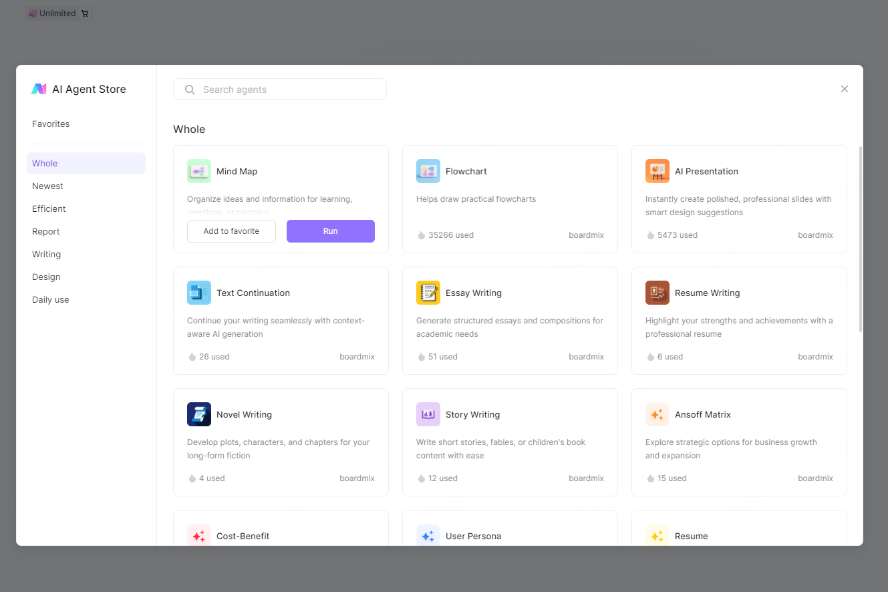
Step 2: Five Ways to Generate a Mind Map for Any Scenario
You'll see an AI assistant input box with three generation methods. Choose the one that fits your task.
Generate from a Topic (AI Expands the Map)
How: Enter a topic (e.g., "Time Management," "Top AI Tools"). The system will generate a structured map and automatically expand branch nodes.
Perfect for: Brainstorming, ideation. Useful for creating presentation outlines, exploring topics, or drafting project plans.
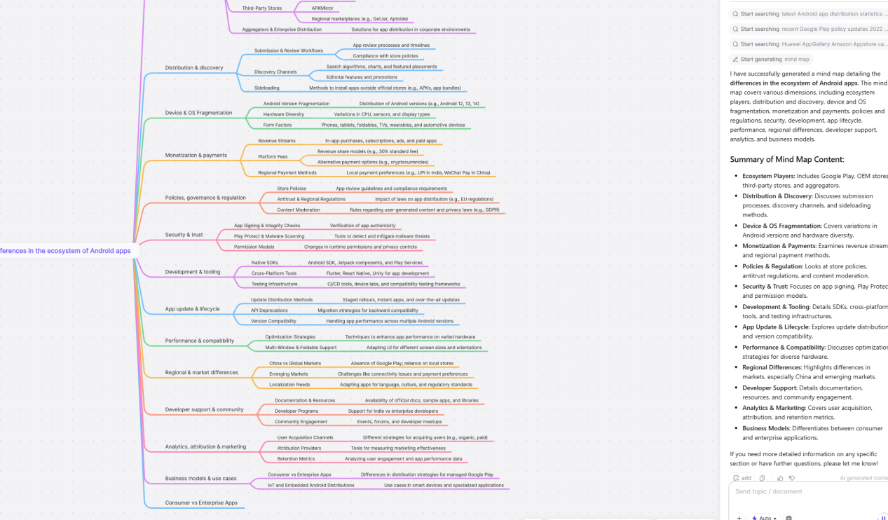
Upload a Document for AI Analysis (Supports up to 100k words)
How: Click the upload button next to the input box. Upload a Word, PDF, or TXT file. AI will analyze the document's structure and create a corresponding mind map.
Perfect for: Processing existing articles, research papers, or project materials. Ideal for thesis writing, report summarization, and project retrospective analysis.

Paste Text to Create a Structured Map
How: Directly paste your content (a paragraph, interview transcript, meeting notes) into the input box and click generate. AI will refine the core structure and create clear main and sub-branches.
Perfect for: Quickly extracting key points from notes. Great for organizing lecture notes, brainstorming sessions, or speech outlines.
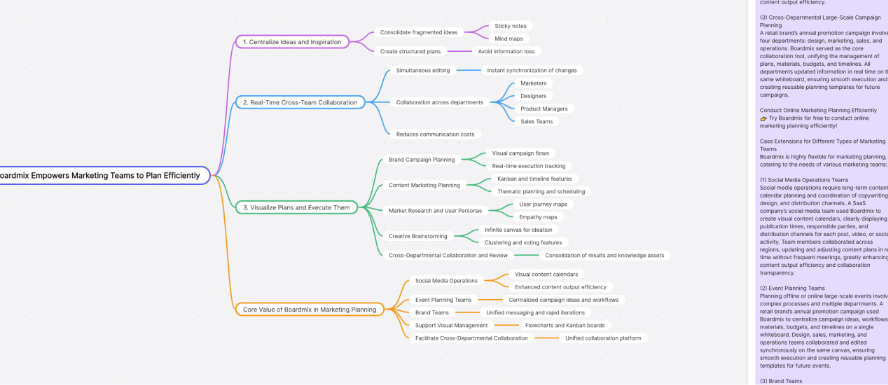
Conversational Iterative Generation
How: Gradually build and refine mind maps through interactive dialogue with AI, transforming static creation into a dynamic thinking partnership.
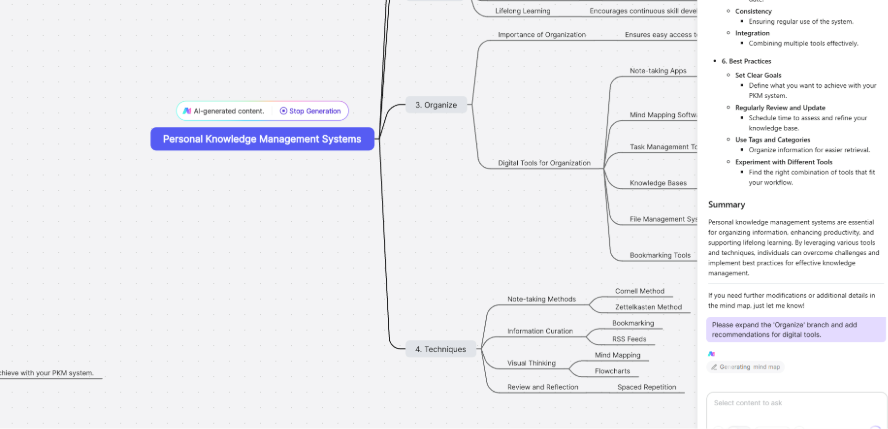
Sample Workflow:
- Phase 1: Initial Construction
User: "I want to create a mind map about 'Personal Knowledge Management System'".
AI: Generates foundational framework: Capture → Organize → Store → Apply → Update.
- Phase 2: Branch Refinement
User: "Please expand the 'Organize' branch and add digital tool recommendations".
AI: Adds: Note-taking tools (Notion/Obsidian), tagging systems, linking methods.
- Phase 3: Perspective Shift
User: "Now restructure this from a 'student' perspective instead of 'professional'".
AI: Reorganizes: Emphasis on study notes, exam preparation, paper writing.
- Phase 4: Content Enhancement
User: "Add backup strategies and version control to the 'Storage' section".
AI: Adds: 3-2-1 backup rule, Git version control, cloud sync solutions.
Reference Image + Instruction Generation
How: Upload an existing visual reference. AI analyzes structure and style patterns. Input new topic.
Sample Workflow:
- Cross-Domain Adaptation:
Reference Image: A tech company's "Product Development Flowchart".
New Topic: "Our Customer Service Optimization Process".
Result: Generates a customer service flowchart with similar logical structure but completely different content.
- Academic Framework Transfer:
Reference Image: Research paper's "Methodology Framework Diagram".
New Topic: "Our Market Research Methodology".
Result: Creates an academically rigorous market research framework using proven structural principles.
Perfect for: Mixed teams of designers and non-designers; Corporate standardization departments; Consulting and professional service firms; Educational institutions and trainers.
Step 3: Customize and Refine Your AI-Generated Mind Map
Boardmix isn't just a generator; it's a full-featured, editable, and collaborative online whiteboard. After generation, you can fully customize your map:
- Drag and drop nodes to adjust hierarchy or edit text directly.
- Change color themes, add icons, and emojis to create visually appealing maps.
- Export as Image, PDF, or shareable online links for easy distribution.
- Invite team members to collaborate in real-time, perfect for team brainstorms or online meetings.
Pro Tips: Maximizing Your AI Mind Mapping Potential
Start with Quality Input
Unlock the full power of AI by mastering effective communication. Quality input consistently leads to exceptional output.
The Structured Prompt Formula
Use this formula for precise and professional results:
"Generate a mind map about [Topic] with [Number] main branches, each containing [Number] sub-nodes, using terminology from [Professional Field]."
Example Comparison
Effective Prompt: "Create a mind map for Agile project management covering Scrum ceremonies, team roles, and key artifacts. Structure it for a beginner workshop."
Less Effective Prompt: "Project management mind map."
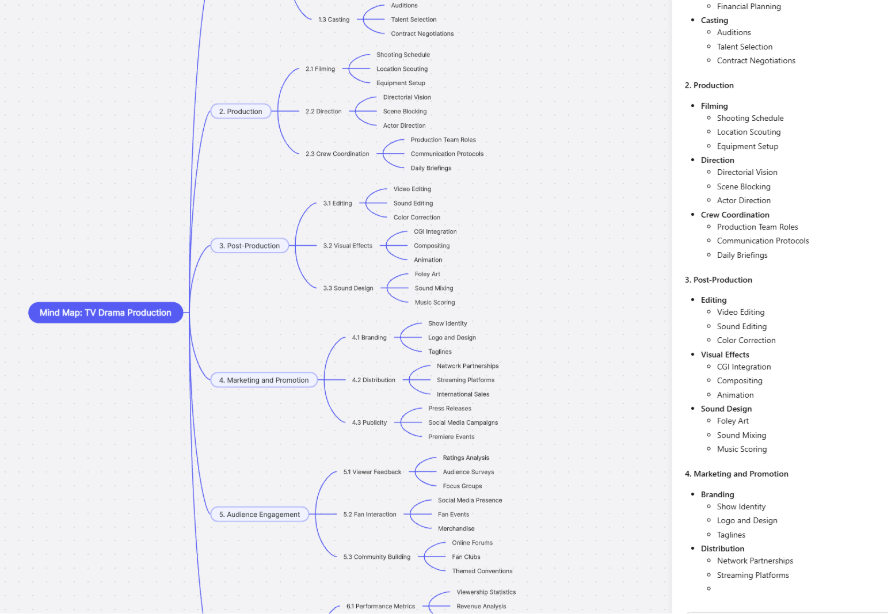
From Static Map to Dynamic Workflow
Transform your diagrams into active components of your productivity system.
Task & Project Management
Direct Export: Convert branch nodes directly into Trello cards or Asana tasks while preserving hierarchy.
Smart Tagging: Automatically assign labels (e.g., “urgent”, “client-facing”, “Q4”) based on node keywords.
Deadline Propagation: Set a timeline on the central topic to auto-calculate deadlines for all connected branches.
Document & Report Automation
One-Click Conversion: Export the full mind map structure into formatted Markdown, Word, or Google Docs.
Meeting Minutes Generator: Let AI transform brainstorming sessions into organized minutes with clear action items.
Report Scaffolding: Instantly convert research maps into structured presentation outlines complete with speaker notes.
Integrate with Your Tools
Connect your mind maps seamlessly to your existing tech ecosystem.
Data & Business Intelligence
BI Dashboard Connector: Transform qualitative ideas into quantitative dashboards via Tableau or Power BI.
Real-time Data Binding: Link map nodes directly to live data sources like Google Sheets or Airtable bases.
Cloud Storage & Version Control
Automatic Backup: Sync every change instantly to Google Drive, Dropbox, or OneDrive.
Version History: Maintain and track complete iteration history across all connected platforms.
Team Collaboration
Communication Hub: Receive Slack or MS Teams notifications when collaborators edit shared maps.
Comment Synchronization: Discuss ideas in your chat platform and see comments appear directly on the mind map.
Development Integration: Link technical tasks in Jira or GitHub directly to corresponding feature brainstorming nodes.
Specialized Workflows
Design Handoff: Convert a feature map directly into a Figma or Adobe XD component structure.
Code Planning: Transform a feature map into detailed GitHub Issues with technical requirements.
Content Planning: Turn a topic map into a publishing timeline in WordPress or ScheduleOnce.
Key Takeaway: By structuring your prompts precisely and integrating AI-generated mind maps deeply into your workflows and toolset, you can transform brainstorming into a powerful engine for planning, collaboration, and execution.
Key Use Cases for AI Mind Mapping
AI mind mapping tools are versatile and extend far beyond just writing or studying. They are valuable for any situation requiring idea organization and clear communication.
Brainstorming & Project Planning: Rapidly capture ideas and build project frameworks during team discussions or solo conceiving.
Study & Lecture Notes: Teachers and students can organize course highlights, chapter content, or review outlines more logically for efficient study sessions.
Business Reports & Product Design: Distill key information from complex data to create visual structures for reports, product architectures, or strategy decks.
Writing Outlines & Thesis Framework: Input a writing theme, and AI deconstructs it into key points. Excellent for planning reports, story arcs, or research paper directories.
Personal Learning & Thinking Exercises: Develop structured thinking habits and improve communication skills—a powerful tool for personal development.
No matter your field, if you need to organize information or articulate ideas, AI mind mapping helps you "see the big picture" faster.
Conclusion
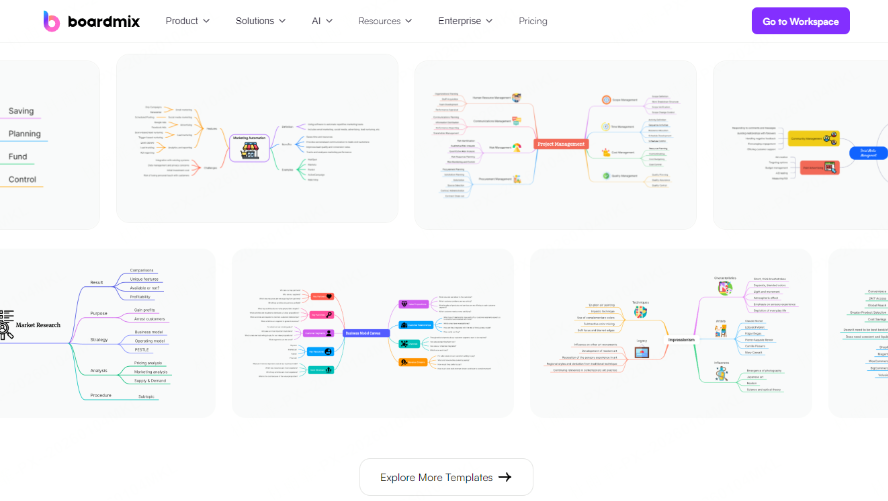
If you're still manually organizing information and feeling overwhelmed, it's time to try an AI mind map generator. Tools like Boardmix are simple to start with, highly efficient, and perfectly suited for students, professionals, and creators. With just a topic, a document, or a snippet of text, AI can automatically build a clear, visual map structure for you. Sign up for free today and transform your ideas in minutes!





