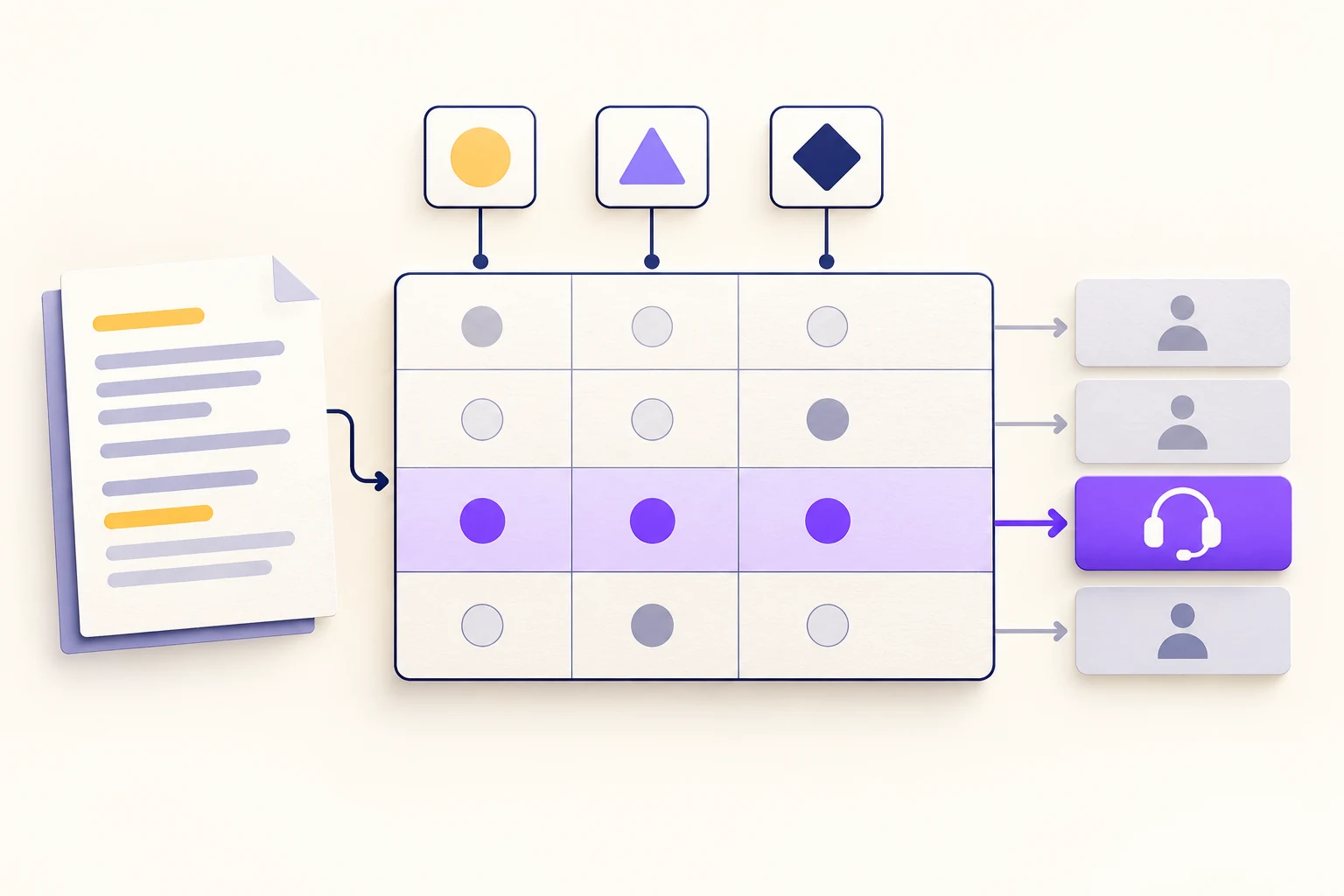
A decision table turns a set of business rules into combinations of conditions and outcomes. Put the conditions in columns, give each rule a row, and state what should happen when that row matches. The most useful test is simple: take a real-looking input and see whether the table gives exactly the result you intended.
For example, a support team might route a report differently depending on whether production is affected, whether the normal workflow is blocked, and whether a workaround exists. A table lets the team examine those combinations side by side. A flowchart can then show where the routing decision sits in the larger process.
When a decision table is clearer than a flowchart
Use a decision table when several inputs jointly determine an outcome and you need to compare the rules. Use a flowchart when the main question is what happens first, what happens next, and where work returns after an exception. They can describe the same process at different levels: draw the surrounding workflow in Boardmix, then place its routing rules beside the relevant decision.
Suppose a flowchart asks “Is production affected?”, then repeats “Is a workaround available?” under several branches. It becomes difficult to notice that two branches reach contradictory destinations. In a table, the repeated question becomes a single column. You can compare neighboring rows without following crossing arrows.
A decision table is not a decision matrix. A matrix scores alternatives against criteria, such as cost and usability. A table evaluates conditions, such as whether a production workflow is blocked, and returns a specified result. Nor does this example use probabilities or calculate expected monetary value.
Define the inputs before writing the rules
The following example is a hypothetical support process, not Boardmix's support policy. Its task is to choose a triage destination, not to promise a response time or diagnose the incident.
- Production affected: the reported problem occurs in the live environment used for normal work. A test-environment problem is “No.”
- Normal workflow blocked: the affected user cannot complete the intended task through the normal route. A cosmetic defect is “No.”
- Workaround available: a known temporary route lets the user finish that task. A speculative fix is not a workaround.
“Blocked” and “workaround available” are not opposites. The normal route can be blocked while a manual or alternative route still works. Write that distinction beside the table; otherwise two people can give different inputs for the same report.
For this teaching example, all three inputs must be known before evaluating the table. If the report does not establish whether production is affected, it goes to information gathering first. An unknown value is not silently converted to “No.”
A complete decision table example
Each row below is one rule. “Any” means the value does not affect that rule's result; it does not mean missing information. The table uses a unique-match design: a complete input should match one row, never two.
| Rule | Production affected? | Normal workflow blocked? | Workaround? | Route |
|---|---|---|---|---|
| R1 | No | Any | Any | Test-environment queue |
| R2 | Yes | No | Any | Standard support queue |
| R3 | Yes | Yes | Yes | Priority support queue |
| R4 | Yes | Yes | No | Incident triage |
Read R3 as a sentence: if production is affected, the normal workflow is blocked, and a workaround is available, send the report to priority support. The outcome is a destination. It is not a statement that the issue is resolved.
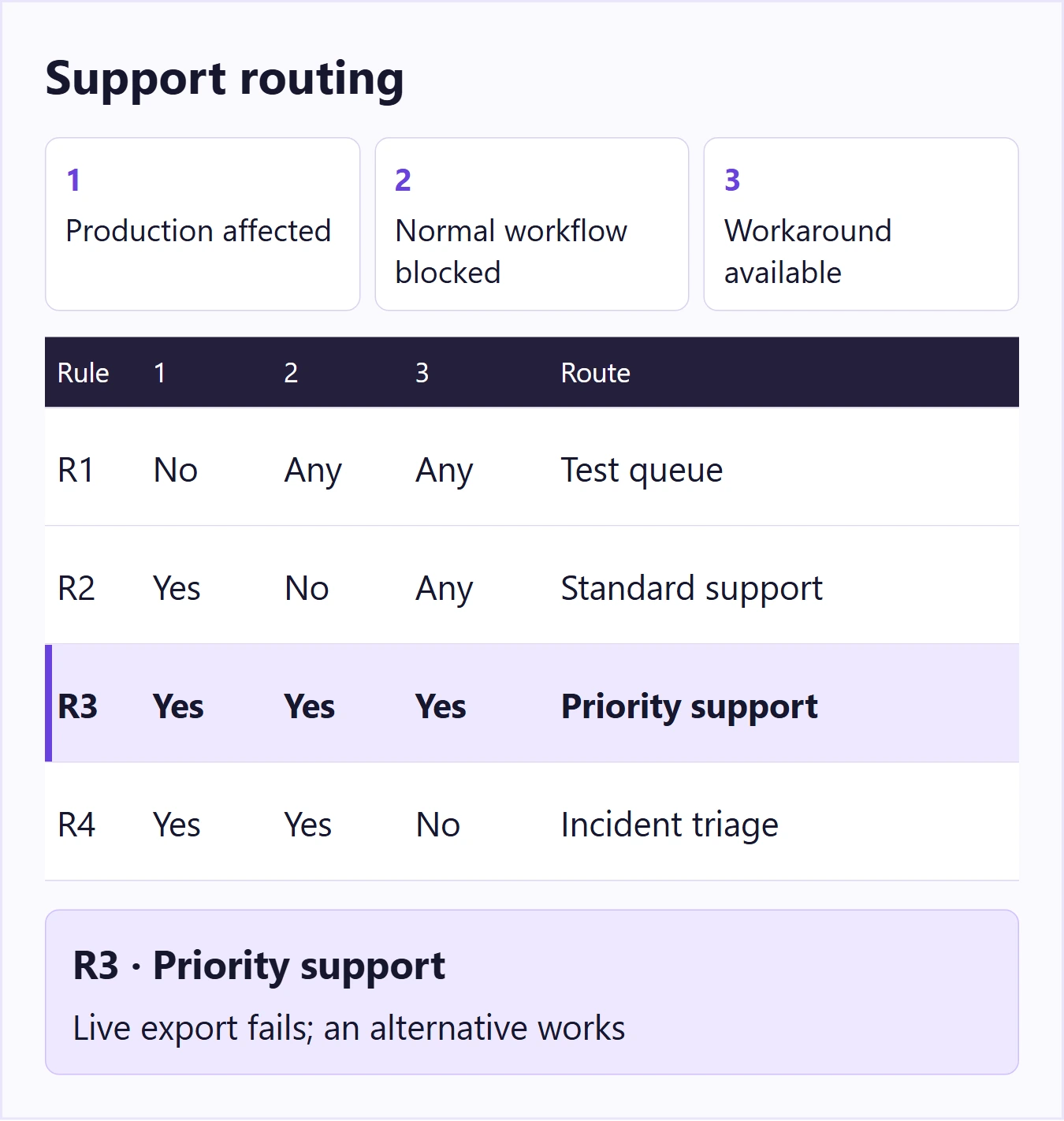
Take a report that says: “The live export button fails, but downloading individual records still works.” After confirming that the individual-record route completes the task, the inputs are Yes / Yes / Yes. R1 fails because production is affected. R2 fails because the normal workflow is blocked. R3 matches. R4 fails because a workaround exists.
Now change only the environment: the same failure occurs in a test workspace. R1 matches regardless of the other two values. That does not make the defect unimportant; it applies the example's explicit routing policy. A team with a different policy should change the rule rather than hide an exception in a note.
Find overlapping rules and uncovered inputs
Three Boolean inputs have eight possible combinations. R1 covers four combinations, R2 covers two, and R3 and R4 cover one each. These groups do not overlap, so this small table covers the complete Boolean input space.
Coverage and correctness are different. A table can cover every combination and still implement the wrong business policy. Have the person responsible for the routing policy review the outcomes, especially what “priority” and “incident” mean in that organization.
Two common mistakes are easy to demonstrate:
- Overlap: change R2's blocked condition from “No” to “Any.” A live, blocked workflow with a workaround now matches both R2 and R3. One report has two routes.
- Gap: remove R3. A live, blocked workflow with a workaround no longer matches any row. Choosing the nearest-looking row would invent a rule.
Formal decision-model tools call the matching behavior a hit policy. In Camunda's explanation of decision-table hit policies, Unique does not permit multiple matching rules, while First selects the first matching rule. That distinction matters: rearranging a First table can change its result. Do not rely on visual row order unless order is intentionally part of your policy.
This article's table is a planning document, not an executable DMN model. If developers implement it in a rule engine or application, they must encode its input types, matching behavior and error handling there.
Use concrete cases to test the table
Keep examples beside the rules so a later edit has visible consequences. This compact test set exercises every route and the separate missing-information path:
| Case | Inputs: production / blocked / workaround | Expected result |
|---|---|---|
| A test-only login failure | No / Yes / No | R1: test-environment queue |
| A live label displays incorrectly, but the task still works | Yes / No / No | R2: standard support queue |
| Live export fails; an alternative download works | Yes / Yes / Yes | R3: priority support queue |
| Live export fails; no alternative completes the task | Yes / Yes / No | R4: incident triage |
| The report does not identify the environment | Unknown / Yes / No | Ask for information; do not evaluate R1–R4 yet |
For rules involving numbers or dates, add cases immediately below, at, and above each threshold. If a rule says “amount greater than 100,” test 99.99, 100 and 100.01 in the relevant currency and precision. Decide whether the boundary is inclusive before drawing the diagram. A phrase such as “large request” cannot be tested consistently until the business defines it.
Also test a value outside the allowed set. If the input accepts only Yes and No, an empty field, a misspelling or “probably” needs an explicit handling path. A default route should be a deliberate choice, not a way to conceal invalid inputs.
A reusable format for your own rules
Start with the following short specification, then add rule rows. It gives the table enough context to survive being copied into a project document.
- Decision: What single question does this table answer?
- Inputs: Name, definition and allowed values for each condition.
- Outputs: The exact destinations, classifications or actions the table may return.
- Matching behavior: Exactly one matching rule, first match, or another intentional policy.
- Unknown inputs: What happens before evaluation when a necessary fact is missing?
- Examples: An ordinary case for each outcome and boundary cases for any ranges.
On a Boardmix canvas, place the input definitions to the left, the rule table in the center, and example reports on the right. Use the same rule IDs in the table and the test cases. A reviewer can then point to R3 rather than saying “the third thing in the middle.” Keep unresolved policy questions outside the approved rows.
Once the routes are agreed, connect the decision to the surrounding flow: receive report, gather the required facts, evaluate the rules, and send the report to its destination. Open Boardmix to document your decision table and workflow.