





Wondering how to create a mind map with Doubao? This question is trending among users looking to organize their thoughts for study or work. As AI tools become mainstream, intelligent assistants like Doubao have evolved beyond simple chat and drafting. They can now help deconstruct logic, structure information, and even build a preliminary "mind map skeleton." If you're new to this process, follow this practical guide!
What is Doubao? Can It Create Mind Maps?
In our daily work and learning, mind maps are excellent tools for organizing logic and clarifying thoughts—whether you’re a student sorting out exam review materials, a marketer brainstorming campaign ideas, or a project manager outlining project milestones. Recently, many users have turned to Doubao AI for help with structuring content, drawn to its fast response times and deep understanding of Chinese language logic. So, how does Doubao generate a mind map, and what makes it a valuable tool for this task?
Simply put, Doubao is an intelligent conversational assistant launched by ByteDance in 2024, built on advanced large language models (LLMs). Unlike generic AI chatbots, it focuses on lightweight Q&A, rapid content drafting, and knowledge organization—filling a gap for users who need quick, structured outputs without learning complex software. While it doesn’t have the full graphical editing capabilities of dedicated mind mapping tools like XMind or MindMaster, its strong language understanding and hierarchical content generation skills can help you quickly outline a clear logical structure for any topic. This makes it particularly useful for initial content breakdown and brainstorming, especially when you’re stuck on how to organize scattered ideas into a coherent framework.
For example, if you’re a college student struggling to structure a literature review for a thesis, Doubao can take your rough notes (e.g., "key theories: cognitive psychology, behavioral economics; case studies: 3 industry reports; research gaps: lack of cross-generational analysis") and turn them into a hierarchical outline that forms the backbone of a mind map. It excels at identifying core themes, branching subtopics, and detailed points—saving you hours of manual organization.
How to Generate Mind Map Content with Doubao
As a capable AI tool in Chinese contexts, Doubao cannot directly produce graphical mind maps with drag-and-drop visuals yet. However, it can generate the hierarchical content or machine-readable format (like Markdown, Mermaid, or JSON) needed for a mind map through simple dialogue, which can then be used efficiently with other visualization tools to create polished, shareable mind maps. Below is a detailed, step-by-step process to get high-quality structured output from Doubao:
(1) Open Doubao AI
Access Doubao via its official website (doubao.com) or the mobile app (available on iOS and Android). No complex registration is required—you can log in with your ByteDance account (e.g., TikTok, Douyin) or a phone number verification in under a minute. Once logged in, click into the main chat interface, where you’ll see a clean, ad-free input box for your prompts.
(2) Enter Your Prompt
The key to getting useful mind map content from Doubao is crafting clear, specific prompts. Vague requests like "make a mind map about work efficiency" will yield generic results, while detailed prompts ensure the output aligns with your needs. Here are actionable examples for different scenarios:
Study-focused prompt: "Please generate mind map content for the topic ['College English Exam Review - Reading Comprehension']. Output it in a Theme-Branch-Detail structure, with branches including 'Common Question Types', 'Key Vocabulary Categories', 'Reading Strategies', and 'Error Analysis'. Each branch should have 3-5 detailed points."
Work-focused prompt: "Please generate mind map content for the topic ['How to Improve Work Efficiency'] in Mermaid format. Include branches for 'Time Management', 'Tool Optimization', 'Task Prioritization', and 'Distraction Reduction', with specific, actionable details under each branch."
Creative brainstorming prompt: "Please generate mind map content for the topic ['New Product Launch Campaign'] in Markdown format. Core theme: Q4 2025 Cosmetics Launch; branches: 'Target Audience', 'Channel Strategy', 'Content Plan', 'Budget Allocation', 'KPI Metrics'. Add 4-6 detailed points per branch."
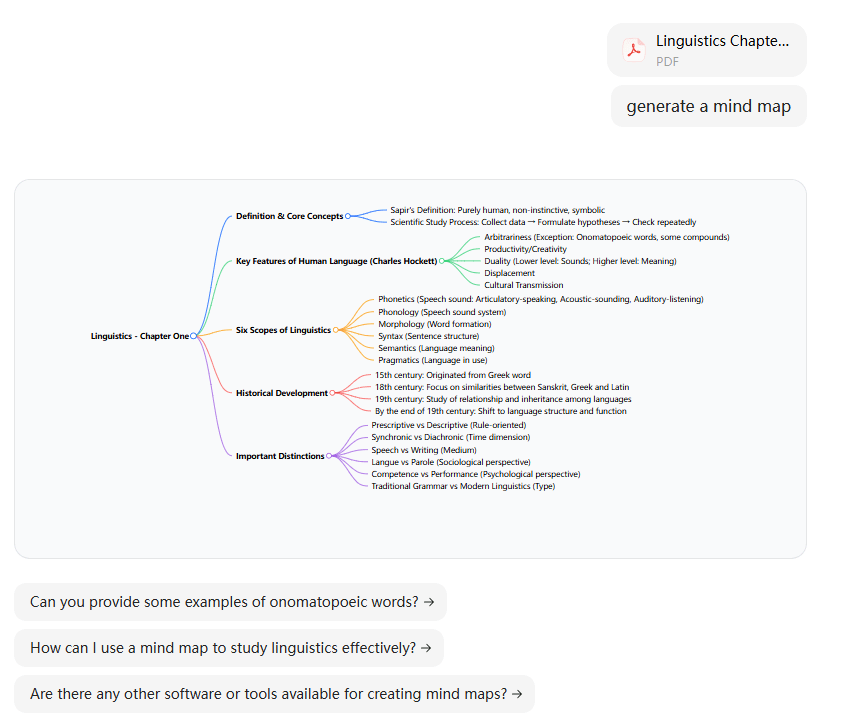
(3) Get the Output
Doubao typically generates structured content within 5-10 seconds, depending on the complexity of your prompt. The output will be organized into clear hierarchical text, with core themes, secondary branches, and detailed points labeled explicitly. For example, a response to the "work efficiency" prompt might look like this (in Markdown):
# How to Improve Work Efficiency ## Time Management - Use the Pomodoro Technique (25 mins work + 5 mins rest) - Block 2-hour focus windows for high-priority tasks - Avoid back-to-back meetings (leave 15-min buffers) ## Tool Optimization - Use task management tools (Notion, Trello) to track progress - Automate repetitive tasks (Excel macros, chatbot reminders) - Sync calendars across devices (Google Calendar, Outlook) You can copy this entire output with one click—Doubao has a built-in "Copy All" button to save time.
(4) Use Mermaid Format for a Quick Image
If you need a basic visual mind map quickly, select Mermaid format in your prompt. Mermaid is a text-based syntax for creating diagrams, and Doubao can generate Mermaid code for mind maps that you can paste into Mermaid editors (like mermaid.live) to download a simple image. This is ideal for quick sharing in team chats or casual notes, though it lacks customization options for colors, fonts, or layout.
(5) Copy Other Format Outputs for Advanced Use
For a more polished and customizable mind map—one you can edit, share, and collaborate on—copy the text structure Doubao generated in Markdown (the most versatile format). Your next step is to instantly convert this text into a visual mind map within Boardmix, a professional online whiteboard tool designed for collaborative visualization.
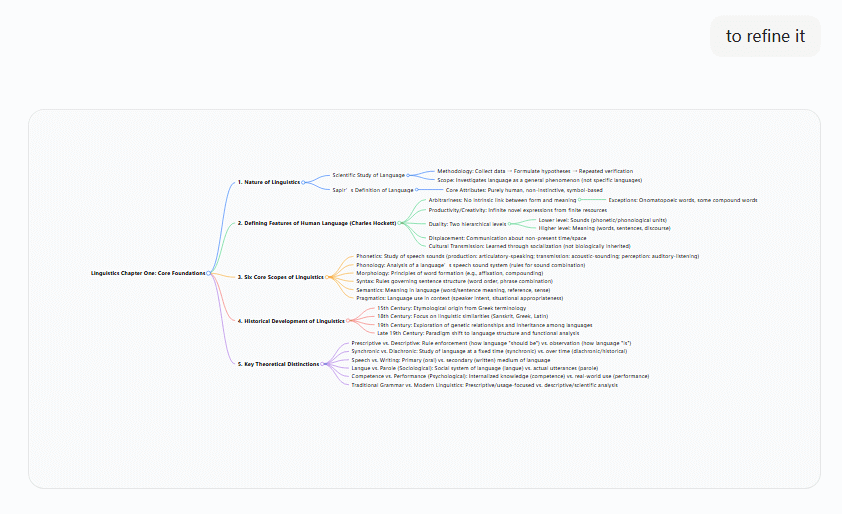
How to Turn Doubao's "Text-Based Structure" into a Visual Mind Map
While Doubao produces well-structured text that forms the foundation of a mind map, turning it into a true visual, interactive mind map requires a dedicated visualization tool. Online platforms like Boardmix are perfect for this task—they’re free to use for basic features, require no software installation, and support real-time collaboration with teammates. Below are two methods to convert Doubao’s text into a visual mind map in Boardmix, suited for different needs:
(1) Using AI (Best for Auto-Generation)
This method is fastest and ideal for complex topics with multiple branches, as Boardmix’s AI Assistant automates the entire visualization process. Follow these steps:
- Go to the Boardmix official website and sign up for a free account (email, Google, or Microsoft account—no credit card required). Once logged in, click the "+ New Board" button to create a blank whiteboard.
- Locate the AI Assistant icon in the bottom right corner of the whiteboard interface (marked with a robot symbol) and click it to open the dialog panel.
- In the panel, switch the default model to Doubao 1.5 Pro (optimized for Chinese content) and enable the web search toggle if you want to supplement your mind map with real-time data (e.g., latest industry stats for a campaign mind map).
- From the dropdown menu of tools, select the "Mind Map" option—Boardmix will auto-detect that you want to generate a visual mind map from text.
- Click the "Paste Article/Paragraph to Organize" function, which is designed specifically for converting structured text into mind maps.
- Paste the text structure you copied from Doubao into the input box (Markdown format works best) and click the "Generate" button. Boardmix’s AI will process the text in 2-3 seconds, identifying core themes, branches, and details automatically.
Boardmix will instantly create a visual mind map with a clean, professional layout—core theme at the center, branches radiating outward, and details under each branch. You can then edit and style the mind map: change node colors to highlight priority topics, add icons (e.g., a checkmark for actionable steps), adjust font sizes for readability, or move branches to reorder the structure.
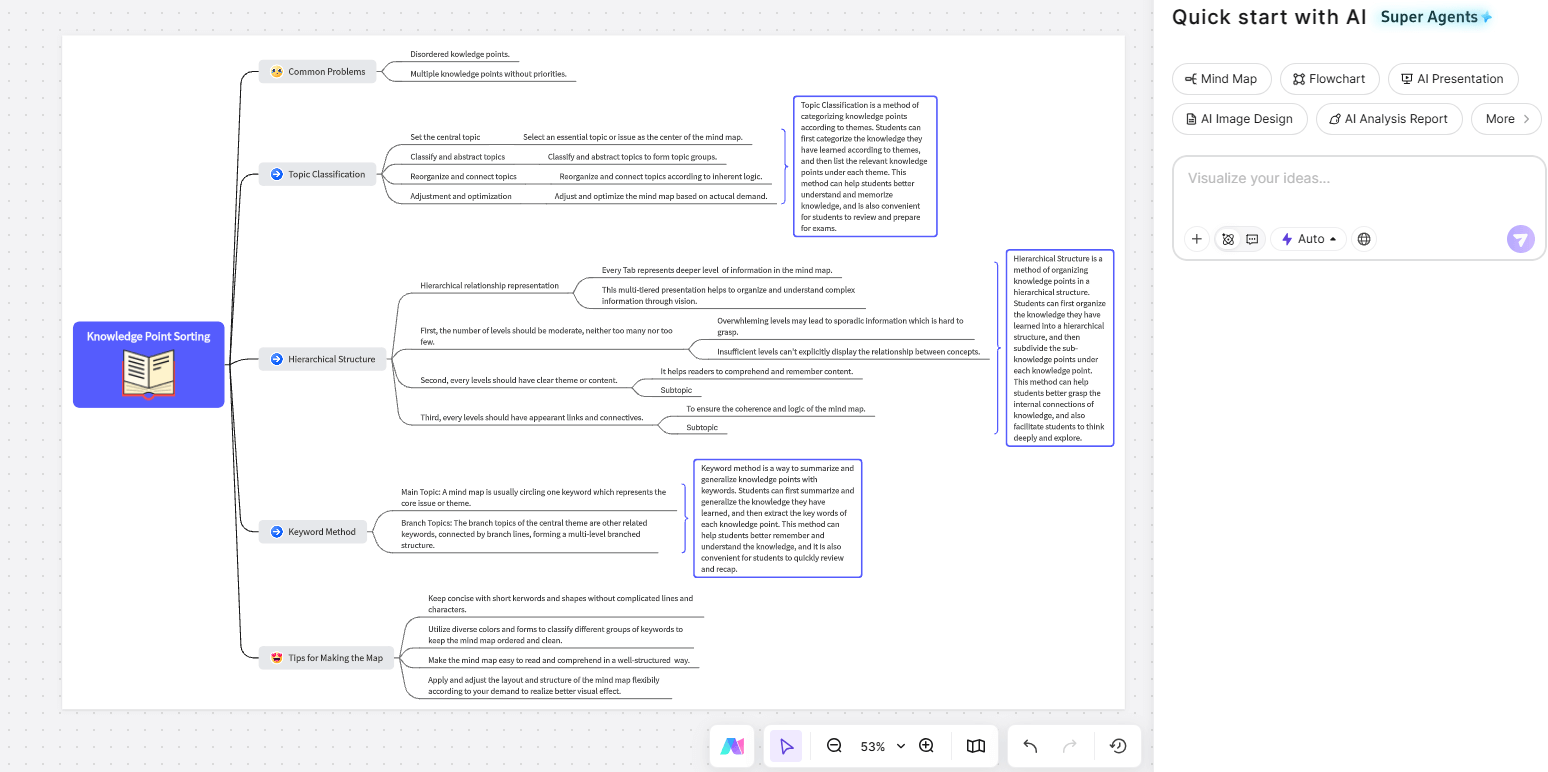
(2) Manual Creation (Ideal for Simpler Structures or Custom Layouts)
If you prefer full control over the layout (e.g., a vertical mind map instead of radial) or have a simple structure with just a few branches, manual creation in Boardmix is straightforward:
- Create a new whiteboard in Boardmix and locate the left toolbar—click "Insert" then select "Mind Map" from the menu. A default central node (core theme) will appear on the canvas.
- Double-click the central node to edit the text, pasting the core theme from Doubao’s output (e.g., "How to Improve Work Efficiency").
- Manually add nodes level by level, following the structure from Doubao’s output: right-click the central node and select "Add Subnode" to create branches (e.g., "Time Management"), then right-click each branch to add detailed subnodes (e.g., "Pomodoro Technique").
- Drag nodes to adjust the layout—Boardmix’s smart alignment tools ensure nodes stay evenly spaced, and you can switch between radial, vertical, or horizontal layouts with one click. Customize the mind map further by changing the color scheme (e.g., blue for core themes, green for actionable steps), adding notes to nodes (e.g., "Test Pomodoro for 1 week"), or inserting images (e.g., a screenshot of a Pomodoro timer tool) to enhance clarity.
Recommended Upgrade: Generate Visual Mind Maps Instantly with Boardmix
While the "Doubao + Boardmix" workflow is effective, you can skip the middle step entirely by generating visual mind maps directly within Boardmix—saving even more time and streamlining your workflow. As a professional online collaborative whiteboard trusted by over 10 million users globally, Boardmix offers a dedicated, feature-rich "Mind Map" module that outperforms standalone AI tools for visual knowledge organization. Here’s why it’s the ideal upgrade for anyone creating mind maps for study or work:
AI Structure Recognition
Boardmix’s AI doesn’t just generate mind maps from text—it understands the logic behind your content. It automatically identifies Markdown, plain text, or even unstructured notes to generate a complete, logically sound mind map with one click. For example, if you paste a messy list of meeting notes ("Q4 goals: increase sales by 15%; channels: social media, email, offline events; timeline: Oct-Nov planning, Dec execution"), Boardmix will parse the core theme ("Q4 Sales Goals"), branches ("Channels", "Timeline"), and details—no manual formatting required. This saves hours of tedious node-by-node entry compared to traditional mind mapping tools.
Low Learning Curve
Unlike complex desktop mind mapping software that requires hours of tutorials, Boardmix’s interface is intuitive and user-friendly—even beginners can create professional mind maps in 5 minutes or less. All core functions are accessible from the left toolbar: drag nodes to reposition them, click the color palette to customize styles, and use the icon library (over 1,000 icons) to add visual cues. There’s no need to learn keyboard shortcuts or complex menus—everything works exactly as you’d expect, with tooltips guiding you if you get stuck.
Real-Time Collaboration
One of Boardmix’s biggest advantages over standalone AI tools like Doubao is its real-time collaboration features. If you’re creating a mind map for a team project (e.g., a marketing campaign brainstorm), you can invite teammates to edit the same mind map simultaneously. Everyone’s cursor is visible in real time, so you can see who’s editing which node, and you can add comment threads to specific branches (e.g., "@Li: Should we add 'influencer partnerships' under social media?") for seamless discussion. Version history lets you revert to previous drafts if changes are made by mistake, and you can share the mind map via a link (with view/edit permissions) or export it as a PDF/PNG for offline sharing.
Rich Templates & Diagram Types
Boardmix goes far beyond mind maps—its template library includes over 2,000 pre-built templates for every use case: flowcharts for process mapping, fishbone diagrams for root cause analysis, Kanban boards for project management, and org charts for team structure. For mind maps specifically, you’ll find templates for exam review, campaign planning, SWOT analysis, and more—all fully customizable. For example, the "Exam Review Mind Map" template comes pre-formatted with branches for key concepts, practice questions, and common mistakes, so you just need to fill in your content instead of starting from scratch.
Conclusion
The process of creating a mind map with Doubao and Boardmix is simple: use Doubao to generate a structured text outline for your topic, then convert that outline into a visual mind map in Boardmix using AI auto-generation or manual creation. For an even more efficient workflow, skip Doubao entirely and use Boardmix’s built-in AI to generate visual mind maps directly from your rough ideas—no extra steps, no formatting hassle.
Whether you’re a student organizing study notes, a professional brainstorming project ideas, or a team collaborating on a campaign plan, Boardmix makes mind mapping simple, powerful, and collaborative. It eliminates the limitations of AI tools like Doubao (no visual output) and traditional mind mapping software (no real-time collaboration), offering an all-in-one solution for visual knowledge organization.
Ready to transform your scattered ideas into clear, actionable visual mind maps? Try Boardmix for free today!





