





No longer are developers willing to spend thirty minutes wrestling with syntax errors or manual line routing. Instead, the demand has shifted toward the mermaid flowchart generator that can understand a messy thought and turn it into a structured masterpiece. As we navigate this landscape, the democratization of system architecture—driven by the rise of the mermaid flowchart ai generator—has made it possible for anyone, from a junior dev to a non-technical product manager, to create professional-grade documentation in seconds. In 2026, a "good" tool isn't just a renderer; it’s an intelligent partner that solves the friction between logic and aesthetics, ensuring that what you build is just as clear to your CEO as it is to your compiler.
Why the Standard "Text-to-Diagram" Isn't Enough Anymore
If you’ve been in the industry long enough, you remember the early days of Mermaid.js—a revelation for those who hated dragging boxes in Visio. But as we’ve reached 2026, the standard text-to-diagram approach has hit a wall. Users are no longer satisfied with just "getting the lines to connect." They face deep, structural pain points that traditional tools simply weren't built to handle.
- First, there is the leap from Syntax to Intelligence. In a high-velocity environment, you don’t always have a clean Markdown file ready. You have chaotic meeting notes, a half-finished Python function, or a rambling Slack thread. Modern users demand a mermaid flowchart ai generator that can parse this non-structured data and "hallucinate" the correct logic without requiring a manual syntax check.
- Then, there’s the "Presentation-Ready" Gap. For years, Mermaid diagrams were easily identifiable by their "programmer aesthetic"—functional, yes, but often too sterile or ugly for a high-stakes boardroom presentation. In 2026, "Aesthetic Parity" is a requirement. If a diagram can’t be styled to match a corporate brand or a sleek pitch deck with one click, it’s a productivity sink.
- Furthermore, we are seeing a Workflow Continuity Crisis. Technical documentation is often siloed. You create a diagram in a web browser, screenshot it, and paste it into a slide deck. The moment the code changes, that screenshot is obsolete. Users now require mermaid flowchart generators that offer seamless integration—tools that live inside the IDE, sync with Git, and update across collaborative whiteboards simultaneously.
- Finally, we must address Scalability and Security. When an architecture grows to include hundreds of microservices, a static image becomes a "wall of spaghetti." We need interactive, foldable, and searchable diagrams. And as AI becomes more integrated, the "Security-First" mindset is paramount; sensitive infrastructure data must be processed locally or within secure, private environments to prevent leaks into public LLM training sets.
Boardmix
The AI-Powered Collaborative Whiteboard

Boardmix stands out as a holistic solution among free Mermaid diagram generators, combining the precision of code-based diagramming with the flexibility of a collaborative online whiteboard. Unlike single-purpose tools that only render Mermaid code, Boardmix is an online whiteboard that integrates AI generation, multi-format diagramming, and real-time collaborative features into a single platform. It not only supports Mermaid syntax input but instantly transforms it into beautiful, interactive flowcharts with customizable styling, making it ideal for programmers who prefer code-driven workflows, product managers who need to iterate on user journeys, and designers who want to refine visual layouts—all without switching tools.
Key Highlights:
Native Mermaid Support: Input standard Mermaid syntax (e.g., flowchart, sequence diagram, Gantt chart) and watch Boardmix render the diagram in real-time, with no lag or need for manual refresh. The platform stays updated with the latest Mermaid releases, ensuring compatibility with new chart types like gitGraph or C4 model diagrams that are critical for modern software architecture planning.
AI-Powered Generation: Describe your process in natural language—whether it’s "user login workflow with two-factor authentication" or "agile sprint timeline with 5 tasks"—and the AI generates the corresponding Mermaid code and visual chart in seconds. This feature significantly boosts efficiency, especially for non-technical team members who may not yet be familiar with Mermaid syntax but still need to contribute to diagram creation.
Bidirectional Editing: One of Boardmix’s most powerful features is its bidirectional editing capability: use drag-and-drop to move, resize, or style elements in the visual diagram, and the underlying Mermaid code updates automatically in real time. Conversely, tweak the code directly, and the visual chart refreshes instantly, ensuring flexibility for both code-first and design-first users.
Multi-Format Export: Export your diagrams as high-resolution PNG, scalable SVG, or printable PDF files, with options to adjust image quality and layout for different use cases—from small inline images in documentation to large-format slides for presentations. The vector-based SVG exports ensure diagrams remain crisp even when scaled to any size, a critical advantage over tools that only offer raster image exports.
Real-Time Team Collaboration: Multiple users can edit the same diagram simultaneously, with live cursor tracking and comment features that make remote collaboration feel as seamless as in-person work. This is perfect for remote meetings, sprint planning sessions, or cross-departmental projects where engineers, designers, and stakeholders need to align on technical logic in real time.
Multi-Tool Integration: Beyond Mermaid, Boardmix supports UML diagrams, mind maps, ER diagrams, Gantt charts, and wireframing tools, making it a one-stop shop for diverse business needs. A product team can brainstorm project goals with a mind map, translate those goals into a Mermaid flowchart of user flows, and then build wireframes for the UI—all within the same Boardmix workspace.
Considerations:
The free plan includes core Mermaid editing, basic AI-generated flowcharts, and real-time collaboration for up to 5 users, which is more than enough for small teams or individual users. Advanced features like unlimited cloud storage, custom branding, and priority support require a paid subscription, but the free tier delivers full functionality for most everyday diagramming tasks.
The wide array of whiteboard features may require a short learning period for new users who are only familiar with basic Mermaid editors. However, Boardmix offers a comprehensive library of tutorials and templates to help users get up to speed quickly, and the intuitive drag-and-drop interface minimizes the learning curve for non-technical users.
Ready to try AI-powered diagramming that combines code precision with collaborative flexibility? Sign up for Free on Boardmix and experience how a unified platform can streamline your team’s technical communication and visualization workflow.
StackBlitz
Mermaid in a Cloud Dev Environment
StackBlitz caters specifically to front-end developers by embedding a Mermaid diagram generator within its cloud-based development environment—eliminating the need to switch between code editors and diagram tools. It's excellent for React/Vue developers who need to write and debug Mermaid charts directly in technical documentation, project README files, or component libraries, keeping their workflow centered on code without context switching.
Unlike standalone Mermaid editors, StackBlitz is built for developers who live in code: the platform uses the same environment they use to build web applications, so integrating Mermaid diagrams into their projects feels like a natural extension of their work rather than an extra task.
Features:
Edit Markdown/Mermaid code on the left panel with a live, real-time preview of the diagram on the right—no need to save or refresh to see changes. Developers can install the latest version of Mermaid via npm directly in the StackBlitz environment, ensuring they have access to the newest syntax and features without manual updates.
Pros:
Integrated development and debugging: Mermaid code can be tested alongside the front-end code it documents, making it easy to ensure diagrams accurately reflect the actual functionality of the application. Code and diagrams share version control in the same project repository, so changes to diagrams are tracked alongside code changes—critical for maintaining up-to-date documentation.
Zero-configuration setup: No installation or local environment setup is required; simply open StackBlitz in a browser, create a new project, and start writing Mermaid code immediately.
Cons:
Code-only editing lacks a graphical interface or intelligent assistance: users must write and edit Mermaid code manually, with no drag-and-drop options or AI suggestions to speed up the process. Exporting diagrams requires manual screenshots, as there’s no built-in export feature for Mermaid charts—making it cumbersome to share high-quality diagrams outside of the StackBlitz environment.
CodePen
Mermaid within a Front-End Sandbox
CodePen is a free Mermaid diagram generator perfect for technical writers, bloggers, or developers who need to create interactive Mermaid examples to embed in articles, tutorials, or social media. It functions as a lightweight front-end sandbox that lets users write Mermaid code, preview the diagram in real time, and generate shareable links to showcase their work—ideal for code review with colleagues or demonstrating Mermaid syntax to a wider audience.
Features:
As a front-end code sandbox, CodePen requires users to manually import the Mermaid.js library in the HTML panel (a simple one-line script tag) and allows full customization of diagram themes via HTML/CSS/JS. It supports live preview of diagrams as code is written and includes responsive layout testing, so users can ensure their diagrams look good on both desktop and mobile devices.
Pros:
One-click demo links for easy sharing: generate a unique, shareable URL for any Mermaid diagram project, allowing others to view the live diagram and even fork the code to modify it themselves. Access hundreds of community-contributed Mermaid templates, from simple flowcharts to complex sequence diagrams, saving time on writing code from scratch.
Highly customizable dynamic themes: use CSS to adjust colors, fonts, and styling to match brand guidelines or the design of the blog/website where the diagram will be embedded—something many basic Mermaid editors don’t support.
Cons:
Requires basic HTML/CSS/JS knowledge: unlike no-code Mermaid tools, CodePen demands familiarity with front-end basics to set up the Mermaid library and customize diagrams, which can be a barrier for non-technical users. The free plan has limited version history (only the last few edits are saved), so manual backup of Mermaid code is advised to avoid losing work.
GitHub Gist
Code Snippet Host for Mermaid

GitHub Gist is a minimalist, free Mermaid flowchart generator designed for programmers who want to quickly share technical solutions or archive one-off diagrams without setting up a full repository. It generates a permanent, shareable link with a rendered Mermaid diagram in seconds, making it ideal for attaching diagrams to GitHub Issues, pull requests, or email threads—all using the GitHub account most developers already have.
Features:
As an ultra-minimalist code snippet hosting tool, GitHub Gist requires no setup: simply create a new .md (Markdown) file, write your Mermaid syntax within the standard Mermaid code blocks, and the Gist page will render the diagram automatically when viewed in a browser. There’s no need to install plugins or configure settings—GitHub handles the rendering natively.
Pros:
Generate a permanent link in seconds: the link remains active indefinitely (as long as your GitHub account exists), making it perfect for archiving diagrams or referencing them in long-term projects. Uses your existing GitHub account, so there’s no need to create a new profile; the platform is ad-free and includes basic version history for each Gist, allowing you to revert to previous versions of your Mermaid code if needed.
Cons:
No live preview: you must save the Gist and refresh the page to see how the diagram renders, which slows down the editing process for complex diagrams. It offers pure text editing with no syntax highlighting or auto-completion for Mermaid, increasing the chance of typos or syntax errors. There’s no direct export feature—users must copy the Mermaid code or take screenshots to use the diagram outside of GitHub Gist.
HackMD
Real-Time Collaborative Markdown Editor
HackMD is a free Mermaid tool built for remote teams that need to design flowcharts collaboratively while writing documentation. Unlike single-user Mermaid editors, HackMD syncs in real time, so product managers can write project requirements in Markdown while developers add technical Mermaid flowcharts to illustrate implementation logic—all on the same screen, with no lag or version conflicts. It’s particularly useful for meeting presentations, as it offers a distraction-free presentation mode that focuses on the content (including diagrams) for stakeholders.
Features:
As a real-time collaborative Markdown editor, HackMD supports multiple users editing Mermaid charts simultaneously, with color-coded cursors to show who is making changes where. It offers one-click export to PDF or HTML, with vector graphics preserved to ensure diagrams remain high-quality in exported documents—critical for formal reports or client deliverables.
Pros:
Excellent real-time collaborative experience: the platform is built for remote work, with fast syncing even for teams across different time zones. It supports offline mode, so users can continue editing diagrams and documentation without an internet connection, with changes syncing automatically once connectivity is restored. Version history comparison allows teams to see exactly what changes were made, by whom, and when—helpful for tracking iterations on complex diagrams.
Cons:
The free plan is limited to 50 documents per user, which can be restrictive for teams with multiple ongoing projects. Complex diagrams with over 500 nodes may take 2-3 seconds to load or render, which can disrupt meetings or slow down editing workflows—though this is rare for most everyday use cases.
VS Code for the Web
Browser-Based Lightweight Editor
Microsoft’s VS Code for the Web brings the familiar desktop code editor experience to the browser, with full support for Mermaid via extensions—making it a free Mermaid flowchart generator ideal for developers who work across multiple devices or need to edit diagrams directly in GitHub repositories. Unlike the desktop version, there’s no installation required: simply open vscode.dev in any browser, connect to your GitHub account, and start writing Mermaid code in Markdown files with all the features developers love from the desktop app.
Features:
As Microsoft’s online code editor, VS Code for the Web supports Mermaid preview via popular extensions like "Mermaid Preview" or "Markdown Preview Mermaid Support"—extensions that work exactly like they do on the desktop. The interface and core workflow (keyboard shortcuts, syntax highlighting, IntelliSense) are identical to the desktop version, so there’s no learning curve for existing VS Code users.
Pros:
No installation required: access the editor from any device with a browser, whether it’s a work laptop, personal tablet, or public computer. The familiar interface for VS Code users makes it perfect for quickly editing and previewing charts embedded in Markdown files (e.g., READMEs, technical docs) without switching to a separate tool. Git integration allows users to commit changes to Mermaid code directly to GitHub repositories from the browser.
Cons:
Fully dependent on an internet connection: unlike the desktop version, VS Code for the Web can’t be used offline, which is a limitation for users who work in low-connectivity environments. Performance with large projects (e.g., Markdown files with multiple complex Mermaid diagrams) may not match the desktop version, with occasional lag in rendering previews. Storage is limited by the linked GitHub repository or the browser’s temporary storage, so large diagram files may need to be saved to GitHub to avoid loss.
Joplin
Mermaid within an Open-Source Notes App
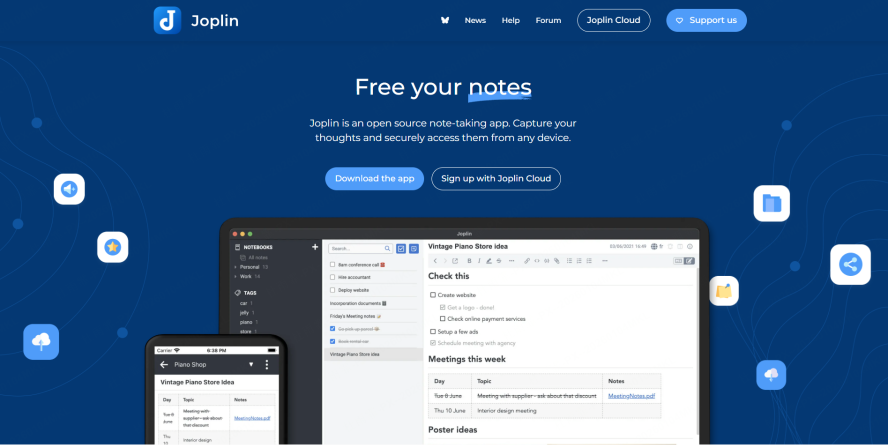
Joplin is an open-source, free Mermaid tool embedded within a cross-platform notes application—designed for privacy-conscious users like students, researchers, and independent knowledge workers who need to embed technical diagrams in their notes without compromising data security. Unlike cloud-based tools, Joplin stores data locally (or syncs via end-to-end encryption) and supports Mermaid integration natively, making it ideal for users who prioritize control over their data.
Features:
As an open-source notes app, Joplin supports writing Mermaid code directly in Markdown notes, with the diagram rendering within the note itself once the code is written. It includes core features like end-to-end encryption for sensitive notes, multi-device sync (via Dropbox, Nextcloud, or other services), and tag management to organize notes (and their embedded diagrams) by project or topic.
Pros:
Strong privacy focus: all data is stored locally by default, with no third-party servers accessing your notes or diagrams unless you choose to sync (and even then, sync is encrypted). It works offline, so users can edit notes and diagrams without an internet connection—perfect for fieldwork, travel, or areas with poor connectivity.
Excellent for combining note-taking and diagram management: keep meeting notes, research notes, and technical diagrams in one place, with links between notes to create a connected knowledge base. The active developer community regularly updates the app with new features and bug fixes.
Cons:
The interface is utilitarian and lacks the polished design of commercial tools, which may be a turnoff for users who prioritize aesthetics. Preview of Mermaid diagrams requires manual refresh (the diagram doesn’t update in real time as code is written), slowing down the editing process. Limited diagram style customization: users can’t adjust colors or fonts for Mermaid diagrams within Joplin, so diagrams have a generic look. The plugin ecosystem is weaker than mainstream editors, so there are fewer options to extend Mermaid functionality.
Mermaid CLI
Mermaid for Automated Workflows
Mermaid CLI (Command Line Interface) is a free, code-only Mermaid flowchart generator built for technical teams that need to automate diagram creation—ideal for DevOps engineers, technical writers, or software teams with programming skills who want to generate high-quality diagrams in bulk or integrate diagram creation into CI/CD pipelines.
Features:
As a Node.js-based CLI tool, Mermaid CLI reads Mermaid code from text files (e.g., .mmd or .md files) and generates high-resolution PNG, SVG, or PDF outputs via simple terminal commands. It can be integrated into shell scripts, GitHub Actions, or CI/CD pipelines to automatically generate diagrams when code changes—ensuring documentation is always up-to-date with the latest project logic.
Pros:
No GUI dependency: perfect for servers or automated tasks where a graphical interface isn’t available (e.g., generating diagrams on a build server). Produces high-quality, scalable vector graphics (SVG) that are ideal for formal documentation or print.
Supports batch processing via scripts: generate dozens of diagrams at once from a folder of Mermaid code files, saving hours of manual work for teams with large documentation needs.
Cons:
Requires command-line knowledge and a Node.js environment: users must install Node.js and Mermaid CLI via npm, and be comfortable writing terminal commands—making it inaccessible to non-technical users. Debugging complex diagrams lacks visual feedback: because it’s code-only with no live preview, users have to run the CLI command repeatedly to see changes, which is time-consuming for intricate diagrams with many nodes or connections.
Conclusion
The evolution of the mermaid flowchart ai generator in 2026 has transformed diagramming from a chore into a superpower. We are no longer tethered to manual syntax or "ugly" output. Whether you are using a mermaid flowchart generator for a quick personal note in Obsidian, or leveraging the full collaborative power of Boardmix for a global product launch, the tools are finally catching up to our needs for intelligence, beauty, and security.
My final recommendation? If you are deep in the code, stick with your IDE extensions for version control. But the moment you need to step back, collaborate with a team, or present your vision to stakeholders, switch to Boardmix. It is the only tool that truly masters the 2026 trifecta: AI intelligence, presentation-ready design, and seamless workflow continuity. In this fast-paced era, don't just draw diagrams—express your intent.





