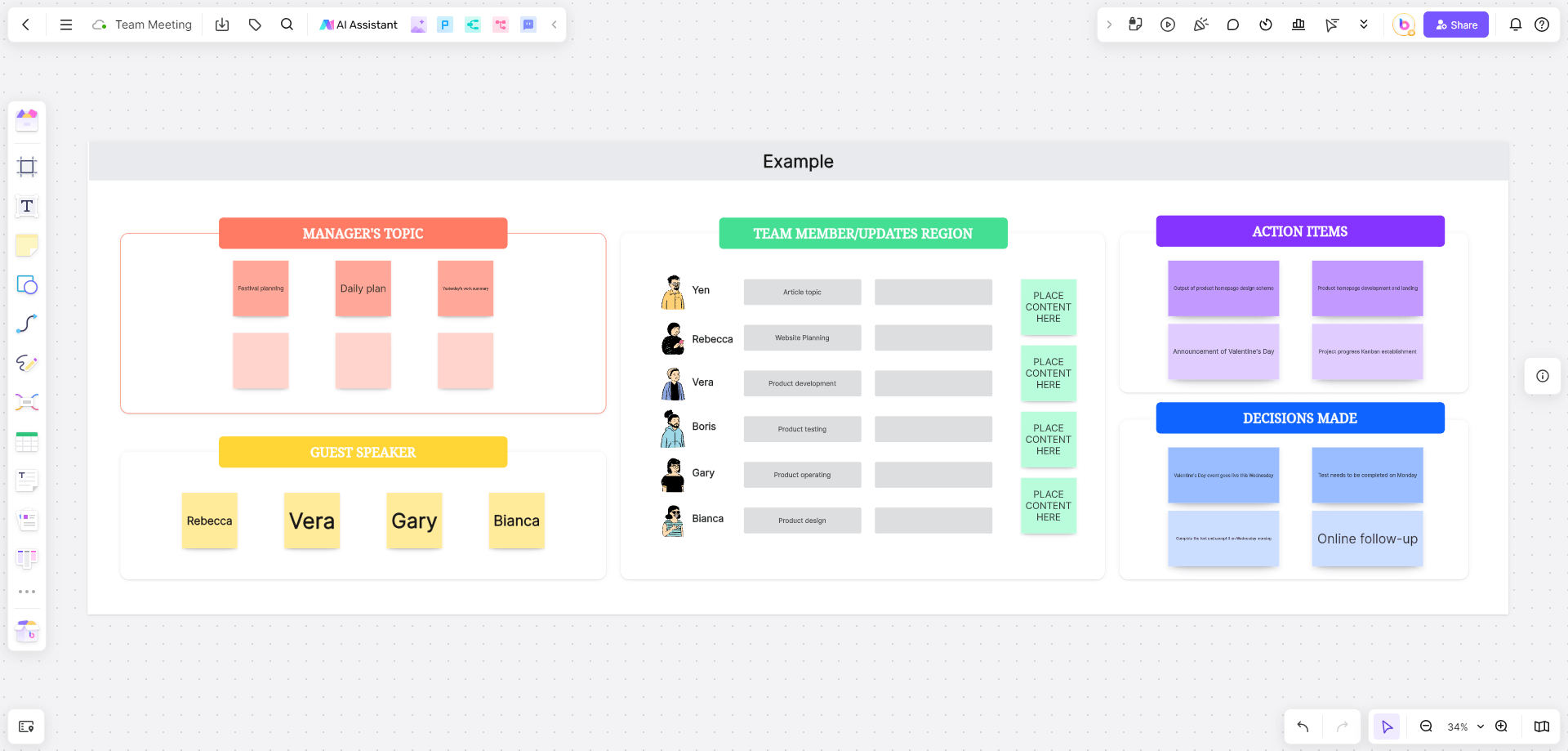
Use a persona brainstorming workshop to make the team's assumptions about users visible, compare them with existing evidence, and identify what to research next. A shared board helps participants collect ideas, discuss differences, and turn a broad role list into a smaller set of useful hypotheses. Brainstorming alone does not establish that those hypotheses describe real users.
This guide provides 35 brainstorming questions, a step-by-step workshop, and four reusable brainstorming formats. An illustrative educational-robot project runs through the workshop: the team wants to understand who uses, supports, and buys a robot for teaching programming in schools. The exercise produces draft user personas, often called proto-personas, and a research plan rather than a finished set of validated personas.
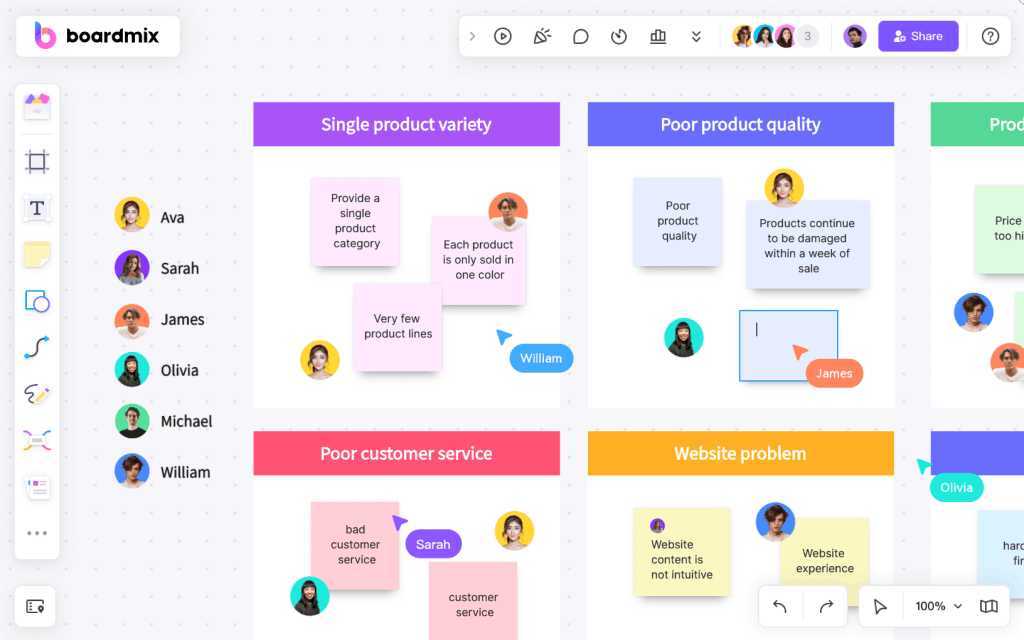

35 Essential Brainstorming Questions
Choose questions that help the group understand the project, surface assumptions, and decide what to investigate. You do not need to ask all 35 in one meeting. The introductory and project questions establish context; connect the later discussion to the users’ tasks, obstacles, and evidence. Record a source beside a claim when one is available.

Example background: a programming-education robot
Imagine a team developing an educational robot for schools. Some members know the classroom workflow, others understand purchasing, curriculum, or technical support. They use a persona workshop to compare those perspectives. The role counts and profile sketches below are a constructed example, not results from a documented customer study.
Begin with quiet idea generation so people can contribute before the discussion converges. Separate an observed fact from an interpretation or a new idea, and postpone judging proposed solutions until the team has heard the range of views. Nielsen Norman Group's guide to persona types distinguishes assumption-based proto-personas from personas grounded in research. Use that distinction when labeling this board.
(1) Introductory Questions:
- What goals do we hope to achieve today?
- What are the overall goals of this project?
- What useful insights do we have in terms of information, numbers, or data?
- What additional data or resources do we need to address this challenge?
- What excites us about this project?
- What do we see as the biggest challenge in this project?
(2) Information Gathering Questions:
- How will our team operate?
- What is our reporting method?
- What skills are needed to achieve our goals?
- What obstacles might we encounter in this project?
- How will we collect user information?
- How will we track our progress?
- How and when will we ensure our deliverables are met?
(3) Discussion Encouraging Questions:
- What are your initial impressions of this project?
- How would you briefly summarize or pitch this project?
- Can you explain the obstacles faced by this project in simple terms?
- What makes our organization/team uniquely equipped to handle this project?
- What does our organization/team lack to see this project succeed?
- How are we prepared to explain our weaknesses?
- How would different organizations handle this project?
- What makes customers interested in this product/project?
- What is the root of our problem?
- What is the best outcome for our project?
(4) Problem-Solving Questions:
- Do we have ideas we can combine?
- How can we achieve our ideas differently?
- Have solutions used in other projects helped you?
- What are three other ways to look at this challenge?
- Are there similar projects/products that have succeeded?
- How have similar projects/products failed?
- If there were no limits, how would we handle this project?
(5) Reflective Questions:
- What is our next step?
- What have we learned about our project?
- Are there other team members or unique skills needed to achieve these goals?
- What will affect the project's completion time?
- What factors or ideas are most worth focusing on at this time?
Run the Persona Brainstorming Workshop

Before the meeting, select relevant questions from the bank and arrange a Boardmix board into four areas: “Roles,” “Evidence,” “Assumptions,” and “Research questions.” Add only anonymized observations or materials you are allowed to share. Invite participants and ask one colleague to confirm that they can add a note. The board provides a shared space for simultaneous contributions from different locations.
(1) Warming Up
The facilitator opens by explaining the product and the decision the workshop should inform. For the robot example, the question is: “Who must be able to set up, teach with, and maintain the robot for a classroom session to work?” Briefly compare the project's goals, then invite each participant to add an existing observation and one uncertainty. This gives the group a concrete starting point without claiming that everyone already agrees.
(2) Process Explanation
Explain the sequence: list roles, discuss relevant characteristics, draft typical-user sketches, and identify the assumptions that need research. Demonstrate with the same school-robot scenario. Show the difference between an observation such as “a teacher described sharing one kit between groups” and a hypothesis such as “setup time is the biggest barrier.” Only label the first as evidence if a real source is available.
(3) User Role Brainstorming
In this example, the team works from two locations. Participants keep their usual audio or video call open while adding notes to the shared Boardmix board. A facilitator can read contributions aloud and invite clarification. Screen sharing helps people follow the discussion, but board permissions determine whether they can edit.
A brainstorming or user-persona template can supply a starting layout. Rename its sections around the robot project, remove irrelevant placeholders, and give each role room for goals, tasks, constraints, evidence, and open questions. Use the Boardmix brainstorming tools to collect and organize the contributions; a template does not supply user research by itself.
Role Group Brainstorming
Give everyone 5 minutes to write down roles connected with the robot in a school setting, one role per note. Each person then explains their notes, and the group merges labels that refer to the same role. In the illustrative outcome, the team keeps 7 role groups: 4 core groups and 3 supporting groups. For example, the core groups might be pupils, classroom teachers, coding-club instructors, and school ICT coordinators; supporting groups might be school leaders, procurement staff, and parents. These are working categories to test, not a universal classification.
Discussing User Characteristics
Discuss which characteristics could change how a role uses or supports the product. Age, position, location, and educational background can provide context, but include them only when their relevance is clear. For this project, teaching experience, available preparation time, device access, class size, and responsibility for maintenance may be more useful than a generic demographic profile. Record the reason a characteristic matters and the evidence still needed.
Typical User Brainstorming
Draft possible users within the 7 role groups, following the product's touchpoints: choosing a kit, preparing a lesson, introducing it to pupils, running the activity, and maintaining it afterward. Ask contributors to describe the person's task and difficulty at that point, rather than inventing a detailed biography. Keep distinct needs separate even when two people have the same job title.
Suppose the exercise produces 33 candidate profile sketches across the 7 categories. Keep these as raw workshop material, then merge sketches only when their goals, behavior, and constraints align. Thirty-three sketches are not a target for the final persona set, and repetition of an assumption is not validation. Mark each surviving profile as a hypothesis until research supports or changes it.
Turn one sketch into a researchable profile
For example, a draft classroom-teacher profile might read: “Needs to run a short programming lesson with shared robot kits; may have limited setup time; wants to know whether pupils can recover from a connection problem without waiting for the teacher.” Put the last two claims in the Assumptions area unless interviews or observations support them.
- Question to investigate: What actually interrupts a robot lesson: setup, instructions, device sharing, or something else?
- Evidence to collect: Observe a lesson where permitted and ask teachers to describe a recent session, including the steps that took longer than expected.
- Decision the evidence can inform: Whether to prioritize setup guidance, pupil-facing recovery instructions, or a different classroom workflow.
- What would change the sketch: If teachers already handle setup easily but pupils cannot interpret an error, revise the problem rather than preserving the original assumption.
End with an owner and a next step for each important uncertainty. If the team cannot explain what evidence would change a persona, the profile is too vague to guide a design decision.
Team Brainstorming Templates

The four formats below support different parts of the workshop. Use brainwriting to gather individual contributions, guided brainstorming to follow a shared sequence, a concept map to relate roles and tasks, and reverse brainstorming to surface possible failures. Start from a suitable Boardmix layout and adapt its labels to the school-robot question.
Participants can add ideas and notes to the same Boardmix canvas. Place relevant document excerpts, spreadsheet findings, or presentation material beside the discussion when you have permission to share them; importing or linking material does not imply a live synchronization with the source application. Keep an external call open when the team needs voice or video, and use board comments for questions that need to remain attached to a particular note.
(1) Brainwriting Template
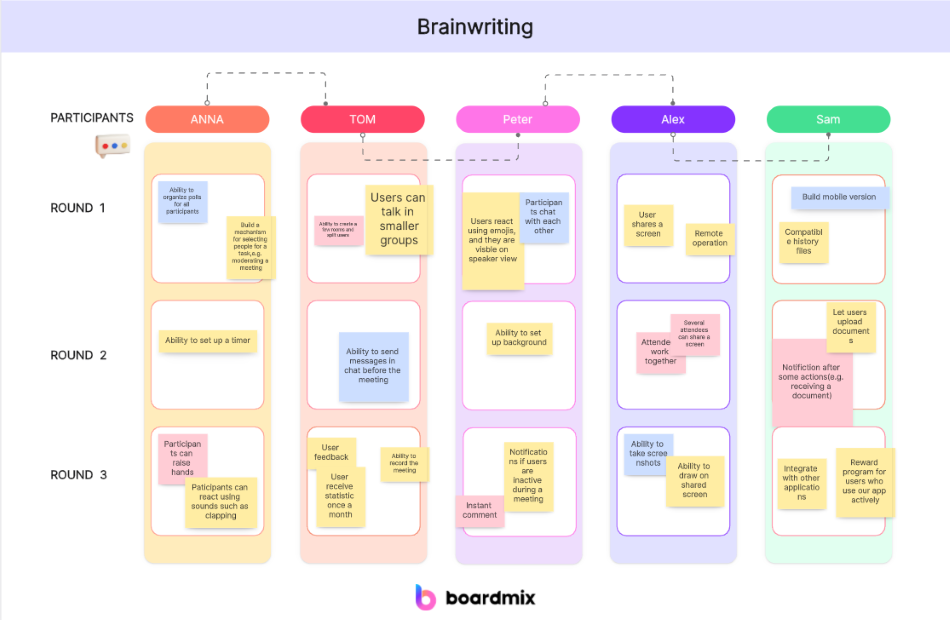
Brainwriting gives participants time to form ideas individually before discussing them aloud. It can work at the start of the workshop or after a roundtable discussion. In the robot example, ask each person to write possible classroom obstacles, making it clear which are observations and which are guesses.
Ask each participant to write three ideas on sticky notes within five minutes. Exchange the notes and invite others to add a related idea or a question, rather than silently rewriting the original contribution. Repeat the exchange for 10–15 minutes, then collect and discuss the notes. This is a suggested exercise format, not a guarantee of equal participation; offer extra time or a spoken contribution when someone needs it.
(2) Guided Brainstorming Template
Use a guided layout when the group benefits from a clear sequence. For the robot workshop, the sequence can be:
Write the discussion question and a few directions to explore, such as preparing the robot, helping pupils begin, and handling a stalled activity.
Give participants turns to explain their ideas while recording each on a sticky note. A quiet writing period first helps prevent the earliest speaker from setting every direction.
Review the notes and combine related suggestions when their meaning is preserved. The brainstorming expression “1+1=3” describes the possibility of building on ideas; it is not a numerical result or a reason to merge different user needs.
Summarize the options and, if useful, vote on which to investigate first. Record why the selected idea matters and keep unresolved or minority views visible. A popular hypothesis still needs evidence, and it may become the topic of another round.
(3) Concept Map Brainstorming Template
Boardmix can hold a concept map that connects a central question to roles, tasks, and constraints. Put “Using the robot in a lesson” at the center and connect it to preparation, pupil activity, teacher support, and maintenance. Label the relationships so the map explains how the concepts fit together. Adjust layout and color for readability, while keeping the meaning in text as well.
(4) Reverse Brainstorming Template
Reverse brainstorming starts with how the activity could fail. For the robot example, ask the group to imagine a lesson in which no one can begin: perhaps kits are not charged, instructions assume knowledge pupils lack, or no one knows who can resolve a connection issue. Turn each failure into a prevention idea or research question. The exercise exposes possible gaps; it does not establish that those failures occur in real classrooms.

After brainstorming, refine the candidate profiles using the research you planned. Preserve a useful difference in goals or behavior, remove unsupported details, and revise a profile when evidence contradicts it. A persona becomes useful because it helps the team understand a recurring need and choose an appropriate response, not because the workshop produced many profiles.
Keep the Boardmix canvas as the working record: role notes, supporting material, unresolved questions, and the next research actions can remain together. Use simultaneous editing, participant cursors, and comments to discuss updates. When findings arrive, return to the relevant sketch and show what changed, so the team can follow the reasoning from its initial assumptions to a more reliable understanding of users.