Meeting notes become useful action items when a reader can tell what will be delivered, who owns it, when it will be checked and which decision created the work. A list of verbs such as “follow up” or “look into it” is not enough. Capture the decision first, then write the smallest finishable action that moves it forward.
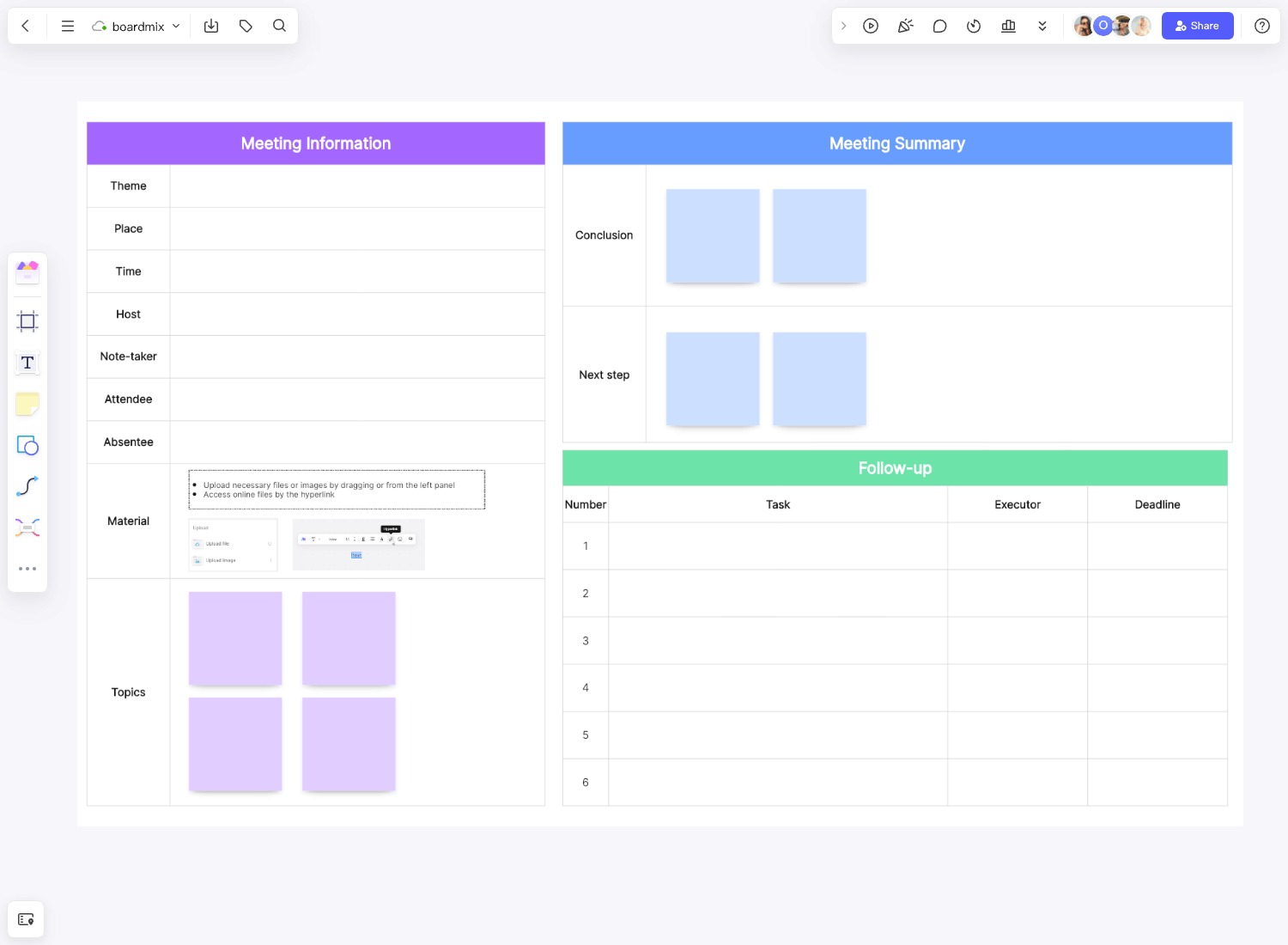
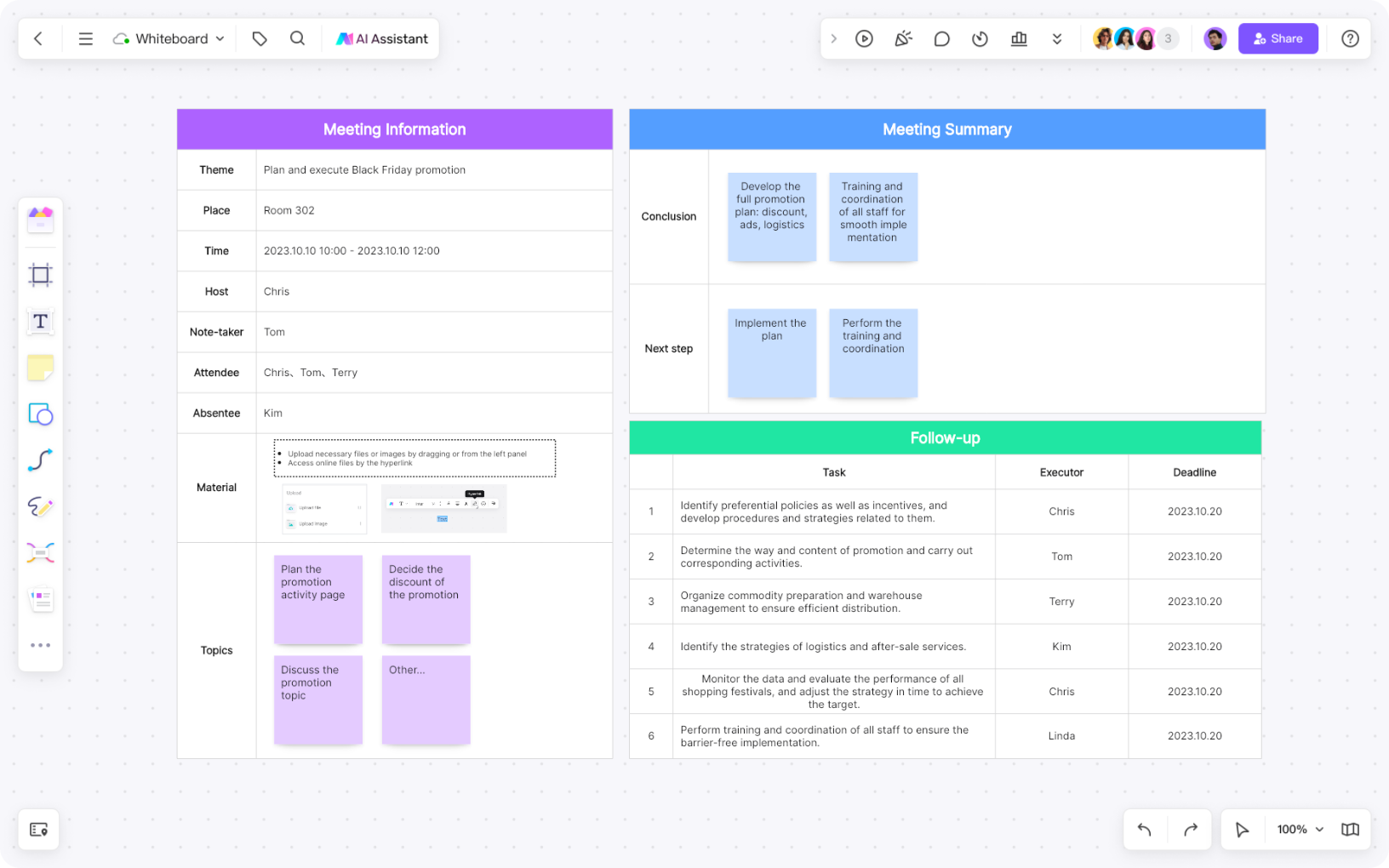
The Boardmix meeting minutes template gives you a place for the agenda, decisions and action items. Keep the action area beside the decision that caused the work so someone reviewing the board can understand the context without searching through a chat thread.
Capture the decision before the action
Write the decision in one sentence before assigning work. For example: “We will test a simpler first-project setup with new workspace members.” Then ask what must happen because of that choice. The action may be “Draft the revised setup copy and place it in the review area,” not the vague “Improve onboarding.”
Keep alternatives and unresolved questions visible, but distinguish them from the decision. If the team has not chosen an option, record the question and the evidence needed for the next decision rather than assigning work that assumes an answer. This prevents action lists from quietly turning a discussion into an unapproved commitment.
| Decision | Action | Why it matters |
|---|---|---|
| Test a simpler first-project setup. | Draft the new setup copy and place it in the review area. | The team can inspect a concrete version before choosing a wider change. |
| Keep the existing permission model for this test. | Document the permission assumption beside the draft. | Reviewers will not mistake the test for a permission redesign. |
Write an action that can be finished
Start with a verb and name the deliverable. “Prepare a two-option comparison,” “confirm the participant criteria,” and “publish the approved agenda” are observable. “Think about the flow” is not. If an action contains several deliverables, split them so the owner can report progress without explaining a hidden checklist.
State the boundary of the work. A useful action says what is included and what is not, such as “draft the first-project setup copy, excluding account permissions.” This keeps a small assignment from expanding silently and gives the reviewer a fair basis for feedback.
Use the wording the team actually agreed to. Rephrasing a sensitive task can change its meaning. If the action is still an idea, label it as a proposal and keep it out of the committed list until the decision owner confirms it.
Assign one owner and visible support
Give each committed action one accountable owner. Other people can contribute, review or unblock, but a list of four owners makes it unclear who will report the result. Add supporting names only when their role is concrete: “Support checks the terminology” is clearer than “Support helps.”
Check capacity in the meeting. An owner may accept the work but need a dependency, a reviewer or access to a source. Record that dependency beside the action and assign a next step for resolving it. Do not treat a name on a shared board as a product permission; sharing and team roles are controlled separately.
Set timing and evidence of completion
Use a timing statement that matches the work: a date for a deliverable, a review point for an experiment, or a dependency event for an external input. “ASAP” does not help an owner sequence the task. If the date is not known, write who will confirm it and by when.
Add the evidence that will close the action. It might be a link to a reviewed draft, a decision readback, a tested flow or a note that an owner has contacted a participant. The evidence is not a reason to create paperwork; it lets a future reader distinguish “discussed” from “done.”
| Field | Example |
|---|---|
| Action | Draft the revised first-project setup copy. |
| Owner | Onboarding content lead |
| Support | Product manager reviews terminology. |
| Timing | Bring the draft to the next product review. |
| Completion evidence | Approved copy is linked beside the decision record. |
Review actions in the meeting context
Before ending, read each action with its decision, owner and next check. Ask the owner to correct the wording if the task is larger or different than expected. Keep open questions in a separate area so they do not look like committed work.
Group actions by the decision or project stage that created them. A flat list may be easy to type, but context helps a team see dependencies. Use labels or frames for “committed,” “waiting for input” and “ready for review”; change a label only when the team has evidence for the new state.
Follow up without chasing everyone
At the next check-in, review the evidence rather than asking every person for a general update. If an action is blocked, record the blocker and the smallest next step. If the decision has changed, update the decision record and explain which actions are cancelled or replaced. Do not leave an old assignment beside a new direction.
Share the board with the people responsible for follow-up and make the source of truth explicit. The Boardmix sharing guide explains sharing scopes. When the meeting ends, open a Boardmix workspace to turn the template into a live record of decisions and owned work.