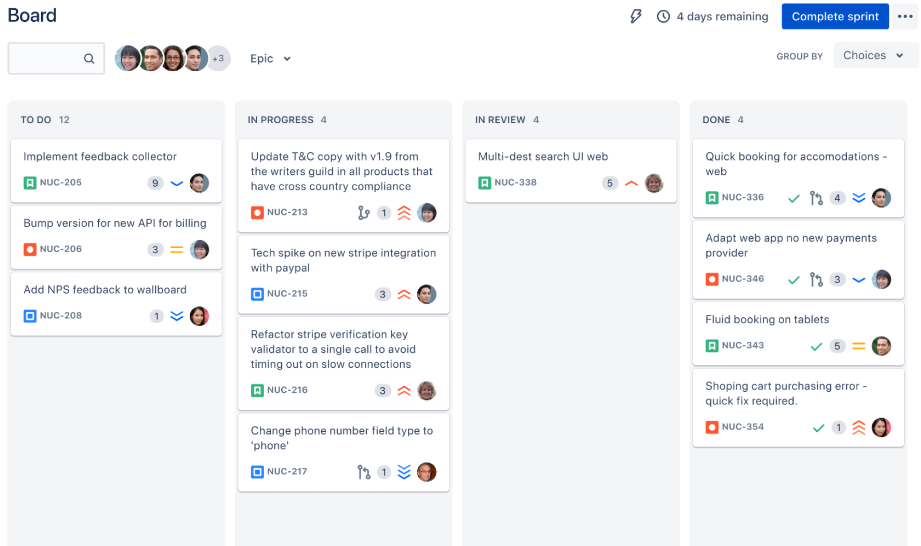
The best Miro collaboration alternative for an asynchronous team is not simply the canvas with the most live cursors. It must help someone understand the context, contribute without a meeting, see what changed, and find the final decision. Boardmix is one option to evaluate because it combines a shared canvas with diagrams, mind maps, templates, comments, and Miro import.

What Async Whiteboard Collaboration Requires
- Orientation: a title, purpose, owner, status, and clear starting point.
- Navigation: frames, sections, headings, links, and a readable canvas path.
- Contribution: prompts that say what input is needed and by when.
- Resolution: a visible decision, rationale, owner, and next action.
- Continuity: comments, history, notifications, and links to the system of record.
Why a Collaboration Tool Matters
Remote work exposes gaps that a live facilitator can hide. A teammate may open the board hours later without the meeting discussion, or a guest may not know which frame is current. The tool must support clear access and contribution, while the board itself must carry enough context to stand alone. Evaluate both: interface friction is a product issue, but an unlabeled canvas is a workflow issue.
A Five-Step Async Board Workflow
- Frame the question. Put the decision or task at the top with an owner and deadline.
- Add evidence. Link source documents and summarize the information participants must know.
- Collect input. Give each contributor a bounded area or prompt.
- Synthesize. Group repeated themes and distinguish evidence from opinion.
- Close the loop. Record the decision, dissent, action owners, and destination system.

Miro as the Reference Workflow
If the team already uses Miro, document the features that make its current async workflow function: frames, comments, mentions, notifications, links, templates, history, integrations, or administrative rules. Use that list as a baseline rather than treating the entire Miro feature catalog as mandatory. Also note recurring problems such as duplicate boards, unclear ownership, missed comments, or actions that never reach the work system.
How to Evaluate Boardmix for Remote Teams
Build one board for a real decision and invite participants in at least two time zones. Do not explain the layout in a meeting. Ask each person to find the prompt, leave input, respond to another contribution, and identify the final outcome. Record questions and navigation errors; they reveal both product and board-design problems.

Use Boardmix as a Complete Collaboration Test
Start with a template only if it fits the decision, then remove sections that do not serve the participants. Add diagrams or mind maps when they clarify relationships, but keep the reading path obvious. Test member and guest access, comments, links, exports, ownership, and the normal board size. If AI tools are used to summarize or generate structure, label the generated material and have the owner verify it before others rely on it.
Migration and Tool Connections
If the team already uses Miro, import a representative board before redesigning the workflow. Boardmix lists cards, connectors, frames, images, shapes, sticky notes, and text as supported editable objects. Validate comments, permissions, integrations, history, and embedded content separately with the Miro migration guide.
An async board should point to the system of record rather than replace every tool. Test the required calendar, meeting, messaging, file, and work-management connections, plus the behavior when an integration fails or a collaborator lacks access.
Async Board Template Checklist
- Purpose, owner, audience, and status
- Reading order and estimated review time
- Source links and assumptions
- Contribution prompt and deadline
- Decision criteria
- Final decision and rationale
- Action owners and due dates
- Archive or review date

Turn Visual Input into Follow-Through
At the end of the review window, the owner should group repeated input, resolve or record open questions, and publish a concise decision area. Each action needs an owner, due date, and link to the system where progress will be tracked. Leave enough rationale for someone who did not participate, then change the board status from open to decided or archived.
Choose with a Remote-Team Pilot
Compare finalists using the same board, participants, and task. Score time to understand, contribution completion, clarification questions, decision quality, accessibility, mobile or desktop fit, guest access, administration, exports, and total plan cost. Select the product that makes the desired behavior repeatable across time zones.
Last verified: September 16, 2026.
![[Newest] Top Online Brainstorming Tools](https://cms.boardmix.com/images/articles/online-brainstorming-tools.png)