





Want to turn complex processes into clear charts with professional software like Microsoft Visio? Visio makes creating flowcharts, architecture diagrams, and other professional visuals intuitive and straightforward—a great aid for office work and project management! But in today's world that demands flexible collaboration, do you also wish you could diagram online with Visio anytime, anywhere, with multiple people editing the same chart in real time? This guide teaches you the fundamentals of Visio and explores smarter, more efficient ways to draw.
What is Microsoft Visio?
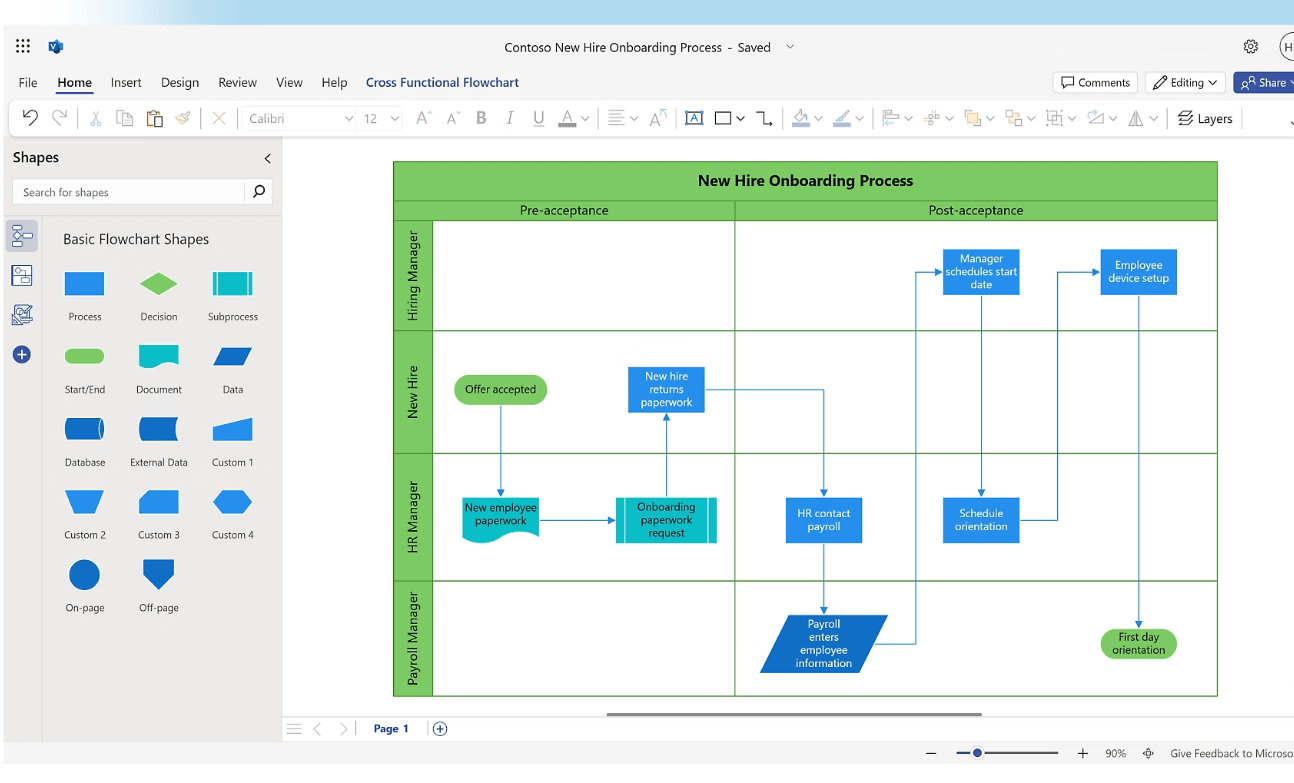
Microsoft Visio is a professional diagramming and vector graphics software application. It helps you transform complex ideas, processes, or system structures into clear, understandable graphics—almost like "drawing" abstract information with a brush.
It is particularly well-suited for creating workflow flowcharts, organizational charts, and network diagrams. It can also easily handle various professional diagramming needs like engineering drawings, project timelines, and more.
Why is Visio Beginner-Friendly?
Simple Operation: Beginners can drag and drop pre-made shapes to build diagrams. Visio automatically helps with alignment and layout.
Rich Templates: It comes packed with numerous templates that you can modify directly, allowing for a quick start even without design experience.
Modern Alternative: Many teams now prefer using online tools like Boardmix for similar diagrams. These tools enable real-time collaboration and require no software installation, making them more friendly for beginners and remote teams.
How to Create a Diagram in Visio: A Beginner's Step-by-Step Tutorial
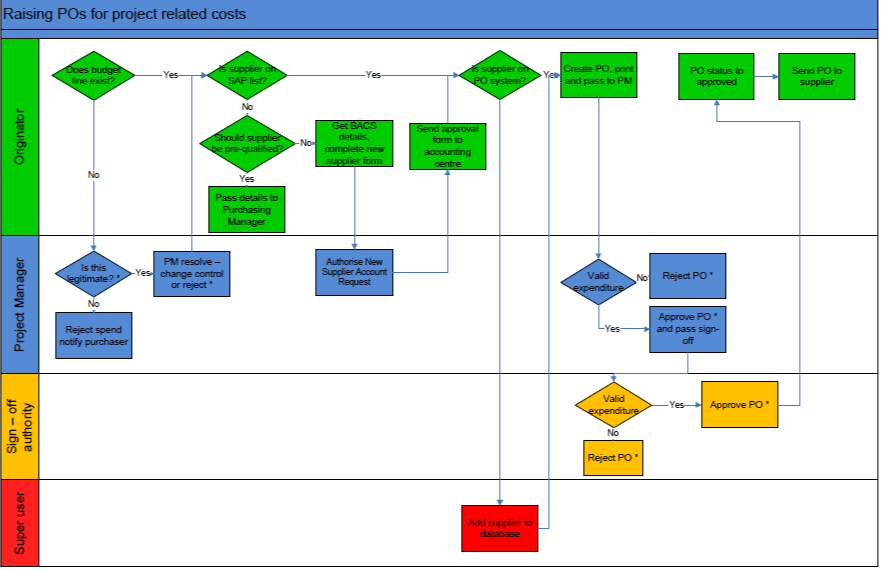
Now that you know what Visio is, let's get hands-on with a practical example. Follow these steps to create a "Meeting Room Booking Approval Process" flowchart:
Step 1: Create a File
Open Microsoft Visio. Go to File > New, then select a template under the "Flowchart" category or start with a blank drawing.
Step 2: Outline the Steps
Use the Text Tool to list the core steps, such as "Submit Request," "Department Approval," "Resource Confirmation," and "Notify Requester."
Step 3: Add Shapes & Text
Drag shapes (like rectangles for steps, diamonds for decisions) onto the canvas. Double-click on a shape to add your step text.
Step 4: Connect the Shapes
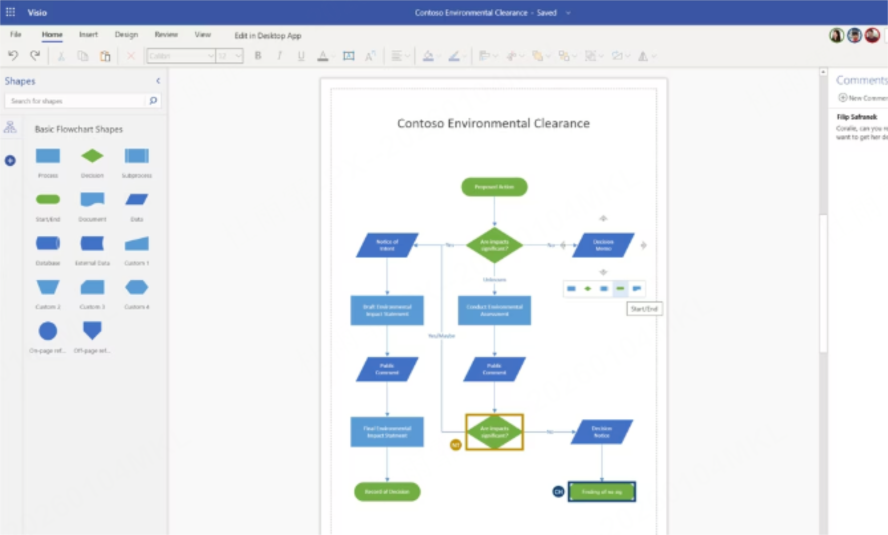
Use the Connector Tool. Click and drag from a connection point on the starting shape to a point on the next shape. Add arrows to indicate the flow direction.
Step 5: Format & Polish
Align all elements for a clean look. Apply distinct colors to different phases (e.g., request, approval, execution) for visual clarity.
Pro Tip: Creating such charts is even simpler with Boardmix. Just drag a suitable template to build your chart's framework, use the AI Assistant to generate a flowchart instantly, or manually drag shapes and add connectors. Plus, Boardmix supports real-time multi-user collaboration, making it fast and easy to visualize processes like the meeting room booking approval.
Visio vs. Boardmix: Which Diagramming Tool is Right for You?
You've learned the basics of Visio. Now you might wonder: for different needs, should you stick with Visio or choose a more flexible online tool? This comparison helps you decide.
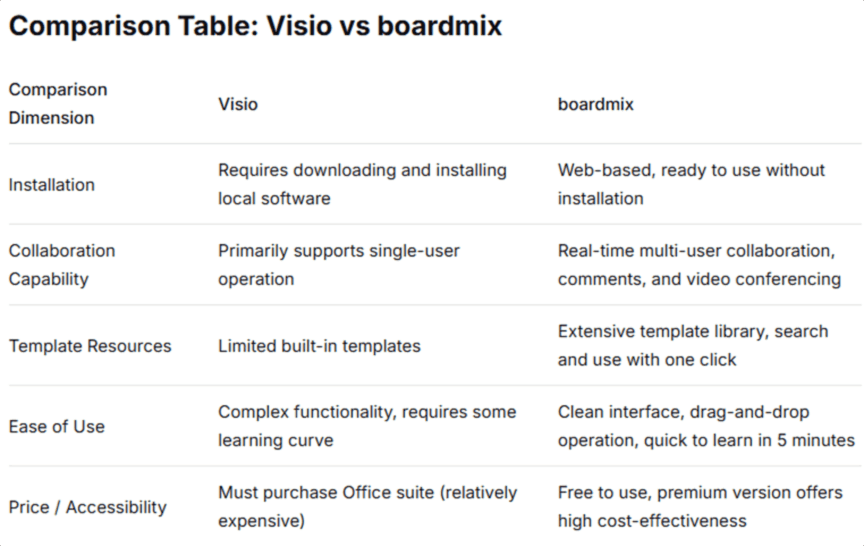
Choose Boardmix if you need quick diagrams, remote work capabilities, or seamless team collaboration. Choose Visio for highly complex, precision technical drawings, accepting higher cost and collaboration limits.
Handle All Your Visio Diagramming Needs with Boardmix
We've seen Visio's strengths and Boardmix's collaborative edge. But if you're already a Visio user or need to handle Visio files, Boardmix is your perfect partner! It not only fully supports Visio files but also delivers a smoother, smarter online diagramming experience.
(1) Seamless Visio File Import & Edit
Boardmix supports importing .vsdx and .vsd files. Shapes, text, connectors, and formatting are preserved. Once imported, you can edit the Visio file directly in Boardmix. Operations like dragging, scaling, editing text, and adjusting styles are highly similar to Visio, so you can get started immediately.
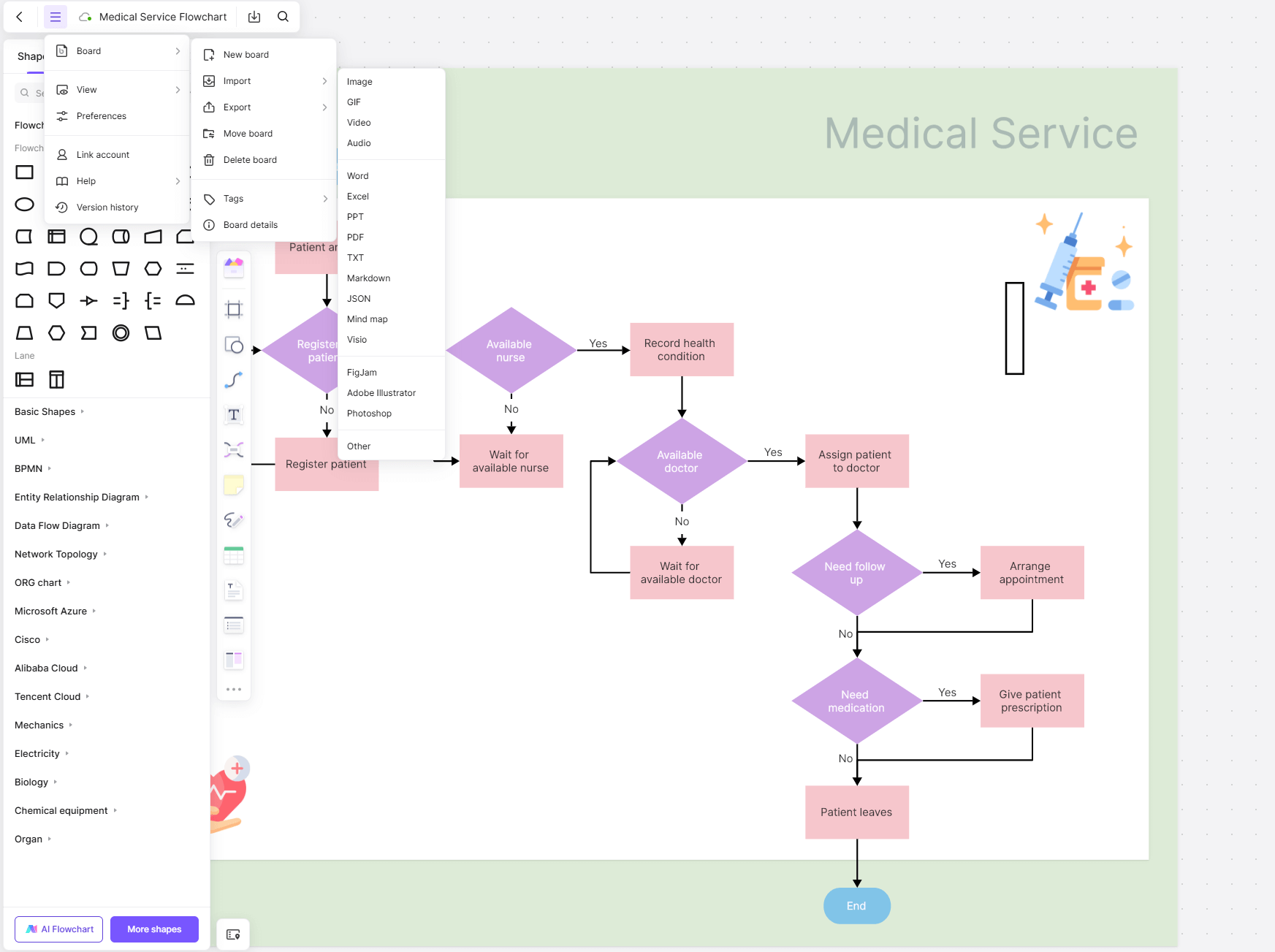
(2) Everything You Draw in Visio, You Can Create in Boardmix
Flowcharts, org charts, network diagrams, engineering schematics, project timelines—Boardmix handles all the classic Visio diagram types with ease. Whether mapping process logic, visualizing team hierarchies, or drawing network topologies, Boardmix's extensive shape libraries and features meet the demand, covering all mainstream online diagramming scenarios.
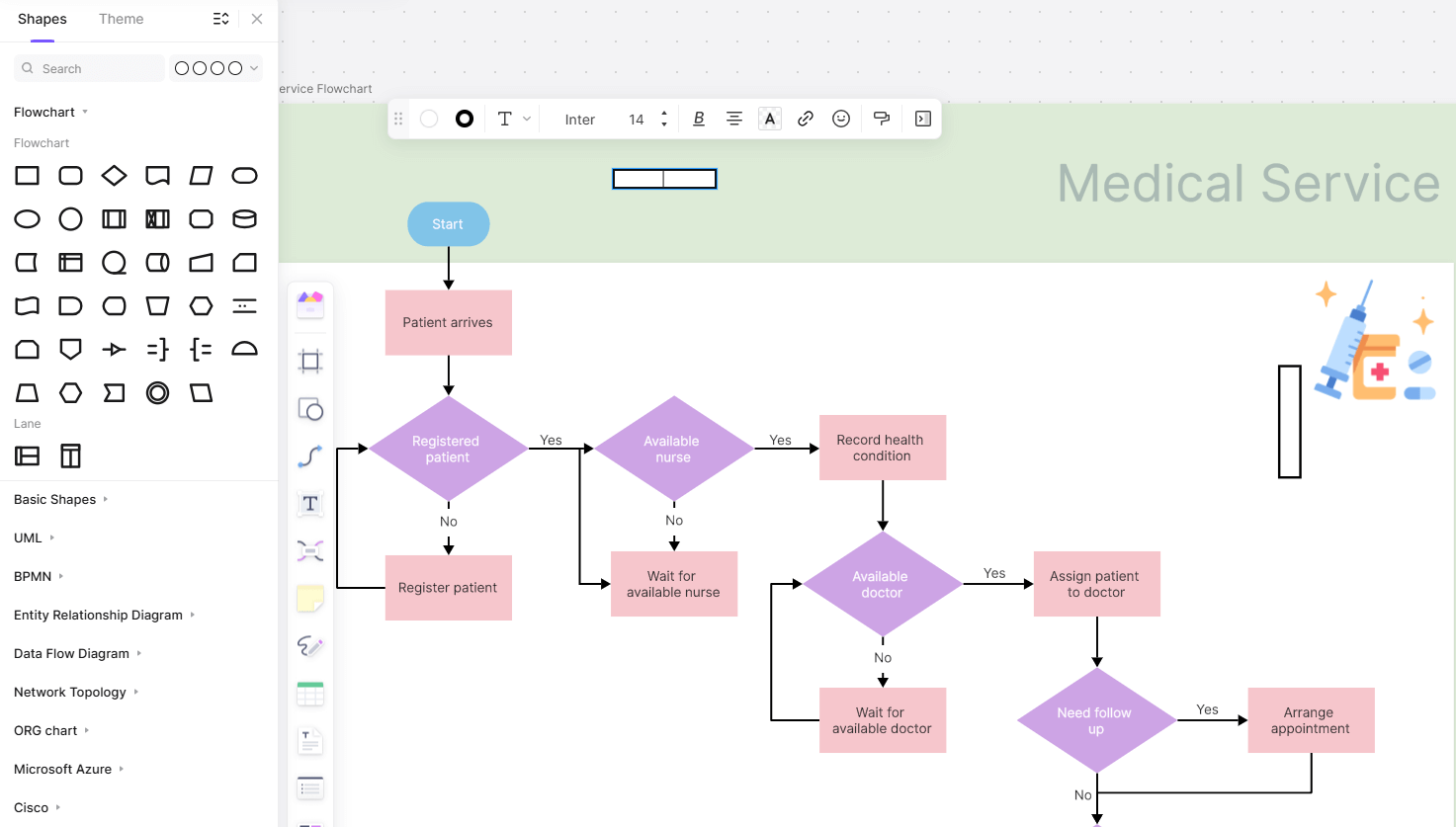
(3) Boardmix's Unique Advantages: Simplicity, Collaboration & AI
Worried about a steep learning curve? Boardmix lowers the barrier from start to finish.
- Rich, Ready-to-Use Templates: Access thousands of templates covering all common Visio-style diagrams. Click, modify text, and use instantly—no drawing from scratch.
- Intuitive Drag-and-Drop: Manipulate shapes, icons, and connectors directly on the canvas. Resize and rotate easily with your mouse for a more straightforward experience than Visio.
- AI-Powered Efficiency: Describe your need (e.g., "create a PTO approval workflow"). The AI Assistant generates a structured chart draft in seconds. Just refine it to finish.
- Live Multi-User Collaboration: Work on the same diagram with teammates in real time. See live cursors and changes sync instantly. Version history prevents loss from accidental edits.
Conclusion
This guide has explored the capabilities of professional software like Microsoft Visio and the modern demand for collaborative, efficient diagramming. Today's work requires flexibility and teamwork!
If you need:
- The convenience of online diagramming (no install, cloud access, multi-device).
- Real-time collaboration on the same chart with multiple editors.
- AI-powered chart generation to boost productivity.
- To seamlessly import and edit existing Visio files.
Then Boardmix is your ideal upgrade! It supports Visio file imports and core functionalities while offering game-changing features like real-time collaboration, an AI Assistant, and a vast template library. Make diagramming simpler, more powerful, and more efficient.
Start creating and collaborating smarter. Try Boardmix for free today!





