An online shopping data flow diagram maps how customer, order, inventory, payment, and fulfillment data moves among external entities, processes, and data stores.
The useful question is not only which components exist, but what named data enters and leaves each process. This guide explains the four DFD components, context and lower-level views, a drawing workflow, and a validation checklist for an e-commerce system.
What an Online Shopping Data Flow Diagram Shows
A context-level DFD treats the storefront as one process and shows exchanges with customers, payment services, inventory or fulfillment systems, and administrators. A lower-level DFD decomposes that process into activities such as browsing products, maintaining a cart, authorizing payment, reserving stock, creating an order, and sending status updates.
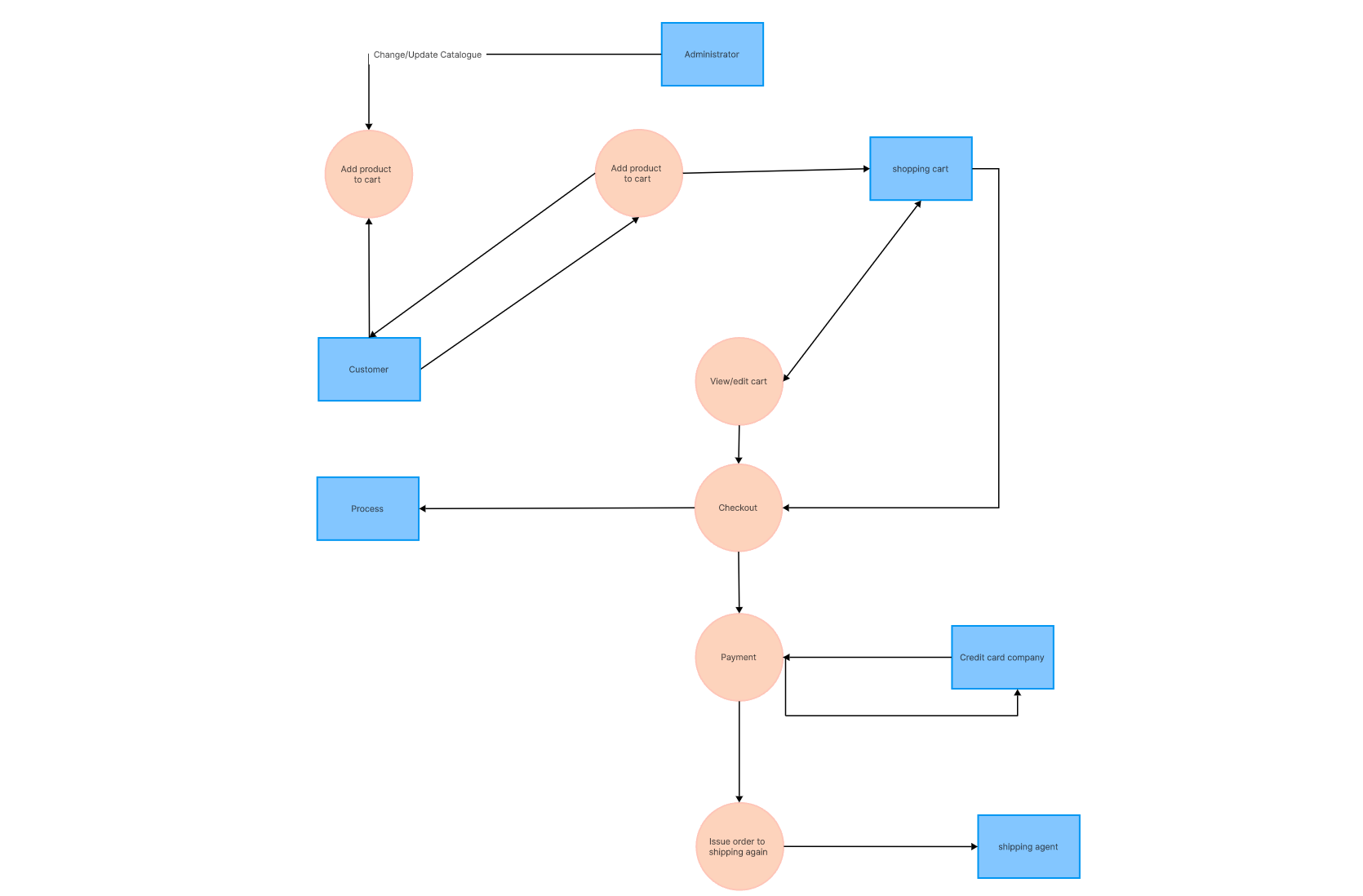
The four components are external entities, processes, data stores, and named data flows. For this scenario, examples include Customer and Payment Service; Validate Cart and Create Order; Product, Customer, and Order stores; and flows such as Order Details, Payment Request, Stock Status, and Confirmation. This component model is consistent with IBM's data flow diagram overview.
Why Use a DFD for an Online Shopping System?
A scenario-specific DFD supports four practical review tasks:
- Clarify the boundary: identify which services belong to the storefront and which are external.
- Find missing exchanges: check whether payment results, inventory responses, errors, and confirmations have return paths.
- Align stakeholders: give product, engineering, operations, and security teams one view of how data crosses responsibilities.
- Document scope: record the agreed model for requirements and later change reviews without claiming that the diagram proves implementation behavior.
Online Shopping DFD Components and Symbols
DFD shapes vary between notation families, so use one convention consistently and include a legend when the audience may not know it.
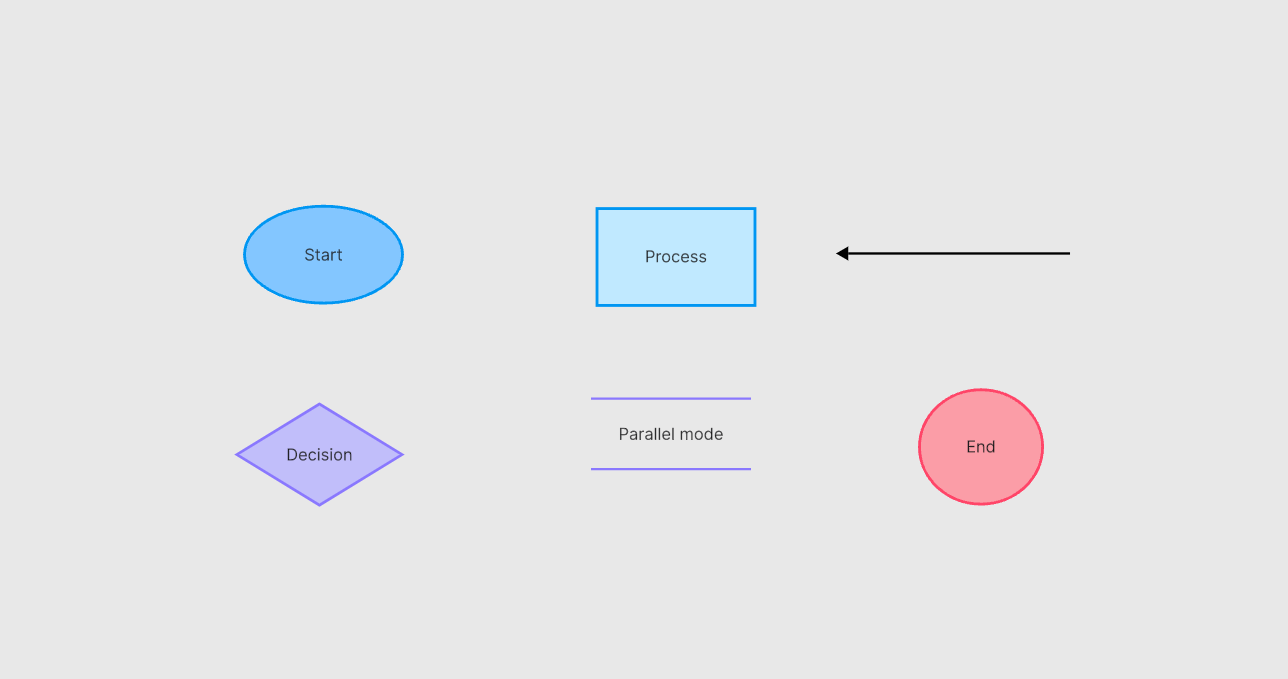
- External entity: usually a rectangle representing a person, organization, or external system that sends or receives data.
- Process: a circle, rounded shape, or process box labeled with an action that transforms incoming data.
- Data store: parallel lines or an open-ended rectangle representing retained information.
- Data flow: a directional arrow labeled with the data being transferred, not a vague action such as “communicates.”
For example, a Customer sends Cart Contents and Checkout Details to the storefront; the storefront sends a Payment Request to a payment service and receives a Payment Result; an order process reads Product and Stock data and writes an Order Record. Each arrow should name the data, and each process and store should have the inputs and outputs needed by the model.
A DFD follows movement and transformation of data. An ER diagram for an online shopping system answers a different question by modeling data entities, attributes, and relationships.
How to Draw an Online Shopping Data Flow Diagram
Boardmix is an online whiteboard where a team can place shapes, connect labeled flows, add notes, and review a diagram together. The steps below use the interface shown in the existing screenshots; menu names and available templates may change as the product evolves.
Use this workflow to create and verify a scenario-specific DFD:
Step 1. First, sign in to your Boardmix account. If you do not have one, registration is simple and quick.

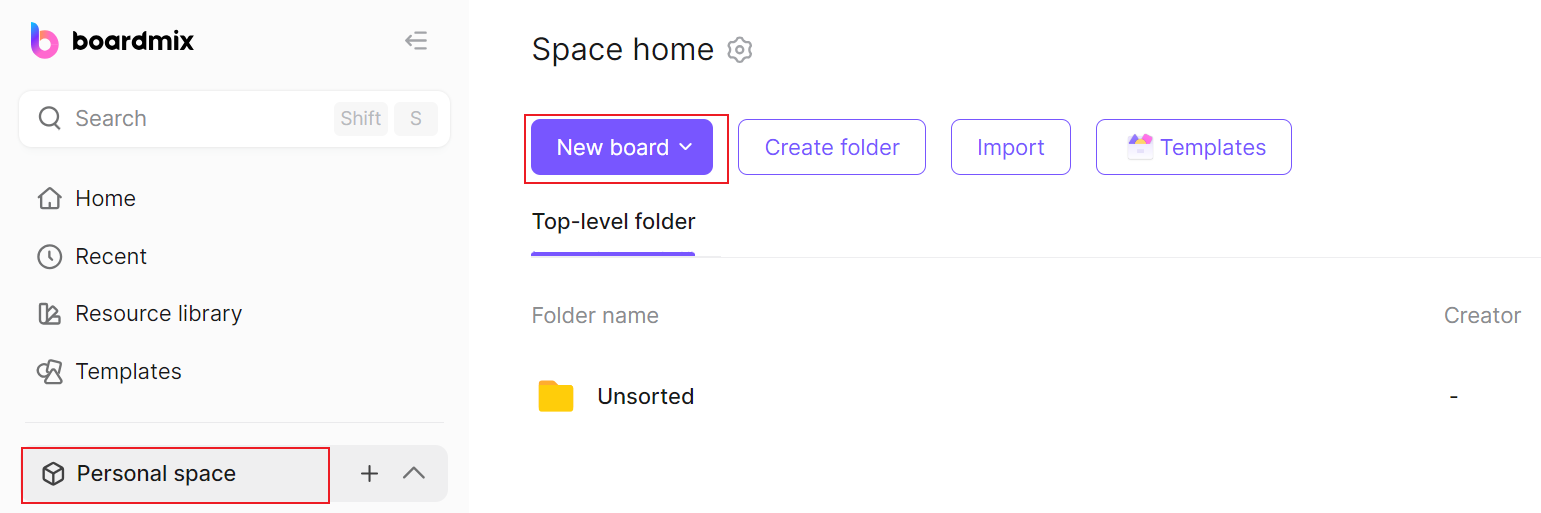
Step 2. On the dashboard, select "New board." You can name the board something relevant, like "Online Shopping DFD."
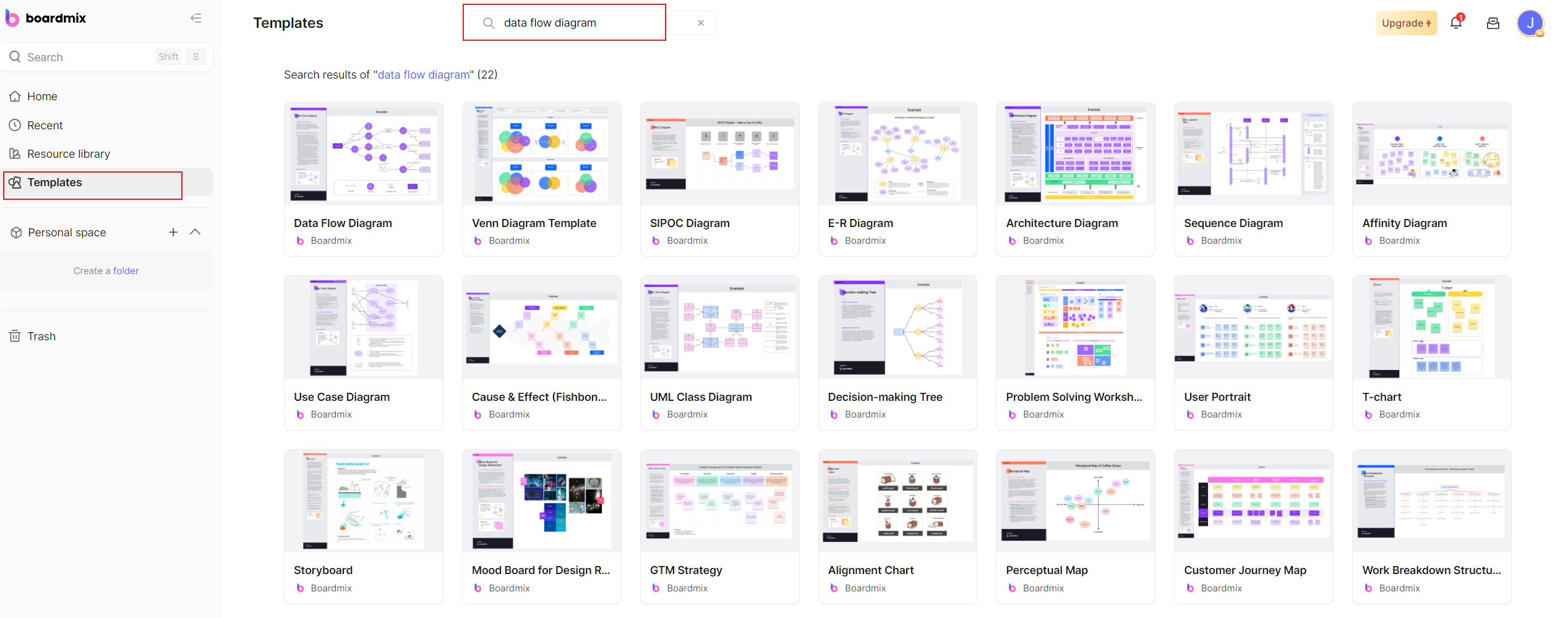
Step 3. Within your project, choose "Templates," then select "Data Flow Diagram" from the options presented.
Step 4. Now that you have a blank canvas with a ready-made data flow diagram, you can begin making your DFD. You can also use symbols from the left sidebar to represent four different aspects: entities, processes, data stores, and data flows.
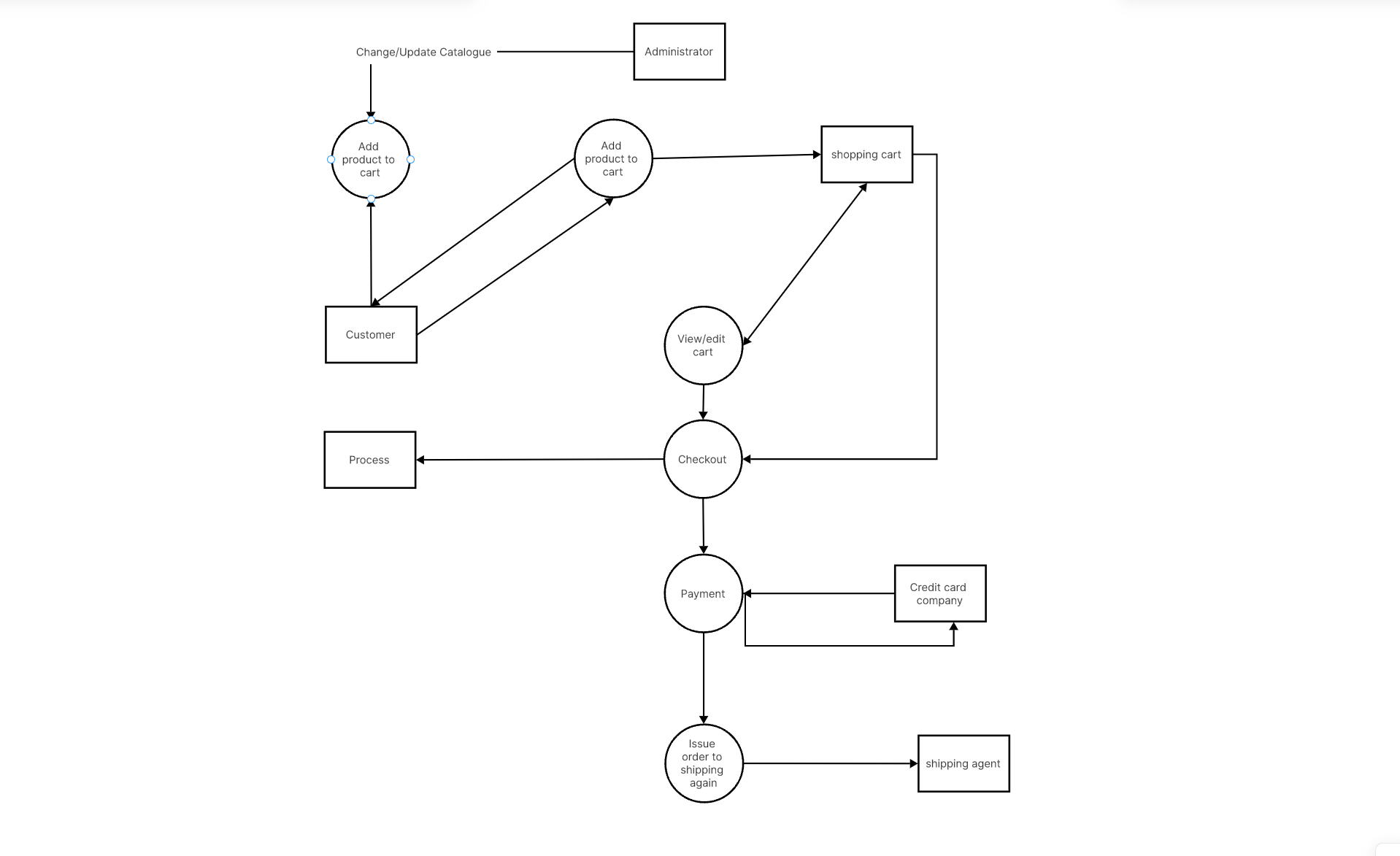
- Entities are external elements that interact with the system (for example, Customers). You can depict them by dragging and dropping rectangle shapes onto the canvas.
- Processes are what convert incoming data flow into outgoing data flow (for example, Processing Payment). Circle shapes represent processes in the DFD.
- Data Stores are where the data resides in the system (for example, Customer Database). Use two parallel lines to denote them.
- Arrows are used to depict data flows—these demonstrate how data moves between entities, processes, and data stores.
Step 5. Each component should be clearly labeled to avoid any confusion—be it processes like "Check Out" and "Process Payment," or entities like "Customer" and "Inventory Management."
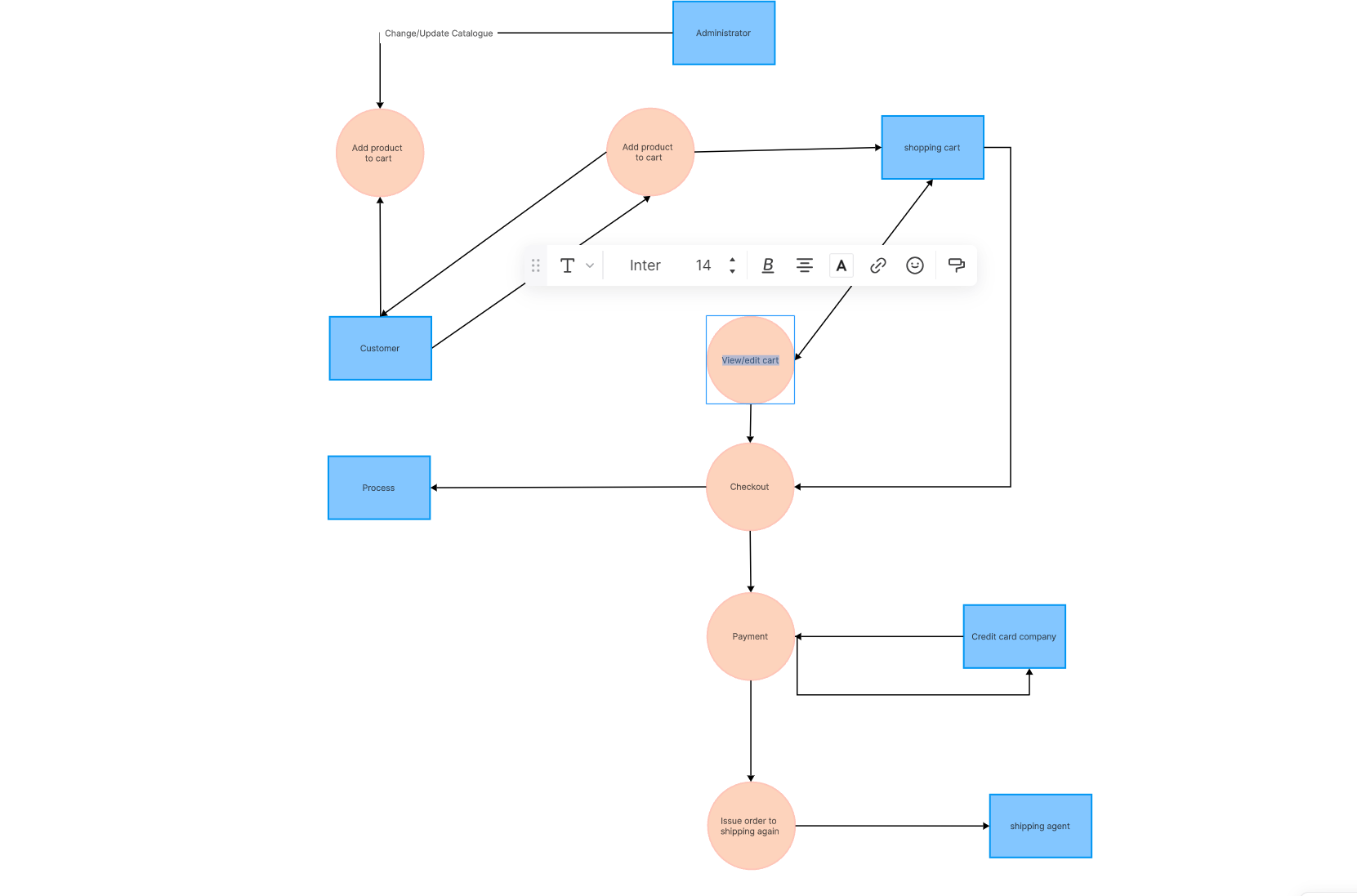
Step 6. Once you have mapped out all the components and data flows of your online shopping system, review the diagram for accuracy. Upon confirmation, save your work.
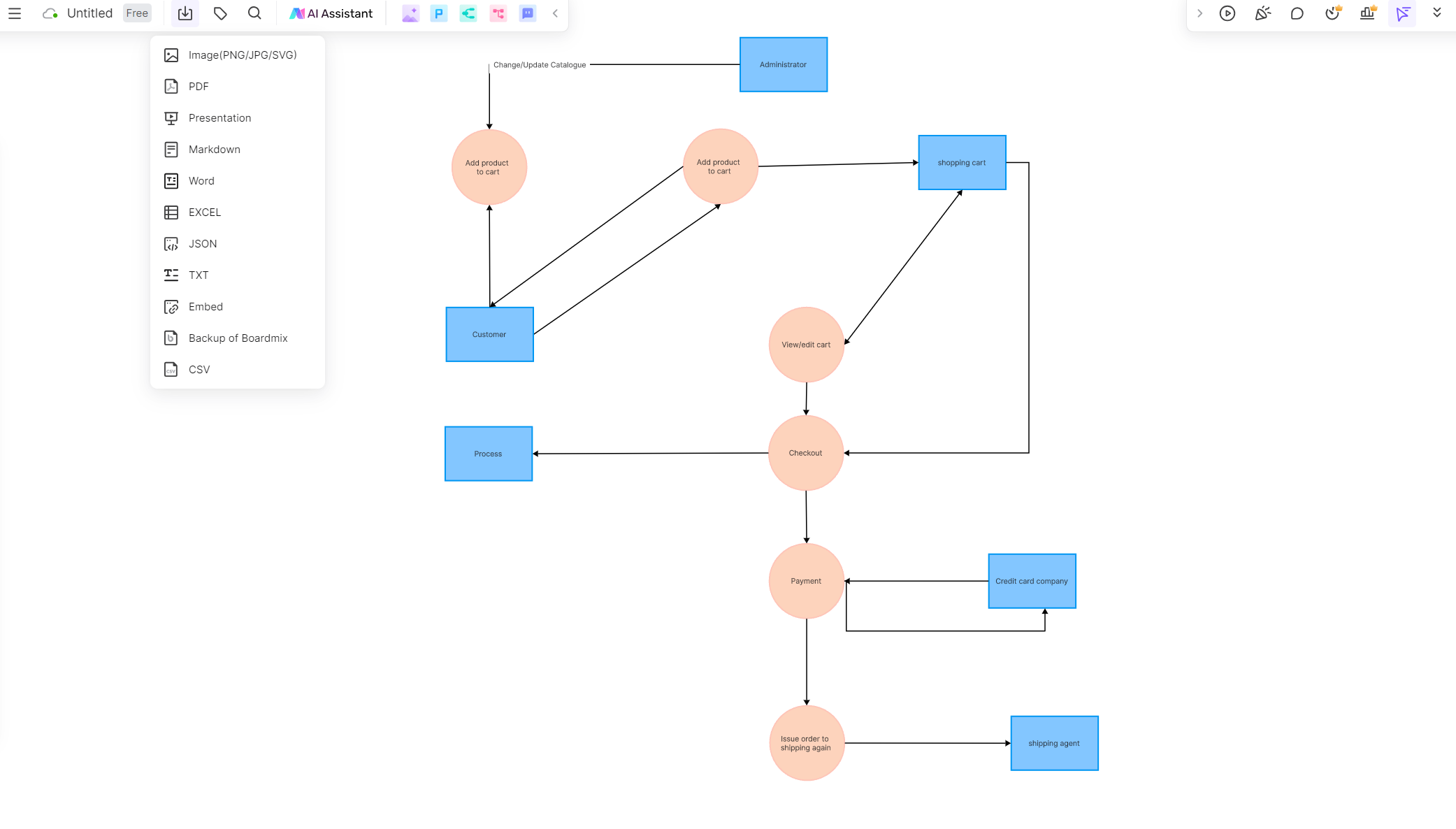
Before treating the diagram as documentation, compare it with current requirements and walk at least one successful order, one declined payment, one out-of-stock item, and one cancellation or refund path. Mark any behavior that the source materials do not define.
How to Validate an Online Shopping DFD
Validate structure before adjusting colors or spacing. The checks below should be performed against the e-commerce requirements and with the people who own each external interface.
1. Understand Your System
Before beginning the creation of a DFD, ensure you have a comprehensive understanding of the system. Identify all the components - processes, data flows, entities, and data stores - that form part of the system. Having an overall picture will help you accurately represent the system and its interactions.
2. Start From The Outside
Begin with the entities (external elements) that interact with your system. They could be users, external systems, or data sources. Once you identify them, proceed with defining how they interact with the processes within your system.
3. Define The Processes
Processes are where incoming data flows are transformed into outgoing data flows. Remember to clearly label each process and use specific action verbs to describe what each process does. Avoid using generic terms like 'manage' or 'process'.
4. Identify Data Stores
Data Stores are where data is stored for use later in the process. In most systems, these can be databases or repositories. Represent them appropriately in your DFD.
5. Map Out Data Flows
After establishing the processes and data stores, focus on the data flows. They show how information moves within the system. Make sure to represent all flows, even if they seem minor.
6. Use Appropriate Symbols
Consistency is key in DFDs. Stick to standard symbols for each component. Typically, processes are circles or ovals, data flows are arrows, external entities are squares or rectangles, and data stores are two parallel lines or open-ended rectangles.
7. Keep It Simple and Clear
Aim to make your DFD as simple and easy-to-understand as possible. Overly complicated diagrams can cause confusion and misinterpretation.
8. Use a Top-Down Approach
Start with a high-level (context) diagram depicting the entire system in a single process. Gradually break this down into lower-level (detailed) diagrams to illustrate more complex processes.
9. Validate Your Diagram
Review your DFD carefully to verify its accuracy. Cross-check with other team members or stakeholders for validation.
10. Use Diagramming Tools
An online whiteboard such as Boardmix can support drawing and review, but the model is only as accurate as its sources and stakeholder validation.
Mastering the art of drawing an effective Data Flow Diagram involves practice, precision, and patience. By following these tips and tricks, you'll be well on your way to creating useful, comprehensive, and high-quality DFDs.