Distributed Scrum teams in 2026 are drowning in tool options, and most of the “free” ones quietly hit a wall the moment your sprint hits week two. Finding a scrum board online that actually stays free, works across time zones, and doesn’t require a dedicated admin to configure is harder than it should be.
A scrum board is a visual tool used by Agile teams to track work across a sprint, typically organized into columns such as To Do, In Progress, and Done, allowing the team to see task status, sprint progress, and blockers at a glance. Online scrum boards extend this into a shared, real-time workspace accessible to distributed teams without a physical room or a wall of sticky notes.
The bar has moved. In 2026, teams expect more from a free online scrum board than a basic drag-and-drop card view. AI-assisted sprint summaries, async collaboration that doesn’t break across time zones, and templates that actually reflect how Scrum ceremonies run in practice have gone from premium features to baseline expectations.
This article reviews the top free scrum board tools available right now: Jira (free tier), ClickUp, Taiga.io, Zoho Sprints, Trello, and Boardmix, with honest notes on where each one falls short and who it’s actually built for.
If you want a free scrum board that pairs structured sprint workflows with an infinite visual canvas and an AI Agent for planning support, Boardmix is the one tool in this list worth trying before you decide.
What Is a Scrum Board? (Quick Definition)
A scrum board is a visual workspace used by Agile teams to manage work during a sprint. It displays tasks as cards organized into columns representing workflow states (typically To Do, In Progress, and Done), giving the entire team a shared, real-time view of sprint progress, individual workloads, and blockers.
Key Components of a Scrum Board
Every functional scrum board relies on three structural elements:
- Columns (workflow states): At minimum, To Do, In Progress, and Done. Many teams add columns like In Review or Blocked to reflect their actual process.
- Sprint backlog cards: Each card represents a user story or task pulled from the product backlog into the current sprint. Cards carry assignees, story points, and acceptance criteria.
- WIP limits: Work-in-progress limits cap how many tasks can sit in a column at once. They expose bottlenecks and prevent the team from starting more work than it can finish in a sprint.
Scrum Board vs. Kanban Board
These two board types are often confused. The difference is structural and intentional.
| Dimension | Scrum Board | Kanban Board |
|---|---|---|
| Time structure | Sprint-bound (fixed iteration) | Continuous flow (no iteration) |
| Backlog source | Sprint backlog (pulled per sprint) | Single ongoing backlog |
| WIP limits | Optional, team-defined | Core mechanism, column-enforced |
| Reset cadence | Board resets each sprint | Board evolves continuously |
| Best fit | Teams running structured Scrum ceremonies | Teams managing continuous delivery or support queues |
How Online Scrum Boards Changed Remote Work
Before cloud-based tools, a scrum board was a physical wall: sticky notes, columns drawn in marker, a room everyone had to be in. Remote and distributed teams had no workable equivalent. Online scrum boards replaced that wall with a shared digital canvas accessible from any device, in any time zone, with updates visible to every team member in real time. For async teams, this shift was not just convenient; it was the difference between running Scrum at all and abandoning the framework entirely.
What to Look for in a Free Online Scrum Board (2026 Criteria)
Not all free tiers are created equal. Some are genuinely usable for a full sprint cycle. Others are demos dressed as free plans, with limits that make real project work impossible. Here is what we evaluated for each tool in this review.
- Free Tier Generosity. Does the free plan support a real working team, or does it collapse at three users and two projects? We looked at user limits, project limits, and whether core Scrum features (backlog, sprints, board views) are locked behind a paywall.
- Sprint Planning Support. Can the team create sprints, assign story points, set sprint goals, and move cards from backlog to active sprint inside the free plan? Sprint planning is a core Scrum ceremony; a board that doesn’t support it natively is not a scrum board.
- Backlog Management. A scrum board without a structured product backlog is just a task list. We checked whether tools support backlog grooming, prioritization, and the ability to pull selected items into a sprint.
- Collaboration Features. Real-time editing, comments, @mentions, and async-friendly notifications matter for distributed teams. We evaluated how well each tool supports a team that is never fully online at the same time.
- AI Capabilities. In 2026, AI features in project management tools have moved from novelty to utility. We noted which tools offer AI-assisted sprint summaries, automatic action item capture, or intelligent backlog suggestions on the free tier.
- Ease of Setup. A scrum board that takes two hours to configure before the first sprint is a problem. We rated how quickly a new team can go from sign-up to running a functional sprint, without needing admin training or extensive onboarding.
What Is Scrumblr? (And Why Teams Are Looking for Alternatives)
Scrumblr was an open-source, browser-based scrum board built around the simplest possible concept: sticky notes in columns, no login required, no setup. You opened a URL, named your board, and started dragging notes. For small co-located teams or solo practitioners who just needed a visual scratch pad, it worked.
The problem is that Scrumblr is no longer actively maintained. The project has not seen meaningful updates in years, and it is now considered a legacy tool with no active development roadmap. Teams still search for it, largely out of habit or nostalgia for its frictionless simplicity, but anyone who finds the original repository and tries to run it in 2026 will encounter compatibility issues and a feature set that reflects a much earlier era of Agile tooling.
What Scrumblr offered (zero friction, instant setup) is still what teams want. What it lacked (backlog management, sprint tracking, remote collaboration, security, AI support) is exactly what 2026 teams need. The tools reviewed below pick up where Scrumblr left off, each in a different direction. If you are searching for a scrumblr-style board that is actually maintained and built for distributed teams, this list is the right place to start.
The 6 Best Free Scrum Boards Online in 2026
1. Boardmix: Best free scrum board for visual collaboration and AI-assisted planning
Overview: Boardmix is an AI-powered online whiteboard that doubles as a fully functional scrum board. Unlike pure task trackers, Boardmix combines sprint management with an infinite canvas, giving teams the freedom to run planning sessions, retrospectives, and backlog grooming in the same workspace where they track sprint progress. It is built for distributed teams who want structure without sacrificing visual flexibility.
Free Plan Highlights:
- Scrum and Kanban board templates available on the free tier, ready to use without configuration
- AI Agent (Boardmix’s built-in AI Assistant) supports sprint summaries, meeting note capture, and action item extraction at no cost
- Infinite canvas supports sticky notes, mind maps, and freeform planning alongside structured sprint columns
- Real-time collaboration for multiple team members, with no per-seat restriction on the free plan for core whiteboard use
Limitations on Free Plan:
- Storage limits apply to file attachments and uploaded assets on the free tier
- Advanced admin controls and organization-level permissions require a paid plan
- Some AI Agent credits are capped per month on the free tier
Best For: Scrum Masters and remote agile teams who want a single workspace for sprint tracking, planning ceremonies, and visual collaboration, without paying for two separate tools.
2. Jira: Best free scrum board for software development teams
Overview: Jira by Atlassian is the most widely used agile project management tool in software development. Its free tier offers a genuinely complete Scrum experience: full board and backlog views, sprint creation, velocity charts, and burndown reports. For dev teams already in the Atlassian ecosystem, the free plan covers most of what a small team needs. You can learn more about Scrum workflows in Jira from Atlassian’s official Scrum guide.
Free Plan Highlights:
- Free for up to 10 users, with full Scrum and Kanban board access
- Product backlog, sprint planning, and story point estimation included at no cost
- Burndown charts and basic velocity reports available on the free tier
- Native integrations with GitHub, Bitbucket, and Confluence (free tiers)
Limitations on Free Plan:
- Hard cap of 10 users; teams that grow past this must upgrade immediately
- Advanced roadmaps and cross-project reporting are paid features
- No AI features on the free tier; Atlassian Intelligence requires a paid plan
Best For: Software development teams of up to 10 people who need structured Scrum tooling and deep integration with their development pipeline.
3. ClickUp: Best free scrum board for cross-functional teams
Overview: ClickUp positions itself as an all-in-one productivity platform, and its free tier is genuinely generous on user count. Teams can access multiple project views including board, list, and calendar, and the platform supports sprint management through its Agile project features. It takes more setup than Jira but offers more flexibility for teams that mix Scrum work with other project types.
Free Plan Highlights:
- Unlimited free users, with no seat-based restrictions on the free plan
- Sprint views, backlog management, and task dependencies available on the free tier
- Multiple view types (board, list, Gantt, calendar) accessible without upgrading
- Built-in docs and collaborative editing included at no cost
Limitations on Free Plan:
- 60 MB total storage on the free plan, which fills quickly with file attachments
- Reporting and dashboard features are limited; most analytics require a paid tier
- The platform’s flexibility creates a steeper learning curve; initial setup takes time
Best For: Cross-functional teams that need Scrum support alongside other project management workflows, and want no restrictions on team size.
4. Trello: Best free scrum board for simple Kanban-style task tracking
Overview: Trello is a Kanban-first tool that many teams repurpose for lightweight Scrum. The free tier offers unlimited cards and up to 10 boards per workspace. It is easy to set up and visually intuitive, but native Scrum support is thin. Running a proper sprint in Trello requires Power-Ups (third-party integrations), several of which are paid or limited on the free tier.
Free Plan Highlights:
- Unlimited cards across up to 10 boards per workspace
- Clean, drag-and-drop board interface with no learning curve
- Basic automation through Butler (up to 250 runs per month on the free plan)
- Mobile apps available with full free-tier access
Limitations on Free Plan:
- No native sprint planning, story points, or backlog management
- Sprint Scrum functionality requires paid Power-Ups like Corrello or Agile Tools
- 10-board limit per workspace constrains growing teams with multiple active projects
Best For: Small teams or solo practitioners who need a simple visual task board and are comfortable building their own Scrum workflow with add-ons.
5. Taiga.io: Best free scrum board for open-source advocates
Overview: Taiga.io is one of the few project management tools built specifically for Agile teams that offers a genuinely free, self-hostable open-source version. The cloud-hosted free tier supports up to 3 members per project, with full Scrum and Kanban board access. For teams committed to open-source tooling, Taiga offers depth that most free tools do not. You can explore its feature set and open-source documentation at Taiga’s official site.
Free Plan Highlights:
- Full Scrum and Kanban board functionality on the free cloud tier
- User stories, sprints, epics, and backlog management included at no cost
- Open-source version is self-hostable with no user limits
- Kanban swimlanes and sprint wiki pages available on the free plan
Limitations on Free Plan:
- Cloud free tier caps at 3 members per project, which limits most real teams
- No AI features; the tool is deliberately traditional in its feature set
- UI feels dated compared to newer tools; onboarding can be slow for non-technical users
Best For: Open-source advocates, developer teams, or budget-conscious organizations willing to self-host in exchange for a full-featured, permanently free Scrum tool.
6. Zoho Sprints: Best scrum board for teams already in the Zoho ecosystem
Overview: Zoho Sprints is a dedicated Scrum tool with an ongoing Free plan for up to 3 users. A separate 15-day trial lets teams evaluate paid features. Compare backlog, board, reporting, and integration allowances in the official plan table.
Free Plan Highlights:
- Ongoing Free plan for up to 3 users, with no credit card required
- Scrum and Kanban boards, with limited backlog management in the Free plan
- Zoho Projects and other integrations are listed in the plan comparison
- Email support is available on the Free plan
Limitations on Free Plan:
- Free access is limited to 3 users
- The Starter plan uses annual billing and supports 12–100 users; other paid tiers have different allowances
- Advanced planning, customization, and administration features depend on the paid tier
Best For: Small teams evaluating dedicated Scrum boards, or existing Zoho users who want to compare its project-planning workflow.
Scrum Board Online Comparison Table
| Tool | Free Plan | User Limit | Sprint Planning | Backlog | AI Features | Best For |
|---|---|---|---|---|---|---|
| Boardmix | Yes, permanent | No strict seat cap on whiteboard | Yes, with templates | Yes | Yes (AI Agent, free tier) | Visual + AI-powered Scrum, remote teams |
| Jira | Yes, permanent | 10 users | Yes, full sprint support | Yes, full backlog | No (paid only) | Software dev teams up to 10 |
| ClickUp | Yes, permanent | Unlimited users | Yes (Agile views) | Yes | Limited (paid tier) | Cross-functional teams, any size |
| Trello | Yes, permanent | Unlimited users | Via Power-Ups only | No native backlog | No | Simple task boards, lightweight use |
| Taiga.io | Yes (3 members/project) | 3/project (cloud) | Yes, full Scrum | Yes, full backlog | No | Open-source teams, self-hosters |
| Zoho Sprints | Free plan for up to 3 users; separate 15-day paid-feature trial | N/A (paid after trial) | Yes, full Scrum | Yes, full backlog | No | Zoho ecosystem teams |
Editor’s Pick: Boardmix is the standout choice for teams who need more than a task tracker. The combination of a free permanent plan, AI Agent features, scrum templates, and an infinite visual canvas makes it the only tool in this list that supports both structured sprint management and the visual collaboration work (planning, retrospectives, mapping) that happens around the board.
How to Set Up a Free Online Scrum Board (Step-by-Step with Boardmix)
Getting a scrum board running in Boardmix takes less than ten minutes. Here is the full process from sign-up to first sprint.
Step 1: Sign Up for a Free Boardmix Account
Go to boardmix.com and create a free account using your email or Google login. No credit card is required, and the free plan activates immediately. You will land on the main dashboard, where your boards and templates are managed.
Step 2: Choose a Scrum Board Template
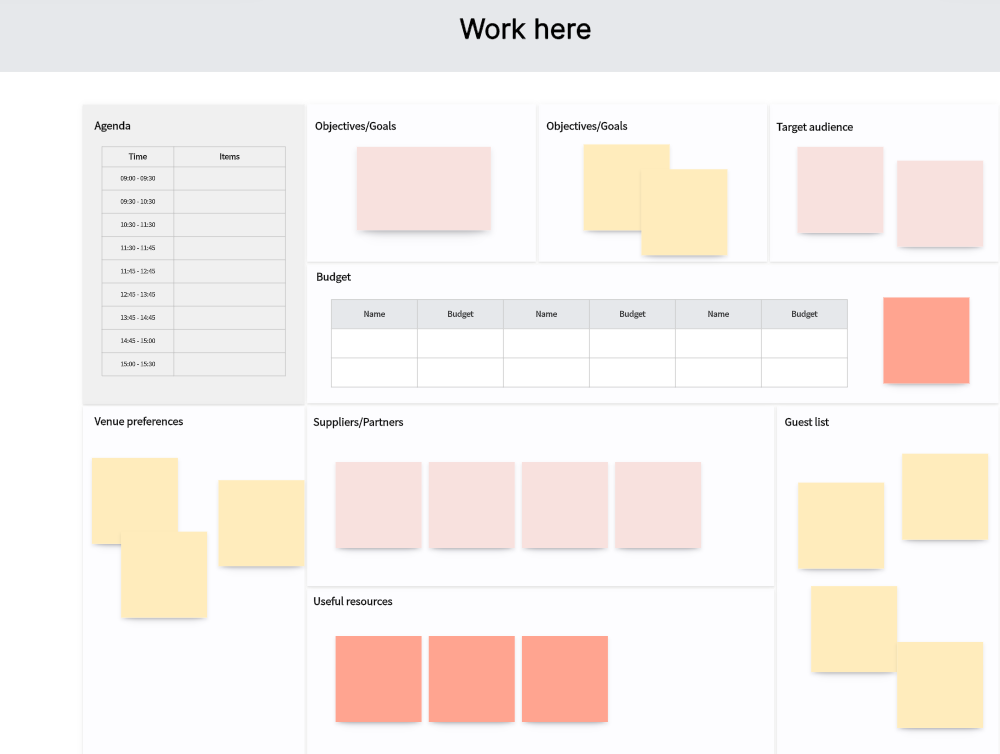
From the dashboard, select “New Board” and browse the template library. Boardmix includes pre-built sprint planning templates designed for standard Scrum workflows. Choose the Scrum Board template to get a canvas that already includes sprint columns, a backlog section, and card placeholders.
Step 3: Set Up Your Sprint Columns
The default template includes To Do, In Progress, In Review, and Done columns. Rename, add, or remove columns to match your team’s actual workflow. If your team uses WIP limits, set them directly on each column card to keep work from piling up mid-sprint.
Step 4: Add Your Product Backlog Cards
Create cards for each user story or task in your backlog section. Add story point estimates, assignees, and acceptance criteria directly on the card. Boardmix’s infinite canvas means you can also sketch wireframes, add reference notes, or attach context materials right alongside your backlog items.
Step 5: Invite Your Team
Click “Share” to invite team members via email or a shareable link. All invited members can edit the board in real time. For async teams across time zones, Boardmix’s collaboration layer keeps comments and changes visible without requiring everyone online simultaneously. You can also explore the online whiteboard features to set up planning and retro spaces in the same canvas.
Step 6: Run Your First Sprint
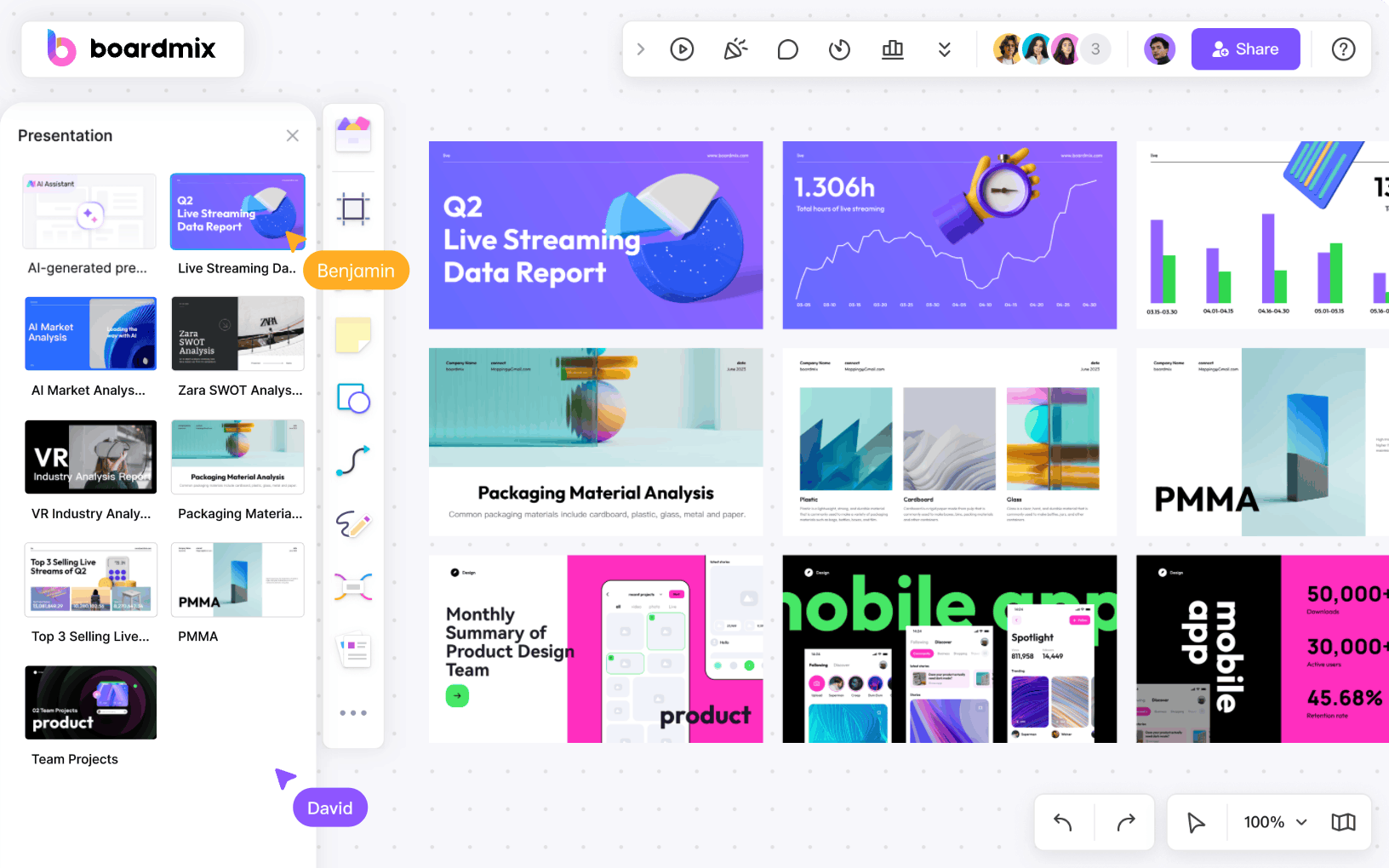
Pull cards from the backlog into your active sprint columns and open your sprint planning session. Use Boardmix’s AI Agent to generate a sprint summary, capture meeting notes, or surface action items from the planning discussion. At the end of the sprint, the same canvas serves as your retrospective workspace, so nothing gets lost between ceremonies.
Ready to run your first sprint without the setup overhead? Try Boardmix free and have a working scrum board in minutes.
Can You Run Scrum Without Jira?
Yes. Jira is the dominant scrum tool in software development, but it is not required to run Scrum. The Scrum Guide published by Scrum.org defines no specific tooling requirements. Any tool that supports sprint creation, a visible backlog, and a shared board view is sufficient. Teams with more than 10 users, non-developer workflows, or a preference for visual collaboration often find Jira-free alternatives better suited to how they actually work.
Three strong Jira-free options:
- Boardmix: Combines sprint management with a visual canvas and AI Agent; free permanent plan with no hard user cap, ideal for remote teams who run visual ceremonies alongside task tracking.
- ClickUp: Unlimited free users with Agile board views and backlog support; best for cross-functional teams that mix Scrum work with other project types.
- Taiga.io: Open-source and self-hostable with full Scrum support; best for developer teams that want a dedicated, permanently free Agile tool without Jira’s complexity.
When choosing a Jira alternative, prioritize three things: whether the free tier covers your team size without arbitrary cutoffs, whether native sprint planning (not just a board view) is included, and whether the tool’s interface actually matches how your team works. A dev team that lives in GitHub may still prefer Jira’s integrations. A cross-functional team running remote retrospectives will likely find Boardmix or ClickUp a better daily fit. See our agile project management guide for a deeper breakdown of framework-to-tool alignment.
Frequently Asked Questions About Online Scrum Boards
1. What is a scrum board online?
An online scrum board is a digital workspace where Agile teams manage sprint work across shared columns (To Do, In Progress, Done). It replicates the function of a physical sprint board in a cloud-based environment, accessible to distributed team members in real time. Most online scrum boards also include backlog management, sprint planning, and reporting features that physical boards cannot support.
2. What happened to Scrumblr?
Scrumblr was a simple open-source browser tool that let teams create sticky-note scrum boards without logging in. It is no longer actively maintained and is considered a legacy tool. Teams that search for it today are typically looking for the same friction-free simplicity it once offered. Modern alternatives like Boardmix, Taiga.io, and ClickUp provide that ease of entry alongside the backlog management, sprint structure, and remote collaboration that Scrumblr never supported.
3. What is the best free scrum board for small teams?
For teams of five or fewer, Boardmix offers the best combination of free tier access, sprint structure, and visual flexibility. Jira’s free plan is also a strong option for dev-heavy teams, with full Scrum support for up to 10 users at no cost. Taiga.io works well for small open-source teams, particularly those who prefer to self-host. The right choice depends on whether your team prioritizes visual collaboration, developer integrations, or pure Scrum methodology depth.
4. Can I use Trello as a scrum board?
Trello can function as a basic sprint board, but it is not a native scrum tool. It lacks built-in sprint planning, story points, velocity tracking, and backlog management. Teams that want to run real Scrum in Trello need to add third-party Power-Ups (such as Agile Tools or Corrello), most of which are paid or have limited free tiers. For straightforward task tracking or Kanban flows, Trello works well. For structured Scrum with ceremonies, a purpose-built tool will serve the team better.
5. What makes Boardmix different from other scrum boards?
Most scrum boards are task trackers: lists of cards in columns. Boardmix is a visual collaboration platform that includes a scrum board as one of its core capabilities. The infinite canvas means sprint planning, retrospectives, user story mapping, and the actual sprint board all live in the same workspace. The built-in AI Agent captures meeting notes, generates sprint summaries, and surfaces action items automatically. No other tool in this list combines those two layers at no cost on the free plan.
Conclusion
The scrum board online market in 2026 is not short of options. The harder problem is finding one where the free tier is genuinely usable, the sprint structure actually reflects how Scrum works, and the tool does not become a burden to maintain as the team grows.
Here is a simple decision framework:
- Choose Jira if your team is a dev shop of up to 10 people who need deep pipeline integrations and established Scrum reporting.
- Choose ClickUp if team size is unpredictable and you need a flexible all-in-one tool without seat restrictions.
- Choose Taiga.io if you want a permanently free, self-hosted Scrum tool and have the technical capability to run it. Choose Trello if you need a lightweight visual board and are not running formal Scrum ceremonies.
- Choose Zoho Sprints if a dedicated Scrum tool fits your work and its Free plan or paid allowances cover the team’s needs.
- Boardmix is the tool in this list built for that combination: Choose Boardmix if your team needs more than a task tracker: if you run remote ceremonies, need a shared visual space for planning and retrospectives, and want AI assistance without a premium subscription,
Try Boardmix free and run your first sprint on a canvas that handles the whole workflow, not just the board.