A current-state journey map describes the experience customers have today. A future-state journey map describes an experience you intend to offer. Keep the customer, goal, and journey boundaries consistent so the comparison shows a meaningful change—not two unrelated stories.
Use a customer journey mapping workspace to put the two views beside each other. Start with what the customer actually does; place proposed changes in a separate view. This guide uses a fictional online-shopping return to show what belongs in each map and how to turn the gap between them into a testable design.
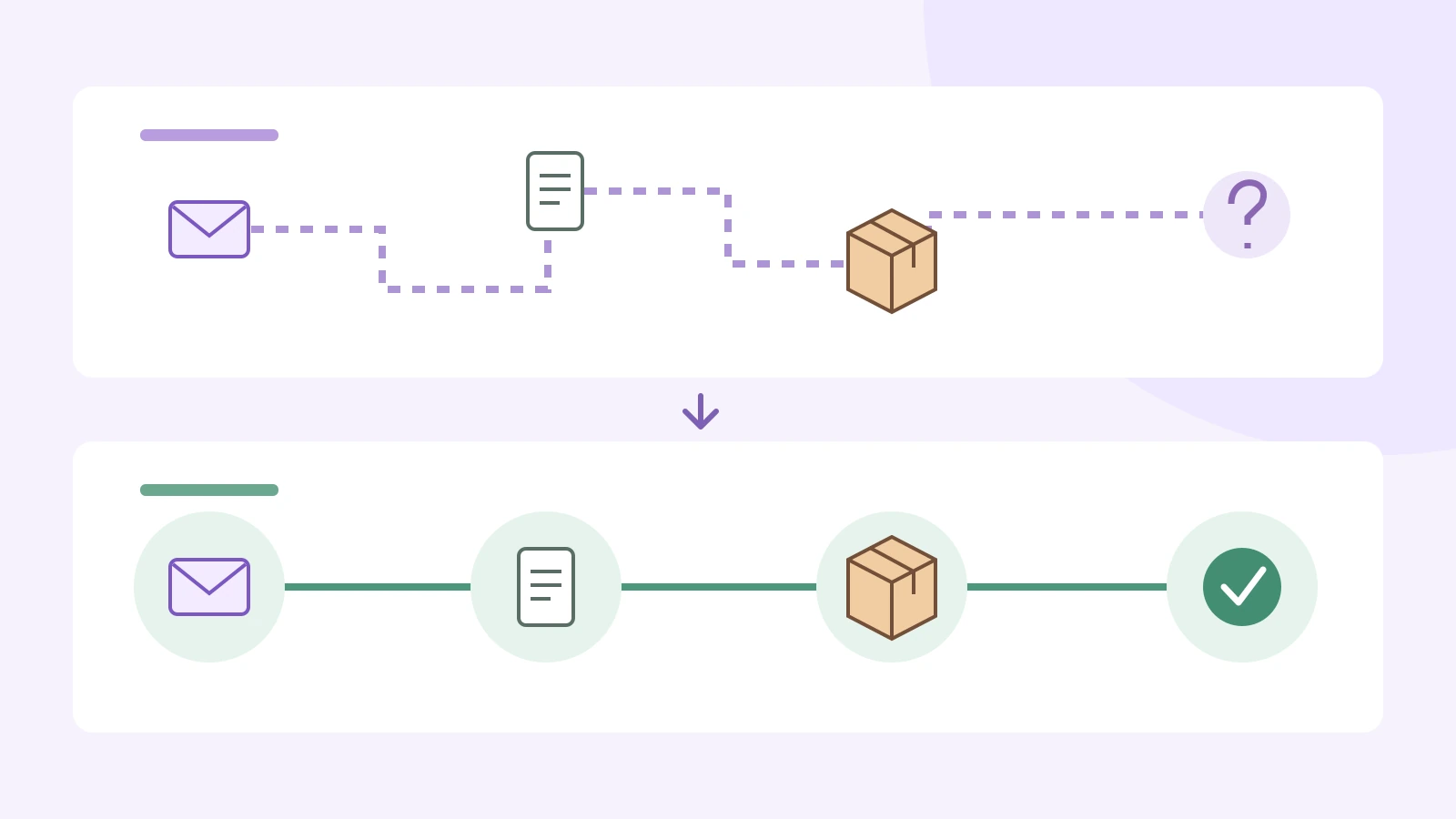
Current state vs. future state: what changes?
The difference is not the amount of detail or the visual style. It is the status of the information. In a current-state map, an observed action belongs alongside its source. In a future-state map, a proposed action belongs alongside the condition that would make it possible.
- Current-state question: How does a shopper request a return now, and where do they lose confidence?
- Future-state question: What should that shopper be able to understand or do without chasing the support team?
- Shared boundary: The journey begins when the shopper decides to return an unsuitable jacket and ends when they understand the refund outcome.
For example, “the shopper emails support for a return label” is a current action if research shows it happens. “The shopper retrieves a label from the order page” is a proposal until the service supports it and customers can use it. Moving the second sentence into the current map would turn an aspiration into a false description.
Journey maps focus on a person pursuing a goal. NN/g’s journey-mapping guide distinguishes the actor, scenario, phases, actions, thoughts, and emotions. Keep those foundations in both views; use the comparison to reveal which part of the experience you want to change.
Which map do you need first?
Map the current state first when an existing service is underperforming and the cause is unclear. Support conversations, customer interviews, observed attempts, and relevant event records can help you distinguish the experience from the team’s assumptions. A complaint about a late refund might really be a complaint about not knowing whether the returned parcel arrived.
Sketch a future state when you are evaluating a redesign or a service that does not yet exist. You can explore a proposed experience before every operational detail is settled. Label it as a proposal and mark important unknowns. For a completely new service, do not fabricate a current-state journey; you can compare the proposed journey with the way customers currently solve the problem elsewhere.
Use both when deciding what to change. Preserve the current version, then create the proposed view with the same stage headings. If a future design removes or combines a stage, show that explicitly. Do not redraw the original until the real experience has changed.
Worked example: returning an online order
Imagine a shopper who bought a jacket that does not fit. The following is an illustrative design exercise, not research about a real retailer. The customer wants to return the item correctly and understand what happens to the refund. The example does not set a return policy, eligibility rule, or promised refund deadline.
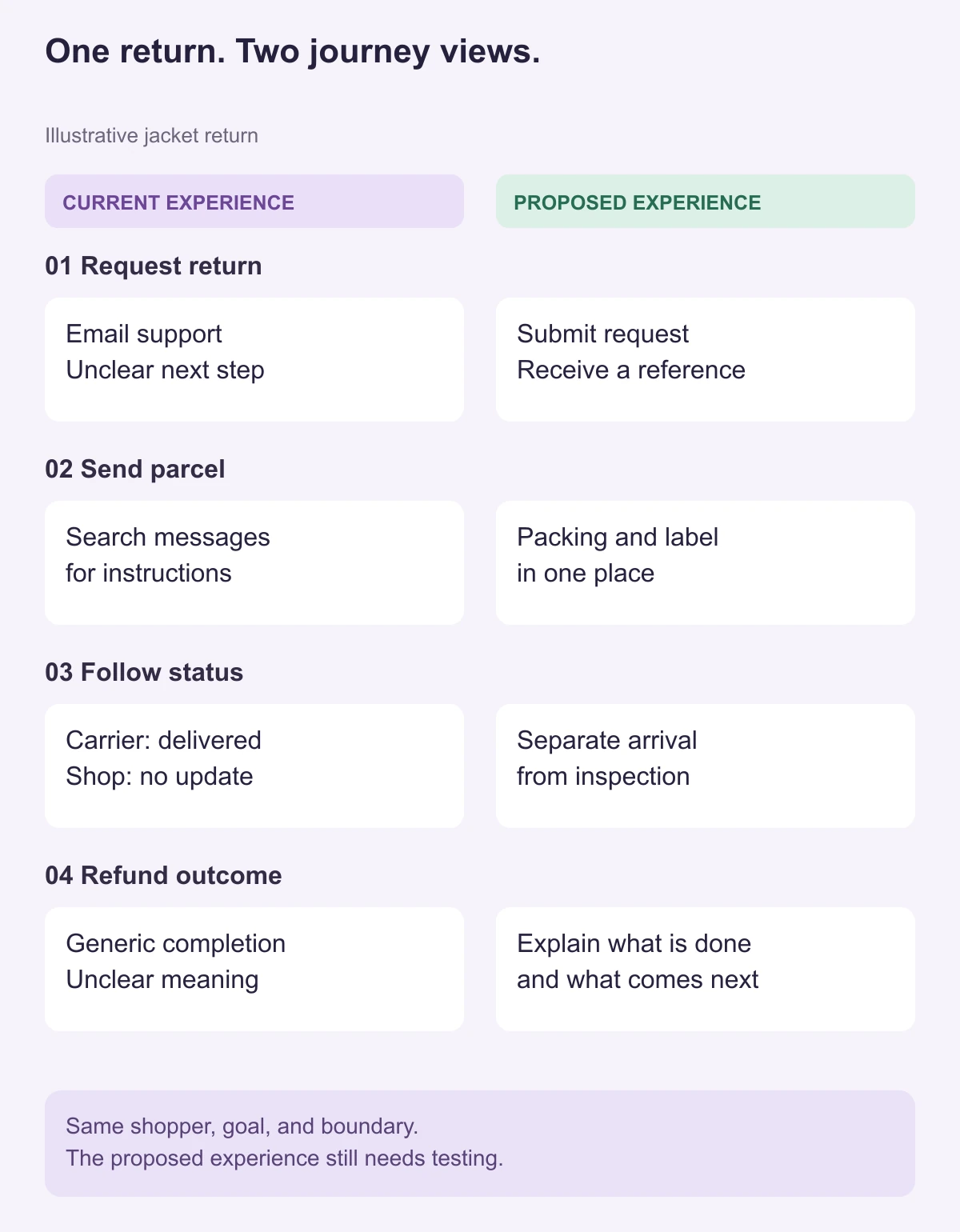
1. Request the return
Current: The shopper finds a general contact address, sends an order number, and asks whether they can return the jacket. They do not know which information is needed or whether the message has reached the right team.
Future: The order page explains how to check the applicable return conditions and submit a request. The shopper receives a request reference and a clear next step. This is useful only if the wording matches the retailer’s actual policy and the request reaches the team that handles it.
What to test: Give someone the order page and ask them to start a return. Can they tell whether they should continue, what to provide, and what happens after submitting? A button labelled “Easy returns” does not answer those questions.
2. Prepare and send the parcel
Current: Instructions and the return label arrive in separate messages. The shopper searches their inbox to work out which document belongs inside the parcel and which belongs outside.
Future: One instruction view brings together the correct label, packing steps, and the available handoff method. If a printer is required, the shopper learns that before they travel to a drop-off point. If a printer-free option is not supported, the map must not promise one.
What to test: Ask the shopper to explain how they would pack and hand over the parcel using the proposed instructions. Watch for uncertainty about labels and destinations rather than simply asking whether the design looks clear.
3. Understand the return status
Current: The carrier says “delivered,” but the shop’s order page has not changed. The shopper contacts support because they cannot tell whether delivery means the return has been inspected.
Future: The status view distinguishes arrival from inspection and says which event comes next. The design depends on the service having a reliable source for each status. Do not draw a live status that nobody can actually maintain.
What to test: Show a state such as “Parcel received; item review pending.” Can the shopper explain what has happened, what has not happened, and when they should seek help? The test is about comprehension, not a claim that the operational process is already faster.
4. Understand the refund outcome
Current: A generic completion message leaves the shopper unsure whether the refund was approved, initiated, or already visible in their account.
Future: The message distinguishes the retailer’s completed action from payment processing, explains the actual next step, and gives a relevant contact route if the expected event does not occur. Any timing must come from the service’s real policy and payment process, not from the journey-mapping exercise.
What to test: Ask the shopper what they would expect to see next and what they would do if it did not happen. That explanation reveals whether the message sets an understandable expectation.
Build the paired maps in Boardmix
Start with an editable customer journey map template or an empty board. Create two clearly labelled areas: “Current experience” and “Proposed experience.” Keep the four stage headings aligned across them. The layout is your working document; it does not connect to a shop’s order system or send return updates.
- Write the shared scenario above both views. Include the shopper, the unsuitable jacket, the return goal, and the start and end points. Keep billing disputes or exchanges outside this example unless they change the question you are studying.
- Fill the current view from evidence. Add customer actions, touchpoints, questions, and feelings. Put a source reference beside each observation. If an emotion is inferred rather than expressed, label it as an interpretation instead of inventing a quotation.
- Keep proposed changes in the second view. For each stage, write what the customer would do or understand differently. “Feels happy” is not a design change; “can distinguish arrival from inspection” is something you can evaluate.
- Link the related moments. Connect the current confusion to the proposed improvement. If the change needs a status feed, policy decision, or support procedure, note that dependency beside the proposed touchpoint.
- Review the pair with the people involved. Research, design, support, and operations may see different parts of the return. Use comments beside the relevant stage to resolve disagreements without overwriting the baseline.
Keep personal customer details out of a broadly shared map. Use anonymized notes and source references that the intended reviewers can access. When a proposal changes, update its label and explanation; do not make the current map look as if the improvement already exists.
Make the comparison useful without inventing improvements
A future-state map is a design hypothesis, not a result. The paired example suggests that clearer instructions and status messages could reduce uncertainty. It does not establish fewer support contacts, faster refunds, or higher satisfaction. Those are separate outcomes to evaluate after a change is tested or delivered.
For each proposed touchpoint, write a short change statement. For the receipt stage, it might read: “Today, the shopper cannot tell whether carrier delivery means the return has been reviewed. In the proposal, the status page separates receipt from inspection. We will test whether shoppers can explain the difference.” This statement connects the customer problem, the design change, and the question you can investigate.
Leave genuinely different paths visible. A damaged item, a missing order number, and a standard size return may require different handling. If one exception becomes a major part of the work, create a separate journey for it rather than forcing every customer through a single polished line.
After testing, revise the proposed map. After delivery and observation, update the current map to reflect what people now experience. Keep the earlier pair as a record of what changed. To assemble your own comparison, open a Boardmix workspace and begin with one customer goal and two clearly separated views.