A data mapping template records how each source field becomes a target field: where the value comes from, what transformation is allowed, and what happens when the value cannot be used. A line from “Customer ID” to “ID” is a start, but it is not enough to implement or test an import.
The example below maps a small customer CSV into a new customer table. It includes the field rules, one accepted record, rejected inputs and a reusable mapping-card format. All organizations and records in the example are fictional.
What a source-to-target mapping needs to record
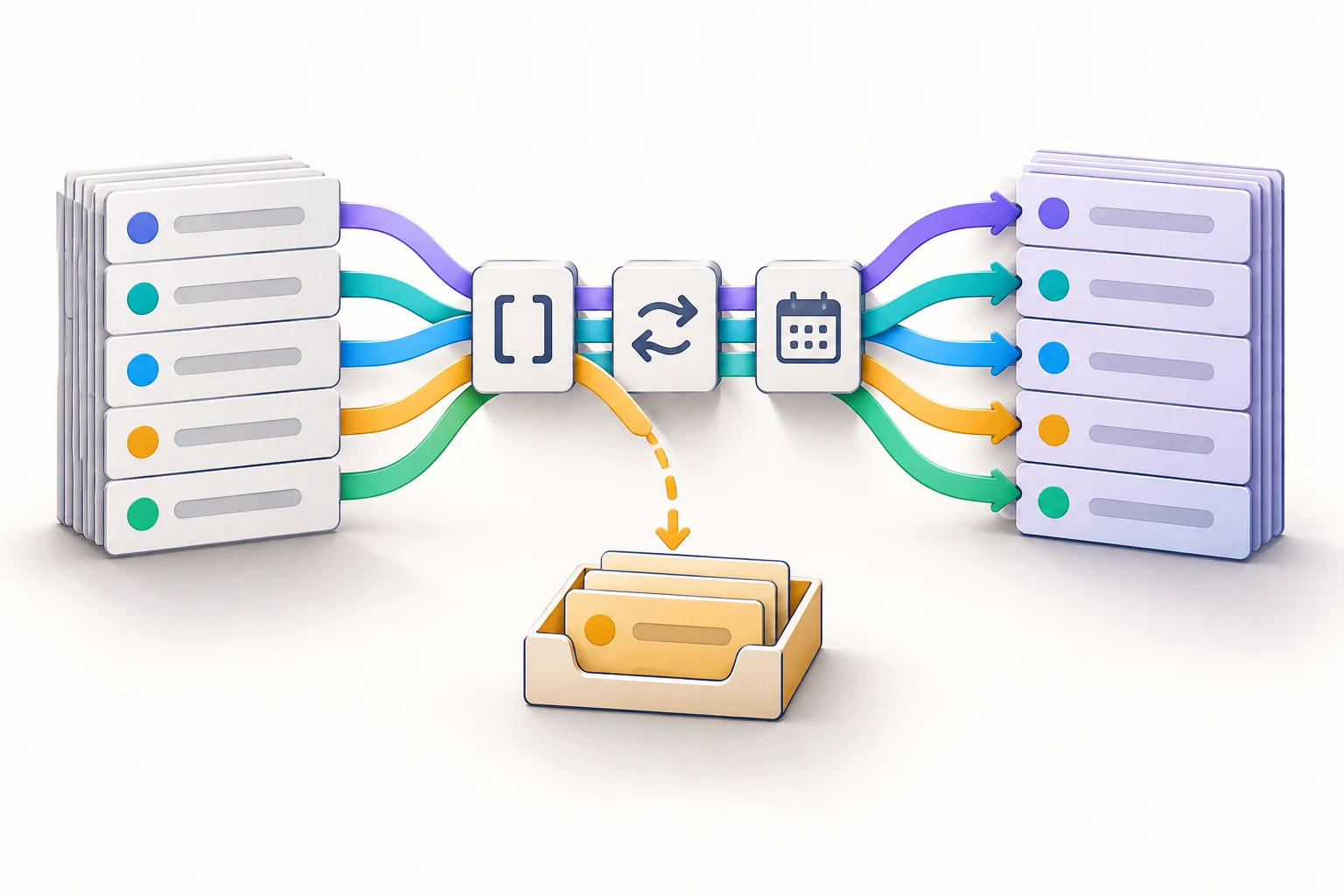
Start with the source and target definitions, not just screenshots of their column headers. For each field, capture the data type, required or optional status, transformation, valid values and failure behavior. You can arrange the source fields, rules and target fields on a shared technical-diagram canvas in Boardmix so the people supplying and receiving the data can discuss the same mapping.
The diagram is the agreement about how the data should move. It does not perform the migration. An import script or integration tool must implement those rules and produce the accepted and rejected outputs.
Keep three related documents distinct:
- An ER diagram describes entities, attributes and relationships in a data model.
- A data flow diagram describes how data moves among processes, stores and external participants.
- A source-to-target mapping describes what happens to individual fields when data is transferred.
They can sit next to each other, but a relationship between Customer and Order does not tell an engineer how to convert an old status code into a new value.
Worked example: five fields in a customer import
Assume an old system exports one row per customer. The new system needs five fields. This is a one-time import into an empty target, not an update or merge into existing records.
| Source CSV field | Target field and type | Meaning |
|---|---|---|
| source_ref | customer_id — text | Stable customer identifier |
| company_label | display_name — text | Organization name shown to users |
| country | country_code — text | Code from the target's allowed country list |
| joined | joined_date — date | Date the customer joined, without a time component |
| state | account_status — text | Active or inactive account classification |
For this example, all five target fields are required. The target accepts only the country codes GB, JP and ES, and the status values active and inactive. Those are deliberately small example lists, not a recommendation to restrict a real customer system to three countries.
The identifier is text even when it contains only digits. Converting “0017” to the number 17 would change the identifier. Data types carry meaning; they are not just formatting preferences.
Write the transformation and failure rule for every field
| Mapping | Transformation | Hold the row when… |
|---|---|---|
| source_ref → customer_id | Remove surrounding spaces; keep all remaining characters, including leading zeros. | The result is empty or occurs more than once in this input file. |
| company_label → display_name | Remove surrounding spaces; preserve internal spaces, spelling and accents. | The result is empty. |
| country → country_code | After trimming, map United Kingdom → GB, Japan → JP, and Spain → ES. | The value is not in this exact lookup list. |
| joined → joined_date | After trimming, accept a valid calendar date written as YYYY-MM-DD. | The date is missing, ambiguous, impossible or in another format. |
| state → account_status | After trimming, map A → active and I → inactive. | The code is missing or is neither A nor I. |
This example does not silently repair unknown values. A lowercase “a” is held because the source specification allows uppercase A and I only. If the team wants case-insensitive codes, change the mapping explicitly and add the lowercase test case. Do not let an import tool's convenient default decide that policy.
Similarly, “03/09/26” should not be guessed from the person running the import's regional settings. It could represent different dates. Ask the source owner to provide the agreed format or document a known source format before conversion.
Matching field names and converting field types are separate concerns. Microsoft's schema and data-type mapping documentation makes that distinction in a concrete integration tool. The implementation settings vary by platform; the field agreement should still state the intended result before a tool is configured.
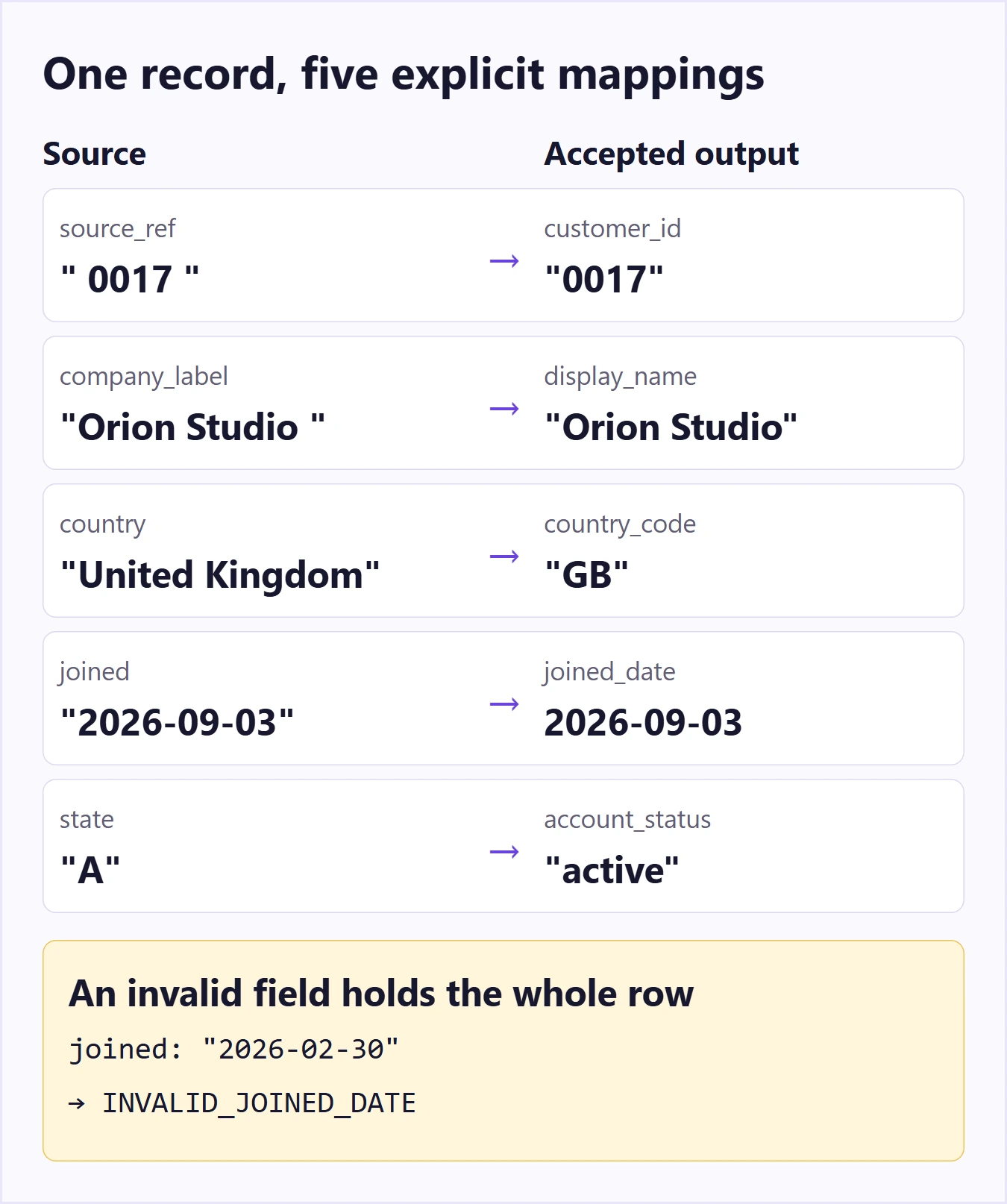
Follow one record from input to output
Here is a complete source record. Quotation marks below show the spaces at the edges; they are not part of the stored values.
- source_ref: “ 0017 ”
- company_label: “Orion Studio ”
- country: “United Kingdom”
- joined: “2026-09-03”
- state: “A”
Provided that no other source row has the trimmed identifier 0017, the accepted target record is:
- customer_id: “0017”
- display_name: “Orion Studio”
- country_code: “GB”
- joined_date: 2026-09-03
- account_status: “active”
Nothing in this transformation splits the company name, rewrites it into English, or converts the identifier into a number. Those operations would be additional rules, not harmless cleanup. Keep the original source row available in the import evidence so the result can be traced back to its input.
Make held records part of the design
A mapping that shows only successful rows leaves an important part of the job unspecified. In this example, one failed field holds the entire row. No partial customer record is written.
| Input problem | Expected handling | Useful reason label |
|---|---|---|
| joined is “2026-02-30” | Hold the row; do not roll the date into March. | INVALID_JOINED_DATE |
| country is “UK” | Hold the row; UK is not in this example's source lookup list. | UNMAPPED_COUNTRY |
| state is empty | Hold the row; do not assume an active account. | MISSING_STATUS |
| Two rows become customer_id “0017” after trimming | Hold both until the source owner resolves the duplicate. | DUPLICATE_CUSTOMER_ID |
The reason label identifies the problem, but the held-record output also needs the source row reference and affected field. Avoid placing unnecessary personal data in error messages. For a real migration, use approved sample data and the organization's access controls rather than copying customer records into an unrestricted board.
Duplicate handling must be stated separately from field conversion. “Keep the last row” sounds simple but makes the result depend on file order. If the correct record is determined by a verified timestamp or another business rule, describe that rule and its tie-breaker. Otherwise, pause the conflicting records rather than choose arbitrarily.
Copy this mapping-card format for each field
A wide spreadsheet is useful for scanning many fields, while a small card is easier for discussing a difficult transformation. This card contains the same essential information:
- Mapping ID: M-03
- Source: customer_export.country, text
- Target: customer.country_code, required text
- Meaning: country classification used by the target
- Rule: trim; use the approved United Kingdom/GB, Japan/JP and Spain/ES lookup
- Missing or unrecognized value: hold the whole source row
- Example: “ Japan ” becomes “JP”; “JPN” is held
- Question owner: the person responsible for the source's country values
For a multi-field transformation, list every input on the same card. A target full_name assembled from given_name and family_name is not two independent direct mappings. State the ordering, separators and missing-part behavior together. For a lookup into another table, record the lookup key and what happens when it finds zero or several matches.
Review the mapping with one accepted and one failed batch
On a Boardmix canvas, place the source schema on the left and the target schema on the right. Put the mapping cards between them, with labeled connectors for the fields that need conversion. Keep the sample accepted record below the main flow and the held-record path in a separate area. This makes the disagreement visible: is the problem a field name, a business meaning, or an invalid value?
Ask the source owner to explain the source values and the target owner to describe what the receiving system requires. Then trace the sample records through each mapping. If one person expects “UK” to be accepted and another expects it to be held, resolve the lookup list before anyone runs an import.
For the first implementation test, reconcile the input row count with the accepted and held row counts. In this example, each source row must appear in exactly one of those two groups. Also compare identifiers and field values; matching totals alone would not detect a customer assigned the wrong status.
Open Boardmix to build and review your source-to-target map, then give the approved rules and sample outcomes to the person implementing the migration. The map documents the agreement; the import test demonstrates whether the implementation follows it.