To run an online gallery walk, place each project or proposal in its own labeled area, give reviewers one clear question, and rotate small groups through the areas. Ask reviewers to leave specific observations and questions. Finish by giving the work back to its owners to decide what to change.
This format is useful when a team needs feedback on several pieces of work without watching a long sequence of presentations. A collaborative online whiteboard lets participants see the exhibits and attach their feedback to the relevant material. The facilitator sets the route and announces each change of station.
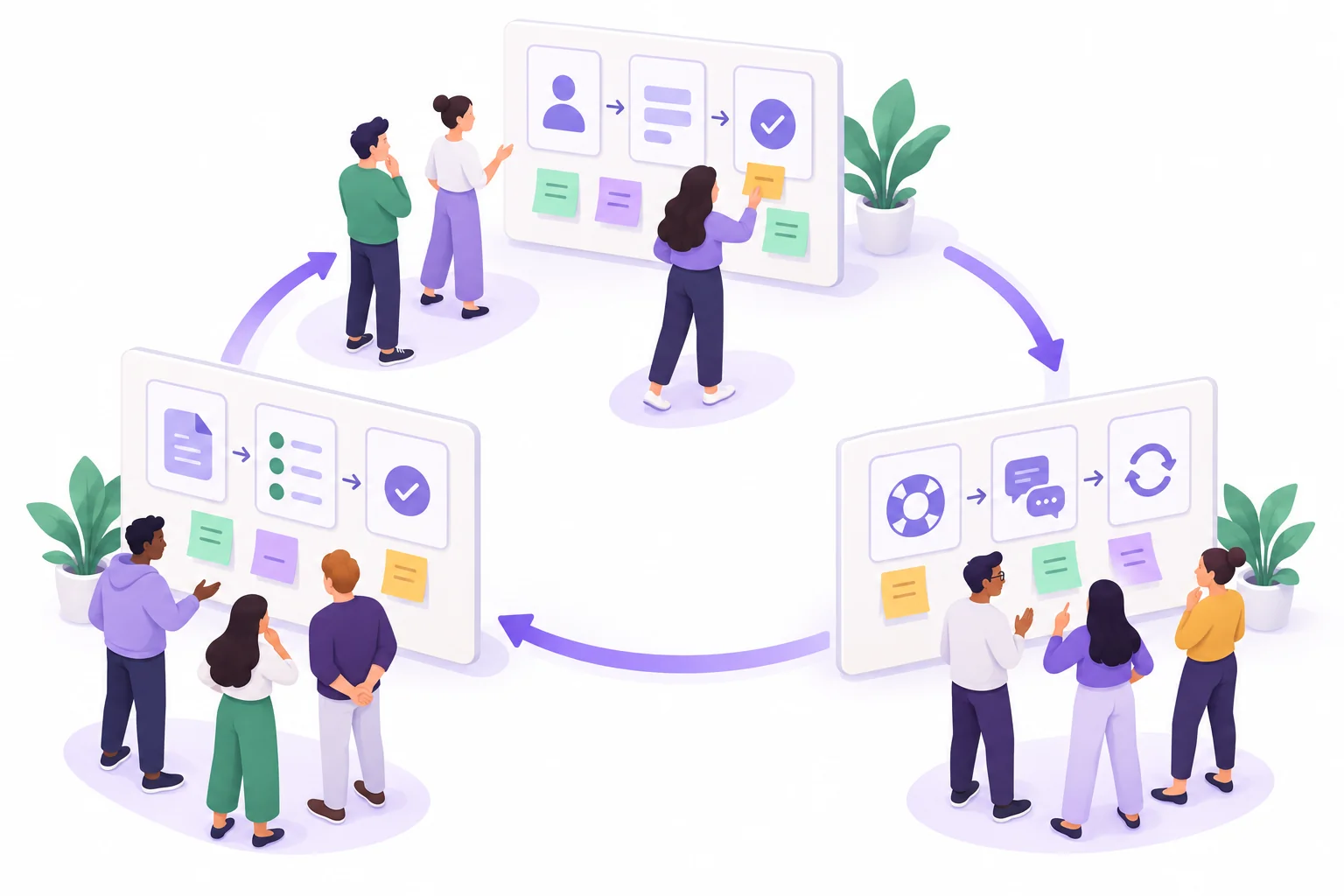
What makes this a gallery walk?
There are multiple exhibits, a question to investigate at each one, and a deliberate way for reviewers to move between them. The educational version described by Carleton's Science Education Resource Center uses stations, rotating groups, written contributions, and a final synthesis. The project-feedback version below adapts that format to an online board.
A gallery walk is not a vote on the most attractive exhibit. It should help authors see what their work communicates, where it is unclear, and which decisions need more attention. If the group needs to examine one complex proposal in depth, a single focused review may be a better use of the time.
Prepare exhibits that can be understood without a speech
Consider an illustrative team designing an onboarding experience. One group has proposed an account-setup flow, another a first-task checklist, and a third a help-and-recovery flow. Each needs feedback before further design work.
Give the three exhibits the labels A, B, and C. Use the same small information panel at the top of each so reviewers can orient themselves:
- User and task: who is trying to do what.
- Work to inspect: the proposal, with its steps or sections labeled.
- Review question: one issue the author genuinely wants to understand.
- Current boundary: what is still provisional and what this review will not decide.
- Feedback space: a place for observations, questions, and suggestions.
| Station | Material | Question for reviewers | Outside this review |
|---|---|---|---|
| A: Account setup | A sequence from invitation to account confirmation | Where might someone be unsure whether setup is complete? | Final visual styling |
| B: First useful task | A short checklist leading to a first completed project | Which instruction assumes knowledge a new user will not have? | The full training curriculum |
| C: Help and recovery | A path for finding help and returning to the interrupted task | Can a user tell how to resume after getting help? | Support staffing decisions |
Keep each exhibit small enough to inspect in one round. If a proposal needs a lengthy verbal introduction, reduce its scope or provide a short pre-read. Do not hide essential context in the author's memory.
Give every group a route
For this three-exhibit session, form three mixed reviewer groups. Avoid making a group responsible only for its own work. Publish the route before starting so people do not all gather at the first exhibit.
| Round | Group 1 | Group 2 | Group 3 |
|---|---|---|---|
| 1 | Station A | Station B | Station C |
| 2 | Station B | Station C | Station A |
| 3 | Station C | Station A | Station B |
A practical starting schedule is a brief orientation, three six-minute rounds, and a final author review. Adjust the rounds to the complexity of the exhibits. These timings are a suggested agenda, not a requirement of the method.
Within a round, ask everyone to inspect the proposal quietly before discussing it. Then have the group leave its strongest observations. Assign someone to keep the group on the review question and someone to record the comments; they can switch roles in the next round.
For participants who cannot comfortably navigate a large canvas, provide the exhibit questions and material in a readable document as well. Accept their feedback there and bring it into the same author review. Canvas navigation should not determine whose feedback counts.
Make feedback refer to something visible
“Looks good” does not tell an author what to keep. “This is confusing” does not tell them what to investigate. Ask reviewers to name the location and describe what they notice before proposing a solution.
| Type | Useful note | What the author learns |
|---|---|---|
| Observation | At A3, the heading says “Account created,” but the next step still asks the user to confirm an email. | Two parts of the proposal communicate different completion states. |
| Question | If the confirmation message does not arrive, what can the user do from A3? | The recovery route is not visible in the exhibit. |
| Suggestion | Consider showing “Check your email” at A3 and reserving “Account created” for the confirmed state. | There is one possible wording change to evaluate, rather than a demand to redesign everything. |
In later rounds, reviewers can read earlier notes and add new evidence or a different interpretation. Ask them not to duplicate an existing comment just to fill the space. If they disagree, they should explain which user need or part of the proposal leads them to another view.
Arrange the online gallery in Boardmix
Create three clearly separated areas on a Boardmix board, with large A, B, and C headings. Add the purpose and review question as text above each exhibit. Use shapes and connectors for a proposed flow, or place your existing project material with a short explanation. Leave room beside each exhibit for feedback notes.
Put the rotation table near the board's starting point. Add a small legend explaining the labels “Observation,” “Question,” and “Suggestion.” Written labels keep the meaning clear even when people cannot distinguish note colors.
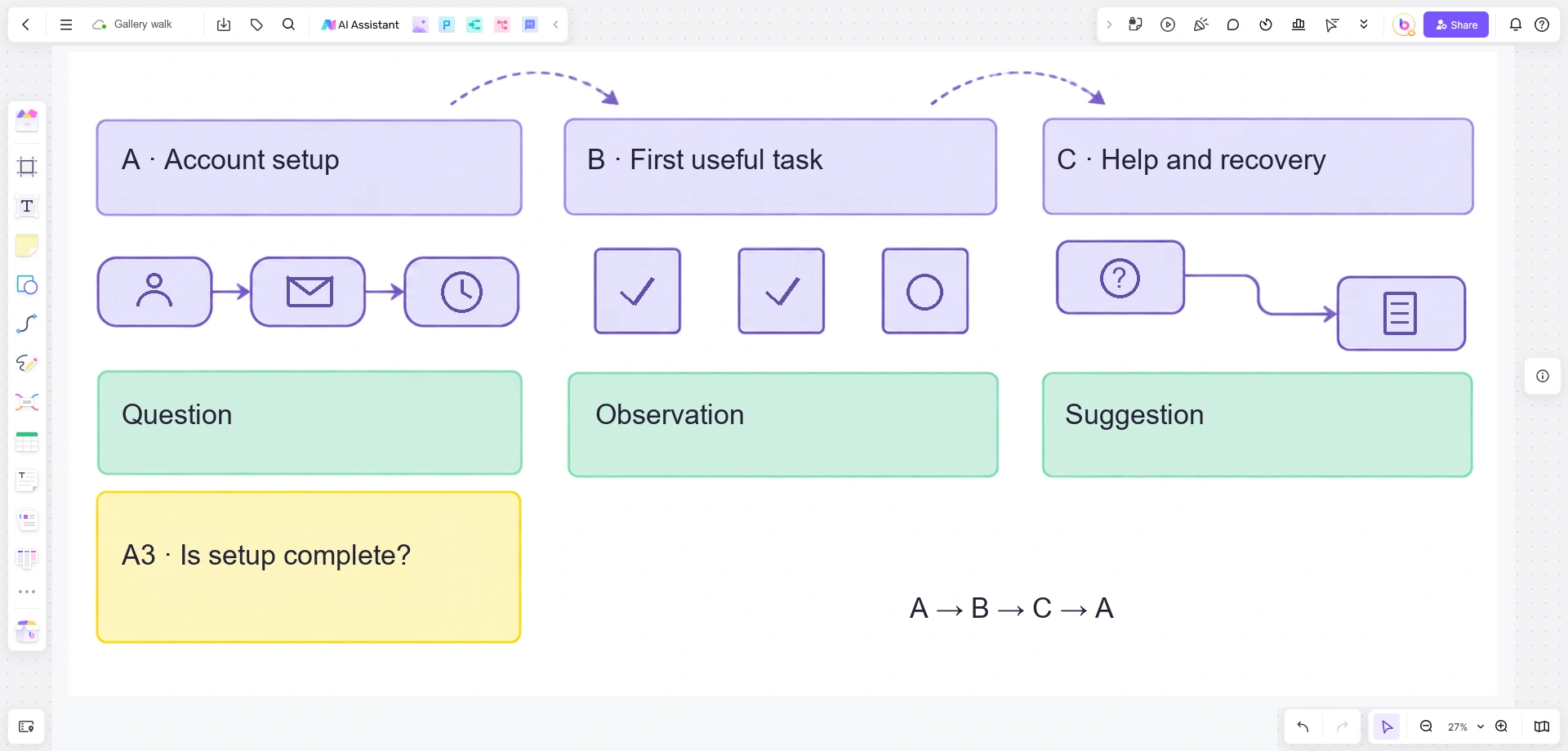
Before the session, ask one participant to open the board and find an exhibit from its label. Confirm that they can read the material and contribute in the intended way. During the walk, participants can add notes or comments while the facilitator announces each rotation through the group's usual meeting channel. Moving between stations is a participant action, not an automatic Boardmix rotation.
If your goal is generating ideas rather than reviewing prepared work, the brainstorming methods guide offers other starting formats.
Let authors decide what the feedback changes
After the final round, give each exhibit's owner time to read the feedback before asking for a response. An immediate defense of every note can turn the exercise into three competing presentations.
For the account-setup example, the owner might change the completion heading, add a resend route to the proposal, and keep a separate question open about when an account is technically created. Those are different outcomes: a wording revision, a flow revision, and a fact to confirm with engineering.
Ask each owner to report one change they will make, one question they still need answered, and any suggestion they are setting aside with a reason. If reviewers disagree, preserve the competing interpretations for the next design decision or test. The number of comments supporting an idea does not prove that users will understand it.
You can set up your gallery in Boardmix with three exhibits and a single question at each. Keep the review narrow enough that an author can use the feedback before the next version.