A project kickoff should leave the team with more than a shared calendar invite. Use an online whiteboard to turn the project goal into a concise brief: what outcome the team is pursuing, what is inside or outside the first phase, who owns key decisions, which assumptions remain open, and what one step starts the work. The board becomes useful after the call because people can see both the agreement and the questions still waiting for an answer.
For a distributed team, a shared team workspace for an interactive project kickoff keeps the working brief visible while people contribute. The aim is not to build a complete project plan during the meeting. It is to make the project understandable enough that planning can begin without hiding disagreement or inventing certainty.
Decide what the board needs to produce
Before arranging sticky notes, define the output. A useful kickoff board gives the team one compact answer to each of these questions:
- Why is this project starting? State the user or business problem in plain language.
- What result are we pursuing? Describe the change the team wants to make, not a list of activities.
- What is in the first phase? Name the boundaries so related work does not quietly enter the project.
- Who decides and who contributes? Identify the decision owner and the people providing essential expertise.
- What do we not know yet? Separate assumptions, dependencies, and open questions.
- What happens next? Record one starting milestone, its owner, and the condition for calling it ready.
These are the fields of a shared project brief, not an agenda. The facilitator can use a separate schedule to manage the conversation, while the board captures the project's working agreements.
Prepare the board without pre-deciding the answers
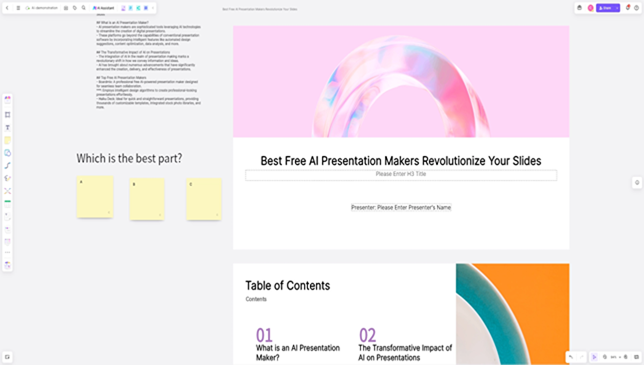
Open a Boardmix whiteboard and use labeled areas for the brief. Add a short text heading to each area and use separate sticky notes for contributions, so the team can move a proposal without rewriting the rest of the brief. Keep the scope boundary beside the outcome; place assumptions and dependencies below it. The final area holds the first milestone. This arrangement is a suggested working layout, not a preloaded board.
Create a frame for each brief section and seed only the information the team already knows: the sponsor's request, a confirmed constraint, a target date if one exists, and the people who need to make or inform decisions. Label uncertain items as questions. A prefilled answer can make a kickoff feel efficient while concealing that the team never agreed to it.
Before the meeting, invite participants to add one note for a concern, constraint, or dependency they believe could affect the outcome. Ask them to avoid solving the problem in that note. This gives quieter contributors a way to surface information before discussion begins and helps the facilitator see where the group has different assumptions.
Keep the blank template available as a starting point if the team needs one: the project kickoff meeting template serves that reusable-template task. The example below shows how to fill a board for a particular project.
Facilitate the kickoff around the shared brief
- Write the outcome first. Ask the sponsor or project lead to finish the sentence: “This project is successful when…” Make the answer describe a visible change for a user or team. If people offer different outcomes, keep both on the board until the decision owner resolves the difference.
- Draw the first-phase boundary. Place “in scope” and “out of scope” side by side. Ask what must be included to make the first outcome possible, then name adjacent requests that are deliberately deferred. Put tempting additions in a follow-up area instead of letting them blend into the commitment.
- Separate facts from assumptions. Give participants a short silent-writing period, then group their notes. Mark confirmed facts differently from assumptions and open questions. For each assumption that could change the plan, add who can test it and what information would settle it.
- Make decision rights visible. For each consequential choice, name one accountable decision owner and list the contributors who provide evidence or expertise. “The team will decide” is not a clear role when no one knows how a disagreement will be resolved.
- Map dependencies, not every task. Add only the work or approval that must happen before the first milestone can proceed. Show who owns the handoff and what they need to receive. Detailed task breakdown and estimates can follow once the team understands the boundary and dependencies.
- Choose the first milestone. Ask what small, observable result would let the team begin the next planning step. Record its owner, a due date only if the team can set one, and the evidence that will show it is ready.
- Read back the brief. Summarize the outcome, boundary, decision owner, unresolved questions, dependencies, and first milestone. Ask participants to correct the board while everyone can still see the same version.
If the meeting uncovers a disagreement, do not turn it into a false consensus. Record the competing positions, who can decide, and what evidence or conversation is needed next. A visible open question with an owner is more useful than a vague note that says “follow up.”
A filled example: improve first-run onboarding
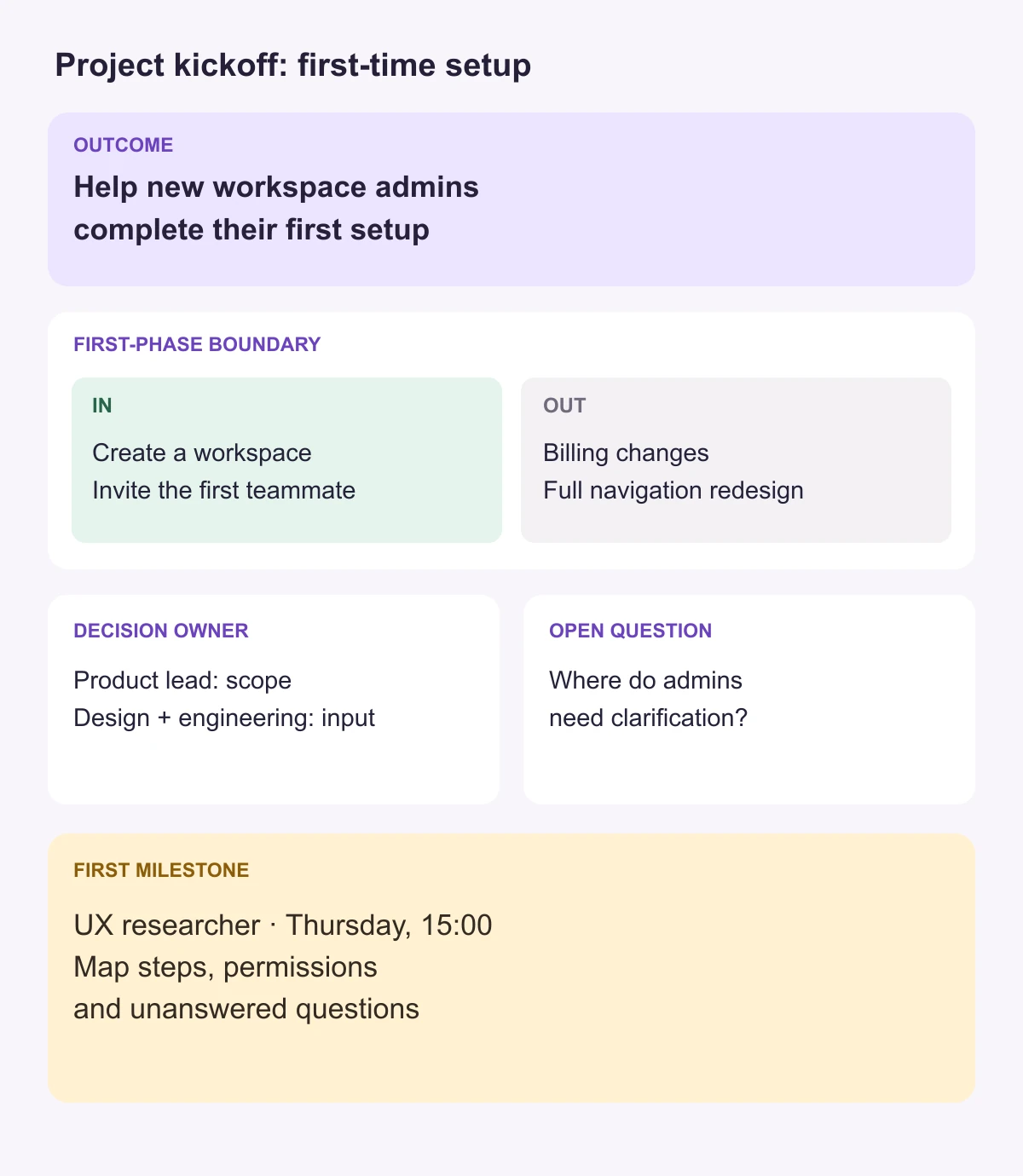
The following is a constructed example, not a customer result. A product team is asked to improve the first experience for new workspace administrators. The kickoff board might capture:
| Board area | Illustrative entry |
|---|---|
| Outcome | Make the first workspace setup understandable to a new administrator. |
| In scope | The steps from creating a workspace through inviting the first teammate. |
| Out of scope | Billing changes and a broader redesign of the product navigation. |
| Decision owner | Product lead decides the first-phase boundary; design and engineering advise on usability and feasibility. |
| Assumption to test | New administrators can complete setup without a live onboarding session. |
| Dependency | Confirm which account permissions apply when an administrator invites a teammate. |
| First milestone | The UX researcher maps the current setup path by Thursday at 15:00. The map must show each setup step, the permissions it needs, and unanswered questions before the team selects a change. |
| Open question | Which setup step causes the most uncertainty? The UX researcher reviews recent support conversations and proposes questions for the next user sessions. |
This brief does not pretend that the team already knows where users struggle. It gives the team a bounded first investigation, makes the decision owner clear, and prevents billing or navigation requests from silently expanding the first phase. The project plan can add tasks and dates after the first path and evidence needs are understood.
Turn disagreement into owned follow-up
Some kickoff conversations expose differences that cannot be resolved in the room. The board can preserve those differences without letting them disappear into notes:
- The outcome is unclear: keep the candidate outcomes visible and ask the sponsor to choose or refine one. Record the decision date if it cannot be settled in the meeting.
- Two functions disagree about scope: write each proposal and its consequence. Give the decision owner the trade-off to resolve; do not merge the proposals into wording that commits to both.
- A dependency has no owner: name the team or person who can confirm it, then record the next contact or decision point.
- An important stakeholder is absent: mark which decision needs their input and whether work may proceed before that input arrives.
- New requests keep appearing: move them to a clearly labeled later-phase area and note who will review them. This protects the first boundary without discarding useful ideas.
Use labels as well as color so the board remains understandable when viewed in grayscale or by people who interpret colors differently. Keep the decision record next to the question that produced it, and distinguish a decision from a proposal that still needs approval.
After the meeting, keep the brief actionable
Share the completed board with the people responsible for the next steps. Turn only agreed actions into assigned work, and leave unresolved assumptions labeled until someone brings back evidence. When a scope or decision changes, update the brief and note what changed so a later reader can understand why the plan moved.