To simplify a complex flowchart, separate the overview from the detail. Keep the major stages and important outcomes in a parent diagram, move the internal steps of a stage into a named subprocess, and show exactly how that subprocess starts and where its results return.
Do not begin by shrinking the font or deleting exception paths. A diagram can look cleaner while becoming less useful. The goal is for a reader to follow the main route without losing access to the detail needed to do the work.
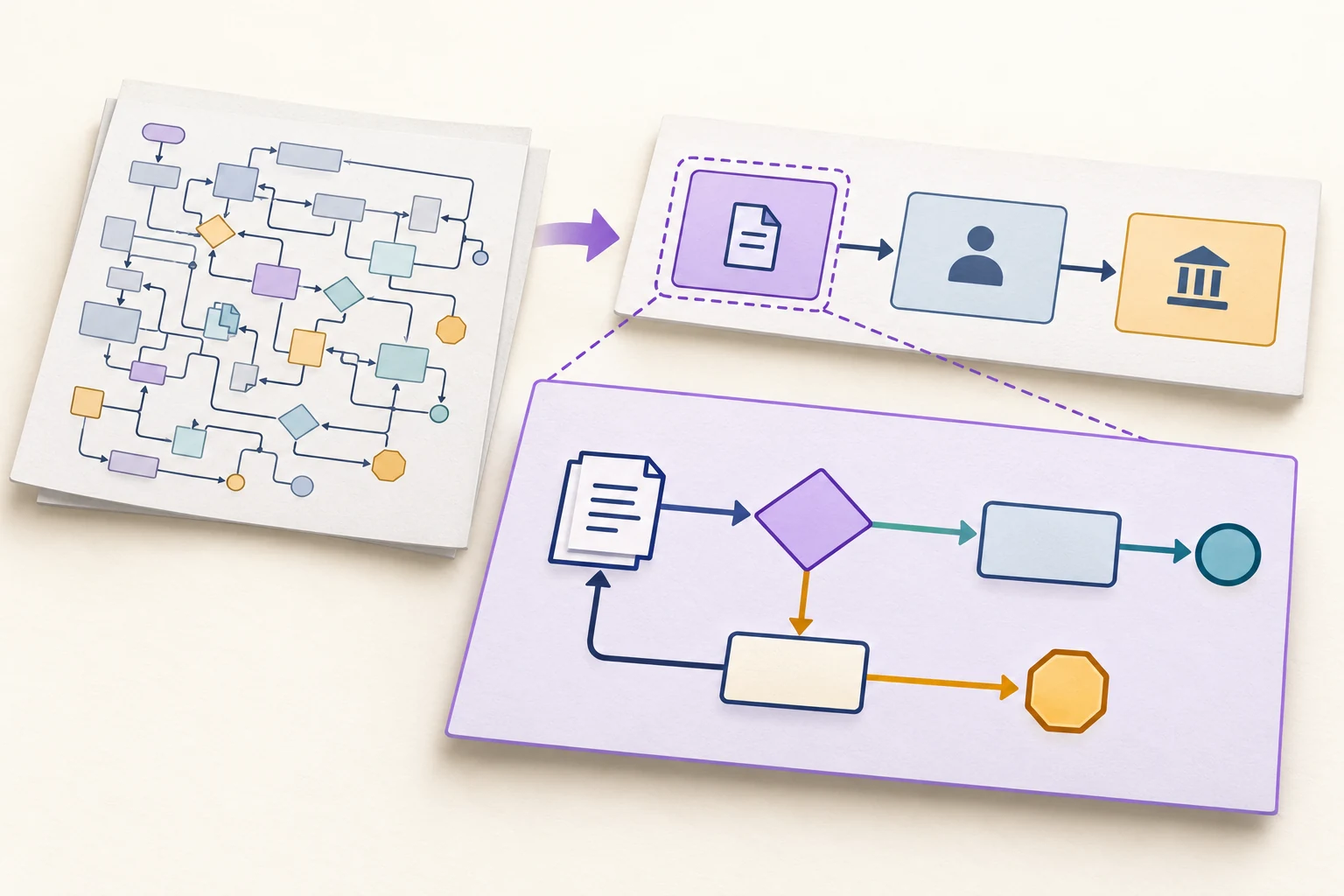
Find out why the flowchart is hard to read
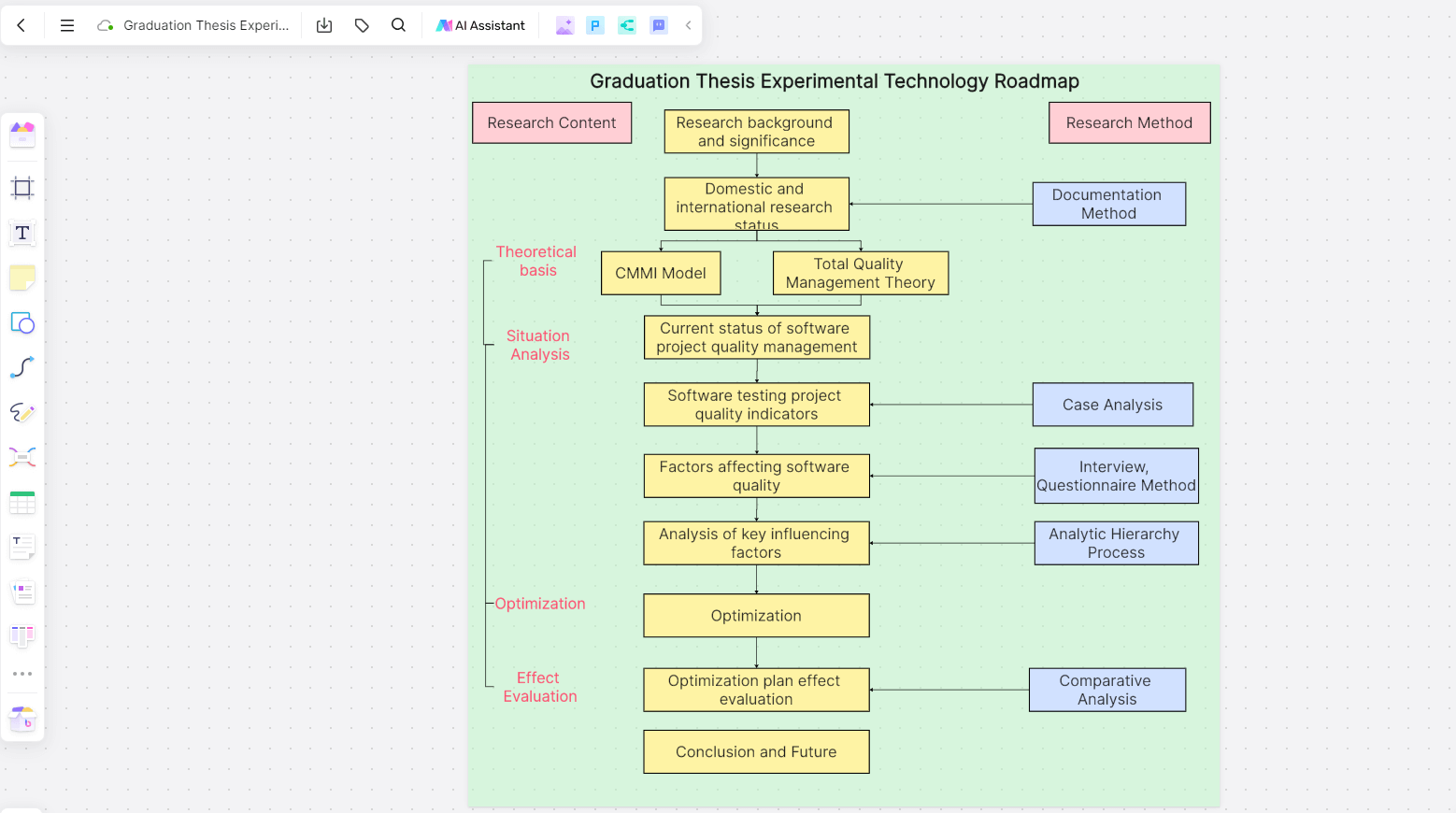
Before rearranging boxes, identify the problem. A chart may mix high-level stages with individual clicks, repeat the same checks in several branches, or put every exception on the main route. You can edit the overview and detailed flowcharts together in Boardmix while keeping their connections visible.
Consider what the reader needs to answer:
- “What happens to my request?” needs the main stages, waiting points and possible endings.
- “What do I do in this stage?” needs its actions, decisions, inputs and handoffs.
- “Why did this case fail?” needs the relevant exception route and the information that controls it.
Trying to answer all three questions at the same visual level often creates the tangle. Separate views can share the same underlying process without making every reader inspect every step.
If the problem is only untidy routing, align the shapes and reduce crossing lines first. A short, coherent process does not need multiple diagrams merely to appear structured. Split a section when its detail distracts from the parent flow and it has a meaningful input and result.
Choose a boundary before choosing what to hide
The ASQ flowchart procedure starts with the process scope, its beginning and end, and the required level of detail. Apply that principle before moving anything: write what enters the chart and what counts as its completion.
For the hypothetical example in this article, the scope is from an employee submitting an expense request to a decision and, if approved, a handoff to finance. Payment itself is outside the scope. Therefore, “Sent to finance” must not be relabeled “Reimbursed.”
A crowded original might include opening the request, reading a receipt, checking required details, asking for a missing item, reading the reply, sending it for approval, recording the decision, notifying the employee and forwarding the approved package. Those are useful activities, but they do not all belong in the overview.
Keep the original chart as a reference while reorganizing it. This exercise changes how the process is explained, not the company's approval policy. Proposed process changes belong in a clearly separate version.
Build a parent flow with meaningful outcomes
Group the example into three stages. Give each a stable identifier so readers can find its detail even if you later move the shapes.
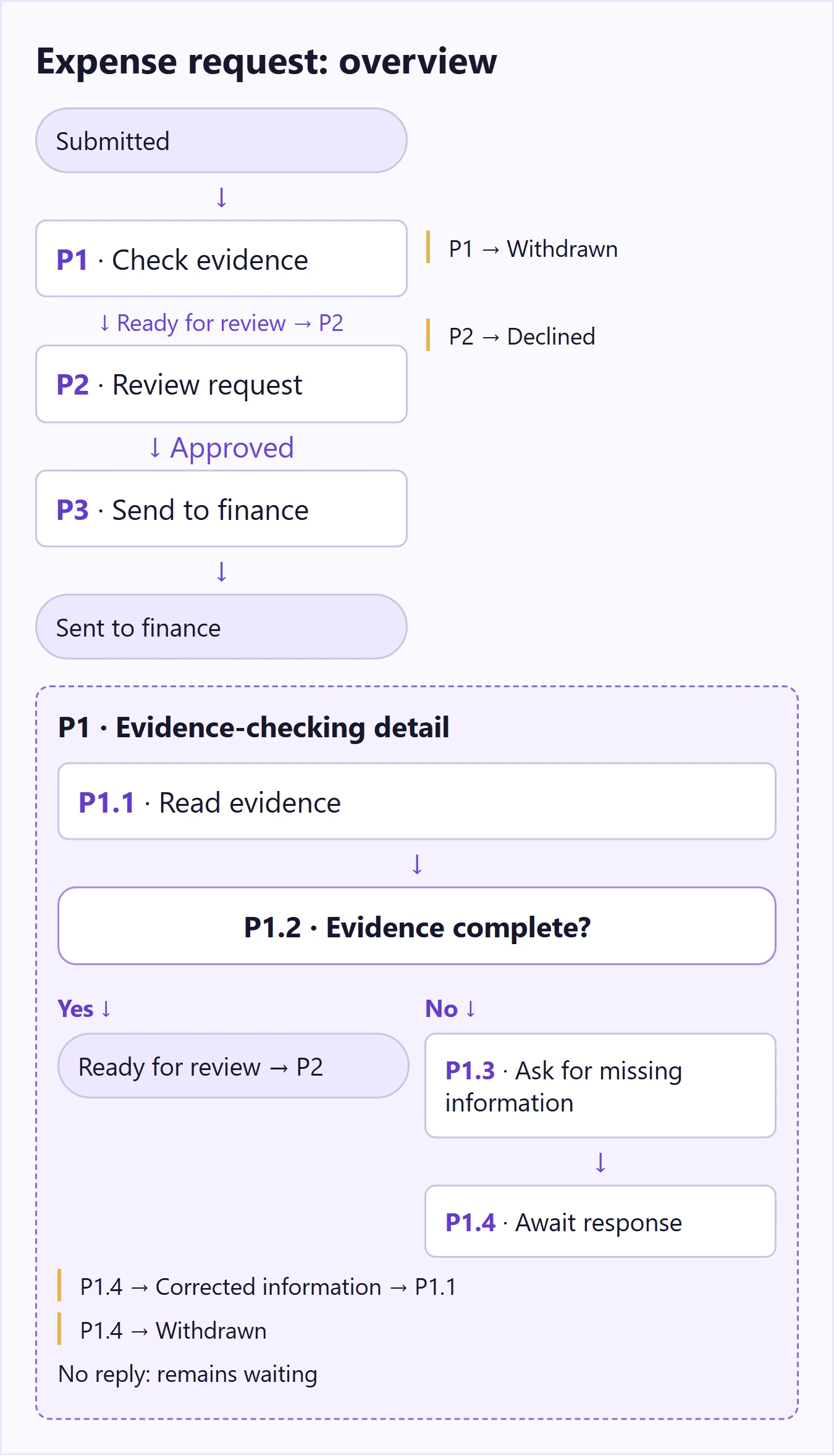
- P1 — Check request evidence. Establish whether the required supporting information is present. The stage returns “Ready for review” or “Withdrawn.” A request awaiting information remains inside P1.
- P2 — Review the request. The designated reviewer records approval or rejection. Rejection ends with a declined request, not a handoff to finance.
- P3 — Send the approved package to finance. Transfer the approved request and supporting information. The chart ends at that handoff, not at payment.
The parent diagram can now show the main route: Submitted → P1 → P2 → P3 → Sent to finance. It also keeps two important exits visible: Withdrawn from P1 and Declined from P2. Neither exit is buried inside a generic “Complete” box.
Do not remove an outcome just because it is uncommon. The overview should retain outcomes that change what the next participant can expect. Small internal checks can move into the detail; the difference between approval and rejection cannot.
Expand P1 without changing its meaning
Write a small contract above the detailed diagram. It tells the reader what the subprocess promises to do:
- Entry: a submitted request with a request identifier and any supplied evidence.
- Purpose: establish whether the required evidence is present.
- Returns: Ready for review, or Withdrawn.
- Waiting state: Awaiting information. This is not a successful completion.
Then draw the internal flow:
- P1.1 — Read the request and evidence. Use the required-information list for this type of request.
- P1.2 — Is the required evidence complete? If yes, mark the package Ready for review and return it to P2.
- P1.3 — Ask for the missing information. Name the missing item rather than sending an unexplained “Rejected” message.
- P1.4 — Wait for the employee's response. A corrected package returns to P1.1. An explicit withdrawal returns Withdrawn. No reply remains Awaiting information until the organization's actual follow-up procedure says otherwise.
A document can be complete without being approved. P1 only checks evidence completeness; P2 makes the request decision. Combining those meanings into a box labeled “Validate” would recreate the original ambiguity.
The waiting state is also different from a loop that repeatedly sends the same request. It pauses for an external response. If the organization has a reminder or closure rule, represent that rule with its real conditions rather than inventing a timeout for the diagram.
Make it easy to move between the overview and detail
Label the parent stage “P1 — Check request evidence” and the detail map “P1 detail.” Use the same terms for its entry and exits in both places. If the overview says “Ready for review” but the detail returns “Approved,” readers cannot tell whether they represent the same state.
Keep the detail near its parent on a shared canvas, or use an explicit reference when it lives in another document. A connector labeled “P1 detail” is clearer than an unlabeled arrow disappearing at the edge of a page. The reference should let a reader find the detail without asking its author.
You can use a predefined-process symbol when it fits your team's notation, but the label and connection are more important than a decorative shape. If your organization uses a formal notation such as BPMN, follow its specific subprocess rules rather than mixing notations casually.
Within a detailed view, keep decisions at a similar level. “Review request” and “Click the attachment icon” should not be peer stages unless the document is deliberately a screen-level operating guide. Move click instructions into supporting notes or a separate task guide.
Trace three cases through both views
Use cases that expose the difference between the views. These are not new steps in the process; they are ways to see whether the reorganization preserved it.
| Case | Detail behavior | What the parent shows |
|---|---|---|
| Complete evidence; request approved | P1.1 and P1.2 produce Ready for review. | P1 → P2 → P3 → Sent to finance. |
| Missing receipt; employee supplies it; request declined | P1.3 requests the receipt. P1.4 receives it, then returns to P1.1. | P1 eventually returns Ready. P2 returns Declined; P3 is never entered. |
| Employee withdraws while information is missing | P1.4 returns Withdrawn. | The process ends at Withdrawn, not Ready or Approved. |
Notice that the second case has a loop in the detail but does not need that loop drawn across the entire overview. The parent still tells the truth: the request stays in evidence checking until it is ready or withdrawn.
If a real case cannot be traced, ask whether a step was merely moved or accidentally deleted. Compare the original chart, the parent outcomes and the detail exits. Fix that mismatch before polishing the layout.
Avoid turning one crowded chart into many disconnected charts
Splitting every few boxes produces a different problem: readers spend more effort finding the next diagram than understanding the process. Keep a coherent stage together. A subprocess should have a reason to exist, such as a clear responsibility, reusable operation, or substantial internal decision logic.
When the same check appears in several places, first confirm that it is genuinely the same check. “Confirm identity before changing account access” and “Confirm the request has a customer identifier” have different purposes. Similar names are not enough reason to combine them.
For the example, place the parent flow at the top of the Boardmix canvas and P1 detail immediately below it. Put the required-evidence list beside P1.2, where it is used, rather than cramming it inside the decision diamond. Keep the declined and withdrawn end states distinct in both text and appearance; do not rely on color alone.
Open Boardmix to reorganize your flowchart. Start with the stage that causes the most confusion, expand just that detail, and leave already readable sections alone. A reader should be able to explain the overview and then find the exact instructions for the stage they own.