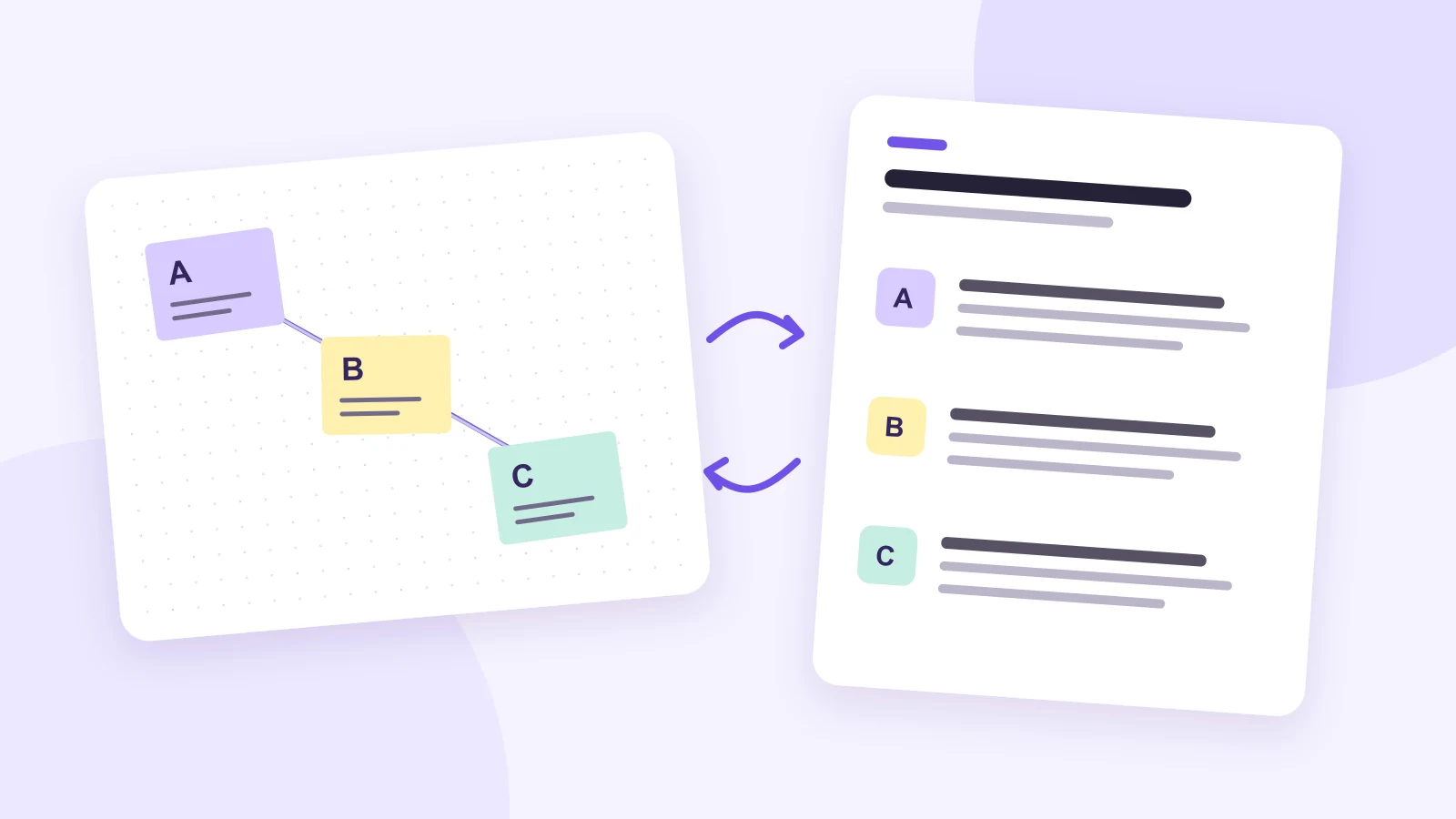
An accessible whiteboard workshop gives people a way to understand the discussion and influence its outcome without having to follow moving objects on a canvas. Prepare a structured text version alongside the visual board, use the same labels in both, and offer a contribution route participants can use. A screen share or a final screenshot alone cannot do that job.
You can use a shared online whiteboard for the visual part of the activity. The text version can live in an accessible document chosen with participants. Decide who will keep the two versions aligned before the meeting, so text contributions join the discussion while it is happening.
Start with participation, not a prettier canvas
Different people may find small labels, rapid panning, dragging objects, color-coded instructions or simultaneous conversations difficult to use. Enlarging the text can help some participants, but it does not solve every barrier. The important question is whether each person can read the materials, contribute and challenge an interpretation.
Ask about access requirements privately when inviting the group. Focus on the activity and preferred formats, without asking people to disclose a diagnosis. W3C’s guidance on accessible events recommends asking participants about their requirements, providing usable materials and describing important visual information.
An invitation could say: “We will compare three ways to improve customer support. The board and text version contain the same proposals. You can contribute through either version or through the agreed meeting channel. Please let me know privately if a format, activity or timing needs adjusting. We can arrange a short access check before the workshop.”
Use that access check to try the actual tasks: opening the materials, locating proposal B, reading its comments and adding a response. A successful sign-in does not prove that someone can take part in the activity. If the canvas is difficult to operate, make the text route a full participant experience; do not require a separate visual step to submit an idea or a preference.
A complete example: compare three support improvements
Imagine a team deciding which support improvement to investigate next. The workshop question is: “Which change would help customers understand what to do when they need support?” The exercise compares proposals, rather than choosing an implementation solely through a popularity vote.
On the board, place three clearly labeled proposal areas side by side. Each has the same two prompts: “What could help?” and “What might still be difficult?” Keep the labels A, B and C stable when you rearrange the board. In the companion document, use those labels as headings in the same order.
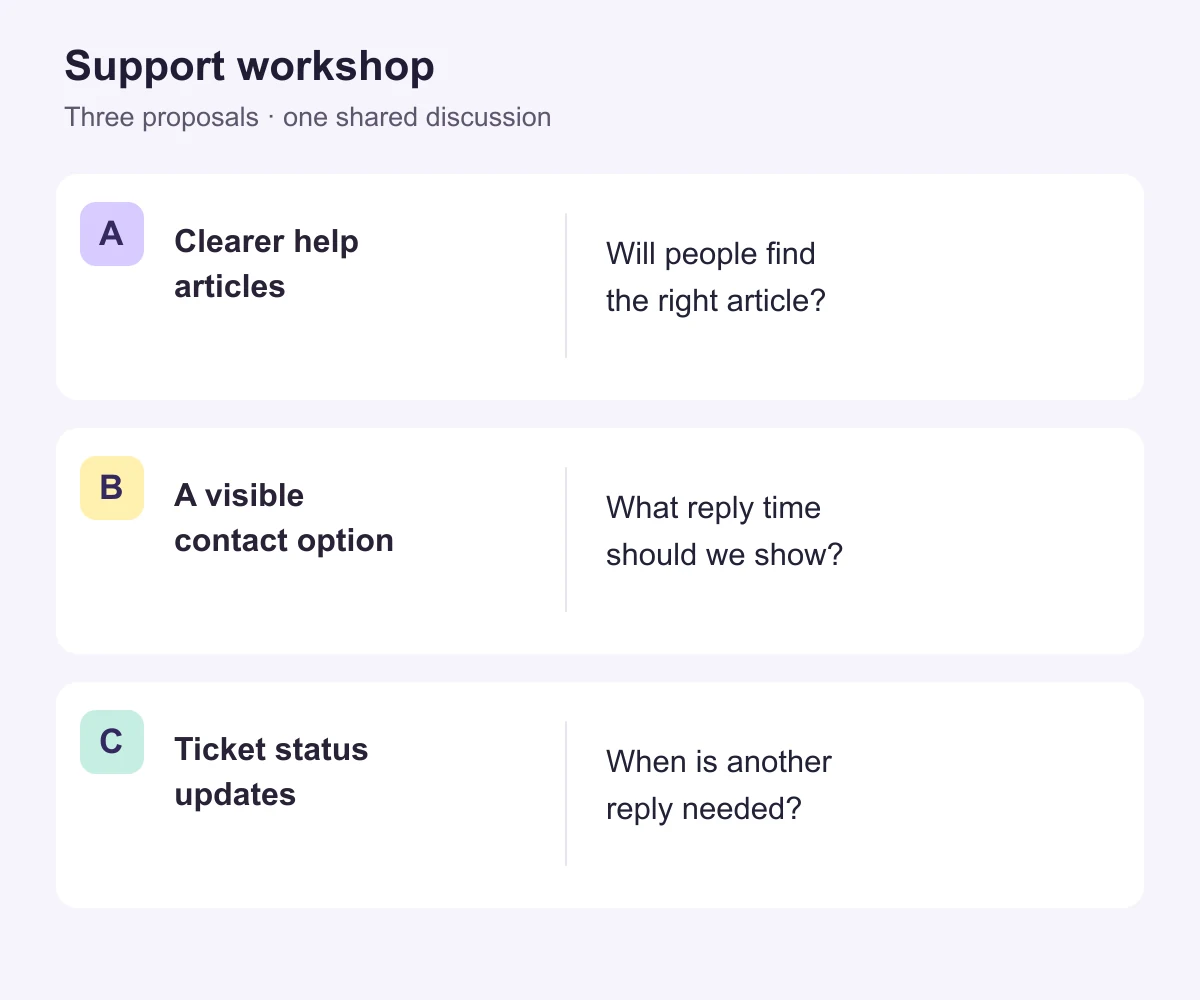
Text version of the example board
Question: Which change would help customers understand what to do when they need support?
- A — Clearer help articles. Rewrite the instructions for common support tasks. Possible benefit: customers can solve familiar problems themselves. Open question: will people find the right article?
- B — A visible contact option. Show a clear route to contact the support team. Possible benefit: customers can ask for help when an article does not answer their question. Open question: what response expectation should the contact option show?
- C — Ticket status updates. Explain what happens after a request has been sent. Possible benefit: customers know whether someone is working on the request. Open question: how will they know when another reply is needed?
Relationship: A and B concern finding help; C concerns what happens after a request. They could complement one another. The task is to choose the next question to investigate, not to assume one proposal makes the others unnecessary.
That last paragraph matters. Copying only the words inside sticky notes would lose the relationship conveyed by their position on the canvas. If an arrow means “depends on,” write that relationship in the text version. If a cluster separates unanswered questions from agreed actions, include those headings too.
Make the materials easy to follow
Use real headings and lists in the companion document, with a clear reading order. Put the workshop question first, followed by proposals, discussion notes and the outcome. Avoid a giant screenshot pasted into a document: it keeps the same visual dependency instead of providing a text alternative.
For complex diagrams, W3C’s complex-image guidance distinguishes a short image description from a fuller text explanation of its essential information. In the example above, the image description identifies the three proposals; the adjacent text explains their benefits, questions and relationships. A short alt label such as “workshop board” would not carry those details.
On the canvas, use short headings, comfortable spacing and readable contrast. Add words or symbols to color categories. For example, label a note “Question” rather than telling people to read “the orange note.” W3C’s guidance on the use of color explains why color should not be the only way to convey meaning.
Give participants the materials in advance, including the contribution instructions and proposed timing. Allow them to resize and review the text in their own way. If the workshop uses audio or video, arrange captions, interpretation or other support as needed in the meeting environment; the whiteboard does not replace those arrangements.
Run one discussion across both versions
Assign a facilitator to guide the conversation and a co-facilitator to maintain the shared record. The second role is especially useful when ideas arrive through the board, the document and a meeting channel at the same time. Do not make one participant responsible for translating the entire activity for everyone else.
A possible 40-minute session is shown below. Adjust the timings with participants, including breaks and extra reading time.
- First 5 minutes: orient the group. State the question, explain the three proposal labels, and confirm how to contribute. Describe where the discussion is going before moving the canvas.
- Next 10 minutes: review individually. Let people read either version and add a benefit, concern or question. Do not start interpreting contributions while others are still reading.
- Next 15 minutes: discuss one proposal at a time. Name the proposal, describe new notes aloud and add their meaning to the text record. Ask for clarification before paraphrasing a contribution.
- Final 10 minutes: review the proposed outcome. Read the outcome and unresolved questions, allow corrections through either route, and agree on the next action.
Suppose a participant writes under B: “I need to know when I can expect a reply.” The co-facilitator adds that comment to proposal B on the board and to the text record. The facilitator says, “Proposal B now has a question about response time. Does that affect how we describe the contact option?” The participant can correct the wording before the group moves on.
If the team also wants to express preferences, use the same option IDs and rules across the available contribution routes. Combine the responses once, then show and read the result. A person contributing in text should not have fewer votes, less time or a separate late deadline that excludes them from the decision.
Set up the visual part in Boardmix
Use Boardmix to arrange the workshop question, proposal areas and sticky notes on a shared canvas. Add A, B and C as visible text, then put the relevant notes beside each proposal. Keep the active discussion area small enough to explain without repeatedly zooming across unrelated material.
Prepare the matching text document separately and share both links in the invitation. The co-facilitator maintains the same proposal IDs and discussion content in each. This is a facilitation arrangement, not an automatic synchronization feature. Try the actual tools with participants who will use them; a canvas layout alone does not establish keyboard or screen-reader compatibility.
For the wider session setup, see the guide to using whiteboards with remote teams. When you are ready to prepare the visual materials, open Boardmix and build the three labeled proposal areas beside the workshop question.
Keep the outcome available in both formats
At the end, publish the same outcome in the board and text record. For the support example, it might read: “Next, investigate what response-time information customers need before contacting support. Keep proposals A and C open; this discussion did not decide to abandon them.” Name who will investigate that question and how participants can correct the record.
Share the outcome with people who could not attend. Keep any agreed correction period explicit, and apply corrections to both versions. The workshop succeeds when the contribution influences the shared discussion—not merely when an alternative file exists.