Published . Session example added .
Remote work solved a lot of problems — commutes, geography, rigid office hours — but it quietly broke something teams didn't realize they relied on: the ability to walk up to a whiteboard, sketch an idea, and point at it while explaining. That small, physical act of thinking together in the same room turns out to matter more than most people expect, and its absence is a big part of why remote brainstorms can feel flatter than in-person ones. A good whiteboard for remote teams exists specifically to bring that back.
This guide covers the real challenges distributed teams run into with remote collaboration, what to look for in a whiteboard tool built for this context, and practical ways to run sessions that feel as engaging as being in the same room — even when nobody is.
Why Remote Teams Need More Than a Video Call
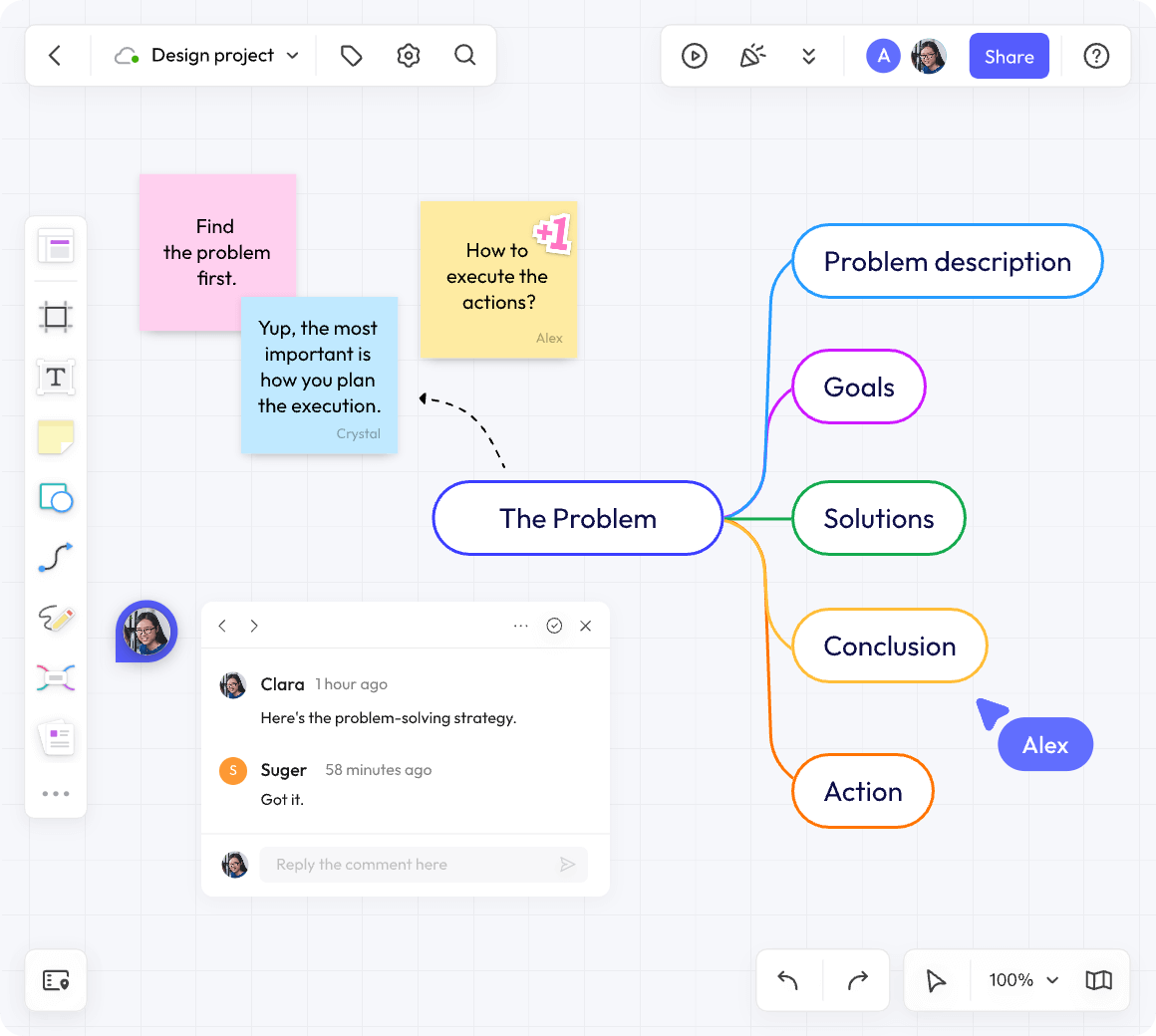
Video calls are good at one thing: letting people talk to each other. They're not built for thinking together visually, which is a big part of collaborative work — mapping out a process, comparing options side by side, or sketching a rough idea that isn't fully formed yet. When remote teams try to do this kind of work through a shared document or a screen share, a few predictable problems show up:
- Engagement drops. Watching someone else's screen is passive. Contributing to a shared canvas is active — and the difference in participation between the two is often dramatic.
- Ideas lose their relationships. A bullet list in a document flattens everything into a linear sequence. A whiteboard preserves proximity, grouping, and visual connections between ideas — information that a list simply can't carry.
- Quiet teammates stay quiet. In a verbal discussion, the loudest or most senior voice tends to dominate. A shared canvas gives everyone an equal, low-pressure way to contribute, often surfacing ideas from people who rarely speak up on calls.
- Timezone gaps break momentum. Not every distributed team can gather synchronously, and tools built only for live collaboration leave async contributors out of the process entirely.
A virtual whiteboard for distributed teams addresses all four of these directly — which is why it's become one of the default tools for distributed collaboration rather than a nice-to-have extra.
What to Look for in a Whiteboard for Remote Teams
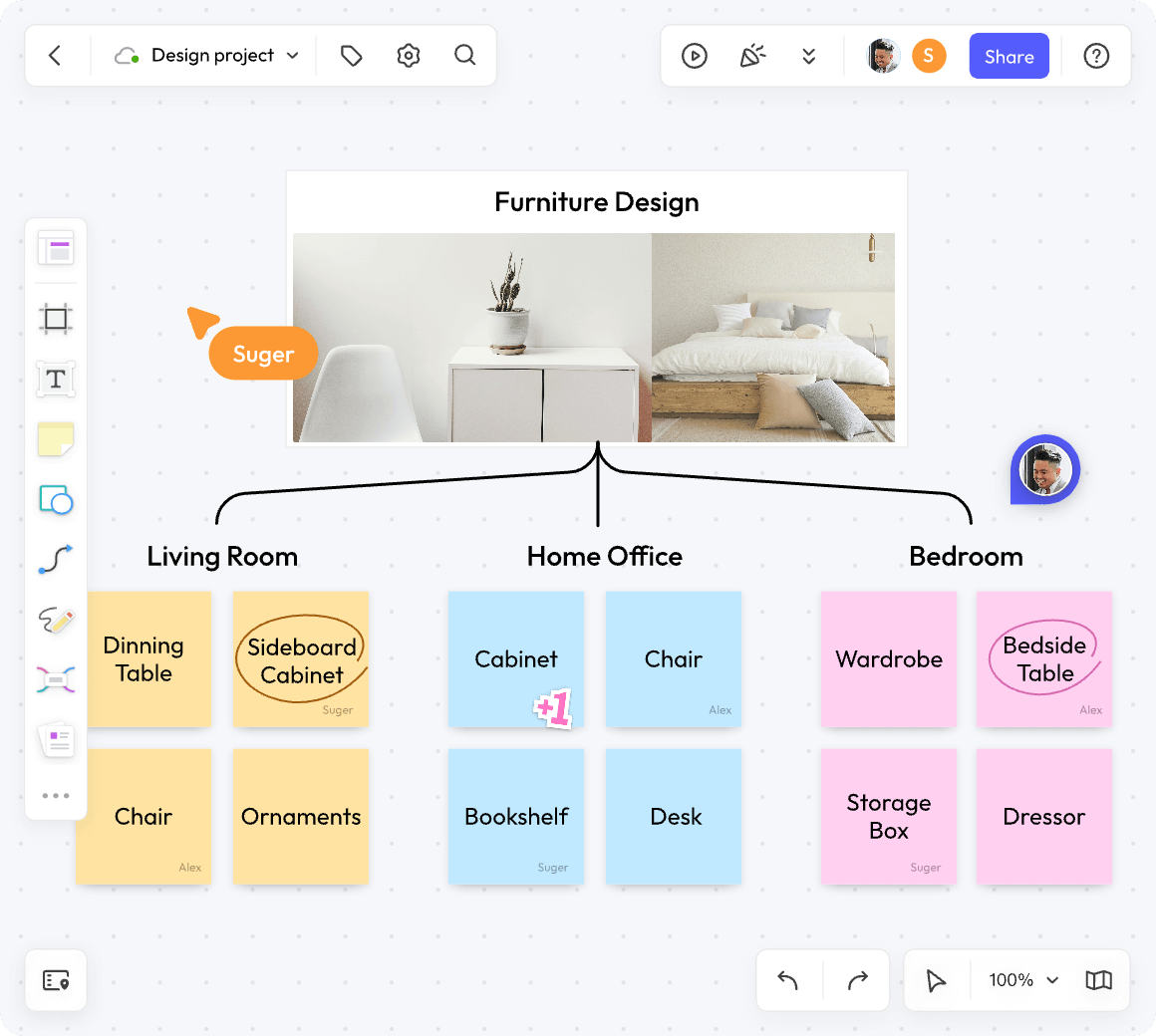
Not every online whiteboard is built with remote-specific challenges in mind. A few things matter more for distributed teams than they would for a team working in the same office:
- True real-time collaboration. Multiple people editing simultaneously, with visible cursors and live updates — laggy or conflict-prone syncing undermines the entire point of a shared canvas.
- Strong async support. Comments, @mentions, and the ability to leave feedback without needing everyone online at once, since distributed teams rarely share a full working-hours overlap.
- Facilitation tools. Timers, voting, and anonymous sticky notes matter more remotely than in person, where a facilitator can otherwise read the room and adjust on the fly.
- Low-friction access for guests. Clients, stakeholders, or occasional collaborators shouldn't need an account and a tutorial just to add a sticky note.
- Reliable performance on large boards. A canvas that lags or freezes with more than a handful of participants defeats the purpose during a live session.
- Cross-platform access. Distributed teams work across different devices and operating systems; browser-based access with solid mobile support removes friction for whoever's joining from wherever they are.
Solving the Timezone Problem with Async Collaboration
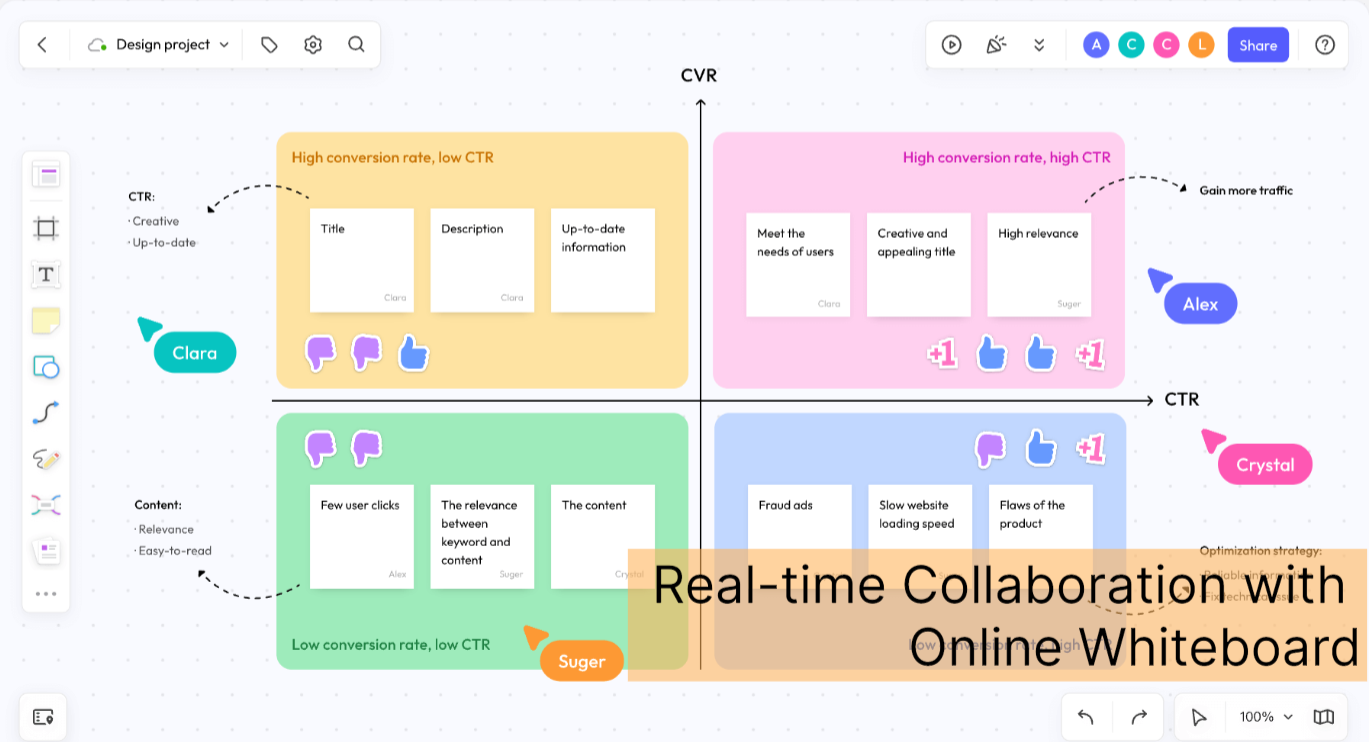
One of the most underrated advantages of a digital whiteboard over a physical one is that it doesn't disappear when the meeting ends. For truly distributed teams spanning multiple timezones, this async persistence is often more valuable than the real-time collaboration features that get more attention.
Practical ways teams use whiteboards asynchronously:
- A facilitator sets up a template and prompt before a session, letting team members in earlier timezones add initial ideas before the "live" portion even begins.
- Comments and @mentions let teammates leave feedback on specific board elements without needing to join a call at all.
- A board stays open for 24–48 hours after a session, allowing anyone who missed the live portion to still contribute before decisions are finalized.
- Boards from past sessions remain accessible and searchable, so context isn't lost the way it often is when a meeting's insights only exist in someone's memory or a scattered chat thread.
Treating the whiteboard as a persistent, evolving space — rather than something that only matters during the live meeting — is often the single biggest shift that helps globally distributed teams collaborate well despite minimal or zero working-hours overlap.
Keeping Remote Sessions Engaging, Not Passive
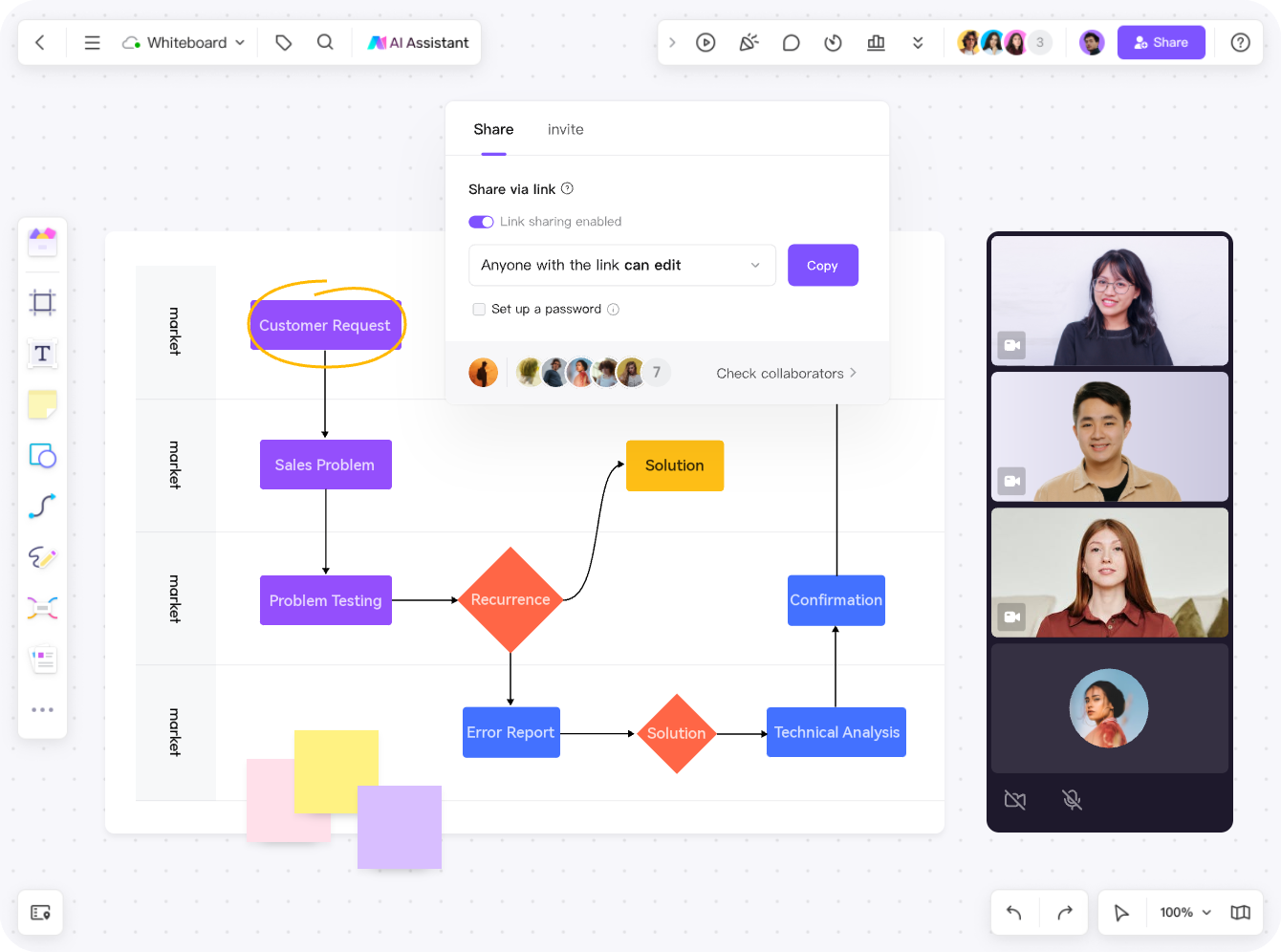
The gap between a remote session that feels energizing and one that feels like homework usually comes down to how much people are actually doing, versus watching. A few facilitation habits make a consistent difference:
- Give everyone something to do immediately. Opening a session with a quick warm-up exercise (even something unrelated to the main topic) gets people clicking and contributing before the real work starts, rather than sitting passively while the facilitator explains the agenda.
- Use silent, individual work phases. Techniques like affinity mapping — where everyone adds ideas independently before discussing — consistently produce more balanced participation than open-floor discussion, especially remotely, where it's easy for quieter voices to stay muted (literally and figuratively).
- Make ownership visible. Live cursors and named contributions help remote participants feel present on the board, similar to how visible handwriting on a physical whiteboard signals who contributed what.
- Time-box everything. Remote attention spans drop faster than in-person ones. Short, clearly time-boxed exercises with a visible timer keep energy higher than open-ended discussion.
- Rotate facilitation. Having different team members lead different parts of a session keeps engagement higher than one person driving the entire agenda every time.
Common Use Cases for Remote Team Whiteboards
Remote Brainstorming and Ideation
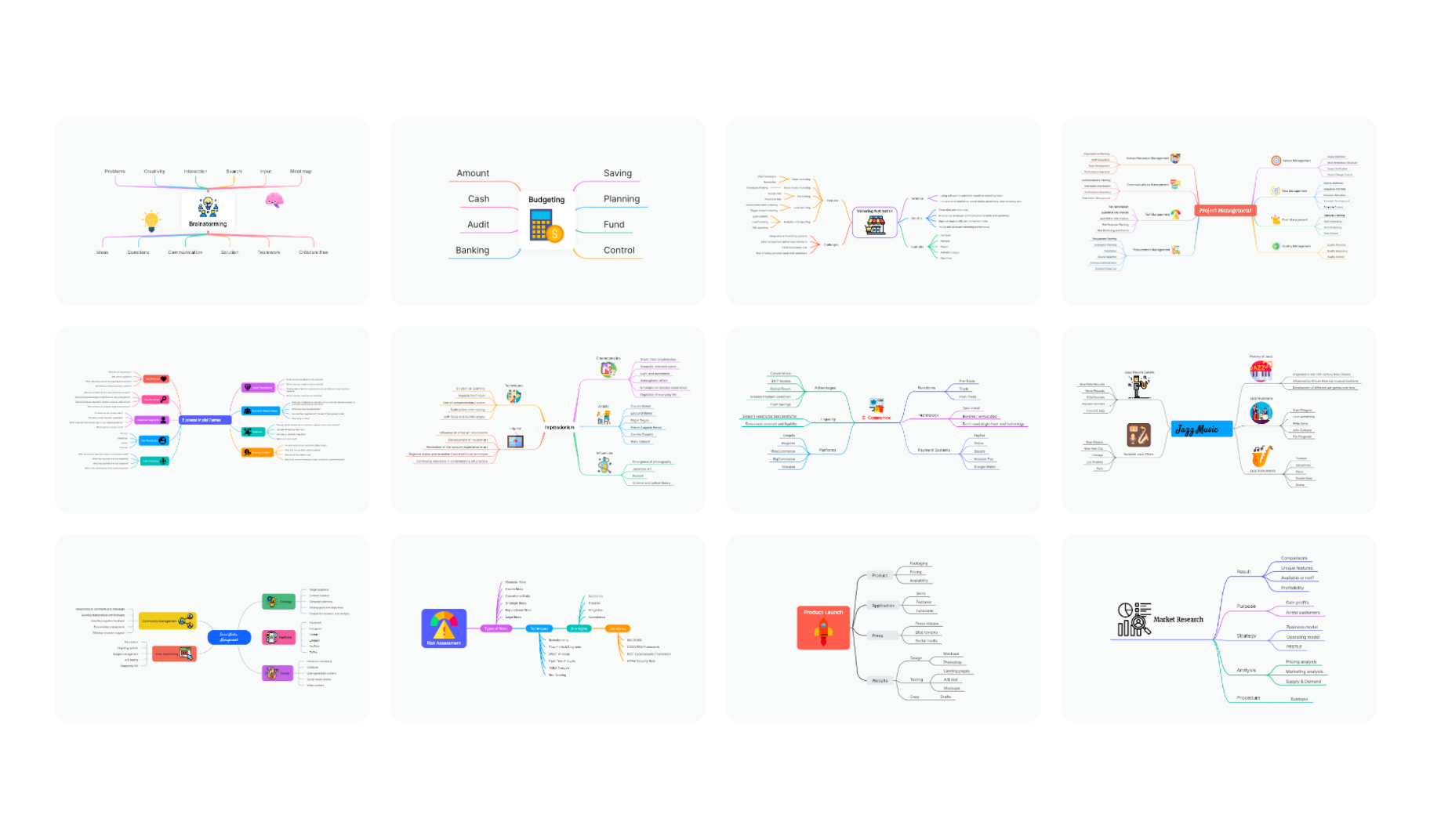
Sticky-note based brainstorming, mind mapping, and structured techniques like Crazy 8s or brainwriting translate well to a shared canvas, giving distributed teams a genuine substitute for standing around a physical whiteboard together.
Agile Ceremonies Across Time Zones
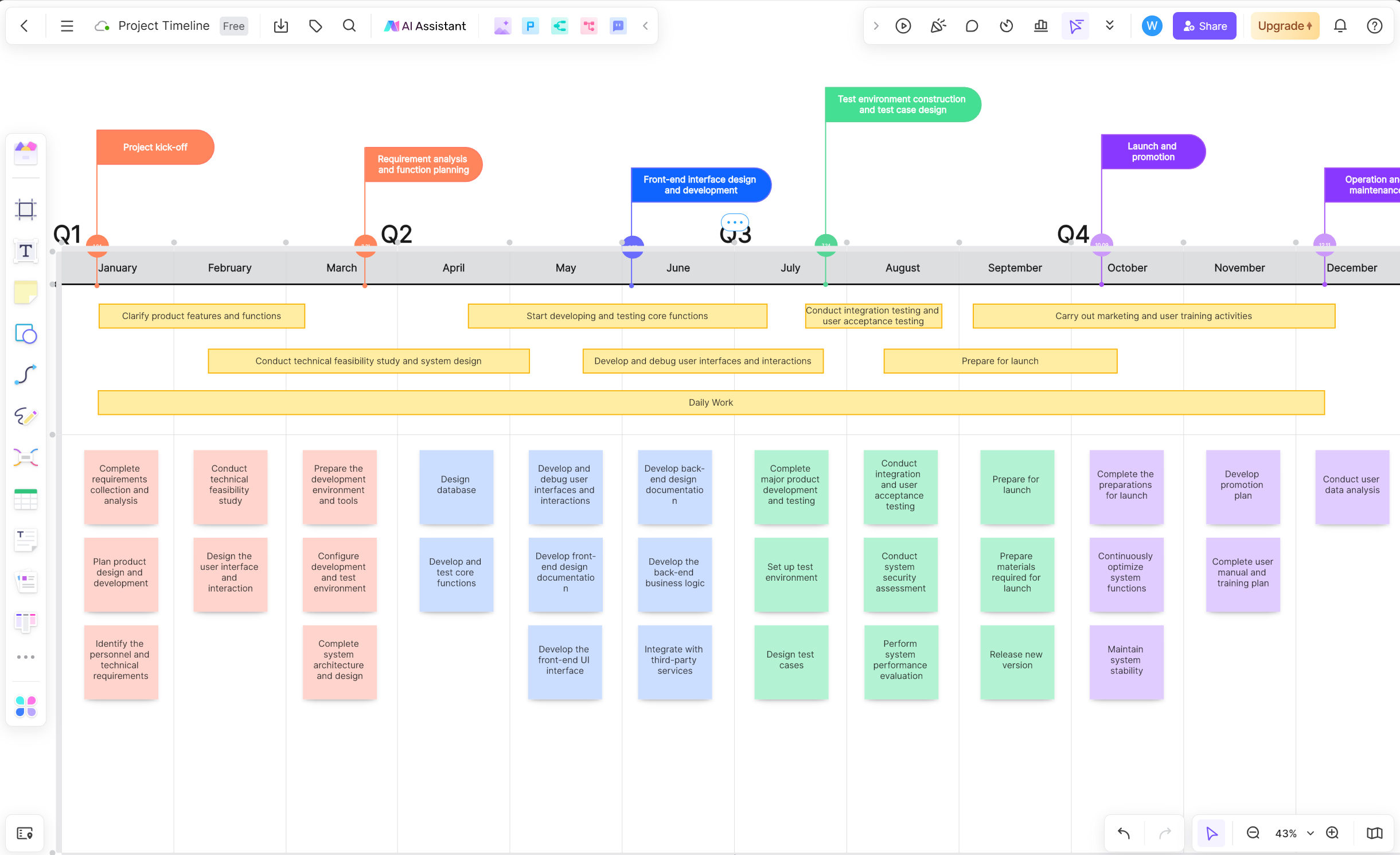
Sprint planning, retrospectives, and story mapping are among the most common recurring uses of a remote whiteboard — Kanban boards and retrospective templates give distributed teams a consistent, visual home for these rituals regardless of where each person is joining from.
Cross-Functional Workshops
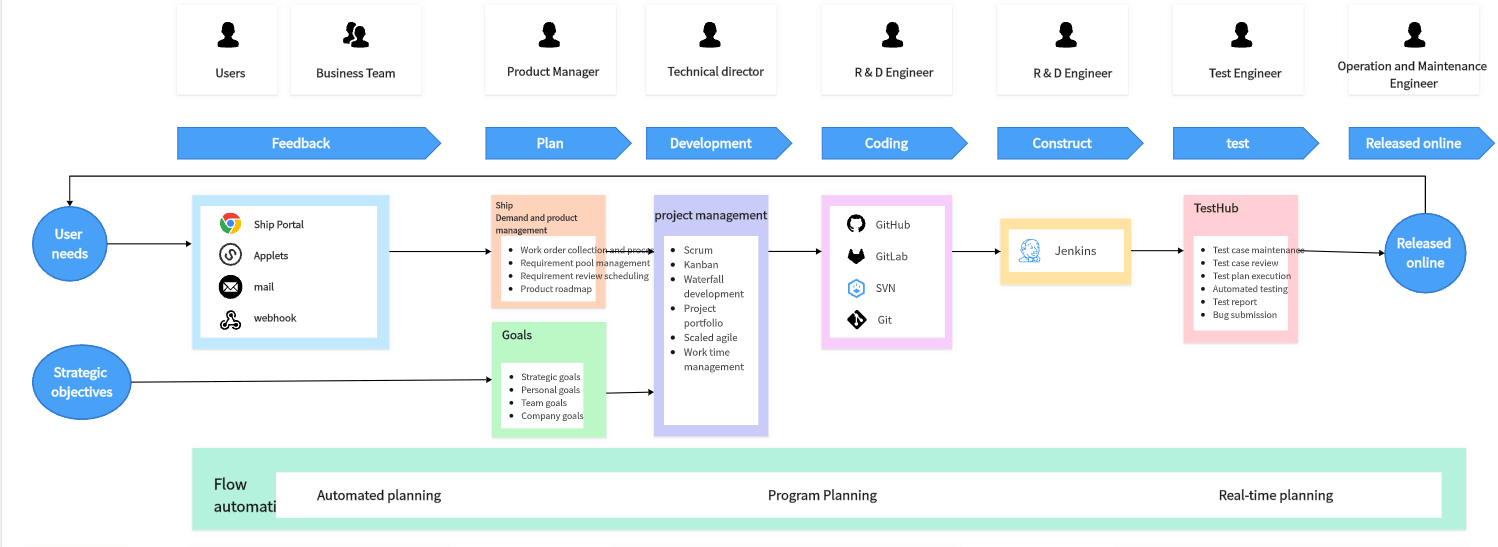
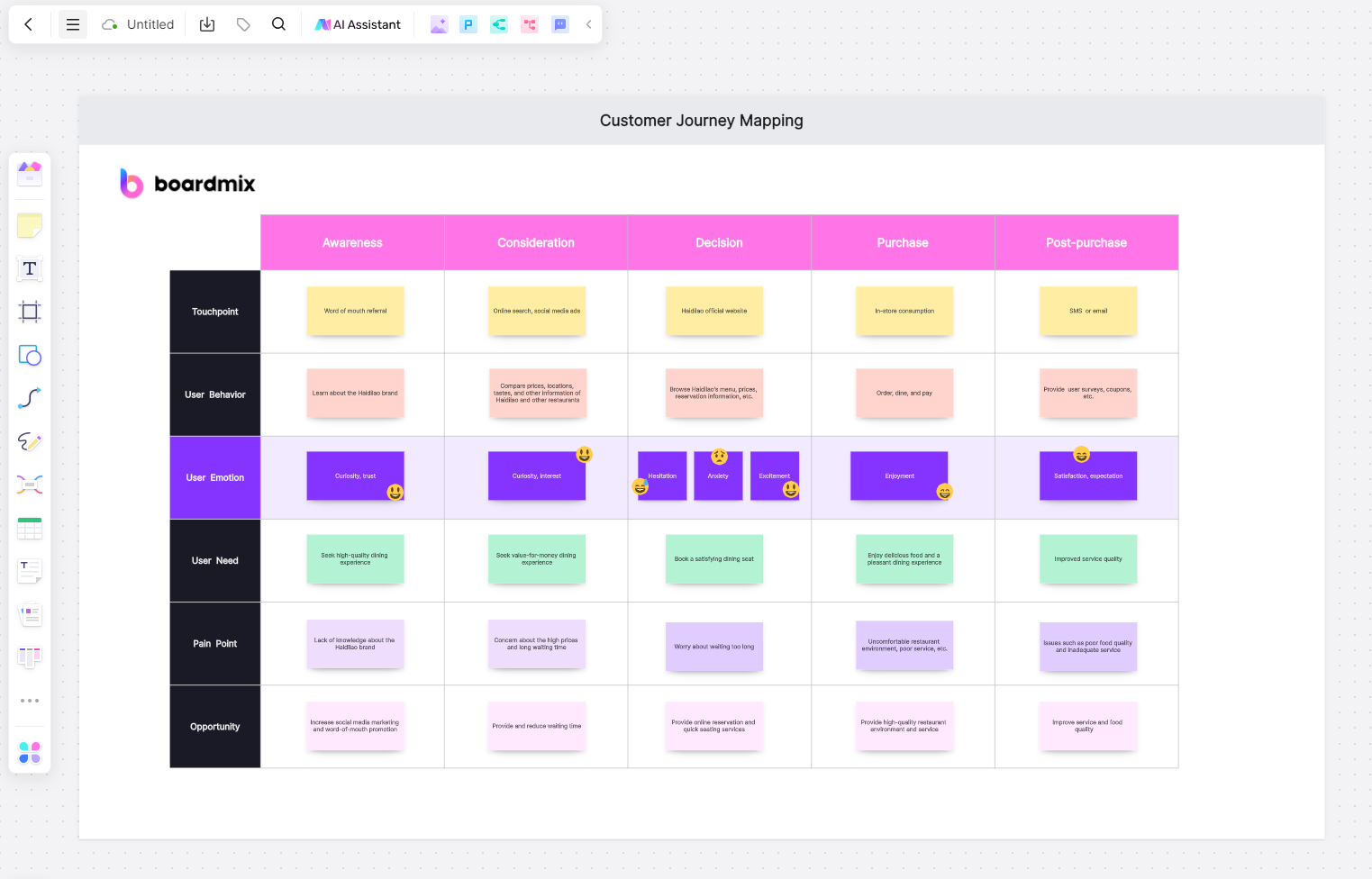
Journey mapping, roadmap planning, and stakeholder alignment sessions benefit enormously from a shared visual space, especially when participants span different departments, functions, and time zones and don't share a common working vocabulary.
Onboarding and Documentation
Persistent boards double as living documentation — a new remote hire can review a team's process map, architecture diagram, or decision log asynchronously, without needing someone to walk them through it live.

Team Building and Informal Connection
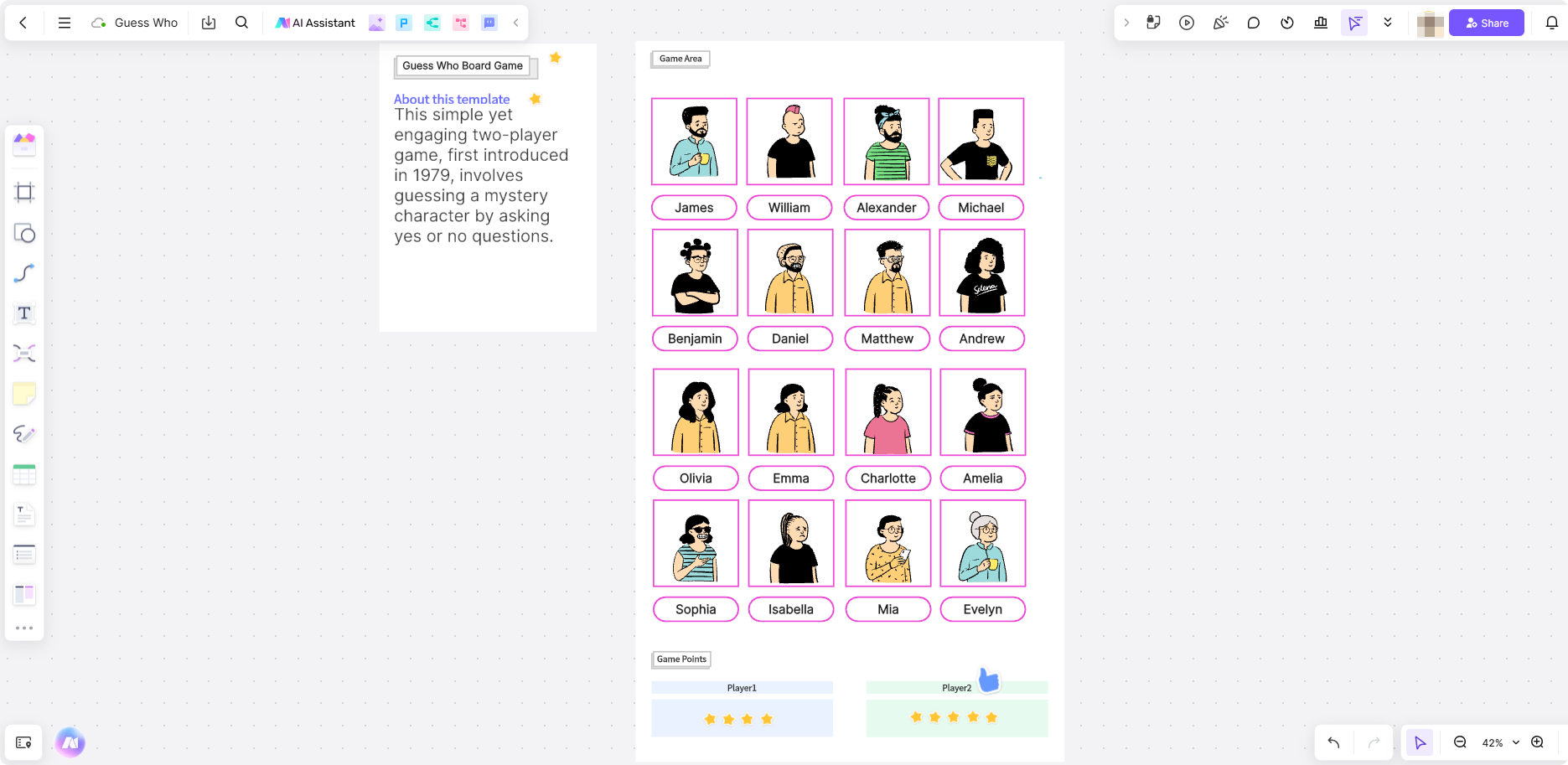
Lighter activities — collaborative drawing games, icebreakers, or informal retrospectives — help remote teammates build the kind of rapport that happens naturally in a physical office but has to be more intentionally created when everyone's distributed.
How Boardmix Supports Remote Team Collaboration
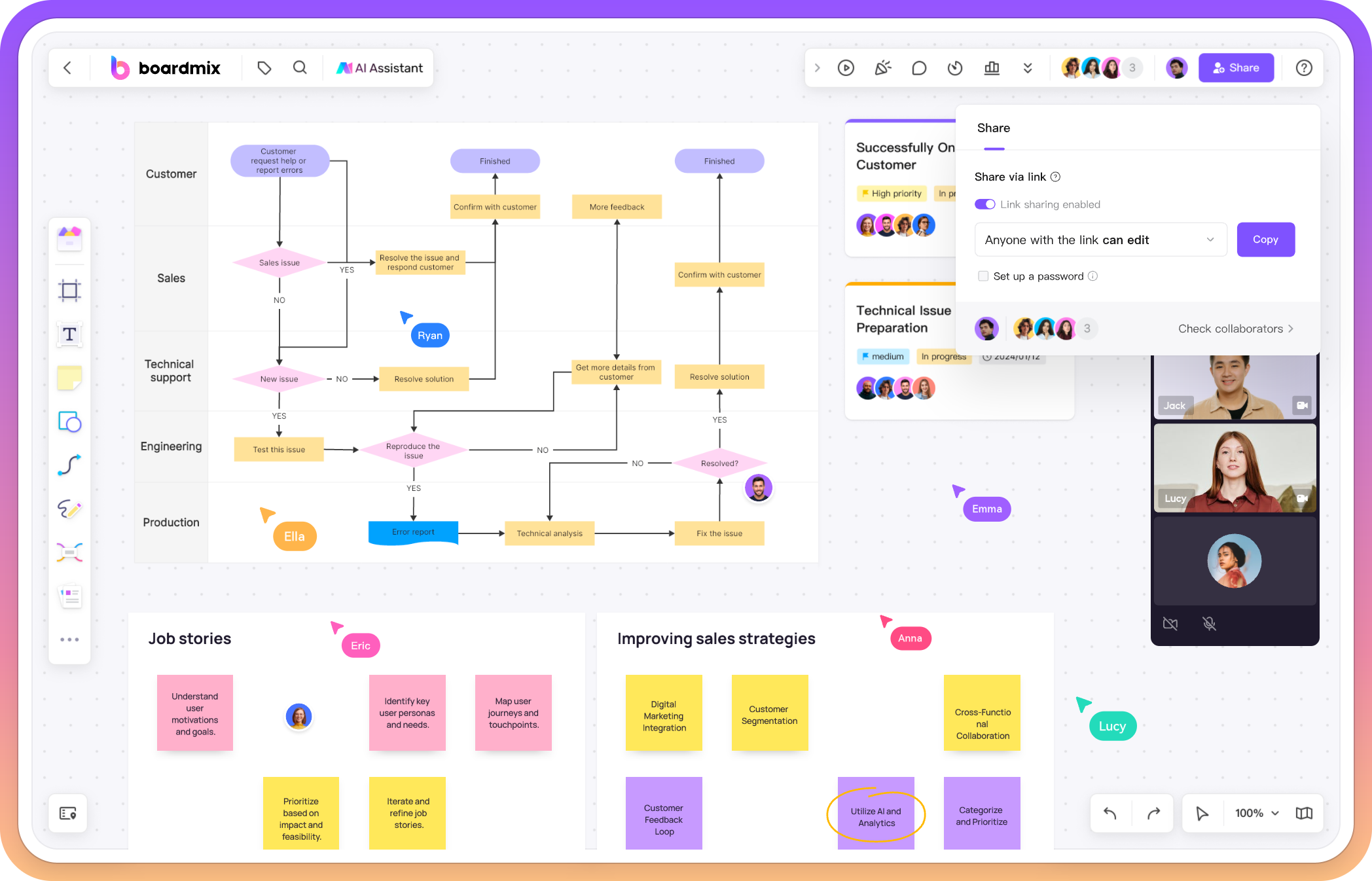
Boardmix is built around the core needs distributed teams run into most often — real-time collaboration, async flexibility, and low-friction access for anyone joining a session, regardless of location or device:
- Real-time co-editing with live cursors: Multiple teammates can work on the same board simultaneously, with visible presence that helps recreate the feeling of working in the same room.
- Comments and async feedback: Teammates in different time zones can leave input on specific board elements without needing to be online at the same time as everyone else.
- Built-in facilitation tools: Timers and voting features support structured, time-boxed exercises that keep remote sessions from losing energy.
- Templates for recurring rituals: Pre-built layouts for retrospectives, sprint planning, journey mapping, and brainstorming save setup time for teams running these sessions regularly across a distributed calendar.
- AI-assisted summarization: For async contributions that pile up over hours or days, Boardmix's AI can help cluster and summarize sticky notes into themes, making it easier for a facilitator to synthesize input that arrived at different times from different time zones.
- Cross-platform access: Available via browser, desktop, and mobile, so team members can contribute from whatever device is available to them, wherever they're working.
- Persistent, revisitable boards: Sessions don't disappear once the call ends — boards remain available for async review, reference, or continued contribution.
The goal isn't to replicate a physical whiteboard exactly — it's to give distributed teams a shared visual space that works with the realities of remote work, rather than assuming everyone can gather live in the same room at the same time.
A Simple Checklist for Running Better Remote Whiteboard Sessions
- Set up the template and prompt before the session starts, so participants aren't watching it get built live.
- Open with a short warm-up to get everyone clicking and contributing early.
- Use a silent, individual work phase before group discussion to balance participation.
- Time-box each exercise with a visible timer to maintain energy.
- Leave the board open after the session for async contributions from teammates who couldn't attend live.
- Close with a clear synthesis or decision, so the session produces an outcome, not just a colorful canvas.
A Ready-to-Run 30-Minute Remote Session
Example goal: Choose one improvement to reduce handoff delays next week. Before the call, create six areas on your board: Question, Evidence, Ideas, Shortlist, Decision, and Actions. Add the question and any relevant evidence. Check that participants can open and edit the board.
- 0–3 minutes — Frame the question. State the decision needed and the time limit. Ask everyone to add a small test note so access problems surface early.
- 3–8 minutes — Write silently. Each person adds up to three ideas, one per note. Prompt: “Where does a handoff stall, and what small change could we test?”
- 8–15 minutes — Group and clarify. Cluster similar notes. Read unclear ideas aloud and ask their authors for a concrete example. Keep new debates in a parking area.
- 15–22 minutes — Compare options. Select two or three candidates. For each, record expected benefit, effort, and one risk. Let each participant mark a preferred experiment; treat that signal as input to the decision.
- 22–27 minutes — Record a provisional decision. Choose an experiment or state what evidence is missing. Write down the reason, an owner, and how the team will judge the result.
- 27–30 minutes — Confirm the next step. Read the decision and action aloud. Share the board link and a clear deadline for absent teammates to comment before the decision is finalized.
Example completed output (illustrative): “Test a five-field handoff checklist on the next two tasks. Owner: the delivery lead. Check-in: next Friday. Success signal: the receiving teammate can begin without asking for a missing brief, file link, acceptance criterion, owner, or deadline. Confirm the decision after the async review window.”
Copy this structure into your board, then replace the example with your team's context. For participants who cannot join live, collect ideas before the call and leave the provisional decision open for review afterward.
Frequently Asked Questions
What's the difference between a whiteboard for remote teams and a regular online whiteboard?
The core canvas technology is often similar, but tools built with remote teams in mind tend to emphasize async collaboration (comments, persistent boards, flexible access) and facilitation features (timers, voting, anonymous notes) more heavily, since these matter far more when a team can't rely on being in the same room, or even the same working hours.
How do you keep a remote whiteboard session from feeling like just another video call?
Giving every participant something active to do — adding sticky notes, voting, sketching — rather than passively watching a shared screen is the biggest factor. Structured techniques with individual work phases tend to outperform open-floor discussion for keeping remote sessions engaging.
Can a whiteboard actually replace in-person collaboration for distributed teams?
It won't replicate every aspect of being physically present, but for most day-to-day collaborative work — brainstorming, planning, diagramming — a well-facilitated whiteboard session comes remarkably close, and its persistence and async flexibility offer advantages a physical whiteboard doesn't have.
What's the best way to include teammates who can't attend a session live due to timezone differences?
Leave the board open before and after the live session for async contributions, use comments and @mentions for feedback that doesn't require real-time presence, and avoid finalizing decisions immediately at the end of a live call if async teammates haven't had a chance to weigh in yet.
Final Thoughts
Distributed teams don't need a whiteboard because it's a nice visual add-on — they need it because so much of real collaborative thinking depends on seeing ideas together, not just hearing about them on a call. The right whiteboard for remote teams closes that gap, giving distributed teammates a shared space to brainstorm, plan, and build together, whether they're online at the same moment or contributing hours apart.
Try Boardmix for your next remote brainstorm, sprint planning session, or cross-timezone workshop, and give your distributed team a shared canvas that works the way remote work actually happens.