The first time you open an infinite canvas, it feels like freedom — no page breaks, no artificial edges, just endless space to think. But that same freedom becomes a real problem a few months in, once a project has grown to hundreds of sticky notes, a dozen diagrams, and three different versions of a roadmap, and nobody on the team can find anything anymore. An infinite canvas doesn't organize itself; without some intentional structure, "unlimited space" quietly turns into "impossible to navigate."
This guide covers practical strategies for keeping a large, growing project usable on an infinite canvas — the organizational habits, navigation tools, and workflows that separate a canvas that scales well from one that becomes a maze.
Why Infinite Canvases Get Messy in the First Place
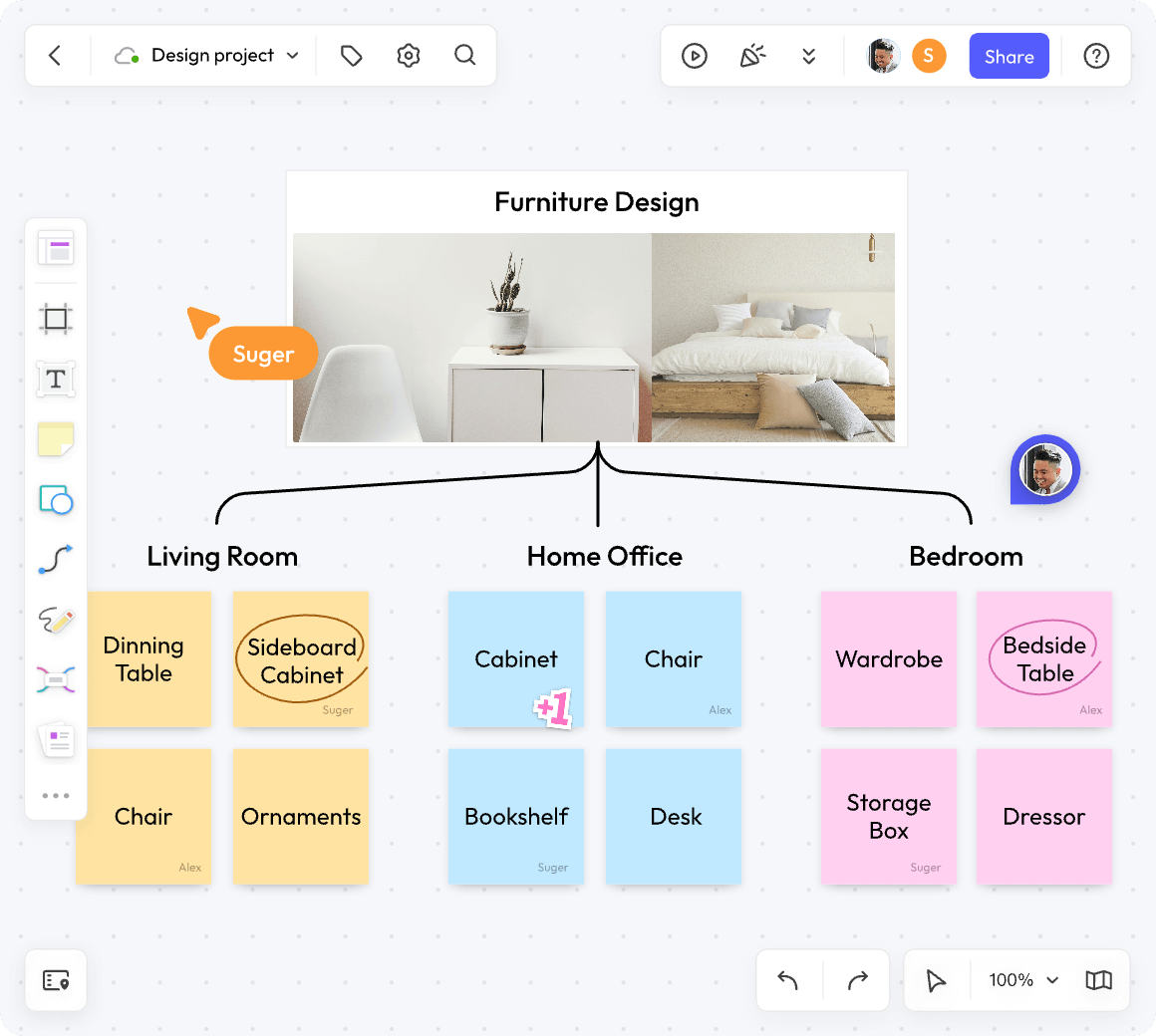
The core appeal of an infinite canvas is also its core risk. Unlike a slide deck or a paginated document, there's no natural stopping point that forces content to be broken into digestible chunks. A few patterns tend to show up as projects grow:
- Content sprawl. Without boundaries, related items drift apart over time as people add things wherever there's open space, rather than where they logically belong.
- No sense of scale. On a canvas with no fixed frame, it's easy to lose track of how big a section actually is relative to the whole project.
- Orphaned content. Old sticky notes, outdated diagrams, and abandoned brainstorm branches pile up because nothing forces cleanup the way archiving a file does.
- Onboarding friction. New team members joining a sprawling board have no obvious entry point, and end up scrolling and zooming just to figure out what they're looking at.
None of this means the infinite canvas format is flawed — it means it needs the same kind of intentional structure that any large workspace needs, digital or physical.
Principle 1: Zone Your Canvas Like a City, Not a Pile
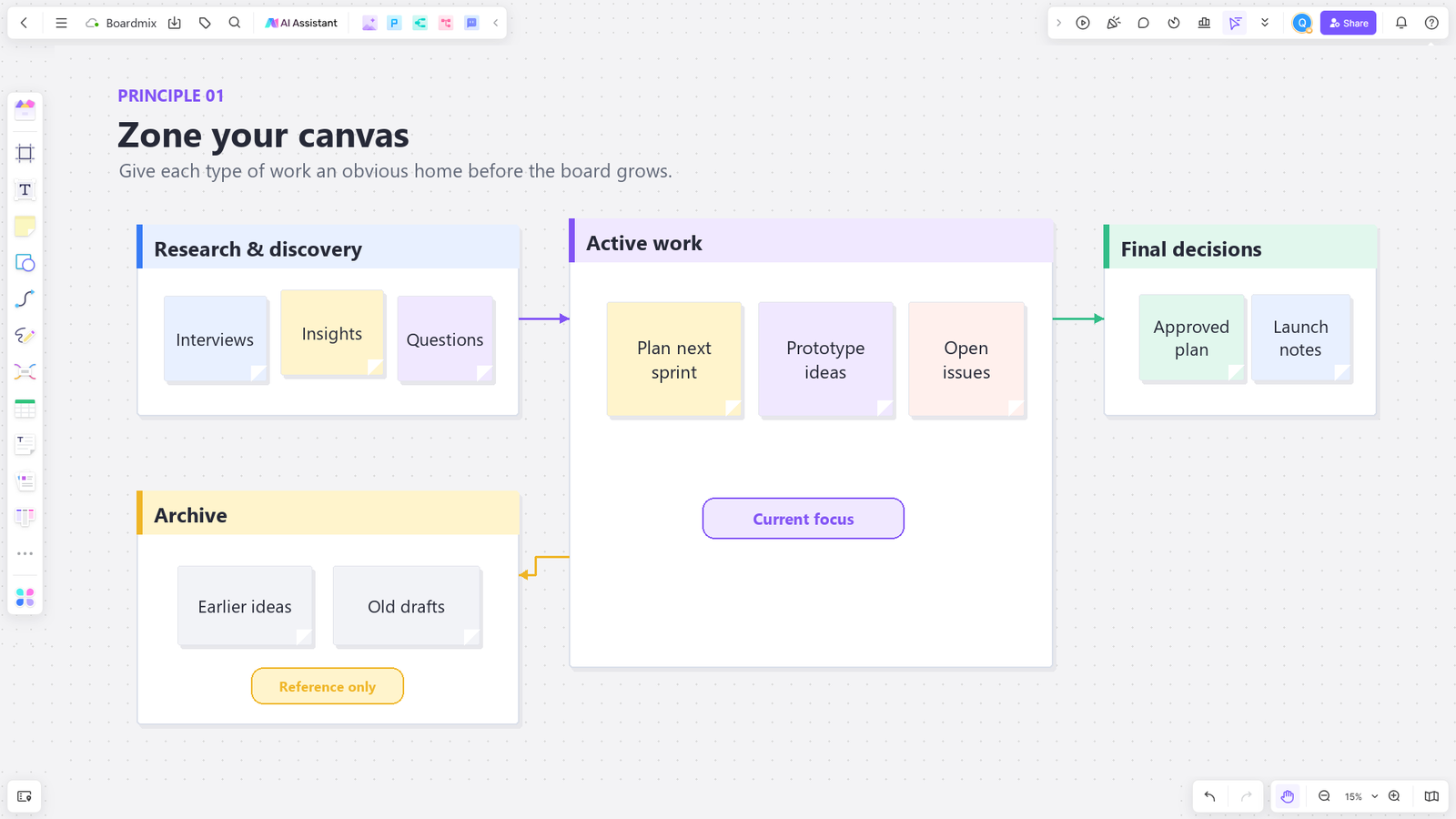
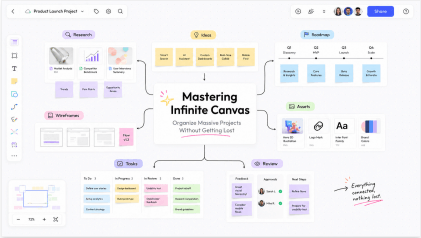
The single most effective habit for taming a large canvas is establishing clear zones early — dedicated regions for specific purposes, the same way a city has distinct neighborhoods rather than buildings scattered at random. Before content starts accumulating, decide roughly where different types of work will live: research and discovery in one area, active work-in-progress in another, finalized or archived material somewhere clearly separated from both.
This doesn't need to be rigid. The point is giving people a mental map of the canvas before it gets dense, so that as new content is added, it has an obvious home rather than landing wherever there's empty space at the time.
Principle 2: Use Frames and Sections as Visual Containers
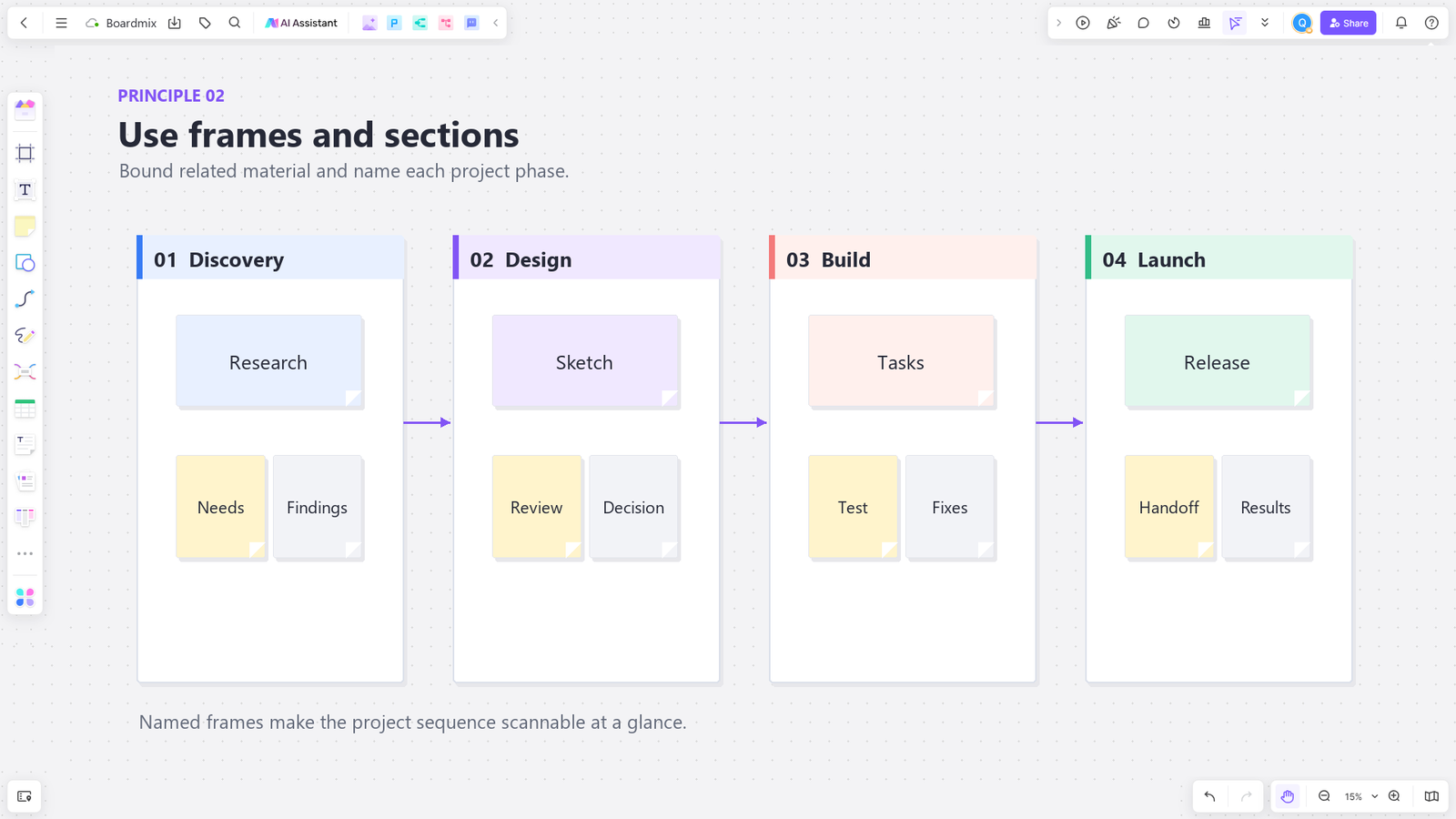
Most modern infinite canvas tools, including Boardmix, support frames — bounded regions that group related content and can be individually named, moved, or exported. Frames function as the infinite canvas equivalent of folders or pages: they give structure to an otherwise boundary-less space without sacrificing the flexibility that makes an infinite canvas useful in the first place.
Practical ways to use frames on a large project:
- One frame per project phase (Discovery, Design, Build, Launch) so the canvas visually tells the story of how the project has progressed.
- One frame per team or workstream, so each group has clear ownership over their section without stepping on others' work.
- One frame per meeting or session, preserving a snapshot of what was discussed without merging it into the main working area.
Frames also make navigation dramatically easier — jumping between named frames is far faster than scrolling and zooming across an undifferentiated canvas hoping to stumble on the right section. When you need to explain the work to an audience, plan a short presentation route through the whiteboard instead of touring every frame; choose the evidence that supports the decision you need.
Principle 3: Establish a Visual Hierarchy
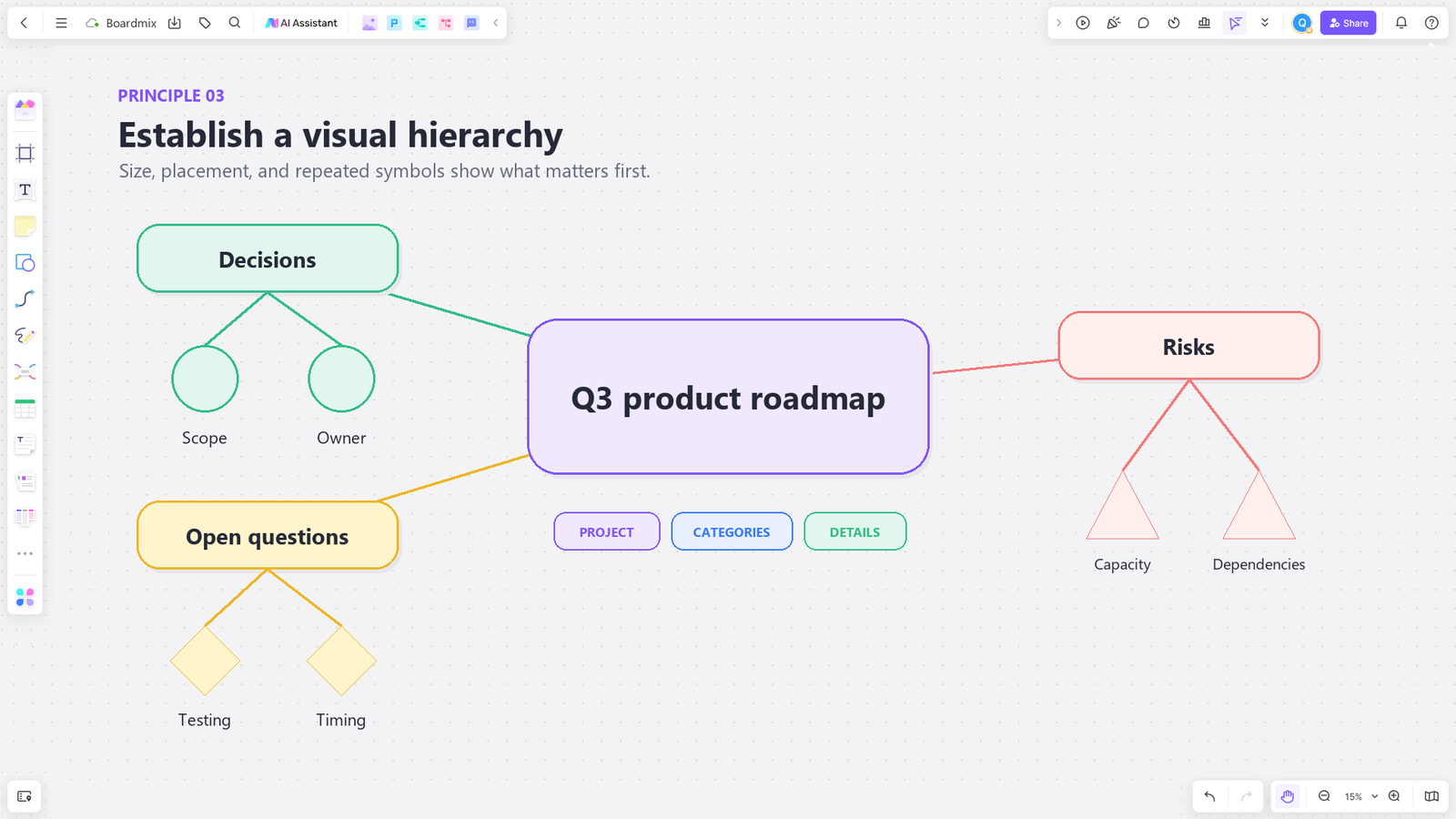
Not everything on a large canvas deserves equal visual weight. Establishing a consistent hierarchy — through size, color, and placement — helps anyone looking at the board understand what matters most at a glance, rather than needing to read every element individually.
A few conventions worth adopting as a team standard:
- Color-code by status or category. For example, green for approved, yellow for in review, gray for archived — consistent across the whole canvas so the meaning doesn't need to be relearned in each section.
- Size signals importance. Larger elements or headers for major sections, smaller elements for supporting detail, so the canvas has a visual reading order.
- Consistent iconography. Using the same icon or shape for the same type of content (a decision, a risk, an open question) across the entire project makes scanning much faster once the team is used to the pattern.
Principle 4: Build in Navigation Aids
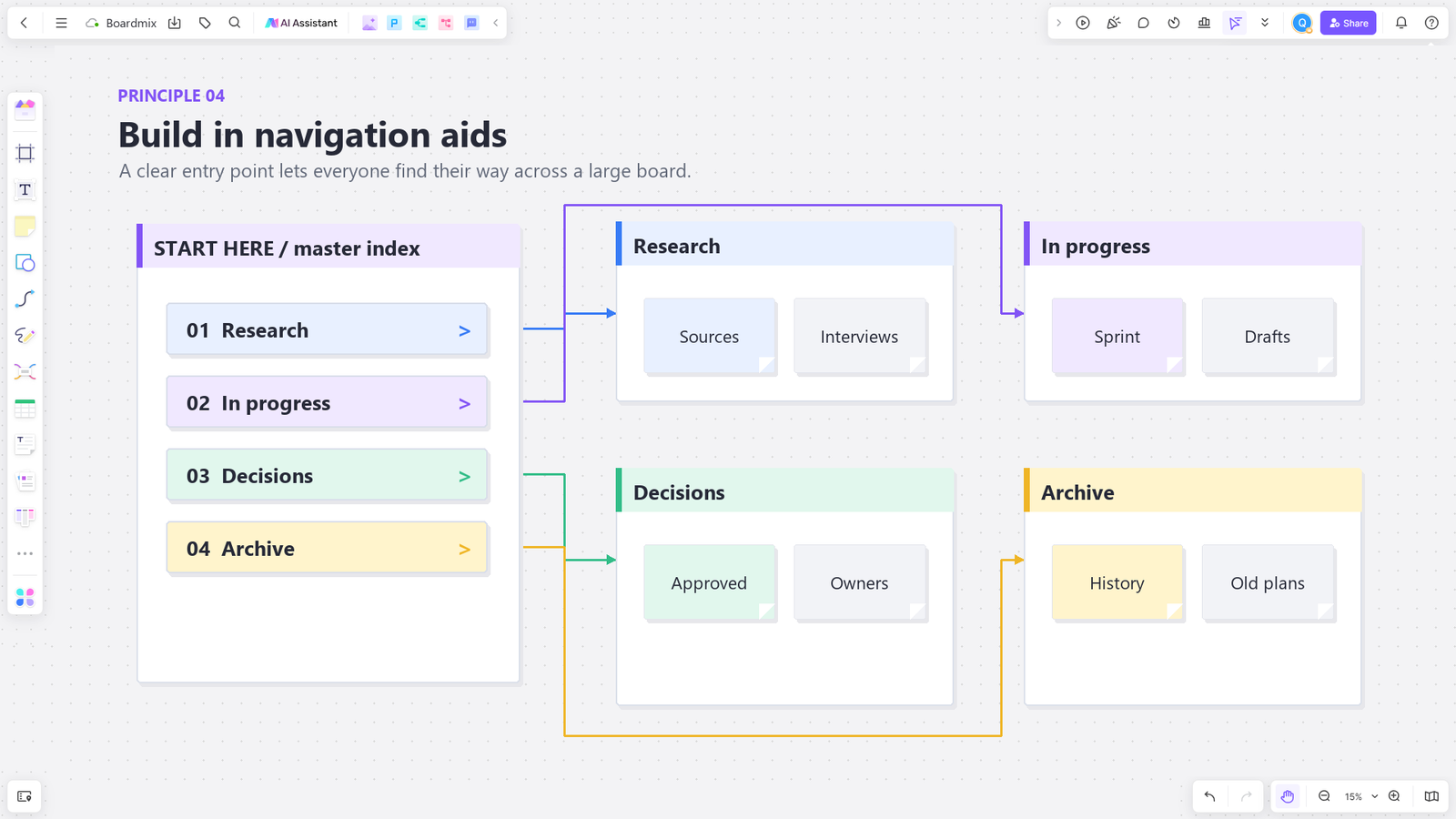
Even a well-organized canvas needs a way for people to find their bearings quickly, especially as it grows past what fits on a single screen. A few navigation aids worth setting up early:
- A master index or table of contents area. A dedicated section near the entry point of the canvas that links or points to each major frame, functioning like a homepage for the whole project.
- Consistent zoom levels for review. Encouraging the team to view the canvas at a "zoomed out" level for orientation before zooming into specific sections helps prevent the disorientation of scrolling blindly.
- Named frames and clear labels. A frame titled "Q3 Roadmap — Final" is far more useful six months later than an unlabeled cluster of boxes that requires guesswork to identify.
Boardmix supports jumping directly between named frames, which turns this navigation problem into something closer to clicking through tabs than manually scrolling across a sprawling canvas — a meaningful difference once a project has grown past a few dozen sections.
Principle 5: Archive Instead of Delete
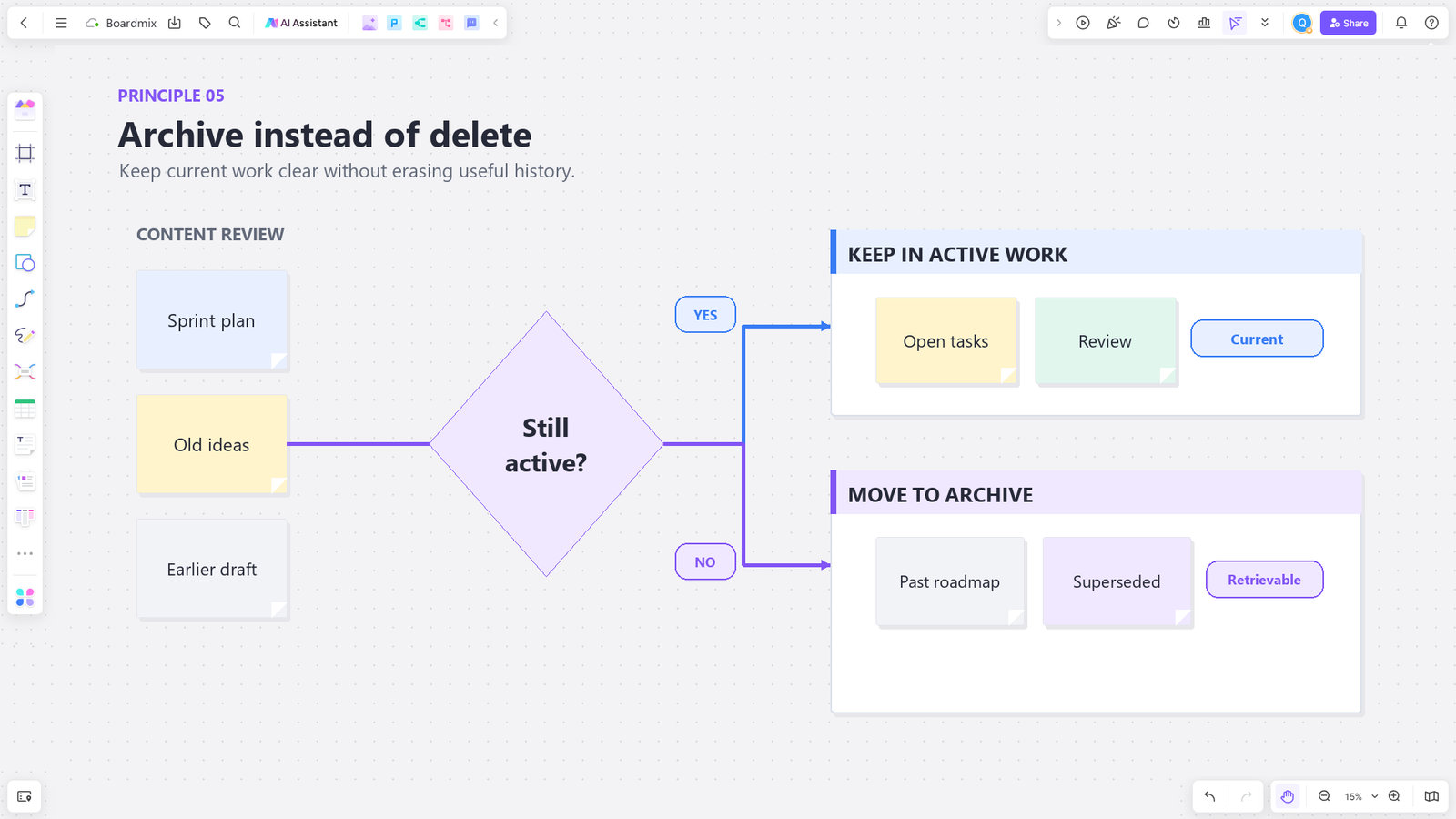
One reason canvases get cluttered is that teams are reluctant to delete anything — old ideas might be useful later, and nobody wants to be the person who erased something important. The solution isn't forcing more deletion; it's creating a clear archive zone where outdated or inactive content can move without disappearing entirely.
A simple convention — a dedicated "Archive" frame at the edge of the canvas — keeps the active working area clean while preserving history for anyone who needs to reference it later. This is particularly useful for long-running projects where old brainstorms or superseded plans still have value as context, even after they're no longer actionable.
Principle 6: Set Team Conventions Early, Not After It's Already Messy
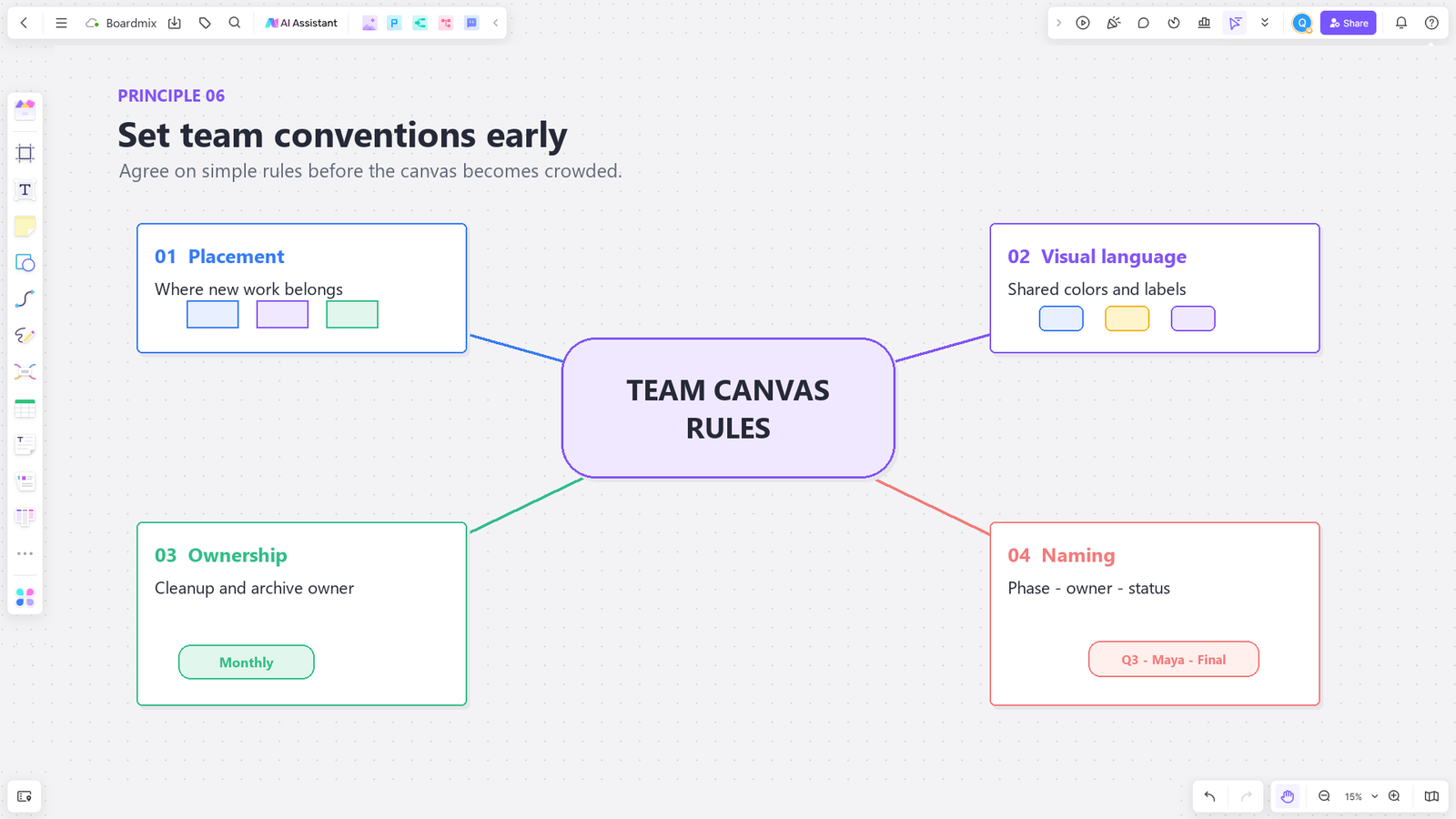
Most of the organizational problems that show up on a large infinite canvas trace back to the same root cause: the team never agreed on conventions before content started piling up. Retrofitting structure onto an already-sprawling canvas is possible, but it's considerably more work than establishing a few simple rules at the outset.
Worth agreeing on as a team before a large project kicks off:
- Where new content should be added (and where it shouldn't)
- A shared color and labeling system
- Who's responsible for periodic cleanup or archiving
- Naming conventions for frames, so search and navigation stay predictable
These conventions don't need to be elaborate — even a short, shared agreement goes a long way toward keeping a canvas usable months into a project, long after the initial structure would otherwise have been forgotten.
How Boardmix Helps Manage Large Projects on an Infinite Canvas
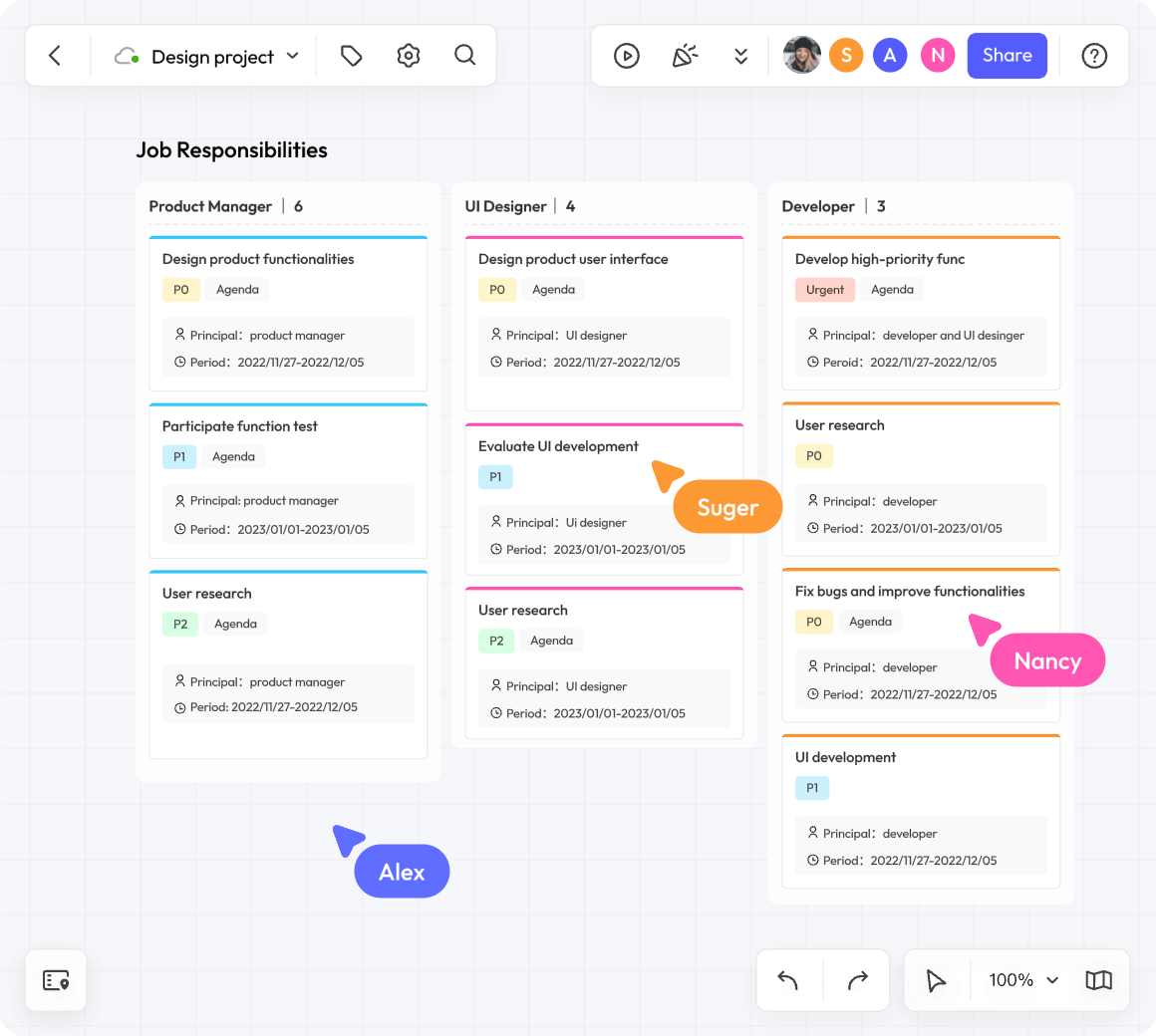
Boardmix is built around the same infinite canvas concept that makes tools like this valuable in the first place — unlimited space to think, plan, and collaborate — but with specific features designed to keep that space usable as projects scale:
- Frames and sections: Content can be grouped into named, movable frames, giving structure to the canvas without limiting its flexibility — the core tool for implementing the zoning and hierarchy principles above.
- Fast navigation between frames: Jumping directly to a named section is far quicker than manually scrolling and zooming across a dense canvas.
- Multiple connected boards: For truly massive projects, Boardmix supports organizing work across multiple linked boards, so a single infinite canvas doesn't have to carry the weight of an entire company's projects.
- Templates for common structures: Pre-built layouts for roadmaps, retrospectives, and project trackers give teams a sensible starting structure instead of a blank, boundary-less space.
- AI-assisted organization: Boardmix's AI tools can help summarize and cluster large volumes of sticky notes into themes, which is particularly useful for taming a canvas that's already grown sprawling before better habits were put in place.
- Real-time collaboration with permissions: Team members can be given access to specific frames or sections, which supports the zoning approach by keeping ownership clear as multiple people work on the same infinite canvas simultaneously.
The goal of these features isn't to constrain the infinite canvas — it's to give teams the scaffolding to use that unlimited space intentionally, rather than letting it default into an unnavigable sprawl as a project grows.
A Simple Checklist for Keeping a Large Canvas Organized
- Set up named frames or zones before content starts accumulating.
- Agree on a shared color-coding and labeling system as a team.
- Build a master index or entry point that links to major sections.
- Establish an archive zone for outdated content instead of deleting or letting it pile up in the active area.
- Schedule periodic cleanup — even a quick pass every sprint or month prevents major sprawl later.
- Use consistent naming conventions so search and navigation stay predictable as the canvas grows.
Frequently Asked Questions
How big can an infinite canvas actually get before it becomes unusable?
There's no hard technical limit in most modern tools, but usability tends to break down well before any technical ceiling — usually once a canvas has grown large enough that navigation and search become harder than the content itself. Good organizational habits, not the tool's capacity, are what determine how large a canvas can grow while staying usable.
Should every project use frames from the very beginning?
For small, short-lived boards, informal organization is often fine. For any project expected to grow over weeks or months, or involve more than a handful of people, setting up frames early saves significant reorganization work later.
What's the best way to clean up a canvas that's already gotten messy?
Start by creating an archive frame and moving clearly outdated content there first — this alone often resolves most of the visual clutter. From there, establish zones for the remaining active content and apply consistent labeling going forward, rather than trying to perfectly reorganize everything retroactively in one pass.
Can multiple teams share one infinite canvas without it becoming chaotic?
Yes, as long as clear zoning and ownership conventions are established upfront. Assigning each team or workstream its own frame, along with permission settings that clarify who can edit which sections, prevents the overlap and confusion that tends to happen when multiple groups share an unstructured space.
Final Thoughts
An infinite canvas is one of the most powerful formats for visual collaboration precisely because it removes artificial limits — but that same lack of limits means organization has to be intentional rather than assumed. Zoning, frames, visual hierarchy, and a few shared team conventions are what turn an infinite canvas from a space that gets messier over time into one that scales gracefully alongside a growing project.
Try Boardmix's infinite canvas with built-in frames and navigation tools to keep your next large project organized from day one, not just after it's already become a maze.