Anyone who's sat through a brainstorm that produced three sticky notes and a lot of awkward silence knows that "let's brainstorm" isn't actually a technique — it's a hope. Real creative output tends to come from structure, not the absence of it. A good facilitation method gives people permission to think loosely while still moving the group toward something usable.
Online whiteboards have become the default setting for this kind of work, especially for distributed teams, because they combine an unlimited canvas with the visual, tactile feel of sticky notes and markers — without needing everyone in the same room. This guide covers ten proven brainstorming techniques you can run on a digital whiteboard, what each one is good for, and how to facilitate them well.
Why Structure Makes Brainstorming Better, Not Worse
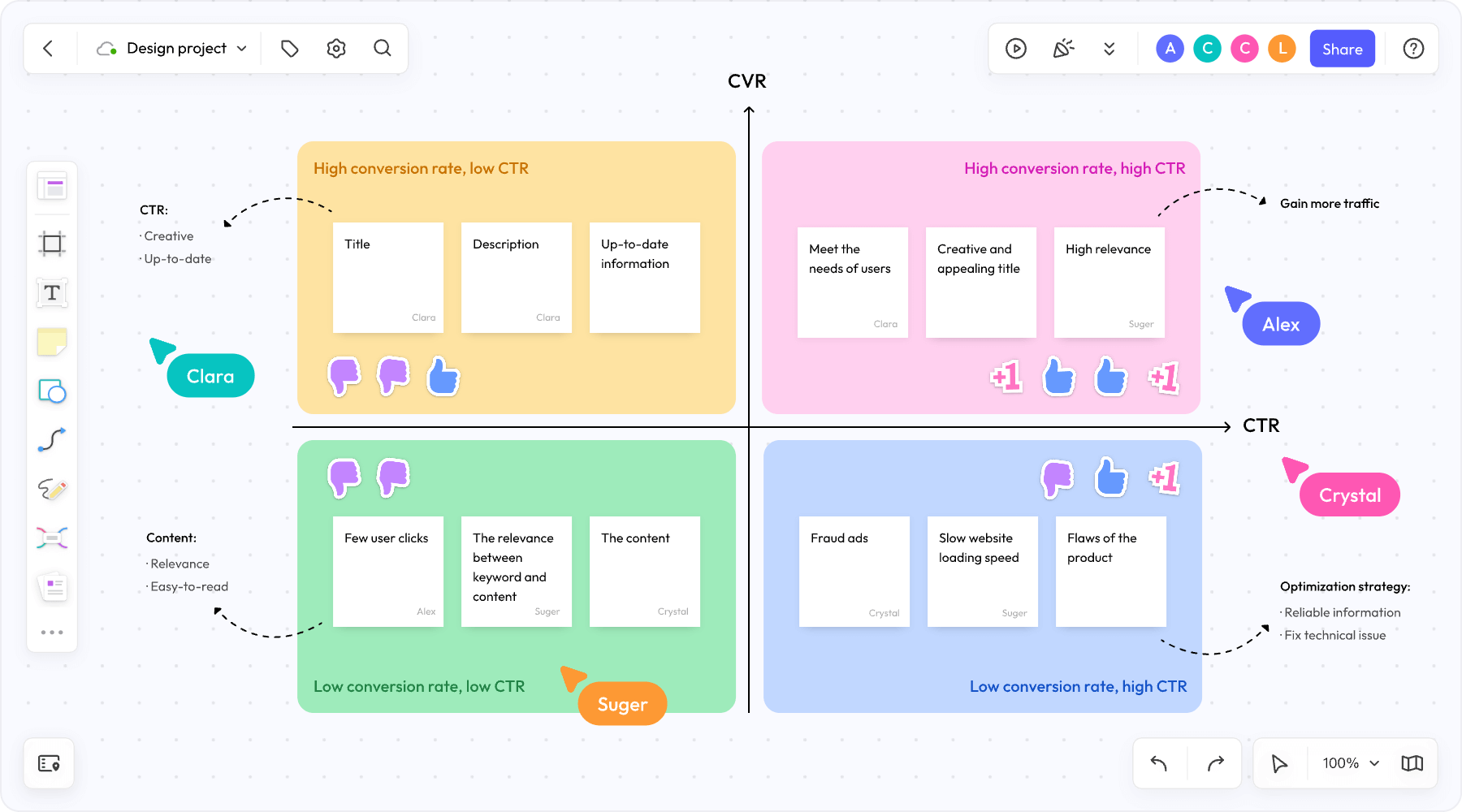
It's a common misconception that structure kills creativity. In practice, the opposite tends to be true: unstructured brainstorms often default to whoever speaks first or loudest, while a defined technique — a time limit, a prompt, a specific format — gives quieter participants a clear way to contribute and keeps the group from circling the same one or two ideas.
Online whiteboards are particularly well suited to structured brainstorming because they let a facilitator set up the format in advance — a template, color-coded sections, a timer — so the group can drop straight into the exercise instead of spending the first ten minutes figuring out what they're supposed to be doing.
1. Mind Mapping
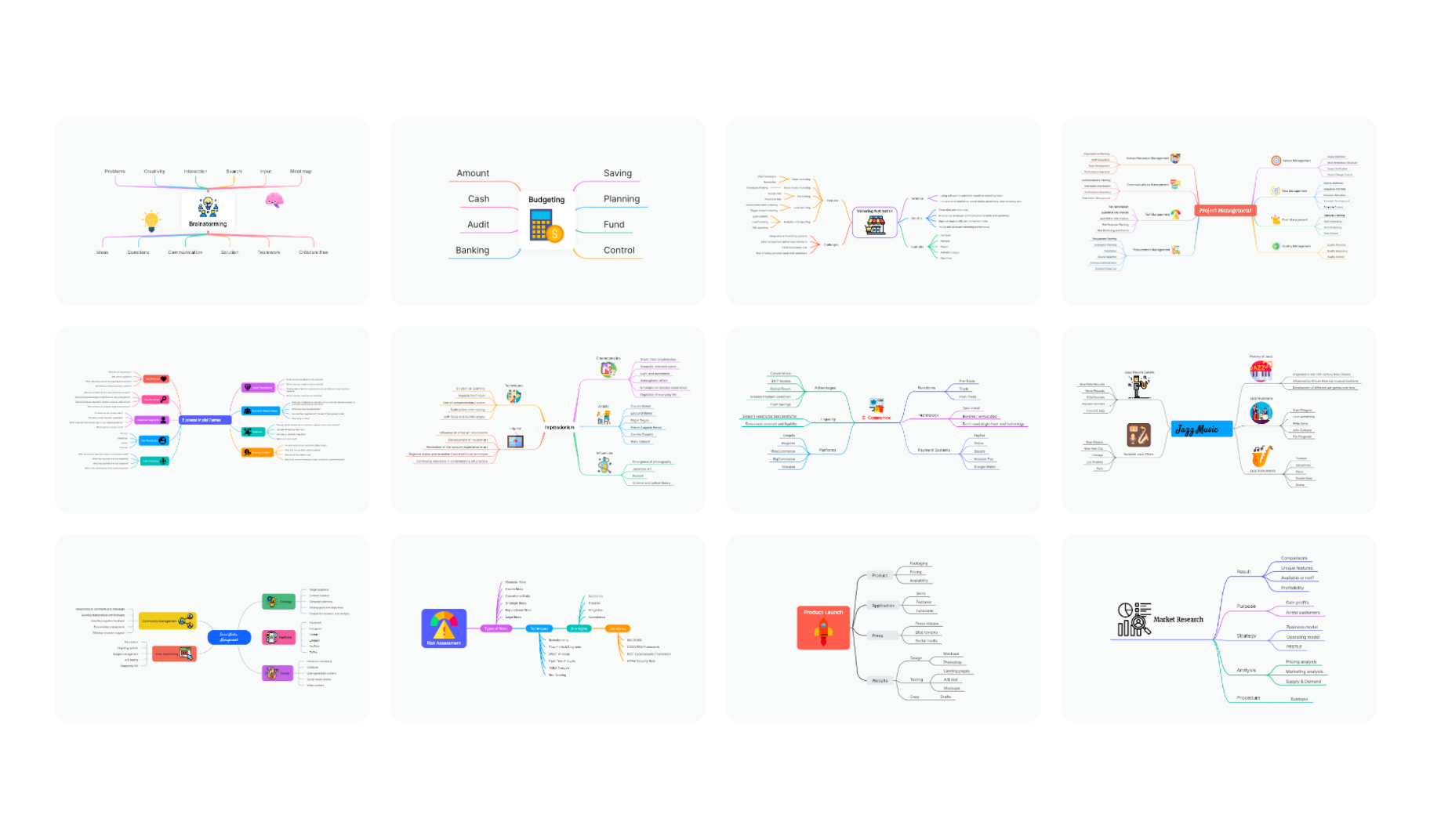
Mind mapping starts with a central idea or problem in the middle of the canvas, with related concepts branching outward. It's one of the most intuitive brainstorming formats because it mirrors how people naturally associate ideas — one thought leads to another, and the visual branches make those connections easy to trace.
Best for: Exploring a single topic in depth, breaking down a broad problem into sub-topics, or organizing existing ideas into categories.
How to run it on a whiteboard: Place the central topic in the middle of the canvas, then have participants add branches individually or as a group. On an infinite canvas, branches can keep expanding without running out of room — something that's much harder to manage on a physical whiteboard once you run out of wall space.
Boardmix tip: Boardmix's mind mapping tool includes auto-layout, so branches stay organized as they're added, and its AI can generate a starting mind map from a single prompt — useful for quickly populating a rough structure before the group refines it together.
2. Affinity Mapping (Silent Brainstorming + Clustering)
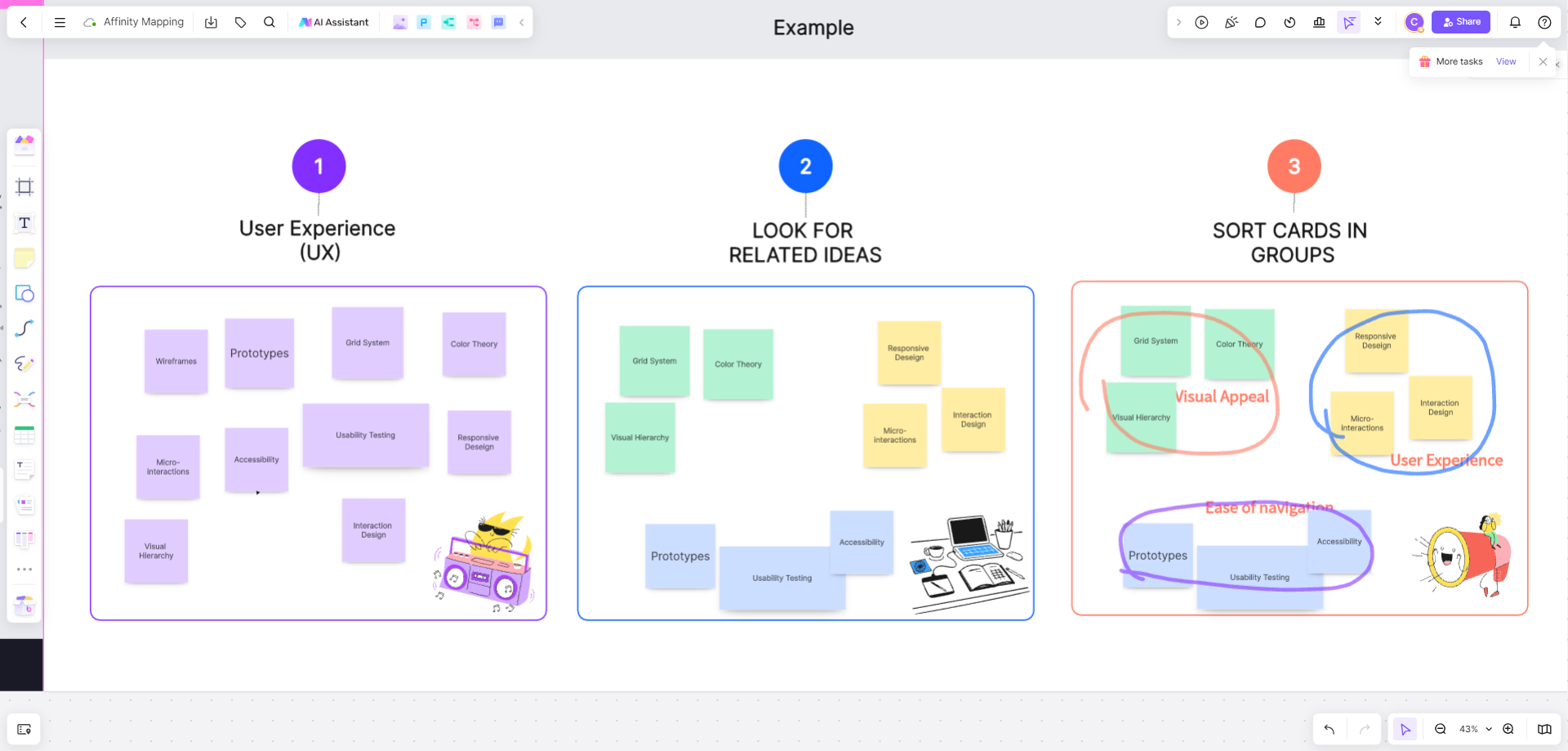
Affinity mapping starts with everyone silently adding ideas as individual sticky notes, then the group works together to cluster similar notes into themes. The silent phase is the key ingredient — it prevents groupthink and gives every participant equal airtime before discussion begins.
Best for: Synthesizing large volumes of input, such as customer feedback, research notes, or open-ended brainstorm responses, into clear themes.
How to run it on a whiteboard: Give participants a set time (5–10 minutes) to add sticky notes independently, then open the floor to drag similar notes into clusters together, naming each cluster once patterns emerge.
Boardmix tip: For large sessions with dozens of sticky notes, Boardmix's AI summarization can help identify themes automatically, giving the group a starting point for clustering rather than sorting everything manually from scratch.
3. Crazy 8s
Crazy 8s is a rapid sketching exercise: each participant folds a page (or a section of the canvas) into 8 parts and sketches 8 different ideas or variations in a short, timed window — often 8 minutes. The speed is intentional; it forces people past their first, most obvious idea.
For a complete Crazy 8s exercise and eight-sketch example, follow one coffee-pickup problem through eight distinct ideas, then compare what each sketch helps the customer understand.
Best for: Generating a wide range of design or concept variations quickly, especially useful in early-stage UX and product design work.
How to run it on a whiteboard: Set up 8 equal sections per participant on the canvas in advance, start a visible timer, and have everyone sketch simultaneously. Review as a group afterward, discussing which elements are worth combining or developing further.
Boardmix tip: A built-in timer keeps the exercise honest — the time pressure is what makes Crazy 8s work, and it's easy for sessions to lose that energy without a visible countdown.
4. Brainwriting (6-3-5 Method)
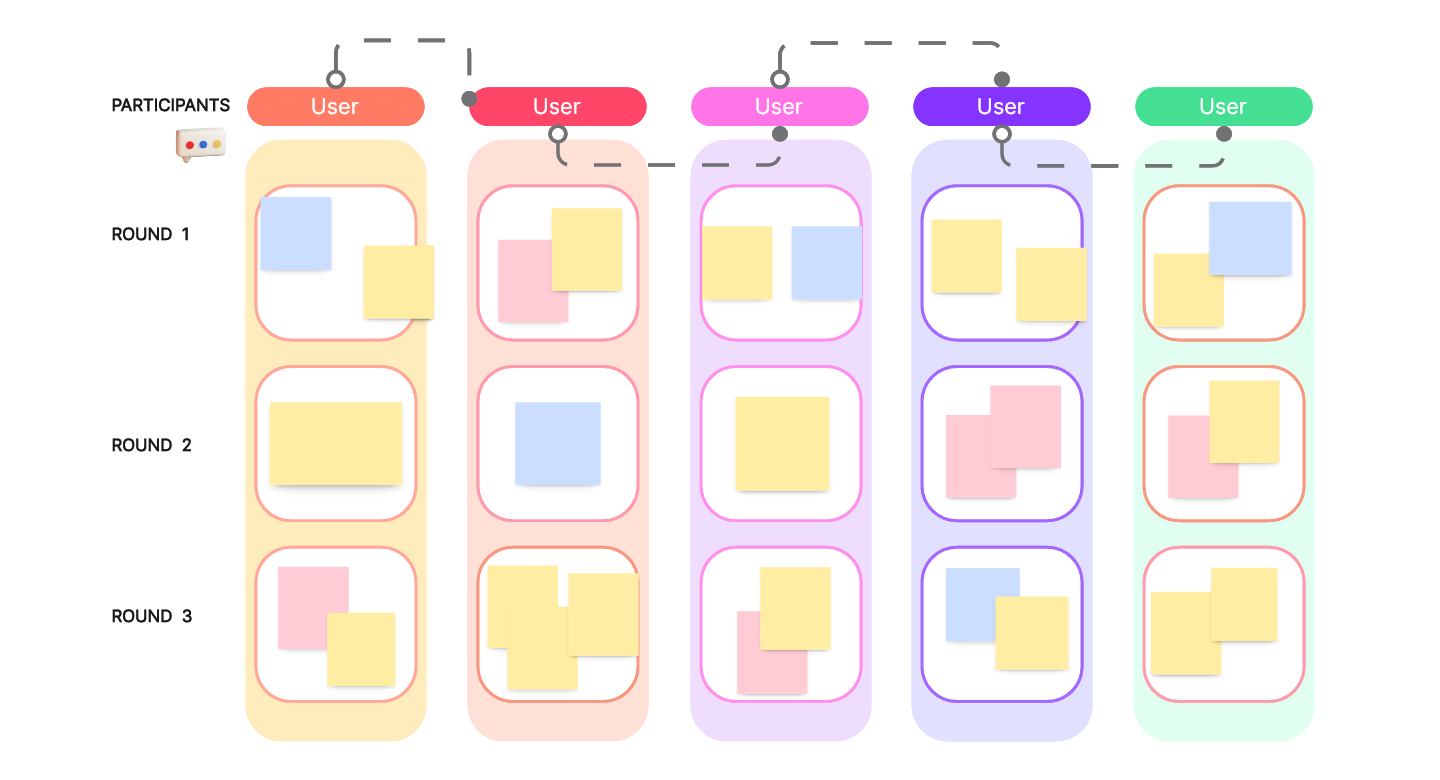
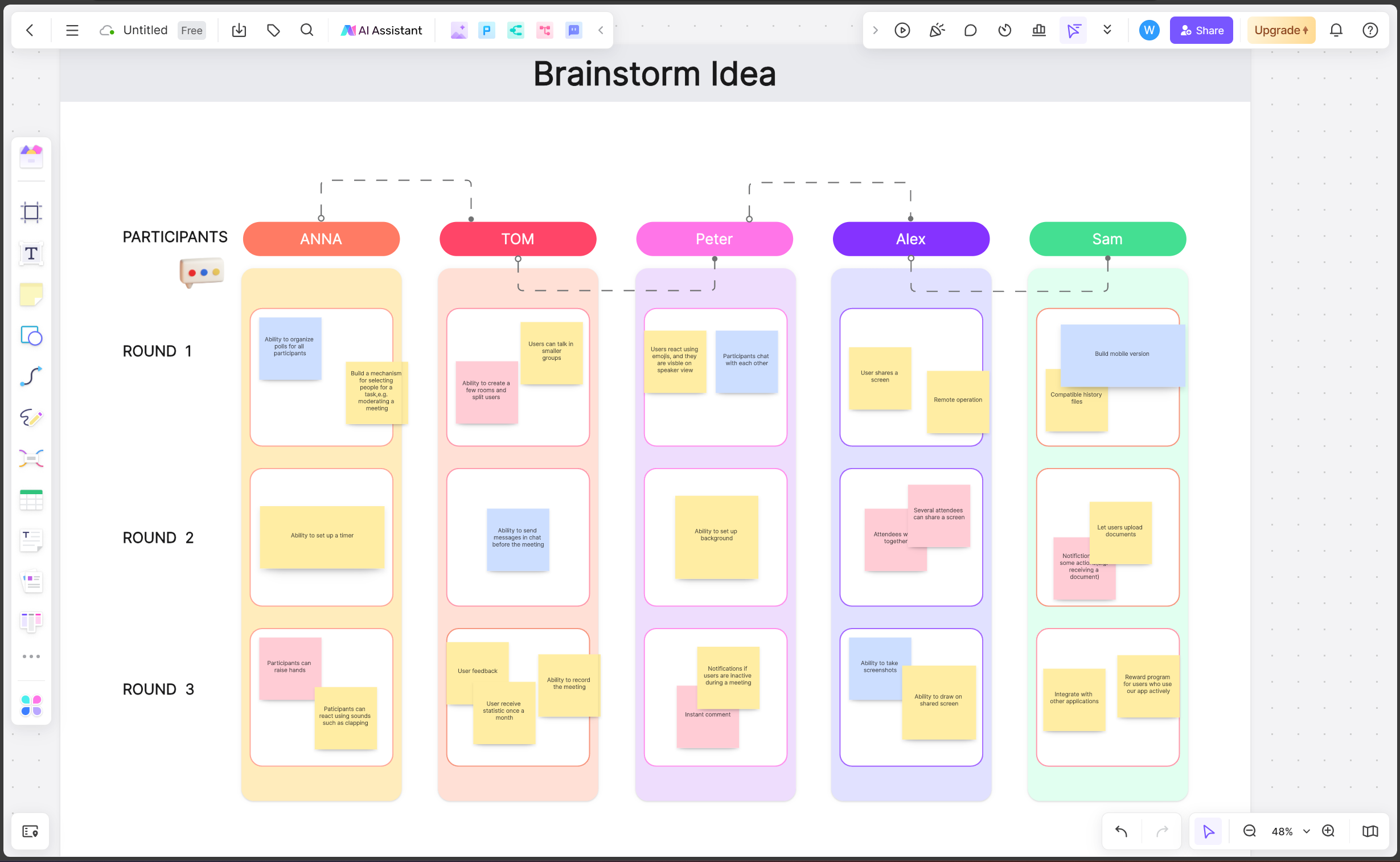
Brainwriting is a written alternative to verbal brainstorming, designed to solve the problem of a few voices dominating the conversation. In the classic 6-3-5 format, 6 participants each write 3 ideas in 5 minutes, then pass their ideas to the next person, who builds on them — repeated over several rounds.
Best for: Groups with a mix of introverted and extroverted participants, or teams where a few voices tend to dominate discussions.
How to run it on a whiteboard: Set up individual sections for each participant, have them add their initial ideas, then rotate which section each person builds on next — easy to do virtually by simply having participants move to a different area of the canvas each round.
Boardmix tip: Anonymous sticky notes can help further reduce social pressure, letting participants build on ideas based on merit rather than who suggested them.
5. SCAMPER
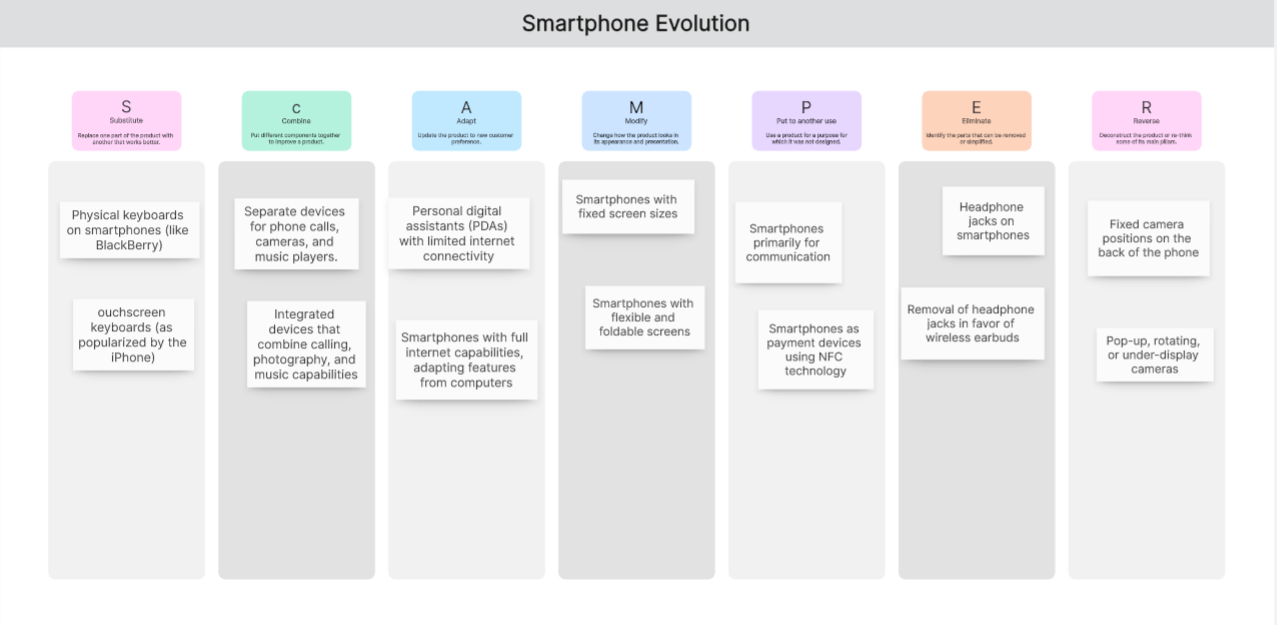
SCAMPER is a checklist-based technique for pushing past an initial idea by systematically asking: Substitute, Combine, Adapt, Modify, Put to another use, Eliminate, Reverse. Each letter prompts a different angle on an existing product, feature, or concept.
Best for: Iterating on an existing idea or product rather than starting from a blank page — particularly useful when a team feels stuck on incremental improvements.
How to run it on a whiteboard: Set up seven sections labeled with each SCAMPER prompt, and have the group add ideas to each one in turn, working through the existing concept systematically.
6. The "How Might We" (HMW) Method
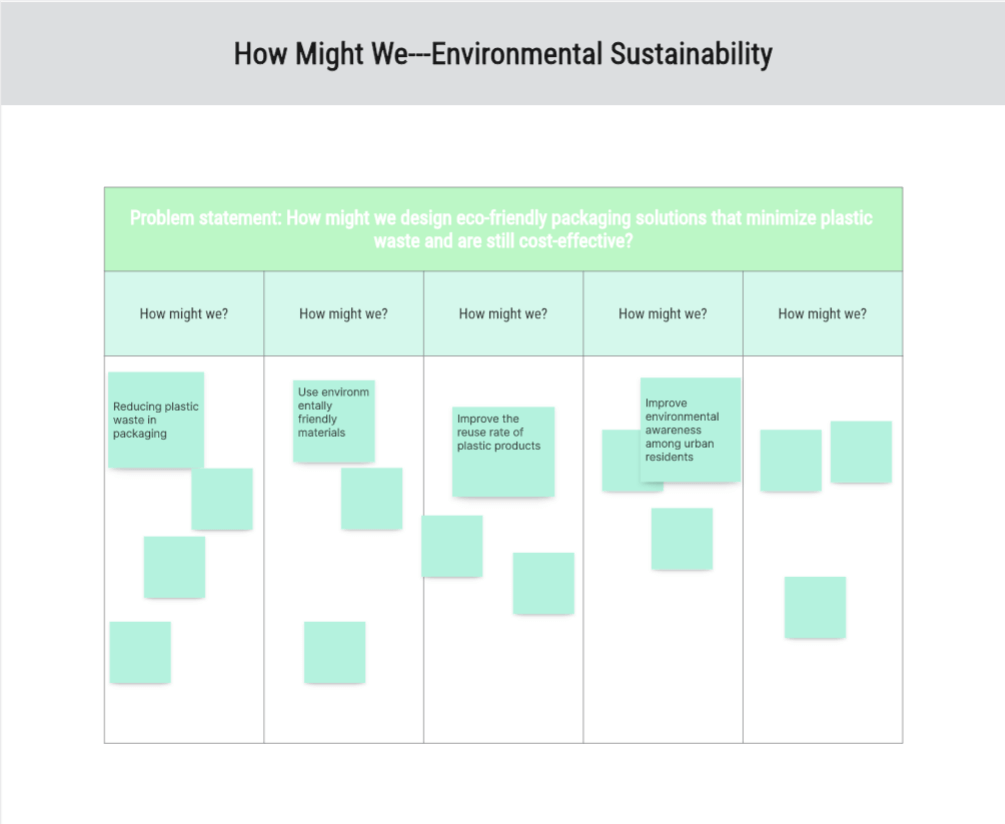
Popularized by design thinking practitioners, HMW reframes problems as open-ended opportunities. Instead of stating a problem flatly ("Users abandon the signup flow"), the group rewrites it as a question: "How might we make signup feel faster?" This subtle shift opens the door to a wider range of solutions.
Best for: Turning research findings or pain points into actionable brainstorming prompts.
How to run it on a whiteboard: Start with a cluster of research insights or pain points (often pulled directly from an earlier affinity mapping session), have the group draft HMW questions for each one, then vote on which questions to explore further.
7. Dot Voting
Dot voting isn't a standalone brainstorming technique so much as an essential companion to the others — a fast way to narrow a large set of ideas down to the ones worth pursuing. Each participant gets a limited number of "votes" (dots) to place on their favorite ideas.
Best for: Prioritizing after a divergent brainstorming session, when the group has generated more ideas than it can realistically act on.
How to run it on a whiteboard: Most digital whiteboard tools include a built-in voting feature that lets each participant place a set number of votes directly on sticky notes or ideas, with results tallying automatically — considerably faster than counting physical dot stickers.
8. Round Robin Brainstorming
Round robin structures contribution by going through participants one at a time, each adding a single idea before moving to the next person, repeating for several rounds. It ensures balanced participation and prevents the session from being dominated by the first few ideas suggested.
Best for: Remote meetings where it's easy for quieter participants to stay silent without a clear turn-taking structure.
How to run it on a whiteboard: A facilitator calls on participants in sequence (or uses a simple rotation), with each person adding a sticky note before passing to the next — the shared canvas makes it easy for everyone to see the growing list in real time as it builds.
9. Worst Possible Idea
This technique flips the pressure of "coming up with a good idea" on its head by asking the group to brainstorm the worst, most absurd solutions to a problem first. It's often surprisingly effective at loosening up a group that's stuck or overly cautious, and reversing a bad idea frequently reveals a genuinely good one.
Best for: Breaking through creative blocks, or warming up a group that's hesitant to share early ideas.
How to run it on a whiteboard: Prompt the group to add deliberately terrible ideas to the canvas, then go through each one asking "what would the opposite, or a more reasonable version, of this look like?"
10. Storyboarding
Storyboarding lays out a sequence of frames — like a comic strip — to visualize a process, user experience, or narrative over time. It's especially useful for grounding abstract ideas in a concrete, step-by-step scenario.
Best for: Mapping out a user's experience with a new feature, planning a marketing campaign narrative, or visualizing a multi-step process before building it.
How to run it on a whiteboard: Set up a row of frames across the canvas, and have the group fill each one in sequence — sketches, sticky notes, or short descriptions all work, since the goal is narrative flow rather than visual polish.
Why Boardmix Works Well for Running These Techniques
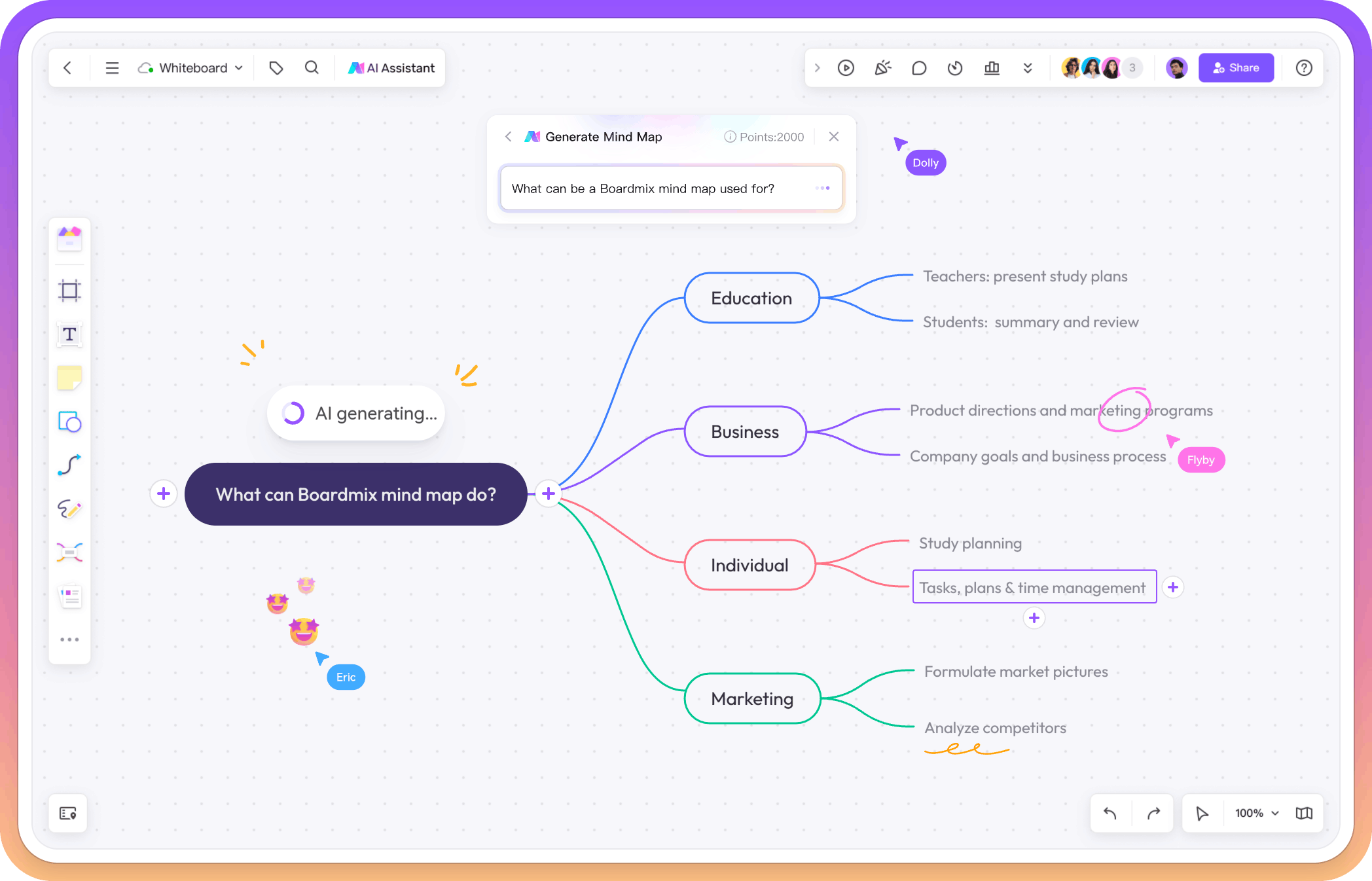
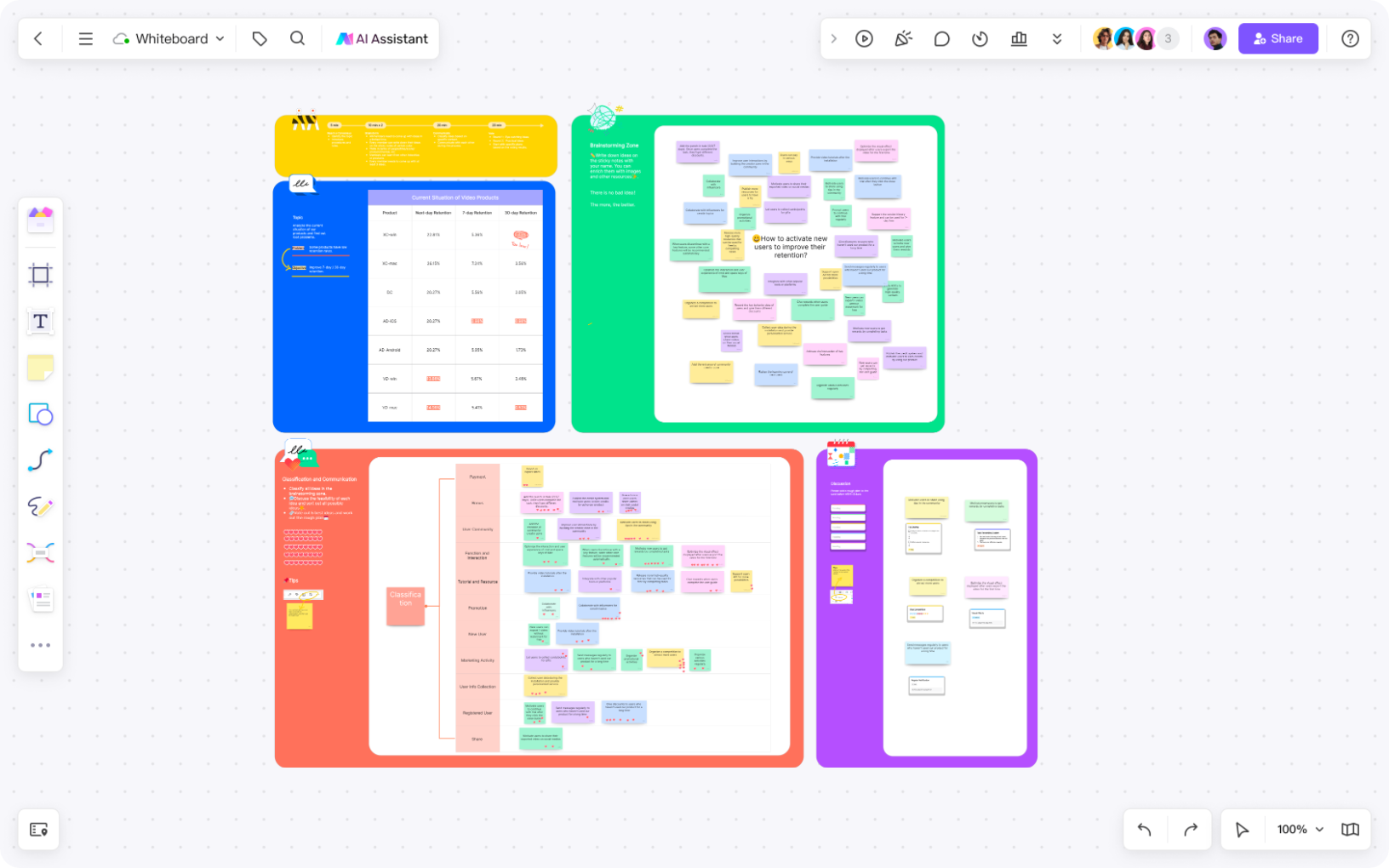
Every technique above shares a few common requirements: a flexible canvas that doesn't run out of room, tools that make structure easy to set up in advance, and a low enough barrier to entry that every participant can contribute without a tutorial. This is where Boardmix's core feature set is built specifically for brainstorming sessions:
- Infinite canvas: No need to plan around running out of space — mind maps, affinity clusters, and storyboards can all expand as far as the session requires.
- Ready-made templates: Boardmix includes templates for many of the techniques above — mind mapping, affinity diagrams, SCAMPER, and storyboarding — so facilitators can set up a session in minutes rather than building the format from scratch each time.
- Built-in timers and voting: Time-boxed exercises like Crazy 8s and prioritization steps like dot voting are supported natively, keeping sessions on track without needing a separate app.
- AI-assisted idea generation and summarization: Boardmix can generate a starting mind map or flowchart from a text prompt, and summarize large clusters of sticky notes into themes — genuinely useful for speeding up both the divergent and convergent phases of a session.
- Real-time collaboration: Every participant can add, move, and vote on ideas simultaneously, with live cursors making it easy to see where teammates are working, even across time zones.
- Freehand sketching alongside structured shapes: Techniques like Crazy 8s and storyboarding benefit from loose, hand-drawn sketching, while others like SCAMPER or affinity mapping work better with clean sticky notes and grids — Boardmix supports both on the same canvas.
None of these techniques require a specific tool to work — a whiteboard, physical or digital, mostly just needs to get out of the way and let the format do its job. But for distributed teams, having templates, timers, and AI assistance built directly into the canvas tends to meaningfully cut down the setup time each facilitator would otherwise spend recreating the same structure session after session.
Tips for Facilitating a Better Virtual Brainstorm
- Set the format before the meeting starts. Prepare the template or canvas layout in advance so the session opens with participants ready to contribute, not watching the facilitator build the board live.
- Start with a warm-up. A quick, low-stakes exercise (even something unrelated to the main topic) helps participants get comfortable with the tool and with contributing before the real session begins.
- Time-box everything. Open-ended brainstorming sessions tend to lose energy; clear time limits per exercise keep momentum high.
- Separate idea generation from evaluation. Critiquing ideas too early shuts down participation. Save prioritization (dot voting, discussion) for a distinct phase after ideas have been generated.
- Close with clear next steps. A brainstorm that doesn't end in a decision or action item often fails to translate into real progress — spend the last few minutes agreeing on what happens with the output.
Frequently Asked Questions
What's the best brainstorming technique for a fully remote team?
Affinity mapping and brainwriting tend to work particularly well for remote teams, since both include a silent, individual contribution phase that doesn't depend on people speaking up in a video call — often the biggest barrier to equal participation remotely.
How many participants work best for a whiteboard brainstorm?
Most techniques work well with 4–8 participants. Larger groups can still work, but usually benefit from breaking into smaller sub-groups for the idea-generation phase before reconvening to share and vote as a full group.
Can AI replace human brainstorming?
AI tools are best used to speed up specific parts of the process — generating a starting point, summarizing large volumes of notes, or suggesting categories — rather than replacing the group's own thinking. The most effective sessions tend to use AI to remove busywork, leaving more time for the group to focus on evaluating and building on ideas together.
How do I keep a virtual brainstorm from losing energy?
Time-boxing exercises, using a visible timer, and switching between techniques (rather than running one long, unstructured session) all help maintain momentum. Silent, individual work phases followed by group discussion also tend to sustain energy better than open-floor discussion alone.
Final Thoughts
The difference between a brainstorm that produces real ideas and one that fizzles out usually comes down to structure, not talent or effort. Picking the right technique for the problem at hand — and having a whiteboard that makes that structure easy to set up — does most of the heavy lifting.
Try Boardmix's brainstorming templates to run your next mind mapping session, affinity map, or Crazy 8s exercise, with your whole team contributing in real time.